
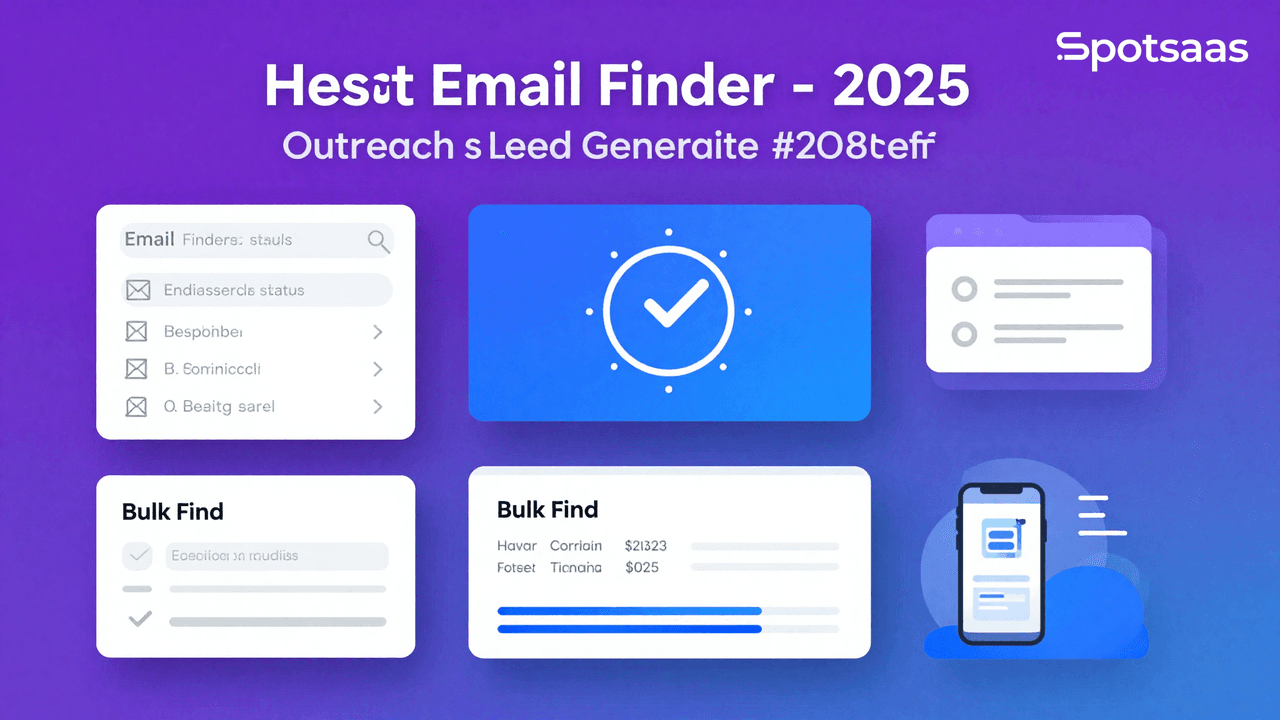
What Are Email Finder Tools and How Do They Help in Outreach?
Email finder software helps individuals locate and verify email addresses, making it easier to build connections with prospective customers, partners, or clients. These tools rely on databases, algorithms, and web crawling to return reliable, accurate contact information.
Whether the goal is sales outreach, recruitment, or expanding a professional network, email finder software cuts down what would otherwise be a long, manual process of finding and validating email addresses, saving professionals and teams both time and effort.
Instead of manually searching company websites or guessing at common email formats, teams can plug a name and company into a finder tool and get a verified result back in seconds. That kind of speed matters most when outreach depends on reaching a specific person rather than a generic inbox.
Why Should You Use Email Finder Tools for Lead Generation?
Email finder tools speed up outreach by quickly surfacing verified email addresses, which helps cut bounce rates and saves time.
That frees teams to focus on more strategic work, since they can connect with decision-makers directly instead of losing campaign momentum to delivery problems.
Expanding Your Outreach Efforts
Finding verified email addresses lets you connect with potential leads, partners, or candidates without sinking hours into exhaustive manual research.
That makes it easier for businesses to extend their network and reach the right people quickly, whether the audience is niche or broad. Email finder tools simplify the whole process.
Improving Campaign Accuracy with Verified Emails
Verified email addresses help make sure your campaigns actually reach the intended recipients. These tools reduce bounce rates and improve deliverability, which protects the sender’s reputation while boosting engagement. That accuracy improves the efficiency of marketing, recruitment, or any other outreach effort.
Saving Time and Resources with Automation
Finding and validating email addresses can now be largely automated, cutting down the time teams used to spend searching manually.
That frees teams to focus on strategic work, such as building compelling campaigns and nurturing leads, rather than collecting data by hand. Automation also cuts down on errors and keeps contact information more reliable.
Enhancing Networking Opportunities
These tools can surface accurate email addresses for industry experts, potential partners, or other contacts worth building a professional relationship with. That makes it more straightforward to start conversations, attend events, or form partnerships that benefit the business.
Boosting Sales Performance Through Direct Connections
Sales reps can reach the exact decision-maker directly, instead of working through irrelevant contacts. Reaching the right person at the right time closes deals faster and more reliably. That kind of targeted outreach steadily improves conversion rates and revenue opportunities.
What Are the Key Features of Email Finder Tools?
Key features typically include email verification, bulk email search for larger campaigns, and CRM integration for a smoother workflow. Other common functions include domain search, API access, and contact enrichment.
Email Verification for Accuracy
Verification checks confirm that email addresses are valid, active, and deliverable. This reduces bounce rates, protects the sender’s reputation, and boosts campaign effectiveness since emails aren’t sent to dead addresses. Verified emails also make outreach analytics and reporting more accurate.
Bulk Email Search for Scaling Campaigns
Bulk search lets you find many email addresses at once by uploading lists or searching in batches. This helps scale outreach so teams can build large datasets without sacrificing accuracy, saving time by automating repetitive tasks and keeping contact lists thorough and complete.
Domain Search for Targeted Prospecting
Domain search quickly surfaces email addresses tied to a specific domain, such as a target company or organization. This is especially useful for account-based marketing, B2B sales, and talent acquisition, where the goal is reaching specific people inside one organization.
CRM Integration for Streamlined Workflows
Integration with CRM platforms like Salesforce, HubSpot, or Zoho CRM lets email data live in one central location. This cuts down on the productivity lost to manual data entry, since email contacts stay consistently updated across systems, and it simplifies campaign tracking and relationship management.
API Access for Custom Integration
A rich API lets teams build email-finding features into their own applications, tools, or workflows. This makes it possible to automate activities like lead generation and data validation within existing systems, giving developers and tech-savvy teams flexible, scalable access.
Export Options for Easy Sharing
Customized email lists can be downloaded in CSV, Excel, or TXT format for easy sharing or further analysis. Exported files can then be imported into any email marketing platform, CRM system, or spreadsheet application, keeping the workflow connected end to end.
Contact Enrichment for Personalised Outreach
Enrichment adds extra data points to your leads, such as job titles, departments, company size, and social media profiles, giving a fuller picture of who you’re reaching out to.
That supports more personalized outreach, which raises engagement rates and allows for smarter audience segmentation. Enriched contacts make it easier to build highly targeted campaigns and deeper engagement.
Taken together, these features turn a basic email lookup into a fuller prospecting workflow, covering everything from the first search to a verified, enriched, CRM-ready contact record.
What Are the Benefits of Using Email Finder Tools?
Email finder tools automate lead generation, campaign building, and contact management, with scaling options that strengthen professional networks and cut down on manual search time.
Streamlined Lead Generation for Better Targeting
These tools help businesses build unique contact lists targeting specific industries, demographics, or roles, keeping outreach tightly aligned with campaign goals. That accuracy raises the odds of connecting with leads relevant to your products or services, improving overall lead quality.
Improved Campaign Performance with Verified Data
Using accurate, verified email addresses avoids the deliverability problems that come from invalid contacts. That means better sender reputation, stronger audience engagement, and healthier metrics like open rates and click-through rates.
Cost Efficiency Through Automation
Automated email finder tools remove the need for expensive manual labor or contracted lead generation. That lowers operational costs and the time required to hit outreach goals, improving the overall cost-benefit ratio.
Stronger Professional Connections
These tools can surface the hidden or hard-to-find email addresses of industry leaders and potential collaborators, opening doors to networking with influential people, forming partnerships, and learning about key players in your field.
Time Optimization in Prospecting
The repetitive parts of prospecting, such as searching, validating, and organizing emails, can largely be handed off to the tool. That leaves more time for personalizing emails or following up to convert leads.
Scalable Solutions for Growing Outreach
Email finder tools scale as business needs evolve, whether campaigns target regional, national, or international audiences. They can manage large data volumes, so performance stays consistent regardless of campaign size or complexity.
That scalability matters most for teams that start small and grow quickly. A tool that works for a handful of weekly searches should be able to handle thousands of monthly lookups without a drop in accuracy or speed.
What Types of Email Finder Tools Are Available?
Cloud-Based Email Finders for Remote Teams
These tools are hosted online and accessible from anywhere with an internet connection, which makes them a good fit for remote teams or distributed workforces.
They often include automatic syncing, real-time updates, and collaborative features that let users work together on lead generation. A key advantage is scalability: companies can grow their contact databases without upgrading infrastructure.
On-Premise Email Finder Software for Data Control
These tools are installed directly on local servers, giving organizations maximum control over data security. That makes them a good match for finance and healthcare, industries with strict compliance requirements.
They offer more room for customization, but they also need dedicated IT resources for maintenance and updates. They suit organizations that put data privacy first.
Integrated Email Tools for All-in-One Marketing
These tools are built into larger marketing automation or CRM platforms, offering email-finding functionality alongside campaign tracking, contact management, and analytics, all working within existing team processes.
That integration means handling leads, engaging contacts, and tracking outreach performance can all happen through one platform, making these tools a strong fit for organizations that want an all-in-one solution.
Standalone Email Finder Tools for Focused Prospecting
These are dedicated tools built entirely around finding email addresses, specializing in features like bulk search, advanced validation, and domain search. They suit businesses that want a precise, efficient email-searching option without the extra features of a larger platform.
Standalone tools work well for focused lead-generation campaigns or businesses looking for a cost-efficient way to handle email prospecting.
None of these categories is universally “better” than the others. The right choice depends on how the tool needs to fit into your existing stack, whether data has to stay on-premise, and how much your team already relies on a CRM or marketing platform.
How Do You Choose the Right Email Finder Software?
Email finder tools play a central role in lead generation, outreach, and networking. Here’s a comprehensive guide to help you make an informed decision.
Setting Clear Goals for Your Email Finder Tool
Defining your objectives clearly makes sure the tool you pick aligns with your requirements and delivers real value.
Core Objectives for Your Email Finder Tool
Build Quality Email Lists
High-quality email lists are essential for outreach success. A reliable email finder tool builds verified, accurate, and current email lists, keeping bounce rates down and improving the chances of engagement. That improves overall campaign success while cutting down on wasted time and resources.
Enhance Outreach Efficiency
Email finder tools automate the discovery of valid email addresses, saving countless hours for sales, marketing, and business development teams. That lets them focus on creating meaningful, personalized outreach campaigns instead of hunting for contact information by hand.
Support Lead Generation
These tools simplify lead discovery for businesses trying to connect with potential customers or partners. Sourcing verified contact information enables quick, efficient outreach to decision-makers, helping companies build relationships and close deals faster.
Maintain Data Accuracy
Reliable email finder tools cross-reference multiple sources to verify accuracy. That keeps you working with up-to-date information, lowers bounce rates, and strengthens the credibility of your outreach.
Integrate with Workflows
Integration with other platforms, such as CRM tools, email marketing software, and sales automation tools, lets you fold discovered email addresses directly into your workflows, keeping operations smoother and teams more productive.
Which Email Finder Tool Models Should You Consider?
Understanding the different types of email finder tools available will help you pick the one that best fits your needs.
Main Types of Email Finder Tools
Cloud-Based Email Finder Tools
Cloud-based tools offer flexibility, since they can be accessed from any location or device with an internet connection. They work well for remote teams and businesses that want real-time collaboration, and regular updates keep you on the latest version.
On-Premise Email Finder Tools
On-premise solutions suit organizations with strict data privacy policies or specific compliance requirements. They give complete control over data storage and usage, though they often require higher upfront costs and dedicated IT resources for maintenance.
Browser Extensions
Email finder browser extensions simplify contact discovery while browsing websites or LinkedIn profiles, making them useful for sourcing email addresses during prospecting and research.
API-Based Email Finders
For businesses with more advanced requirements, API-based email finders allow integration with custom workflows, enabling real-time email verification and discovery inside existing systems.
How Can You Identify Your Data Requirements?
Evaluating your data needs makes sure the tool you select supports your business goals and works well with existing processes.
Ensuring Smooth Data Integration
CRM Integration
Integration with CRM platforms such as Salesforce or HubSpot lets you automatically store discovered email addresses and manage leads efficiently, cutting out manual data entry and saving time while reducing errors.
Email Marketing Platforms
Email finder tools that connect with platforms like Mailchimp or SendGrid simplify the campaign process. With this integration, you can add verified contacts directly to your campaigns, streamlining outreach.
Data Verification
Built-in verification confirms that email addresses are valid and active, improving campaign success rates and protecting your domain reputation by avoiding undeliverable or fake addresses.
Bulk Search Capabilities
Some tools support bulk searches, letting you discover and verify multiple email addresses at once, which is especially valuable for businesses running large-scale lead-generation campaigns.
What Features Should You Look for in Email Finder Software?
Strong features make sure the tool meets your requirements and delivers the results you’re after.
Must-Have Core Features
Email Verification
This checks the validity of email addresses by cross-referencing databases and running deliverability tests. Keeping only valid contacts minimizes bounce rates and improves campaign effectiveness.
Domain Search
Domain search identifies all the email addresses associated with a particular company or website, which is valuable for B2B outreach campaigns targeting specific organizations.
Bulk Email Finder
Bulk discovery lets you find and verify multiple email addresses in one pass, an excellent feature for teams managing high-volume campaigns.
Contact Enrichment
Contact enrichment adds extra information, such as job titles, social media profiles, and company details, supporting more personalized and effective outreach.
Real-Time Updates
Real-time updates keep email data accurate and current, improving the reliability of your campaigns over time.
Powerful Advanced Features
Customizable Search Filters
Advanced filtering lets you narrow searches by criteria such as location, industry, or job title, making sure you’re reaching the most relevant contacts for your campaign.
Lead Scoring
Some tools prioritize leads based on their potential value or likelihood to convert, letting you focus on the highest-quality prospects first.
GDPR Compliance
Making sure the tool complies with data privacy regulations like GDPR protects your business from legal risk while keeping outreach practices ethical.
Analytics and Reporting
Detailed analytics show how your email campaigns are performing, including open rates, click-through rates, and deliverability statistics, helping you refine strategy and improve ROI.
How Do You Assess Reporting and Insights Effectively?
Reporting capabilities let businesses track progress, analyze data, and refine their outreach efforts over time.
Detailed Granular Reporting
Campaign Metrics
Metrics like bounce rates, open rates, and click-through rates give valuable insight into how effective your email campaigns are, helping identify where to improve.
Lead Quality Analysis
Analyzing the quality of discovered leads confirms they align with your target audience and campaign objectives, leading to more meaningful engagement.
Useful Visualization Tools
Interactive Dashboards
Dashboards present campaign performance visually, letting teams quickly spot trends and areas that need attention.
Exportable Reports
Reports that export to formats like Excel or PDF make it easy to share insights with team members and stakeholders, supporting collaborative decision-making.
What Pricing Models and Costs Should You Consider?
Understanding pricing models helps make sure the tool meets your needs without exceeding your budget.
Subscription Plans
Monthly or annual subscriptions suit businesses with ongoing email discovery needs, offering predictable costs and access to all features.
Pay-Per-Search
This model charges based on the number of searches performed, a cost-effective option for businesses with occasional needs.
Custom Pricing
Large organizations can opt for custom pricing plans with advanced features and dedicated support tailored to their specific requirements.
How Do You Ensure the Tool Scales with Your Business?
Scalability makes sure the email finder tool grows alongside your business and adapts to increased demand.
Bulk Email Discovery
The tool should support bulk searches and verifications as your campaign size increases.
Multi-Team Collaboration
Shared databases and collaboration features let multiple teams access and use the tool effectively.
API Access
Scalable API integrations let businesses automate email discovery processes and stay efficient as needs evolve.
How Can You Evaluate Support and Training Effectively?
Reliable support and training resources make sure adoption goes smoothly and the tool gets used effectively.
Strong Customer Support Options
Round-the-clock assistance makes sure issues get resolved quickly, minimizing disruption to your workflow.
Training and Resource Options
Comprehensive tutorials, webinars, and guides help teams understand the tool’s features and get the most out of it.
How Do the Leading Email Finder Tools Compare?
Top tools, including Hunter and Snov.io, are rated on pricing, features, and use case fit. Each benefits different types of businesses by offering ways to automate email outreach and prospecting.
| Tool | Pricing | Best For | Key Features | Notable Customers |
|---|---|---|---|---|
| Hunter | Free/Starts at $49/month | Bulk email search | Domain search, email verification | Google, Microsoft |
| Snov.io | Free/Starts at $39/month | Multi-channel outreach | Email finding, drip campaigns | Netflix, LinkedIn |
| Voila Norbert | Starts at $49/month | Simple email search | Email enrichment, bulk verification | Shopify, Airbnb |
| FindThatLead | Free/Starts at $49/month | Targeted lead generation | Social profile search, API access | Uber, Amazon |
| Lusha | Starts at $29/month | B2B prospecting | Contact enrichment, CRM integration | Dropbox, IBM |
Final Verdict on Choosing the Best Email Finder Software
Email finder tools pay off when companies want to cut outreach costs, improve campaign response rates, and reduce manual research time. Look for features like email verification, bulk search, and CRM integration.
They cover a wide range of needs, from sales and marketing to recruitment. By weighing the key features on offer against accuracy and pricing, organizations can land on the email finder solution that best fits their productivity and outreach goals.
Before committing to a plan, it’s worth testing a tool against your own target list rather than relying on marketing claims alone. Accuracy rates can vary noticeably depending on the industry and region you’re prospecting in, and a short, hands-on trial run will tell you more than any spec sheet ever could.
Compare alternatives to the tools in this post

- Independent picks for exactly what you just read about
- Matched to your team size & needs
- Vendors don't pay for placement
Step 1 of 4
How big is your team?
We tailor recommendations to companies your size.















Related Articles
Buyers guide
Twilio Alternatives 2026: 6 Compared and What They Cost
Continue reading →
Buyers guide
How To Choose The Best Auto Dialer Software For 2026
Continue reading →
Buyers guide
How To Choose The Best Freelance Platforms For 2026
Continue reading →

Buyers guide
How To Choose The Best Audience Response Software For 2026
Continue reading →