
Payroo vs Payroller Comparison

Payroo
Starting at $2 /User/Month
- Medium Business
- Small Business
Payroo is a cloud based software to manage payrolls. The user can access their records from anywhere and at anytime. It is very simple to use, fast and accurate payroll tool that provides the functionality of professiona…

Payroller
Starting at $0.66 /user/month
- Freelancers / Consultants
- Medium Business
Payroll is easy with our powerful, yet simple-to-use desktop software. With options that help you manage taxes, reduce errors and cut labor costs, payroll can be an integral part of growing your business. Run payroll fas…
Payroo leads on user satisfaction with a 1.5-star rating across 41 reviews.
Payroo vs Payroller — at a glance
| Feature | Payroo | Payroller |
|---|---|---|
| Rating | 1.5 / 5 | — |
| Reviews | 41 | — |
| Starting price | $2 /User/Month | $0.66 /user/month |
| Free trial | No | No |
| Free version | No | No |
| Best for | Medium Business, Small Business | Freelancers / Consultants, Medium Business, Small Business |
| Category | Payroll Software | Payroll Software |
| Integrations | — | 1+ apps |
| Platforms | SaaS/Web/Cloud | SaaS/Web/Cloud |
| API | — | — |
| Support modes | Online | Online |
Key differences between Payroo and Payroller
- Pricing: Payroo starts at $2 /User/Month, while Payroller starts at $0.66 /user/month.
- Target audience: Payroo is built for Medium Business and Small Business, while Payroller targets Freelancers / Consultants and Medium Business.
- Deployment: Payroo supports SaaS/Web/Cloud; Payroller supports SaaS/Web/Cloud.
Payroo vs Payroller — find the better fit before you commit.
Which tool fits your team best
Which is actually cheaper for your team size
Where each product wins, per real buyers
Most Payroll Software tools look identical on paper. This comparison cuts to the differences that matter — pricing structure, team fit, and what real buyers found after signing up.
Biggest differences
Features
Pricing
Buying details
Security
Buyer feedback
Integrations
Product tour
Other options
Free PDF comparison
Download this Payroo vs Payroller comparison
Get the full side-by-side as a PDF — these picks plus the top Payroll Software tools, with verified ratings, pricing and features.
- Side-by-side on pricing, features & ratings
- Plus the category top 10, scored & ranked
- Emailed to you — no on-screen download
No file downloads on screen — we email it to you. One-click unsubscribe anytime.
Payroo vs Payroller: Biggest differences
Start here before you go deeper into features.
Medium Business, Small Business
Freelancers / Consultants, Medium Business, Small Business
Payroo typically suits Medium Business and Small Business. Payroller tends to fit Freelancers / Consultants and Medium Business better. The right choice depends on your team size, workflow, and whether a free trial matters.
Description | Payroo is a cloud based software to manage payrolls. The user can access their records from anywhere and at anytime. It is very simple to use, fast and accurate payroll tool that provides ... Read More about Payroo | Payroll is easy with our powerful, yet simple-to-use desktop software. With options that help you manage taxes, reduce errors and cut labor costs, payroll can be an integral part of growing ... Read More about Payroller |
|---|---|---|
Entry Level Pricing |
|
|
Free Trial Availability |
|
|
SpotScoreWhat's this? ↗ | 8.1/10 | 8.1/10 |
User RatingsBased on verified Spotsaas reviews | ||
Best Company Size | — | 1–200 employees |
Get pricing help | Get pricing help |
Where each option fits best
See where each product is strongest, which teams it fits, and what causes buyers to keep looking — before you commit.
Based on buyer reviews and verified product data collected by Spotsaas.
Key strengths
- Accessibility for Small Businesses: Payroller is designed to be easy to use, even for employers without payroll expertise. Its browser-based interface, guided workflows, and clear reporting make payroll accessible for microbusinesses and SMEs. Accountants and bookkeepers can also manage multiple clients through the agent portal. This accessibility lowers the barrier to adopting compliant payroll software while still providing the essential features businesses need to pay employees correctly and on time.
- Smooth Accounting Integration: Payroller integrates with accounting software like Xero, syncing payroll data with financial records. Wages, taxes, and superannuation entries are reflected accurately in the general ledger, reducing duplicate data entry. This integration improves visibility into payroll costs and simplifies reconciliation during month-end or year-end close. Businesses benefit from cleaner accounting records and less coordination between payroll and finance teams.
- Reduced Payroll Errors: Manual payroll processing often leads to mistakes in calculations, leave balances, or tax deductions. Payroller reduces these risks by applying standardized payroll rules and validations automatically. Attendance, leave, and earnings data are processed consistently, improving accuracy across pay runs. Fewer errors mean fewer corrections, less rework, and improved trust with employees. Accurate payroll also supports cleaner financial records and smoother reconciliation for accountants and bookkeepers.
Best fit
- 1–200 employees
- Retail, Hospitality, Construction, Trades, Healthcare, Professional Services, Education Services, Nonprofits, Accounting & Bookkeeping Firms
- Business Owners, Payroll Officers, Office Managers, HR Managers, Finance Managers, Accountants, Bookkeepers, Operations Managers
Software Demo
Demo |
|---|
Need a second opinion?
Get decision help from a software advisor
Share your priorities, budget, and team needs, and we’ll help you narrow the options and understand the tradeoffs before you talk to vendors.

- Independent advice — matched to your business
- Understand the tradeoffs before you talk to vendors
- Free 15-min call with a software advisor.
Step 1 of 4
How big is your team?
We tailor recommendations to companies your size.











How do Payroo and Payroller Compare on Features?
Total Features | 8 Features | 11 Features |
|---|---|---|
Unique Features | No unique features | No unique features |
Get Quote | Get Quote |
Compare Payroo and Payroller on pricing
Review starting price, plan structure, and free-trial access side by side so you can see which option fits your budget and buying process.
Pricing Option | ||
|---|---|---|
Starting From |
|
|
Pricing Plans |
|
|
Pricing Page |  | 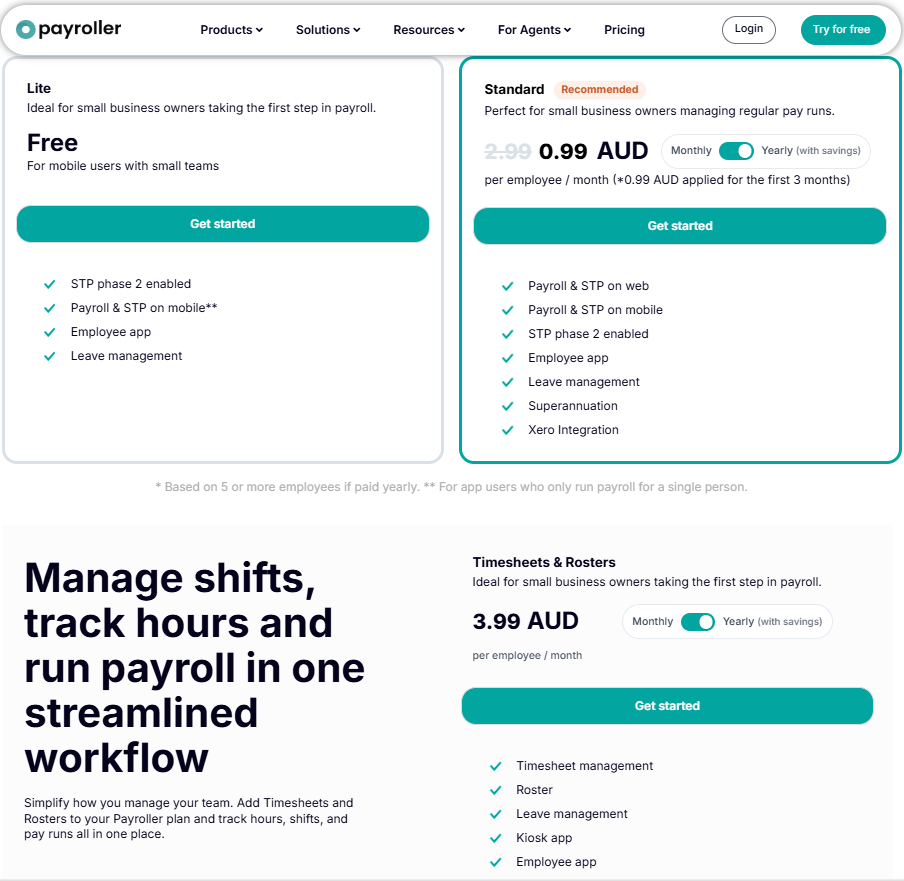 |
Payroo vs Payroller: Other Details
Organization Types supported |
|
|
|---|---|---|
Platforms Supported |
|
|
Modes of support |
|
|
API Support |
|
|
Get help choosing | Get help choosing |
Payroo User Reviews & Rating Comparison
User Ratings | 1.5 (based on 41 reviews) | No reviews available for the product |
|---|---|---|
Rating Distribution | No reviews available for this product | |
Spotsaas Editor’s POV generated by AI | Buyer sentiment Buyer sentiment is cautious across 41 reviews, with several recurring concerns in feedback. What buyers like
Common complaints
| What buyers like
Common complaints
|
Pros and Cons |
|
|
Integrations
Integration with other apps | No Integration information available. |
|---|
Media and Screenshots
Screenshots |  2 Screenshots | 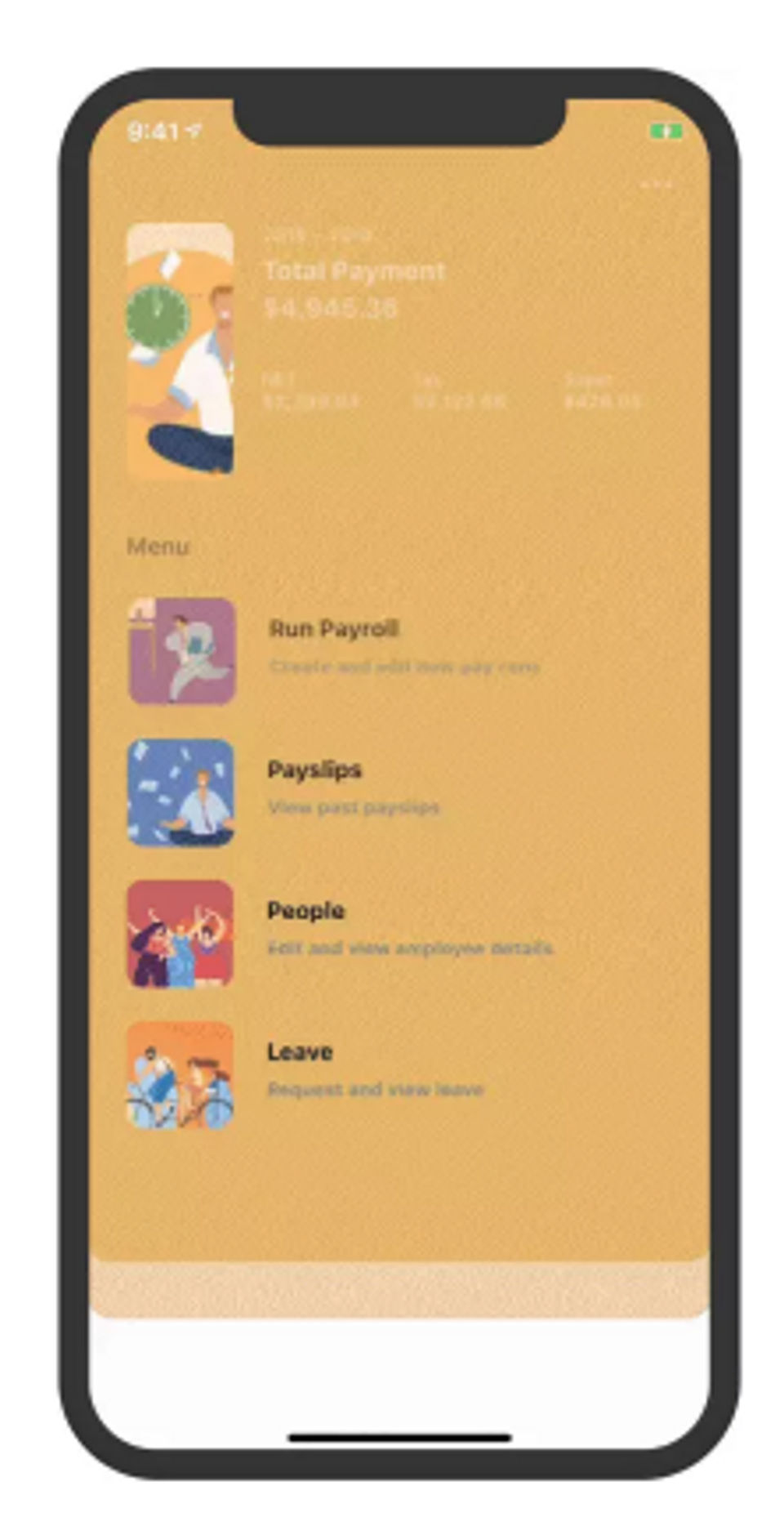 7 Screenshots |
|---|---|---|
Videos |  1 Videos |  1 Videos |
Top Alternatives to Payroo and Payroller in 2026
Alternatives |
|---|


Add another option to compare side by side
Search by product name to compare pricing, fit, and buyer feedback in one view.Compare similar software options



Related Blogs and Articles for Payroll Software
Disclaimer: This research has been collated from a variety of authoritative sources. We welcome your feedback at [email protected].
Frequently asked questions
- Which is better, Payroo or Payroller?
- Payroo has a user rating of 1.5, while Payroller has no user ratings yet. The right choice depends on your team size, budget, and specific Payroll Software needs.
- Do Payroo and Payroller offer a free trial?
- Neither Payroo nor Payroller currently lists a free trial.
- What is the starting price of Payroo vs Payroller?
- Payroo starts at $2 /User/Month. Payroller starts at $0.66 /user/month.
- What are the top alternatives to Payroo?
- Top alternatives to Payroo include Microkeeper, Paybooks, Hive Payroll, Papaya Global, Heartland Payroll.
- What are the top alternatives to Payroller?
- Top alternatives to Payroller include 247HRM, Papaya Global, Square Payroll, Hive Payroll, RUN Powered by ADP.
- How good is Payroo?
- The case for Payroo: cloud-based for anytime, anywhere access; affordable pricing compared to competitors. The case against: may lack advanced features for larger businesses; customer support options may be limited. It also lacks Expense Tracking and Multi-Currency.
- What do buyers praise about Payroller?
- What buyers praise about Payroller: with support for importing employee data and using pre-printed checks, it significantly reduces the time spent on manual data entry. What they raise as reservations: lack of integration with accounting, HR, or time-tracking software could hinder full automation and increase administrative overhead. It does not include Expense Tracking and Multi-Currency.