
AnyDesk vs Oomnitza Comparison

AnyDesk
Starting at $23 /month
- Free Version
- Freelancers / Consultants
- Medium Business
AnyDesk is a software that allows you access to your computer from anywhere in the world, as if you are sitting directly in front of it. It works via the Internet and therefore requires no additional hardware or installa…

Oomnitza
Starting at Contact for pricing
- Large Enterprises
- Medium Business
Oomnitza is an IT asset management platform for IT operations teams that need structured workflows for tracking hardware inventory, managing license keys, and maintaining audit-ready asset records. Its guided documentati…
AnyDesk leads on user satisfaction with a 4.8-star rating across 795 reviews.
AnyDesk vs Oomnitza — at a glance
| Feature | AnyDesk | Oomnitza |
|---|---|---|
| Rating | 4.8 / 5 | — |
| Reviews | 795 | — |
| Starting price | $23 /month | Contact for pricing |
| Free trial | No | No |
| Free version | Yes | No |
| Best for | Freelancers / Consultants, Medium Business, Small Business | Large Enterprises, Medium Business, Small Business |
| Category | Remote Access Software | IT Asset Management Software |
| Platforms | SaaS/Web/Cloud, Mobile - Android, Mobile - iOS, Installed - Windows, Installed - Mac | SaaS/Web/Cloud, Mobile - Android, Mobile - iOS |
| API | Available | — |
| Support modes | Business Hours, Online | Online |
Key differences between AnyDesk and Oomnitza
- Pricing: AnyDesk starts at $23 /month. Oomnitza pricing is not publicly listed.
- Target audience: AnyDesk is built for Freelancers / Consultants and Medium Business, while Oomnitza targets Large Enterprises and Medium Business.
- Deployment: AnyDesk supports SaaS/Web/Cloud, Mobile - Android, Mobile - iOS, Installed - Windows, Installed - Mac; Oomnitza supports SaaS/Web/Cloud, Mobile - Android, Mobile - iOS.
AnyDesk vs Oomnitza — find the better fit before you commit.
Which tool fits your team best
Which is actually cheaper for your team size
Where each product wins, per real buyers
Most Remote Access Software tools look identical on paper. This comparison cuts to the differences that matter — pricing structure, team fit, and what real buyers found after signing up.
Biggest differences
Features
Pricing
Buying details
Security
Buyer feedback
Integrations
Product tour
Other options
Free PDF comparison
Download this AnyDesk vs Oomnitza comparison
Get the full side-by-side as a PDF — these picks plus the top Remote Access Software tools, with verified ratings, pricing and features.
- Side-by-side on pricing, features & ratings
- Plus the category top 10, scored & ranked
- Emailed to you — no on-screen download
No file downloads on screen — we email it to you. One-click unsubscribe anytime.
AnyDesk vs Oomnitza: Biggest differences
Start here before you go deeper into features.
Best for fast, secure remote access with simple setup and multi-PC control.
- You need to control up to 50 computers from one Windows system efficiently.
- You prioritize low-latency, smooth remote desktop performance even on low bandwidth.
- You want reliable security features like end-to-end encryption and two-factor authentication.
- Your workflows require highly reliable, unattended remote access configurations.
- You have unstable or low-quality internet connections causing frequent dropouts.
Best for medium to large enterprises needing comprehensive hardware IT asset management.
- You require end-to-end hardware asset lifecycle tracking with full visibility and control.
- Your organization values a patented, innovative ITAM methodology unique in the market.
- You need integrated license key tracking to ensure software compliance and audit readiness.
- Your primary need is deep software asset management or cloud asset tracking beyond license keys.
- Your team is new to ITAM and prefers a simpler, more intuitive setup experience.
AnyDesk: Best for fast, secure remote access with simple setup and multi-PC control. Oomnitza: Best for medium to large enterprises needing comprehensive hardware IT asset management.
Description | AnyDesk is a software that allows you access to your computer from anywhere in the world, as if you are sitting directly in front of it. It works via the Internet and therefore requires no ... Read More about AnyDesk | Oomnitza is an IT asset management platform for IT operations teams that need structured workflows for tracking hardware inventory, managing license keys, and maintaining audit-ready asset ... Read More about Oomnitza |
|---|---|---|
Entry Level Pricing |
|
|
Free Trial Availability |
|
|
SpotScoreWhat's this? ↗ | 9.0/10 | 8.5/10 |
User RatingsBased on verified Spotsaas reviews | ||
Best Company Size | 50 to 500 employeesSmall Business | 100-5000 employeesMedium to Large Enterprises |
Get pricing help | Get pricing help |
Where each option fits best
See where each product is strongest, which teams it fits, and what causes buyers to keep looking — before you commit.
Based on buyer reviews and verified product data collected by Spotsaas.
Key strengths
- Smooth Remote Access: With AnyDesk, you can easily connect to devices from anywhere in the world. This means your team can provide support or access critical files without being tied to a specific location.
- High Performance and Low Latency: I've seen firsthand how AnyDesk's proprietary DeskRT codec delivers smooth, real-time performance, even on low-bandwidth connections. This keeps your remote sessions as responsive as working locally.
- Security Features: AnyDesk protects data with end-to-end encryption and two-factor authentication, safeguarding your sensitive information against unauthorized access.
- Asset Management: With Oomnitza, you can easily track and manage your entire asset lifecycle, confirming that every device and software license is accounted for. This minimizes the risk of lost or underutilized assets and improves your operational efficiency.
- Improved Visibility and Control: Oomnitza gives real-time insights into your IT inventory, letting managers make informed decisions. By centralizing data in one platform, you get a complete view of your assets, which is critical for strategic planning and budgeting.
- Automated Workflows: Oomnitza automates routine tasks such as onboarding and offboarding employees, saving administrators precious time and reducing human error. This helps maintain compliance with company policies.
Best fit
- 50 to 500 employees
- IT Services, Remote Support, Education, Consulting, and Telehealth
- IT Support Specialists, Remote Technical Support Agents, Educators, Consultants, and Project Managers
- 100 to 5,000 employees
- SaaS, Fintech, Consulting, and Revtech
- IT Managers, Asset Managers, Procurement Specialists, and Compliance Officers
Reasons buyers look elsewhere
- Users may seek alternatives to AnyDesk due to concerns about security and privacy, particularly if they require improved encryption or compliance with specific regulatory standards for sensitive data handling.
- Some individuals or organizations might find AnyDesk's pricing model less favorable compared to other remote desktop solutions that offer more competitive rates or better value for their specific usage needs.
- Users could experience performance issues with AnyDesk, such as lag or connectivity problems, prompting them to explore alternatives that provide faster and more reliable remote access capabilities.
- Lacks customization options for complex asset tracking workflows — teams managing 500+ assets often need field-level configuration that Oomnitza doesn't expose
- Pricing scales with user count; companies under 50 employees frequently switch to Snipe-IT or Asset Panda for lower per-seat costs
- No native integration with ServiceNow, Jira, or Salesforce — requires manual API setup or third-party connectors that add implementation time
Software Demo
Demo |  Oomnitza has not given any software demo yet If you're the owner of this profile, add your demo.Contact us |
|---|
Need a second opinion?
Get decision help from a software advisor
Share your priorities, budget, and team needs, and we’ll help you narrow the options and understand the tradeoffs before you talk to vendors.

- Independent advice — matched to your business
- Understand the tradeoffs before you talk to vendors
- Free 15-min call with a software advisor.
Step 1 of 4
How big is your team?
We tailor recommendations to companies your size.















How do AnyDesk and Oomnitza Compare on Features?
Total Features | 5 Features | 7 Features |
|---|---|---|
Unique Features | No unique features | No unique features |
Get Quote | Get Quote |
Compare AnyDesk and Oomnitza on pricing
Review starting price, plan structure, and free-trial access side by side so you can see which option fits your budget and buying process.
Pricing Option | ||
|---|---|---|
Starting From |
|
|
Pricing Plans |
|
|
Pricing Page | 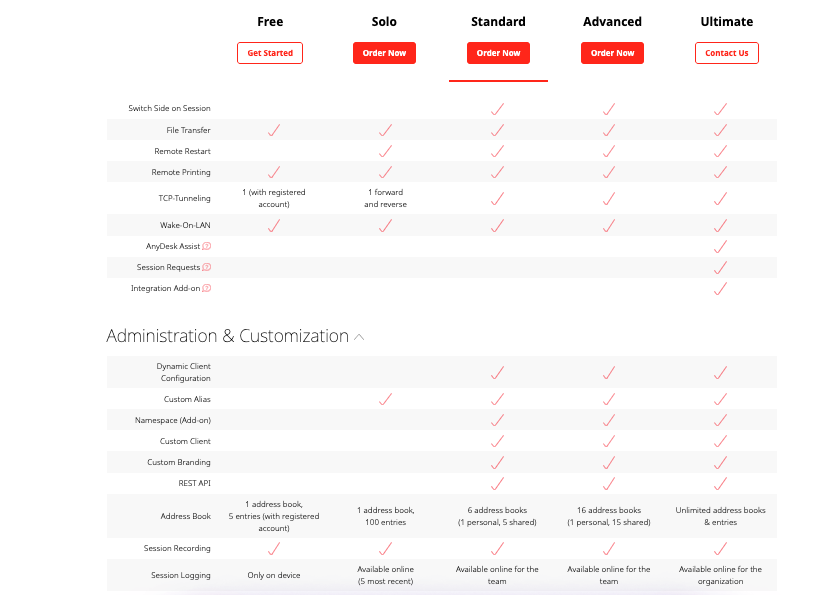 | Pricing information not available |
AnyDesk vs Oomnitza: Other Details
Organization Types supported |
|
|
|---|---|---|
Platforms Supported |
|
|
Modes of support |
|
|
API Support |
|
|
Get help choosing | Get help choosing |
AnyDesk User Reviews & Rating Comparison
User Ratings | No reviews available for the product | |
|---|---|---|
Rating Distribution | No reviews available for this product | |
Spotsaas Editor’s POV generated by AI | Buyer sentiment Users appreciate AnyDesk's ease of use, fast performance, and security, but express concerns about connectivity reliability and update management. What buyers like
Common complaints
| Buyer sentiment Buyers appreciate Oomnitza's comprehensive hardware tracking and patented approach but note complexity for new users and limited software asset management features. What buyers like
Common complaints
|
Pros and Cons |
|
|
Positive Reviews | No reviews available for the product | No reviews available for the product |
Media and Screenshots
Screenshots |  5 Screenshots | No screenshots available. |
|---|---|---|
Videos |  3 Videos | No videos available. |
Top Alternatives to AnyDesk and Oomnitza in 2026
Alternatives |
|---|


Add another option to compare side by side
Search by product name to compare pricing, fit, and buyer feedback in one view.Compare similar software options


Related Blogs and Articles for It Asset Management Software
Disclaimer: This research has been collated from a variety of authoritative sources. We welcome your feedback at [email protected].
Frequently asked questions
- Which is better, AnyDesk or Oomnitza?
- AnyDesk has a user rating of 4.8, while Oomnitza has no user ratings yet. The right choice depends on your team size, budget, and specific IT Asset Management Software needs.
- Do AnyDesk and Oomnitza offer a free trial?
- Neither AnyDesk nor Oomnitza currently lists a free trial.
- What is the starting price of AnyDesk vs Oomnitza?
- AnyDesk starts at $23 /month. Oomnitza starts at Contact for pricing.
- What are the top alternatives to AnyDesk?
- Top alternatives to AnyDesk include RemotePC, FixMe.IT, Splashtop Remote Support, BeyondTrust Remote Support, LogMeIn Rescue.
- What are the top alternatives to Oomnitza?
- Top alternatives to Oomnitza include Asset Panda, AssetCloud, Device42, Lansweeper, CloudSphere.
- What is the honest verdict on AnyDesk?
- AnyDesk is a reasonable choice given these strengths: easy to use with an intuitive interface and quick setup; fast and responsive remote desktop connection with low latency. It is the wrong choice if these would block you: inconsistent connectivity issues causing dropped connections or lag; limited capabilities for unsupervised remote access configuration. It does not include Fixed Asset Management and Multi-Location.
- Who should avoid Oomnitza?
- Strengths buyers report for Oomnitza: end-to-end hardware asset lifecycle tracking with full visibility and control; patented ITAM approach providing innovative and credible asset management. Where buyers were disappointed: limited focus on software asset management beyond license keys; may require third-party integrations for full automation and advanced reporting. It does not include Billing and Invoicing and Spend Management.
More IT Asset Management Software comparisons
Side by side breakdowns of the same products against other options in this category.