
9.4
SpotScore

Trakstar Review: Is It The Right Performance Management System For Your Team?
Best for SMB teams · Mid-market
 GDPR
GDPRTrakstar offers custom pricing plan
 Axon
Axon Redwire
 Make a Wish
 Mediware
Trusted by teams including Axon
Overview
Pricing
Features
Buyer feedback
Alternatives
Customers
Media
Security & Compliance
Support
FAQ
Blogs
Spotsaas Analysis for Trakstar
Trakstar at 4.4/5 from 542 reviews and SpotScore 9.4 serves HR managers and performance review coordinators at mid-sized companies and educational institutions. The platform reduces training time through a straightforward interface and accelerates review cycles by organizing evaluation workflows. Some users report that corrective action features and performance improvement plan navigation feel overly complex.
Performance management software automates employee reviews, goal tracking, and feedback cycles for HR teams. Trakstar replaces manual review scheduling and spreadsheet tracking, cutting review completion time and improving on-time submission rates.
Quick picks:
What is Trakstar?
TrakStar is the Performance Management System that provides businesses, schools and fund raising institutions with the technology to deliver an unrivaled guest experience. Drive increased revenue and productivity, reduce labor costs and train efficiently with TrakStar, an easy-to-use, cloud based system for gathering data, tracking attendance and improving automation.
Pricing
Trakstar offers custom pricing plan
Best For
Built for growing teams, from small businesses to mid-market
Security & Compliance
GDPRSingle Sign-On (SSO)
Data residency:Global
Trakstar Screenshots

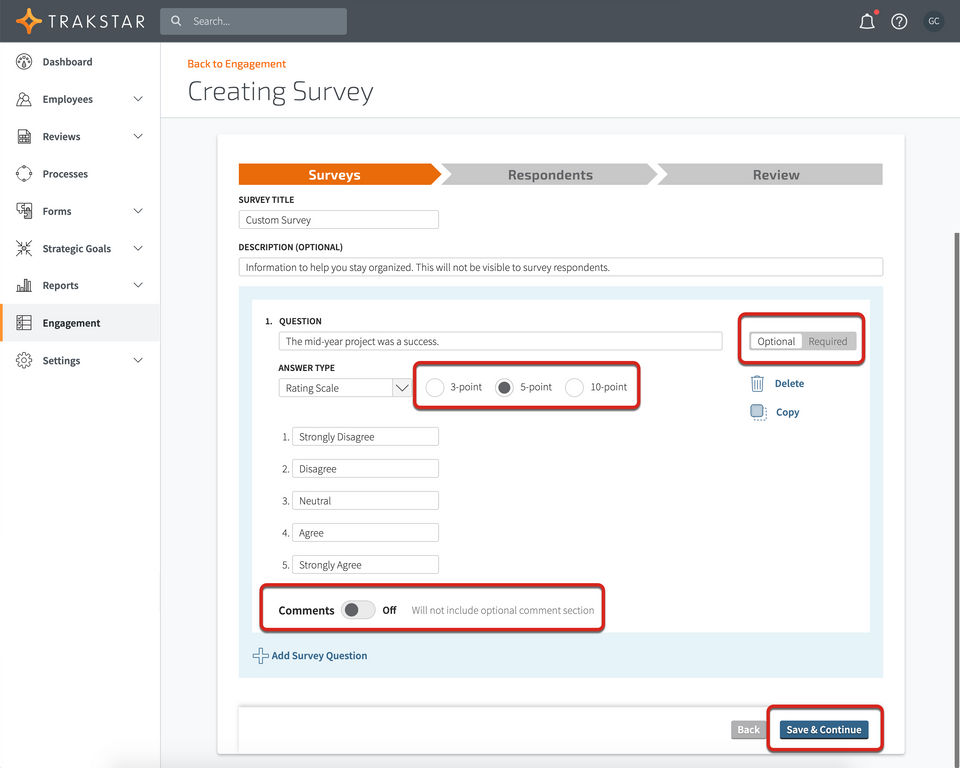
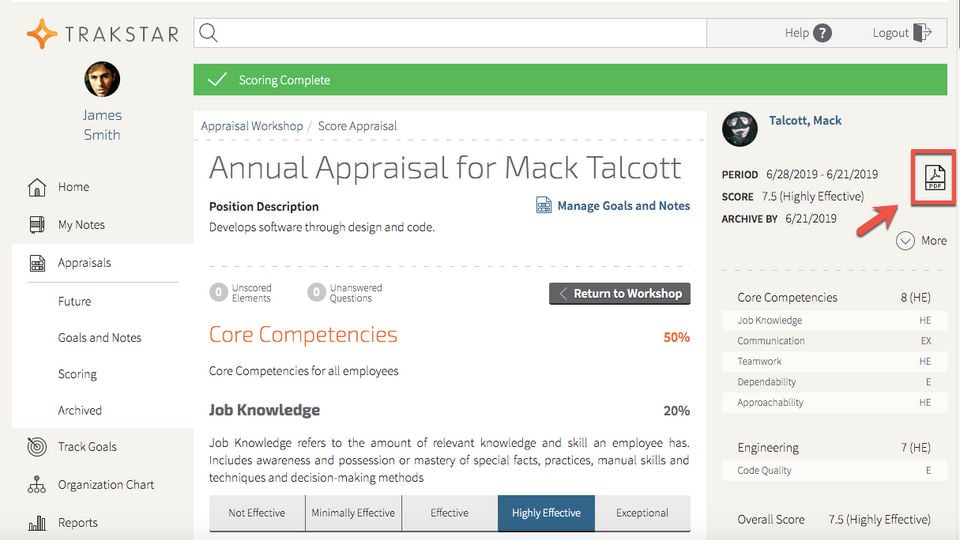
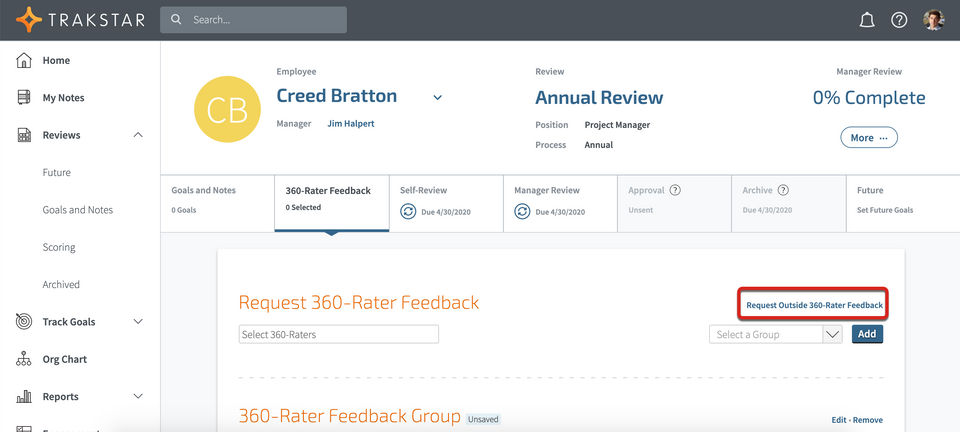
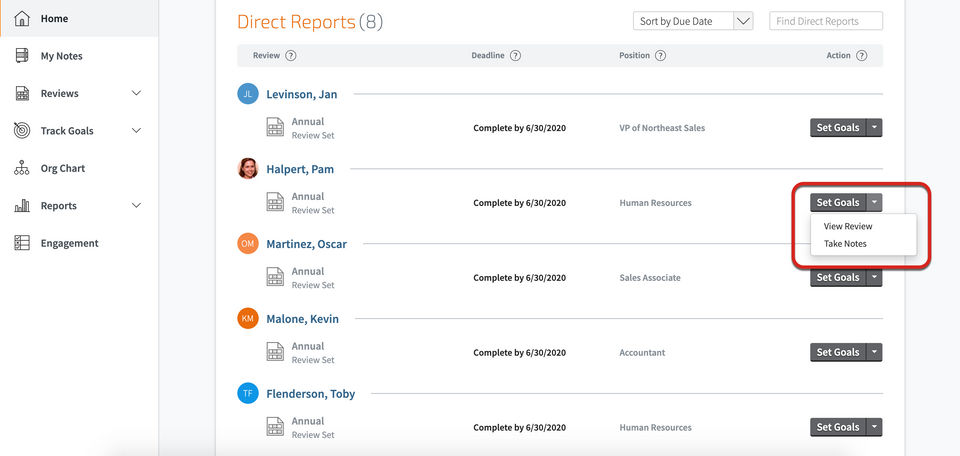
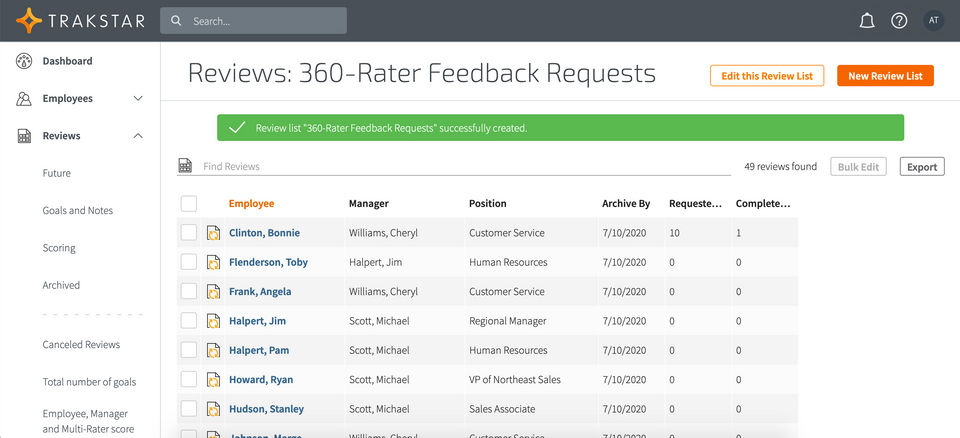
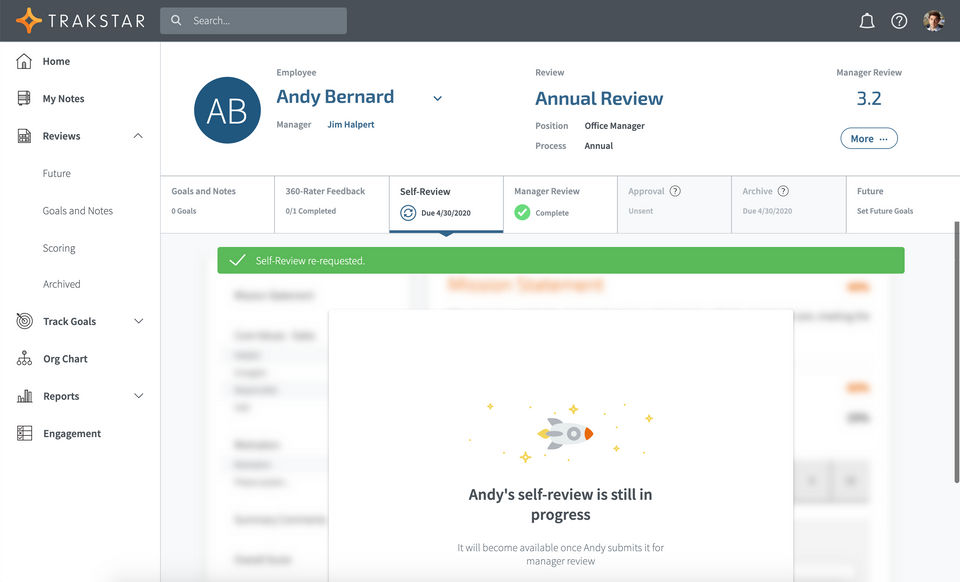
Trakstar was reviewed internally using user feedback, in-house testing, and market research to assess its performance, reliability, and user experience. Learn how we review products and our evaluation process.

Who should consider Trakstar
- Use cases
- Medium businesses seeking performance review automation, Educational institutions managing staff evaluations, Fundraising organizations tracking volunteer performance
- Team types
- HR managers, Performance review coordinators
- Company size
- 51-500 employees, 1-50 employees
- Workflow style
- Flexible and configurable
- Setup complexity
- Medium
Why teams choose Trakstar
Intuitive interface that reduces training needs
Reliable and responsive customer support
Flexibility to handle surveys, goal setting, and 360 reviews
Is Trakstar right for you?
Best for medium businesses needing flexible, automated performance reviews.
Choose Trakstar if
- You need customizable workflows including 360-degree feedback and goal setting.
- Your organization values intuitive interfaces that reduce training time.
- You require strong tracking of employee completion and self-evaluations.
Consider alternatives if
- Your company relies heavily on mobile access for large non-desk employee groups.
- You want simple, streamlined corrective action workflows without complex navigation.
What buyers should know before choosing Trakstar
Trakstar Perform has garnered a significant positive response from users in the past 12 months. Users appreciate the platform for its ease of use, intuitive interface, and the way it streamlines the performance review process.
The system's customizable nature and the ability to track employee completion, self-evaluations, and reviews stand out as key strengths. Users find the customer support to be responsive and reliable, providing quick solutions to any queries.
While the majority of feedback is overwhelmingly positive, some minor cons have been mentioned by users, such as the need for further improvements in the navigation system and some complexities in setting up new features. However, these issues are overshadowed by the software's positive aspects, including its user-friendliness, customization options, and overall efficiency in managing performance reviews effectively.
Trakstar Perform emerges as a versatile and valuable tool that significantly enhances employee engagement and organizational performance management.
Trakstar pros and cons
- Trakstar pros
Intuitive interface that reduces training needs
Reliable and responsive customer support
Flexibility to handle surveys, goal setting, and 360 reviews
- Trakstar cons
Complex features and cumbersome navigation for corrective actions
Setup difficulties with new job competencies and time-consuming processes
Ready to try it?
Get started with Trakstar
Connect with the team for a personalised demo.
Still comparing?
See how it stacks up
Compare Trakstar side-by-side with top Performance Management System alternatives.


What is the pricing of Trakstar?
Trakstar uses custom pricing — plans are tailored to your team size and needs. Contact them for a quote.
Trakstar Pricing Plans
Weighing your options?
Not sure if Trakstar fits your budget?
Trakstar reviews and ratings
Buyer sentiment
Users generally praise Trakstar for its ease of use, intuitive interface, and effective streamlining of performance reviews, though some find certain features complex and the UI cumbersome.
What buyers like
- Ease of use
- Customer support responsiveness
- Flexibility in review types
Common complaints
- Complex navigation and scoring systems
- Setup and configuration difficulties
Are you using Trakstar?

- See if Trakstar fits your business
- Real pricing — no sales pressure
- A demo or quick answers, your call
Step 1 of 4
How big is your team?
We tailor recommendations to companies your size.















What are the features of Trakstar?
A 1-on-1 meeting is a private, scheduled conversation between a manager and their direct report. It’s a dedicated time for open communicatio…
360-degree feedback is a valuable software feature that allows organizations to gather feedback on an employee's performance from a variety…
Anonymous feedback is a software feature that allows users to provide their opinions, suggestions, and comments without revealing their iden…
The Assessment Management System is a software that allows you to assess what your child has learned using various types of questions such a…
Benchmarking is the process of comparing a company's success to that of other firms in its industry to discover if there is a performance ga…
The act of conversing, communicating, and/or exchanging messages through the internet is known as chatting. It entails two or more persons i…
Competency management is a feature that helps organizations track and manage employees' skills, abilities, and knowledge. It plays an import…
Custom workflows are a feature often found in various software applications, allowing users to automate and customize their work processes t…
Customizable templates allow you to customize the template structure and information to meet the demands of your project, allowing you to cr…
A real-time email marketing dashboard displays metrics. This allows individuals to track the effectiveness of an email marketing initiatives…
Employee management is a crucial aspect of any organization, as it involves the effective and efficient management of all the employees with…
Employee Progress Tracking is a powerful feature that allows employers to closely monitor the progress and performance of their employees. T…
Employee segmentation is a vital tool for businesses to effectively manage and understand their workforce. It refers to the process of divid…
The practice of collecting input from team members or employees and implementing changes to your operational processes to improve OKR assess…
The process of setting and tracking objectives/goals to provide guidance and direction, assisting companies in evaluating performance, and m…
Individual Development Plan (IDP) is a dynamic and comprehensive software feature that allows employees to plan and track their personal and…
Individual OKR, also known as personal OKR, is a target set by the firm for a specific employee or by the employee for themselves. Individua…
KPI Monitoring, also known as Key Performance Indicator Monitoring, is a critical feature of many software programs that helps businesses tr…
Manager-to-peer recognition is a feature commonly seen in modern software, allowing managers and employees to acknowledge and appreciate the…
On-going Performance Tracking lets organizations continuously monitor the performance of employees, teams, and projects to maintain producti…
Pulse surveys are a powerful tool that allows organizations to gather valuable insights from their employees in a timely and efficient manne…
A question library is a feature that allows users to create and organize a collection of questions. It is designed to streamline the process…
Rater selection is a key feature of software that allows users to choose specific individuals or groups to evaluate or provide feedback on t…
Reporting provides complete visibility of the project and a clear grasp of what has to be done to the on-site personnel. The reporting proce…
Rewards and Recognition is a crucial feature in software programs that aims to enhance employee motivation and boost overall company culture…
Self-appraisal is a crucial feature in many software applications that provides a platform for users to evaluate their own performance and p…
A self-service portal is a website or app that enables workers (or external clients for externally visible support providers) to help themse…
Single sign-on (SSO) allows users to log in to various applications with a single set of credentials, making it safe and straightforward. It…
Teams use Team OKR, a collaborative goal-setting tool, to set ambitious goals with measurable outcomes. It assists teams in keeping track of…
Trakstar security and data handling
Key compliance certifications and security features for IT and security teams evaluating Trakstar.
Certifications

Security features
Developer & data
Alternatives to Trakstar




Trakstar Customers
Axon
Redwire
Make a Wish
Mediware
Trakstar Support Options
Frequently Asked Questions About Trakstar
Common questions buyers ask before choosing Trakstar.
Trakstar is a Performance Management System. Trakstar offers 1-on-1 Meetings, Rater Selection, Employee Progress Tracking, On-going Performance Tracking, KPI Monitoring and many more functionalities.
Trakstar is a strong fit if: You need customizable workflows including 360-degree feedback and goal setting.; Your organization values intuitive interfaces that reduce training time.. Consider alternatives if: Your company relies heavily on mobile access for large non-desk employee groups.; You want simple, streamlined corrective action workflows without complex navigation..
Buyers commonly note the following limitations of Trakstar: Complex features and cumbersome navigation for corrective actions; Setup difficulties with new job competencies and time-consuming processes; User interface issues like complex scoring and distracting background pop-ups.
Some top alternatives to Trakstar includes Primalogik, StaffCircle, Synergita, viEval and Mirro.
Trakstar offers Quotation Based pricing model
The starting price is not disclosed by Trakstar. You can visit Trakstar pricing page to get the latest pricing.
Ready to try it?
Get started with Trakstar
Get connected with the team for a personalised demo.
About the reviewer
Rajat Gupta is the founder of Spotsaas. Over the past two years, he has reviewed 2,000+ tools across CRM, HR, AI, and finance — applying hands-on product research and a background in commerce and the CFA program to evaluate software through a business and ROI lens. His goal: help teams make software decisions they won't regret.
Disclaimer: This research has been collated from a variety of authoritative sources. We welcome your feedback at [email protected].