
Pace Scheduler Review: Is It The Right Employee Scheduling Software For Your Team?
Best for SMB teams · Mid-market · Enterprise
Add to compare
Pace Scheduler offers custom pricing plan
Overview
Pricing
Features
Buyer feedback
Alternatives
Media
Security & Compliance
Support
FAQ
Blogs
What is Pace Scheduler?
Pace Scheduler is a modern, cloud-based workforce scheduling solution designed specifically for organizations that operate around the clock, such as police departments, sheriff’s offices, campus security teams, fire departments, and public transportation agencies. Built for flexibility and ease of use, it helps administrators efficiently create and manage complex schedules while giving employees real-time access from any device. With its intuitive interface and mobile app for iOS and Android, Pace Scheduler streamlines shift management, request handling, and communication. Its modular design ensures agencies use only the features they need, making scheduling both efficient and cost-effective without unnecessary complexity.
Pricing
Pace Scheduler offers custom pricing plan
Best For
Suited for small teams, SMBs, and enterprise
Security & Compliance
Data residency:🇺🇸
Platform
Web + mobile app (iOS & Android)
Pace Scheduler Screenshots
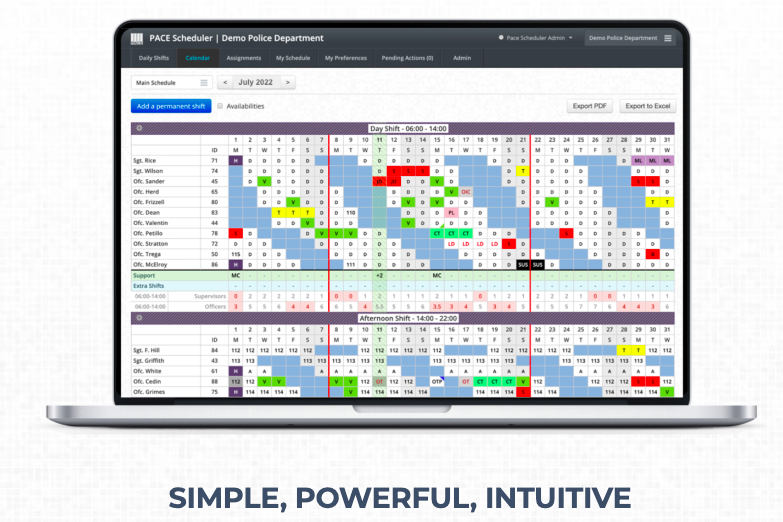
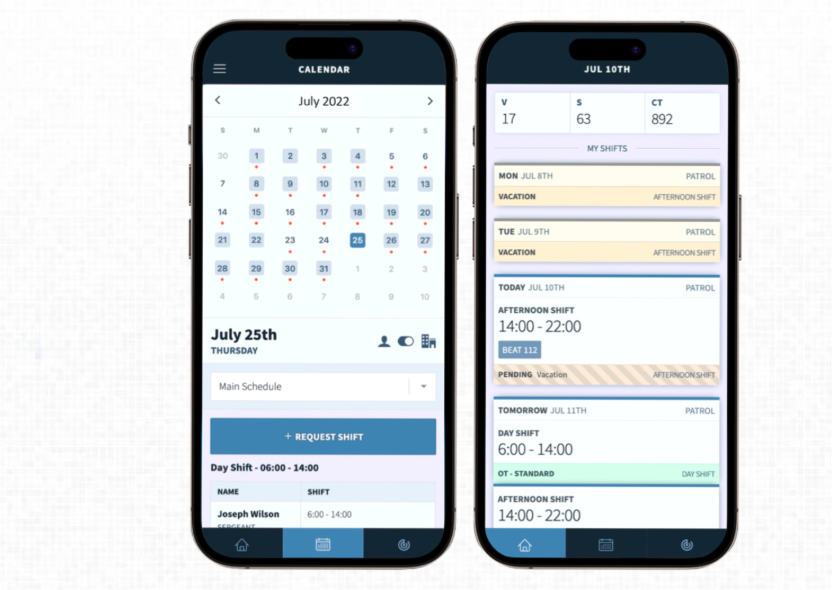
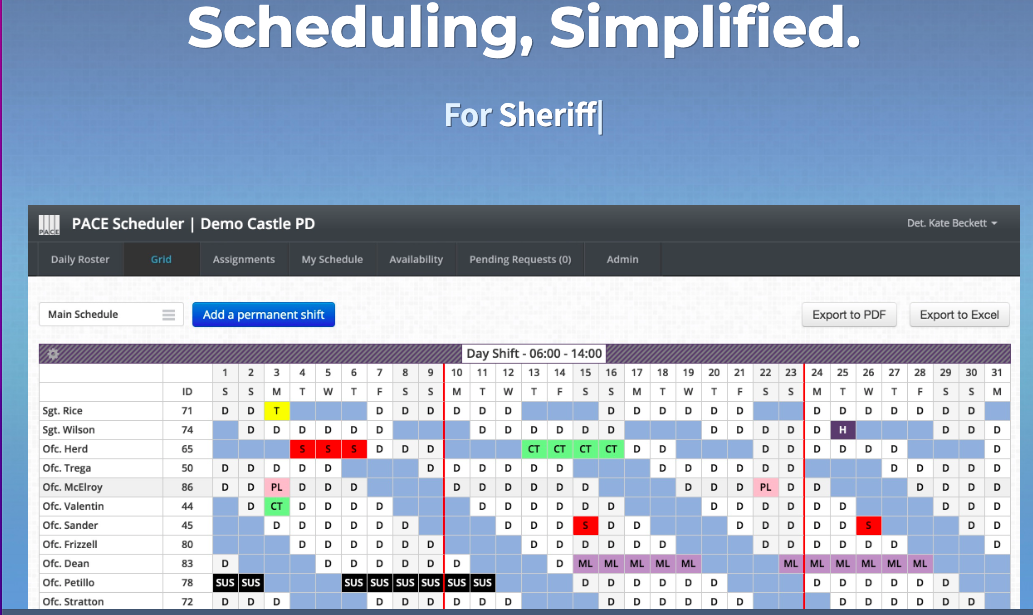
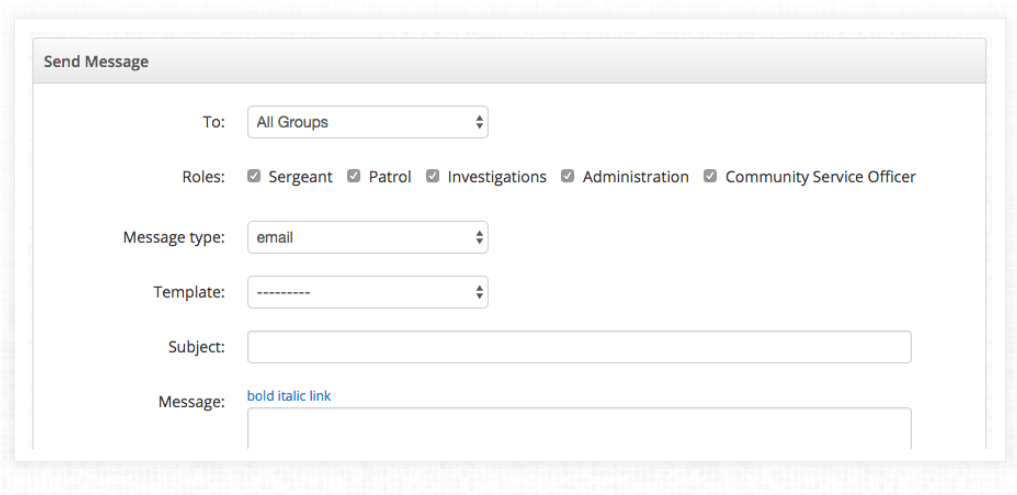
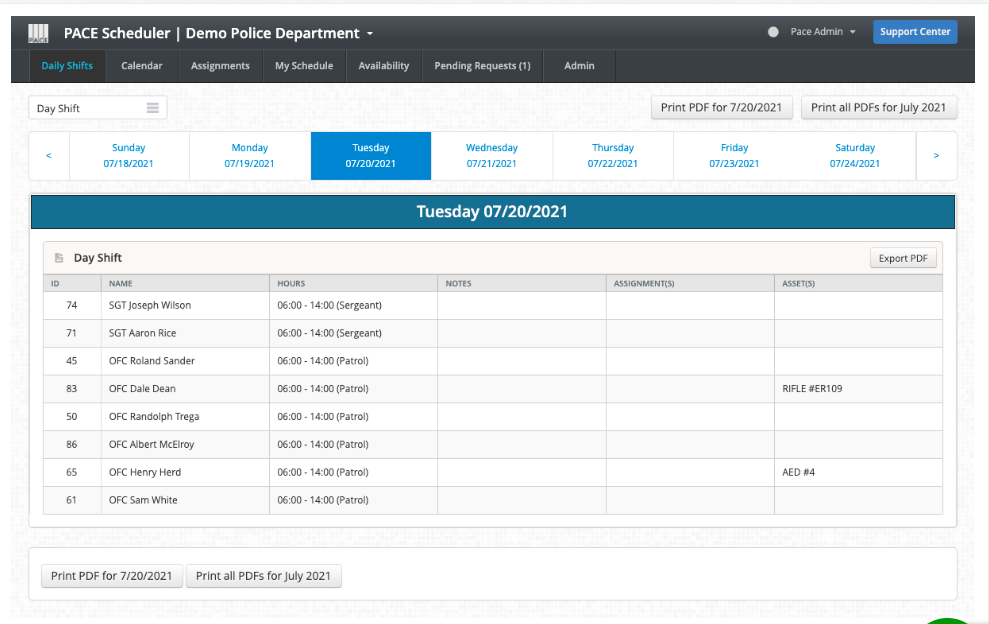
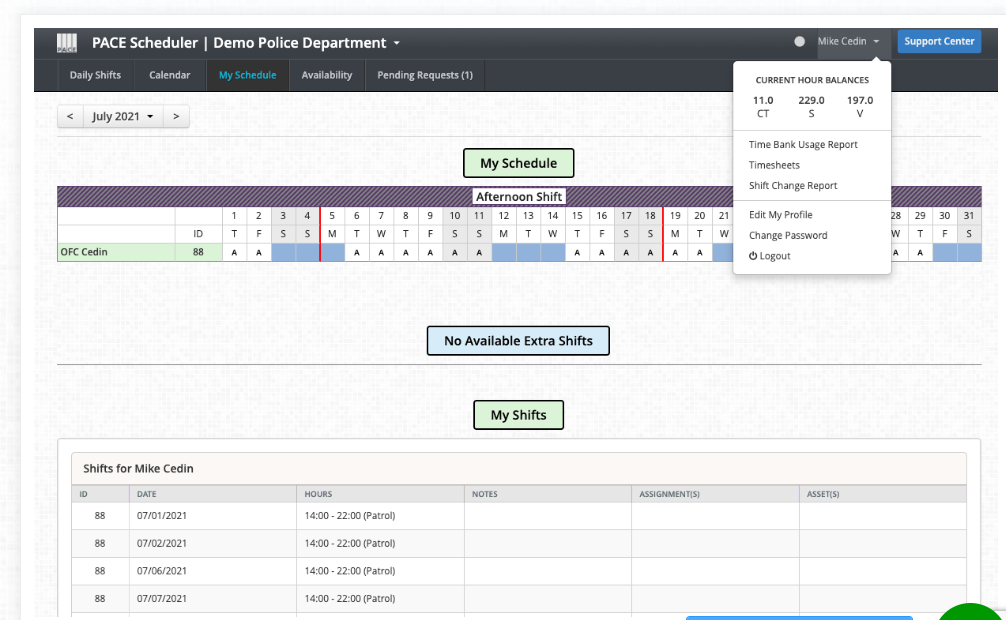
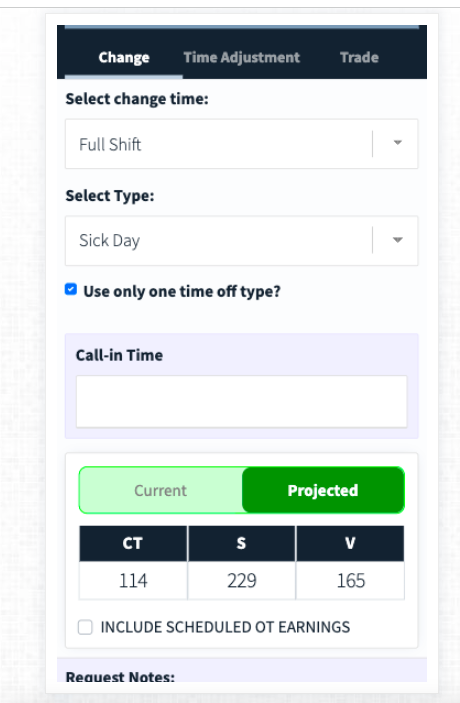
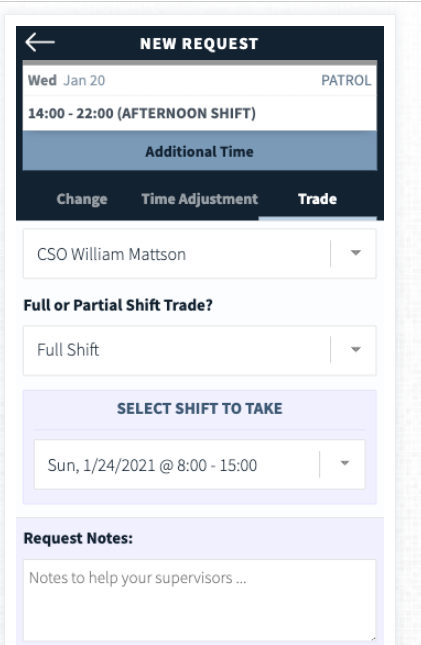
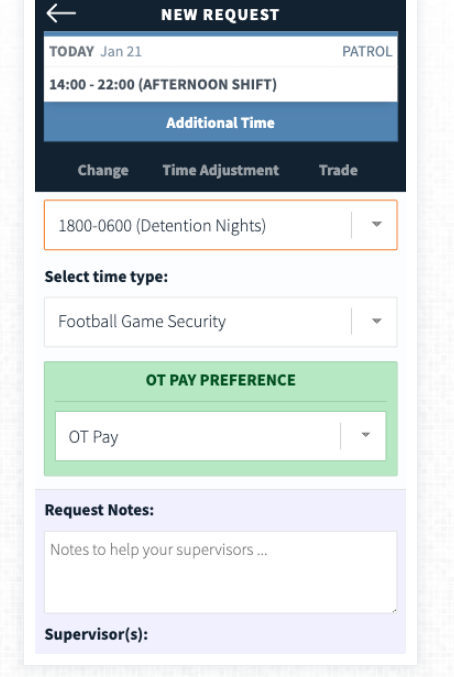
Pace Scheduler was reviewed internally using user feedback, in-house testing, and market research to assess its performance, reliability, and user experience. Learn how we review products and our evaluation process.

Who should consider Pace Scheduler
- Use cases
- Law enforcement, Fire departments, Campus security
- Team types
- Police chiefs, Fire chiefs
- Company size
- 25 - 5,000 Employee
Why teams choose Pace Scheduler
Pace Scheduler offers an intuitive, easy-to-navigate design, ensuring that even non-technical users can manage complex 24/7 schedules without difficulty.
With dedicated iOS and Android apps, staff can view schedules, make requests, and stay updated anytime, improving flexibility for on-the-go teams.
The software is highly adaptable, allowing organizations to implement only the features they need, avoiding unnecessary complexity.
Is Pace Scheduler right for you?
What buyers should know before choosing Pace Scheduler
Pace Scheduler has been a game-changer for my organization. Its cloud-based design makes scheduling seamless, especially for our 24/7 operations.
The mobile app ensures that my team always has real-time access, whether they’re on duty or off. I particularly value the customizable modular setup, which allowed us to use only the features we needed without overcomplicating the system.
While I wish it had deeper payroll integrations and more advanced reporting tools, the platform has greatly improved communication and reduced scheduling conflicts. Overall, Pace Scheduler has made managing shifts more efficient, saving time and boosting staff satisfaction in our department.
Pace Scheduler pros and cons
- Pace Scheduler pros
Pace Scheduler offers an intuitive, easy-to-navigate design, ensuring that even non-technical users can manage complex 24/7 schedules without difficulty.
With dedicated iOS and Android apps, staff can view schedules, make requests, and stay updated anytime, improving flexibility for on-the-go teams.
The software is highly adaptable, allowing organizations to implement only the features they need, avoiding unnecessary complexity.
- Pace Scheduler cons
Some organizations may find the lack of integrations with broader HR or payroll systems restrictive.
While the system is customizable, configuring it to meet unique organizational requirements may take longer upfront.
Ready to try it?
Get started with Pace Scheduler
Connect with the team for a personalised demo.
Still comparing?
See how it stacks up
Compare Pace Scheduler side-by-side with top Employee Scheduling Software alternatives.



What is the pricing of Pace Scheduler?
Pace Scheduler uses custom pricing — plans are tailored to your team size and needs. Contact them for a quote.
Pace Scheduler Pricing Plans
Weighing your options?
Not sure if Pace Scheduler fits your budget?
Pace Scheduler reviews and ratings
What buyers like
- Pace Scheduler offers an intuitive, easy-to-navigate design, ensuring that even non-technical users can manage complex 24/7 schedules without difficulty.
- With dedicated iOS and Android apps, staff can view schedules, make requests, and stay updated anytime, improving flexibility for on-the-go teams.
- The software is highly adaptable, allowing organizations to implement only the features they need, avoiding unnecessary complexity.
Common complaints
- Some organizations may find the lack of integrations with broader HR or payroll systems restrictive.
- While the system is customizable, configuring it to meet unique organizational requirements may take longer upfront.
- Users sometimes desire more in-depth analytics and reporting capabilities for performance and compliance tracking.
Be the first to review Pace Scheduler
You'll help thousands of buyers make a smarter decision.

- See if Pace Scheduler fits your business
- Real pricing — no sales pressure
- A demo or quick answers, your call
Step 1 of 4
How big is your team?
We tailor recommendations to companies your size.















What are the features of Pace Scheduler?
Automated Scheduling in Pace Scheduler lets organizations simplify shift assignment by automatically generating schedules that match employe…
The Automatic Time Capture feature in Pace Scheduler records employee working hours without manual input, improving accuracy and transparenc…
Pace Scheduler provides dedicated Customer Support to assist organizations in making the most of its scheduling system. The support team hel…
The Employee Database in Pace Scheduler centralizes all staff information, including contact details, roles, certifications, and work histor…
Employee Scheduling is at the core of Pace Scheduler, giving supervisors tools to design, publish, and manage shifts effectively. It allows…
Inventory Management in Pace Scheduler lets organizations monitor and manage essential equipment and resources linked to employee tasks. Thi…
Mobile Access in Pace Scheduler lets both managers and employees check schedules from their smartphones or tablets. This feature lets users…
The Mobile App offered by Pace Scheduler improves workforce management by giving employees a dedicated platform to view schedules, request t…
The Overtime Calculation feature in Pace Scheduler automatically calculates overtime hours based on predefined rules and labor agreements. T…
Payroll Management in Pace Scheduler integrates scheduling data with payroll systems to simplify compensation processes. By using accurate a…
Real-Time Reporting in Pace Scheduler delivers instant insights into workforce activity, attendance, and scheduling trends. Supervisors can…
Pace Scheduler provides a centralized platform for planning and managing shifts across an entire organization. Supervisors can create roster…
Shift Swapping in Pace Scheduler allows employees to trade shifts with their colleagues through a simplified approval process. This feature…
Time Off Management in Pace Scheduler allows employees to request and track vacations, sick days, and other leave types through the system.…
Vacation (Leave) Tracking in Pace Scheduler maintains accurate records of employee leave balances and scheduled vacations. It allows employe…
Pace Scheduler security and data handling
Key compliance certifications and security features for IT and security teams evaluating Pace Scheduler.
Certifications

Developer & data
Alternatives to Pace Scheduler
Best Overall
Streamline team collaboration with ...
9.7
Very Good





Why buyers keep looking beyond Pace Scheduler
Some users prefer platforms with stronger payroll and HR integrations, which Pace Scheduler currently lacks.
Businesses seeking advanced data analytics and reporting tools may opt for alternatives offering more detailed insights.
Organizations needing automated compliance tracking often consider solutions that provide built-in labor law compliance features.
Companies that prioritize highly visual dashboards and analytics sometimes find other platforms more suitable.
Agencies looking for multi-location workforce management may choose competitors offering more sophisticated multi-site coordination.
Users who want broader third-party app integrations such as with ERP or communication tools may explore other scheduling software.
Pace Scheduler Support Options
Frequently Asked Questions About Pace Scheduler
Common questions buyers ask before choosing Pace Scheduler.
Pace Scheduler is a Employee Scheduling Software. Pace Scheduler offers Scheduling, Mobile Access, Employee Scheduling, Vacation (Leave) Tracking, Payroll Management and many more functionalities.
Buyers commonly note the following limitations of Pace Scheduler: Some organizations may find the lack of integrations with broader HR or payroll systems restrictive.; While the system is customizable, configuring it to meet unique organizational requirements may take longer upfront.; Users sometimes desire more in-depth analytics and reporting capabilities for performance and compliance tracking..
Some top alternatives to Pace Scheduler includes Homebase, MySchedule.com, Shiftboard, Zoho Workerly and Soon.
Pace Scheduler offers Quotation Based pricing model
The starting price is not disclosed by Pace Scheduler. You can visit Pace Scheduler pricing page to get the latest pricing.
Free buyer scorecard
Evaluate Pace Scheduler with the employee scheduling software buyer scorecard
A weighted employee scheduling software scorecard to assess Pace Scheduler objectively and compare it against the alternatives.
- Weighted criteria you can edit
- Score vendors side-by-side
- Shareable with your buying committee
No file downloads on screen — we email it to you. One-click unsubscribe anytime.
Ready to try it?
Get started with Pace Scheduler
Get connected with the team for a personalised demo.
About the reviewer
Rajat Gupta is the founder of Spotsaas. Over the past two years, he has reviewed 2,000+ tools across CRM, HR, AI, and finance — applying hands-on product research and a background in commerce and the CFA program to evaluate software through a business and ROI lens. His goal: help teams make software decisions they won't regret.
Compare Pace Scheduler with employee scheduling software options by country
Disclaimer: This research has been collated from a variety of authoritative sources. We welcome your feedback at [email protected].