
8.4
SpotScore

Invoice Crowd Review: Is It The Right Billing and Invoicing Software For Your Team?
Best for SMB teams · Mid-market
Free Plan Available
Add to compare
Overview
Pricing
Features
Buyer feedback
Alternatives
Media
Security & Compliance
Support
FAQ
Blogs
Spotsaas Analysis for Invoice Crowd
Invoice Crowd is a billing and invoicing software popular among small business owners, operations managers, and accountants in companies with 1–50 employees. With a 4.8/5 rating from 8 user reviews, it is niche-loved, particularly by those in retail, startups, and small manufacturing sectors.
The software's intuitive interface makes it accessible even for non-tech-savvy users, and its cost-effectiveness is a major draw for freelancers and solopreneurs. Advanced invoicing features like recurring invoices and customizable templates add to its appeal. However, users note limitations in customization options, particularly with invoice templates and language translations, which could be a concern for non-English users.
Quick facts about Invoice Crowd
What is Invoice Crowd?
Invoice Crowd is a web-based invoicing and billing tool for freelancers and small teams that need fast invoice creation alongside basic accounts receivable, payable, and project tracking. It does not support multi-language invoice versions, which limits its use for businesses billing international clients in local languages, and CSV exports have reported limitations when filtering by custom date ranges.
Best For
Built for growing teams, from small businesses to mid-market
Security & Compliance
Data residency:🇺🇸
Invoice Crowd Screenshots

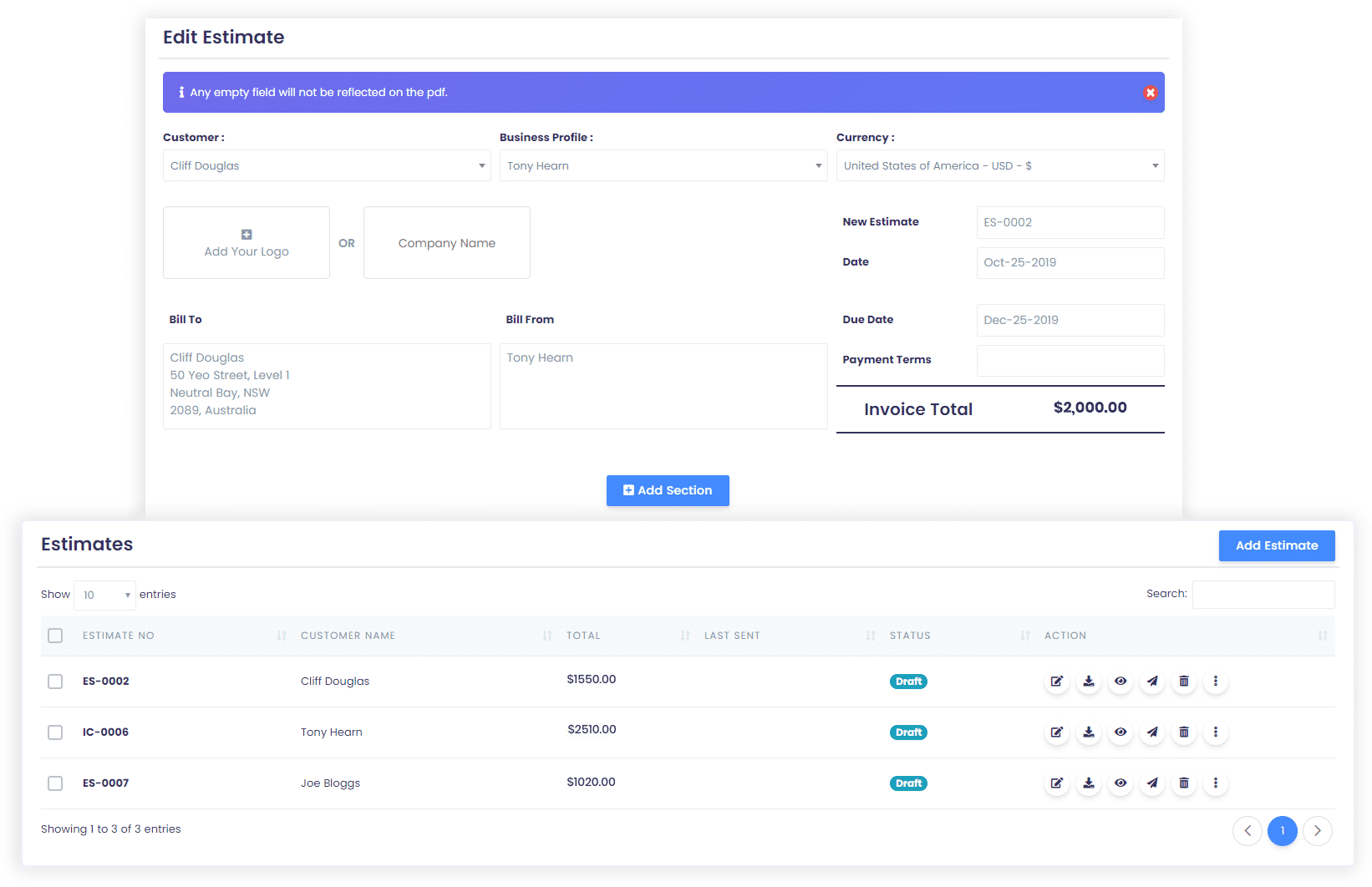
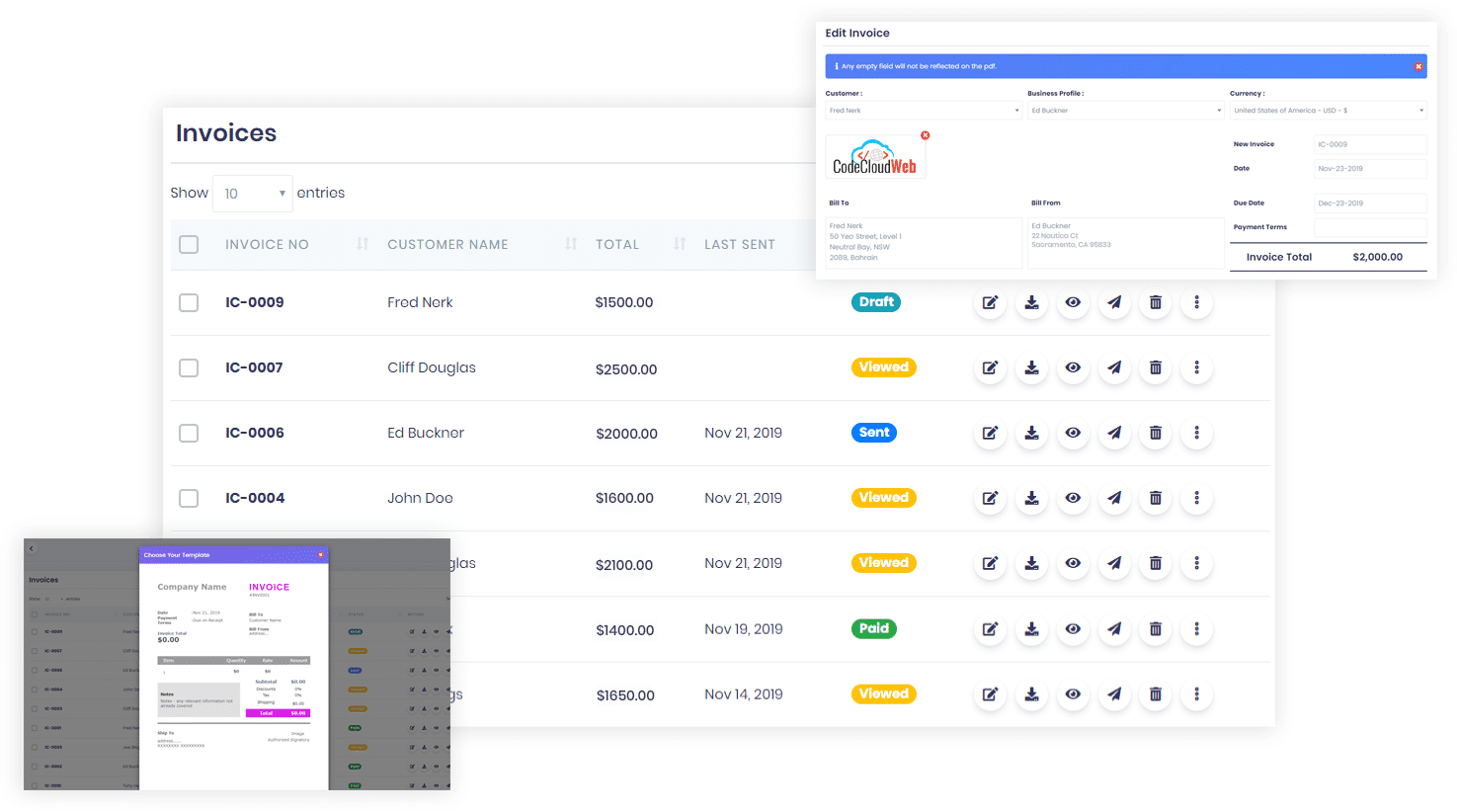
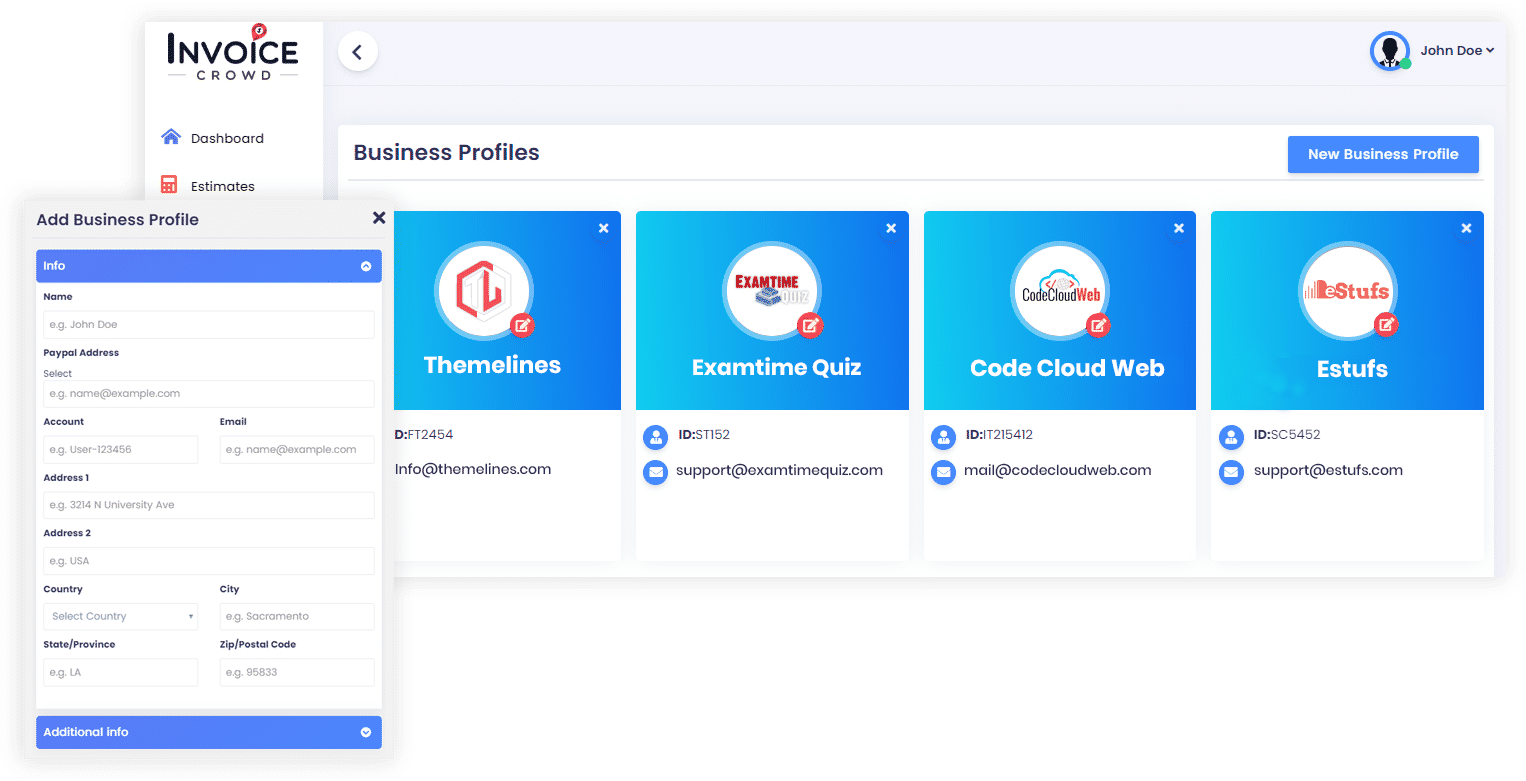
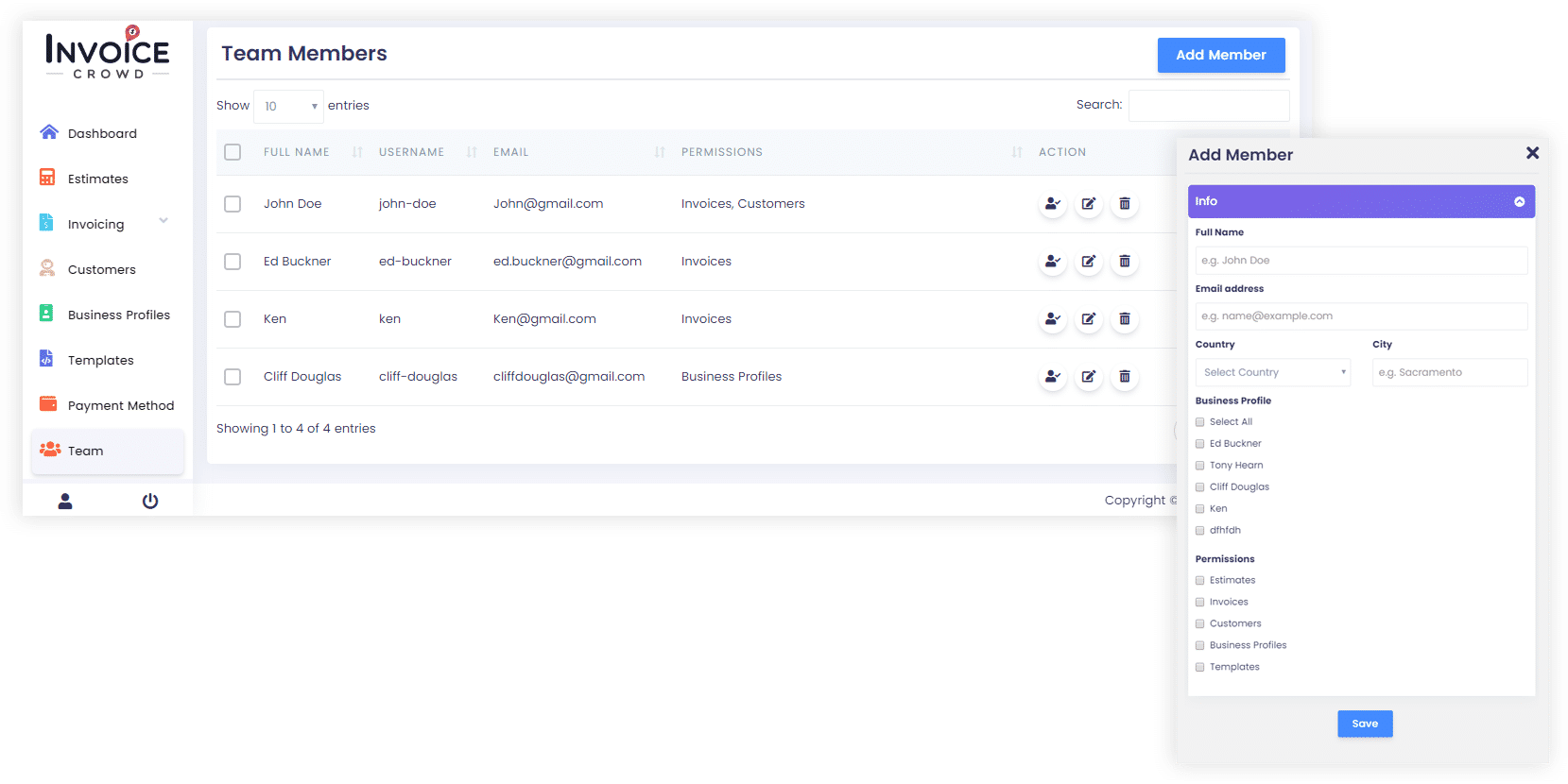
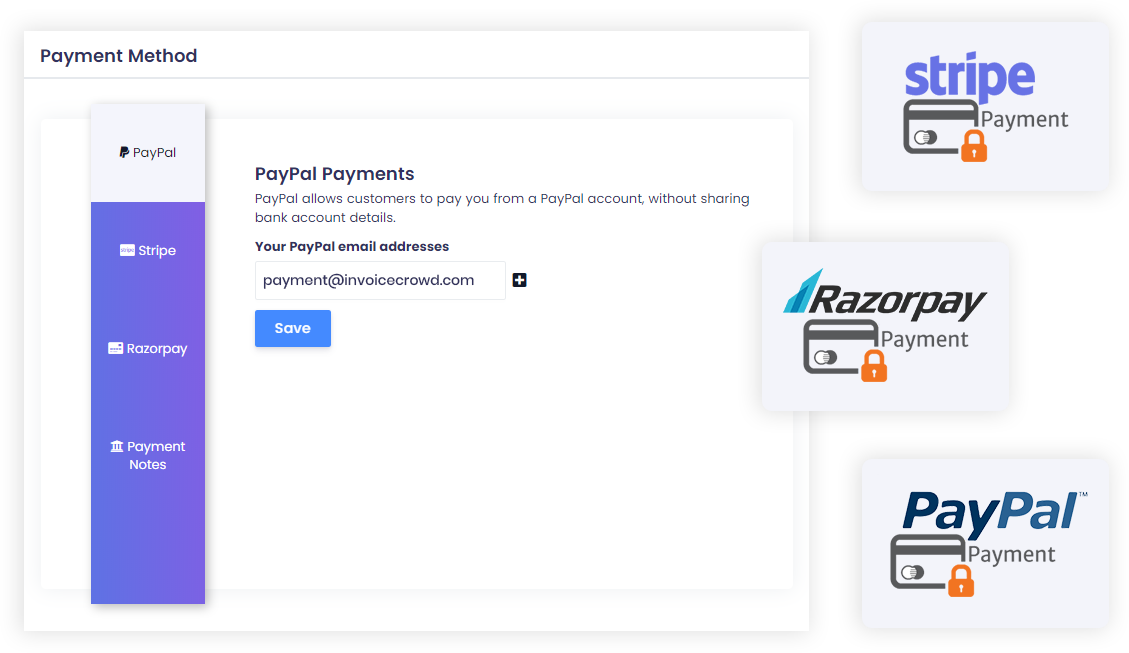
Invoice Crowd was reviewed internally using user feedback, in-house testing, and market research to assess its performance, reliability, and user experience. Learn how we review products and our evaluation process.

Who should consider Invoice Crowd
- Use cases
- Retail, Startups, Small manufacturing
- Team types
- Small business owners, Operations managers
- Company size
- 1–50 Employees
Why teams choose Invoice Crowd
Intuitive, easy-to-use interface with minimal learning curve, suitable even for non-tech-savvy users.
Cost-effective alternative to expensive platforms, particularly appreciated by freelancers, small businesses, and solopreneurs.
Supports advanced invoicing features like recurring invoices, split payments, and customizable templates.
Is Invoice Crowd right for you?
What buyers should know before choosing Invoice Crowd
Invoice Crowd works best for freelancers and small teams that need fast invoice creation without complex accounting features. Before shortlisting, verify that its template customization meets your needs—the platform does not support multi-language invoice versions, which matters if you bill international clients in their local languages.
Check whether its tax tracking covers your jurisdiction; VAT and regional tax codes require manual setup or workarounds rather than automated calculation. Test the report export function in your demo; users report limitations when exporting to Excel or CSV formats, particularly for custom date ranges or filtered datasets.
The platform integrates with PayPal, Stripe, Razorpay, and Zapier, so confirm these cover your payment processors and tools before committing. Recurring invoice automation works well for subscription billing, but review whether the frequency options (weekly, monthly, quarterly, annual) match your actual billing cycles.
Pricing is straightforward with no hidden per-invoice fees, but calculate your total cost across all users you plan to add—per-seat pricing can escalate for teams larger than 3–5 people. Invoice Crowd's strength is speed and simplicity for solo operators and micro-teams.
Its weakness is customization depth; if you need multi-language invoices, advanced tax rules, or complex reporting, you will hit its boundaries quickly. The support team responds promptly to setup questions, but feature requests typically enter a backlog rather than ship immediately.
Use the free trial to test template output, export formats, and integration sync timing with your actual payment processor before deciding.
Invoice Crowd pros and cons
- Invoice Crowd pros
Intuitive, easy-to-use interface with minimal learning curve, suitable even for non-tech-savvy users.
Cost-effective alternative to expensive platforms, particularly appreciated by freelancers, small businesses, and solopreneurs.
Supports advanced invoicing features like recurring invoices, split payments, and customizable templates.
- Invoice Crowd cons
Limited customization for certain invoice templates and text sections, including language translation issues for non-English users.
Reporting features like exporting to spreadsheets (.xls) and tax tracking (e.g., VAT handling) require improvements.
Ready to try it?
Get started with Invoice Crowd
Try the free plan and upgrade when ready.
Still comparing?
See how it stacks up
Compare Invoice Crowd side-by-side with top Billing and Invoicing Software alternatives.


What is the pricing of Invoice Crowd?
Weighing your options?
Not sure if Invoice Crowd fits your budget?
Invoice Crowd reviews and ratings
What buyers like
- Simple interface with minimal learning curve, suitable for non-tech-savvy users.
- Cost-effective alternative to expensive platforms, particularly appreciated by freelancers, small businesses, and solopreneurs.
- Supports advanced invoicing features like recurring invoices, split payments, and customizable templates.
Common complaints
- Limited customization for certain invoice templates and text sections, including language translation issues for non-English users.
- Reporting features like exporting to spreadsheets (.xls) and tax tracking (e.g., VAT handling) require improvements.
- Some minor functionality gaps in advanced features like customer dashboards, invoice tracking, and global settings for recurring terms.
Be the first to review Invoice Crowd
You'll help thousands of buyers make a smarter decision.

- See if Invoice Crowd fits your business
- Real pricing — no sales pressure
- A demo or quick answers, your call
Step 1 of 4
How big is your team?
We tailor recommendations to companies your size.















What are the features of Invoice Crowd?
A customer portal is a website that allows current customers to access services and information. It's usually safe and confidential, and it…
With Invoice Crowd, users can create fully customizable invoices that reflect their brand identity and meet specific client requirements. Th…
Invoice Crowd supports hourly billing, letting businesses accurately track and invoice clients based on the time spent on projects or servic…
The invoice history feature in Invoice Crowd provides users with comprehensive access to all previously issued invoices, including paid, pen…
Invoice Crowd incorporates mobile payment options, allowing clients to settle invoices using their smartphones or tablets. This feature uses…
Invoice Crowd offers reliable multi-currency support for businesses that operate internationally or serve clients across different countries…
Invoice Crowd's online invoicing capability lets users create, send, and manage invoices entirely through the internet without paper or manu…
Invoice Crowd integrates multiple online payment methods, letting clients pay invoices quickly and securely via credit cards, bank transfers…
Project billing within Invoice Crowd lets businesses link billing directly to specific projects, allowing detailed tracking of expenses, tim…
Invoice Crowd offers recurring billing functionality that automates the invoicing process for subscription-based services or regular billing…
Invoice Crowd security and data handling
Key compliance certifications and security features for IT and security teams evaluating Invoice Crowd.
Certifications

Developer & data
Alternatives to Invoice Crowd


Why buyers keep looking beyond Invoice Crowd
Lacks specialized inventory and project management features — teams needing advanced tracking typically add dedicated software
All-in-one design can feel cluttered for users managing multiple workflows simultaneously
Reporting is limited to basic templates — teams needing custom cross-functional reports add business intelligence tools
Fewer integrations with accounting platforms, CRMs, and payment processors than competitors
Built for companies under 50 employees — organizations with complex operations or multiple departments outgrow the platform
Mobile app is limited or absent, making field-based management difficult for distributed teams
Invoice Crowd Support Options
Frequently Asked Questions About Invoice Crowd
Common questions buyers ask before choosing Invoice Crowd.
Invoice Crowd is a Billing and Invoicing Software. Invoice Crowd offers Multi-Currency, Customer Portal, Customizable Invoices, Hourly Billing, Invoice History and many more functionalities.
Buyers commonly note the following limitations of Invoice Crowd: Limited customization for certain invoice templates and text sections, including language translation issues for non-English users.; Reporting features like exporting to spreadsheets (.xls) and tax tracking (e.g., VAT handling) require improvements.; Some minor functionality gaps in advanced features like customer dashboards, invoice tracking, and global settings for recurring terms..
Some top alternatives to Invoice Crowd includes Servicebot, Mango Billing, InvoiceApp, Nummuspay and Hiveage.
Invoice Crowd offers Freemium, Subscription pricing models
The starting price is not disclosed by Invoice Crowd. You can visit Invoice Crowd pricing page to get the latest pricing.
Ready to try it?
Get started with Invoice Crowd
Get started with the free plan — no credit card required.
About the reviewer
Rajat Gupta is the founder of Spotsaas. Over the past two years, he has reviewed 2,000+ tools across CRM, HR, AI, and finance — applying hands-on product research and a background in commerce and the CFA program to evaluate software through a business and ROI lens. His goal: help teams make software decisions they won't regret.
Compare Invoice Crowd with billing and invoicing software options by country
Disclaimer: This research has been collated from a variety of authoritative sources. We welcome your feedback at [email protected].