
SuperOps ITAM vs Total Network Inventory Comparison

SuperOps ITAM
Starting at Contact for pricing
- Free Trial
- Freelancers / Consultants
- Medium Business
SuperOps IT Asset Management simplifies how MSPs and internal IT departments track, monitor, and manage assets across their infrastructure. The platform offers complete visibility into hardware and software inventory, au…

Total Network Inventory
Starting at $3.60 /user
- Free Trial
- Freelancers / Consultants
- Large Enterprises
Total Network Inventory is a powerful PC audit and software inventory management solution designed for businesses and IT teams. It enables users to scan an entire local area network (LAN) remotely, collecting detailed in…
SuperOps ITAM vs Total Network Inventory — at a glance
| Feature | SuperOps ITAM | Total Network Inventory |
|---|---|---|
| Rating | — | — |
| Reviews | — | — |
| Starting price | Contact for pricing | $3.60 /user |
| Free trial | Yes | Yes |
| Free version | No | No |
| Best for | Freelancers / Consultants, Medium Business, Small Business | Freelancers / Consultants, Large Enterprises, Medium Business |
| Category | IT Asset Management Software | IT Asset Management Software |
| Integrations | 14+ apps | — |
| Platforms | Mobile - Android, Mobile - iOS, Installed - Windows, Installed - Mac | Installed - Windows, Installed - Mac |
| API | — | — |
| Support modes | Online | Online |
| Certifications | SOC 2 | HIPAA |
| Data residency | Global | US |
Key differences between SuperOps ITAM and Total Network Inventory
- Pricing: Total Network Inventory starts at $3.60 /user. SuperOps ITAM pricing is not publicly listed.
- Deployment: SuperOps ITAM supports Mobile - Android, Mobile - iOS, Installed - Windows, Installed - Mac; Total Network Inventory supports Installed - Windows, Installed - Mac.
SuperOps ITAM vs Total Network Inventory — find the better fit before you commit.
Which tool fits your team best
Which is actually cheaper for your team size
Where each product wins, per real buyers
Most IT Asset Management Software tools look identical on paper. This comparison cuts to the differences that matter — pricing structure, team fit, and what real buyers found after signing up.
Biggest differences
Features
Pricing
Buying details
Security
Buyer feedback
Integrations
Product tour
Other options
Talk to an expert Talk to an expert | Talk to an expert Talk to an expert |
Free PDF comparison
Download this SuperOps ITAM vs Total Network Inventory comparison
Get the full side-by-side as a PDF — these picks plus the top IT Asset Management Software tools, with verified ratings, pricing and features.
- Side-by-side on pricing, features & ratings
- Plus the category top 10, scored & ranked
- Emailed to you — no on-screen download
No file downloads on screen — we email it to you. One-click unsubscribe anytime.
SuperOps ITAM vs Total Network Inventory: Biggest differences
Start here before you go deeper into features.
Freelancers / Consultants, Medium Business, Small Business
Freelancers / Consultants, Large Enterprises, Medium Business
SuperOps ITAM typically suits Freelancers / Consultants and Medium Business. Total Network Inventory tends to fit Freelancers / Consultants and Large Enterprises better. The right choice depends on your team size, workflow, and whether a free trial matters.
Description | SuperOps IT Asset Management simplifies how MSPs and internal IT departments track, monitor, and manage assets across their infrastructure. The platform offers complete visibility into ... Read More about SuperOps ITAM | Total Network Inventory is a powerful PC audit and software inventory management solution designed for businesses and IT teams. It enables users to scan an entire local area network (LAN) ... Read More about Total Network Inventory |
|---|---|---|
Entry Level Pricing |
|
|
Free Trial Availability | ||
Best Company Size | 10 – 1,000+ employees | 50–500 Employee |
Get pricing help | Get pricing help |
Where each option fits best
See where each product is strongest, which teams it fits, and what causes buyers to keep looking — before you commit.
Based on buyer reviews and verified product data collected by Spotsaas.
Key strengths
- AI-Driven Alerts – Intelligent alerting minimizes noise by analyzing data patterns, helping teams respond faster to critical issues.
- Automation that Scales – Repetitive IT tasks like patching, cleanup, and policy enforcement are automated, freeing teams to focus on high-priority operations.
- Centralized Endpoint Visibility – SuperOps gives a unified view of all managed devices and their health metrics, simplifying endpoint control for MSPs.
- Comprehensive Asset Discovery: Automatically scans and inventories all devices on the network, providing detailed information on hardware configurations, installed software, and user accounts.
- Intuitive Interface: Offers a user-friendly interface that simplifies the process of managing and auditing network assets, making it accessible for IT professionals with varying levels of expertise.
- Remote Monitoring and Management: Supports remote control and auditing, allowing IT professionals to manage and troubleshoot devices without being physically present, improving operational efficiency.
Best fit
- 10 – 1,000+ employees
- IT Services, Managed Service Providers (MSPs), Finance, Healthcare, Education, Technology
- IT Managers, System Administrators, MSP Owners, Network Engineers, CIOs
- 50–500 Employee
- Education, Small to Medium Enterprises (SMEs), Healthcare, Non-Profit Organizations
- IT Administrator, Network Engineer, Systems Analyst, Help Desk Technician, IT Support Specialist
Reasons buyers look elsewhere
- Scalability and enterprise control: Rapidly expanding organizations may choose alternatives that offer enhanced scalability, granular asset grouping, or enterprise-grade control features to handle large and diverse IT infrastructures efficiently.
- Global support and compliance: Enterprises operating in multiple regions may prefer alternatives that provide broader localization, multilingual support, or compliance frameworks aligned with region-specific IT governance standards.
- Integration requirements: Companies with existing IT ecosystems or specialized tools might consider alternatives that integrate more seamlessly with platforms like ERP systems, procurement tools, or cloud management suites.
- While Total Network Inventory offers auditing for Windows, Mac, Linux, and FreeBSD systems, its primary focus remains on Windows environments. Organizations with a predominantly non-Windows infrastructure might find the cross-platform support less comprehensive compared to other solutions.
- Total Network Inventory operates as a standalone desktop application without native cloud integration. This lack of cloud-based features may be a drawback for organizations seeking centralized, cloud-accessible asset management solutions.
- The platform allows users to manually add custom assets, but these are not counted as nodes. This approach might lead to inconsistencies in asset tracking and could be less efficient for large-scale environments.
Software Demo
Demo |
|---|
Need a second opinion?
Get decision help from a software advisor
Share your priorities, budget, and team needs, and we’ll help you narrow the options and understand the tradeoffs before you talk to vendors.

- Independent advice — matched to your business
- Understand the tradeoffs before you talk to vendors
- Free 15-min call with a software advisor.
Step 1 of 4
How big is your team?
We tailor recommendations to companies your size.















How do SuperOps ITAM and Total Network Inventory Compare on Features?
Total Features | 24 Features | 24 Features |
|---|---|---|
Unique Features | No unique features | No unique features |
Get Quote | Get Quote |
Compare SuperOps ITAM and Total Network Inventory on pricing
Review starting price, plan structure, and free-trial access side by side so you can see which option fits your budget and buying process.
Pricing Option | ||
|---|---|---|
Starting From |
|
|
Pricing Plans |
|
|
Pricing Page |  |  |
SuperOps ITAM vs Total Network Inventory: Other Details
Organization Types supported |
|
|
|---|---|---|
Platforms Supported |
|
|
Modes of support |
|
|
API Support |
|
|
Get help choosing | Get help choosing |
SuperOps ITAM vs Total Network Inventory Security & Compliance
Certifications, data handling, and security controls for IT and compliance evaluators.
SOC 2 | ✓ Yes | — |
|---|---|---|
HIPAA | ✗ No | ✓ Yes |
Data Residency | 🌐 Global | 🇺🇸 US |
SuperOps ITAM User Reviews & Rating Comparison
Spotsaas Editor’s POV generated by AI | What buyers like
Common complaints
| What buyers like
Common complaints
|
|---|---|---|
Pros and Cons |
|
|
Integrations
Integration with other apps | No Integration information available. |
|---|



SuperOps ITAM and Total Network Inventory Customers
Customers |  SelectGroup  VegaNext  Data Network Solutions |  Vodafone  SONY  Disney |
|---|
Media and Screenshots
Screenshots | 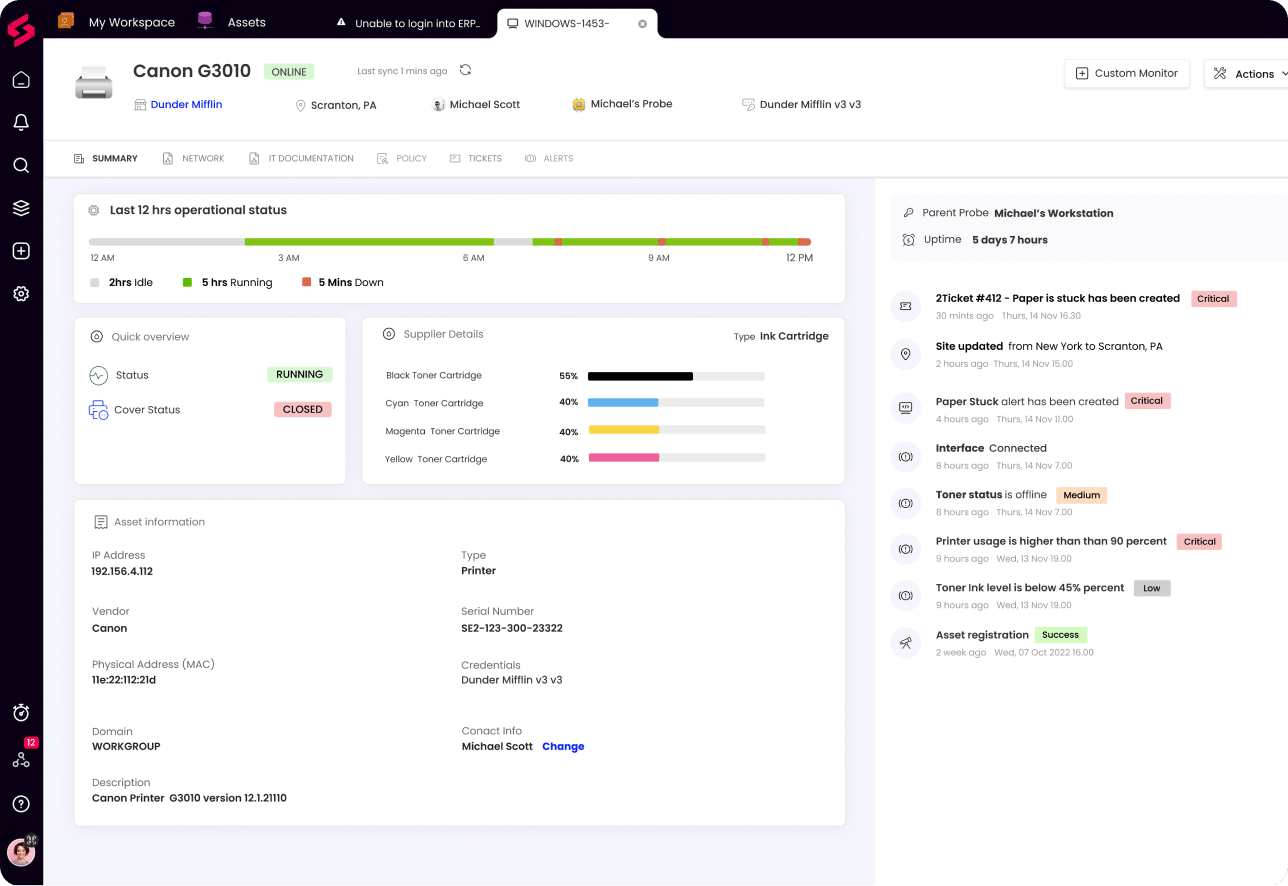 5 Screenshots |  9 Screenshots |
|---|---|---|
Videos |  1 Videos |  1 Videos |
Top Alternatives to SuperOps ITAM and Total Network Inventory in 2026


Add another option to compare side by side
Search by product name to compare pricing, fit, and buyer feedback in one view.Compare similar software options


Disclaimer: This research has been collated from a variety of authoritative sources. We welcome your feedback at [email protected].
Frequently asked questions
- Which is better, SuperOps ITAM or Total Network Inventory?
- SuperOps ITAM and Total Network Inventory are closely matched with equal user ratings of -1.0. The right choice depends on your team size, budget, and specific IT Asset Management Software needs.
- Do SuperOps ITAM and Total Network Inventory offer a free trial?
- Yes, both SuperOps ITAM and Total Network Inventory offer a free trial.
- What is the starting price of SuperOps ITAM vs Total Network Inventory?
- SuperOps ITAM starts at Contact for pricing. Total Network Inventory starts at $3.60 /user.
- What are the top alternatives to SuperOps ITAM?
- Top alternatives to SuperOps ITAM include PDQ Inventory, Asset Vision Workstation, ManageEngine Network Configuration Manager, CloudSphere, AssetCloud.
- What are the top alternatives to Total Network Inventory?
- Top alternatives to Total Network Inventory include Timly, Alloy Navigator, Certero, Orbus, Ivanti ITAM Suite.