
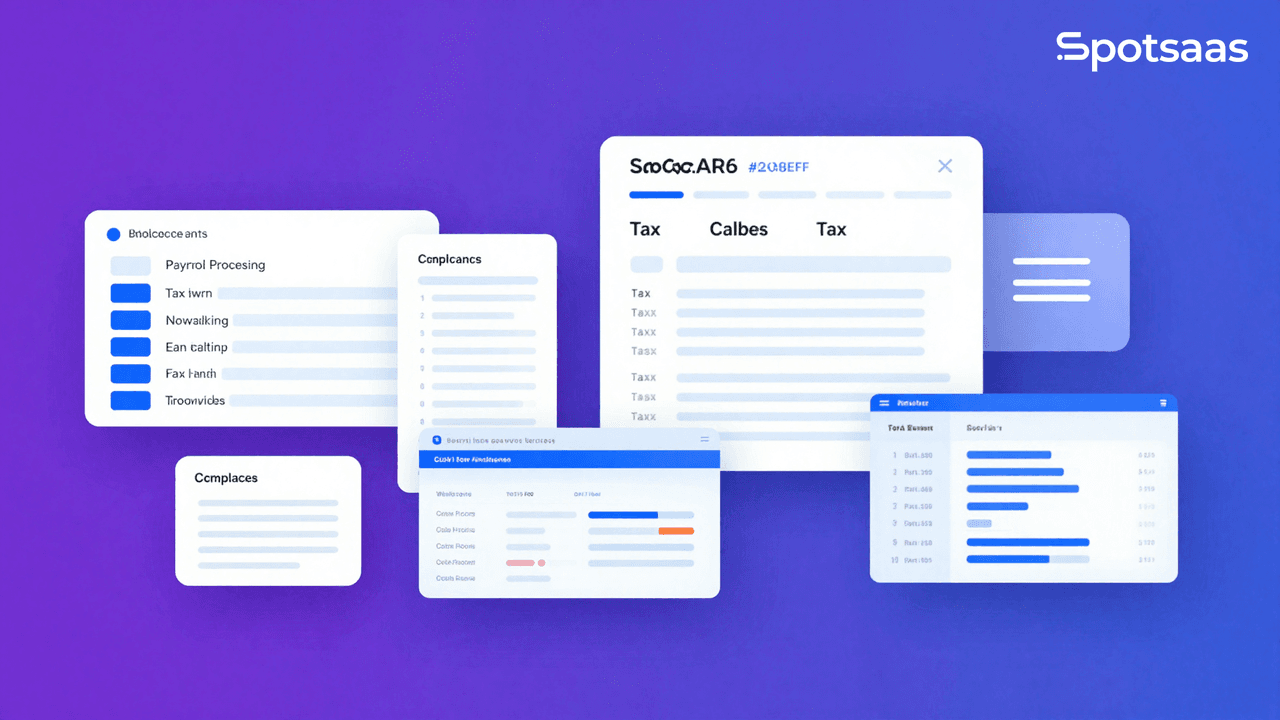
Payroll is one of the most critical and legally sensitive processes in any business. Errors cost money, damage employee trust, and can trigger tax penalties. Choosing the right payroll software eliminates manual calculations, automates tax filings, and gives your HR team time back for strategic work.
With dozens of platforms on the market ranging from $20 to $200 per month, knowing what to look for before you buy is essential. This guide covers every factor that matters.
## What Is Payroll Software?
Payroll software automates the calculation and distribution of employee wages, handles federal, state, and local tax withholdings, files payroll taxes on your behalf, and manages direct deposits. Modern platforms go further, bundling HR tools, benefits administration, time tracking, and compliance monitoring into a single system.
According to Statista, the global payroll software market was valued at $9.5 billion in 2026 and is expected to grow at a compound annual rate of 9 percent through 2030, driven by demand from small and mid-size businesses shifting away from manual payroll processing and outsourced payroll services.
## Key Features to Look for in Payroll Software
### Automated Payroll Processing
Core payroll automation handles wage calculations for hourly and salaried employees, overtime rules, bonuses, commissions, and deductions. Look for the ability to run payroll in a few clicks once your employee data and pay schedule are configured.
The best platforms flag errors before processing, catching issues like missing hours or incorrect tax IDs before they cause problems.
### Tax Management and Filing
Payroll tax compliance is complex. Federal, state, and local rates change frequently. Your payroll software should automatically calculate withholdings, file quarterly and annual returns (W-2s, 940s, 941s), and make tax deposits on your behalf. Platforms like Gusto and ADP handle this automatically for all 50 states.
Manual tax filing errors cost US businesses over $7 billion annually in IRS penalties, according to the American Payroll Association. Automated tax filing eliminates the most common sources of these errors.
### Direct Deposit and Payment Options
Direct deposit is table stakes. Look for same-day or next-day deposit options if cash flow timing is important for your employees. Some platforms like Gusto offer same-day direct deposit on higher-tier plans. Also check whether the platform supports pay cards for unbanked employees.
### Time and Attendance Integration
If employees track hours via a time clock, mobile app, or project management tool, your payroll software should connect directly to that system. Manual hour entry is error-prone and creates reconciliation work. Native integrations with tools like Homebase, When I Work, or built-in time tracking reduce friction significantly.
### Benefits Administration
Leading payroll platforms now bundle health insurance, 401(k), dental, vision, and commuter benefits directly into the same system. This simplifies deductions and gives employees a single portal for all HR needs. Gusto, Rippling, and Justworks are particularly strong here.
### Compliance Monitoring
Employment law changes constantly. Your platform should automatically update for minimum wage changes, overtime rules, leave requirements, and new hire reporting obligations. Built-in compliance alerts prevent costly oversights as your team grows or expands into new states.
### Reporting and Analytics
Payroll reports should cover total compensation costs, department-level spending, tax liability summaries, and year-end reports. Strong analytics help finance teams forecast labor costs and identify budget variances before they become problems.
### Integration Capabilities
Your payroll software should connect to your accounting system (QuickBooks, Xero, NetSuite), HR platform, and time tracking tools. Native integrations eliminate double-entry and keep your financial data synchronized without manual exports.
## Factors to Consider When Choosing
### Business Size and Complexity
Small businesses with fewer than 25 employees have very different needs than companies with 500 employees in multiple states. Simple platforms like Gusto or SurePayroll work well for small teams. Mid-market and enterprise companies typically need ADP Workforce Now, Paychex Flex, or Rippling for their additional configuration options and compliance depth.
### Cost and Total Budget
Payroll software pricing typically includes a base monthly fee plus a per-employee monthly charge. Common pricing structures:
– Gusto Simple: $40/month base + $6/employee/month
– QuickBooks Payroll Core: $45/month + $6/employee/month
– ADP Run: Quote-based, typically $60 to $100+/month base
– Paychex Flex: Quote-based, typically $39+/month + per-employee fees
Add-ons for benefits administration, HR tools, or time tracking increase costs. Always request a full pricing breakdown including implementation fees before signing.
### Data Security
Payroll data includes Social Security numbers, bank account details, and salary information. Your platform must offer AES-256 encryption at rest, TLS in transit, role-based access controls, and multi-factor authentication. Look for SOC 2 Type II certification as a baseline security standard.
### Scalability
Choose software that can grow with you. If you plan to hire in new states, add international contractors, or grow headcount significantly, verify that your platform supports these scenarios before you are locked into a contract.
## Top Payroll Software Compared
### Gusto
Gusto is the top-rated payroll platform for small and mid-size businesses, consistently earning the highest marks on G2 and Capterra for ease of use, customer support, and automated tax filing. It handles payroll for all 50 states, includes automated W-2 and 1099 filing, and integrates with QuickBooks, Xero, and 100+ HR tools. Plans start at $40/month plus $6 per employee.
Best for: Small to mid-size businesses wanting full-service payroll with excellent support.
### ADP Run
ADP is the most established name in payroll with decades of compliance expertise. ADP Run is designed for businesses with 1 to 49 employees and includes payroll, tax filing, direct deposit, and new hire reporting. Pricing is quote-based. ADP’s compliance resources and nationwide support network make it a strong choice for businesses in regulated industries.
Best for: Businesses prioritizing compliance track record and enterprise-grade support.
### QuickBooks Payroll
QuickBooks Payroll integrates natively with QuickBooks Online, making it the natural choice for businesses already using QuickBooks for accounting. It offers automated tax filings, same-day direct deposit on premium plans, and a tax penalty protection guarantee. Plans start at $45/month plus $6 per employee.
Best for: Small businesses already on QuickBooks who want a tightly integrated payroll solution.
### Paychex Flex
Paychex Flex scales from small business to enterprise, offering a full suite of HR, payroll, time, and benefits tools. Its dedicated payroll specialist support is a differentiator for businesses that want a human contact rather than self-service only. Pricing is quote-based.
Best for: Mid-market businesses wanting dedicated support and a comprehensive HR platform.
### Rippling
Rippling is the most modern payroll platform, combining payroll, HR, IT management, and benefits in a single unified system. It is particularly strong for tech companies and remote-first teams, supporting international payroll in 50+ countries. Pricing starts around $8 per employee per month plus a platform fee.
Best for: Fast-growing tech companies with distributed or international teams.
## Step-by-Step Selection Process
**Step 1 — Define your requirements.** List your employee count, states of operation, pay frequencies, and any special requirements like contractor payments, tips, or multi-state compliance.
**Step 2 — Set your budget.** Calculate total cost including base fee, per-employee charges, and any required add-ons. Compare at least three vendors on this basis.
**Step 3 — Request demos.** Ask each vendor to walk through a full payroll run for your team structure. Pay attention to how errors are flagged and how tax filings are handled.
**Step 4 — Check integration compatibility.** Confirm that the payroll platform connects to your existing accounting, HR, and time tracking tools without expensive custom work.
**Step 5 — Read user reviews.** Check G2, Capterra, and Trustpilot for reviews from businesses similar in size and industry to yours. Pay particular attention to reviews mentioning customer support responsiveness.
**Step 6 — Negotiate your contract.** Most payroll vendors offer implementation fee waivers, first-month discounts, or annual billing discounts. Always ask before signing.
## FAQ: Payroll Software
What is payroll software used for?
Payroll software automates employee wage calculations, tax withholdings, direct deposits, and tax filings. It eliminates manual payroll processing and reduces the risk of tax compliance errors.
How much does payroll software cost for a small business?
Expect to pay $40 to $80 per month as a base fee plus $6 to $12 per employee per month. A 10-person team typically costs $100 to $200 per month depending on the platform and features.
Does payroll software file taxes automatically?
Yes. Most full-service payroll platforms including Gusto, ADP, and QuickBooks Payroll automatically calculate, deposit, and file federal, state, and local payroll taxes on your behalf.
What is the best payroll software for small businesses?
Gusto is most consistently recommended for small businesses due to its ease of use, comprehensive tax filing, strong support, and transparent pricing. QuickBooks Payroll is the best option for businesses already using QuickBooks accounting.
Can payroll software handle both employees and contractors?
Yes. Leading platforms support W-2 employees and 1099 contractors in the same system, automating 1099 filings at year end.
How long does payroll software take to set up?
Setup typically takes 1 to 4 hours for small businesses with straightforward payroll. Larger companies with complex pay structures, multiple states, or integrations may take several days to a week.
Is my payroll data secure with cloud-based software?
Reputable payroll platforms use enterprise-grade encryption, SOC 2 Type II certification, and multi-factor authentication. Cloud-based payroll data is typically more secure than on-premise systems or spreadsheets.
Can I switch payroll providers mid-year?
Yes, though mid-year switches require careful data migration to ensure accurate year-to-date records for tax purposes. Most reputable payroll platforms offer migration assistance.
What integrations should payroll software have?
Look for integrations with QuickBooks, Xero, or NetSuite for accounting; your HRIS or ATS for employee data; and time tracking tools like Homebase or TSheets for hours.
Does payroll software handle multi-state payroll?
Yes. Full-service payroll platforms handle multi-state compliance automatically, applying the correct state and local tax rates, filing requirements, and minimum wage rules for each location.
## Conclusion
The right payroll software pays for itself quickly by eliminating errors, reducing administrative time, and protecting your business from tax penalties. For most small businesses, Gusto or QuickBooks Payroll offer the best balance of features, ease of use, and support. Growing companies with complex needs should evaluate Rippling or Paychex Flex.
Start by defining your headcount, states, and integration requirements, then request demos from two or three finalists. Use G2’s payroll software category to compare verified user reviews and make your final decision with confidence.
Related Articles
Best Tools
SaveFrom.Net Review (2026): Is It Safe, Legal & Worth Using?
Continue reading →
Buyers guide
How to Choose Healthcare Software: A Complete Buyer’s Guide (2026)
Continue reading →
Buyers guide
How to Automate HR Processes: A Practical Guide for 2026
Continue reading →
Applicant Tracking Software
How to Set Up an ATS: Step-by-Step Implementation Guide (2026)
Continue reading →