
Buildertrend handles project management for home builders, remodelers, and contractors. It brings project coordination, financial oversight, CRM, and sales processes into one tool, which makes it useful for running construction operations day to day.
This guide walks through what Buildertrend does, what its plans cost, how it integrates with the accounting and payroll tools construction teams already use, and which alternatives are worth comparing before you commit. The goal is to give you enough practical detail to judge whether the platform fits how your business actually runs its projects.
Key Takeaways
- Buildertrend is construction management software with features like project scheduling, change order management, and warranty tracking to improve efficiency.
- The platform offers different pricing plans starting at $99 per month for the Essential Plan and up to $699 for the Complete Plan, with an extra $100 monthly for the Boost add-on service.
- It integrates with accounting software such as QuickBooks and Xero, and offers payroll integration through Gusto.
- Customer support is available via phone, email, and live chat, and on-site consultation is also offered for hands-on guidance.
- The comprehensive toolset and ease of use are strengths, but some users find Buildertrend expensive, especially small businesses put off by the higher pricing tiers.
What are Buildertrend Features?
Buildertrend is a tool built to help home builders, remodelers, and contractors manage their projects. At its core, it combines project coordination, financial oversight, customer relationship management, and the sales process into a single platform.
Because technology now plays a central role in construction, Buildertrend has set itself up as a practical option for running a business efficiently.
Its pricing is split into plans that match different needs: Essential at $99 per month covers core project management; Advanced at $299 widens the toolkit; and Complete at $699 opens up every feature for full control.
Each plan connects with familiar tools, including QuickBooks and Xero for accounting, and Home Depot Pro Xtra and Gusto to handle material ordering and payroll.
Beyond the features themselves, Buildertrend holds an A+ rating from the BBB and offers mobile apps that put nearly full functionality in your hands wherever you work.
Support is thorough, with training materials on hand plus coaching programs such as Buildertrend Boost, which adds personalized guidance for an additional $100 monthly.
As alternatives emerge such as Jobber, Procore, and Autodesk Construction Cloud, it pays to check which one fits your specific needs. The sections below cover how Buildertrend handles construction management in detail.
Project Management
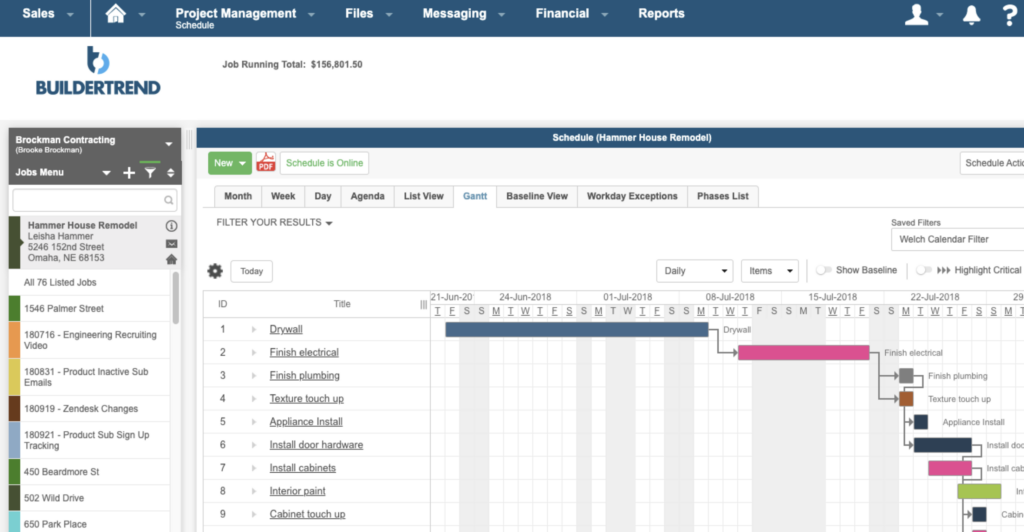
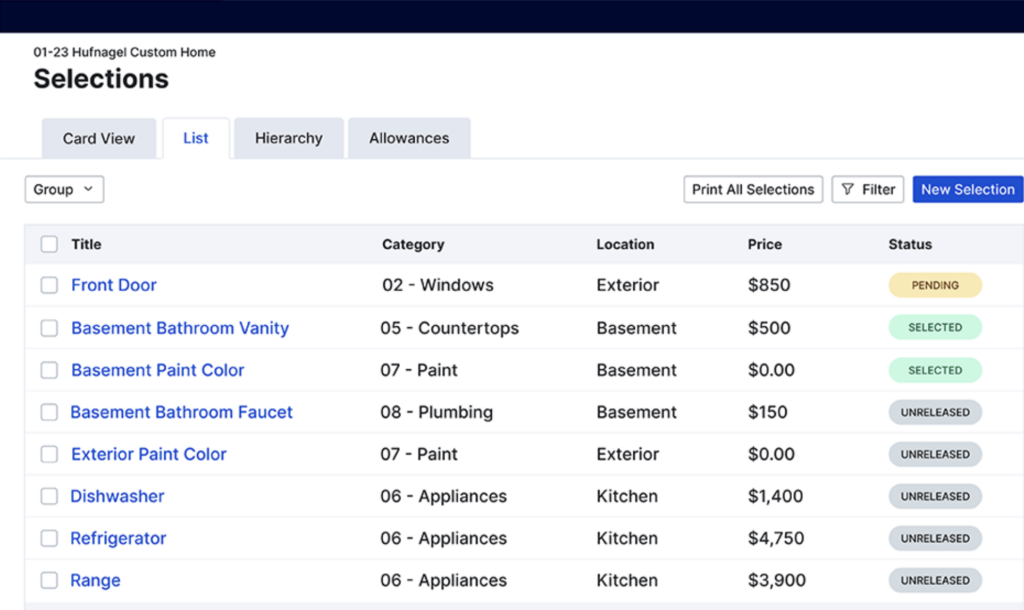
Project management matters in construction, and Buildertrend provides tools to handle this complex process. Scheduling lays out a clear roadmap for each project, mapping out every step so teams stay on track.
Its built-in inventory management for construction tracks materials and supplies, which cuts delays and reduces waste.
To-do lists sit alongside task scheduling so nothing slips through the cracks and every team member stays accountable for their part of the work.
Changes often cause disruption, but with change order management built into Buildertrend, modifications become easier to control and less stressful to manage.
Time tracking supports accurate labor cost calculations and efficiency checks, which makes it easier to apply time tracking in construction within your workflow.
Warranty tracking helps companies stay on top of post-construction obligations, so commitments made after a build wraps up do not get lost. Together, these capabilities let businesses run their project management needs with better coordination and clearer communication, and they give teams a way to take charge of scheduling, tasks, and changes from one place rather than spreading the work across separate tools.
Financial Tools
Buildertrend gives users financial tools they need for construction project management. It handles budget management and supports decision-making with real-time cash flow tracking, all in one platform.
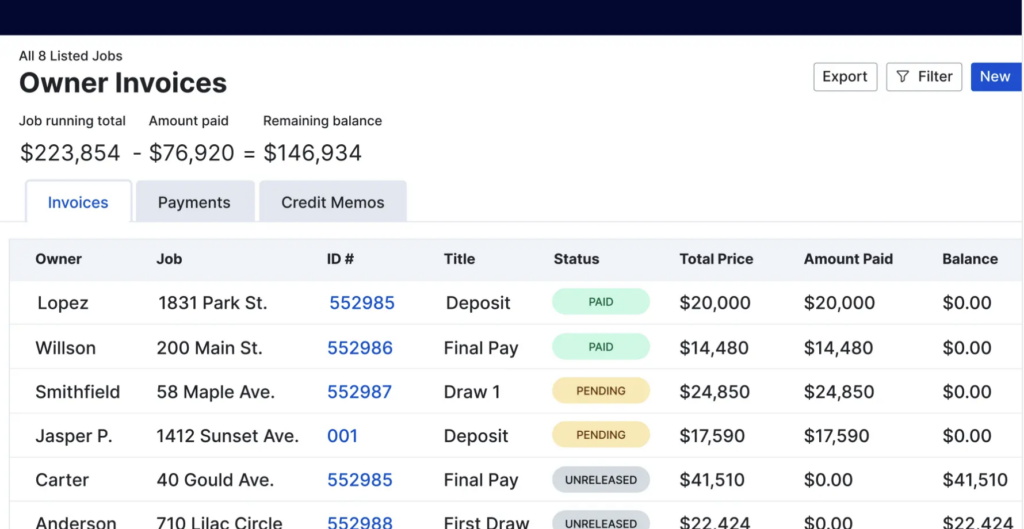
Contractors can generate detailed financial reports, run bids through the bid management features, and track every expense closely. Buildertrend connects to accounting software like QuickBooks and Xero, so no detail about a project’s financial health is missed.
With these planning resources on hand, resource allocation becomes easier to organize. You can also process payroll through Buildertrend’s integration with Gusto.
These financial features are included in both the Advanced and Complete plans offered by Buildertrend. This level of control lets managers stay on top of every figure, from overall budgets down to small expenses that might otherwise go unnoticed. Having reporting, bids, and expenses in the same place as the project schedule means the financial picture stays tied to the actual work, rather than sitting in a separate spreadsheet that someone has to reconcile later.
Customer Relationship Management
Strong customer relationships hold a project together, and Buildertrend’s CRM tools help users keep those connections in good shape.
Through phone, email, and live chat support, businesses can respond to CRM needs quickly, so no client question goes unanswered. The platform also offers on-site consultation for those who want expert guidance in person.
An A+ rating from the Better Business Bureau reflects Buildertrend’s track record on customer satisfaction. The range of service channels covers different preferences and levels of urgency, giving users several ways to get in touch.
Live chat gives clients quick access to help when they need it, and the knowledge base covers self-service problem-solving for those who prefer to find answers themselves. Between the direct channels and the self-service material, users can pick the route that fits the moment, whether that is a quick chat during a busy day or a search through the help articles after hours.
Sales Process Management
Buildertrend handles sales process management by pairing customer relationship management with its financial tracking tools.
Businesses that want a CRM for contractors focused on customer communication, lead tracking, and field service scheduling may find that platforms like ServiceTitan fit trade-specific needs better.
The combination lets construction professionals manage every part of their sales pipeline, from first client contact through to final payment.
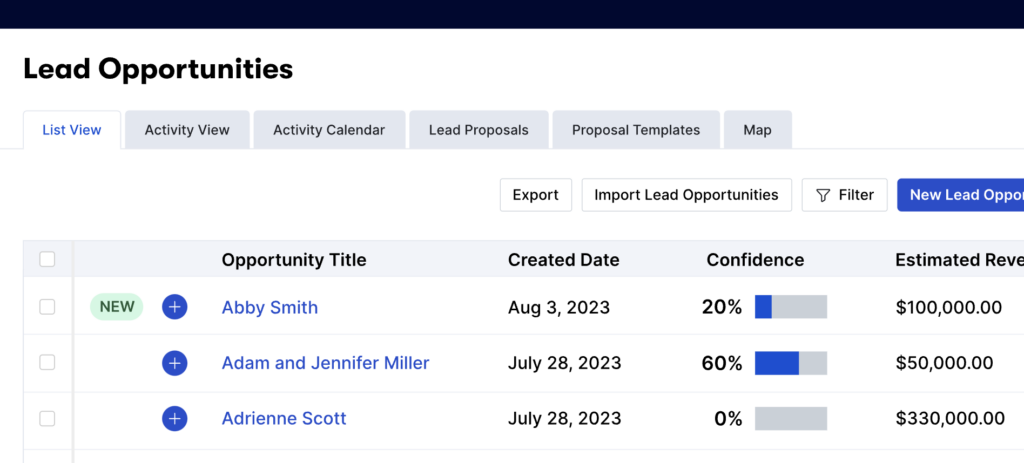
Users can monitor lead progress, prepare and send quotes, and track conversions inside a single platform.
This helps teams forecast revenue and plan resources during project planning. Real-time updates keep everyone aligned on financial goals and client expectations, which helps projects stay on schedule and within budget.
Scheduling follow-ups is straightforward, so client communication stays responsive. With Buildertrend’s full suite on hand, managing the sales cycle becomes a more efficient, growth-focused operation.
Buildertrend Pricing
Here is a look at Buildertrend’s pricing tiers so you can see which plan matches your construction management needs and invest in a system that grows with your business.
Essential Plan
The Essential Plan is the entry point into construction management software, aimed at project scheduling and team collaboration. Priced at $99 per month, it covers core needs with features such as cost tracking and communication tools that keep projects on track.
Users get access to Buildertrend‘s customer support, with guidance available via phone, email, or live chat throughout the workweek.
Integration with accounting platforms like QuickBooks and Xero comes standard with this plan, so cost management happens without leaving Buildertrend.
Pairing project tracking with financial data gives teams the information they need to make decisions quickly, since the cost side and the schedule side sit next to each other. The Essential Plan suits those who want fundamental functionality backed by reliable support for their construction projects, without paying for the heavier features that only larger operations tend to use.
Advanced Plan
Choose the Advanced Plan if your business needs more capable financial tools and premium project management features. At $299 per month, this plan comes with an expanded feature set for handling complex projects.
It adds capabilities for detailed budgeting and cost tracking, which helps teams work more efficiently on intricate jobs.
You also get client support Monday through Friday, from early morning to evening. Live chat, email, and phone are all available, so you can pick the channel that suits you for quick troubleshooting.
In-person guidance is another option; on-site expert consultation comes with this level of service, so you always have access to professional advice right where you work. For teams taking on more involved projects, having someone available to walk through setup or answer questions on location can shorten the time it takes to get the whole crew comfortable with the software.
Complete Plan
The Complete Plan is the top tier, with a feature set built for large-scale operations. At $699 per month, it bundles the full project management tools, advanced financial capabilities, and customer relationship functions into one package.
Users get premium features that support their workflow, including in-depth sales process management and full customization options for complex project needs.
Builders on the Complete Plan also get integration with accounting platforms like QuickBooks and Xero, and payroll processing through Gusto compatibility.
That keeps every financial aspect of a project inside one system, from budgeting through to payroll, so there is no need to move data between separate applications. With around-the-clock customer support across multiple channels, help is available whenever users work through the learning curve that comes with some of Buildertrend’s more sophisticated features, which matters most on the Complete Plan where the feature set is at its widest.
Buildertrend Boost Add-on
On top of the Complete Plan, the Buildertrend Boost Add-on raises the level of functionality and support. This service gives teams extra tools for getting the most from construction management software, with more personalized help for $100 extra per month.
You get a dedicated account manager who understands your business and can guide you through each step.
The Boost add-on also comes with coaching programs designed to help you use the digital tools well and improve project outcomes. The training resources help users learn the platform and get more out of every part of it.
With this combination, builders gain an edge in running their project management and financial operations while keeping customer relationships in good shape.
User Experience and Ease of Use
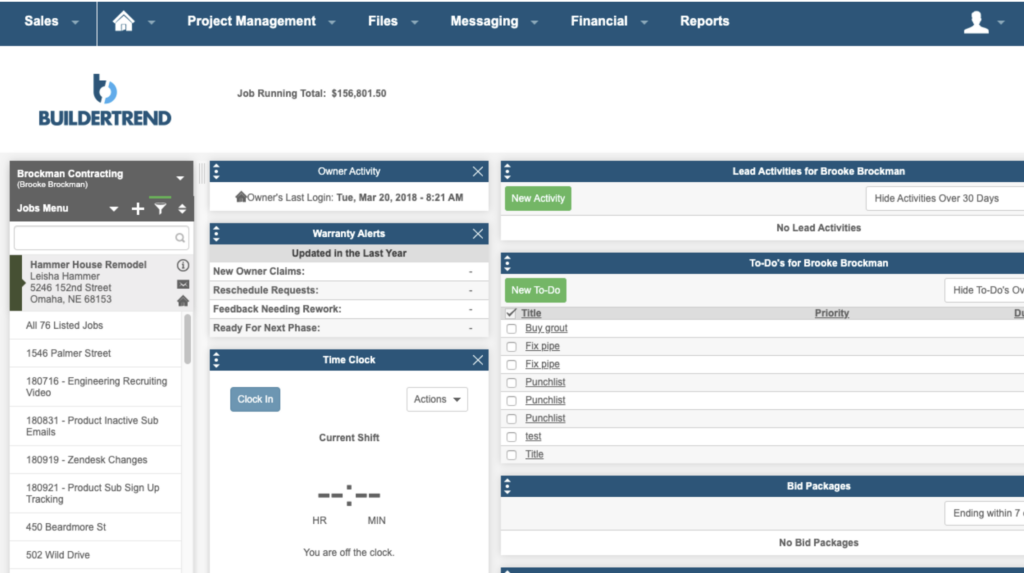
Buildertrend takes the hard task of construction project management and gives it a clear, efficient interface. Professionals in the field deal with daily challenges, so they value tools that save time and cut complexity.
The design is intuitive, which means less time spent learning the software and more time using its features for customer relationship management and lead tracking.
The mobile app carries almost all desktop functions into your hand. That lets teams stay connected and informed whether they are on site or off, so project details are always within reach.
Integrations simplify operations by syncing with accounting solutions like QuickBooks and Xero and handling payroll through Gusto. Because these connections cut out manual data entry between systems, they make the software easier to use day to day and add to the overall productivity of projects run through Buildertrend. For a field team that would otherwise juggle several apps, having project details, accounts, and payroll linked in one place removes a lot of the friction that slows work down.
Customer Service and Support Quality
Buildertrend’s customer service covers a range of support options so users get timely help and guidance. The sections below break down how each channel works and what it offers.
Knowledge Base and Help Center
Buildertrend offers a Knowledge Base and Help Center for self-service support. It holds detailed articles, step-by-step guides, FAQs for quick troubleshooting, and instructional videos that help customers get more from the software.
The library is available around the clock, so it covers different customer needs and lets users find answers when it suits them.
Users who want direct help can reach Buildertrend’s customer service team through several channels. Phone, email, and live chat support handle questions during business hours, Monday to Friday between 7:00 a.m.
and 5:00 p.m. (USA CT). The team provides answers tailored to each user’s question or issue quickly, which keeps disruptions to project management tasks to a minimum.
Service Channels
For quick help, clients can use several service channels, including phone support, email, and live chat. These lines are open from early morning to late afternoon, so help is available during the busiest work hours.
For those who want to go deeper or need extra guidance, Buildertrend runs training programs that build skills and improve how you use the platform.
Support goes past basic questions with the option for coaching services like Buildertrend Boost, a dedicated effort built to help users succeed on the platform.
Offering help resources and customer care does more than solve immediate issues; it helps users manage projects with confidence. The next section covers on-site consultation, which extends support directly to your business location.
On-site Consultation Options
Buildertrend goes past online help with on-site consultation, offering face-to-face assistance to clients who need it. Their experts travel to your location for guidance and support that matches your project.
You get one-on-one time to work through complex issues or customization requirements, so you can get the most out of Buildertrend’s platform. This in-person approach brings individualized help and direct support to your door.
With experts available on site, customers get assistance that helps them run their construction management processes and improve how the team uses the software.
Working directly with professionals clears up confusion quickly, so teams can focus on building. Looking at the range of support options shows you are unlikely to be left without expert advice or a practical answer, which reflects Buildertrend’s commitment to client satisfaction.
Next, here is a look at the advantages and possible drawbacks of using Buildertrend for your business.
Pros and Cons of Buildertrend
Buildertrend has clear strengths and some limitations that businesses should weigh before adopting it; both affect short-term uptake and long-term results in construction management.
The sections below cover where the software does well at simplifying operations, along with the challenges users may run into, so you can make an informed decision for your company.
Advantages of Using Buildertrend
Buildertrend keeps document organization and financial integration at its center. Teams can track a project’s full lifecycle thanks to bookkeeping features that sync with QuickBooks Online and Xero.
That connection cuts down on manual accounting work and helps contractor management by keeping financial data accurate and easy to reach.
With unlimited user access, full teams can stay in sync on projects and documents at no extra cost. Customer support is thorough too; help through phone, email, coaching sessions, and online resources means your team can work past most roadblocks.
The next part of this review looks at how Buildertrend’s drawbacks measure up against these advantages.
Potential Drawbacks
Despite the range of features, some customers question whether Buildertrend is affordable for small businesses. With pricing tiers ranging from $399 to $999 per month, smaller operations may find these costs hard to justify.
The additional $100 monthly for Buildertrend Boost can push the expense beyond what companies on tight budgets can spend.
Customer service responsiveness is another sticking point. Users looking for help may run into frustration if support does not meet their expectations on availability and speed.
Many users find good value for money in this construction management tool, while others feel improvements would raise their overall satisfaction, especially when they weigh cost against benefits. For a larger firm running several projects at once, the price can be easier to justify than it is for a small contractor handling one job at a time, so the value of the platform depends a lot on the size and pace of the business using it.
Moving on from the drawbacks, here is how Buildertrend works with other essential services.
Buildertrend Integrations
Buildertrend’s integrations add efficiency and keep data in sync. This section covers how connections with leading industry software fit together into a setup built for the demands of construction management.
QuickBooks and Xero for Accounting
Buildertrend integrates with QuickBooks and Xero, two widely used accounting tools. This lets businesses sync data between their project management and bookkeeping systems.
Transactions update in real time, so users have current information on expenses, invoicing, budgets, and payroll. Small business owners gain from this because it makes managing accounts payable and receivable easier within one platform.
The integration reduces the errors that happen when information is transferred by hand. Financial reporting gets more accurate, which makes it easier for companies to track their financial health and decide based on current numbers.
Pairing Buildertrend with cloud accounting tools like QuickBooks and Xero means construction professionals have one less thing to worry about as they handle project finances.
With financial tools available through Buildertrend’s dashboard, the numbers stay close at hand, and every dollar counts toward the work.
The Home Depot Pro Xtra
The Home Depot Pro Xtra changes how Buildertrend users manage building supplies. This integration handles material procurement by ordering and tracking construction materials directly through the software.
Contractors get real-time insight into their purchases, so they can keep track of inventory and spending without switching between platforms.
Account management becomes more efficient because it allows detailed supplier tracking from The Home Depot’s catalog. Users can plan project accounting with more precision and benefit from discounts and offers available to Pro Xtra members.
Purchase tracking also cuts waste by keeping order quantities in line with project requirements, so job site supplies stay in step with the work. Ordering materials from inside the same system used to run the project means spending stays visible against the budget as it happens, rather than turning up as a surprise on a later invoice.
Payroll Integration with Gusto
After the discounts and purchase tracking from The Home Depot Pro Xtra, Buildertrend rounds out financial management with its payroll integration with Gusto.
This pairing simplifies payroll processing for builders and contractors. Managing employee benefits, tax compliance, and other HR tasks gets easier as Gusto works alongside Buildertrend’s platform.
The integration also syncs time tracking directly into payroll management. You can turn hours logged on the job site into accurate paychecks without juggling multiple systems.
This connects project management with accounting platforms like QuickBooks and Xero, putting your essential tools in one place for efficient work. With time tracking, payroll, and accounting all linked, the path from hours worked on site to a finished paycheck runs through a single system, which reduces the double entry and rekeying that usually creep in when payroll sits apart from the rest of the operation.
Best Use Cases for Buildertrend
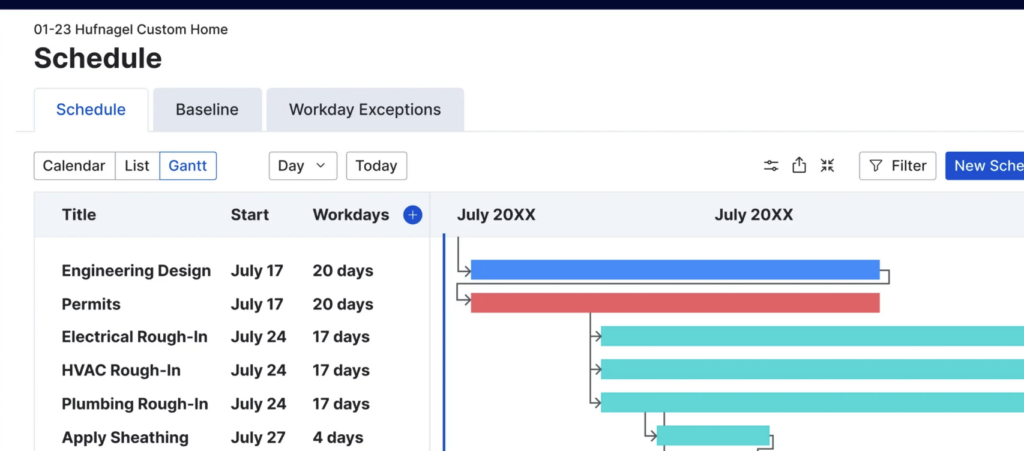
Buildertrend works well as the connecting layer in construction management, bringing teams and processes together. It is strongest when used to centralize project oversight, keeping everyone from contractors to clients in sync across a build’s lifecycle.
Maximizing Collaboration
Teamwork sits at the center of a successful construction project. Buildertrend’s platform supports this collaboration, especially among home builders, remodelers, and specialty contractors.
The software uses real-time communication tools and centralized document management to keep everyone on the same page. From sharing blueprints to scheduling tasks, team members can coordinate their work.
Integration with accounting platforms like QuickBooks and Xero also handles financial workflows within Buildertrend. This gives all project stakeholders a clear view of budget statuses and ongoing expenses.
Collaboration extends further with connections to Home Depot Pro Xtra and Gusto for material tracking and payroll, which makes it easier for teams to align their operations openly.
Streamlining Communications
Buildertrend changes how construction projects communicate. With its built-in messaging system and customer communication portal, teams stay connected.
Keeping clients in the loop is straightforward with email marketing tools built for the construction industry’s needs.
Job site coordination gets more efficient through real-time updates shared among crew members, subcontractors, and stakeholders on Buildertrend’s platform. Integration with The Home Depot Pro Xtra handles material ordering and tracking while keeping financial details in order.
This connectivity across channels simplifies procurement and improves project management by keeping communication clear and consistent through each phase of construction.
Top Alternatives to Buildertrend and Similar Solutions
When exploring construction management solutions, it helps to compare platforms that serve similar needs; alternatives to Buildertrend offer their own features and benefits.
Finding the right software for your specific project requirements can improve efficiency and simplify operations within your business. The options below each take a slightly different approach, so it is worth checking how their features, pricing, and integrations line up against the way your team actually works before you settle on one.
Jobber
Jobber is a strong option in construction management software, built with simplicity and scalability in mind. It offers features that a working construction team needs, including scheduling, daily logs to track progress, and direct messaging for on-site communication.
Aimed at both small startups and growing companies in construction, Jobber’s affordable pricing packages offer flexibility without cutting back on functionality.
Data security is a priority for this contractor software; it follows strict security measures so sensitive information stays protected.
It also integrates with QuickBooks for accounting workflows and offers a mobile app that brings almost all desktop functions to field professionals.
Jobber does more than simplify task management; it turns it into an efficient process that helps businesses run more smoothly and keep clients satisfied.
Procore
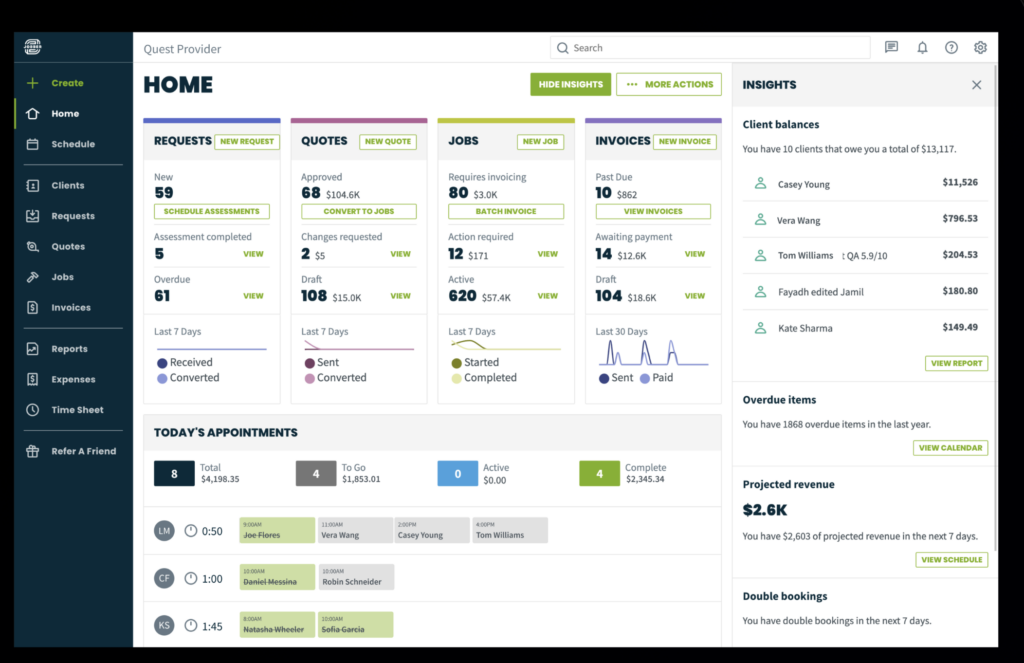
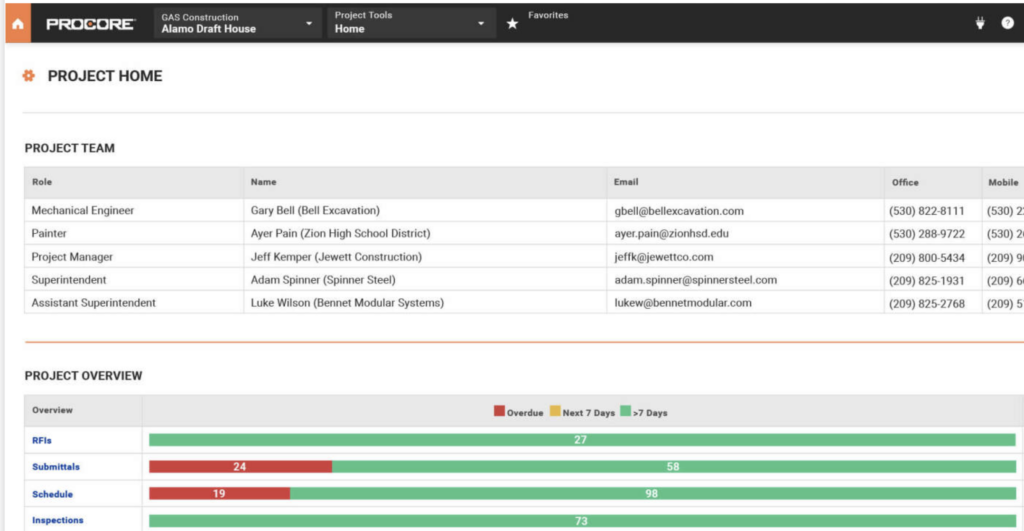
Procore is a well-known name in construction management software, used by a network of over one million users worldwide. Its suite includes project management features and a capable mobile app built for the needs of construction teams.
The app’s near-complete functionality on mobile devices lets workers stay connected and productive even on site, which matters for crews who spend most of their day away from a desk and still need to check schedules, log time, or pull up documents.
With customizable pricing packages, Procore fits different business goals and scales as a company grows or a project demands. The platform takes user trust seriously, applying strict security measures and supporting integrations with software like QuickBooks and Xero for financial oversight.
With Procore’s tools in place, businesses gain efficiency and profitability and can meet today’s construction challenges directly.
Autodesk Construction Cloud
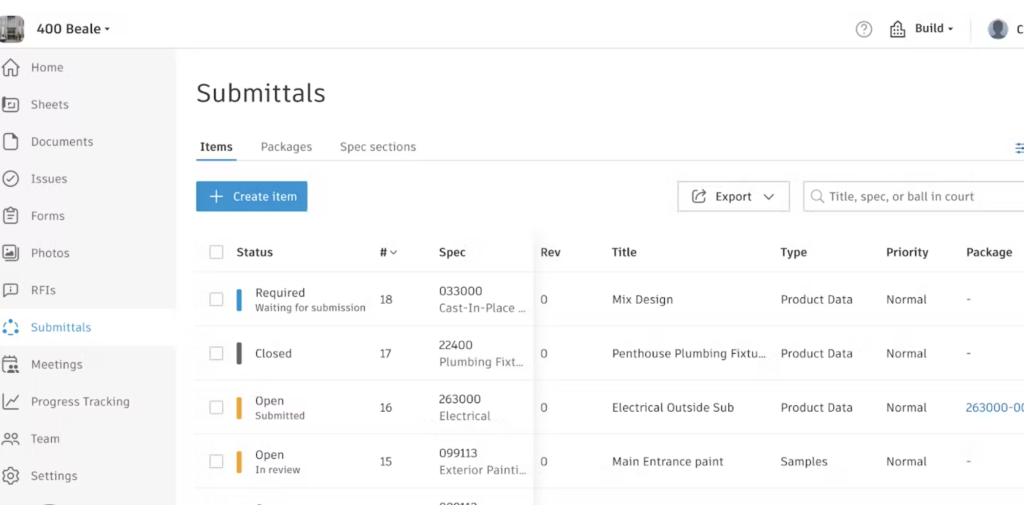
Autodesk Construction Cloud is a construction project management tool built for a range of building professionals. It handles site management with features such as construction scheduling software, task management, and daily reporting.
Contractors value the platform’s ability to manage documents, keep up client relations through customer relationship management software, and simplify finances by integrating with accounting software like QuickBooks Online and Xero.
For teams that need precise time tracking or invoicing on the go, Autodesk Construction Cloud offers tools to help home builders, remodelers, specialty contractors, and commercial builders work more productively.
Its support for clear communication within workgroups, along with a strong hold on project details, makes it a solid alternative among construction technology tools.
As you consider the options available for improving construction project outcomes, the next section looks at similar platforms like Worktango that may fit different organizational needs.
Explore Similar Solutions: Worktango and Others
Worktango is another option in construction management software, with an approach aimed at simplifying the complexities of building projects.
It lets you coordinate multiple tasks and support team collaboration; this platform offers project management tools that support agile methods, so details in your construction scheduling do not get missed.
Plenty of other solutions appeal to professionals looking for alternatives to Buildertrend. These building project coordination platforms range from contractor management software for small businesses to large-scale systems for bigger enterprises.
Each comes with features aimed at construction job management through detailed planning and real-time communication. As you compare these options, consider how their functions match your specific business needs and objectives in construction industry software. A small remodeling outfit and a large commercial builder will weigh scheduling, pricing, and integrations differently, so the right pick often comes down to the scale you work at and the tools you already rely on.
Read more What is WorkTango? Check out Latest Pricing, Features and Best Alternatives in 2024
Conclusion and Final Thoughts
Buildertrend is a versatile construction management tool that helps home builders, remodelers, and contractors stay on top of their projects. Its features handle complex tasks, from project tracking and scheduling to financial management.
Given its wide range of pricing options and its strong integration capabilities, it is easy to see why many rank Buildertrend among the top choices in the market. Alternatives may suit different needs or budgets, but Buildertrend remains a solid option for teams that want to run construction projects more efficiently.
Frequently Asked Questions
What exactly is Buildertrend?
Buildertrend is a software program that construction companies use to help manage their projects, scheduling, and finances.
Can anyone use Buildertrend or is it just for professionals?
Buildertrend is designed mainly for professional home builders, remodelers, and contractors.
Does Buildertrend offer a free trial to test out its features?
Yes, Buildertrend offers a free trial so you can try it before deciding if you want to purchase it.
How much does it cost to use Buildertrend?
The cost of using Buildertrend varies based on the size of your business and how many features you need from the software.
Are there any good alternatives to Buildertrend I can consider?
Yes, other project management tools like CoConstruct, Procore, and JobNimbus serve as alternatives to Buildertrend.
Compare alternatives to the tools in this post

- Independent picks for exactly what you just read about
- Matched to your team size & needs
- Vendors don't pay for placement
Step 1 of 4
How big is your team?
We tailor recommendations to companies your size.















Related Articles
AI Software
AI in Construction (2026): 8 Use Cases, Tools and Risks for Contractors
Continue reading →
Construction Software
Best Construction Time Tracking Software and Time Clock Apps: Best Time Tracking Solutions for 2026
Continue reading →

Construction Software
Best HR Software for Construction Companies in 2026: Streamline Workforce & Compliance
Continue reading →
Buyers guide
Best Equipment Rental Software in 2026: 8 Tools for Tracking and Utilization
Continue reading →