
Best Construction Time Tracking Software and Time Clock Apps: Best Time Tracking Solutions for 2026
What is Time Tracking Software and Why Does It Matter?
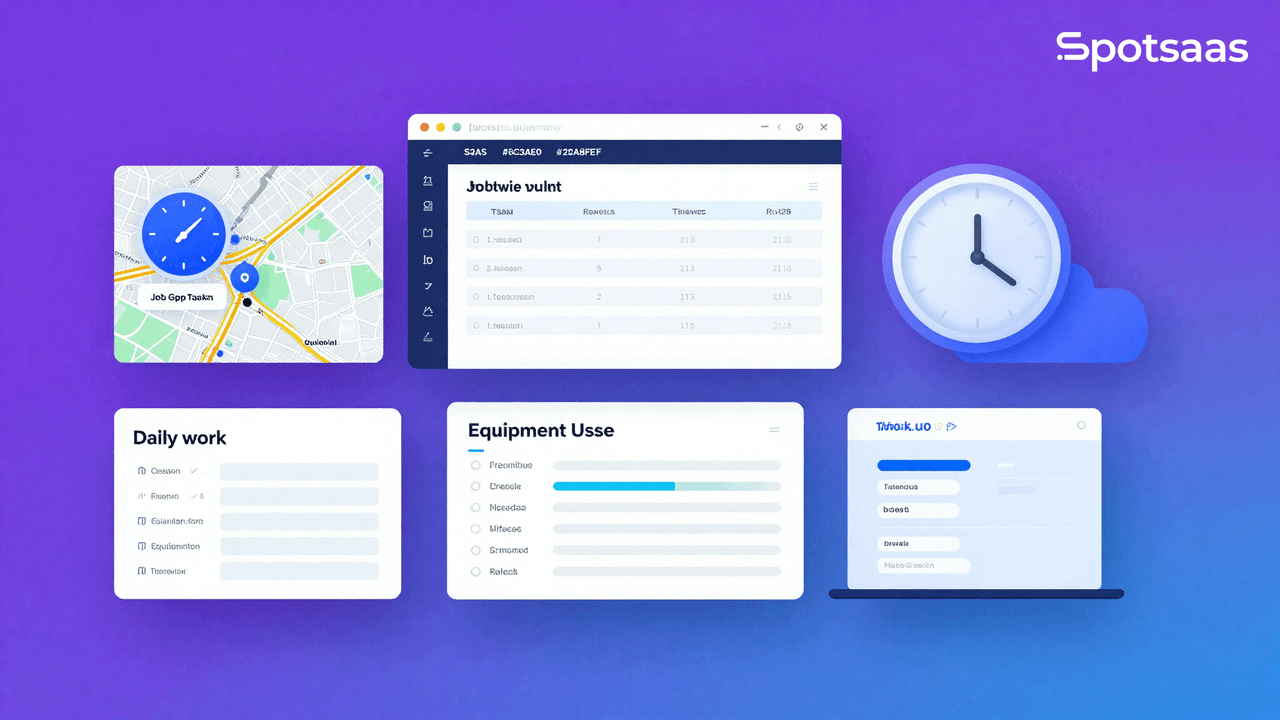
Time tracking software is a digital tool that helps businesses track time spent on tasks, projects, and employee activities. For many organizations, especially in construction, manual processes like paper sheets or a time card often cause errors and wasted effort, particularly when crews are spread across several active job sites. Modern tools fix this with automation, integration, and real-time reporting.
Here’s why it matters:
- Accurate time entries – Record work in real time to avoid errors and ensure payroll reflects actual hours.
- Integrated systems – Syncs with accounting software and payroll software for seamless processing.
- Cost tracking & job codes – Platforms like QuickBooks Time offer automated time tracking with codes to bill each construction project correctly.
- Better visibility for managers – A time tracking app or time clock app gives construction managers clear insight into labor costs, productivity, and resource allocation.
- GPS and location tracking – Features like GPS tracking and location tracking confirm where construction workers clock in, cutting down on errors and time theft.
- Scalable solutions – Replace basic time tracking methods with smarter tools built specifically for construction, usable via desktop or mobile app.
- Support for construction sites – A modern app for construction teams makes it simple for workers across multiple construction sites to log hours with ease.
By adopting the best time tracking systems, construction companies can increase efficiency, keep projects profitable, and give both workers and managers transparent time data to work from.
How Does Time Tracking Help Construction Crews and Businesses Track Hours?
For construction crews and managers, tracking labor efficiently is critical to keeping projects on schedule and within budget. Manual methods like paper logs or spreadsheets leave too much room for error, making it harder to calculate payroll, monitor productivity, and control costs. A construction time tracking app or construction time clock app gives construction businesses the digital tools they need to streamline operations, protect profitability, and support their workforce.

Simplified Employee Time Tracking
A modern construction time clock or construction timesheet app lets crews clock in and out quickly, so employee time gets recorded accurately. This cuts down on errors in time entries and creates a transparent system for both managers and workers.
Real-Time Visibility
With real-time data available through a mobile time clock or app for construction, supervisors and construction managers can see who’s on-site and when. This improves accountability across construction teams and helps deadlines get met without delays.
GPS and Location-Based Accuracy
Features such as GPS time tracking and location tracking are crucial for crews working across multiple construction sites. They verify attendance, support accurate time tracking, and help prevent time theft, creating fairness for both employers and employees.
Cost Tracking and Payroll Integration
By integrating with payroll software, time tracking solutions automate wage calculations, making payroll faster and more reliable. At the same time, built-in cost tracking links hours worked to specific construction projects, helping businesses see where resources are actually being spent.
Better Resource Allocation
With tracking and job insights, managers can put labor where it’s needed most. This helps construction workers focus on the right tasks, improving productivity and efficiency across the construction industry.
Support for Growth and Compliance
The best systems replace basic time tracking with structured digital workflows. Using the best construction solutions, companies can reduce administrative burdens, get more reliable time data, and stay compliant with labor laws while delivering projects on time.
5 Best Construction Time Tracking Software for 2026
| Software | Best For | Key Features | Pricing (Starting) |
|---|---|---|---|
| QuickBooks Time | Contractors already using QuickBooks | Employee time clock, job & project tracking, GPS tracking, payroll integration, mobile app | Premium: $20 base + $8/user/mo Elite: $40 base + $10/user/mo |
| Hubstaff | Supervisors managing multiple crews | GPS location tracking, automated time entries, mileage tracking, payroll integration, mobile app | Starter: $7/user/mo Grow: $9/user/mo |
| Workyard | Field teams & job costing accuracy | Construction time clock, job costing, real-time tracking, location tracking, reporting dashboard | $6/user/mo + $50 base fee |
| OnTheClock | SMB contractors need affordability | Mobile time clock, GPS punch in/out, payroll sync, timesheet management, affordable pricing | $3/user/mo Free for 2 employees |
| busybusy | Large construction crews & scaling | Construction time clock, automated data, cost tracking, real-time updates, mobile app | Free basic plan Pro: $9.99/user/mo |
Pricing shown is approximate; check vendor websites for current rates.
QuickBooks Time (formerly TSheets) – Payroll & Accounting Integration
What is QuickBooks Time?
QuickBooks Time, formerly TSheets, is a construction time tracking app that integrates directly with QuickBooks. It helps companies record time, manage shifts, and process payroll without manual data entry. For contractors already using QuickBooks, it combines time tracking with accounting compliance, making it a strong fit for construction businesses.
QuickBooks Time’s Top Features for Construction
| Feature | Description |
|---|---|
| Employee Time Clock | Logs employee time with clock-ins, shifts, and overtime. |
| Job & Project Tracking | Allows tracking labor and assigning costs to specific projects. |
| GPS Tracking | Provides GPS tracking and job verification for crews. |
| Payroll Integration | QuickBooks Time integrates hours directly into payroll. |
| Mobile App | A reliable time tracking app for crews in the field. |
QuickBooks Time Pricing Breakdown
- Premium Plan: $20/month base + $8/user/month.
- Elite Plan: $40/month base + $10/user/month (adds geofencing, signatures, estimates).
- Free Trial: 30 days.
Pricing shown is approximate; check vendor websites for current rates.
Why QuickBooks Time is Ideal for Construction Crews
It’s one of the best construction time tracking software options for contractors that already use QuickBooks Time. With digital time entries, real-time reporting, and payroll sync, it delivers an efficient way to track time across multiple sites.
Hubstaff – Construction Time Tracker with GPS for Crews
What is Hubstaff?
Hubstaff is an employee time tracking app built for remote and field-based teams. In construction, it provides real-time tracking of crews across sites, mileage tracking for travel reimbursements, and automated time entries. Its focus on preventing time theft and buddy punching makes it one of the best time clock apps for supervisors.
Hubstaff’s Top Features for Construction
| Feature | Description |
|---|---|
| GPS Location Tracking | Offers GPS tracking and job verification in real time. |
| Automated Time Entries | Reduces errors from manual time logging. |
| Mileage Tracking | Tracks time spent on specific jobs and travel. |
| Payroll Integration | Connects tracked hours to payroll software. |
| Mobile App | A flexible app for your construction teams to use anywhere. |
Hubstaff Pricing Breakdown
- Starter Plan: $7/user/month.
- Grow Plan: $9/user/month with advanced reporting.
- Free Trial: 14 days.
Pricing shown is approximate; check vendor websites for current rates.
Why Hubstaff is Ideal for Field Crews
Hubstaff is one of the best construction time clock apps for supervisors managing multiple construction crews. It offers strong time tracking capabilities, helps prevent fraud, and supports compliance with tracking data that’s transparent and auditable.
Workyard – Best Construction Time Tracking App for Field Teams
What is Workyard?
Workyard is built specifically for construction and field contractors. It specializes in precise location tracking, job costing, and project tracking to help contractors avoid overspending. This construction employee time tracking app is an efficient way to track time and labor across multiple job sites.
Workyard’s Top Features for Construction
| Feature | Description |
|---|---|
| Construction Time Clock | Allows crews to record time digitally. |
| Job Costing | Links labor hours to construction and field service projects. |
| Real-Time Tracking | Ensures managers always see up-to-date crew data. |
| Location Tracking | Verifies worker attendance with GPS tracking and job codes. |
| Reporting Dashboard | Provides tracking feature insights for managers. |
Workyard Pricing Breakdown
- Team Plan: $6/user/month + $50 base fee.
- Business Plan: Custom pricing.
- Free Trial: 14 days.
Pricing shown is approximate; check vendor websites for current rates.
Why Workyard is Ideal for Field Teams
Workyard is one of the best construction time tracking tools designed specifically for construction teams. It gives managers real insight into costs, hours, and labor productivity, making it a time tracking app that helps them stay in control of every project.
Read this blog on Best Time Tracking Apps for Startups
OnTheClock – Simple Construction Employee Time Tracking App for SMB Contractors
What is OnTheClock?
OnTheClock is a straightforward contractor time tracking tool built for small to mid-sized businesses. It offers mobile time clock access, GPS tracking, and smooth integration with accounting software, making it a time tracking solution well-suited to SMB contractors.
OnTheClock’s Top Features for Construction
| Feature | Description |
|---|---|
| Mobile Time Clock | Crews can record time from phones or tablets. |
| GPS Punch In/Out | Ensures accuracy for construction crews. |
| Payroll Integration | Works with QuickBooks, ADP, and more. |
| Timesheet Management | Acts as a construction timesheet app with digital reporting. |
| Affordable Pricing | A reliable time tracking app for smaller teams. |
OnTheClock Pricing Breakdown
- Per User Plan: $3/user/month.
- Free Plan: Up to 2 employees free.
- Free Trial: 30 days.
Pricing shown is approximate; check vendor websites for current rates.
Why OnTheClock is Ideal for SMB Contractors
OnTheClock is among the best construction time clock apps for smaller contractors who need an efficient way to track time without high costs. Its tracking system is simple yet effective, which matters for construction SMBs managing limited crews.
busybusy – Best Construction Time Tracking App for Large Crews
What is busybusy?
busybusy is built for construction and field service industries, with a focus on contractors running large crews. It provides digital time entries and cost allocation, and its construction time tracking software covers both labor and equipment insights. The app also supports photo proof and signature collection, making it one of the best construction time tracking software choices for scale.
busybusy’s Top Features for Construction
| Feature | Description |
|---|---|
| Construction Time Clock | A construction time clock app for large crews. |
| Automated Data | Collects and organizes tracking data automatically. |
| Cost Tracking | Links hours to time spent on specific jobs. |
| Real-Time Tracking | Gives managers up-to-date labor info. |
| Mobile App | An app offers flexibility to log hours anywhere. |
busybusy Pricing Breakdown
- Standard Plan: Free for basic time tracking for construction.
- Pro Plan: $9.99/user/month – includes job costing and reporting.
- Free Trial: 14 days.
Pricing shown is approximate; check vendor websites for current rates.
Why busybusy is Ideal for Large Crews
busybusy is a strong construction time solution for contractors running big field operations. It combines time tracking capabilities, tracking system features, and payroll support, making it a solid pick for construction businesses scaling quickly.
Read this blog on Top Rated Time Tracking Apps for Consultants
How a Time Tracking App for Construction Improves Payroll Accuracy
For construction businesses, payroll is one of the most critical and error-prone processes. Relying on manual time sheets or paper time cards often leads to misreported hours, missing data, and disputes with employees. Modern time tracking software for construction fixes these issues by creating a digital time record that connects directly with payroll systems.

Eliminates Errors from Manual Entry
A construction time tracking app or employee time tracking app lets crews clock in and out with a mobile time clock or time clock app for construction. This removes the need for supervisors to enter hours by hand, cutting down on mistakes and making sure payroll reflects actual hours worked.
Prevents Time Theft and Buddy Punching
With built-in GPS tracking and job verification, managers can confirm employees are actually on site when they log hours. This helps prevent time theft and buddy punching, two of the most common causes of payroll inaccuracy in construction.
Real-Time Tracking and Data Sync
Payroll accuracy depends on reliable data. A construction employee time tracking app provides real-time tracking and pushes updates directly into payroll software, so time spent on specific jobs gets recorded without delay and wages are calculated correctly.
Supports Job Costing and Compliance
Beyond payroll, these systems handle job costing and project tracking, letting managers track time against specific tasks or projects. This adds transparency for labor allocation while keeping businesses compliant with labor regulations and union rules.
Provides Transparency for Crews and Managers
Digital tracking capabilities give both construction crews and managers access to their own records. Workers can verify their time entries, while managers use the tracking system to review and approve hours before payroll runs — further cutting down on disputes and delays.
Read this blog on Best Time Tracking Software for Small Business
How to Choose the Right Time Tracking App for Construction Industry
Choosing the right time clock app depends on your company’s size, workflows, and industry. A small contractor may only need a construction time clock app with GPS punch-in features, while larger organizations often prefer a complete employee time tracking app with payroll and compliance integrations.

Here are the key factors to consider:
Identify Business Needs
Start by defining your goals. Do you need simple time tracking apps for construction to help crews record time in the field, or a full time tracking solution that includes job costing and project tracking? Businesses in construction and field service industries often need apps designed specifically for construction to handle the unique challenges of mobile crews.
Look for Integration with Payroll
To avoid errors and reduce administrative work, choose a system that combines time tracking with payroll software. A tool like QuickBooks Time integrates hours directly into accounting, eliminating the need for manual time entry.
GPS & Fraud Prevention Features
For construction crews, a good employee time tracking app should include GPS tracking and job verification to prevent time theft and buddy punching. This matters especially for construction businesses managing workers across multiple sites.
Ease of Use for Teams
The app should be intuitive enough for field workers to clock in quickly without disrupting productivity. A reliable time tracking app supports adoption across teams and reduces training needs.
Scalability and Reporting
As your company grows, you’ll need more than basic tracking. Look for capabilities such as real-time tracking, advanced reporting, and the ability to track time against specific jobs. This provides long-term value beyond simple payroll accuracy.
Read this blog on – Best Time Tracking Apps for Freelancers
Final Verdict: Best Time Tracking Solutions for 2026
The market is full of options, but the best time tracking apps stand out for their ability to save time, reduce errors, and support compliance. For contractors, the best construction time tracking software isn’t just a digital punch clock — it’s a full tracking system that handles labor, payroll, and cost allocation in one place.
- QuickBooks Time is the best choice if your business already uses QuickBooks for payroll and accounting.
- Hubstaff is ideal for supervisors who need real-time tracking and location verification across multiple construction sites.
- Workyard delivers the best construction time clock apps for detailed job costing and project insights.
- OnTheClock is perfect for SMBs wanting an affordable employee time tracking app with payroll sync.
- busybusy is the top pick for large-scale construction crews, offering tracking data and advanced reports to keep budgets under control.
The right choice depends on your workflow. If you’re in the construction industry, a tool designed specifically for construction teams will always outperform generic time-tracking apps. Choosing the right time tracking software for construction gets you a more efficient way to track time, reduce payroll errors, and strengthen overall project profitability.
Related reading: monday.com for Construction (2026): What It Covers and Where Procore or Buildertrend Fit Better
Frequently Asked Questions (FAQs)
What is the best construction time tracking software for 2026?
The best construction time tracking software includes QuickBooks Time, Hubstaff, Workyard, OnTheClock, and busybusy. These tools are designed specifically for construction teams and provide GPS verification, payroll integration, and job costing features.
How does a construction time clock app improve payroll accuracy?
A construction time clock app replaces manual time sheets with digital time entries. By using GPS tracking and job verification, it reduces errors, prevents time theft and buddy punching, and ensures accurate data flows directly into payroll software.
Can time tracking apps for construction help with project costing?
Yes. Many time tracking apps for construction include job costing and project tracking features. They allow managers to track time against specific tasks, giving better visibility into labor costs across different projects.
Why are GPS and mileage tracking crucial for construction businesses?
For mobile crews, GPS tracking and mileage tracking are crucial for construction businesses because they verify worker location, confirm site attendance, and calculate travel reimbursements accurately. This adds transparency and accountability for both crews and managers.
How do I choose the right employee time tracking app for my construction business?
When selecting an employee time tracking app, consider whether it integrates with payroll software, offers real-time tracking, and is easy for workers to use in the field.
Compare alternatives to the tools in this post

- Independent picks for exactly what you just read about
- Matched to your team size & needs
- Vendors don't pay for placement
Step 1 of 4
How big is your team?
We tailor recommendations to companies your size.















Related Articles
AI Software
AI in Construction (2026): 8 Use Cases, Tools and Risks for Contractors
Continue reading →
Construction Software
Best HR Software for Construction Companies in 2026: Streamline Workforce & Compliance
Continue reading →
Buyers guide
Best Equipment Rental Software in 2026: 8 Tools for Tracking and Utilization
Continue reading →
Construction Software
Goodshuffle Pro Software Review 2026: Pricing, Integrations, and Real Performance for Event Rental Teams
Continue reading →