

Staying organized with ADHD is a real, ongoing challenge, and generic productivity advice rarely accounts for how differently ADHD brains handle attention, memory, and time. A handful of apps and tools are built specifically to work with that instead of against it. This guide rounds up the top 10 ADHD organization tools worth trying in 2026, covering what each one does well, where it falls short, and who it fits best.
Read on to see which tools can help you manage tasks, structure your day, and get more done with less friction, whether the challenge is remembering deadlines, keeping finances in order, or simply not losing track of what needs to happen next.
Key Takeaways
- ADHD organization tools like ClickUp and Brain Focus can help adults with ADHD stay on track and manage their tasks effectively.
- Tools like Mint and Evernote can help individuals with ADHD stay organized financially and capture important information all in one place.
- Google Tasks and Remember the Milk are user-friendly task management apps that integrate seamlessly with other apps, making it convenient to manage tasks alongside emails and schedules.
- ScheduleOnce, SimpleMind, 24me, and Cozi are powerful tools that can improve time management skills, provide visual organization, simplify tasks, and help combat distractions for adults with ADHD.
What to Look for in ADHD Organization Tools

When you’re weighing ADHD organization tools, look at four things: how well it fits ADHD-specific needs, how easy it is to use, how well it connects with the other apps you already rely on, and what it costs. Getting these four right matters more than any single flashy feature, since a tool you abandon after a week isn’t helping anyone.
Compatibility with ADHD needs
People with ADHD need tools built around how their attention actually works, not generic productivity apps with ADHD support bolted on as an afterthought. ClickUp and Brain Focus keep things simple enough that setting a task or reminder doesn’t become its own chore, which makes it easier to structure the day instead of adding another thing to manage.
Losing focus quickly is common with ADHD, so a tool like Mint helps by offering visual timers that keep attention on the task at hand during work or study sessions.
Ease of use
An ADHD tool that’s hard to use defeats its own purpose. ClickUp and Google Tasks handle this well, with clear steps and quick task entry; you can add a task to Google Tasks in seconds.
ClickUp also lets you drag items around your list without any fuss.
Too many buttons and options can overwhelm an adult with ADHD, so a clean interface matters more than it might for other users who can filter out clutter more easily. Mint and Evernote handle this by cutting out visual noise and keeping the screen focused on what’s actually useful in the moment.
Open either app and your eyes land on what matters right away.
Being useful doesn’t have to mean being complicated. All the top ADHD organization tools covered here treat ease of use as a core part of the product, not an add-on.
Integration with other apps
Many ADHD tools connect with the other apps already on your phone, so everything works together instead of living in separate silos that you have to check individually. Google Tasks, for instance, pairs with Gmail and Calendar, which keeps every task in one place rather than scattered across three different inboxes.
Some tools also link to social platforms like Facebook or Twitter, letting you share progress or pull in reminders from those accounts. Picking a tool that plugs into the apps you already use daily makes the whole system more valuable.
Cost
Pricing on ADHD organization tools varies quite a bit, so it’s worth checking against your budget before you commit to anything. Some of the tools covered here, like Google Tasks and Evernote, are free, while others, like ClickUp and Mint, need a subscription or purchase to unlock the full set of features.
Compare the features and benefits of each option against what you actually need and what you can spend. A tool that genuinely fits your routine can be worth paying a bit more for, since the payoff shows up in how much easier your days become.
The 10 Best ADHD Organization Tools for Adults in 2026
Here’s a closer look at the ADHD organization tools worth considering in 2026, including what each one does, how it helps structure your day, and where it fits into managing symptoms.
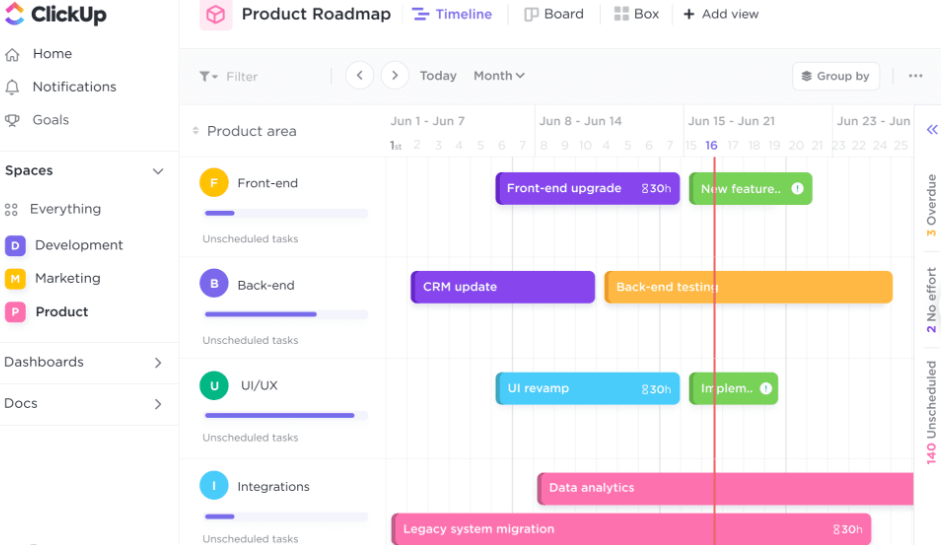
ClickUp
ClickUp is a task management platform flexible enough to handle everything from daily to-dos to full projects, which is why it’s one of the go-to picks on this list heading into 2026.
You can build to-do lists, set deadlines, and prioritize what matters most, then adjust as the day changes. It also supports collaboration, letting you assign tasks and share documents with others when you’re not working solo. The interface stays intuitive even when you’re juggling several things at once, which matters for anyone who struggles with sustained attention and needs the tool itself to stay out of the way.
Whether you’re managing a single day’s tasks or planning out a longer project, ClickUp gives you enough structure to stay on top of it.
Brain Focus
Brain Focus is a timer-based productivity app aimed squarely at helping adults with ADHD stay on a single task instead of drifting to whatever grabs attention next.
You set custom timers to break the day into manageable chunks, working through one task at a time instead of getting swamped by everything at once. It also sends reminders and notifications so you don’t lose track of the day’s goals.
It’s a solid pick for anyone specifically looking to sharpen time management.
Mint
Mint tackles a different piece of the puzzle: money. Keeping finances organized cuts down on a source of stress that can otherwise eat into focus elsewhere, since financial disorganization tends to weigh on attention even when you’re not actively looking at your accounts.
You can track income and expenses, set financial goals, and build budgets around your actual spending. It also alerts you ahead of upcoming bills or when you’re close to a budget limit.
It’s straightforward to use and connects with other apps, which makes staying financially organized less of a separate project.
Remember the Milk
Remember the Milk is a digital planner built around a single core job: keeping your to-do list current and visible at all times. You can create and rank tasks, set reminders, and schedule anything that repeats on a regular basis.
Notifications land on your phone or computer so deadlines and appointments don’t slip by. It suits anyone who wants a no-frills way to track tasks without a steep learning curve.
Google Tasks
Google Tasks keeps things simple: a lightweight task manager rather than a full project tool, which is exactly the point for some users who don’t want or need extra complexity.
You can build to-do lists, set due dates, and sort tasks into categories. Because it sits inside Gmail and Google Calendar, your tasks live right next to your emails and schedule instead of in a separate app.
It’s also free, so there’s no cost barrier to trying it. Whether you need to track daily to-dos or keep an eye on bigger deadlines, it’s a low-friction way to stay on top of ADHD-related organization.
Evernote
Evernote is a digital note-taking app built to hold everything in one searchable place: thoughts, ideas, and tasks alike, instead of split across sticky notes and separate apps.
You can write notes, attach documents or images, and record voice memos on the fly. Tags and categories make it easy to find something later, and syncing across devices means your notes are wherever you are.
Whether it’s a quick reminder or a deadline you can’t afford to miss, Evernote gives adults with ADHD a single, versatile place to capture it.
ScheduleOnce
ScheduleOnce is built around calendar chaos specifically: appointment scheduling, time blocking, and calendar integration all live in one tool instead of three separate ones.
You share your availability so others can book time directly, which makes it far easier to arrange meetings and appointments without a back-and-forth. That’s especially useful for anyone with ADHD who finds unstructured scheduling draining.
It’s a practical fix for the specific problem of keeping a calendar from spiraling out of control.
PlanWiz
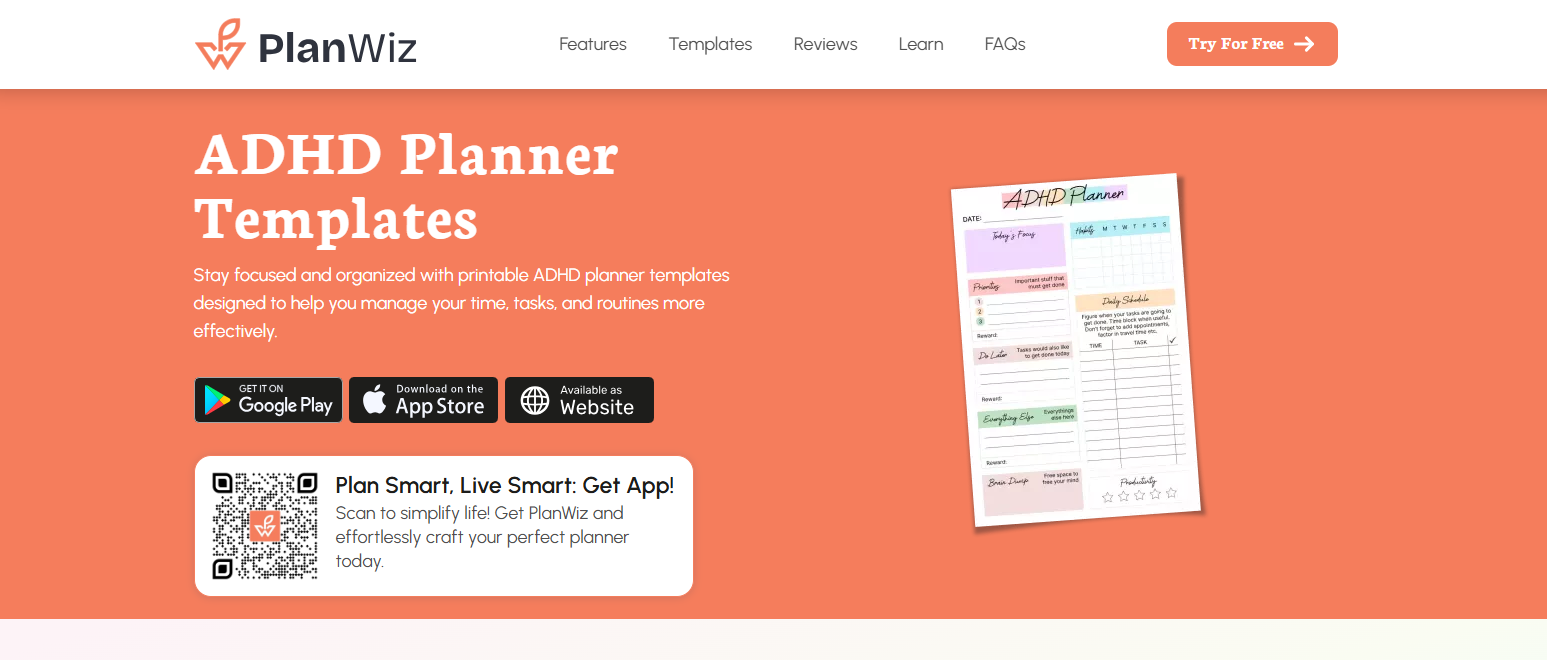
PlanWiz is a planner app built to bring structure to daily planning without adding pressure on top of an already full day. It’s meant to help you manage tasks and set priorities in a way that feels manageable rather than overwhelming, even when the to-do list is long.
You can lay out your day, rank priorities, and shape your schedule around how you actually work. Customizable templates let you tailor the planner to personal or professional needs, and it works just as well for creative projects as it does for a standard task list.
The goal is to cut stress and bring some clarity to a daily routine, which makes it a reasonable fit for students, professionals, or anyone working on creative projects who wants more structure without losing flexibility.
SimpleMind
SimpleMind takes a visual approach: it’s a mind-mapping app that lets you lay out your day as a map rather than a flat list, which can structure day-to-day activities in a way plain text lists sometimes can’t for a visual thinker.
You can organize your thoughts and ideas, set reminders, and prioritize what needs attention. For anyone who finds it hard to concentrate on plain lists, the visual layout gives a different kind of anchor.
It’s user-friendly and customizable, which makes it a fit for adults who want an organizing method that isn’t just another checklist.
24me
24me is a phone app built to hold to-do lists, reminders, and appointments in a single place instead of scattered across several apps you have to check separately throughout the day.
It connects with Google Calendar and Evernote, so everything important stays accessible from one hub. What sets it apart is its smarter reminders, which can trigger automatically based on your location or the time of day.
That’s particularly useful if forgetfulness or losing track of the day is a recurring issue. Overall, it’s a user-friendly way to stay on top of a scattered schedule.
Cozi
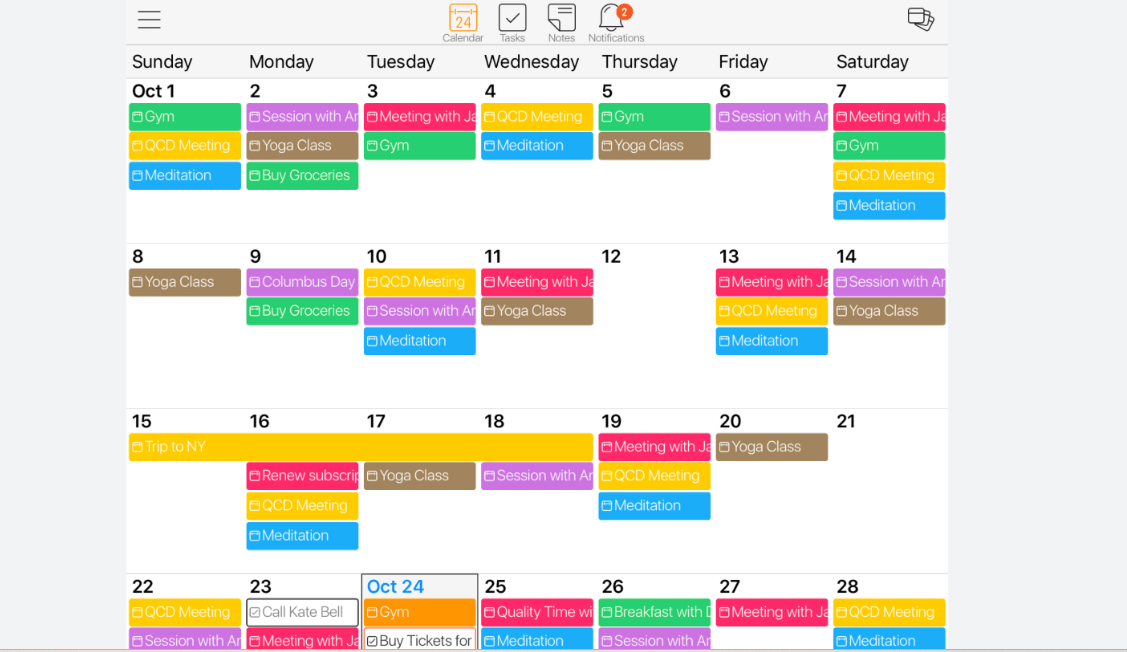
Cozi handles daily tasks, appointments, and schedules in one shared space, which makes it particularly useful if you’re not organizing just for yourself but for a whole household. Shared calendars and to-do lists let everyone stay on the same page without constant check-ins.
For adults with ADHD, that shared structure helps manage symptoms by simplifying the coordination that comes with day-to-day family life. The interface stays intuitive, and the customization options mean it can adapt to how your household actually runs.
How These Tools Can Help with ADHD

Broadly, these tools help in four areas: cutting down on distractions, improving time management, giving you a visual way to plan, and simplifying tasks and projects that would otherwise feel like too much at once.
Combating distractions
Distractions are one of the bigger daily obstacles for adults with ADHD, and the right tool can push back on that directly instead of leaving you to white-knuckle through it. Brain Focus uses timers and reminders to keep attention pinned on a single task at a time.
Mint helps by keeping finances handled and off your mental to-do list, while Evernote gives you one place to capture and organize information instead of letting it scatter across notebooks and apps.
Together with tools like ClickUp and Remember the Milk, these apps keep distractions from derailing your daily tasks.
Improving time management
Time management is one of the areas ADHD affects most directly, and the right tool can noticeably shift that over time. Reminders, timers, and scheduling features all help keep deadlines from sneaking up on you unexpectedly.
ClickUp handles task tracking and collaboration to keep a team or a solo workload organized. Mint applies the same idea to money, letting you set goals and track progress over time. Evernote rounds it out by giving you a place to capture ideas and build to-do lists as they come to you.
Between the three, you get a structured way to plan out day-to-day activities instead of reacting to whatever comes up.
Visual organization and planning
A visual approach to organization tends to work well for ADHD specifically, because it turns an abstract list of tasks into something you can actually see and follow at a glance. Color coding, calendars, and timelines all help clarify priorities in a way plain text sometimes doesn’t manage on its own.
ClickUp, Brain Focus, Evernote, and Google Tasks all lean into this with task boards, project views, and layouts you can customize to match how you think.
With that kind of visual layout in place, adults with ADHD get a clearer picture of what’s on their plate and what needs attention next.
Simplifying tasks and projects
ADHD organization tools also do a lot of work simply by breaking bigger projects into smaller, more manageable pieces that don’t feel as daunting up front. They give structure and support for managing daily activities, prioritizing tasks, and actually staying on track once a plan is set in place.
Features like reminders, task lists, time blocking, and visual organization all play a role in keeping distractions at bay and time management on track.
Among the strongest options here are ClickUp, Evernote, Mint, Google Tasks, and Remember the Milk, all of which are built to make work and personal life more manageable for adults with ADHD.
Choosing the Right ADHD Organization Tool
Picking the right tool comes down to four steps: identifying your specific needs, weighing your budget and preferences, trying out a few options before committing, and settling on the one that actually works for you day to day rather than just on a features list.
Identify your specific needs
Start by naming what’s actually getting in your way, since that’s what determines which tool is worth your time. What specific challenges show up when you try to stay organized or manage tasks day to day?
Is time management the main issue? Would a visual layout help more than a list? Weigh these questions as you look at different tools, alongside your budget and personal preferences. Some tools are free or offer a trial period, while others require a subscription.
Use those free trials to test a few tools before settling on one. The goal isn’t the “best” tool in the abstract, it’s the one that actually fits how you work.
Consider your budget and preferences
Before settling on an ADHD organization tool, weigh your budget and preferences together rather than picking on price alone. Both free and paid options exist, so decide what you’re comfortable spending before you start comparing tools side by side.
Personal preferences around design, layout, and features matter too. Each tool covered here has its own strengths and trade-offs, so the one that lines up with your specific needs is the one that will actually get used.
Take the time to look at a few options before locking in a decision.
Try out different options before committing
Before you settle on one ADHD organization tool, test a few. That’s the only real way to see which one fits your needs and preferences in practice rather than on paper.
With this many tools available on the market right now, it’s worth finding one that matches your budget and covers the features you actually need day to day. Free trials or demos let you get a feel for how a tool works before you pay for it.
Testing a few options up front makes it far more likely you’ll land on a tool that genuinely simplifies your daily life instead of adding another app to manage.
Find a tool that works for you
To land on the right ADHD organization tool, weigh compatibility with ADHD-specific needs, ease of use, integration with your other apps, and overall cost. Start by identifying your specific needs and preferences within your budget before you look at any single product.
Test a few before committing to one, rather than assuming the most popular option is automatically the right fit. Strong options for ADHD adults heading into 2026 include ClickUp, Brain Focus, Mint, Remember the Milk, Google Tasks, Evernote, ScheduleOnce, SimpleMind, 24me, and Cozi.
These tools address distractions, time management, and task complexity from different angles, so pick the one that most directly matches the problem you’re actually trying to solve right now.
Conclusion
These 10 ADHD organization tools for adults cover a wide range of needs heading into 2026, from full task management platforms down to simple, single-purpose apps. From task management apps like ClickUp and Google Tasks to planners like Mint and Remember the Milk, there’s a fit for most situations and most budgets.
Pick the tool that fits your specific needs, test a few options before committing, and settle on the one that actually sticks past the first week. Managing ADHD symptoms gets a lot more manageable with the right tool doing some of the mental load for you instead of adding to it.
Frequently Asked Questions
What are ADHD organization tools for adults?
ADHD organization tools for adults are helpful resources or strategies that can assist individuals with ADHD in managing their time, tasks, and belongings more effectively.
How do these organization tools help adults with ADHD?
These organization tools help adults with ADHD by providing structure, reminders, and visual cues to stay organized, prioritize tasks, and manage their daily responsibilities more efficiently.
What are some examples of ADHD organization tools?
Some examples of ADHD organization tools include digital calendars or reminder apps, task management apps or websites, timers or alarms to track time spent on activities, color-coded folders or labels for better categorization of documents or belongings.
Are there any physical products that can aid in organizing for adults with ADHD?
Yes, there are physical products such as whiteboards or chalkboards for visual planning and notes; pill organizers or medication tracking systems; storage boxes or bins with clear labeling to keep items organized; and sticky notes or notepads for quick reminders.
Where can I find the best ADHD organization tools for adults in 2026?
You can find the best ADHD organization tools for adults in 2026 through online retailers like Amazon or specialized websites that cater to organizational products specifically designed for individuals with ADHD.

- Independent picks for exactly what you just read about
- Matched to your team size & needs
- Vendors don't pay for placement
Step 1 of 4
How big is your team?
We tailor recommendations to companies your size.















Related Articles
IT Management
Microsoft Intune Pricing 2026: Plan 1, Plan 2, Suite and What Microsoft 365 Includes
Continue reading →
IT Management
Best Remote Access Software 2026: 11 Tools Compared by Price
Continue reading →
IT Management
Splashtop Pricing 2026: Solo, Pro, Performance and SOS Costs
Continue reading →
IT Management
Atera Pricing 2026: Every Plan, Per-Technician Cost and What You’ll Pay
Continue reading →