
Juggling tasks can be a challenge, especially when our schedules become hectic and filled to the brim. Did you know that utilizing reminder apps could simplify your day and keep everything in check?
This article will walk you through 10 of the best free reminder apps expected to shine in 2023. This helps you stay on top of your tasks like never before.
Key Takeaways
- Reminder apps can help simplify your day and keep you on top of your tasks in 2023.
- Some key features to look for in effective reminder apps include task scheduling, task prioritization, task management, and collaboration tools.
- The best free reminder apps for 2023 include Nifty, Remember the Milk, ProofHub, Desktop Reminder, Google Keep, TickTick, Notepin, and Trello.
- Using reminder apps offers benefits such as increased productivity, better organization skills, accountability with meeting deadlines, and simplified communication within teams or projects.
Key Features of Effective Reminder Apps
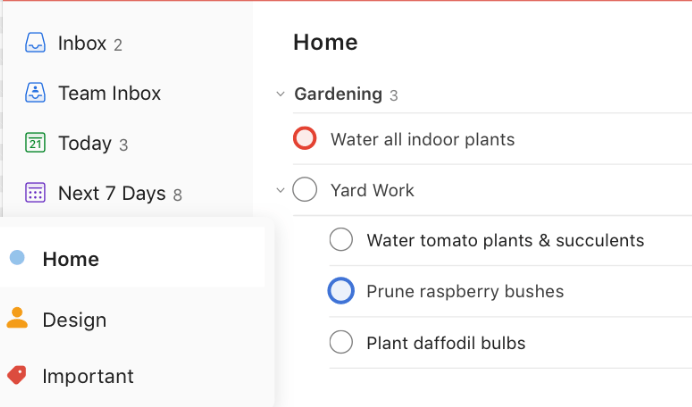
Good reminder apps have many features. They send you alerts so you don’t forget your tasks. You can also set alarms for these tasks. These are called “reminder notifications”. The app may even let you plan out when to do your tasks, or “task scheduling”.
Some apps help with more than just reminders – they can manage all your tasks. We call these “Task management apps”.
Apps like Todoist and Nifty are great at this. They give a clear view of what’s coming up in the day, week, or month ahead in a tidy format – the “daily planner apps” feature. Also, Google Keep Notes is an excellent tool for creating daily job lists conveniently – the “Todo list app” feature.
Reminder Apps offer ways to rank different jobs by importance too – that’s Task prioritization right there! When it comes down to teamwork and shared duties, Any.do turns out handy as it allows for better work sharing and team-building – making them perfect Collaboration Apps.
The 10 Best Free Reminder Apps to Keep You Accountable
Here are ten of the top free reminder apps that will help you stay on track and accountable for your tasks in 2023.
Nifty
Nifty is one of the top free reminder apps. It helps you stay on track with tasks and goals. Nifty sets reminders, creates to-do lists, and tracks your work. People love it for its simple design and easy use.
It lets teams check on their work in real-time. This feature is great for team communication and task tracking. With Nifty, it’s easy to keep everyone up-to-date with task progress.
You can also view all your tasks in one place, which makes it a great tool for staying organized.
Remember the Milk
“Remember the Milk” is a great app for task tracking. This free reminder app is easy to use and keeps you on target. You put in your tasks and it reminds you when they’re due. It works well on Android, iPhone, or your computer.
So no matter where you are, “Remember the Milk” can help keep your day organized. You will love how smoothly this daily planner app works!
ProofHub
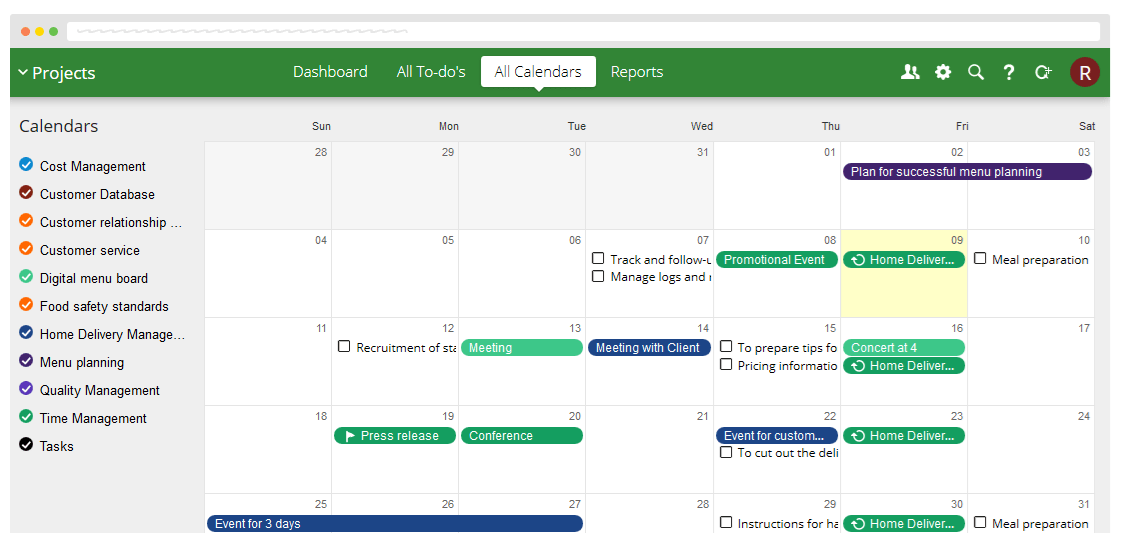
ProofHub is another excellent reminder app that can help you stay organized and on top of your tasks. With ProofHub, you can easily manage your projects, create to-do lists, and set reminders for important deadlines.
It offers features like task tracking, task completion status updates, and task scheduling. The app also allows for easy collaboration with team members through its simplified communication tools.
Overall, ProofHub is a great choice for those looking for a reliable reminder app that enhances productivity and keeps you accountable.
Desktop Reminder
Desktop Reminder is a helpful reminder app that can be used on your computer to stay organized and manage your tasks efficiently. It allows you to set reminders, create to-do lists, and schedule important events right from your desktop.
With its easy-to-use interface, you can easily prioritize tasks, track their completion status, and receive notifications for upcoming deadlines. Desktop Reminder is a reliable tool for boosting productivity and ensuring that you don’t forget any important task or appointment.
So if you’re looking for a convenient way to stay on top of your tasks while working on your computer, Desktop Reminder is definitely worth considering.
Google Keep
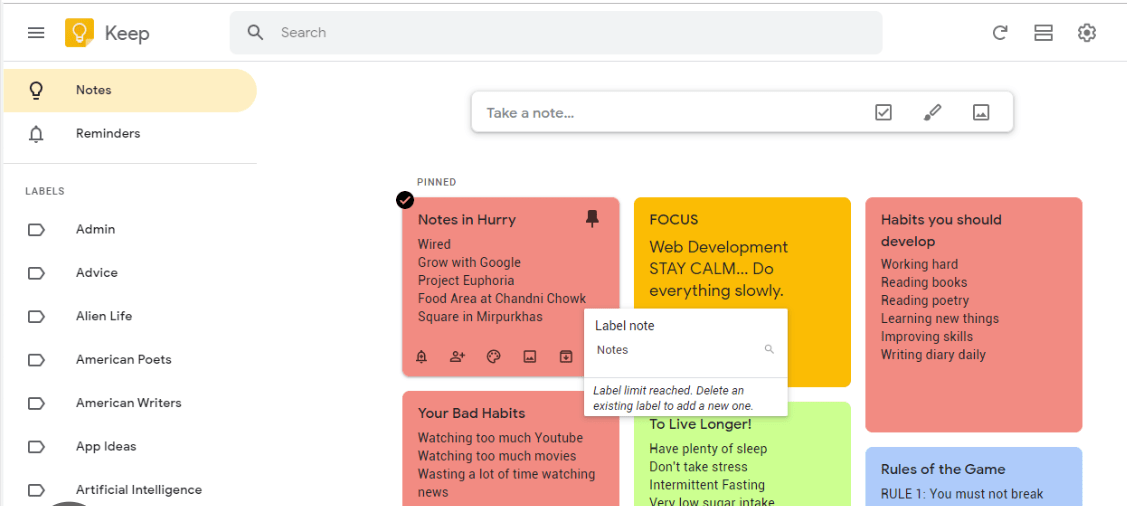
Google Keep is a highly recommended reminder app for Android users. With Google Keep, you can easily set reminders and create to-do lists for your daily tasks. It’s a simple and straightforward app that helps you stay organized and on top of your tasks.
You can also add notes, images, and voice memos to your reminders. This makes it convenient to keep all your important information in one place. Another great feature of Google Keep is its ability to sync across devices, so you can access your reminders from anywhere.
Whether it’s remembering important deadlines or making sure you don’t forget an appointment, Google Keep is a reliable tool for staying on track with your tasks.
TickTick
TickTick is a highly recommended reminder app for those who are focused on productivity. It offers features that help you stay organized and on top of your tasks. With TickTick, you can easily create to-do lists, set reminders for important deadlines, and prioritize your tasks.
The app also provides a calendar view. This makes it easier to schedule and manage your daily activities. TickTick is available for both Android and iPhone users. This allows you to stay productive no matter what device you use.
Whether you’re a student or a professional, TickTick can help you stay accountable and get things done efficiently.
Notepin
Notepin is a great reminder app that can help you stay organized and on top of your tasks. It offers features like task management, task tracking, and reminder notifications. With Notepin, you can easily create to-do lists and set reminders for all your daily tasks.
The app also allows for task coordination and prioritization. This makes it easier for you to manage your time effectively. Whether you’re using an Android or iPhone device, Notepin is available for both platforms.
So if you’re looking for a simple yet effective reminder app to keep yourself accountable and productive in 2023, give Notepin a try!
Trello
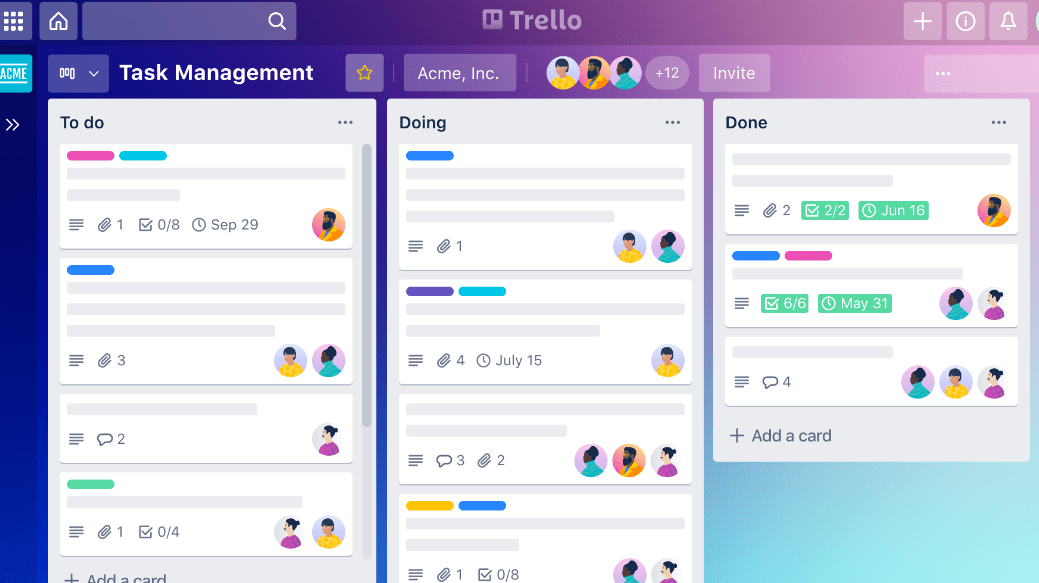
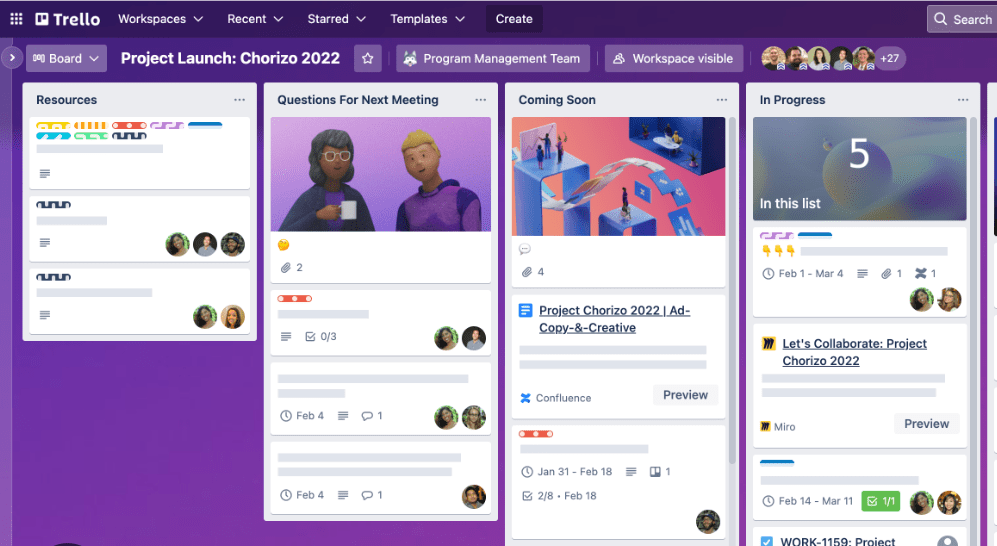
Trello is another great free reminder app that helps you stay organized and manage your tasks efficiently. With Trello, you can create boards to organize different projects or areas of your life.
You can add lists within each board to break down your tasks into manageable steps. Plus, you can add cards to these lists, which act as individual tasks or reminders. Trello allows you to set due dates for each card so that you don’t miss anything important.
It also provides a visual way to track the progress of your tasks by moving cards from one list to another as they are completed. Overall, Trello is a versatile and easy-to-use reminder app that can help keep you on top of your tasks in 2023.
Benefits of Using Reminder Apps
Using reminder apps offers several benefits, including increased productivity, better organization, accountability and meeting deadlines, simplified communication, and improved team collaboration.
Increased productivity
To boost your productivity, using a reminder app can make a big difference. These apps help you stay on top of your tasks and manage your time more efficiently. With features like task tracking, prioritization, and reminders, you’ll be able to tackle your to-do list with ease.
For example, Todoist is highly recommended for its extensive features and easy-to-use interface. It’s designed to keep you accountable and organized throughout the day. Microsoft To Do is another great option that offers plenty of functionality without costing a dime.
By incorporating a reminder app into your daily routine, you can increase your productivity and accomplish more in less time.
Better organization
Staying organized is essential for managing your tasks effectively. Reminder apps can help you achieve better organization by providing features like task tracking, prioritization, and scheduling.
One highly recommended app is Google Keep Notes and Lists, which allows you to set reminders and create to-do lists for your daily tasks. Another popular option is Microsoft To Do, praised for its easy-to-use interface and extensive organizational features.
These reminder apps ensure that you stay on top of your responsibilities. This makes it easier to manage your time efficiently and accomplish your goals.
Accountability and meeting deadlines
To stay accountable and meet deadlines, using a reminder app can be extremely helpful. These apps ensure that you never forget important tasks and keep you on track. Nifty is recommended as the best reminder app for accountability, while TickTick is perfect for productivity enthusiasts.
Microsoft To Do is also praised as a top free option. With these apps, you can set reminders, prioritize tasks, and stay organized to ensure that everything gets done on time. So if meeting deadlines is a priority for you, make sure to check out these powerful reminder apps mentioned in our list!
Simplified communication
Effective communication is key to staying organized and completing tasks efficiently. With reminder apps, you can simplify your communication process and ensure everyone is on the same page.
One app that excels in this aspect is Any.do, which allows for smooth collaboration among team members. Another option is Trello, known for its intuitive interface that makes it easy to assign tasks and track progress.
By using these apps, you can enhance communication within your team, leading to improved productivity and successful task completion.
Improved team collaboration
Effective team collaboration is essential for any project or task. When team members work together smoothly, tasks are completed more efficiently and with better results. One of the key benefits of using reminder apps is that they promote improved team collaboration.
By using a reminder app, teams can easily assign tasks to specific team members and set reminders for important deadlines. This ensures that everyone on the team is aware of their responsibilities and can stay on track with their tasks.
Additionally, some reminder apps also have features like task comments and file sharing, which further enhance communication and collaboration within the team. With these tools at hand, teams can work together effectively, share ideas, provide feedback, and achieve their goals more smoothly.
Conclusion: Choose the Best Reminder App for Yourself!
Choose the best reminder app from our list to help you stay on top of your tasks in 2023. Whether you need accountability, productivity, collaboration, or organization features, there is an app that suits your needs.
Take control of your tasks and boost your productivity with the right reminder app for you!
Frequently Asked Questions
Are these reminder apps really free to use?
Yes, all the listed reminder apps are free to download and use on compatible devices.
Can I set reminders for specific times and dates using these apps?
Absolutely! These reminder apps allow you to set reminders for specific times and dates. This ensures you never miss an important task or appointment.
Do these apps have a feature to repeat reminders?
Yes, most of these reminder apps have a repeating function that allows you to schedule recurring reminders daily, weekly, monthly, or on custom intervals.
Can I sync the reminders across multiple devices?
Certainly! Many of the featured apps offer synchronization between devices so that you can access your reminders from your phone, tablet, or computer smoothly.
What platforms are these reminder apps available on?
These reminder apps are available on popular platforms like iOS (iPhone/iPad), Android, and some may also be accessible through web browsers or desktop applications.
Compare alternatives to the tools in this post

- Independent picks for exactly what you just read about
- Matched to your team size & needs
- Vendors don't pay for placement
Step 1 of 4
How big is your team?
We tailor recommendations to companies your size.















Related Articles
SaaS Insights
How to turn top posts into reusable editable templates
Continue reading →
SaaS Insights
The Software Behind Tokenized Assets: How Stocks, Funds and Gold Move On-Chain
Continue reading →
SaaS Insights
Employee Data Broker Removal 2026: Verified Pricing and the Per-Head Math for Teams
Continue reading →
SaaS Insights
Credential Breach Monitoring for Business 2026: Verified Pricing and Cost Per Domain
Continue reading →