

Confide Review: Is It The Right Business Instant Messaging Software For Your Team?
Best for SMB teams · Mid-market · Enterprise
Free Plan Available
Add to compare
 Forbes
 Fortune
 The New York Times
 CNN
CNN Fox Business
Trusted by teams including Forbes
Integrates with
 Microsoft Teams
 Zapier
 Slack
SlackOverview
Pricing
Features
Buyer feedback
Alternatives
Integrations
Customers
Media
Security & Compliance
Support
FAQ
Blogs
What is Confide?
Confide is the modern, secure way to communicate. It's free and easy to use, and gives complete control over messages' content and timing. Whether sending a document for signing or a screenshot of meeting notes, user can rest assured that it's safe and sound on encrypted servers. Chat on Confide from any device including desktop, tablet and smartphone.
Best For
Suited for small teams, SMBs, and enterprise
Security & Compliance
Data residency:Global
Platform
Web + mobile app (iOS & Android)
Installed - Windows
Installed - Mac
Confide Screenshots
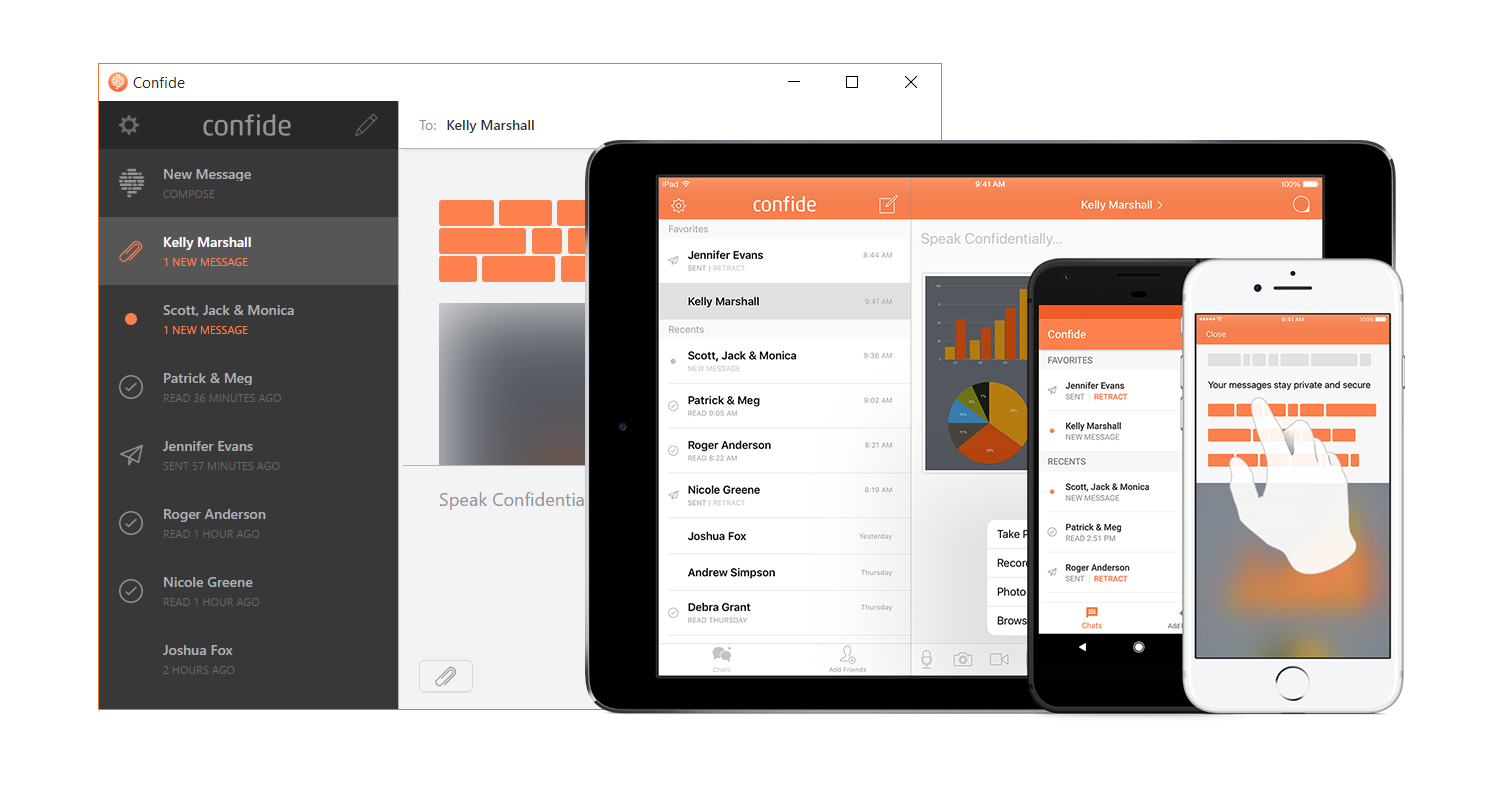
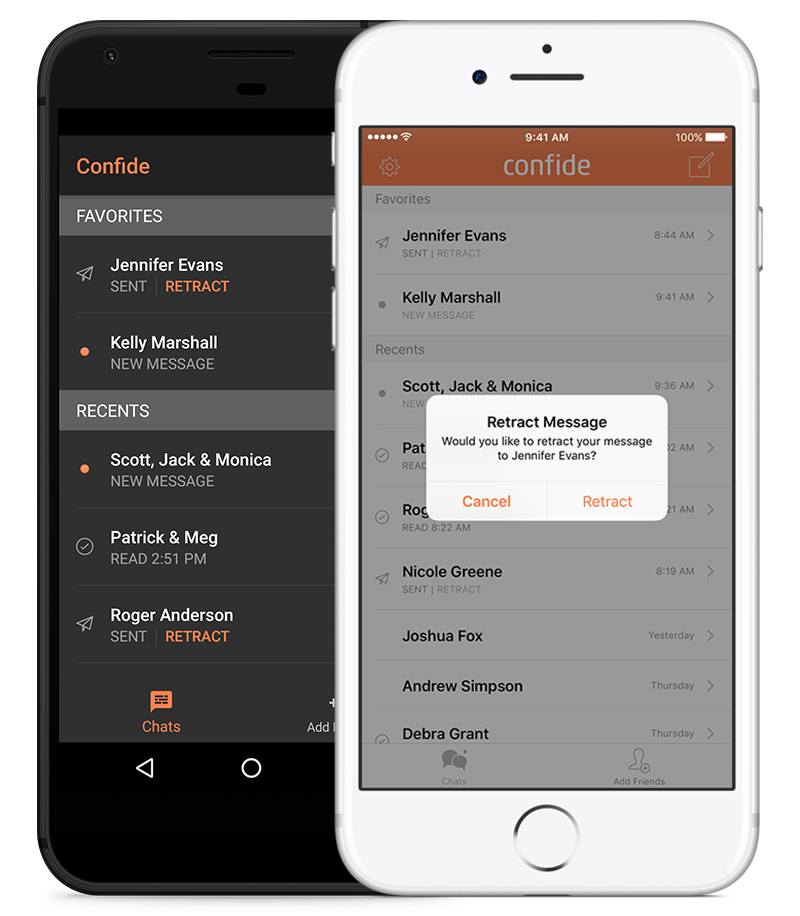
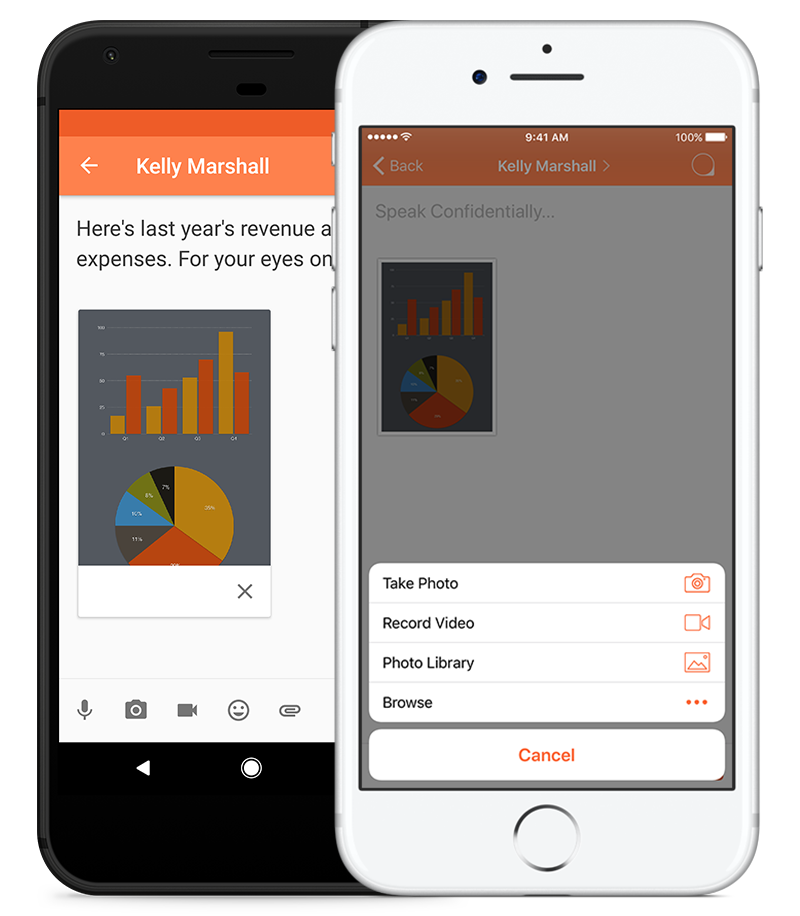
Confide was reviewed internally using user feedback, in-house testing, and market research to assess its performance, reliability, and user experience. Learn how we review products and our evaluation process.

Who should consider Confide
- Use cases
- Secure Messaging Software, Communication Software, Cybersecurity
- Team types
- Founder, CEO
- Company size
- 2–10 employees
Why teams choose Confide
IOS iMessage extension allows encrypted messages through Apple’s Messages app.
Simple, focused interface for confidential communication without clutter.
Screenshot prevention helps protect sensitive content from leaks.
Is Confide right for you?
What buyers should know before choosing Confide
Confide is a secure messaging app designed for confidential communication, offering end-to-end encryption and self-destructing messages that vanish after being read. Its screenshot-shield technology helps prevent content leaks, making it suitable for sensitive team conversations, legal and executive discussions, or private exchanges.
While lacking traditional collaboration tools like task lists, calendars, or project boards, Confide excels at protecting message privacy and reducing data retention risk. It integrates with iMessage on iOS for encrypted messaging through Apple’s platform.
Confide is best for users prioritizing confidentiality over comprehensive workplace collaboration features.
Confide pros and cons
- Confide pros
iOS iMessage extension allows encrypted messages through Apple’s Messages app.
Simple, focused interface for confidential communication without clutter.
Screenshot prevention helps protect sensitive content from leaks.
- Confide cons
Limited integrations with other tools or platforms.
No persistent discussion boards or searchable message history.
Ready to try it?
Get started with Confide
Try the free plan and upgrade when ready.
Still comparing?
See how it stacks up
Compare Confide side-by-side with top Business Instant Messaging Software alternatives.



What is the pricing of Confide?
Weighing your options?
Not sure if Confide fits your budget?
Confide reviews and ratings
Buyer sentiment
Buyer sentiment is very strong across 1 reviews, with consistently positive feedback.
What buyers like
- IOS iMessage extension allows encrypted messages through Apple’s Messages app.
- Simple, focused interface for confidential communication without clutter.
- Screenshot prevention helps protect sensitive content from leaks.
Common complaints
- Limited integrations with other tools or platforms.
- No persistent discussion boards or searchable message history.
- Lacks built-in project management, task, or calendar features.
Are you using Confide?

- See if Confide fits your business
- Real pricing — no sales pressure
- A demo or quick answers, your call
Step 1 of 4
How big is your team?
We tailor recommendations to companies your size.















What are the features of Confide?
Confide supports private brainstorming through secure one-to-one or group chats. Ideas can be shared freely without concern about message re…
Chat is Confide’s core feature, offering end-to-end encrypted messaging with screenshot protection and message expiration. Messages disappea…
Confide allows users to manage contacts securely by syncing with address books or adding trusted contacts manually. Communication is limited…
undefined
Confide is not designed for real-time cooperative writing or document co-editing. Instead, users can exchange written content securely withi…
Confide does not offer persistent discussion boards or threaded forums. All discussions occur within private chats or groups and are intenti…
Confide supports secure document sharing within conversations, allowing users to send files that are protected by encryption and expiration…
Confide does not include group calendars or scheduling features. Date and time coordination can be discussed securely through messages, but…
Confide does not provide traditional project management tools such as timelines, milestones, or project boards. Instead, it supports confide…
Confide does not include built-in task lists, assignments, or reminders. Task-related communication is handled through private messages, whe…
Confide security and data handling
Key compliance certifications and security features for IT and security teams evaluating Confide.
Certifications

Security features
Developer & data
Alternatives to Confide


Why buyers keep looking beyond Confide
Organizations with large or cross-functional teams may choose tools built for ongoing collaboration, channels, and knowledge sharing rather than temporary conversations.
Users looking to connect chat with CRM, email, file storage, or automation tools may prefer solutions with stronger integration ecosystems.
Confide’s self-destructing messages limit long-term access, which can be a drawback for teams needing records, audits, or referenceable conversations.
Teams that rely on task tracking, project boards, shared calendars, or structured workflows often require platforms that go beyond private messaging.
Confide Integrations
Confide Customers
Forbes
Fortune
The New York Times
CNN
Fox Business

The Washington Post

Wall Street

BloomBerg
Confide Support Options
Frequently Asked Questions About Confide
Common questions buyers ask before choosing Confide.
Confide is a Business Instant Messaging Software. Confide offers Contact Management, Document Management, Project Management, Task Management, Brainstorming and many more functionalities.
Buyers commonly note the following limitations of Confide: Limited integrations with other tools or platforms.; No persistent discussion boards or searchable message history.; Lacks built-in project management, task, or calendar features..
Some top alternatives to Confide includes Bundeling, OurPeople, Quip, Teamwire and Trillian.
Confide offers Freemium, Subscription pricing models
Yes, Confide can integrate with Microsoft Teams, Zapier
The starting price is not disclosed by Confide. You can visit Confide pricing page to get the latest pricing.
Ready to try it?
Get started with Confide
Get started with the free plan — no credit card required.
About the reviewer
Rajat Gupta is the founder of Spotsaas. Over the past two years, he has reviewed 2,000+ tools across CRM, HR, AI, and finance — applying hands-on product research and a background in commerce and the CFA program to evaluate software through a business and ROI lens. His goal: help teams make software decisions they won't regret.
Disclaimer: This research has been collated from a variety of authoritative sources. We welcome your feedback at [email protected].