
Screenrec vs Confide Comparison

Screenrec
Starting at $4 /month
- Free Trial
- Large Enterprises
- Medium Business
ScreenRec is a high-performance screen recording and screenshot tool designed to streamline communication across teams and organizations. Built for Windows, Mac, and Linux, it allows users to instantly capture their scre…

Confide
Starting at Contact for pricing
- Large Enterprises
- Medium Business
Confide is the modern, secure way to communicate. It's free and easy to use, and gives complete control over messages' content and timing. Whether sending a document for signing or a screenshot of meeting notes, user can…
Screenrec vs Confide — at a glance
| Feature | Screenrec | Confide |
|---|---|---|
| Rating | — | — |
| Reviews | — | — |
| Starting price | $4 /month | Contact for pricing |
| Free trial | Yes | No |
| Free version | No | No |
| Best for | Large Enterprises, Medium Business, Small Business | Large Enterprises, Medium Business, Small Business |
| Category | Screen Recording Software | Business Instant Messaging Software |
| Integrations | — | 3+ apps |
| Platforms | SaaS/Web/Cloud, Installed - Windows, Installed - Mac | SaaS/Web/Cloud, Mobile - Android, Mobile - iOS, Installed - Windows, Installed - Mac |
| API | — | — |
| Support modes | Online | Online |
| Certifications | — | — |
| Data residency | US | Global |
Key differences between Screenrec and Confide
- Pricing: Screenrec starts at $4 /month. Confide pricing is not publicly listed.
- Free trial: Screenrec offers a free trial; Confide does not.
- Deployment: Screenrec supports SaaS/Web/Cloud, Installed - Windows, Installed - Mac; Confide supports SaaS/Web/Cloud, Mobile - Android, Mobile - iOS, Installed - Windows, Installed - Mac.
Screenrec vs Confide — find the better fit before you commit.
Which tool fits your team best
Which is actually cheaper for your team size
Where each product wins, per real buyers
Most Screen Recording Software tools look identical on paper. This comparison cuts to the differences that matter — pricing structure, team fit, and what real buyers found after signing up.
Biggest differences
Features
Pricing
Buying details
Security
Buyer feedback
Integrations
Product tour
Other options
Free PDF comparison
Download this Screenrec vs Confide comparison
Get the full side-by-side as a PDF — these picks plus the top Screen Recording Software tools, with verified ratings, pricing and features.
- Side-by-side on pricing, features & ratings
- Plus the category top 10, scored & ranked
- Emailed to you — no on-screen download
No file downloads on screen — we email it to you. One-click unsubscribe anytime.
Biggest differences
Start here before you go deeper into features.
Large Enterprises, Medium Business, Small Business
Large Enterprises, Medium Business, Small Business
Screenrec typically suits Large Enterprises and Medium Business. Confide tends to fit Large Enterprises and Medium Business better. The right choice depends on your team size, workflow, and whether a free trial matters.
Description | ScreenRec is a high-performance screen recording and screenshot tool designed to streamline communication across teams and organizations. Built for Windows, Mac, and Linux, it allows users ... Read More about Screenrec | Confide is the modern, secure way to communicate. It's free and easy to use, and gives complete control over messages' content and timing. Whether sending a document for signing or a ... Read More about Confide |
|---|---|---|
Entry Level Pricing |
|
|
Free Trial Availability |
| |
Best Company Size | 1–200 Employees | 2–10 employees |
Get pricing help | Get pricing help |
Where each option fits best
See where each product is strongest, which teams it fits, and what causes buyers to keep looking — before you commit.
Based on buyer reviews and verified product data collected by Spotsaas.
Key strengths
- Instant Sharing with Analytics: ScreenRec lets users instantly generate secure shareable links for screenshots and video recordings, along with viewer analytics. This improves transparency and helps track engagement on training materials, demos, or internal communications.
- Minimal System Resource Usage: Its lightweight desktop application is optimized for performance, allowing screen recording and capture without slowing down the system—an important advantage for users on lower-end devices or during multitasking.
- All-in-One Communication Tool: ScreenRec combines screen recording, webcam capture, audio recording, and screenshot functionality in one platform. This versatility supports various use cases like training, customer support, and remote collaboration without switching tools.
- Simple experience without collaboration overload: Confide avoids complex features like project boards or shared workspaces. This keeps communication fast and distraction-free, making it easier for users to focus on secure messaging rather than managing multiple tools or workflows.
- Controlled communication environment: Users communicate only with approved contacts, removing public profiles, discovery features, or open channels. This creates a focused and private network where conversations stay intentional and limited to trusted participants.
- Protection against visual data leaks: Screenshot prevention helps safeguard sensitive information from being captured visually. This is valuable when sharing internal decisions, confidential documents, or private instructions that should stay within the intended audience.
Best fit
- 1–200 Employees
- SaaS, IT Services, eLearning, Customer Support, Digital Marketing, Product Management, QA/Testing, Remote Work
- Product Manager, QA Engineer, Customer Support Agent, Technical Writer, Trainer, Marketer, Sales Development Rep, Freelance Designer
- 2–10 employees
- Secure Messaging Software, Communication Software, Cybersecurity, Legal Services, Financial Services, Healthcare, Government, Executive Leadership
- Founder, CEO, Software Engineer, Mobile App Developer, Product Manager, Security Engineer
Reasons buyers look elsewhere
- Unlike competitors such as Camtasia or Loom, ScreenRec does not offer built-in advanced editing features like trimming, annotations, transitions, or overlays, limiting post-production capabilities.
- Users reliant on third-party cloud ecosystems (like Google Drive or Dropbox) may find ScreenRec restrictive since its content hosting is built around its own sharing and analytics platform.
- ScreenRec operates as a desktop app, which might be a drawback for users who prefer browser-based tools that don’t require installations, like Loom or Clipchamp.
- Organizations with large or cross-functional teams may choose tools built for ongoing collaboration, channels, and knowledge sharing rather than temporary conversations.
- Users looking to connect chat with CRM, email, file storage, or automation tools may prefer solutions with stronger integration ecosystems.
- Confide’s self-destructing messages limit long-term access, which can be a drawback for teams needing records, audits, or referenceable conversations.
Software Demo
Demo |  Confide has not given any software demo yet If you're the owner of this profile, add your demo.Contact us |
|---|
Need a second opinion?
Get shortlist help from a software advisor
Share your priorities, budget, and team needs, and we’ll help you narrow the options and understand the tradeoffs before you talk to vendors.

- Independent advice — matched to your business
- Understand the tradeoffs before you talk to vendors
- Free 15-min call with a software advisor.
Step 1 of 4
How big is your team?
We tailor recommendations to companies your size.















How do Screenrec and Confide Compare on Features?
Total Features | 12 Features | 10 Features |
|---|---|---|
Unique Features | No unique features | No unique features |
Get Quote | Get Quote |
Compare Screenrec and Confide on pricing
Review starting price, plan structure, and free-trial access side by side so you can see which option fits your budget and buying process.
Pricing Option | ||
|---|---|---|
Starting From |
|
|
Pricing Plans |
|
|
Pricing Page |  | 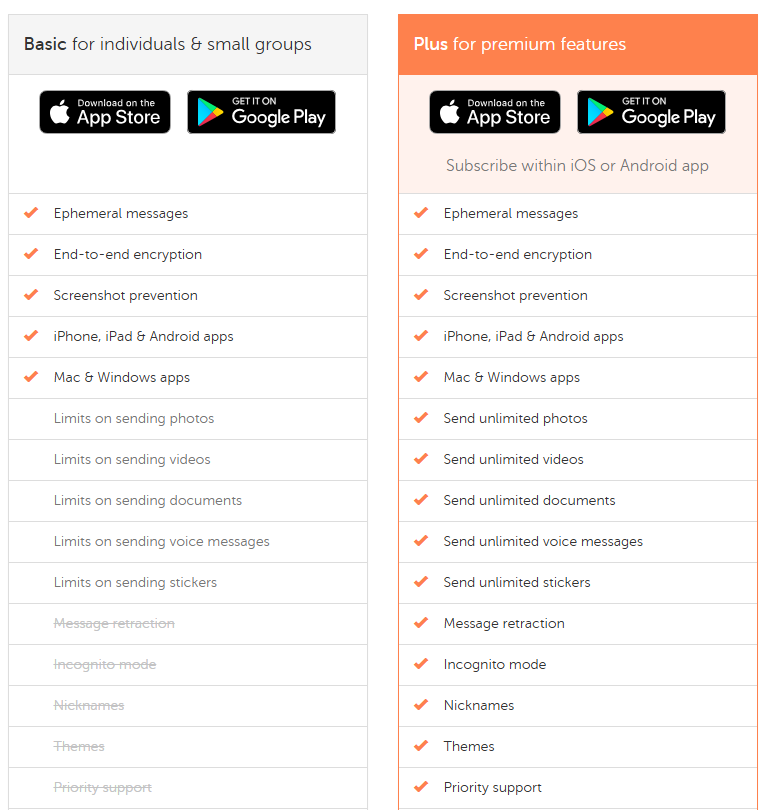 |
Other Details
Organization Types supported |
|
|
|---|---|---|
Platforms Supported |
|
|
Modes of support |
|
|
API Support |
|
|
Get help choosing | Get help choosing |
Security & Compliance
Certifications, data handling, and security controls for IT and compliance evaluators.
HIPAA | ✗ No | ✗ No |
|---|---|---|
Data Encryption | — | ✓ Yes |
Data Residency | 🇺🇸 US | 🌐 Global |
Screenrec User Reviews & Rating Comparison
Spotsaas Editor’s POV generated by AI | What buyers like
Common complaints
| What buyers like
Common complaints
|
|---|---|---|
Pros and Cons |
|
|
Positive Reviews | No reviews available for the product | No reviews available for the product |
Integrations
Integration with other apps | No Integration information available. |
|---|


List of Customers
Customers | No Customers information available. |  Forbes  Fortune  The New York Times |
|---|
Media and Screenshots
Screenshots |  6 Screenshots | 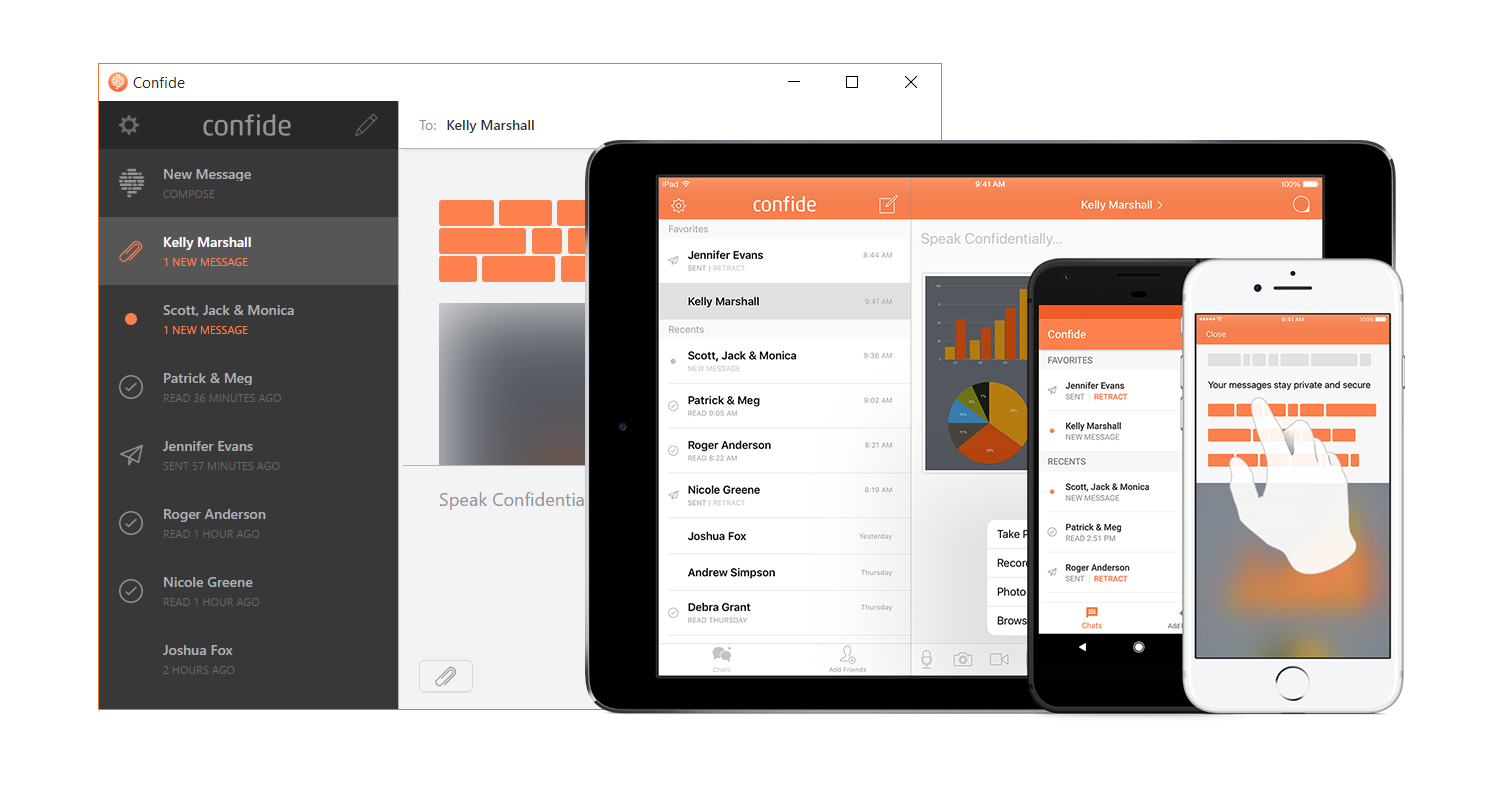 3 Screenshots |
|---|---|---|
Videos |  2 Videos | No videos available. |



Add another option to compare side by side
Search by product name to compare pricing, fit, and buyer feedback in one view.Compare similar software options


Related Blogs and Articles for Business Instant Messaging Software


Disclaimer: This research has been collated from a variety of authoritative sources. We welcome your feedback at [email protected].
Frequently asked questions
- Which is better, Screenrec or Confide?
- Screenrec and Confide are closely matched with equal user ratings of -1.0. The right choice depends on your team size, budget, and specific Business Instant Messaging Software needs.
- Do Screenrec and Confide offer a free trial?
- Screenrec offers a free trial. Confide does not.
- What is the starting price of Screenrec vs Confide?
- Screenrec starts at $4 /month. Confide starts at Contact for pricing.
- What are the top alternatives to Screenrec?
- Top alternatives to Screenrec include Scribe, CloudApp, Loom, Snagit, Shar.ec.
- What are the top alternatives to Confide?
- Top alternatives to Confide include Output Messenger, Crypho, Trillian, Dialog, Office Chat.