
Adobe Photoshop vs Qualified Comparison

Adobe Photoshop
Starting at $22.99 /month
- Free Trial
- Individuals
- Freelancers / Consultants
Photoshop is the industry-standard photo editing software used by professional photographers and designers around the world. Get unrivaled power and performance with this photo editing software. This photo editing softwa…

Qualified
Starting at Contact for pricing
- Large Enterprises
- Medium Business
Qualified is an AI-powered conversational marketing platform designed to help modern B2B marketing and sales teams convert website traffic into qualified pipeline. Its flagship feature, Piper the AI SDR Agent, automates…
Adobe Photoshop leads on user satisfaction with a 5.0-star rating across 507 reviews.
Adobe Photoshop vs Qualified — at a glance
| Feature | Adobe Photoshop | Qualified |
|---|---|---|
| Rating | 5.0 / 5 | 4.8 / 5 |
| Reviews | 507 | 55 |
| Starting price | $22.99 /month | Contact for pricing |
| Free trial | Yes | No |
| Free version | No | No |
| Best for | Individuals, Freelancers / Consultants, Large Enterprises | Large Enterprises, Medium Business, Small Business |
| Category | Photo Editing Software | Conversational Marketing Software |
| Integrations | 5+ apps | 7+ apps |
| Platforms | SaaS/Web/Cloud, Mobile - Android, Mobile - iOS, Installed - Windows, Installed - Mac | SaaS/Web/Cloud, Mobile - Android, Mobile - iOS |
| API | Available | Available |
| Support modes | 24/7 (Live rep), Online | Online |
| Certifications | GDPR | — |
| Data residency | Global | — |
Key differences between Adobe Photoshop and Qualified
- Pricing: Adobe Photoshop starts at $22.99 /month. Qualified pricing is not publicly listed.
- Free trial: Adobe Photoshop offers a free trial; Qualified does not.
- Target audience: Adobe Photoshop is built for Individuals and Freelancers / Consultants, while Qualified targets Large Enterprises and Medium Business.
- User satisfaction: Adobe Photoshop scores higher with a 5.0-star average.
- Deployment: Adobe Photoshop supports SaaS/Web/Cloud, Mobile - Android, Mobile - iOS, Installed - Windows, Installed - Mac; Qualified supports SaaS/Web/Cloud, Mobile - Android, Mobile - iOS.
Adobe Photoshop vs Qualified — find the better fit before you commit.
Which tool fits your team best
Which is actually cheaper for your team size
Where each product wins, per real buyers
Most Photo Editing Software tools look identical on paper. This comparison cuts to the differences that matter — pricing structure, team fit, and what real buyers found after signing up.
Biggest differences
Features
Pricing
Buying details
Security
Buyer feedback
Integrations
Product tour
Other options
Talk to an expert Talk to an expert |
Free PDF comparison
Download this Adobe Photoshop vs Qualified comparison
Get the full side-by-side as a PDF — these picks plus the top Photo Editing Software tools, with verified ratings, pricing and features.
- Side-by-side on pricing, features & ratings
- Plus the category top 10, scored & ranked
- Emailed to you — no on-screen download
No file downloads on screen — we email it to you. One-click unsubscribe anytime.
Biggest differences
Start here before you go deeper into features.
Best for professional-grade, versatile photo editing and creative design workflows.
- You need advanced image manipulation with extensive layering and masking tools.
- You require seamless integration with Adobe Creative Cloud for team collaboration.
- You are a graphic or UI/UX designer working in marketing, media, or creative services.
- You want a simple, minimal photo editor with a shallow learning curve.
- Your team depends heavily on a broad third-party app marketplace and connectors.
Large Enterprises, Medium Business, Small Business
Adobe Photoshop typically suits Individuals and Freelancers / Consultants. Qualified tends to fit Large Enterprises and Medium Business better. The right choice depends on your team size, workflow, and whether a free trial matters.
Description | Photoshop is the industry-standard photo editing software used by professional photographers and designers around the world. Get unrivaled power and performance with this photo editing ... Read More about Adobe Photoshop | Qualified is an AI-powered conversational marketing platform designed to help modern B2B marketing and sales teams convert website traffic into qualified pipeline. Its flagship feature, ... Read More about Qualified |
|---|---|---|
Entry Level Pricing |
|
|
Free Trial Availability |
| |
SpotScoreWhat's this? ↗ | 9.5/10 | Not Available |
User RatingsBased on verified Spotsaas reviews | ||
Best Company Size | Small BusinessLarge Enterprises | 50–1,000 Employees |
Get pricing help | Get pricing help |
Where each option fits best
See where each product is strongest, which teams it fits, and what causes buyers to keep looking — before you commit.
Based on buyer reviews and verified product data collected by Spotsaas.
Key strengths
- Continuous Updates & Innovation: Subscribers receive regular updates, new features, and performance improvements without purchasing new versions. Adobe consistently adds capabilities such as AI-powered tools, automation, and workflow improvements. This keeps users current with changing creative standards and technologies, making Creative Cloud a long-term investment for professionals who want access to the latest creative tools.
- Scalable Collaboration & Cloud Workflows: Creative Cloud supports collaboration through shared libraries, cloud documents, version history, and integrations with tools like Slack and Microsoft Teams. Teams can review, comment, and iterate without constant file transfers. Cloud storage and sync features allow creatives to work across devices and locations, supporting remote and hybrid workflows while keeping assets organized and accessible.
- Industry-Standard Tools & File Compatibility: Adobe tools are accepted across creative industries, agencies, and enterprises. Using Creative Cloud maintains compatibility with clients, collaborators, and production partners worldwide. Standard file formats reduce friction during handoffs, reviews, and revisions. This matters for professionals working on large teams, cross-company projects, or client-facing deliverables where compatibility and reliability are key.
- Automated 24/7 Lead Engagement: Piper AI SDR handles real-time chat, qualification, email follow-up, and meeting booking, keeping high-intent visitors engaged around the clock.
- Deep Conversational Personalization: Messaging designed for specific companies based on intent data and behavior increases relevance and conversion potential.
- Reliable CRM and Marketing Stack Integration: Natively connects with tools like Salesforce, HubSpot, Marketo, Slack, Outreach, and Demandbase to simplify workflows and data sync.
Best fit
- 10,000+
- Design and creative services, Marketing and advertising, Media and entertainment, Technology, Education, Ecommerce, Publishing
- Graphic designer, UI/UX designer, Video editor, Motion graphics designer, Creative director, Marketing designer
- 50–1,000 Employees
- B2B SaaS, Enterprise Technology, Financial Services, Professional Services, Healthcare Tech
- VP of Marketing, Demand Generation Manager, SDR/BDR Team Lead, Revenue Operations Manager, Director of Sales Development
Reasons buyers look elsewhere
- Requires powerful hardware for smooth performance — older devices or lower-spec machines experience slowdowns, making browser-based or lightweight alternatives more practical
- Distributed teams often prefer cloud-first or real-time collaboration platforms over Adobe's ecosystem when speed and native collaboration matter more than breadth
- Single-task tools like Photoshop-only or Figma appeal to users who find the full suite overwhelming — faster to learn and fewer features to manage
- While enterprise-grade, Qualified can be feature-heavy for small teams seeking simplicity and speed to launch.
- Admins note some navigational complexity and overlapping routing logic, which could be challenging without dedicated technical staff.
- Users request more advanced qualitative analytics on chat transcripts and smart‑button performance.
Software Demo
Demo |
|---|
Need a second opinion?
Get shortlist help from a software advisor
Share your priorities, budget, and team needs, and we’ll help you narrow the options and understand the tradeoffs before you talk to vendors.

- Independent advice — matched to your business
- Understand the tradeoffs before you talk to vendors
- Free 15-min call with a software advisor.
Step 1 of 4
How big is your team?
We tailor recommendations to companies your size.















How do Adobe Photoshop and Qualified Compare on Features?
Total Features | 13 Features | 15 Features |
|---|---|---|
Unique Features | No unique features | No unique features |
Get Quote | Get Quote |
Compare Adobe Photoshop and Qualified on pricing
Review starting price, plan structure, and free-trial access side by side so you can see which option fits your budget and buying process.
Pricing Option | ||
|---|---|---|
Starting From |
|
|
Pricing Plans |
|
|
Pricing Page | 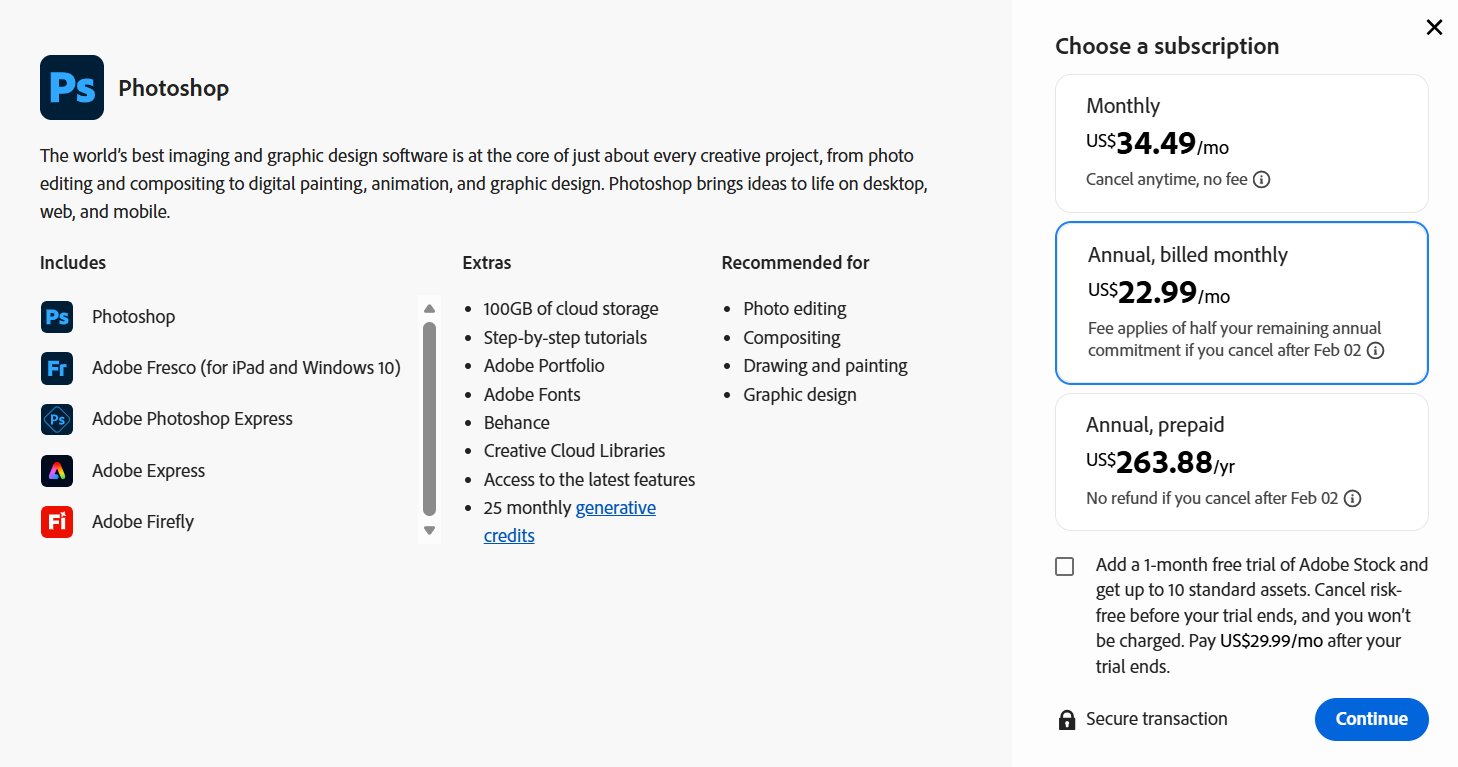 | 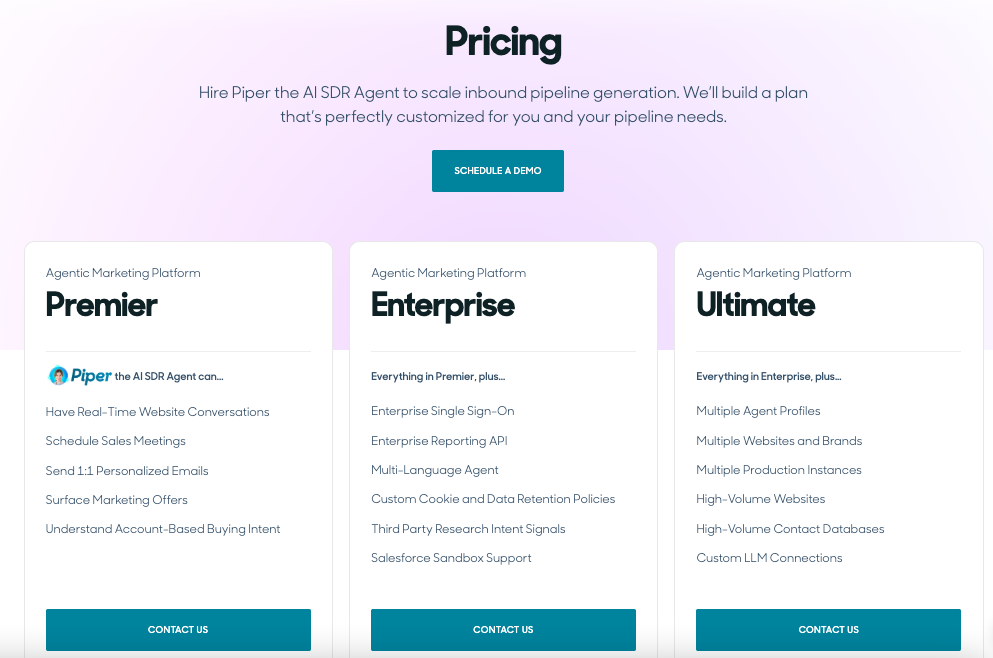 |
Other Details
Organization Types supported |
|
|
|---|---|---|
Platforms Supported |
|
|
Modes of support |
|
|
API Support |
|
|
Get help choosing | Get help choosing |
Security & Compliance
Certifications, data handling, and security controls for IT and compliance evaluators.
GDPR | ✓ Yes | — |
|---|---|---|
Data Residency | 🌐 Global | — |
Adobe Photoshop User Reviews & Rating Comparison
User Ratings | ||
|---|---|---|
Rating Distribution | ||
Spotsaas Editor’s POV generated by AI | Buyer sentiment Overall, buyers highly appreciate Photoshop’s versatility, powerful features, and integration with Creative Cloud, though some find the complexity challenging. What buyers like
Common complaints
| Buyer sentiment Buyer sentiment is very strong across 105 reviews, with consistently positive feedback. What buyers like
Common complaints
|
Pros and Cons |
|
|
Positive Reviews | No reviews available for the product | No reviews available for the product |
Integrations
Integration with other apps |
|---|



List of Customers
Customers |  Nike  IBM  Coca-Cola |  Box  Greenhouse  asana |
|---|
Media and Screenshots
Screenshots |  1 Screenshots | 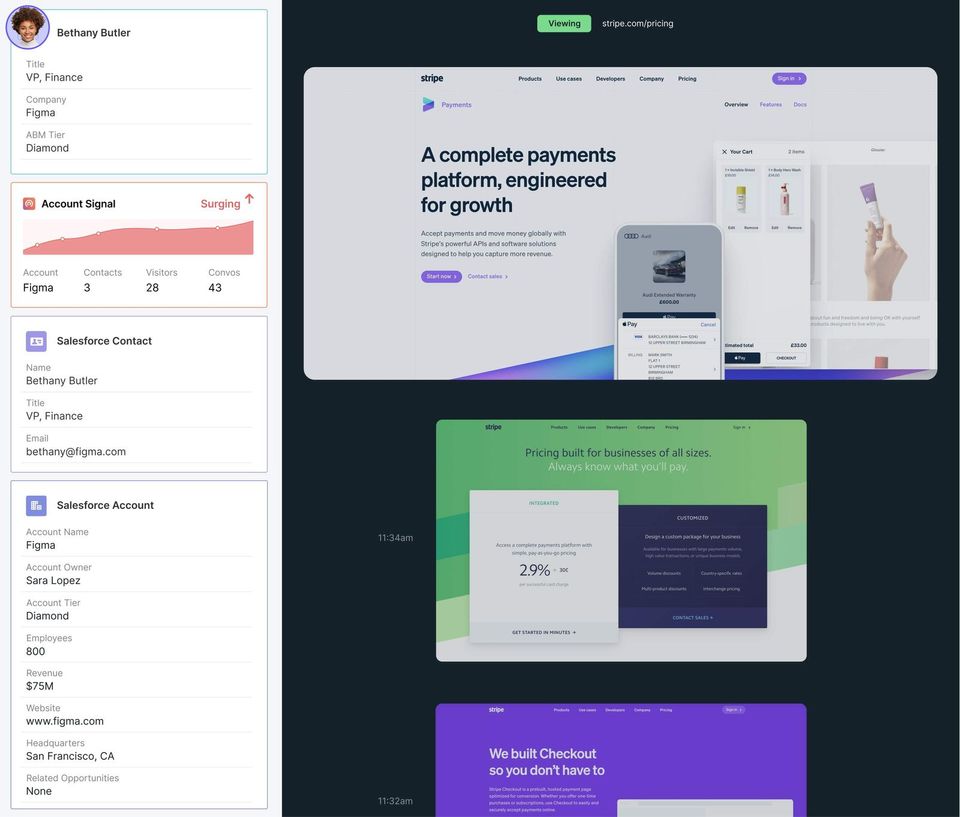 5 Screenshots |
|---|---|---|
Videos |  2 Videos |  1 Videos |
Top Alternatives to Adobe Photoshop and Qualified in 2026
Alternatives |
|---|


Add another option to compare side by side
Search by product name to compare pricing, fit, and buyer feedback in one view.Compare similar software options


Related Blogs and Articles for Conversational Marketing Software
Disclaimer: This research has been collated from a variety of authoritative sources. We welcome your feedback at [email protected].
Frequently asked questions
- Which is better, Adobe Photoshop or Qualified?
- Adobe Photoshop edges out the other on user ratings (5.0 vs 4.8). That said, the best pick depends on your use case — use the comparison tables above to evaluate each dimension.
- Do Adobe Photoshop and Qualified offer a free trial?
- Adobe Photoshop offers a free trial. Qualified does not.
- What is the starting price of Adobe Photoshop vs Qualified?
- Adobe Photoshop starts at $22.99 /month. Qualified starts at Contact for pricing.
- What are the top alternatives to Adobe Photoshop?
- Top alternatives to Adobe Photoshop include Adobe Premiere Pro, Adobe Photoshop Elements, Adobe Photoshop Express, Adobe Photoshop Lightroom, Cutout.pro.
- What are the top alternatives to Qualified?
- Top alternatives to Qualified include Conversica, Automat, ChatFunnels, Konverse AI, Conversational AI Bot.