
ActivTrak vs Microsoft Power BI Comparison

ActivTrak
Starting at Contact for pricing
- Large Enterprises
- Medium Business
"With its tagline 'Contextual User Activity Monitoring', ActivTrak is a top-performing cloud-native solution designed to enhance productivity, optimize operations, and strengthen security. This single-agent software is c…

Microsoft Power BI
Starting at $9.99 /User/Month
- Free Trial
- Large Enterprises
- Medium Business
Power BI is a suite of analytics tools that works across a variety of devices. Power BI gives business users access to real-time data from systems, from spreadsheets and databases to SaaS applications. Power BI can live…
Microsoft Power BI leads on user satisfaction with a 4.5-star rating across 140 reviews.
ActivTrak vs Microsoft Power BI — at a glance
| Feature | ActivTrak | Microsoft Power BI |
|---|---|---|
| Rating | 4.4 / 5 | 4.5 / 5 |
| Reviews | 451 | 140 |
| Starting price | Contact for pricing | $9.99 /User/Month |
| Free trial | No | Yes |
| Free version | No | No |
| Best for | Large Enterprises, Medium Business, Small Business | Large Enterprises, Medium Business, Small Business |
| Category | Employee Engagement Software | Business Intelligence Software |
| Integrations | 5+ apps | — |
| Platforms | SaaS/Web/Cloud, Mobile - Android, Mobile - iOS, Installed - Windows, Installed - Mac | SaaS/Web/Cloud, Mobile - Android, Mobile - iOS |
| API | — | Available |
| Support modes | Business Hours, Online | Business Hours, Online |
| Certifications | SOC 2 | — |
| Data residency | US | — |
Key differences between ActivTrak and Microsoft Power BI
- Pricing: Microsoft Power BI starts at $9.99 /User/Month. ActivTrak pricing is not publicly listed.
- Free trial: Microsoft Power BI offers a free trial; ActivTrak does not.
- User satisfaction: Microsoft Power BI scores higher with a 4.5-star average.
- Deployment: ActivTrak supports SaaS/Web/Cloud, Mobile - Android, Mobile - iOS, Installed - Windows, Installed - Mac; Microsoft Power BI supports SaaS/Web/Cloud, Mobile - Android, Mobile - iOS.
ActivTrak vs Microsoft Power BI — find the better fit before you commit.
Which tool fits your team best
Which is actually cheaper for your team size
Where each product wins, per real buyers
Most Employee Engagement Software tools look identical on paper. This comparison cuts to the differences that matter — pricing structure, team fit, and what real buyers found after signing up.
Biggest differences
Features
Pricing
Buying details
Security
Buyer feedback
Integrations
Product tour
Other options
Talk to an expert Talk to an expert |
Free PDF comparison
Download this ActivTrak vs Microsoft Power BI comparison
Get the full side-by-side as a PDF — these picks plus the top Employee Engagement Software tools, with verified ratings, pricing and features.
- Side-by-side on pricing, features & ratings
- Plus the category top 10, scored & ranked
- Emailed to you — no on-screen download
No file downloads on screen — we email it to you. One-click unsubscribe anytime.
ActivTrak vs Microsoft Power BI: Biggest differences
Start here before you go deeper into features.
Large Enterprises, Medium Business, Small Business
Large Enterprises, Medium Business, Small Business
ActivTrak typically suits Large Enterprises and Medium Business. Microsoft Power BI tends to fit Large Enterprises and Medium Business better. The right choice depends on your team size, workflow, and whether a free trial matters.
Description | "With its tagline 'Contextual User Activity Monitoring', ActivTrak is a top-performing cloud-native solution designed to enhance productivity, optimize operations, and strengthen security. ... Read More about ActivTrak | Power BI is a suite of analytics tools that works across a variety of devices. Power BI gives business users access to real-time data from systems, from spreadsheets and databases to SaaS ... Read More about Microsoft Power BI |
|---|---|---|
Entry Level Pricing |
|
|
Free Trial Availability |
|
|
SpotScoreWhat's this? ↗ | Not Available | 9.8/10 |
User RatingsBased on verified Spotsaas reviews | ||
Best Company Size | 1,000+ | — |
Get pricing help | Get pricing help |
Where each option fits best
See where each product is strongest, which teams it fits, and what causes buyers to keep looking — before you commit.
Based on buyer reviews and verified product data collected by Spotsaas.
Key strengths
- Data-driven productivity visibility: ActivTrak provides clear insight into how individuals and teams spend time across applications and websites. Leaders can identify inefficiencies, workload imbalances, and burnout risks early. This visibility supports better decisions around staffing, workflow design, and process improvements before productivity issues impact performance.
- Balanced monitoring with privacy control: ActivTrak avoids intrusive surveillance methods by focusing on activity categories, trends, and patterns rather than keystrokes or screen recordings. Administrators can apply privacy rules, anonymization, and visibility controls to align monitoring with company values and employee trust.
- Automated dashboards and reporting: Customizable dashboards and scheduled reports remove the need for manual data compilation. Managers and executives receive consistent, up-to-date insights on productivity trends, helping teams review performance and progress without ongoing administrative effort.
Best fit
- 1,000+
- Technology, Professional Services, Financial Services, Healthcare, Education, Call Centers, Retail, Manufacturing, Remote & Hybrid Workforces
- HR Manager, People Operations Manager, Operations Manager, IT Manager, Workforce Analytics Manager, Director of Operations, Head of HR, COO
Reasons buyers look elsewhere
- ActivTrak focuses on behavioral and productivity analytics rather than manual time entry. Teams that bill clients by the hour or track project-level costs often need tools with built-in timers, timesheets, invoicing, and payroll connections. For agencies, consultants, or professional services firms, platforms designed specifically for time tracking and billing may align better with daily workflows.
- Organizations that want task creation, assignments, Kanban boards, or sprint planning built directly into their platform may prefer work management tools. ActivTrak analyzes how work happens but does not manage tasks or projects themselves. Teams looking for execution-focused systems may choose platforms that combine task tracking with progress monitoring.
- Smaller teams often prioritize attendance tracking, shift scheduling, and payroll synchronization over advanced productivity analytics. ActivTrak does not function as a time clock or scheduling tool, which can lead these teams to choose HR or workforce management systems that handle attendance and compliance more directly.
Software Demo
Demo |
|---|
Need a second opinion?
Get decision help from a software advisor
Share your priorities, budget, and team needs, and we’ll help you narrow the options and understand the tradeoffs before you talk to vendors.

- Independent advice — matched to your business
- Understand the tradeoffs before you talk to vendors
- Free 15-min call with a software advisor.
Step 1 of 4
How big is your team?
We tailor recommendations to companies your size.















How do ActivTrak and Microsoft Power BI Compare on Features?
Total Features | 9 Features | 8 Features |
|---|---|---|
Unique Features | No unique features | No unique features |
Get Quote | Get Quote |
Compare ActivTrak and Microsoft Power BI on pricing
Review starting price, plan structure, and free-trial access side by side so you can see which option fits your budget and buying process.
Pricing Option | ||
|---|---|---|
Starting From |
|
|
Pricing Plans |
|
|
Pricing Page | 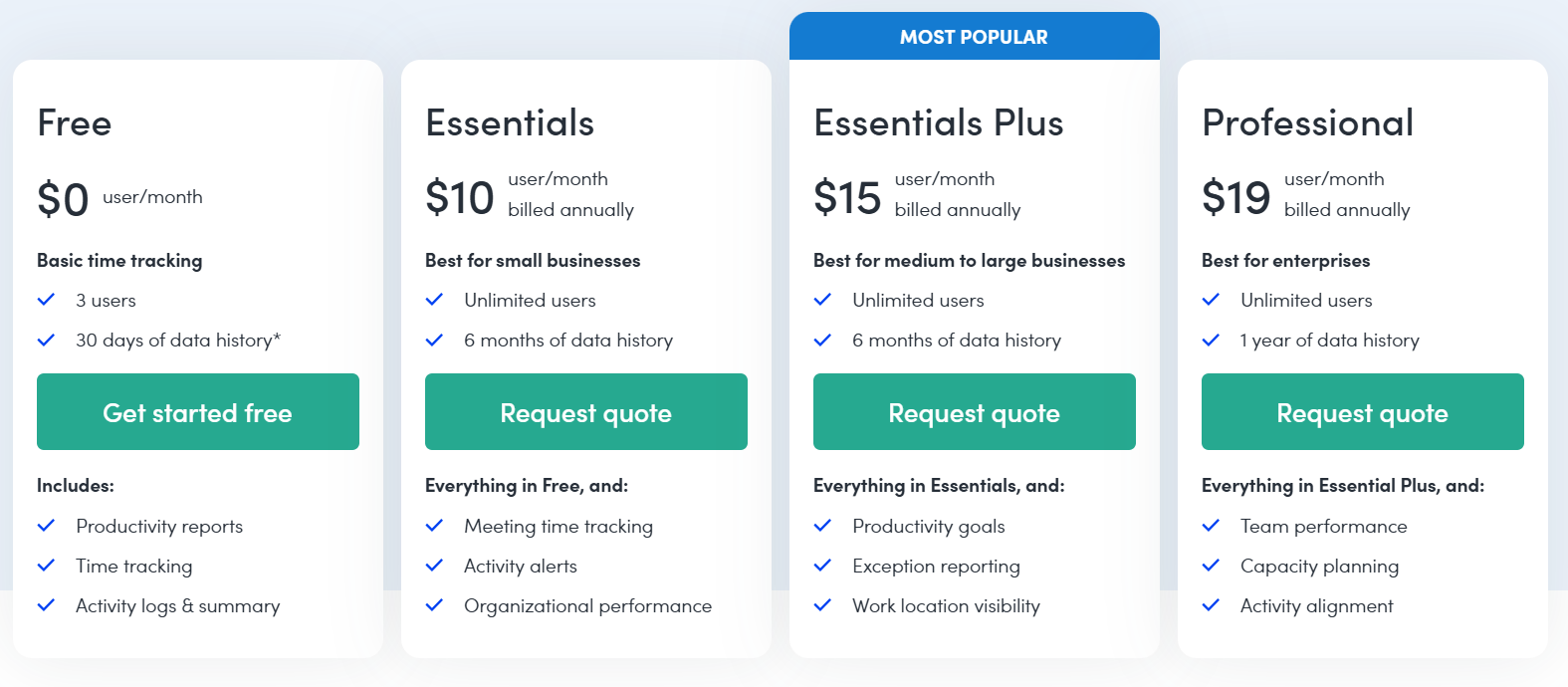 |  |
ActivTrak vs Microsoft Power BI: Other Details
Organization Types supported |
|
|
|---|---|---|
Platforms Supported |
|
|
Modes of support |
|
|
API Support |
|
|
Get help choosing | Get help choosing |
ActivTrak vs Microsoft Power BI Security & Compliance
Certifications, data handling, and security controls for IT and compliance evaluators.
SOC 2 | ✓ Yes | — |
|---|---|---|
HIPAA | ✗ No | — |
Data Residency | 🇺🇸 US | — |
ActivTrak User Reviews & Rating Comparison
User Ratings | ||
|---|---|---|
Rating Distribution | ||
Spotsaas Editor’s POV generated by AI | Buyer sentiment Buyer sentiment is positive across 489 reviews, with strong overall satisfaction. What buyers like
Common complaints
| Buyer sentiment Buyer sentiment is positive across 151 reviews, with strong overall satisfaction. What buyers like
Common complaints
|
Pros and Cons |
|
|
Positive Reviews | No reviews available for the product | No reviews available for the product |
| Negative Reviews | No reviews available for the product | No reviews available for the product |
Integrations
Integration with other apps | No Integration information available. |
|---|


ActivTrak and Microsoft Power BI Customers
Customers | No Customers information available. |  Adobe  GE Healthcare  Heathrow |
|---|
Media and Screenshots
Screenshots | 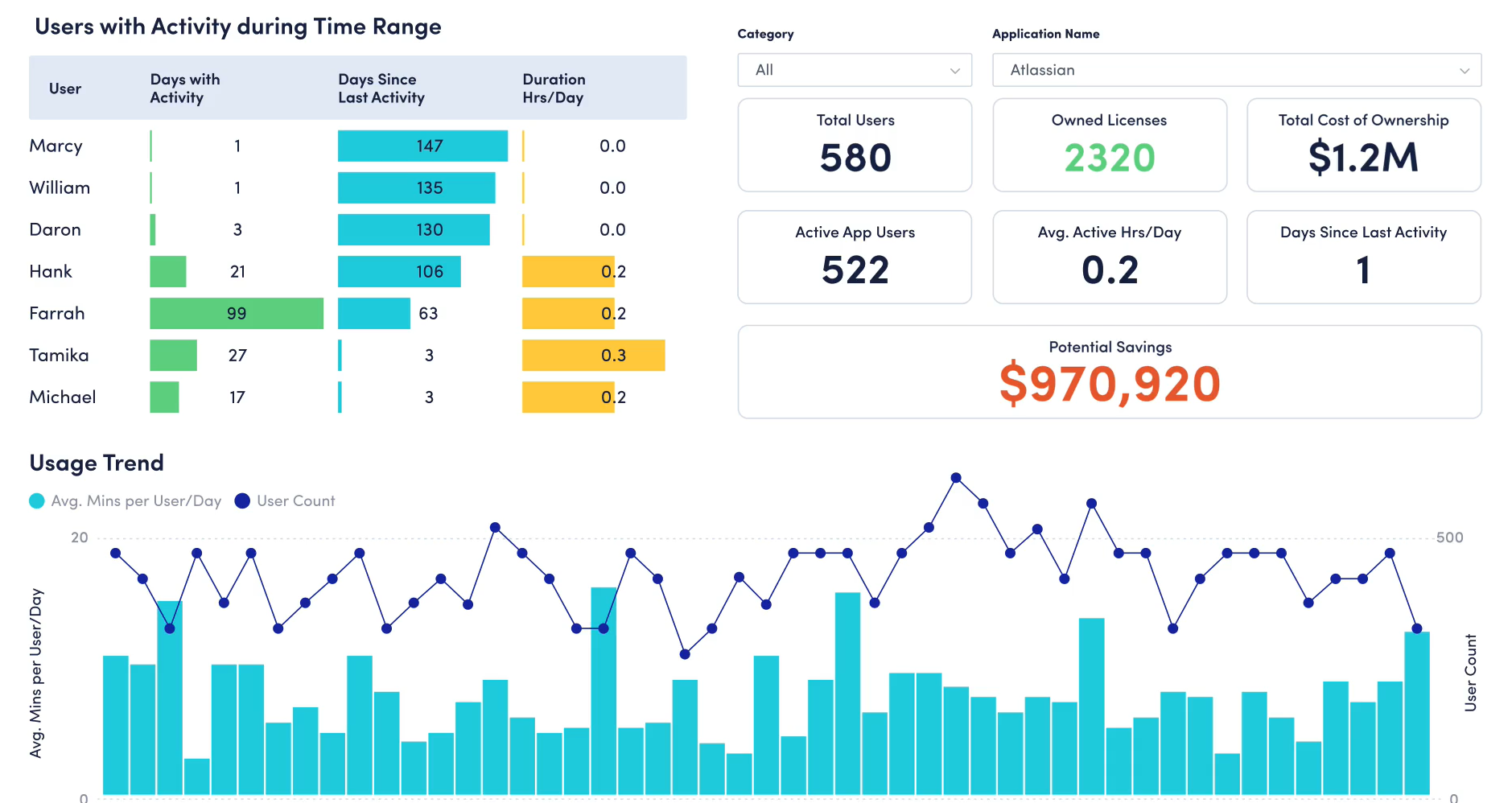 2 Screenshots |  7 Screenshots |
|---|---|---|
Videos | No videos available. |  5 Videos |
Top Alternatives to ActivTrak and Microsoft Power BI in 2026
Alternatives |
|---|


Add another option to compare side by side
Search by product name to compare pricing, fit, and buyer feedback in one view.Compare similar software options


Disclaimer: This research has been collated from a variety of authoritative sources. We welcome your feedback at [email protected].
Frequently asked questions
- Which is better, ActivTrak or Microsoft Power BI?
- Microsoft Power BI edges out the other on user ratings (4.5 vs 4.4). That said, the best pick depends on your use case, so use the comparison tables above to evaluate each dimension.
- Do ActivTrak and Microsoft Power BI offer a free trial?
- Microsoft Power BI offers a free trial. ActivTrak does not.
- What is the starting price of ActivTrak vs Microsoft Power BI?
- ActivTrak starts at Contact for pricing. Microsoft Power BI starts at $9.99 /User/Month.
- What are the top alternatives to ActivTrak?
- Top alternatives to ActivTrak include Culture Amp, Engagement Multiplier, Ascendus, DropThought, WorkHound.
- What are the top alternatives to Microsoft Power BI?
- Top alternatives to Microsoft Power BI include QlikView, CrunchMetrics, Sisense, Board, DOMO.