
Scheduling appointments and coordinating team meetings eats up more time than it should, between chasing emails and cross-checking calendars. Zcal is a free online meeting scheduling tool built to cut that overhead, with an easy setup and integration across the calendars most teams already use.
Here’s a look at what Zcal does, how its pricing works, and how it stacks up against Calendly, one of the more established names in the same category.
Key Takeaways
- Zcal is a free scheduling tool built around personalized links, several ways to share availability, and calendar integrations.
- Personalized scheduling links let you create a unique URL for each invitee, which adds a bit of individual detail to each invitation.
- The free plan doesn’t cap how many personalized links you send out, which makes Zcal workable for businesses of any size without added cost.
- Instant context on attendees, multiple ways to share availability, and calendar integrations combine to make the scheduling process faster to run.
What is Zcal Software?
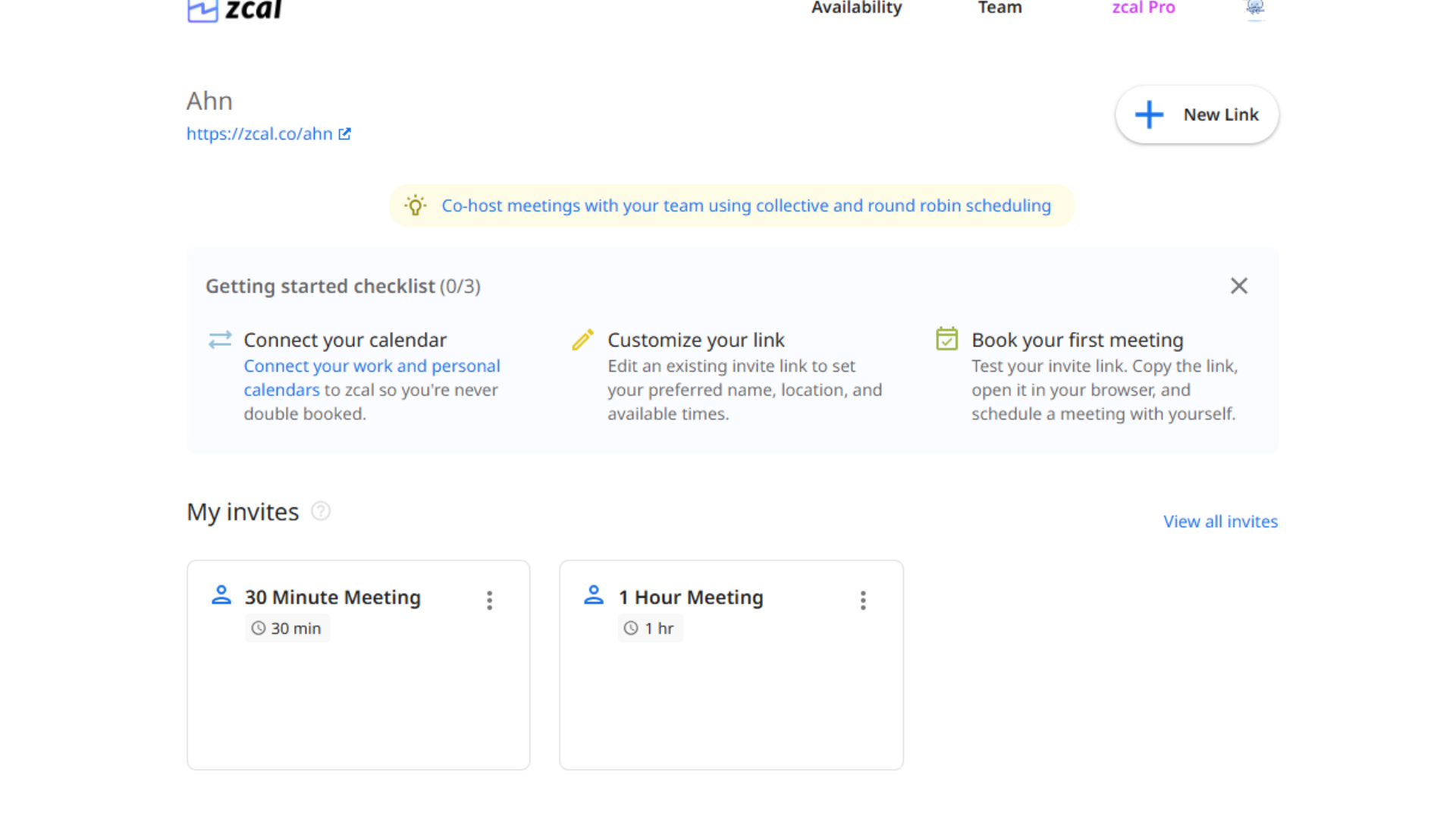
Zcal is a scheduling platform for managing team meetings and appointments in one place. It’s built around personalized booking links, so others can find and reserve time on your calendar without back-and-forth messages.
Its core features are built for time management: personalized scheduling links, availability sharing, and automatic time zone adjustments, which together are meant to take most of the manual coordination out of setting up a meeting.
Key Feature of Zcal Software
Zcal Software‘s feature set covers most of what a scheduling tool needs to handle.
Personalized scheduling links
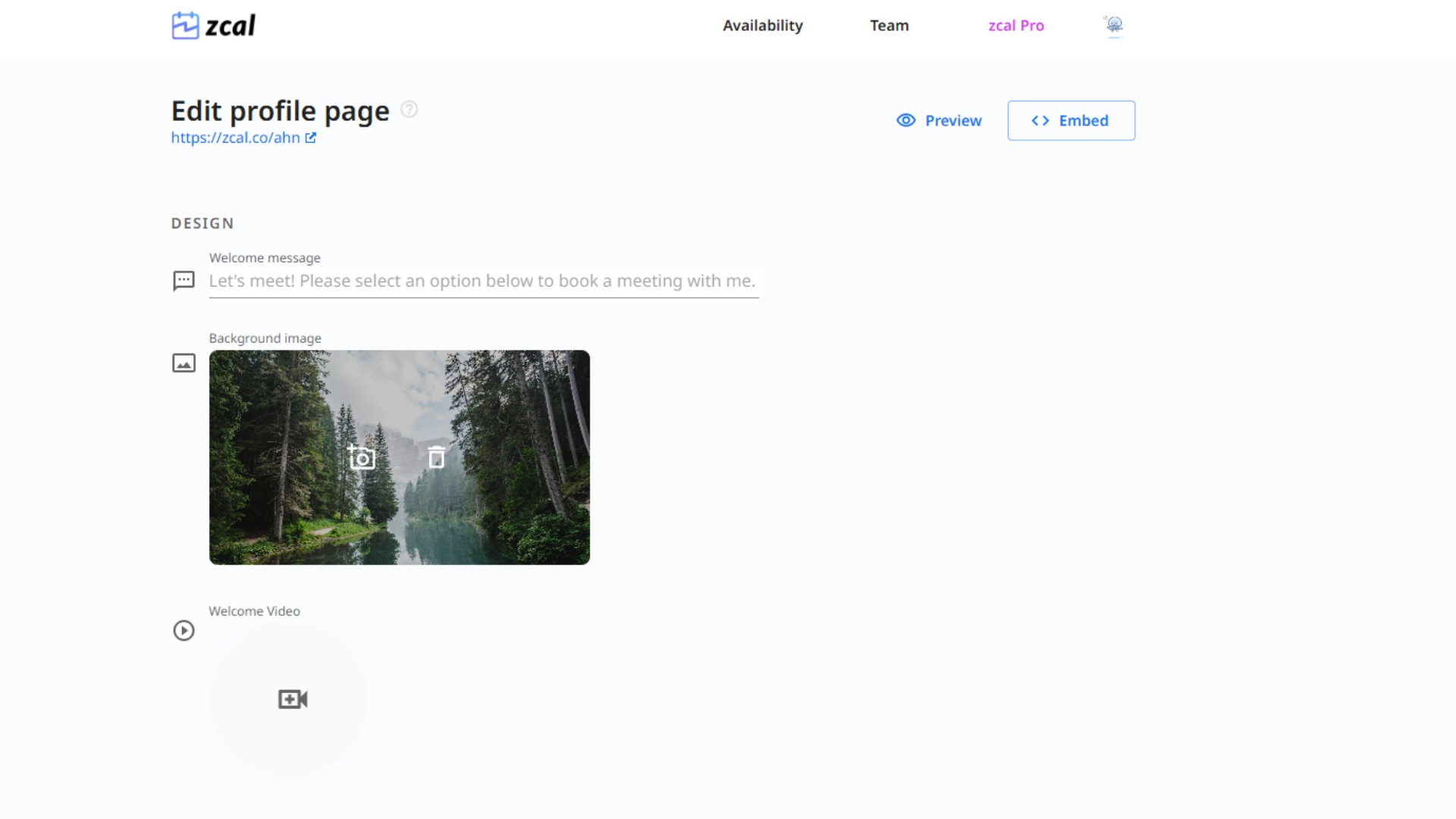
Personalized scheduling links let you customize each invitation with the invitee’s name or other specific details built into the URL itself.
The idea is to make each invite feel less like a generic form and more like it was set up for that one person.
These links are quick to create, so the personalization doesn’t come at the cost of speed — you still get an efficient scheduling process, just with a link that reads as considered rather than automated, which can matter when you’re scheduling with a client rather than a colleague.
Unlimited free options
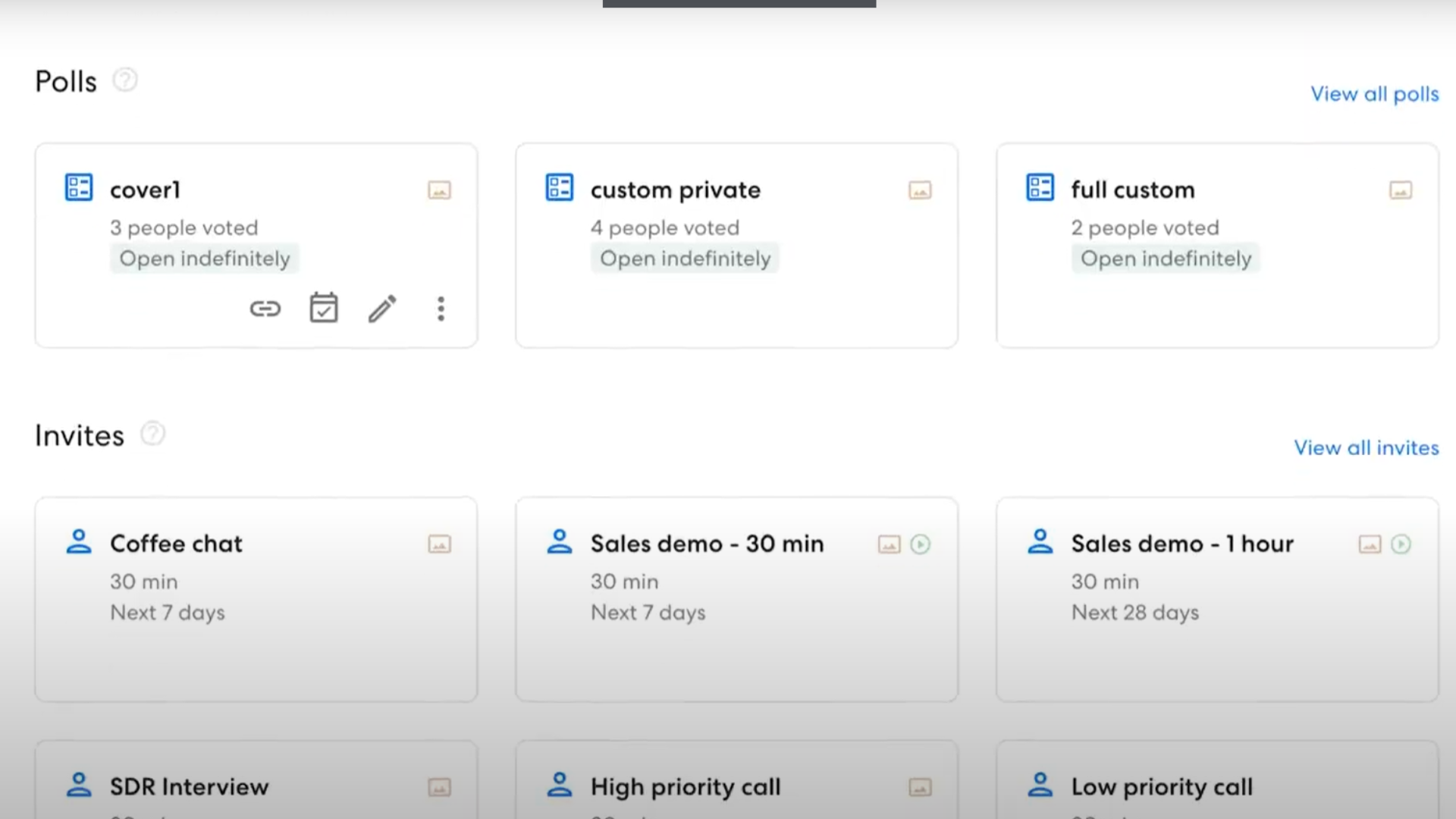
Most scheduling platforms cap what you get for free. Zcal doesn’t limit how many personalized scheduling links you can send, which removes a real constraint for small businesses and professionals just getting started.
The free tier still gives full control over meeting schedules and appointment management, and it connects to Google, Office 365, and Outlook calendars — so it functions as a complete scheduling platform even before you pay for anything.
Instant context on meeting attendees
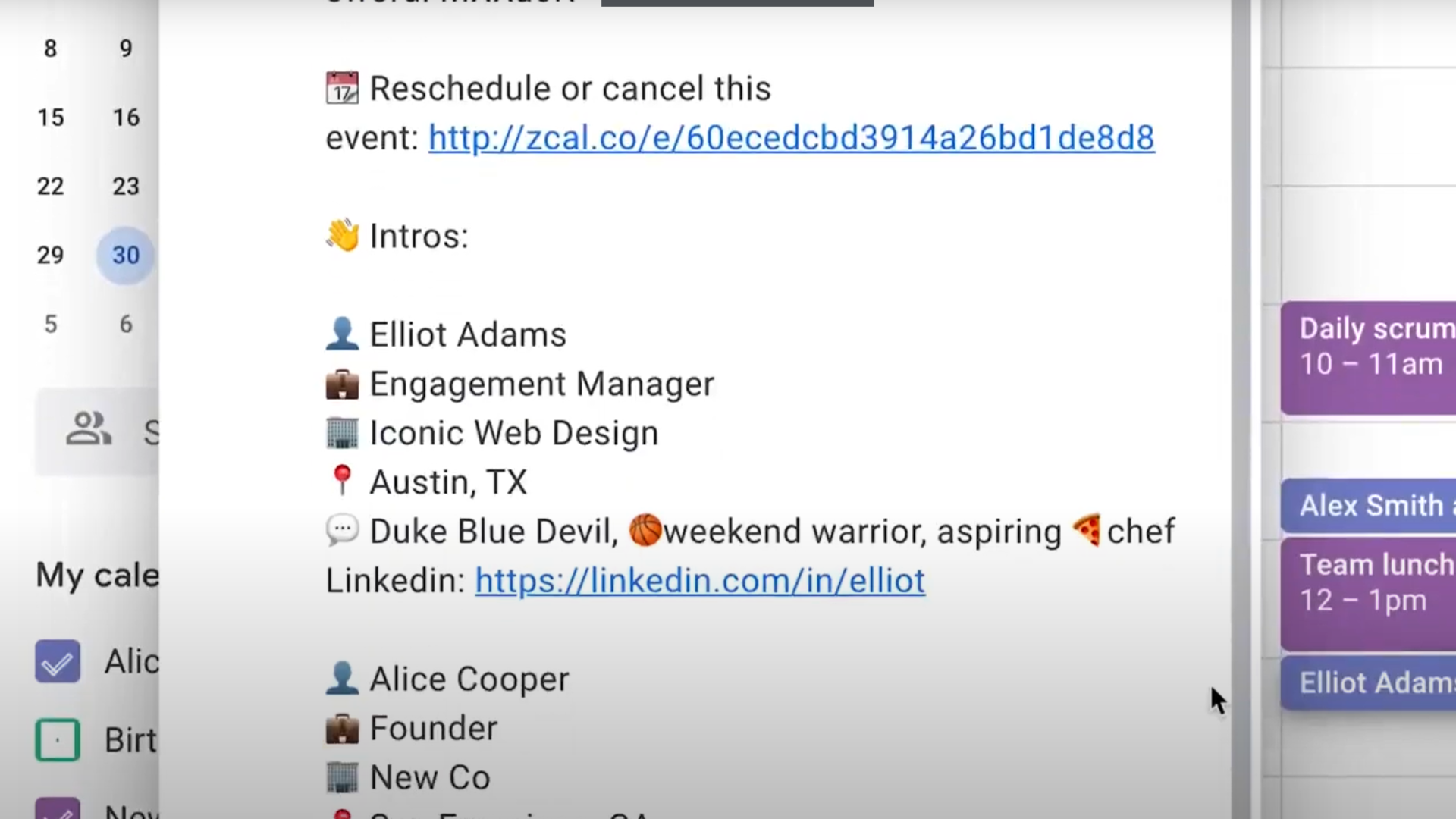
Zcal surfaces context on meeting attendees ahead of time, so you’re not walking into a call without knowing who you’re talking to. That background makes it easier to run a more focused, relevant discussion.
You can pull up attendee bios or link out to their social media profiles for a fuller picture before the meeting starts, which sets up better engagement from the first minute.
Invite Types for Scheduling
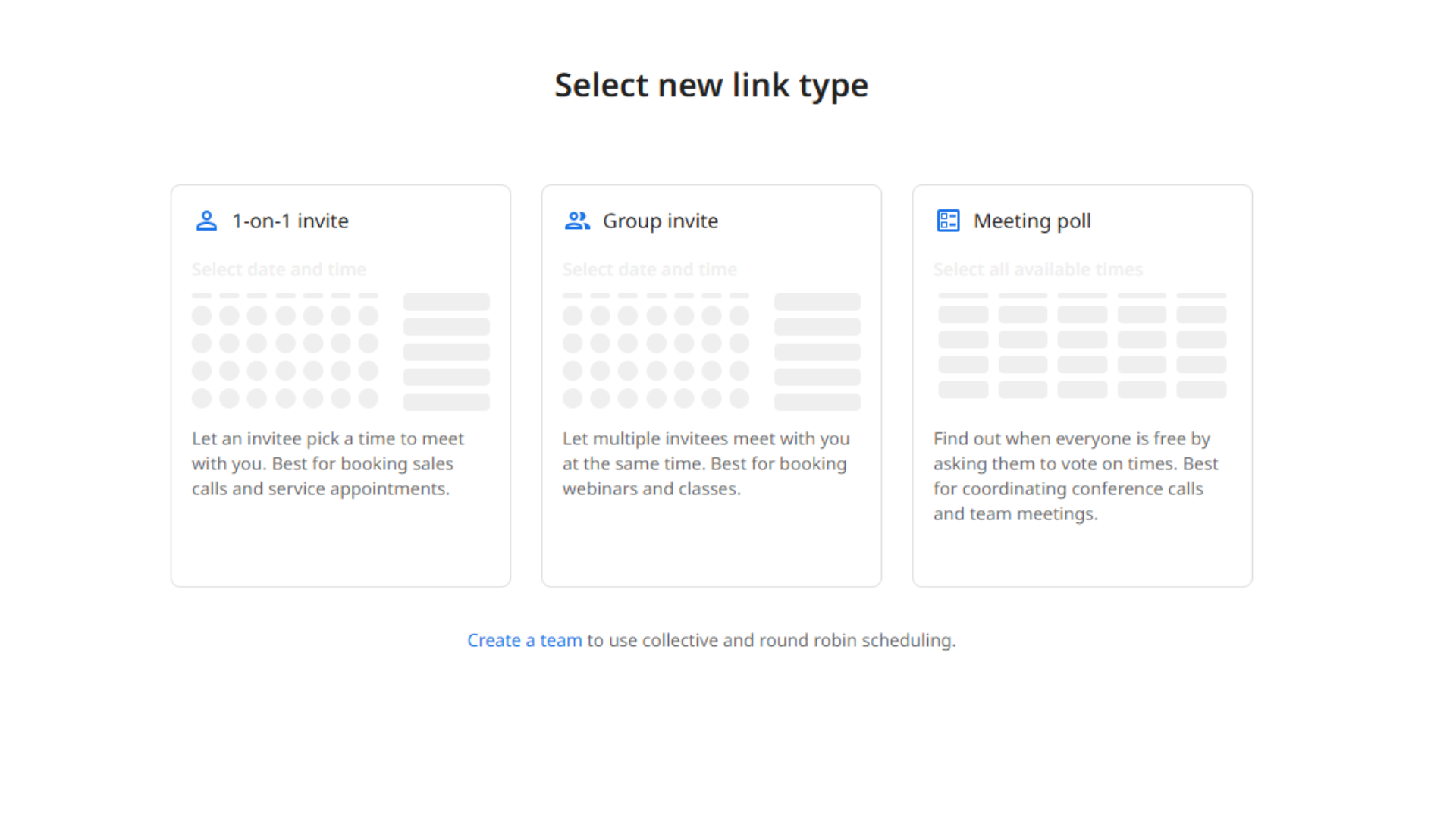
Zcal covers several invite formats depending on what the meeting calls for. For one-on-one work like consultations or coaching sessions, there’s a “One-on-One Invite,” where you pick a video platform from Zoom, Google Meet, or Microsoft Teams.
For anything involving more people, the “Group Invite” type handles up to 20 attendees on the free plan and up to 1,000 on Pro.
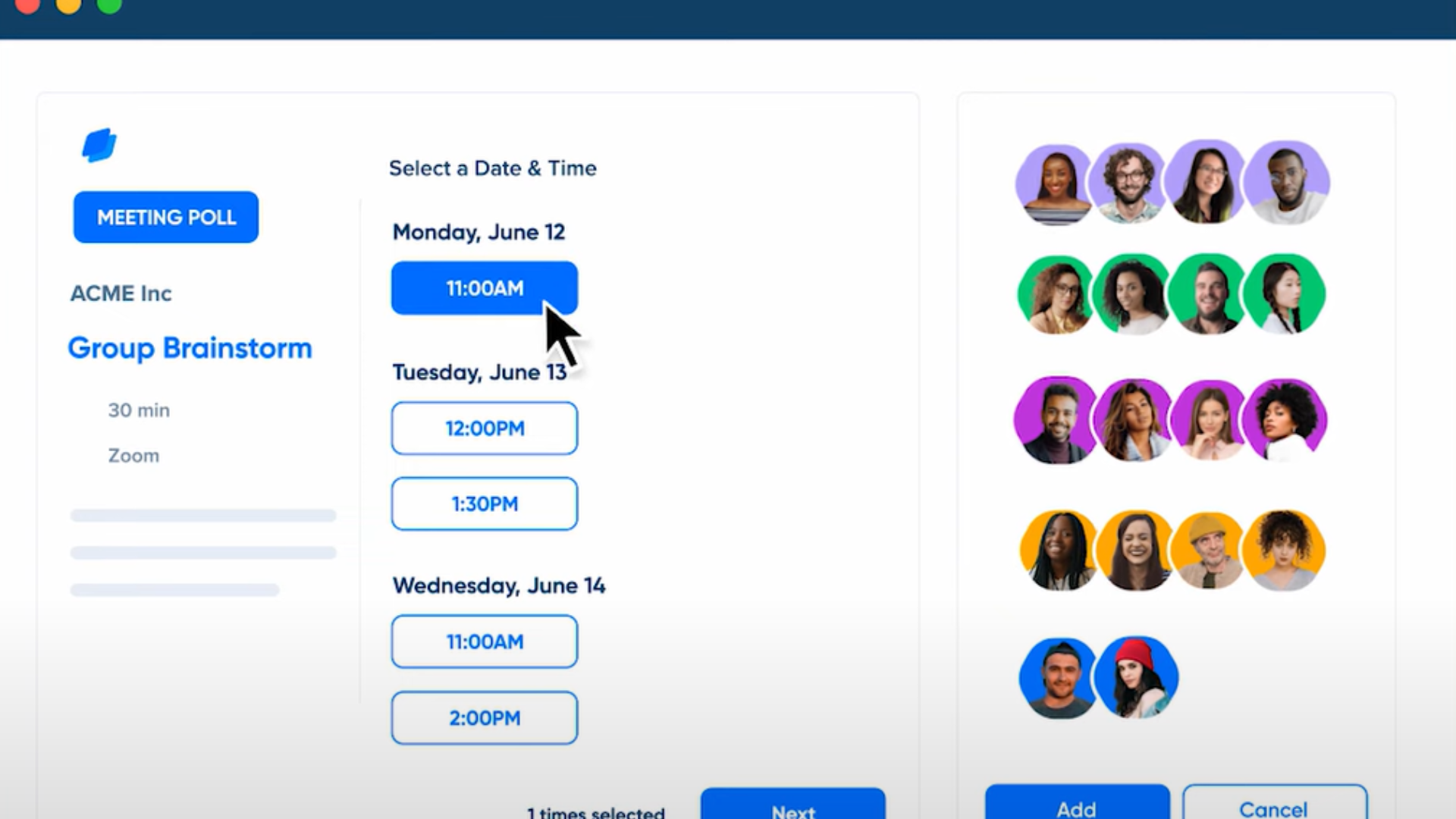
When a meeting has several stakeholders and no obvious best time, the “Meeting Poll” lets the host put forward a few options and have participants vote on one. For business use, “Collective Invites” only open up a booking slot when every required team member is actually free.
“Round Robin Scheduling” spreads incoming meetings evenly across a team, which suits customer-facing roles like sales and support where load needs to stay balanced.
Third-Party Integrations
Zcal connects to a handful of apps that extend what it can do. On the scheduling side, it syncs with Google and Outlook calendars to avoid double-booking, and it hooks into Zoom, Google Meet, and Microsoft Teams so you’re not locked into one video platform.
For paid consultations, a Stripe integration lets you collect payment directly — with a 3% fee on the free plan and no fee on Pro. Google Analytics and Meta Pixel integrations let you track engagement on your profile and invite pages.
Zcal Pros and Cons
| Pros | Cons |
|---|---|
| ✅ User-friendly interface with easy onboarding | ❌ Limited integrations with non-Google/Outlook calendars |
| ✅ No ads on the platform | ❌ No native mobile app |
| ✅ Unlimited calendar connections, even on the free plan | ❌ Limited customization for advanced scheduling needs |
| ✅ Option for personalized welcome videos on invite pages | ❌ Limited reporting features beyond basic analytics |
| ✅ Real-time scheduling with buffer times and custom availability | ❌ Pro plan required for advanced team scheduling features |
| ✅ Analytics integration |
Zcal Pricing Planning: Free Forever?
Zcal’s free plan is generous enough that individual users or small teams can get real scheduling capability without hitting a cost barrier.
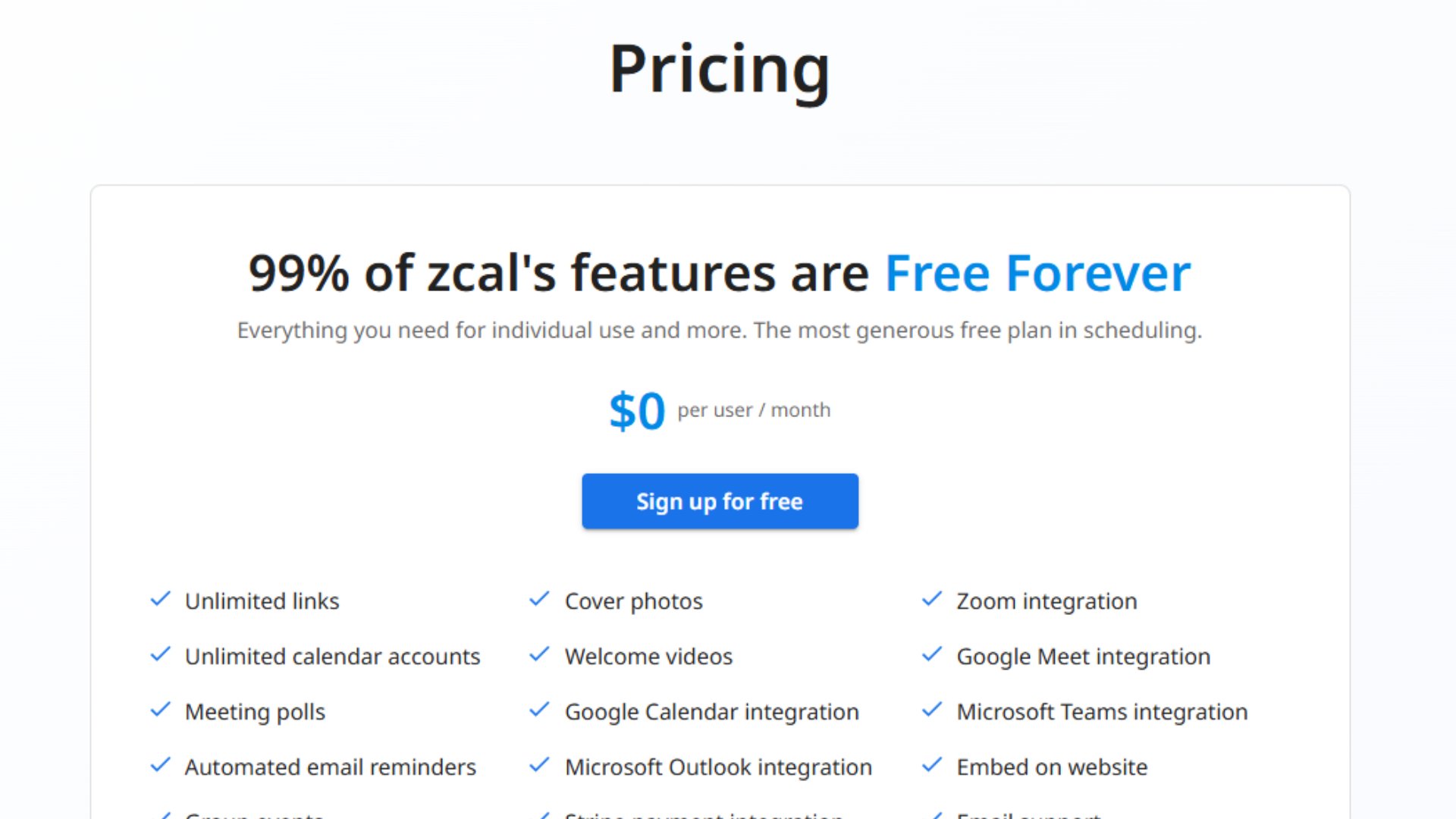
- Free Plan: Includes 99% of Zcal’s features with no hidden fees — the full set of scheduling tools at no monthly cost.
Team features require Zcal Pro, which costs $6 per user per month billed annually, and comes with a 14-day free trial so teams can test the collaborative features before committing to a paid seat.
Pro adds the advanced scheduling features aimed at teams and business owners — collaborative scheduling, more customized client interactions, and extra engagement tools.
Ideal Users of Zcal?
Given the mix of free features, invite types, and integrations described above, Zcal fits a range of use cases:
- Freelancers and Solopreneurs: Cuts down the back-and-forth on client and project scheduling.
- Small to Medium Teams: Coordinates team schedules using group and round-robin invites.
- Sales and Customer Success Teams: Spreads meeting load evenly across team members.
- Event Planners: Handles workshops, webinars, and meetings with multiple attendees.
- Educators and Coaches: Schedules office hours, classes, and one-off sessions.
- Remote Teams: Handles time zone differences for distributed teams.
Zcal Vs Calendly: Comparison
Zcal and Calendly both solve the same basic problem — managing meetings and calendar coordination — but they get there differently, and the right pick depends on what you need.
What is Calendly?
Calendly is scheduling software built to simplify meeting coordination for a broad range of users.
It scales from individual freelancers up to large corporate teams, with features like event reminders, buffer times between meetings, and automated notifications built in.
Calendly also integrates with tools like Zoom, Salesforce, and Slack, which is a big part of why it’s a common choice for businesses focused on efficiency and customer engagement.
Key Differences
Both are established scheduling tools, but they land in different places on several features. Here’s how they compare directly.
| Feature | Zcal | Calendly |
|---|---|---|
| Unlimited Links | ✔️ | ✔️ |
| Unlimited Calendar Connections | ✔️ | ❌ (1 calendar only) |
| Group Events | ✔️ (up to 20 attendees) | ❌ |
| One-on-One Meetings | ✔️ | ✔️ |
| Meeting Polls | ✔️ | ❌ |
| Email Reminders | ✔️ (Automated) | ❌ |
| Custom Redirect URL | ❌ | ❌ |
| Video Conferencing Integration (Zoom, Google Meet) | ✔️ | ✔️ |
| Stripe Payment Integration | ❌ | ❌ |
| Profile Customization (Cover Photos & Welcome Videos) | ✔️ (Cover photos only) | ❌ |
| Custom Questions for Invitees | ✔️ | ❌ |
| Zapier Integration | ✔️ | ❌ |
| Mobile App | ❌ (Web-based only) | ✔️ |
Both are reliable for day-to-day scheduling, and the table above covers most of what separates them feature by feature. Based on that comparison, Zcal’s free tier packs in more features than Calendly’s, which tips it toward being the more accessible option out of the box for anyone not ready to pay for a scheduling tool yet.
Reviews from real users
User feedback on Zcal centers on efficiency and convenience — specifically, not having to trade emails back and forth or manually check calendars. The Google, Office 365, and Outlook integrations come up often as a reason it’s useful day to day.
Reviewers also mention the interface: it’s straightforward to use and well designed, which keeps the scheduling step from becoming a chore in itself.
Recommendations for Potential Users
If you want a scheduling tool that’s quick to set up and doesn’t ask much of you, Zcal is worth trying — unlimited free booking links and calendar integrations mean you can share availability and get meetings on the calendar without much manual work.
The attendee-context feature also helps you stay on top of who you’re meeting and prioritize accordingly.
If you’re deciding between Zcal and an alternative like Calendly, it’s worth looking at real user feedback on both and weighing integration options, ease of use, and pricing before you commit.
Conclusion
Zcal covers most of what a scheduling tool needs to do: personalized booking pages, an unlimited free tier, and enough integrations to fit into an existing calendar setup while keeping appointment management simple.
If it looks like a fit, it’s worth checking Zcal’s pricing plans directly to see which tier matches how you and your team actually schedule time, especially if team features like round robin scheduling or collective invites are part of what you need.
Frequently Asked Questions
Can I use Zcal Software to schedule appointments and events?
Yes. Zcal is built to schedule appointments, events, and meetings.
Is Zcal Software compatible with different devices?
Yes. Zcal works across desktop computers, laptops, tablets, and smartphones.
How can Zcal Software help improve my productivity?
Automated reminders and time-blocking options help you stay organized and manage your schedule with less manual effort.
Can I share my calendar with others using Zcal Software?
Yes. You can share your calendar with colleagues or clients by email invitation or by generating a unique URL they can access directly.
Is it easy to learn how to use Zcal Software?
Yes. The interface is straightforward enough that most people can start using it effectively within a few minutes.
Compare alternatives to the tools in this post

- Independent picks for exactly what you just read about
- Matched to your team size & needs
- Vendors don't pay for placement
Step 1 of 4
How big is your team?
We tailor recommendations to companies your size.















Related Articles
AI Software
Fireflies vs Otter 2026: Pricing, Limits and Which to Pick
Continue reading →
AI Software
8 Best AI Meeting Assistants for Teams (2026)
Continue reading →
SaaS Buying Guides
Best Podcast Hosting Platforms in 2026: 9 Hosts Compared by Price
Continue reading →

Video Conferencing
Best Video Conferencing Software Platforms: Top 5 Picks for 2026
Continue reading →