
Outlook Review: Is It The Right Email Software For Your Team?
Best for SMB teams · Mid-market · Enterprise
 GDPR
GDPR SOC 2
SOC 2 HIPAA
HIPAA ISO 27001
Add to compare
Overview
Pricing
Features
Buyer feedback
Alternatives
Media
Security & Compliance
Support
FAQ
Blogs
What is Outlook?
Microsoft Outlook is the ideal way to stay connected and organized. The latest version of Outlook offers you the benefit of accessing all your emails, calendars, and contacts in one convenient place. With Outlook for your home or business, you can quickly organize and keep up with your daily requirements. Enjoy the peace of mind knowing that your communication is securely stored in one place and easy to access.
Best For
Suited for small teams, SMBs, and enterprise
Security & Compliance
SOC 2GDPRHIPAAISO 27001SSO & MFA supported
Data residency:Global
Platform
Installed - Windows
Installed - Mac
Mobile-first — limited web access
Outlook Screenshots

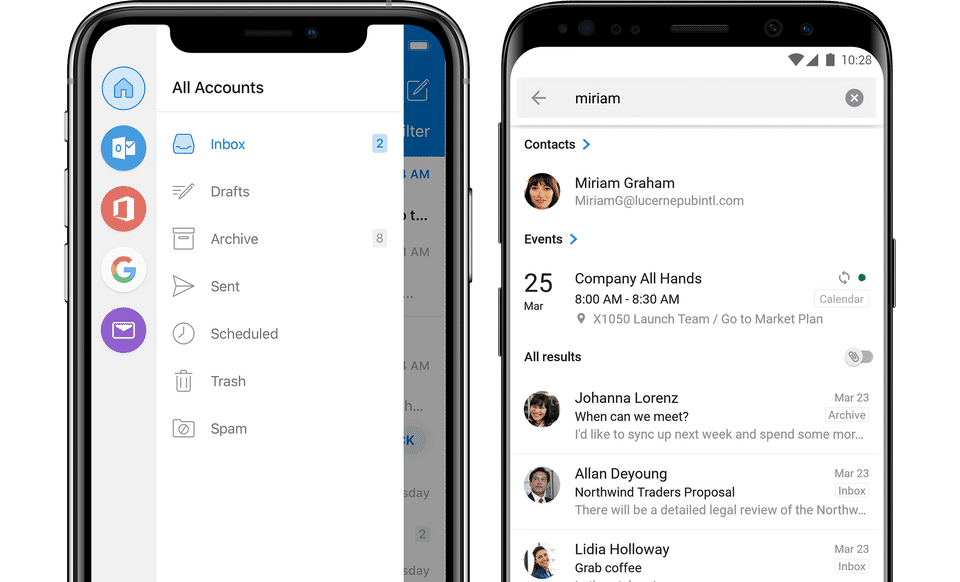
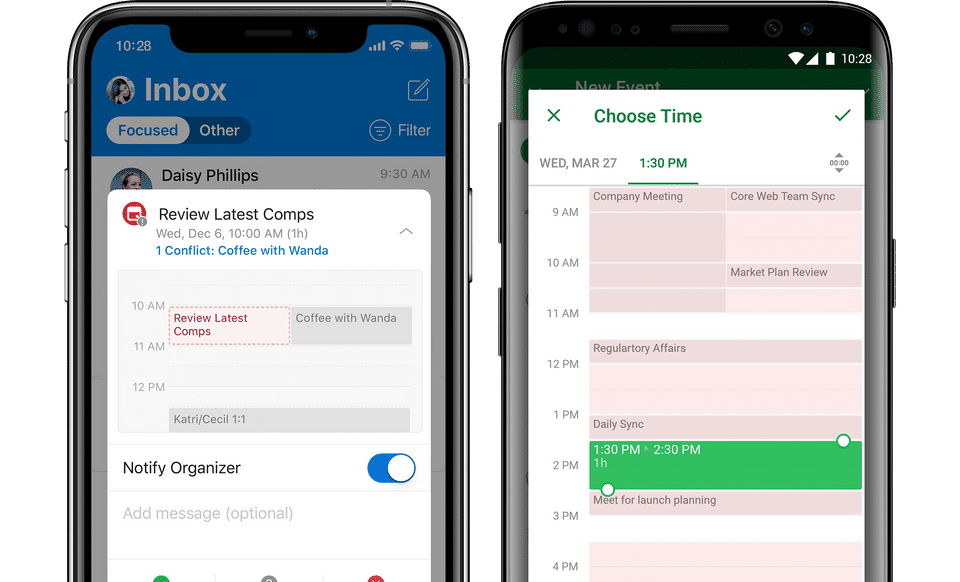
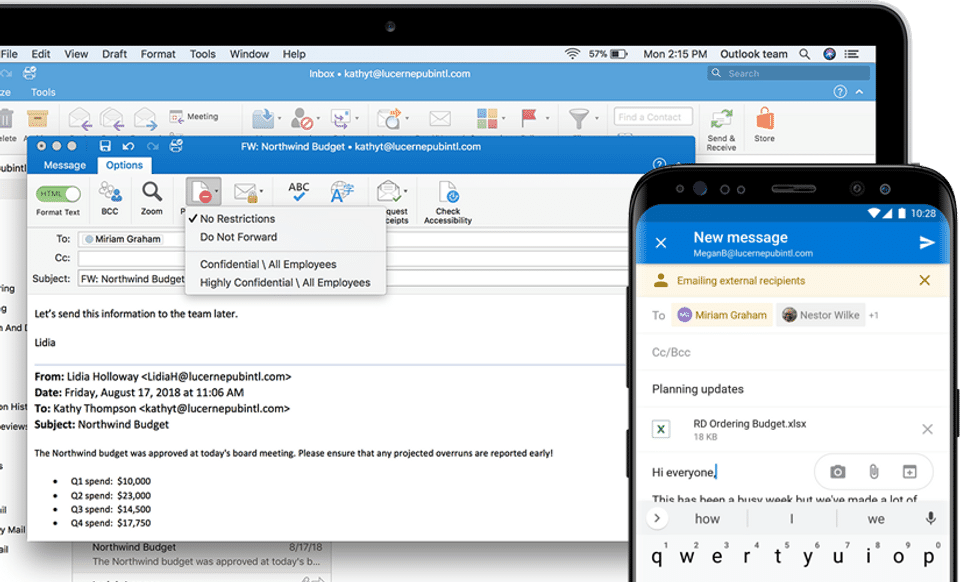
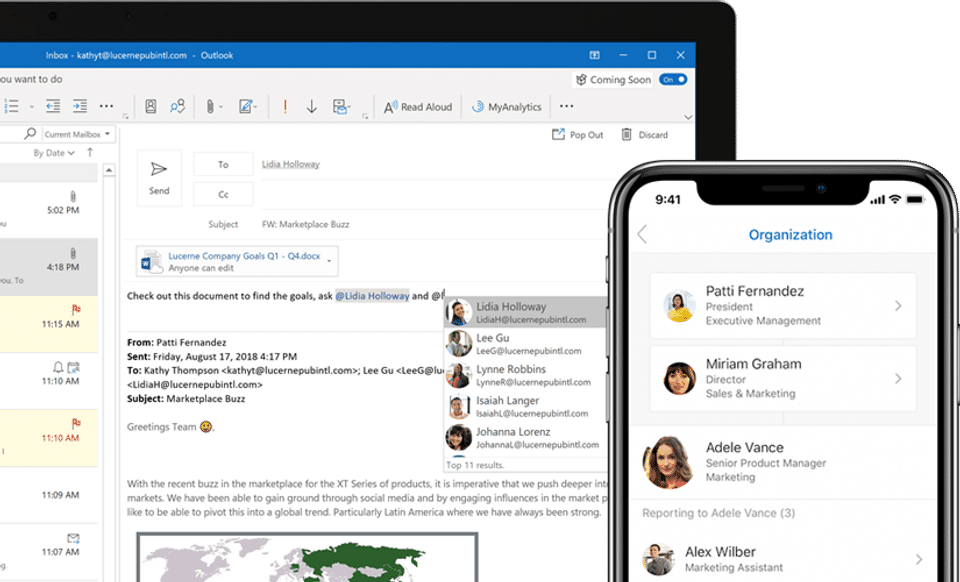
Outlook was reviewed internally using user feedback, in-house testing, and market research to assess its performance, reliability, and user experience. Learn how we review products and our evaluation process.

Who should consider Outlook
- Team types
- Individuals, Large Enterprises
Why teams choose Outlook
Offers a comprehensive suite of communication tools.
Ensures secure storage of emails and data.
Highly customizable to fit user needs.
Is Outlook right for you?
What buyers should know before choosing Outlook
Microsoft Outlook is a comprehensive email management tool that integrates calendars and contacts, making it a go-to solution for both personal and business use. Its robust features and security make it a reliable choice for users looking to stay organized.
Outlook pros and cons
- Outlook pros
Offers a comprehensive suite of communication tools.
Ensures secure storage of emails and data.
Highly customizable to fit user needs.
- Outlook cons
May require time to learn all features.
Subscription costs can add up.
Ready to try it?
Get started with Outlook
Connect with the team for a personalised demo.
Still comparing?
See how it stacks up
Compare Outlook side-by-side with top Email Software alternatives.



What is the pricing of Outlook?
Outlook Pricing Plans
Weighing your options?
Not sure if Outlook fits your budget?
Outlook reviews and ratings
Buyer sentiment
Buyer sentiment is positive across 2550 reviews, with strong overall satisfaction.
What buyers like
- Integrated email and calendar
- User-friendly interface
- Secure communication
Common complaints
- Can be overwhelming for new users
- Subscription required for full features
- Limited offline functionality
Are you using Outlook?

- See if Outlook fits your business
- Real pricing — no sales pressure
- A demo or quick answers, your call
Step 1 of 4
How big is your team?
We tailor recommendations to companies your size.















What are the features of Outlook?
Few people have mastered the ability to organize their calendars. It is the practice of optimizing your calendar by combining priority manag…
Calendar notifications are a key feature of most software and devices that help users organize and manage their schedules. Simply put, a cal…
Direct Mail Management is a comprehensive software feature that allows businesses to effectively and efficiently manage their direct mail ca…
A mailing list is the total number of people who have signed up for your website, whether a blog, an e-commerce site or a corporate website.…
An email template is a preformatted HTML email that you may use to make your unique email template by replacing the suggested content with y…
Outlook security and data handling
Key compliance certifications and security features for IT and security teams evaluating Outlook.
Certifications
Security features
Developer & data
Alternatives to Outlook




Outlook Support Options
Frequently Asked Questions About Outlook
Common questions buyers ask before choosing Outlook.
Outlook is a Email Software. Outlook offers Predesigned Email Templates, Mailing List Management, Direct Mail Management, Calendar Notification and many more functionalities.
Buyers commonly note the following limitations of Outlook: May require time to learn all features.; Subscription costs can add up.; Performance may lag with large inboxes..
Some top alternatives to Outlook includes Hiri, Zoho Mail, IceWarp, HCL Verse and Unroll.Me.
Outlook offers Subscription pricing model
The starting price is not disclosed by Outlook. You can visit Outlook pricing page to get the latest pricing.
Ready to try it?
Get started with Outlook
Get connected with the team for a personalised demo.
About the reviewer
Rajat Gupta is the founder of Spotsaas. Over the past two years, he has reviewed 2,000+ tools across CRM, HR, AI, and finance — applying hands-on product research and a background in commerce and the CFA program to evaluate software through a business and ROI lens. His goal: help teams make software decisions they won't regret.
Disclaimer: This research has been collated from a variety of authoritative sources. We welcome your feedback at [email protected].