
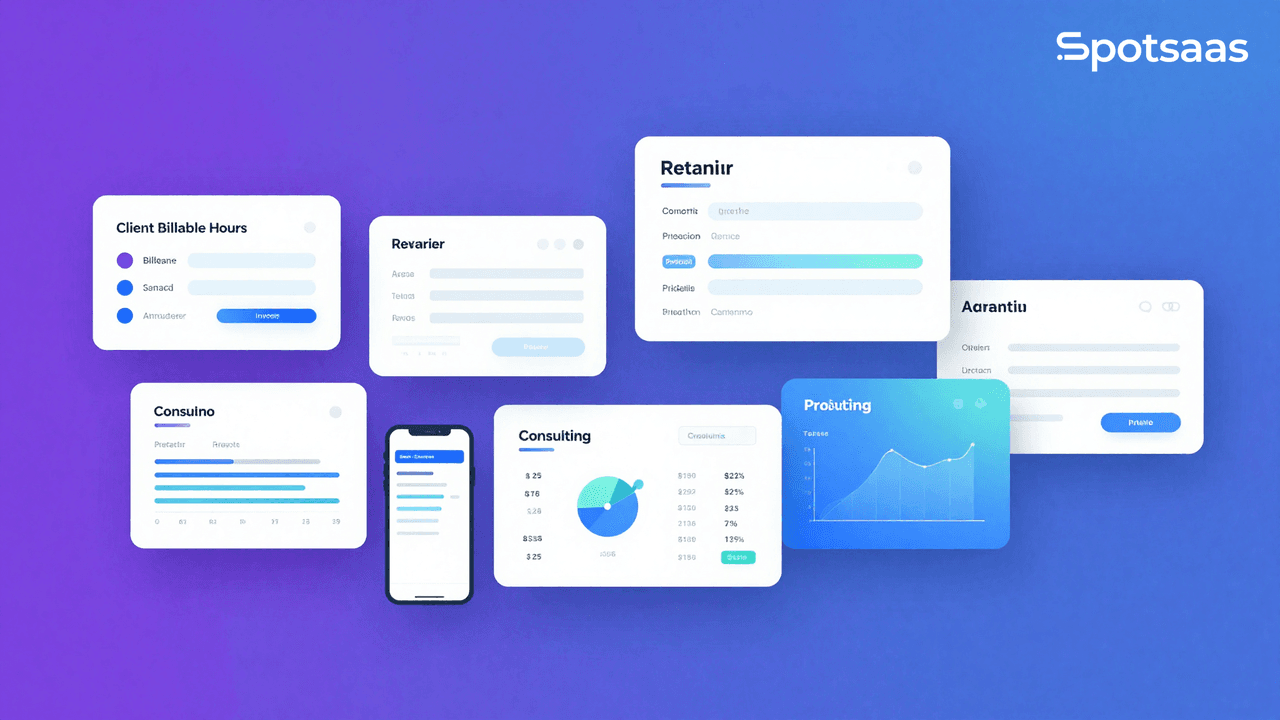
What is Time Tracking Software for Consultants?
Time tracking software for consultants is a digital tool that helps professionals monitor the hours they dedicate to different clients and projects. Unlike manual spreadsheets, modern best time tracking apps offer automated timers, invoicing features, and performance insights. For consulting firms, these tools provide a structured way to log work, prove accountability to clients, and make sure every billable minute is counted.
A good time tracking tool also integrates with project management and payment systems, so consultants can move from tracking hours to generating invoices without extra steps. This makes the entire process—from recording time to getting paid—faster and more accurate.
Why Accurate Time Tracking is Essential for Consultants
For consultants, time is both the product and the currency. A small gap in recorded hours can snowball into significant losses over weeks or months. This is why accurate time tracking is essential for consultants who rely on billable and non-billable hours and client accountability.

Accurate Time Protects Revenue
Every consulting firm knows that underreported hours equal lost income. By using the best time tracking software, consultants ensure they capture every billable moment without relying on guesswork.
Transparency Builds Client Trust
Clients want to know how their money is being used. A time tracking app that provides clear, itemized reports creates transparency, strengthens trust, and reduces disputes over billing.
Smarter Project Management
Tracking time across tasks and projects helps identify which activities take longer than expected. This insight allows consulting firms to improve workflows, allocate resources effectively, and price projects more accurately.
Accountability Across Teams
For firms with multiple consultants, time tracking tools for consultants make it easy to compare hours spent across projects and ensure accountability. Managers get a complete picture of where team efforts are going.
Data That Supports Growth
Over time, the reports generated by time-tracking software become valuable data for forecasting and planning. Firms can analyze trends, refine strategies, and scale their services based on real performance.
Key Features of Right Time Tracking Software
The success of consultants depends on their ability to capture time with precision. A good time tracking tool should go beyond recording hours—it must simplify workflows, help generate invoices, and provide actionable insights. Here are the essential features consultants should look for when choosing time tracking software.

Ease of Use
Consultants don’t have the time to learn complex systems. A good time tracking app should be designed with simplicity in mind—clear dashboards, one-click timers, and straightforward navigation. The easier it is to use, the more likely consultants will track time consistently, which ultimately leads to more accurate reporting and billing.
Accurate Time Tracking
Manual tracking is prone to errors and forgotten entries. Modern time tracking software for consultants includes automated timers, idle detection, and reminders to ensure accurate time tracking across projects. This precision is critical for consultants who track billable hours to clients and avoid undercharging for their services.
Reporting and Insights
Basic logs aren’t enough for consulting firms. The best time-tracking software should generate detailed reports that show how hours are distributed across clients, tasks, and projects. These insights allow consultants to identify inefficiencies, refine estimates for future projects, and present professional reports to clients as part of their service.
Invoicing and Billing Integration
Consultants thrive on billable hours, and the link between time tracking tools and invoicing is vital. The right software should either integrate seamlessly with accounting software or include built-in billing. This connection reduces manual work, speeds up payment cycles, and ensures clients receive clear, accurate invoices that match the time logged.
Mobile and Cross-Platform Access
In consulting, work rarely happens in a single location. Whether at a client’s office, in transit, or working remotely, consultants need a time tracking app that works on mobile, desktop, and web. Syncing across platforms ensures no hours are lost, no matter where or how the consultant works.
Project and Task Management
The top time tracking software for consultants doesn’t just measure hours—it helps manage projects. Features like assigning time to tasks, setting budgets, and monitoring project timelines allow consulting firms to track profitability in real time. This ensures that projects stay on budget and consultants can make informed adjustments before issues arise.
Integrations with Other Tools
Consultants often use CRMs, time tracking and project management platforms, and collaboration apps. A good time tracking tool should integrate with these systems, reducing duplicate work and creating a smooth flow from tracking hours to managing client relationships and projects.
Compliance and Data Security
For consulting firms working with sensitive client data, security matters. The right time tracking software should offer secure storage, GDPR compliance, and role-based access so consultants can track hours confidently without compromising client confidentiality.
Comparison Table: Best Time Tracking Apps for Consultants
| Tool | Starting Price (per user/month) | Key Features | Best For |
|---|---|---|---|
| Toggl Track | Free (up to 5 users), Paid from ~$9 | One-click tracking, billable rates, estimates & alerts, idle detection, dashboards | Freelancers & small consulting teams |
| Time Doctor | ~$7 | Task tracking, screenshots, app/URL monitoring, productivity reports, payroll | Remote teams & accountability-focused firms |
| ClickTime | $10 | Project & task tracking, budget monitoring, forecasting, custom reports, integrations | Agencies & project-based consultants |
| Everhour | Free (5 users), Paid from $6 | Seamless PM integrations, budgeting, invoicing, team scheduling, task-level logs | Teams using Asana, Trello, or Jira |
| Timely | $10 | Automatic AI tracking, AI-powered timesheets, project budgets, team management | Consultants who dislike manual timers |
Pricing shown is approximate; check vendor websites for current rates.
Toggl Track Review: Simple & Flexible Time Tracking for Consultants

What is Toggl Track?
Toggl Track is a time tracking software designed for individuals, consultants, and teams that need a quick way to log hours without complexity. Known for its ease of use, Toggl lets consultants start and stop timers instantly, assign hours to projects, and generate reports with just a few clicks. Its cross-platform support and wide integrations make it one of the best time tracking apps for consulting firms.
Toggl Track Features
| Feature | Description |
|---|---|
| One-Click Time Tracking | Start and stop timers instantly, or enter time manually for flexibility. |
| Billable Rates | Assign billable rates by project, client, or team member to ensure accurate invoicing. |
| Project Estimates & Alerts | Set project time estimates and receive alerts when you’re nearing limits. |
| Reporting & Dashboards | Access detailed reports to track profitability, team utilization, and client billing. |
| Idle Detection | Detects inactivity to ensure entries remain accurate. |
| Cross-Platform Access | Available on desktop, web, and mobile with automatic syncing. |
Toggl Track Pricing
| Plan | Price (per user/month) | Key Inclusions |
|---|---|---|
| Free | $0 (up to 5 users) | Basic tracking, unlimited projects, reports. |
| Starter | ~$9 | Billable rates, estimates, reporting, tasks. |
| Premium | ~$18 | Advanced dashboards, fixed-fee projects, approvals, SSO. |
| Enterprise | Custom | Tailored onboarding, advanced security, dedicated support. |
Pricing shown is approximate; check vendor websites for current rates.
Why Toggl Track is Ideal for Consultants
- Quick setup with minimal learning curve.
- Accurate time tracking supported by idle detection and project alerts.
- Flexible billing rates for varied clients.
- Scales easily from freelancers to large consulting firms.
Time Doctor Review: Accurate Time Tracking with Productivity Insights

What is Time Doctor?
Time Doctor is a time tracking tool created for consultants, remote teams, and agencies that need precision and detailed reporting. It focuses on accurate time tracking data with advanced monitoring features, giving consulting firms full visibility into productivity, billable hours, and client accountability.
Time Doctor Features
| Feature | Description |
|---|---|
| Project & Task Tracking | Track hours for specific tasks and projects with manual or automatic timers. |
| Screenshots & Monitoring | Optional screenshots and web/app usage tracking provide accountability. |
| Idle Time Detection | Pauses tracking during inactivity to ensure accurate logs. |
| Productivity Reports | Detailed reports compare planned vs. actual hours and highlight inefficiencies. |
| Payroll & Invoicing | Built-in payroll support and integrations with accounting tools. |
| Client Access | Premium plans allow clients to log in and view tracked hours. |
Time Doctor Pricing
| Plan | Price (per user/month) | Key Inclusions |
|---|---|---|
| Basic | ~$7 | Time tracking, projects, screenshots, timeline reports. |
| Standard | ~$10 | Adds app/URL tracking, payroll, integrations, email summaries. |
| Premium | ~$20 | Client login, video captures, VIP support, real-time alerts. |
| Free Trial | 14 days | Full access to Premium features for testing. |
Pricing shown is approximate; check vendor websites for current rates.
Why Time Doctor is Ideal for Consultants
- Offers accurate time tracking down to the minute.
- Provides proof of work with screenshots and activity monitoring.
- Strong reporting tools for comparing expected vs. actual hours.
- Ideal for consulting firms managing remote or distributed teams.
ClickTime Review: Project-Based Accurate Time Tracking for Service Businesses

What is ClickTime?
ClickTime is a time tracking app designed for service businesses, agencies, and consulting firms that bill by the hour. Unlike basic tools, ClickTime emphasizes project-based time tracking and connects hours directly to clients and budgets. This helps firms optimize resources, manage costs, and provide transparent client invoices backed by accurate data.
ClickTime Features
| Feature | Description |
|---|---|
| Project & Task Tracking | Log hours directly to projects or tasks for precise project-level reporting. |
| Budget Monitoring | Compare planned vs. actual hours to prevent cost overruns. |
| Client Billing Support | Generate detailed, client-ready reports for invoicing. |
| Customizable Reports | Dashboards display utilization, labor costs, and profitability. |
| Forecasting Tools | Plan staffing needs and predict workload demand. |
| Accounting Integrations | Integrates with QuickBooks, Xero, and similar tools for financial management. |
ClickTime Pricing
| Plan | Price (per user/month) | Key Inclusions |
|---|---|---|
| Starter | $10 | Basic time tracking, simple reporting. |
| Team | $13 | Adds budgets, approvals, and advanced timesheets. |
| Premier | $24 | Resource planning, analytics, and custom reporting. |
| Enterprise | Custom | Dedicated support, advanced controls, tailored features. |
Pricing shown is approximate; check vendor websites for current rates.
Why ClickTime is Ideal for Consultants
- Project-level focus ensures accurate billing for every client.
- Advanced analytics highlight costs, utilization, and profitability.
- Builds client trust with transparent, detailed reports.
- Forecasting features help firms plan ahead for staffing and workload.
Everhour Review: Best Time Tracking Software Inside Your Project Management Tools

What is Everhour?
Everhour is a time tracking software built to integrate directly with popular project management platforms like Asana, Trello, Jira, and ClickUp. Instead of switching between apps, consultants can log hours directly within their workflow. This makes Everhour ideal for consulting firms already using project management tools and looking for accurate time tracking without extra steps.
Everhour Features
| Feature | Description |
|---|---|
| Seamless Integrations | Works inside Asana, Trello, Jira, and other tools for easy time logging. |
| Project Budgeting | Set budgets and track progress to avoid overspending. |
| Task-Level Tracking | Assign hours to tasks and monitor project completion. |
| Invoicing Support | Generate invoices directly from tracked hours and expenses. |
| Detailed Reporting | Build reports that break down time by client, project, or team. |
| Team Scheduling | Allocate hours, plan workloads, and monitor team utilization. |
Everhour Pricing
| Plan | Price (per user/month) | Key Inclusions |
|---|---|---|
| Free | $0 (up to 5 users) | Basic time tracking and reporting. |
| Lite | $6 | Adds unlimited projects, budgeting, and reports. |
| Team | $10 | Full project management integrations, invoicing, scheduling, and advanced reporting. |
Pricing shown is approximate; check vendor websites for current rates.
Why Everhour is Ideal for Consultants
- Perfect for firms already using Asana, Trello, or similar tools.
- Accurate project-level tracking without leaving the workflow.
- Strong reporting and budgeting features for client transparency.
- Easy invoicing and expense tracking from within the app.
Timely Review: Automatic AI-Powered Time Tracking Tool for Consultants

What is Timely?
Timely is a modern time tracking app that uses automation and AI to capture work hours without manual input. Instead of starting and stopping timers, it runs in the background to log activities across apps, websites, and calendars. For consultants who find manual logging disruptive, Timely ensures accurate time tracking with minimal effort.
Timely Features
| Feature | Description |
|---|---|
| Automatic Time Capture | Tracks work across apps and websites in the background. |
| AI-Powered Timesheets | Suggests entries and auto-builds timesheets for review. |
| Project Tracking | Assigns time to projects and monitors budget progress. |
| Client Billing Support | Links tracked hours to billable rates for transparent invoicing. |
| Team Management | Allows managers to view team schedules, utilization, and workloads. |
| Cross-Platform Sync | Works on desktop, web, and mobile devices. |
Timely Pricing
| Plan | Price (per user/month) | Key Inclusions |
|---|---|---|
| Starter | $10 | Basic automatic tracking, simple reporting. |
| Premium | $18 | Adds advanced reporting, budgeting, and invoicing support. |
| Unlimited | $26 | Includes team management, forecasting, and priority support. |
Pricing shown is approximate; check vendor websites for current rates.
Why Timely is Ideal for Consultants
- Great for consultants who forget to start/stop timers.
- Uses AI-powered automatic tracking for higher accuracy.
- Reduces admin time by auto-generating timesheets.
- Strong fit for consulting firms that want reliable records without micromanaging time logs.
Read this blog on Best Time Tracking Apps for Startups
How to Choose the Top Time Tracking Software
Selecting the right time tracking software can have a direct impact on how efficiently a consulting firm operates. With dozens of tools available, the challenge is finding one that balances accuracy, usability, and value. While features may vary, the best time-tracking software for consultants should simplify daily work, capture every billable hour, and provide insights that strengthen client relationships.

Ease of Use
For consultants juggling multiple clients and projects, simplicity is critical. A time tracking tool should have an intuitive interface, clear navigation, and quick-start timers. If it takes more effort to log hours than to complete the task itself, consultants won’t use it consistently. Tools with one-click tracking and clean dashboards usually provide the best adoption rates.
Accurate Time Tracking
Consulting firms thrive on billing precision. Features like automated time tracking, idle detection, and smart reminders help ensure accurate time tracking. This means fewer disputes with clients, better invoices, and peace of mind knowing every billable hour is accounted for.
Project-Level Tracking
Not all clients or projects are the same. The right time tracking software for consultants should allow assigning hours to individual tasks, projects, or clients. This makes reports more detailed, ensures billing matches actual work, and gives firms insights into which projects are most profitable.
Reporting and Analytics
Tracking time is only half the job. A good time tracking software must turn logged hours into valuable data. Detailed reports help managers analyze resource utilization, costs, and team efficiency. Consultants can also use these insights to forecast timelines and improve pricing strategies.
Integration Capabilities
Consultants often use project management platforms, accounting tools, and invoicing systems. A time tracking app that integrates smoothly with these reduces repetitive work, avoids manual errors, and creates a connected workflow. For example, logged hours can flow directly into invoices or project dashboards.
Scalability
A solo consultant’s needs are very different from a 20-person consulting firm. The best time tracking software should support both scenarios. Start with a tool that meets current requirements but offers upgrade paths for features like approvals, resource planning, or advanced reporting as the business grows.
How Consultants Can Track Time and Ensure That Time Tracking Works for Small Firms
Consultants who want to track hours often face the challenge of balancing multiple projects while keeping billing accurate. Modern tools make time tracking easier by allowing flexibility so consultants can track time from anywhere. Even consultants and small business benefit, since automation reduces errors and saves effort. Features that make time tracking simple, paired with reminders that work like time checks, help maintain consistency. This approach ensures that time is logged correctly, supporting both client transparency and firm profitability.
How Important Are Ease of Use and Mobile Access in Consulting Firms?
For consulting firms, it’s not enough for a time tracking app to be powerful—it also has to be simple and accessible. Consultants are constantly moving between client sites, meetings, and remote setups, which makes mobile access and an easy interface essential for consultants. The smoother the experience, the more reliable and consistent the accurate time tracking will be.
Mobile Apps
Consultants rarely spend all day at a desk. Client meetings, travel, and remote work mean that employee time tracking software must offer mobile support. Mobile apps ensure hours can be logged instantly from any location, whether at a client site or on the move.
User-Friendly Design
The ease of use of a tool often determines how consistently it’s adopted. Simple, uncluttered dashboards, one-tap timers, and automatic syncing encourage daily use. The smoother the experience, the less chance consultants will forget to track time.
Cross-Device Sync
In today’s consulting environment, work happens across devices. A consultant might start logging hours on a laptop, check tasks on a tablet, and finish entries on a phone. Cross-platform sync ensures continuity, so hours are never lost between devices.
Offline Tracking
Not every client site or work environment offers reliable internet access. Offline tracking allows consultants to log hours without a connection, with data syncing automatically once they’re back online. This guarantees accurate time logs in any environment.
Why Mobile Access Matters for Consulting Firms
For consulting firms, mobile-friendly time tracking tools are not just convenient—they’re essential for capturing every billable minute. Combined with ease of use, mobile access ensures firms maintain accurate records, transparent billing, and smooth operations across projects.
How Do Consultants Effectively Track Time Across Projects?
Consultants who need to manage multiple projects often struggle without the right system in place. An employee time tracking app gives them the ability to log hours, create reports, and stay on top of client deliverables. By using time entries to track time spent, consultants can identify which tasks take longer and adjust their approach.
For those handling client work, client billing becomes smoother when hours are tracked in detail. Whether using a tool like Toggl Track or another project management software, having integrated automatic time tracking features ensures accurate reporting.
Consistency is key. Consultants should track work daily, using a desktop app or mobile app, so nothing gets missed. Even a simple time entry system helps keep records clear, while advanced tools combine time logging with tracking capabilities to deliver insights across all projects.
By combining a user-friendly time-tracking software with proper habits, consulting firms can improve accuracy, streamline client billing, and make smarter project decisions.
Final Verdict – Finding the Best Time-Tracking Software for Consultants
The best time tracking app is the one that adapts to different needs, whether for a solo consultant or a growing firm. By focusing on time tracking and invoicing alongside improving time management, consultants gain both accuracy and efficiency.
Choosing a time tracking solution that delivers time data, monitors time spent on tasks, and simplifies time and billing makes it easier to manage multiple clients. Tools that balance automation with flexibility become the clear choice for consultants.
Ultimately, the best time-tracking software is the one that supports many time tracking requirements while keeping workflows simple and reliable.
Frequently Asked Questions on Choosing Time Tracking Software
Why should consultants use a time tracker?
A time tracker helps consultants log hours accurately, making it easier to manage projects and prepare invoices.
What’s the benefit of recording detailed time entries?
Time entries provide a breakdown of hours worked, ensuring transparency for clients and clear records for firms.
How does time logging improve accuracy?
Consistent time logging ensures that every task is captured, reducing the chance of lost or forgotten hours.
Why is billable time important for consulting firms?
Tracking billable time ensures clients are charged fairly while protecting firms from revenue leakage.
What is the role of manual time tracking?
Manual time tracking can be useful when automation isn’t possible, but automated tools reduce errors and save time.

- Independent picks for exactly what you just read about
- Matched to your team size & needs
- Vendors don't pay for placement
Step 1 of 4
How big is your team?
We tailor recommendations to companies your size.















Related Articles
HR software
Connecteam vs When I Work: Comparison Chart to Find the Best Choice for Your Business
Continue reading →
Buyers guide
How To Choose The Best Workforce Management Software For 2026
Continue reading →
HR software
Connecteam vs Hubstaff: A Comparison to See Which Fits Your Business
Continue reading →
Time Tracking Software
Best Employee Time Tracking Apps in 2026: Top Time Tracking Software for Teams
Continue reading →