
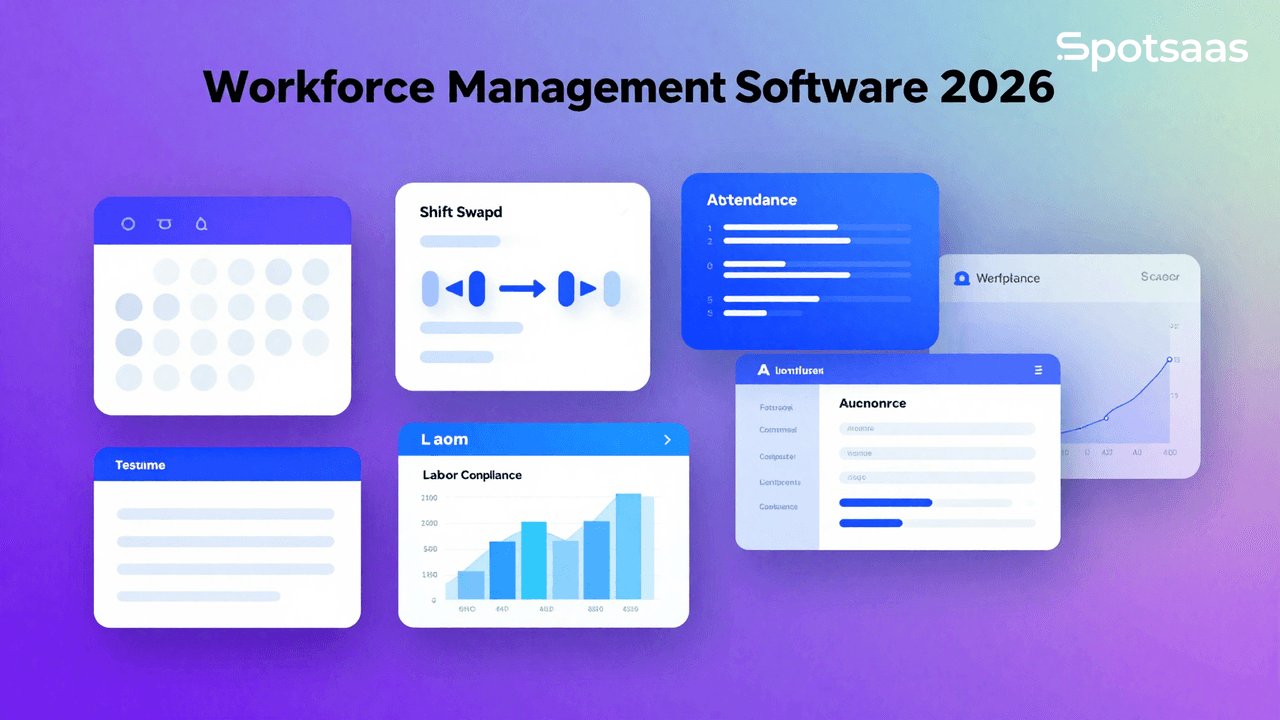
How Does Workforce Management Software Work?
Workforce management software is the digital layer that ties together scheduling, attendance tracking, task management, and overall workforce efficiency into one system. It’s what lets organizations stay compliant with labor law while simplifying HR work, automating payroll, and keeping a real handle on employee productivity.
Beyond the basics of scheduling and attendance, the stronger platforms add real-time analytics that actually inform decisions and workforce planning, and integrate with payroll, HRMS, and other enterprise tools so the whole workflow stays connected instead of fragmented across separate systems.
Why Should You Use Workforce Management Software?
Workforce management software automates scheduling, time tracking, payroll, and compliance work that would otherwise eat significant administrative time. Solutions like UKG Workforce Central, ADP Workforce Now, and Workday exist specifically to take that manual burden off HR teams while improving how efficiently the workforce itself gets allocated.
Improved employee scheduling for smarter workforce allocation
Automated shift planning cuts out the double-bookings, last-minute scrambles, and inaccurate attendance records that come with scheduling by hand. With that friction removed, managers build schedules that actually hold up, which shows up directly in both efficiency and employee satisfaction.
Accurate tracking of time and attendance
Digital timesheets, biometric systems, and mobile check-ins automatically capture work hours, absences, and overtime, closing the door on both honest human error and deliberate time theft. The payoff is payroll that’s consistently accurate rather than something HR has to double-check every cycle.
Optimizing labor costs and budget control
Visibility into workforce spending is what actually controls it — unnecessary overtime and budget overruns are far easier to catch when the software surfaces them in real time rather than at the end of a pay period. Proper allocation of staff keeps operations running without the business quietly bleeding money on avoidable overtime.
Boosting employee productivity through insights
Task assignments and productivity tracking give managers a factual read on who’s meeting goals and where the gaps actually are, instead of a general impression. Real-time performance insights are what let a manager reallocate workload or address a skill gap before it becomes a bigger problem for the team.
Ensuring compliance with labor laws
Automated compliance tracking keeps a business aligned with employment law, wage regulations, and overtime policy without someone manually cross-checking every schedule. That automation is what actually prevents the fines, lawsuits, and labor disputes that come from compliance slipping through the cracks.
Integrating payroll smoothly with attendance
Payroll calculated directly from logged hours, overtime, deductions, and tax rules removes the manual translation step between attendance data and a paycheck. That direct integration is what actually eliminates the errors and delays that come from re-entering the same data in two separate systems.
Managing remote and hybrid teams effectively
Mobile access, cloud-based reporting, and real-time communication tools are what make workforce management actually work for distributed teams, not just office-based ones. Employees can clock in remotely, check their schedule, and get task updates regardless of where they’re physically working from.
What Are the Key Features of Workforce Management Software?
The core feature set spans employee scheduling, attendance tracking, payroll automation, and performance analytics, with the more advanced platforms adding AI-driven forecasting and self-service employee portals on top. Ceridian Dayforce, Workforce.com, and When I Work are among the options built around genuinely strong workforce optimization, not just basic scheduling.
Smart scheduling and shift management features
Automated shift planning assigns staff based on availability, skill set, and workload demand, not a manager manually cross-referencing a spreadsheet, which cuts conflicts and last-minute scrambling significantly. Managers can still adjust shifts in real time for unexpected absences or shifting business needs, and employees get instant notifications about changes, not finding out at the start of a shift. Built-in labor-law compliance for hours and overtime rides along with every schedule the system generates.
Real-time tracking for time and attendance
Biometric systems, GPS tracking, and digital clock-ins log work hours, overtime, and breaks with a precision manual tracking can’t match, eliminating both errors and outright time fraud. Attendance trends and absenteeism patterns become visible to managers rather than anecdotal, which sharpens both resource allocation and workforce discipline. Direct integration with payroll keeps salary calculations and regulatory compliance connected to the same source data.
Automated payroll and benefits administration
Payroll processing runs directly off work hours and attendance records — salaries, tax deductions, bonuses, and benefits calculated automatically instead of assembled by hand each cycle. That removes a major source of human error and keeps payments accurate and on time. Employees get self-service access to their own payroll and benefits details, and accounting software integration keeps tax filing and financial reporting connected to the same numbers.
Task and project coordination tools
Assigning tasks, tracking progress, and setting deadlines inside the same platform gives managers real visibility into completion rates and where productivity is actually lagging. Built-in collaboration tools keep teams communicating without a separate messaging app, and task automation is what keeps projects on schedule without someone manually chasing status updates.
Employee self-service access
Giving employees direct access to their schedules, payroll details, leave requests, and performance records cuts down significantly on routine questions landing in HR’s inbox. Employees can request time off, swap shifts, and check benefits on their own timeline rather than waiting on someone else, and real-time schedule updates keep everyone informed automatically. That transparency tends to translate directly into stronger engagement and job satisfaction.
Performance and productivity dashboards
Detailed reporting on performance, efficiency, and engagement gives businesses a factual basis for identifying high performers and addressing skill gaps, instead of relying on manager impressions alone. AI-powered analytics can optimize resource allocation and flag productivity trends before they become a pattern, and tracking against clear KPIs helps managers actually support employees toward their targets, not just monitoring them. All of it feeds into more informed, longer-range workforce planning.
Simplified leave and absence management
Tracking vacation days, sick leave, and other absences in one place is what keeps staffing levels adequate instead of getting caught off guard. Automated leave approvals and advance notifications to managers head off scheduling conflicts before they happen, while self-service leave requests and balance tracking cut out a layer of back-and-forth. Tying leave management to the scheduling tool keeps workforce availability planning grounded in real data.
AI-driven forecasting for future workforce needs
Predictive analytics built on historical data and business trends let a company anticipate staffing needs ahead of a peak season instead of reacting to it. That forward planning is what actually prevents the costly extremes of overstaffing and understaffing, and the resulting decisions tend to be measurably more efficient and profitable than staffing based on gut instinct. The same forecasting also helps a business adapt as market demand and workforce trends shift over time.
What Are the Benefits of Workforce Management Software?
Beyond the individual features, workforce management software compounds into broader gains: higher efficiency, stronger employee satisfaction, tighter labor-law compliance, lower labor costs, and better real-time communication across the team. Clockify, Deputy, and Humanity are among the solutions built to scale across businesses of very different sizes.
Increased efficiency in daily operations
Automating scheduling, payroll, and attendance tracking removes a meaningful chunk of administrative workload and the human error that comes with doing it manually. Resources get allocated more effectively as a result, employees and managers both save real time, and that freed-up capacity is what lets a company actually focus on growth instead of daily administrative firefighting.
Higher employee satisfaction and engagement
Fair, transparent scheduling combined with self-service options is what actually improves communication between employees and management, not just adding another tool. Employees plan their personal time with less friction, and direct access to payroll, benefits, and leave requests visibly raises job satisfaction. Automated reminders and real-time updates keep everyone in the loop, and a genuinely well-managed workforce tends to show up in lower turnover and higher productivity.
Minimizing compliance-related risks
Staying aligned with labor laws, wage regulations, and overtime policy cuts legal exposure directly, and automated tracking of hours and payroll calculations minimizes the errors that lead to compliance violations in the first place. Built-in audit reports make regulatory requirements easier to satisfy, and alerts that flag potential violations give a business the chance to correct course before it becomes a fine, a lawsuit, or reputational damage.
Better control over labor costs
Tracking overtime, absenteeism, and unnecessary staffing directly is what optimizes labor costs rather than guessing at where the waste is. Real-time analytics inform budget-conscious staffing decisions, and preventing overstaffing and unplanned overtime both save real money — cost control that ultimately supports better financial sustainability and profitability.
Stronger team communication and collaboration
Real-time messaging, shift notifications, and task tools keep teams aligned on changes, assignments, and policy without relying on word of mouth. Managers and employees stay connected even across remote setups, and that improved communication cuts down on the misunderstandings that otherwise slow teams down — better coordination that shows up directly in productivity.
Scalability to match growing business needs
A workforce management platform built to scale means a startup won’t have to migrate systems the moment it grows into a mid-sized company, let alone a large enterprise. Businesses can add features as operations expand, and that flexibility is what supports long-term success rather than forcing a disruptive platform switch down the line.
What Types of Workforce Management Software Are Available?
The main categories are all-in-one platforms, specialized time-tracking tools, and AI-powered workforce planning solutions, and which one fits depends heavily on what a business actually needs solved. ADP Workforce Now covers complete workforce management, Clockify handles time tracking specifically, and Workday focuses on HR and payroll.
All-in-one platforms for full workforce oversight
These complete platforms combine scheduling, payroll, attendance, and HR functions into a single system, eliminating the need to run several separate tools side by side. Centralized data access and simplified workflows are the direct payoff, which is why these solutions tend to suit large enterprises looking for one unified system instead of a patchwork. AI analytics and compliance tracking are common add-ons that extend their functionality further.
Examples: UKG Workforce Central, ADP Workforce Now
Specialized tools for time and attendance management
Built specifically to track work hours, breaks, and overtime accurately, these tools prevent time fraud and reinforce labor-law compliance in a focused way, not as one feature among many. They’re especially common in industries like healthcare and manufacturing that require strict attendance monitoring, letting businesses track patterns and enforce punctuality more consistently. Payroll integration keeps salary calculations tied to the same attendance data. This reduces errors.
Examples: Clockify, Deputy
Scheduling-focused software for shift-heavy industries
Built around optimizing shift planning and availability tracking, these tools are the strongest fit for businesses with genuinely fluctuating staffing needs — retail, hospitality, call centers. Scheduling conflicts drop and workforce distribution improves, employees get real-time shift notifications, and advanced tools can even factor in individual scheduling preferences instead of assigning shifts blindly.
Examples: When I Work, Humanity
HR and payroll systems with workforce tools built-in
These solutions automate HR functions, payroll processing, tax deductions, and benefits administration together. This helps a business stay compliant with labor law while keeping salary payments accurate. Employee records, onboarding, and performance tracking all get simplified in the process, and accounting tool integration keeps financial reporting and payroll audits connected to the same source data — managing workforce compensation with fewer manual errors overall.
Examples: Workday, Paycor
AI-powered software for predictive workforce planning
These tools lean on AI-driven insights and predictive analytics to optimize workforce planning and labor efficiency ahead of time, not reactively. Businesses can anticipate demand and adjust staffing levels before a shortfall hits, with AI recommendations enabling more proactive scheduling and decision-making. The direct payoff is cost savings from avoiding both overstaffing and understaffing, plus stronger long-term workforce management strategy overall.
Examples: Workforce.com, Ceridian Dayforce
How do you choose the best workforce management software?
Choosing the right workforce management software matters for businesses of every size — the right system simplifies scheduling, keeps attendance accurate, ensures labor-law compliance, and lifts operational efficiency across the board.
Get the choice right, and the payoff is less administrative burden, fewer payroll errors, and genuinely higher employee satisfaction — not just a new tool to manage.
What goals should you set before choosing workforce management software?
Improve scheduling and shift management
Scheduling sits at the core of workforce management, so the software needs to make creating, editing, and managing schedules genuinely easy for managers. Flexible scheduling that accounts for employee preferences, availability, and real business needs cuts down on errors and conflicts, and automating the process reduces the manual effort of building shifts from scratch while still ensuring adequate coverage.
Track time and attendance
Automated time tracking that records clock-in and clock-out times, plus breaks and overtime, is what actually reduces human error and prevents time theft while keeping employees paid accurately and on schedule. The software should also surface attendance trends early enough to catch absenteeism or tardiness before it becomes a pattern.
Enhance workforce productivity
Beyond time and attendance, strong workforce management software integrates performance metrics and real-time insights that actually boost productivity. Tracking task completion rates, time spent on specific work, and overall output gives businesses concrete data for optimizing staffing rather than relying on assumptions.
Ensure compliance and labor law adherence
Compliance is non-negotiable, particularly in regions with strict labor regulation. The software should help enforce overtime rules, meal break requirements, and time-off policy specific to your jurisdiction, along with wage laws and rest period rules — the kind of detail that avoids costly fines and penalties down the line.
What types of workforce management software are available?
Cloud-based workforce management software
Cloud platforms suit businesses that need to access workforce data remotely and want to scale flexibly without leaning heavily on internal IT. Subscription-based pricing also means paying only for the features actually needed, without upfront infrastructure costs weighing down the decision.
On-premise workforce management software
On-premise software runs on a company’s own servers, handing over more direct control of data security and privacy in exchange for a bigger investment. It tends to fit large companies with dedicated IT departments and complex data requirements that justify the ongoing infrastructure and maintenance cost.
Integrated workforce management systems
Integrated systems bring time tracking, payroll, scheduling, and performance management into one platform, so workforce data doesn’t end up scattered across separate tools. That consolidation is what makes generating complete reports and insights genuinely straightforward rather than a manual assembly job.
Custom workforce management solutions
Custom solutions get built around a business’s specific needs, letting a company tailor both features and workflows exactly to its operations — a good fit for specialized workforce requirements that off-the-shelf software can’t quite cover. The tradeoff is a higher upfront cost and ongoing development that a standard platform wouldn’t require.
How should your workforce software manage data and integrations?
Payroll systems
Integration with payroll software automatically transfers hours, overtime, bonuses, and other pay-related data, cutting out manual entry and helping ensure payroll runs accurately and on time every cycle.
HR management systems
HR tool integration gives a business a genuinely holistic view of each employee — benefits, job role, performance — and simplifies tracking promotions, transfers, and other HR work that would otherwise require cross-referencing multiple systems.
Attendance and time tracking systems
Direct integration with attendance systems means work hours and attendance trends record automatically, keeping tracking accurate and reducing the payroll discrepancies that come from re-entering the same data by hand.
Performance management tools
Integrating performance-tracking software lets managers connect productivity data directly to scheduling and time tracking, so workforce insights reflect the full picture, not isolated metrics.
What features should you look for in workforce management software?
Core features
→ Employee scheduling: Allows managers to create, edit, and manage schedules with shift swapping, time-off requests, and employee preferences
→ Time and attendance tracking: Ensures accurate clock-in/out, overtime calculation, and leave tracking
→ Payroll management: Automates tax calculations, deductions, and payment processing through integrated systems
→ Compliance tracking: Supports labor law compliance for wages, breaks, overtime, and worker classifications
→ Reporting and analytics: Offers real-time insights into scheduling, payroll, and productivity data
Which advanced features improve efficiency and engagement?
Advanced features
→ Mobile access: Enables employees and managers to access the platform via smartphones to manage schedules and time entries
→ AI and machine learning: Optimizes shift planning based on availability, performance, and business needs
→ Self-service capabilities: Allows employees to request time off, view pay stubs, and manage schedules independently
→ Workforce planning and forecasting: Uses historical data to predict staffing needs and adjust workforce levels
→ Automated alerts and notifications: Notifies staff about shift changes, compliance issues, or approvals in real time
How can reporting and analytics drive better decisions?
Granular reporting
→ Time and attendance reports: Tracks patterns in absenteeism, tardiness, overtime, and productivity
→ Payroll and labor cost reports: Provides detailed visibility into wages, bonuses, and overtime expenses
→ Employee performance reports: Evaluates task completion, engagement, and high/low performers
Visualization tools
→ Custom dashboards: Summarize workforce KPIs like hours worked, absenteeism, and team capacity in a single view
→ Interactive reports: Allow users to filter and explore detailed workforce data by department, role, or location
What pricing model fits your business best?
Subscription-based pricing
Pay a fixed monthly or annual fee based on users or features — ideal for predictable budgeting and growing businesses.
Pay-per-use pricing
Only pay for what you use — great for seasonal businesses or companies with fluctuating staff numbers.
Custom pricing plans
Larger organizations can benefit from tailored pricing that includes custom integrations, features, and support packages.
How do you ensure the software grows with your business?
Multi-location and multi-team support
The software should support multiple branches or teams. This allows centralized control with localized flexibility.
Scalable employee management
As your business expands, the platform should handle more users, locations, and roles without slowdowns or data loss.
Customizable features for growth
Scalable solutions allow adding modules, adjusting permissions, and changing workflows as business needs evolve.
What support and training should the provider offer?
24/7 technical assistance
Your provider should offer reliable, round-the-clock support via phone, email, or chat.
Onboarding and tutorials
Access to complete onboarding materials — including walkthroughs, videos, and webinars — ensures your team gets up to speed fast.
How does the top workforce management software compare?
Some of the leading workforce management platforms include UKG Workforce Central, ADP Workforce Now, Workforce.com, and Ceridian Dayforce, each built around a slightly different strength.
Some specialize in scheduling, others in compliance or payroll automation specifically. Here’s how the major options compare on pricing and focus:
| Software | Pricing | Key Features | Best For | Customers |
|---|---|---|---|---|
| UKG Workforce Central | Custom Pricing | Workforce scheduling, payroll, compliance | Large enterprises, HR teams | Corporations, global businesses |
| ADP Workforce Now | Custom Pricing | HR, payroll, and benefits management | Small to mid-sized businesses | HR professionals, payroll teams |
| Clockify | Free to premium | Time tracking, productivity monitoring | Remote and hybrid teams | Startups, freelancers |
| Deputy | Starting at $2.50/user | Employee scheduling, time tracking | Retail, healthcare, hospitality | Shift-based businesses |
| Workday | Custom Pricing | HR, payroll, workforce analytics | Enterprises, corporate HR | Large organizations |
| When I Work | Starting at $2/user | Shift scheduling, team communication | Small to mid-sized businesses | Restaurants, retail stores |
| Workforce.com | Custom Pricing | AI-powered workforce planning | Enterprises, manufacturing | Large-scale workforce management |
| Ceridian Dayforce | Custom Pricing | HR, payroll, workforce forecasting | Corporate and finance sectors | Large firms, HR departments |
Choose the one that matches your business needs, size, and budget for long-term value — the “best” option here genuinely depends on which of these strengths matters most for your specific operation.
Final thoughts on choosing workforce management software
Workforce management software improves efficiency, reduces labor costs, and optimizes employee productivity across the board. Whether the priority is scheduling, payroll automation, or workforce forecasting, these platforms are what let a business simplify HR functions while staying compliant with labor law.
Which software actually fits depends on the organization’s size, integration needs, and specific workforce management goals. Get that choice right, and the payoff is stronger employee engagement, real operational efficiency, and long-term business success, not just another system to maintain.
Compare alternatives to the tools in this post

- Independent picks for exactly what you just read about
- Matched to your team size & needs
- Vendors don't pay for placement
Step 1 of 4
How big is your team?
We tailor recommendations to companies your size.















Related Articles
Buyers guide
Twilio Alternatives 2026: 6 Compared and What They Cost
Continue reading →
Buyers guide
How To Choose The Best Auto Dialer Software For 2026
Continue reading →
Buyers guide
How To Choose The Best Freelance Platforms For 2026
Continue reading →
Buyers guide
How To Choose The Best Audience Response Software For 2026
Continue reading →