
Goodshuffle Pro Software Review 2026: Pricing, Integrations, and Real Performance for Event Rental Teams
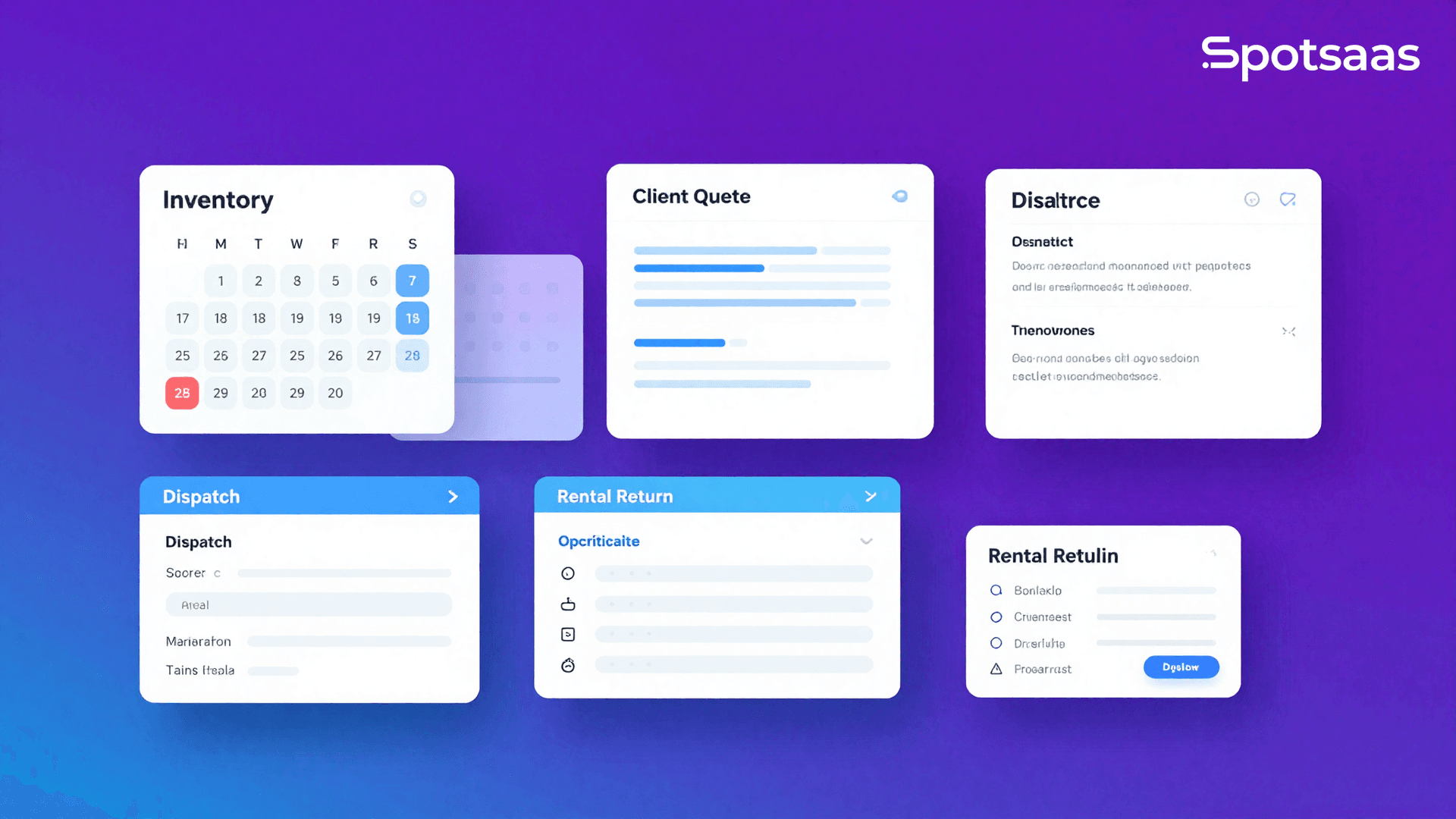
Running an event rental business means juggling dozens of moving parts at once: inventory availability, client quotes, signed contracts, dispatch schedules, and on-time returns. Goodshuffle Pro is event rental software that pulls all of these workflows into one cloud-based system. This review covers pricing, integrations, real user feedback, and how Goodshuffle Pro stacks up against alternatives so your team can make a confident decision in 2026.
What Is Goodshuffle Pro and Who Is It Built For?
Quick Answer: Goodshuffle Pro is a cloud-based event rental management platform built for small to mid-size rental companies handling inventory, quoting, contracts, payments, and logistics. It serves AV, tenting, linen, furniture, and general party rental businesses that need real-time availability tracking and streamlined client workflows in one place.
Goodshuffle Pro is built specifically for the event rental industry. Unlike generic inventory tools or broad CRM platforms, its entire feature set follows the rental lifecycle: a customer requests equipment, you quote it, confirm availability, generate a contract, collect payment, dispatch to the venue, and track the return.
The platform works for businesses ranging from solo operators to teams of 20 or more managing hundreds of SKUs across multiple event dates at once. Party rental companies, AV rental operations, tent and linen rental businesses, and event décor companies make up the core user base. That range matters because a rental company’s software needs change a lot between those two ends: a solo operator mostly needs quoting and contracts to look professional, while a 20-person team needs the warehouse, dispatch, and reconciliation layers to keep multiple simultaneous events from colliding.
As of 2026, Goodshuffle Pro continues to refine its mobile experience and warehouse workflow tools, responding to growing demand for on-the-go order management from field teams. If your business is scaling and your current tools are creating friction, this platform deserves a close look.
Key Statistics: Why Event Rental Software Matters in 2026
A quick look at the market context explains why dedicated rental software has become more important for competitive businesses.
- According to IBISWorld (2026), the event rental industry in the United States generates over $6.5 billion in annual revenue, with demand accelerating as live events and corporate gatherings return at full scale.
- A 2026 Software Advice survey found that 68% of event rental businesses still rely on spreadsheets or fragmented tools to manage inventory, directly contributing to costly double-bookings and fulfillment errors.
- Businesses that adopt integrated rental management software report a 30–40% reduction in scheduling conflicts, according to data compiled by rental industry operations consultants in 2026.
- Mobile-first order management usage in field operations grew by 52% between 2023 and 2026, a sign of how much warehouse and delivery teams now depend on strong mobile interfaces.
- According to the American Rental Association (2026), event rental businesses with digital contract and payment workflows collect deposits an average of 3.2 days faster than those relying on manual processes.
How Does Goodshuffle Pro Actually Work? A Step-by-Step Workflow
Goodshuffle Pro’s value comes from how tightly it connects each stage of the rental process. Here is how a typical order flows through the platform from first contact to final return.
- Lead Capture and Inquiry Management: Clients submit event details through your website inquiry form or you manually enter them. The platform logs the inquiry and attaches it to a client profile automatically.
- Quote Creation with Real-Time Availability: You build a quote directly inside the platform, selecting inventory items. Goodshuffle Pro checks real-time availability across your calendar so you never accidentally double-book an item.
- Contract Generation and E-Signature: Approved quotes convert to contracts in one click. Clients receive a branded digital contract they can sign online without printing or scanning anything.
- Payment Collection: The platform processes credit card payments, deposits, and final balances through integrated payment processing. Payment schedules can be automated based on event date rules you define.
- Warehouse Pick List and Dispatch: Before the event, your warehouse team receives a generated pick list showing exactly which items are needed, their quantities, and their pull locations. Dispatch notes attach to the order.
- Delivery and Field Operations: Drivers and field crews access their job details via mobile. Delivery confirmations, damage notes, and signatures can be captured on-site.
- Return Tracking and Reconciliation: When items return to the warehouse, your team checks them back in through the platform. Damaged or missing items are flagged and tied to the original order for billing resolution.
Goodshuffle Pro Core Features Breakdown
Goodshuffle Pro covers the full stack of operational needs for an event rental business. Here is a closer look at what each major feature set actually delivers.
Inventory Management and Availability Tracking
The inventory system is the core engine of Goodshuffle Pro. You can build out your full catalog with photos, descriptions, pricing tiers, and sub-item relationships (for example, a tent package that includes stakes, poles, and sidewalls as sub-components).
Real-time availability is the standout capability here. Every item on every quote is cross-referenced against your event calendar, which removes the guesswork and manual double-checking that causes most rental errors. Staff can see exactly what is available for any given date range in seconds.
Quoting and Proposal Tools
Quotes in Goodshuffle Pro are visual and client-friendly. You can include item photos, descriptions, pricing breakdowns, and optional upsell items in a single proposal document. Clients can approve, request changes, or ask questions directly through the proposal interface.
Discount rules, tax settings, and delivery fees can be templated so your team applies them consistently without manual calculation errors.
Contracts and E-Signatures
Contracts are generated directly from approved quotes, pulling in all the line items, pricing, and terms automatically. Your standard rental terms, liability clauses, and cancellation policies are embedded into the template. Clients sign electronically, and the signed document is stored in the order record.
Payment Processing and Financial Reporting
Goodshuffle Pro integrates directly with Stripe for payment processing. You can charge deposits at booking, schedule automated payment reminders, and collect final balances before event dates. The platform also generates revenue reports, outstanding balance summaries, and event-level profitability views.
Warehouse and Logistics Operations
This is where Goodshuffle Pro sets itself apart from CRM-first or quoting-only tools. The warehouse module generates pick lists, tracks item pull status, assigns items to trucks or crews, and logs check-in and check-out activity. Field teams use mobile access to view their assignments without needing a desktop.
Client Portal and Communication Tools
Clients get access to a branded portal where they can view their quote, sign their contract, make payments, and communicate with your team. This cuts down on back-and-forth email chains and keeps all event documentation in a single accessible location for both parties.
Goodshuffle Pro Pricing: What Does It Cost in 2026?
Goodshuffle Pro uses a subscription-based pricing model. Unlike some competitors, it does not charge per-user fees at every tier, which makes it more cost-predictable for growing teams. Below is a general overview based on publicly available information as of 2026.
| Plan | Best For | Key Inclusions | Starting Price (Monthly) |
|---|---|---|---|
| Starter | Solo operators and very small rental teams | Inventory, quoting, contracts, e-signatures | Contact for quote |
| Pro | Growing rental businesses with warehouse teams | All Starter features plus warehouse tools, dispatch, payment processing | Contact for quote |
| Enterprise | Multi-location or high-volume rental operations | All Pro features plus advanced reporting, dedicated support, custom onboarding | Contact for quote |
Pricing shown is approximate; check vendor websites for current rates.
Goodshuffle Pro does not publish flat-rate pricing publicly, since plans are customized based on inventory volume and team size. Request a direct demo and pricing conversation through their official site to get an accurate quote for your operation.
Goodshuffle Pro vs. Top Competitors: How Does It Compare?
Businesses evaluating Goodshuffle Pro most commonly compare it against HoneyBook, Rentman, and EZRentOut. Here is how the platforms line up across the dimensions that matter most.
| Platform | Primary Focus | Real-Time Inventory Tracking | Warehouse / Dispatch Tools | E-Signature Included | Best For |
|---|---|---|---|---|---|
| Goodshuffle Pro | Event rental (end-to-end) | Yes — native | Yes — native | Yes | Event rental businesses needing full lifecycle management |
| HoneyBook | Creative service businesses / freelancers | No | No | Yes | Photographers, planners, solopreneurs — not equipment rental |
| Rentman | AV and event production rental | Yes — native | Yes — native | Yes | AV production companies with crew scheduling needs |
| EZRentOut | General equipment rental | Yes — native | Partial | Yes | Businesses renting non-event equipment like tools or machinery |
| Current RMS | AV and production rental | Yes — native | Yes — native | Yes | Larger AV production rental companies with complex logistics |
The clearest takeaway from this comparison: HoneyBook is not a rental management platform — it is a client workflow tool for service businesses. If you are weighing HoneyBook against Goodshuffle Pro for an equipment rental business, Goodshuffle Pro is the built-for-purpose choice, and HoneyBook simply has no inventory or warehouse functions to compete with.
Goodshuffle Pro Integrations: What Tools Does It Connect With?
Integrations matter because most rental businesses already use accounting software, marketing tools, or payment processors they are not willing to abandon. Goodshuffle Pro’s integration list as of 2026 includes the following key connections.
- QuickBooks Online: Syncs invoices, payments, and client records to keep your bookkeeping accurate without manual data entry between systems.
- Stripe: Native payment processing for deposits, scheduled payments, and final balance collection directly through the platform.
- Google Calendar: Event dates sync to Google Calendar so your team has visibility into the schedule from their preferred calendar tool.
- Zapier: Connects Goodshuffle Pro to hundreds of third-party apps for custom workflow automation outside the native integration list.
- Website Inquiry Forms: Embeddable inquiry widgets allow potential clients to submit event requests directly from your website, populating the platform automatically.
For businesses using more advanced marketing automation or CRM tools, the Zapier connection provides real flexibility. That said, Goodshuffle Pro is not built as an open API platform for deep custom development, so very large enterprises with complex integration requirements should check whether the native options cover their needs before committing.
What Real Event Rental Professionals Say About Goodshuffle Pro
Across review platforms, event rental professionals tend to raise the same points, whether they are praising the platform or flagging friction.
What Users Praise Most
Real-time availability is the feature teams mention most often — being able to check item availability instantly eliminates the spreadsheet gymnastics that used to cause double-bookings. Clients respond well to the professional, visual proposal format, and users say it increases quote acceptance rates compared to emailed PDF quotes. Reviewers also single out Goodshuffle Pro’s onboarding team as responsive and proactive during setup, which cuts down on the usual friction of adopting new software. On the warehouse side, field and staff report that generated pick lists meaningfully reduce pull errors and last-minute scrambles before delivery.
Where Users Report Friction
- Reporting depth: Some users managing larger operations note that custom reporting options are more limited than they would like, requiring QuickBooks exports for deeper financial analysis.
- Mobile app completeness: While the mobile experience has improved significantly as of 2026, some field users note that certain desktop workflows are not yet fully replicated on mobile.
- Pricing transparency: Because pricing is not published publicly, some prospective users find the evaluation process slower than platforms with clearly listed tiers.
- Learning curve for catalog setup: Building out a large, complex inventory catalog with sub-components and pricing tiers takes real time upfront, though users report the payoff is worth it.
Three Things Goodshuffle Pro Does That Most Competitors Do Not
Beyond the standard feature comparisons, there are three specific capabilities where Goodshuffle Pro genuinely stands apart from the broader event rental software market.
1. Sub-Item Inventory Relationships for Package Rentals
Many rental businesses sell packages — a tent package that includes the tent, stakes, sidewalls, and lighting as a single line item with underlying sub-components tracked separately. Goodshuffle Pro handles this natively, tracking sub-component availability individually while presenting the package cleanly to clients on quotes.
Most general inventory tools require manual workarounds for this use case. Goodshuffle Pro’s event-specific design makes package rental a first-class workflow instead of an afterthought.
2. Damage and Loss Billing Connected Directly to Orders
When items are returned damaged or not returned at all, Goodshuffle Pro lets your team flag the issue at check-in and generate a damage charge or replacement invoice tied directly to the original order and client record. That closes a loop most rental businesses currently handle entirely outside their software.
3. Visual Proposal Experience Designed for Non-Technical Clients
Goodshuffle Pro’s client-facing quote interface includes item photos, descriptions, and interactive approval options rather than a static line-item PDF. This matters most for décor, linen, and furniture rental businesses where clients are making visual decisions and need to see what they are renting, not just a product code and a price.
Is Goodshuffle Pro the Right Fit? How to Evaluate Before Buying
Businesses that get the most value from Goodshuffle Pro tend to share a few consistent characteristics.
- You manage physical inventory across multiple event dates: If your primary challenge is tracking what items are available when, Goodshuffle Pro’s real-time availability system addresses this directly.
- You have a team of two or more people involved in fulfillment: The warehouse pick list, dispatch, and mobile field tools are designed for team operations. Solo operators may find the full feature set more than they need.
- Your clients currently receive unprofessional or inconsistent quote formats: If you are sending PDF quotes built in Word or Excel, the client-facing proposal system alone represents a significant upgrade in perceived professionalism.
- You want to reduce administrative time on contracts and payment chasing: The e-signature and automated payment scheduling features directly reduce the hours your team spends on manual follow-up.
- You are ready to invest time in proper catalog setup: Goodshuffle Pro delivers its full value only when your inventory is properly configured. Businesses willing to invest in that initial setup see the strongest results.
If you are a very early-stage operator with fewer than 50 SKUs and minimal team complexity, a lighter tool may be enough for now. But for any rental business feeling growing pains from manual processes, Goodshuffle Pro is worth a structured evaluation.
You can explore how Goodshuffle Pro fits into the broader event rental software landscape by visiting goodshufflepro.com to request a demo directly from the team.
Goodshuffle Pro Onboarding: What to Expect in the First 90 Days
What happens after you sign the contract matters as much as the software itself, and it is often the part evaluations skip. Goodshuffle Pro provides structured onboarding support that most users describe as one of its competitive strengths compared to self-serve software alternatives.
In the first 30 days, the focus is typically on catalog migration — getting your inventory, pricing, and item photos loaded into the system correctly. This is the most time-intensive phase and determines how well the platform performs for your specific business.
Days 30–60 are usually focused on team training: quoting workflows, contract templates, payment processing setup, and warehouse operations. Goodshuffle Pro provides access to training resources and live support during this phase.
By day 90, most teams have processed their first full event cycles through the platform and are beginning to identify which workflows need further refinement. Teams that commit fully to the onboarding process tend to see measurable improvements in operational efficiency within this window.
Frequently Asked Questions About Goodshuffle Pro
What is Goodshuffle Pro used for?
Goodshuffle Pro is used by event rental businesses to manage inventory availability, create client quotes and contracts, collect payments, organize warehouse pick lists, coordinate delivery dispatch, and track item returns. It is designed specifically for the event rental industry lifecycle from first inquiry to final return.
How much does Goodshuffle Pro cost?
Goodshuffle Pro does not publish flat-rate pricing publicly as of 2026. Pricing is customized based on your inventory volume, team size, and operational requirements. Prospective customers need to request a demo and pricing conversation directly through the Goodshuffle Pro website to receive an accurate quote for their business.
Is Goodshuffle Pro worth it for small rental businesses?
Goodshuffle Pro is well-suited for small rental businesses experiencing operational friction from spreadsheets or fragmented tools. If you manage more than 50 inventory SKUs, work with multiple clients simultaneously, and have at least one team member handling logistics, the platform’s efficiency gains typically justify the investment quickly.
How does Goodshuffle Pro compare to HoneyBook?
Goodshuffle Pro and HoneyBook serve fundamentally different markets. HoneyBook is built for creative service businesses like photographers and planners — it has no real-time inventory tracking or warehouse tools. Goodshuffle Pro is built for equipment rental. For any business managing physical rental inventory, HoneyBook is not a meaningful alternative.
Does Goodshuffle Pro have a mobile app?
Yes, Goodshuffle Pro offers mobile access for field teams and warehouse staff as of 2026. The mobile experience has improved significantly over recent versions. Field crews can view delivery assignments, capture signatures, and log notes on-site. Some users note that a small number of desktop-only workflows are still being expanded to mobile.
What integrations does Goodshuffle Pro support?
Goodshuffle Pro integrates natively with QuickBooks Online for accounting, Stripe for payment processing, and Google Calendar for schedule visibility. It also connects to hundreds of third-party applications through Zapier for custom workflow automation. An embeddable website inquiry form integration is also available for lead capture directly from your website.
Can Goodshuffle Pro prevent double-bookings?
Yes. Goodshuffle Pro’s real-time availability tracking checks every inventory item against your event calendar when building quotes, preventing double-bookings at the quoting stage before commitments are made. This is one of the platform’s most valued features among users who previously relied on spreadsheets or disconnected tools to manage availability.
Does Goodshuffle Pro support electronic signatures on contracts?
Yes. Goodshuffle Pro includes native e-signature functionality. Contracts generated from approved quotes are sent to clients digitally, who can sign online without printing or scanning documents. Signed contracts are stored directly in the order record and accessible to both your team and the client through the platform’s client portal.
How long does it take to set up Goodshuffle Pro?
Most event rental businesses complete core setup within 30 to 60 days, depending on catalog complexity and team size. The most time-intensive step is migrating inventory data and configuring item relationships. Goodshuffle Pro’s onboarding support team assists during this process, and teams with simpler catalogs can typically go live faster.
What types of event rental businesses use Goodshuffle Pro?
Goodshuffle Pro is used by party rental companies, AV rental operations, tent and linen rental businesses, event furniture rental companies, and general event décor rental operations. Any business that rents physical inventory for events — from tablecloths and chairs to audiovisual equipment and large tenting structures — fits the platform’s core use case.
Is Goodshuffle Pro cloud-based?
Yes. Goodshuffle Pro is fully cloud-based, meaning your team can access it from any device with an internet connection without installing local software. This makes it accessible for both office staff building quotes and warehouse or field teams checking orders on mobile devices during event preparation and delivery.
How does Goodshuffle Pro handle damaged or missing items?
Goodshuffle Pro allows warehouse staff to flag damaged or missing items during the return check-in process. Those flags are tied directly to the original order and client record, enabling your team to generate damage charges or replacement invoices without creating separate records. This closes a workflow gap that most rental businesses previously managed outside their software entirely.
Final Verdict: Should Your Event Rental Business Use Goodshuffle Pro in 2026?
Goodshuffle Pro stands out as one of the most complete event rental management platforms available in 2026. Its real-time inventory availability, visual client proposals, native warehouse and dispatch tools, and e-signature contracts directly address the problems that do the most damage in event rental businesses: double-bookings, fulfillment errors, and slow client workflows.
The platform is not a fit for everyone. Very small operators with minimal inventory and no warehouse team may find lighter tools sufficient. And businesses needing deep custom reporting or extensive API flexibility should check whether the native feature set covers their requirements before committing.
But for the core market — growing event rental businesses with a real team, real inventory complexity, and real clients expecting professional service — Goodshuffle Pro delivers a platform built for the job that generic tools simply cannot replicate.
If you are ready to compare Goodshuffle Pro alongside other top-rated event rental and inventory management platforms, explore the full software category on Spotsaas to read verified reviews, compare features side by side, and find the right fit for your business size and budget. Making a well-informed software decision in 2026 starts with seeing all your options in one place.

- Independent picks for exactly what you just read about
- Matched to your team size & needs
- Vendors don't pay for placement
Step 1 of 4
How big is your team?
We tailor recommendations to companies your size.















Related Articles
AI Software
AI in Construction (2026): 8 Use Cases, Tools and Risks for Contractors
Continue reading →
Construction Software
Best Construction Time Tracking Software and Time Clock Apps: Best Time Tracking Solutions for 2026
Continue reading →
Construction Software
Best HR Software for Construction Companies in 2026: Streamline Workforce & Compliance
Continue reading →
Buyers guide
Best Equipment Rental Software in 2026: 8 Tools for Tracking and Utilization
Continue reading →