
9.3
SpotScore

timr Review: Is It The Right Time Tracking Software For Your Team?
Best for SMB teams · Mid-market · Enterprise
Free Trial Available
 GDPR
GDPR DMS Factory
 Deckweiss
Trusted by teams including DMS Factory
Overview
Pricing
Features
Buyer feedback
Alternatives
Customers
Media
Security & Compliance
Support
FAQ
Blogs
Spotsaas Analysis for timr
timr is a time tracking software for Project Managers and Marketing Coordinators at medium-sized businesses with 50 to 500 employees. With a rating of 4.3/5 from 9 reviews and a SpotScore of 9.3, timr provides straightforward time management for teams tracking billable hours. The platform includes idle time detection to capture non-productive periods, though its reporting capabilities are limited compared to enterprise-grade analytics tools.
Time tracking software helps teams monitor labor costs and project profitability by replacing manual timesheets with automated hour logging. The primary workflow improvement is reducing time entry errors and eliminating administrative overhead for payroll processing.
Quick picks:
What is timr?
timr is a web application designed to help you or your team track billable work hours. timr was built with simplicity, flexibility and ease of use in mind. It has features including timesheet approvals, time capture by exception - also known as idle time tracking, custom fields to fit any project/client and integration with many popular invoicing systems.
Pricing
Free Trial available
Best For
Suited for small teams, SMBs, and enterprise
Security & Compliance
GDPRData residency:Global
Platform
Web + mobile app (iOS & Android)
Mobile - Windows
Mobile - BlackBerry
timr Screenshots

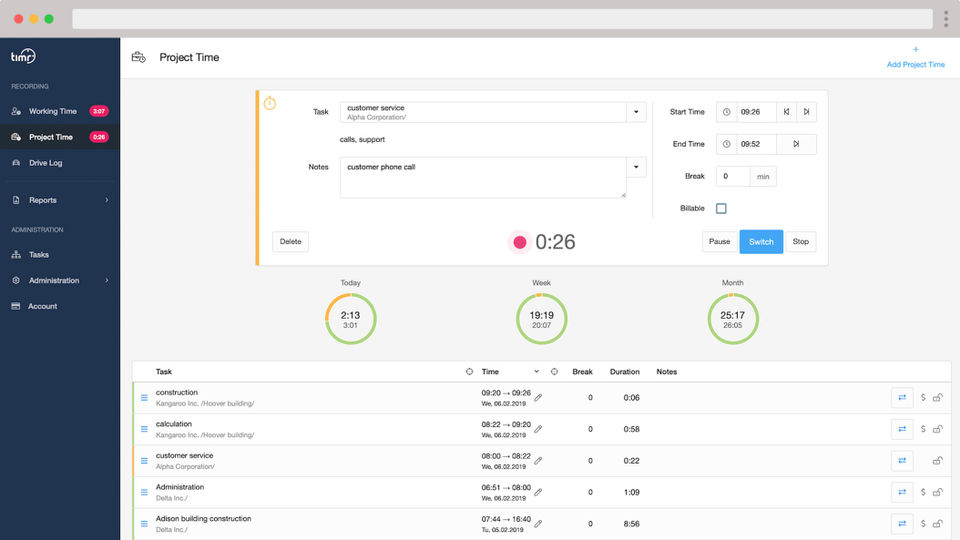
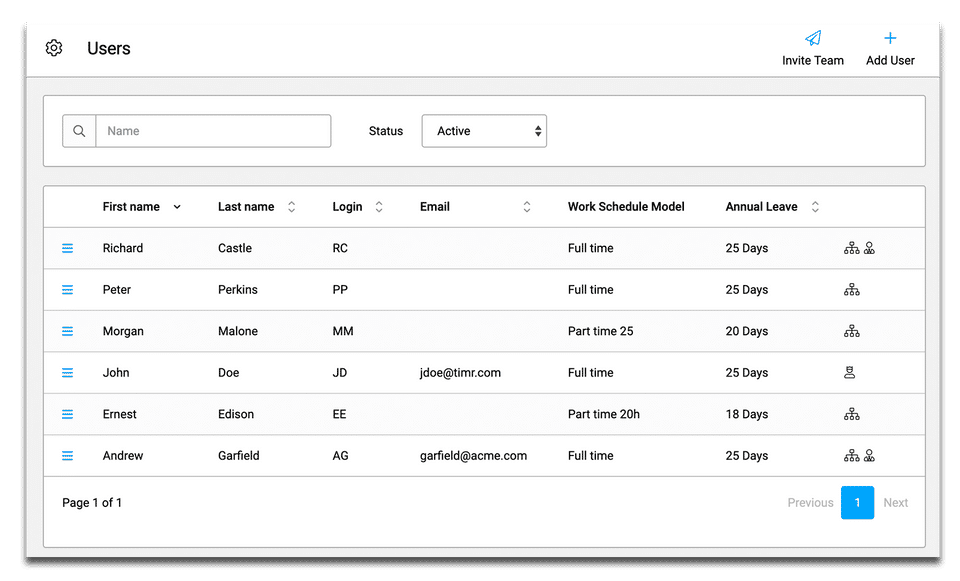
timr was reviewed internally using user feedback, in-house testing, and market research to assess its performance, reliability, and user experience. Learn how we review products and our evaluation process.

Who should consider timr
- Use cases
- Marketing Technology, Sales Automation, Consulting
- Team types
- Project Managers, Marketing Coordinators
- Company size
- 50 to 500 employees, Medium Business
- Workflow style
- Simple and streamlined
- Setup complexity
- Low
Why teams choose timr
Intuitive and effortless time tracking interface
Robust reporting features for productivity insights
Seamless integration with invoicing and payroll systems
Is timr right for you?
Best for medium businesses needing simple, flexible time tracking with invoicing integration.
Choose timr if
- You manage a team of 50-500 employees needing straightforward time tracking.
- You require idle time tracking and custom fields for diverse projects or clients.
- You want seamless integration with popular invoicing and payroll systems.
Consider alternatives if
- Your company demands advanced enterprise-grade process controls and extensive customization.
- You are a very large enterprise with complex workflows needing deep integrations.
What buyers should know before shortlisting timr
timr is designed for simplicity and flexibility, making it easy to track billable hours. While it offers useful features like idle time tracking, it may lack advanced functionalities and a mobile app.
timr pros and cons
- timr pros
Intuitive and effortless time tracking interface
Robust reporting features for productivity insights
Seamless integration with invoicing and payroll systems
- timr cons
Limited information on advanced customization options
Potentially insufficient for very large enterprises with complex needs
Ready to try it?
Get started with timr
Start your free trial — no credit card required.
Still comparing?
See how it stacks up
Compare timr side-by-side with top Time Tracking Software alternatives.



What is the pricing of timr?
timr Pricing Plans
Regular
Working time measurement Working time & absence Hours & holiday account Timesheet
Working time & absence
Hours & holiday account
Timesheet
Project Time Tracking Create customers & projects Assign tasks Determine billability
Show more +
Plus
Includes features of Regular Plan, plus
Project budgets Hourly, turnover & cost view
Hourly, turnover & cost view
Set hourly rates Per task & per employee
Per task & per employee
Show more +
Enterprise
Includes features of Plus Plan, plus
Advanced Permission Area manager, department manager, team leader, project manager
Area manager, department manager, team leader, project manager
Team registration by foreman Ideal for construction work teams
Ideal for construction work teams
Show more +
Weighing your options?
Not sure if timr fits your budget?
timr reviews and ratings
Buyer sentiment
Overall positive sentiment highlights ease of use and integration, with some concerns about scalability and customization.
What buyers like
- Ease of use
- Integration capabilities
- Reporting and productivity insights
Common complaints
- Limited advanced customization
- Small user base and limited reviews
Are you using timr?

- See if timr fits your business
- Real pricing — no sales pressure
- A demo or quick answers, your call
Step 1 of 4
How big is your team?
We tailor recommendations to companies your size.















What are the features of timr?
The Automatic Time Capture feature uses tracking technology to log employee work hours without manual input. By monitoring activity patterns…
The Billable & Non-billable Hours feature in timr separates hours that can be charged to clients from those that cannot. This helps managers…
The Billing and Invoicing feature automates invoice creation based on tracked billable hours and agreed-upon rates. Users can generate profe…
The Employee Database feature is a centralized repository for storing essential employee information, including contact details, roles, and…
timr’s Leave Tracking (Vacation) feature allows organizations to manage employee vacation requests efficiently. Employees can submit leave r…
The Mobile Time Tracking feature lets employees log their working hours directly from their smartphones or tablets. This convenience allows…
timr's Multiple Billing Rates feature allows businesses to assign different billing rates to various clients or projects. This flexibility i…
The Offline Time Tracking feature lets users record their work hours even without an internet connection. This is particularly helpful for e…
With the Overtime Calculation feature, timr automatically computes overtime hours based on predefined company policies and employee contract…
The Timesheet Management feature in timr allows users to create, edit, and submit timesheets for review and approval. This functionality sim…
timr security and data handling
Key compliance certifications and security features for IT and security teams evaluating timr.
Certifications

Developer & data
Alternatives to timr





Why buyers keep looking beyond timr
Users may seek alternatives to timr if they require more robust features, such as advanced reporting and analytics, which can enhance productivity tracking and performance evaluation in a business environment.
Some users might find timr's user interface less intuitive, prompting them to explore alternatives that offer a more user-friendly experience and easier navigation for team members across various skill levels.
Organizations with specific integration needs may look for alternatives that seamlessly connect with existing tools and platforms, ensuring streamlined workflows and improved collaboration among teams.
Budget constraints can lead users to consider other time tracking solutions that provide similar functionality at a lower cost, ensuring they stay within financial limits while still meeting their operational needs.
timr Customers
DMS Factory

Deckweiss
timr Support Options
Frequently Asked Questions About timr
Common questions buyers ask before choosing timr.
timr is a Time Tracking Software. timr offers Timesheet Management, Overtime Calculation, Offline Time Tracking, Multiple Billing Rates, Mobile Time Tracking and many more functionalities.
timr is a strong fit if: You manage a team of 50-500 employees needing straightforward time tracking.; You require idle time tracking and custom fields for diverse projects or clients.. Consider alternatives if: Your company demands advanced enterprise-grade process controls and extensive customization.; You are a very large enterprise with complex workflows needing deep integrations..
Buyers commonly note the following limitations of timr: Limited information on advanced customization options; Potentially insufficient for very large enterprises with complex needs; Small number of user reviews indicating limited market penetration.
Some top alternatives to timr includes Homebase, TimeTracker App, Timesheets.com, TrackingTime and Timet.
timr offers Free Trial, Subscription pricing models
The starting price is not disclosed by timr. You can visit timr pricing page to get the latest pricing.
Free buyer scorecard
Evaluate timr with the time tracking software buyer scorecard
A weighted time tracking software scorecard to assess timr objectively and compare it against the alternatives.
- Weighted criteria you can edit
- Score vendors side-by-side
- Shareable with your buying committee
No file downloads on screen — we email it to you. One-click unsubscribe anytime.
Ready to try it?
Get started with timr
Start your free trial — no credit card required.
About the reviewer
Rajat Gupta is the founder of Spotsaas. Over the past two years, he has reviewed 2,000+ tools across CRM, HR, AI, and finance — applying hands-on product research and a background in commerce and the CFA program to evaluate software through a business and ROI lens. His goal: help teams make software decisions they won't regret.
Time Tracking Software by Country
Disclaimer: This research has been collated from a variety of authoritative sources. We welcome your feedback at [email protected].