
9.1
SpotScore

TimeLive Review: Is It The Right Time Tracking Software For Your Team?
Best for SMB teams · Mid-market · Enterprise
Free Trial Available
 GDPR
GDPRAdd to compare
Starts from $3 / User
 NASA
NASA OmniPlan
 Oak Leaf Systems
 Oat systems
Trusted by teams including NASA
Overview
Pricing
Features
Buyer feedback
Alternatives
Customers
Media
Security & Compliance
Support
FAQ
Blogs
Spotsaas Analysis for TimeLive
TimeLive at 3.9/5 from 17 reviews and SpotScore 9.1 serves freelancers and enterprise teams that need time tracking paired with expense management and detailed reporting. The cloud-based platform replaces manual timesheets and spreadsheet expense logs with automated tracking across web, mobile, and Windows clients. Setup requires significant configuration work upfront, which can extend implementation timelines for larger deployments.
Time tracking and expense management software helps freelancers, consultants, and enterprise teams capture billable hours and out-of-pocket costs in one system. The primary workflow shift moves teams from manual entry and spreadsheet reconciliation to automated time capture and expense categorization.
Quick picks:
What is TimeLive?
TimeLive is an employee time tracking software and time monitoring system that helps companies manage business time and attendance, generate detailed reports for payroll and HR management. TimeLive is a cloud-based employee time tracking solution that allows you to automatically import your employees' timesheets directly from TSheets into TimeLive.
Pricing
Starts from $3 / User
Free Trial available
Best For
Suited for small teams, SMBs, and enterprise
Security & Compliance
GDPRData residency:🇺🇸
Platform
Web + mobile app (iOS & Android)
Installed - Windows
TimeLive Screenshots

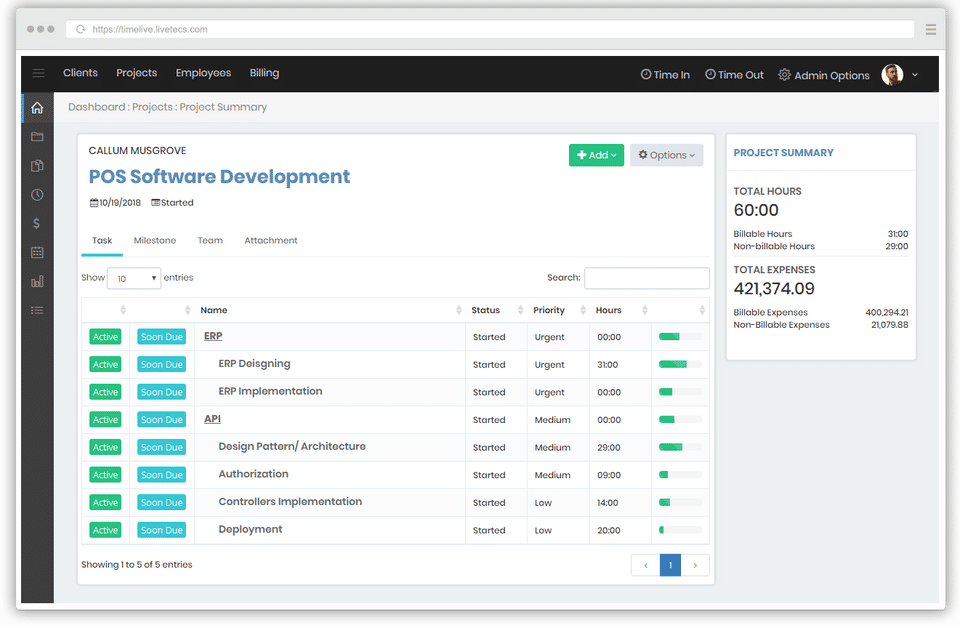
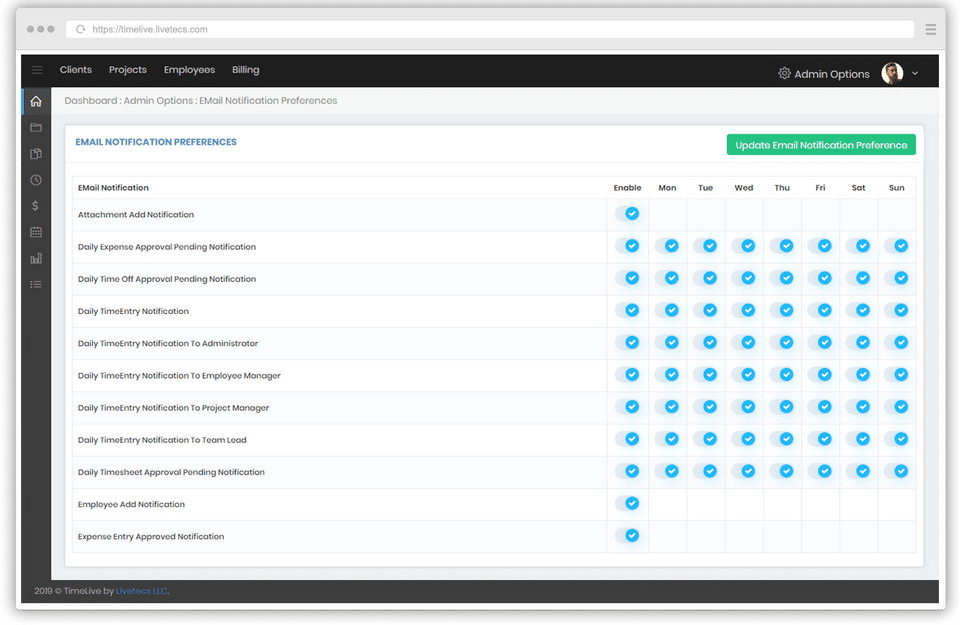
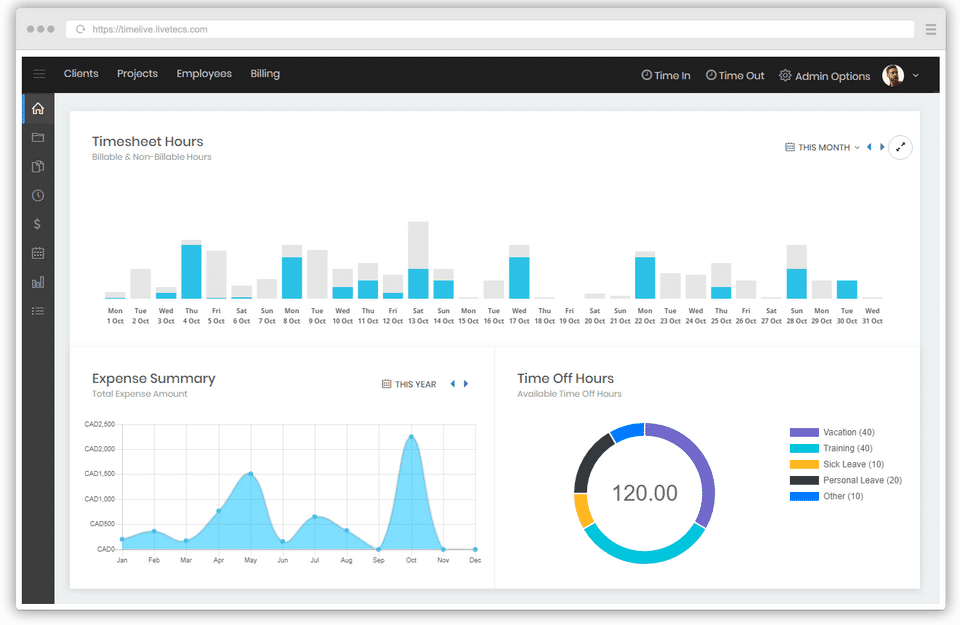
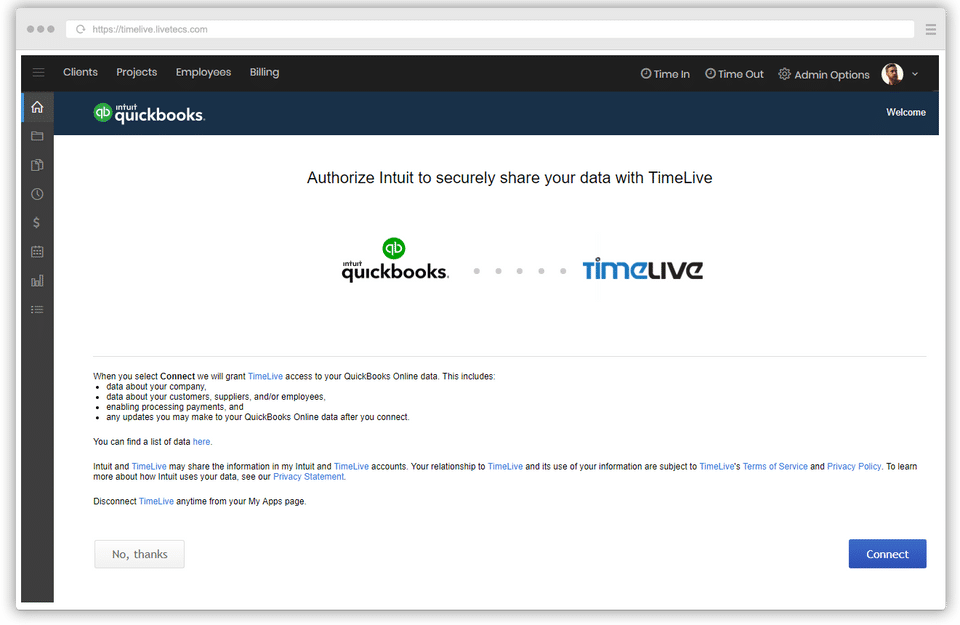
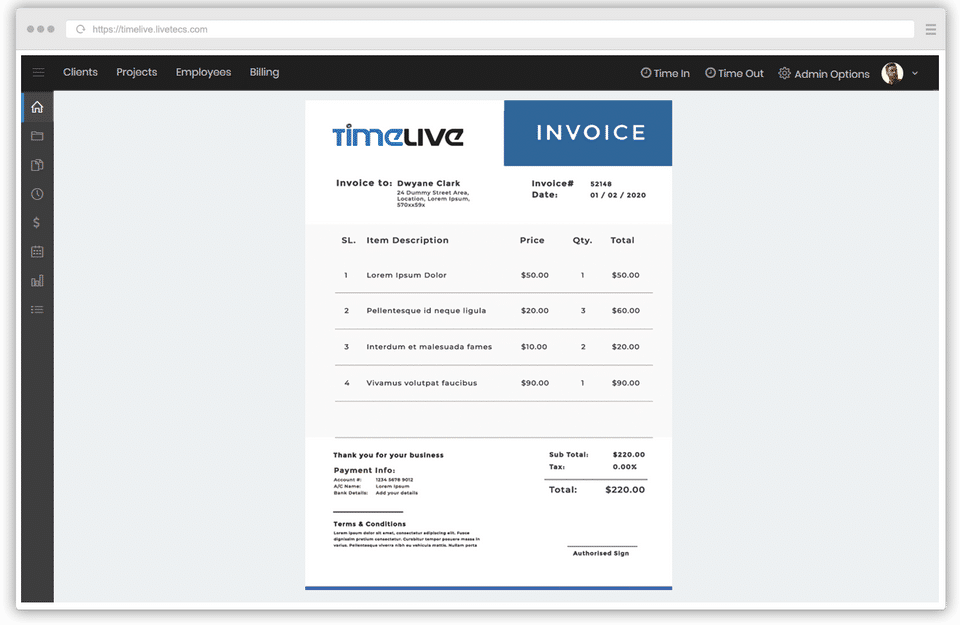
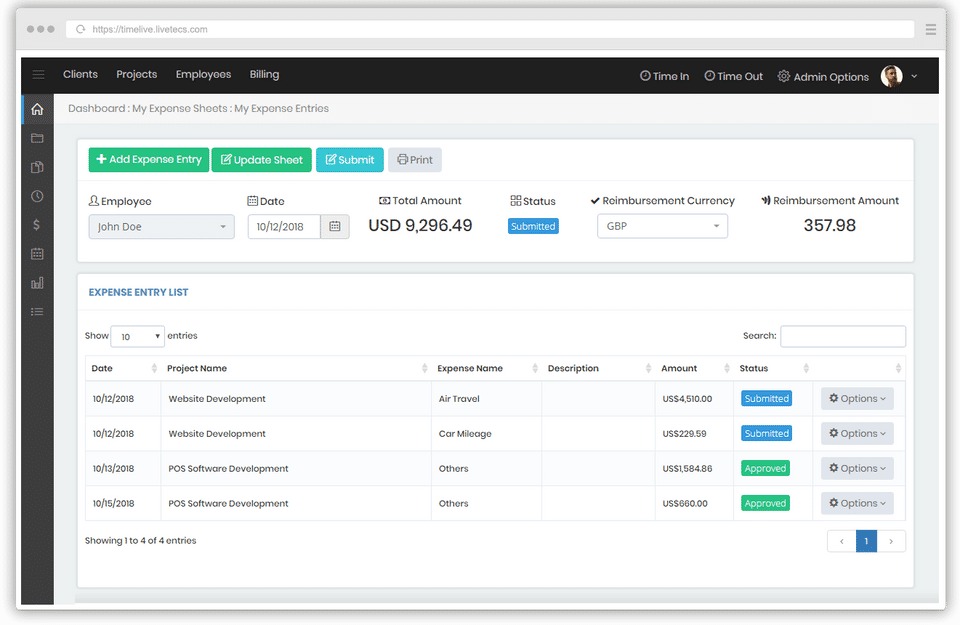
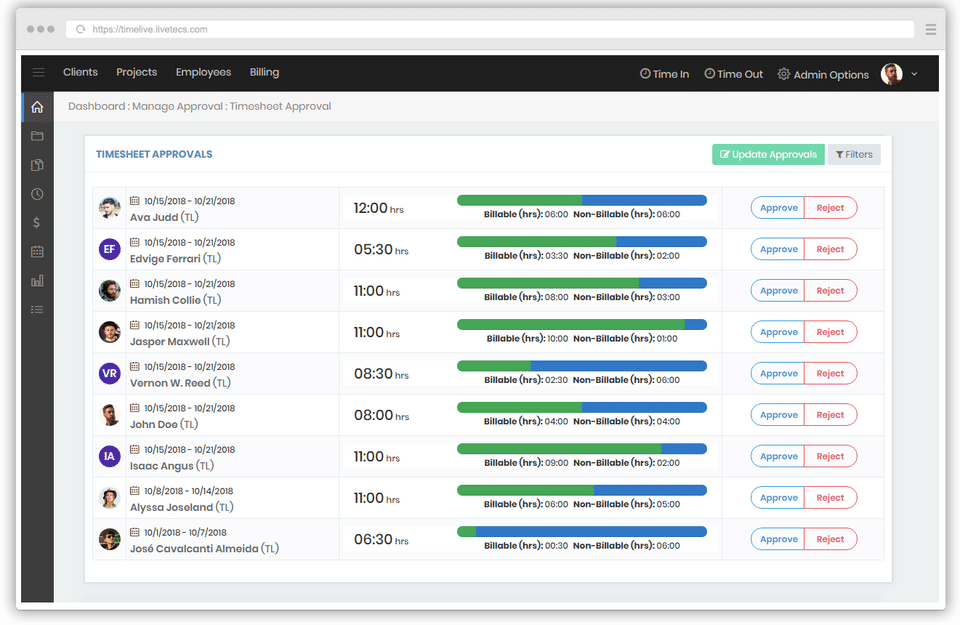
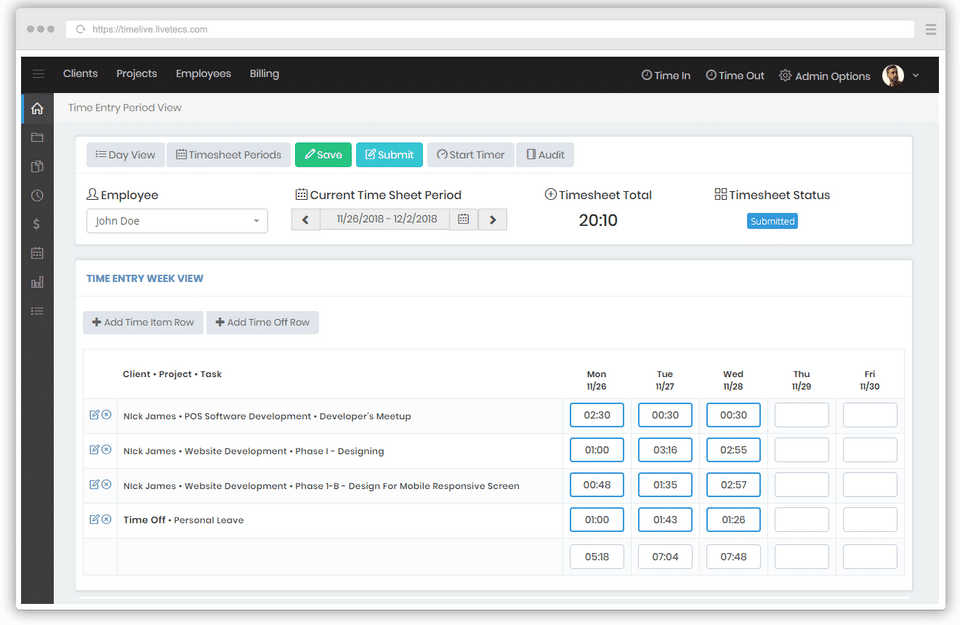
TimeLive was reviewed internally using user feedback, in-house testing, and market research to assess its performance, reliability, and user experience. Learn how we review products and our evaluation process.

Who should consider TimeLive
- Team types
- Freelancers / Consultants, Large Enterprises
Why teams choose TimeLive
Cloud-based access allows for flexibility.
Detailed reporting aids in payroll management.
Easy timesheet import streamlines processes.
Is TimeLive right for you?
What buyers should know before choosing TimeLive
TimeLive’s time tracking and expense management software has received a mix of feedback, but the overall sentiment highlights its potential as a powerful tool for organizations. Its primary strengths lie in its ability to enhance productivity and simplify time and expense tracking.
Many users appreciate its transparency, automation, and ability to generate detailed reports, which streamline both project management and payroll processes. The software has also proven especially useful for remote teams and businesses with large employee bases, enabling managers to monitor productivity easily and address inefficiencies swiftly.
TimeLive’s ability to eliminate disputes over employee hours and compensation has been particularly lauded for saving businesses considerable time and resources. However, some users have noted that its user interface (UI) and usability could be improved.
The platform’s rigidity, occasionally cumbersome input processes, and outdated aesthetics have been flagged as areas that might hinder seamless navigation for less tech-savvy users. Despite these minor setbacks, TimeLive remains a reliable and affordable choice for time tracking, especially for companies ready to invest time in mastering its functionalities.
TimeLive pros and cons
- TimeLive pros
Cloud-based access allows for flexibility.
Detailed reporting aids in payroll management.
Easy timesheet import streamlines processes.
- TimeLive cons
Setup can be complex and time-consuming.
Pricing may be high for smaller businesses.
Ready to try it?
Get started with TimeLive
Start your free trial — no credit card required.
Still comparing?
See how it stacks up
Compare TimeLive side-by-side with top Time Tracking Software alternatives.



What is the pricing of TimeLive?
TimeLive Pricing Plans
Standard (On-Demand)
$3
/User
Timesheet Module: $3 per user
Expense Module: $2 per user
Time-Off Module: $1 per user
Attendance Module: $2 per user
Mobile Application
Show more +
Premium (On-Demand)
$200
/Month
50 Users
Timesheet Module
Expense Module
Time-Off Module
Attendance Module
Show more +
Premium Plus (On-Demand)
$400
/Month
200 Users
Timesheet Module
Expense Module
Time-Off Module
Attendance Module
Show more +
Enterprise (On-Demand)
200+ Users
Timesheet Module
Expense Module
Time-Off Module
Attendance Module
Show more +
Weighing your options?
Not sure if TimeLive fits your budget?
TimeLive reviews and ratings
Buyer sentiment
Buyer sentiment is mixed to positive across 17 reviews, with clear strengths and a few common watchouts.
What buyers like
- Cloud-based solution
- Detailed reporting
- Attendance management
Common complaints
- Complex setup process
- Can be expensive for small businesses
- Limited mobile functionality
Are you using TimeLive?

- See if TimeLive fits your business
- Real pricing — no sales pressure
- A demo or quick answers, your call
Step 1 of 4
How big is your team?
We tailor recommendations to companies your size.















What are the features of TimeLive?
Apps that track your work and prepare timesheets for you are called automatic time capturing apps. They figure out what you do in a day usin…
The hours you spend doing tasks for a specific project are referred to as billable hours. On the other hand, you'll mark non-billable hours…
An invoice and a bill are documents that convey the same information about the amount owing for the sale of goods or services. Still, a comp…
A database of employees comprises vital information such as each employee's personal information and company-related information such as the…
Employee leave patterns are essential to monitoring the amount of paid leave, sick leave, and holiday trends within your company. Because au…
The method of capturing working time with mobile devices is known as mobile time tracking. Employees can use a dedicated smartphone app to c…
A multiple billing rate is a temporary indirect cost rate that applies to a specific period and is used for funding, interim reimbursement,…
When an employee is working without access to the internet, offline time tracking software is used to keep track of their time at work, prod…
Overtime is defined as time performed in excess of a worker's regular contracted hours. For example, if an employee is scheduled to work 8 h…
A timesheet is a physical or electronic tool that allows you to track and record your working hours. As an employer, this means you'll be ab…
TimeLive security and data handling
Key compliance certifications and security features for IT and security teams evaluating TimeLive.
Certifications

Security features
Developer & data
Alternatives to TimeLive
Best Overall
Streamline team collaboration with ...
9.7
Very Good


TimeLive Customers
NASA
OmniPlan
Oak Leaf Systems
Oat systems
TimeLive Support Options
Frequently Asked Questions About TimeLive
Common questions buyers ask before choosing TimeLive.
TimeLive is a Time Tracking Software. TimeLive offers Timesheet Management, Overtime Calculation, Offline Time Tracking, Multiple Billing Rates, Mobile Time Tracking and many more functionalities.
Buyers commonly note the following limitations of TimeLive: Setup can be complex and time-consuming.; Pricing may be high for smaller businesses.; Limited mobile functionality could hinder usage..
Some top alternatives to TimeLive includes Homebase, ClickTime, TimeCloud Time and Attendance, Timely and stratustime.
TimeLive offers Free Trial, One-time license, Subscription, Quotation Based pricing models
The starting price of TimeLive is $3/User
Free buyer scorecard
Evaluate TimeLive with the time tracking software buyer scorecard
A weighted time tracking software scorecard to assess TimeLive objectively and compare it against the alternatives.
- Weighted criteria you can edit
- Score vendors side-by-side
- Shareable with your buying committee
No file downloads on screen — we email it to you. One-click unsubscribe anytime.
Ready to try it?
Get started with TimeLive
Start your free trial — no credit card required.
About the reviewer
Rajat Gupta is the founder of Spotsaas. Over the past two years, he has reviewed 2,000+ tools across CRM, HR, AI, and finance — applying hands-on product research and a background in commerce and the CFA program to evaluate software through a business and ROI lens. His goal: help teams make software decisions they won't regret.
Compare TimeLive with time tracking software options by country
Disclaimer: This research has been collated from a variety of authoritative sources. We welcome your feedback at [email protected].