

Sessionize Review: Is It The Right Event Planning Software For Your Team?
Best for SMB teams · Mid-market · Enterprise
Free Trial Available
 GDPR
GDPRAdd to compare
Starts from $499 / Event
 Webflow
 Developer Week
 Dot Net Foudations
 Droidcon
 Expertslive
Trusted by teams including Webflow
Overview
Pricing
Features
Buyer feedback
Alternatives
Customers
Media
Security & Compliance
Support
FAQ
Blogs
What is Sessionize?
Designed for professional events of all types and sizes, the Sessionize helps user to plan and organize everything that happens over the course of an event - from scheduling each speaker down to helping share information about the event with friends, families and networking contacts in advance. After the event is over, a powerful reporting section allows to see who attended and how well everything went.
Pricing
Starts from $499 / Event
Free Trial available
Best For
Suited for small teams, SMBs, and enterprise
Security & Compliance
GDPRData residency:🇺🇸
Sessionize Screenshots

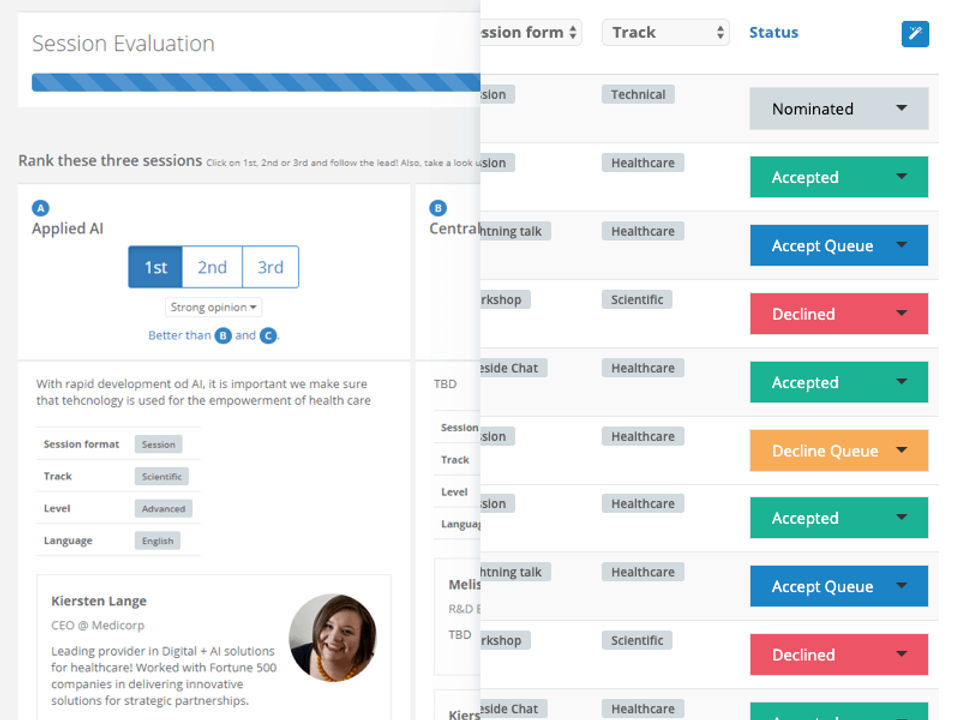
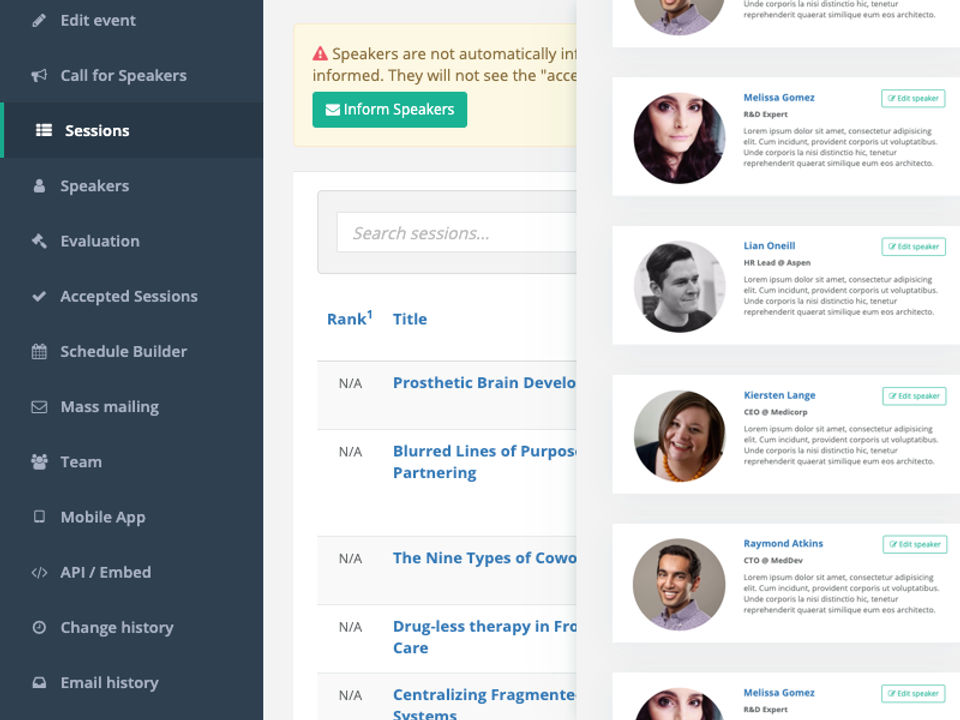
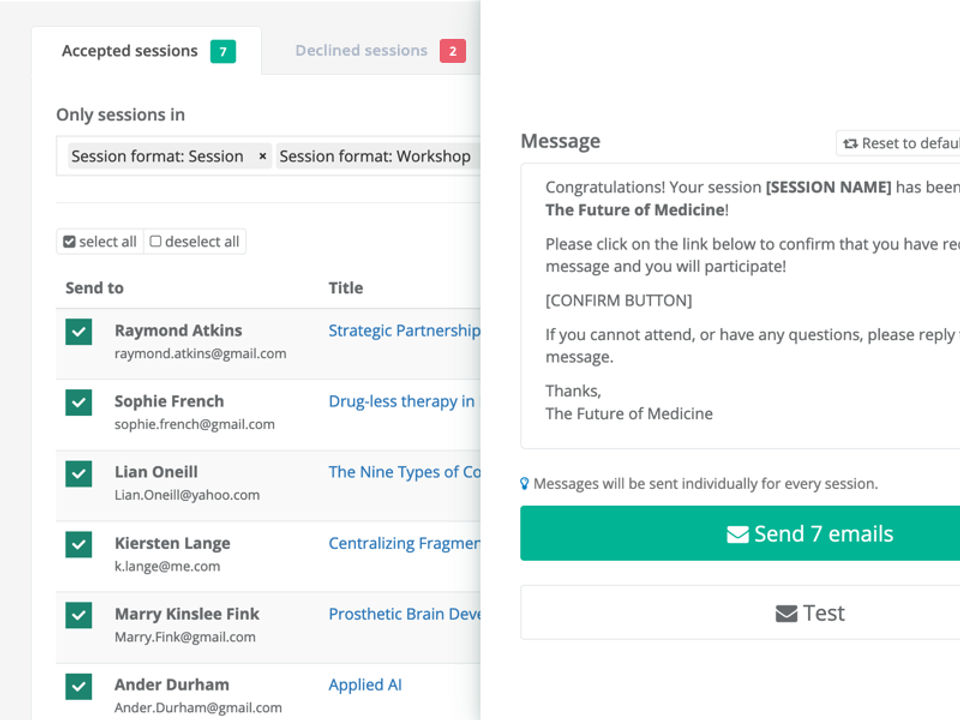
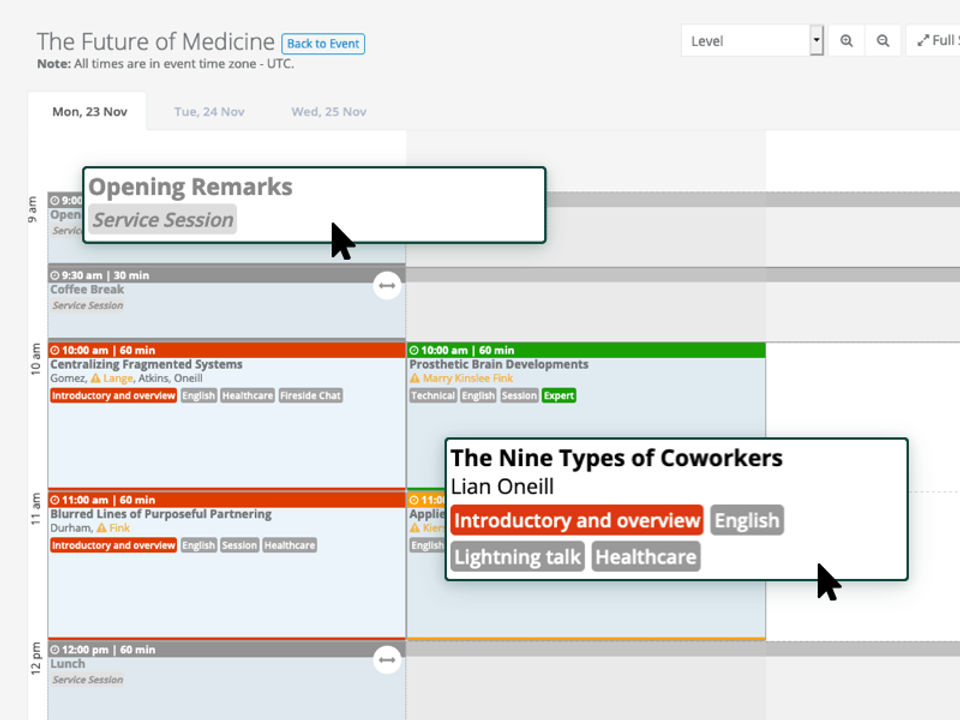
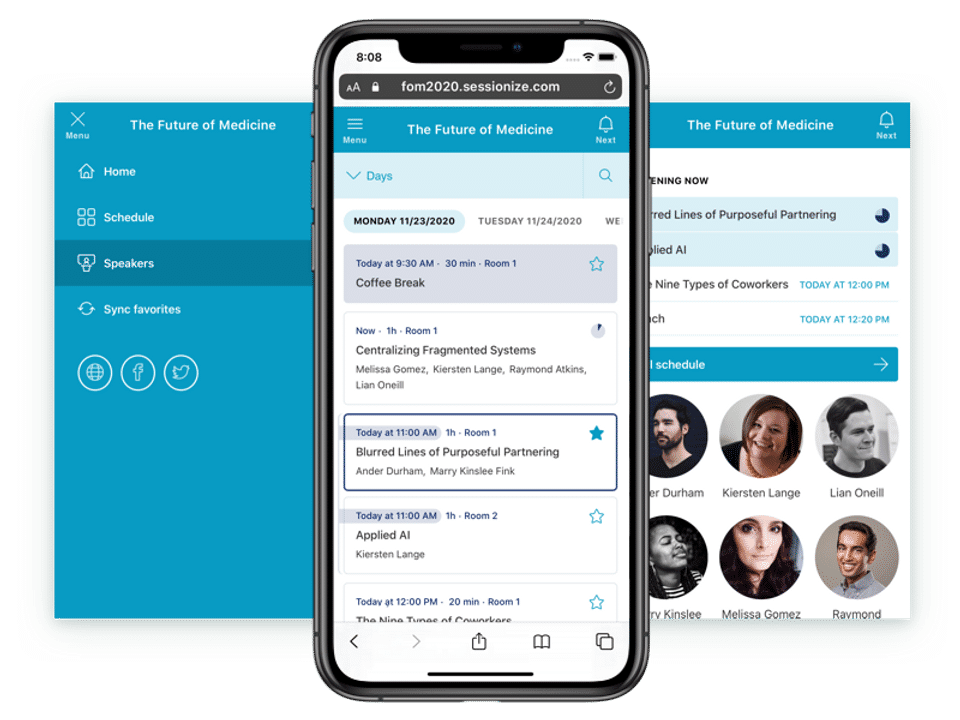
Sessionize was reviewed internally using user feedback, in-house testing, and market research to assess its performance, reliability, and user experience. Learn how we review products and our evaluation process.

Who should consider Sessionize
- Team types
- Large Enterprises, Medium Business
Why teams choose Sessionize
Designed specifically for professional events.
Offers detailed reporting and analytics.
Facilitates networking among attendees.
Is Sessionize right for you?
Comprehensive event planning and management for professional conferences.
Choose Sessionize if
- You need detailed scheduling and speaker management for events.
- You want to share event details easily with attendees and contacts.
- You require post-event reporting on attendance and engagement.
Consider alternatives if
- You are organizing informal or small-scale events with minimal planning needs.
- You need integrated marketing automation or CRM features beyond event management.
What buyers should know before choosing Sessionize
Sessionize is tailored for professional events, offering robust scheduling and reporting capabilities. Its focus on detailed planning makes it suitable for larger conferences and seminars.
Sessionize pros and cons
- Sessionize pros
Designed specifically for professional events.
Offers detailed reporting and analytics.
Facilitates networking among attendees.
- Sessionize cons
Not ideal for small or casual events.
May require a learning curve for new users.
Ready to try it?
Get started with Sessionize
Start your free trial — no credit card required.
Still comparing?
See how it stacks up
Compare Sessionize side-by-side with top Event Planning Software alternatives.


What is the pricing of Sessionize?
Sessionize Pricing Plans
Community
Good for free community events
Backlinking appreciated
Valid for free events only.
Not valid for internal, private, promotional, marketing, profit, and commercial events.
Professional
$499
Per Event
Good for commercial events
Priority email support
Valid for one event occurrence.
Discounts available for events with a registration fee of less than 50 USD per participant
Bulk
Good for agencies and corporations
5+ events per year
Let's Talk
Best value if you organize multiple events.
Pay-in-advance and pay-as-you-go options available.
Weighing your options?
Not sure if Sessionize fits your budget?
Sessionize reviews and ratings
What buyers like
- Professional event management
- Comprehensive scheduling
- Reporting features
Common complaints
- Limited for small events
- Pricing not clear
- No mobile app
Be the first to review Sessionize
You'll help thousands of buyers make a smarter decision.

- See if Sessionize fits your business
- Real pricing — no sales pressure
- A demo or quick answers, your call
Step 1 of 4
How big is your team?
We tailor recommendations to companies your size.















What are the features of Sessionize?
Employee hours are tracked via Attendance Management. It's the system you use to track how much time your workers spend working and how much…
Attendee management is a crucial feature in software that streamlines and simplifies the process of managing attendees for events, meetings,…
Multiple Events is a software feature that allows users to create and manage multiple events within a single platform. It offers a convenien…
Sessionize security and data handling
Key compliance certifications and security features for IT and security teams evaluating Sessionize.
Certifications

Security features
Developer & data
Alternatives to Sessionize





Sessionize Customers
Webflow
Developer Week
Dot Net Foudations
Droidcon
Expertslive

Vermont Code Camp

DroidKaigi
Sessionize Support Options
Frequently Asked Questions About Sessionize
Common questions buyers ask before choosing Sessionize.
Sessionize is a Event Planning Software. Sessionize offers Attendee Management, Attendance Management and many more functionalities.
Sessionize is a strong fit if: You need detailed scheduling and speaker management for events.; You want to share event details easily with attendees and contacts.. Consider alternatives if: You are organizing informal or small-scale events with minimal planning needs.; You need integrated marketing automation or CRM features beyond event management..
Buyers commonly note the following limitations of Sessionize: Not ideal for small or casual events.; May require a learning curve for new users..
Some top alternatives to Sessionize includes ConfTool, ExhibitDay, Signupster, ScheduleFM and MeetMax.
Sessionize offers Free Trial, Subscription, Quotation Based pricing models
The starting price of Sessionize is $499Per Event
Ready to try it?
Get started with Sessionize
Start your free trial — no credit card required.
About the reviewer
Rajat Gupta is the founder of Spotsaas. Over the past two years, he has reviewed 2,000+ tools across CRM, HR, AI, and finance — applying hands-on product research and a background in commerce and the CFA program to evaluate software through a business and ROI lens. His goal: help teams make software decisions they won't regret.
Disclaimer: This research has been collated from a variety of authoritative sources. We welcome your feedback at [email protected].