

FormSwift Review: Is It The Right Document Creation Software For Your Team?
Best for SMB teams · Mid-market · Enterprise
Free Trial Available
Add to compare
Starts from $39.95 / Month when yearly
Overview
Pricing
Features
Buyer feedback
Alternatives
Media
Security & Compliance
Support
FAQ
Blogs
What is FormSwift?
FormSwift is a versatile online platform that simplifies the creation, editing, and signing of legal, business, tax, and personal documents in just minutes. Designed for individuals, small businesses, entrepreneurs, and professionals, it offers an extensive library of customizable templates, including lease agreements, power of attorney forms, job applications, and tax documents like W2s and 1099s. Users can easily edit PDFs, add eSignatures, and manage key paperwork without the need for complex software. Popular across industries such as real estate, finance, and small business management, FormSwift helps streamline documentation processes. While it doesn’t emphasize direct third-party integrations, its PDF editing and export options ensure compatibility with commonly used platforms and workflows.
Pricing
Starts from $39.95 / Month when yearly
Free Trial available
Best For
Suited for small teams, SMBs, and enterprise
Security & Compliance
Data residency:🇺🇸
FormSwift Screenshots
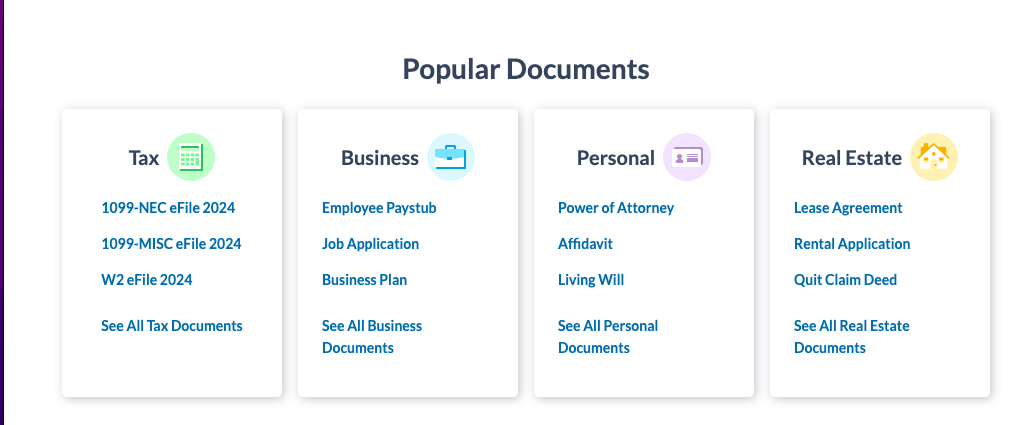
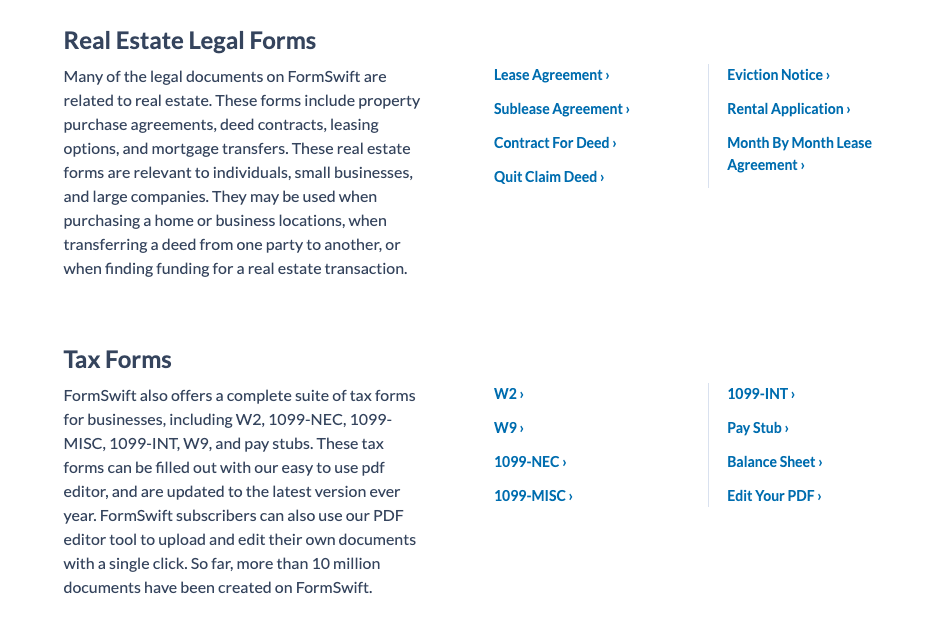
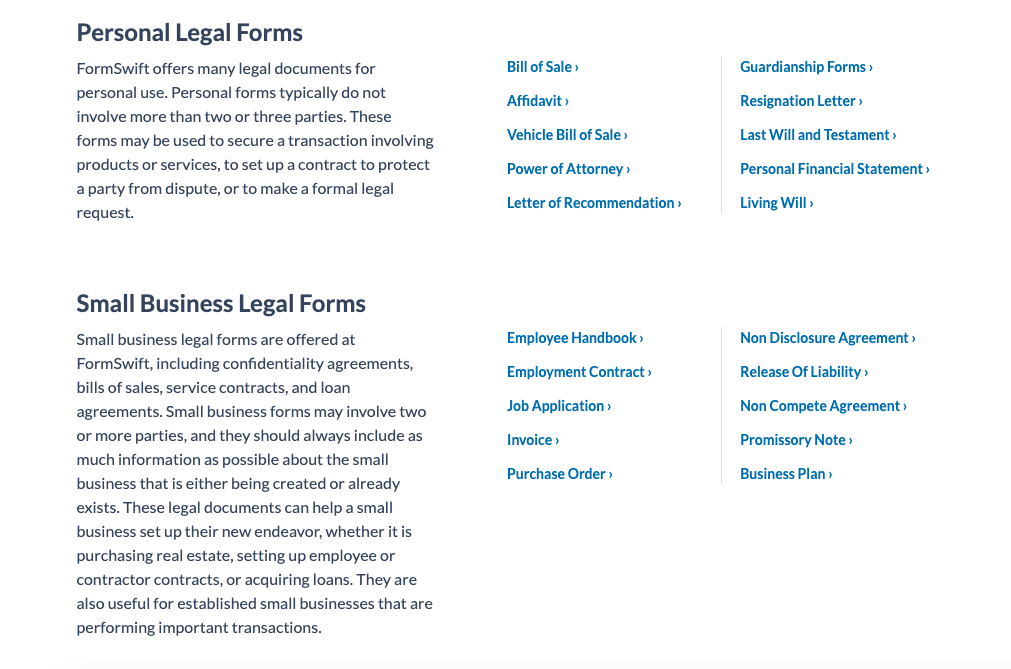
FormSwift was reviewed internally using user feedback, in-house testing, and market research to assess its performance, reliability, and user experience. Learn how we review products and our evaluation process.

Who should consider FormSwift
- Use cases
- Real Estate, Finance, Legal Services
- Team types
- Business Owners, HR Managers
- Company size
- 1–200 Employees
Why teams choose FormSwift
FormSwift offers a wide range of customizable templates for legal, business, tax, and personal documents, saving users time searching for compliant forms.
The platform provides an intuitive interface, enabling users with no legal background to create and edit documents quickly.
Users can securely sign documents online, streamlining workflows for contracts, leases, and agreements.
Is FormSwift right for you?
What buyers should know before choosing FormSwift
FormSwift has been a valuable tool in managing my professional and personal documentation needs. I appreciate how simple it is to create, edit, and sign everything from business contracts to tax forms without needing additional software.
The extensive template library has saved me countless hours, and the eSignature functionality makes completing agreements seamless. I’ve especially found the PDF editor helpful for customizing forms on the spot.
While I wish it had deeper integrations with tools I already use, the convenience and ease of access more than make up for it. Overall, FormSwift has become my go-to for everyday documentation.
FormSwift pros and cons
- FormSwift pros
FormSwift offers a wide range of customizable templates for legal, business, tax, and personal documents, saving users time searching for compliant forms.
The platform provides an intuitive interface, enabling users with no legal background to create and edit documents quickly.
Users can securely sign documents online, streamlining workflows for contracts, leases, and agreements.
- FormSwift cons
Unlike some competitors, FormSwift lacks direct integrations with major productivity or CRM platforms, which can limit automated workflows.
While convenient, the platform doesn’t provide legal advice, leaving some users requiring additional professional support.
Ready to try it?
Get started with FormSwift
Start your free trial — no credit card required.
Still comparing?
See how it stacks up
Compare FormSwift side-by-side with top Document Creation Software alternatives.


What is the pricing of FormSwift?
FormSwift Pricing Plans
Weighing your options?
Not sure if FormSwift fits your budget?
FormSwift reviews and ratings
Buyer sentiment
Buyer sentiment is cautious across 17 reviews, with several recurring concerns in feedback.
What buyers like
- FormSwift offers a wide range of customizable templates for legal, business, tax, and personal documents, saving users time searching for compliant forms.
- The platform provides an intuitive interface, enabling users with no legal background to create and edit documents quickly.
- Users can securely sign documents online, streamlining workflows for contracts, leases, and agreements.
Common complaints
- Unlike some competitors, FormSwift lacks direct integrations with major productivity or CRM platforms, which can limit automated workflows.
- While convenient, the platform doesn’t provide legal advice, leaving some users requiring additional professional support.
- Larger organizations may find the feature set too basic compared to enterprise-level document management systems.
Are you using FormSwift?

- See if FormSwift fits your business
- Real pricing — no sales pressure
- A demo or quick answers, your call
Step 1 of 4
How big is your team?
We tailor recommendations to companies your size.















What are the features of FormSwift?
FormSwift's document management lets users store, organize, and maintain important files in a secure, user-friendly digital environment. You…
Forms management is a key feature that allows businesses to manage and organize their digital forms efficiently. It is a process used to cre…
A system of regulating a company's document ecosystem based on a variety of document templates is known as template management. It's commonl…
FormSwift security and data handling
Key compliance certifications and security features for IT and security teams evaluating FormSwift.
Developer & data
Alternatives to FormSwift




Why buyers keep looking beyond FormSwift
Lacks native CRM and project management integrations — teams needing automated workflows typically add Zapier or native connectors
Does not offer real-time legal consultation or attorney review — competitors like LawGeex and Ironclad provide this
Lacks simultaneous multi-user collaboration on documents — teams of 5+ typically choose Notion, Google Workspace, or Microsoft 365
Missing advanced compliance management features required in regulated industries like healthcare and finance
Document storage and retrieval limited compared to specialized platforms like Box or ShareFile
No AI-driven contract analysis or smart clause recommendations — enterprises typically add specialized tools like Kira Systems or Evisort
FormSwift Support Options
Frequently Asked Questions About FormSwift
Common questions buyers ask before choosing FormSwift.
FormSwift is a Document Creation Software. FormSwift offers Document Management, Forms Management and many more functionalities.
Buyers commonly note the following limitations of FormSwift: Unlike some competitors, FormSwift lacks direct integrations with major productivity or CRM platforms, which can limit automated workflows.; While convenient, the platform doesn’t provide legal advice, leaving some users requiring additional professional support.; Larger organizations may find the feature set too basic compared to enterprise-level document management systems..
Some top alternatives to FormSwift includes Inkit, Templafy, Smallpdf, iLovePDF and Drive Connect.
FormSwift offers Free Trial, One-time license, Subscription pricing models
The starting price of FormSwift is $39.95/Month when yearly
Ready to try it?
Get started with FormSwift
Start your free trial — no credit card required.
About the reviewer
Rajat Gupta is the founder of Spotsaas. Over the past two years, he has reviewed 2,000+ tools across CRM, HR, AI, and finance — applying hands-on product research and a background in commerce and the CFA program to evaluate software through a business and ROI lens. His goal: help teams make software decisions they won't regret.
Disclaimer: This research has been collated from a variety of authoritative sources. We welcome your feedback at [email protected].