
Diagramming software doesn’t have to cost as much as Microsoft Visio. Plenty of teams need to chart data or map out a process without paying for a full Visio license.
Here are 10 Visio alternatives that cost less while still handling the same core jobs: charting complex data and building clean, readable flowcharts. Each one below emulates a different piece of what Visio does, so the right fit depends on what you’re actually trying to build.
Key Takeaways
- ClickUp, Lucidchart, Creately, Nulab, Miro, Draw.io (Diagrams.net), EDrawMax, Google Drawings, Gliffy, and Coggle are the top 10 free Microsoft Visio alternatives.
- Between them, these tools cover diagramming, flowchart creation, mind mapping, and the collaboration features teams need for visual communication.
- Most have user-friendly interfaces and built-in templates that speed up diagram creation, and they run on Windows or macOS. A few, including Lucidchart, offer a free lifetime plan.
- Whether you need network diagrams or general business visuals, these alternatives give you quality diagramming without the Visio price tag.
What to Consider in a Microsoft Visio Alternative
Start with ease of use. A good tool shouldn’t take long to learn — look for a clean, simple design and check that the drawing and mind-mapping features actually work the way you’d expect. If you or your team have to fight the interface just to place a shape, the tool is working against you rather than for you.
Next, weigh the cost. Some tools are free at the core but hold extra features back for paid plans, so check whether the pricing fits your budget both today and as your usage grows. Lucidchart, for instance, offers a free lifetime plan, so you’re not stuck paying just to keep using the basics.
Think about where you’ll actually use the software, too. If you need something that runs on more than one operating system, Edraw Max and Lucidchart both cover Windows and macOS, which matters if your team is split across different setups.
Look at how well the tool supports working together online with visual communication features, since that’s what makes team diagramming projects run smoothly rather than turning into a mess of emailed file versions.
Finally, read what other users say before you commit — reviews are usually where bugs or weak support show up first, and they can save you from picking a tool that looks good in a demo but frustrates you once you’re relying on it daily.
Top Alternatives to Microsoft Visio
Here are 10 alternatives to Microsoft Visio, each with its own take on diagramming, visual collaboration, and business visuals.
ClickUp
ClickUp is a free tool that covers a lot of the same ground as Visio. You can build flowcharts and mind maps, along with project charts and other business visuals, and it works equally well on a computer or a phone, which matters if you’re switching between devices during the workday.
Its design tools are straightforward enough that you don’t need to be an expert, and a large template library helps you get moving faster.
Sharing projects with others is simple, which makes ClickUp a solid pick for team tasks or larger projects that need several people working together. Everything saves online in real time, so you’re not at risk of losing files or details by accident.

Lucidchart
Lucidchart is a free tool that runs on Windows, macOS, and Linux. You can use it to build diagrams, flowcharts, and more, and its basic plan stays free permanently.
That makes it a strong pick for anyone who wants to hold onto quality diagramming tools without an ongoing cost.
Creately
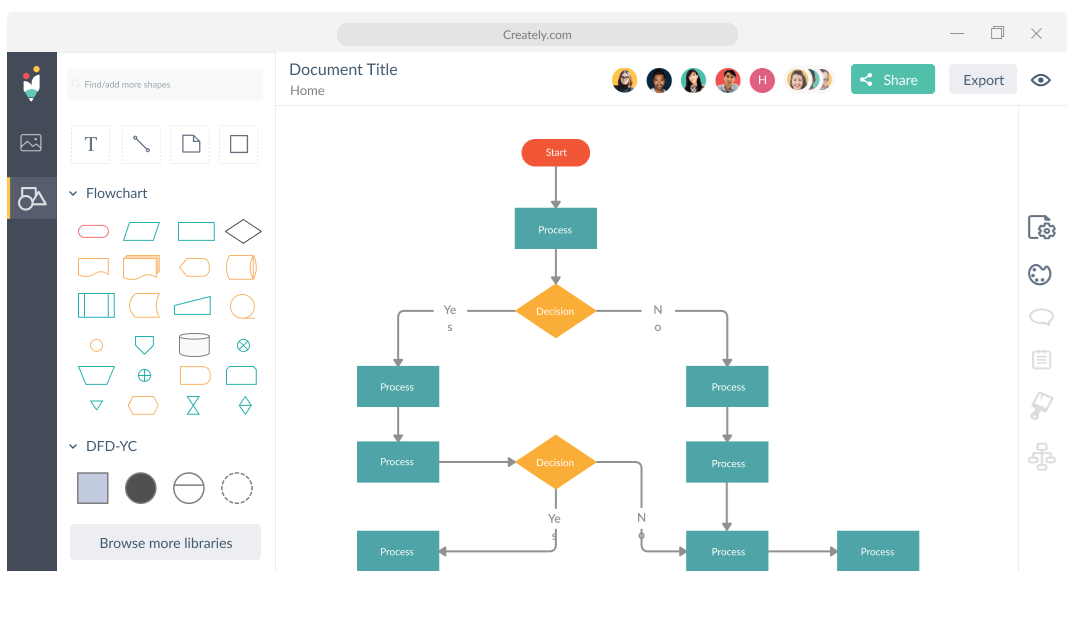
Creately is another strong alternative to Microsoft Visio, with a user-friendly, intuitive interface for building diagrams, flowcharts, and other business visuals.
Its library of shapes and templates, paired with collaboration features, makes it easy to communicate visually and work through projects with a team. Whether you’re mapping a network or sketching out a mind map, Creately handles both.
It comes with a range of pricing plans, including a free tier with limited functionality, so it’s worth a look if you want a cost-effective, feature-rich alternative to Visio.
Nulab
Nulab is another solid alternative to Microsoft Visio. Its diagramming software lets users build flowcharts, project charts, and other business visuals, and its online collaboration tools make it straightforward for teams to work together on visual projects.
Users can also collaborate on mind mapping and data visualization work. Its user-friendly interface and broad feature set have made it a popular pick among technology audiences hunting for free Visio alternatives.
Miro
Miro is a widely used alternative to Microsoft Visio for diagramming and visual collaboration, with a feature set broad enough to cover most diagramming needs.
With Miro, you can build flowcharts, mind maps, project charts, and more. It’s also an online collaboration space where multiple team members can work on the same visual project at the same time.
Miro’s interface stays intuitive even for people without deep technical knowledge, and its templates and other resources help new users get started quickly.
Draw.io
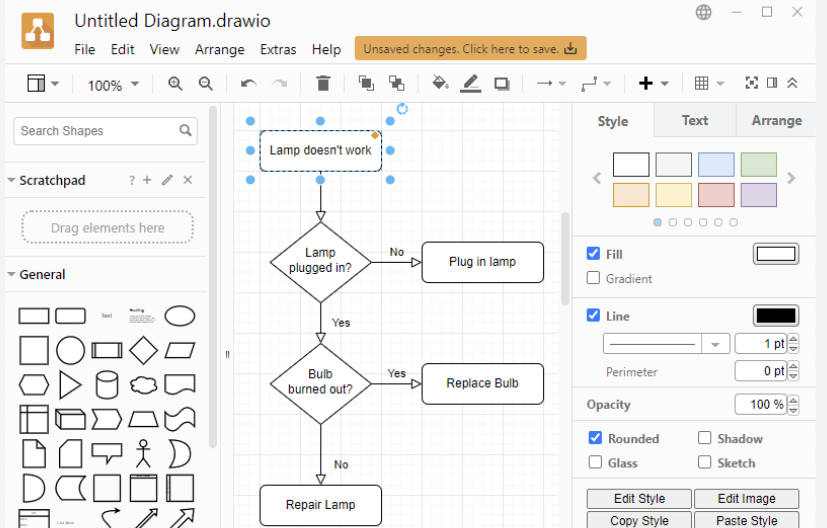
Draw.io, now called Diagrams.net, is one of the top free alternatives to Microsoft Visio. Its online diagramming tool covers flowcharts, mind maps, network diagrams, and other diagram types.
The interface is user-friendly, and a wide set of pre-built templates speeds up diagram creation. You can collaborate with others on diagrams in real time and share them directly with team members or clients.
Draw.io also connects with popular cloud storage services like Google Drive and Dropbox, so your diagrams stay reachable from anywhere. Between its feature set and easy-to-use interface, it’s a strong choice for anyone wanting a free Visio alternative.
EDrawMax
EDrawMax is one of the top free alternatives to Microsoft Visio, with a wide range of features for diagramming needs, including flowcharts, mind maps, and project charts.
EDrawMax runs on Windows, macOS, and Linux, so it’s accessible no matter what system you’re on. Its easy-to-use interface and large template library help users build professional-looking visuals.
Its online collaboration tools let users work together on diagrams in real time. Whether you’re mapping a network or building general business visuals, EDrawMax is a solid option.
Google Drawings
Google Drawings is a free online drawing tool that works well as a Visio alternative. Its interface stays simple and user-friendly, making it easy to build diagrams, flowcharts, and other visual representations.
You can collaborate with others in real time, so multiple people can work on the same project at once. It also plugs directly into other Google applications like Google Docs and Google Slides.
That makes it convenient if you’re already working inside the Google suite of tools. Whether your needs are basic or more complex, Google Drawings has features to match.
Gliffy
Gliffy is a popular diagramming tool with a user-friendly prototyping solution and scalable diagramming features, letting users build diagrams, flowcharts, and other visuals with ease.
Gliffy is known for its intuitive interface and dependable functionality, which is part of why it’s a top choice among Visio alternatives. Team members can collaborate in real time and share diagrams without friction.
The software also includes various templates and shapes to help users get started quickly. Overall, Gliffy is a well-rounded diagramming solution for both beginners and more advanced users in the technology field.
Coggle
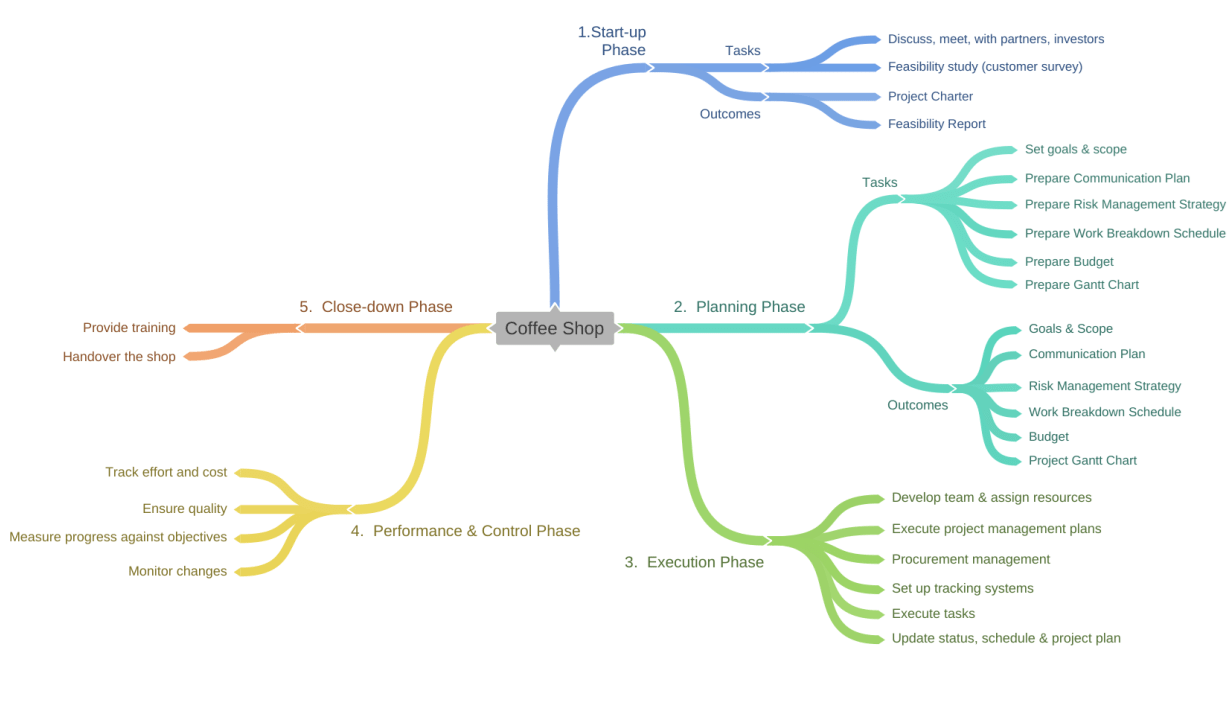
Coggle is another alternative to Microsoft Visio worth a look. It’s an online diagramming tool built for mind maps and flowcharts, and its real-time collaboration makes it a good fit for visual communication and teamwork.
The tool offers various templates and customization options for building visually appealing diagrams, and its user-friendly interface makes it approachable for beginners.
You can reach Coggle from any device with an internet connection, which keeps it convenient and accessible for everyone, whether you’re at a desk or working from a tablet.
Conclusion
If you’re looking for free alternatives to Microsoft Visio, there’s no shortage of solid options. ClickUp, Lucidchart, Creately, and Miro all offer features close to what Visio provides for building diagrams and flowcharts, and the rest of the list covers everything from quick online sketches to more structured network diagrams.
Whatever you need — visual collaboration, mind mapping, or project charts — there’s an alternative here that fits. Take the time to compare the options against your budget, your operating system, and how your team actually works together, then pick the one that matches your requirements.
Happy diagramming.
Frequently Asked Questions
Are these Microsoft Visio alternatives really free?
Yes, the 10 top alternatives listed in this article are free to use. However, some of them may offer paid versions with additional features.
Can I open and edit my existing Visio files using these alternatives?
Most of these alternatives support importing and editing Visio files, allowing you to work on your existing diagrams without any issues.
Do these alternatives have similar features to Microsoft Visio?
Yes, these alternatives offer a range of features similar to Microsoft Visio, including diagram creation, shapes library, templates, and collaboration tools.
Can I use these alternatives on different operating systems?
Many of the listed alternatives are compatible with multiple operating systems such as Windows, Mac OS X, and Linux.
Will I need any special skills or training to use these software programs effectively?
No special skills or training are required to use these software programs effectively as they have user-friendly interfaces and provide helpful guides or tutorials for beginners.
Compare alternatives to the tools in this post

- Independent picks for exactly what you just read about
- Matched to your team size & needs
- Vendors don't pay for placement
Step 1 of 4
How big is your team?
We tailor recommendations to companies your size.















Related Articles
Accounting Software
Xero vs QuickBooks 2026: Pricing, Payroll and Who Each Suits
Continue reading →
Accounting Software
FreshBooks vs QuickBooks 2026: Pricing, Clients, Users and Payroll Compared
Continue reading →
Accounting Software
AI for Accounting in 2026: 8 Use Cases, Tools and Controls for Finance Teams
Continue reading →

Accounting Software
Best QuickBooks Alternatives in 2026: 5 Competitors Compared on Price (Including Free)
Continue reading →