

SubHub is a cloud-based platform for content and membership management, built for a wide range of groups from individual freelancers to non-profits, small businesses, and large enterprises. It gives each of those groups a single place to manage subscriptions, publish content, and run an exclusive community. The software holds a 4.8 out of 5-star rating, which reflects its standing in the market and the level of satisfaction reported by its users.
Pricing starts at $47 per month on the Starter plan, and SubHub offers a free trial that requires no credit card. That trial lets new users work with the tools and see how the platform fits their needs before committing to a paid plan, which keeps the barrier to entry low.
The platform works for many types of organizations, including non-profits and small businesses that want to reach a defined audience. It includes integrations such as PayPal and Stripe for payments, along with Mailchimp for marketing automation. Together these integrations cut down on manual work, since payments and marketing run through tools many teams already use.
Available features include document management, reporting analytics, and mobile access. Document management keeps a site organized, reporting analytics show how content performs, and mobile access lets both admins and members stay responsive wherever they are.
Compared with alternatives like MemberPress, Tendenci, and Vagaro, SubHub stays competitive on features and support. It also provides training resources such as webinars to help new customers get set up. Reviewers point to its ease of use and its customer service, and 99% of user reviews are positive, with many noting strong value for money.
Knowing how these capabilities fit your own business is central to this guide. The options are plentiful across plans, features, and alternatives, so picking the right combination for your size and goals matters more than any single feature on its own.
The sections ahead cover the pricing plans in detail, feature overviews, and real user feedback. Taken together, they are meant to help you make a decision that fits your needs rather than a generic recommendation.
Read on for a closer look at what sets SubHub apart, how it compares with similar platforms, and where it fits in your toolkit.
Key Takeaways
- SubHub provides a cloud-based platform that helps freelancers, nonprofits, and businesses of all sizes manage membership websites, with tools for subscriptions, content management, marketing automation, and integration with common applications like PayPal and Mailchimp.
- SubHub has flexible pricing plans: the Starter plan at $47 monthly, plus more advanced Pro and Premium plans whose prices you get by contacting SubHub. Each level adds features such as advanced analytics, priority support, strategic planning assistance, expanded third-party integrations, email support, or a dedicated account manager, depending on the tier chosen.
- Alternatives to SubHub include MemberPress, which integrates well with WordPress sites; Tendenci, which is open source and suited to large organizations; and Vagaro, which specializes in service industries that need scheduling. Each offers different features that may fit specific business needs better than SubHub.
- User reviews show high satisfaction with SubHub’s interface, strong data management, and customizable user access control across pricing tiers that fit business scales from startups to large enterprises.
- Real-world feedback highlights the value of regular updates based on customer input, and the importance of choosing a platform that evolves according to changing client demands.
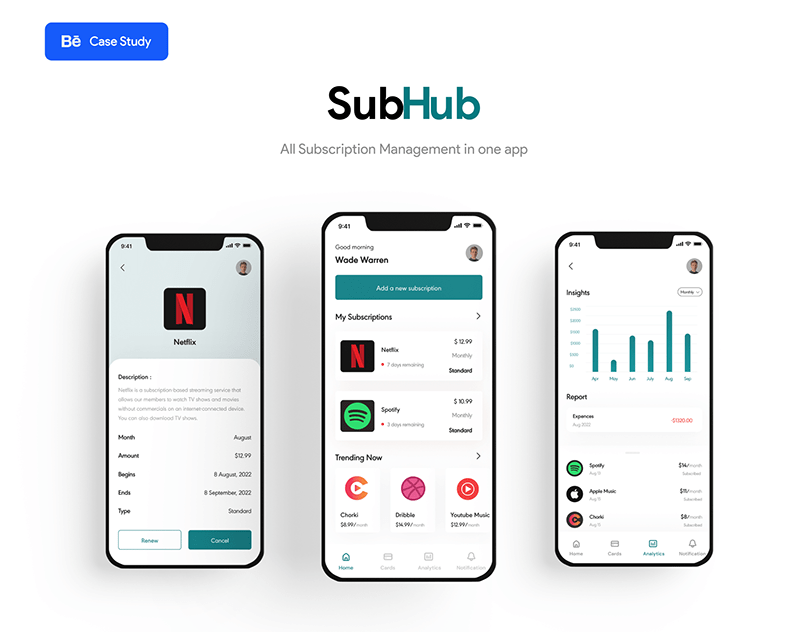
Understanding SubHub’s Platform
SubHub is a specialized suite built for creators and entrepreneurs who want to run exclusive communities. It lets users manage digital content, subscriptions, and memberships at a professional level that matches their business goals.
Overview of services and target users
SubHub provides a cloud-based platform that simplifies content and membership management for a range of users. With subscription-based pricing, it offers tools for freelancers, nonprofits, small businesses, and mid-size to large enterprises that want to reach their audiences through exclusive content.
Its interface supports integration with top applications like PayPal and Mailchimp, making it a practical option for busy professionals who want to monetize their expertise or community.
The service offers over forty features across four categories that help users manage subscriptions, automate marketing, and deliver value to members. Language support targets English-speaking markets, with a focus on ease of use in application integration.
For those who want simplicity without losing functionality, SubHub handles the complex work of running a subscription or membership business for its corporate clients. That covers the day-to-day tasks of managing members, publishing exclusive content, and collecting payments, so teams can focus on their audience rather than on the mechanics of the site.
Detailed Pricing Structure
SubHub’s pricing structure matters for matching your budget to the right plan. The breakdown below shows how each tier fits different needs, so you can find the option that supports your growth.
Breakdown of Starter, Pro, and Premium plans
SubHub offers a range of plans, each designed for different sizes of organization and their needs. From solo entrepreneurs just starting out to large-scale enterprises expanding their digital footprint, the tiered pricing structure aims to cover a wide selection.
| Plan | Starter | Pro | Premium |
|---|---|---|---|
| Monthly Price | $47.00 | Contact for pricing details | Contact for pricing details |
| Annual Discount | Available | Available | Available |
| Features Include | Content Management, Basic Analytics, Community Forums | All Starter features, Plus Advanced Analytics, Enhanced Customization | All Pro features, Plus Priority Support, Strategic Planning Assistance |
| Third-party Integrations | Limited | Expanded Options | Comprehensive Suite |
| Support | Email Support | Email and Chat Support | Dedicated Account Manager |
| User Access Control | Basic | Advanced | Complete Customization |
| Electronic Payments | Included | Included with Enhanced Options | Included with Premium Options |
| Best for | Individuals, Startups | Growing Businesses, Mid-Size Organizations | Large Enterprises, Organizations with Complex Needs |
Each plan scales in functionality and support, adding value at each step. For example, Pro and Premium plans open up expanded third-party integrations and user access controls, which matter for mid-size to larger organizations that need deeper customization and integration. With a focus on positive user experiences, SubHub’s Pro and Premium services carry advanced features along with a commitment to customer success, reflected in the rating of 4.8 out of 5.
Next, we look at the platform’s core features to see how SubHub compares in content management and membership website creation.
Core Features of SubHub
SubHub centers on a set of functions for building and managing membership-driven websites. A content management system works together with payment handling, so users can create a digital space suited to their community’s needs.
Content management and membership website creation
SubHub provides a content management system built for membership websites. With its cloud-based software, users organize documents, manage audio files, and control access with different permission levels.
This gives members a personalized experience while admins keep full control over their site’s content. Analytics and reporting tools are built in, giving real-time insight into how content performs, so you can make data-driven decisions to grow your community.
SubHub’s third-party integrations make it simpler to add essential services like payment processing for subscriptions. Members also get mobile access, so they can interact with your content anytime and anywhere.
These features are central to a subscription-based model that keeps subscribers engaged and helps expand your brand’s reach. Reliable content management, built-in analytics, integrations, and mobile access work together so members stay active and admins keep a clear view of how the site is doing.
Evaluating User Reviews
First-hand experiences from SubHub’s customers show how the platform holds up in real use, beyond the feature list. User testimonials help potential customers weigh the tool against their own requirements, and they give an honest gauge of both satisfaction and the areas that could improve, which supports a more informed decision.
Insights from current SubHub users
User reviews of SubHub help you understand the platform from a real-world perspective. Here is what these users say about its features, performance, and overall satisfaction.
- Clients often praise SubHub’s integration options, which let them connect with many third-party services and simplify their workflow.
- Document management stands out as a high-value feature, and users appreciate being able to organize and control access to their content.
- The user experience gets positive feedback for its simplicity and clear design, which makes navigation easy for administrators and members.
- Data management is often described as strong, secure, and flexible, meeting the varied needs of businesses and non-profits.
- Performance analytics help users track member engagement and growth metrics, which supports informed decisions.
- Customer reviews frequently mention the supportive customer service team, noting quick responses and helpful resolutions to inquiries.
- User ratings reflect satisfaction with the range of pricing plans, which fit everything from small start-ups to large enterprises.
- Freelancers say they find value in SubHub’s versatility, whether they are just starting out or scaling up their business operations.
- Feedback points to many users who consider the ease of setting up membership websites one of SubHub’s strengths.
- Regular updates and new features based on user feedback show SubHub’s commitment to evolving with client needs.
Top Alternatives to SubHub
For those looking at other membership management solutions, the platforms below offer features for a variety of needs, from content control to scheduling and community building. Comparing them side by side makes it easier to find a fit for your organization’s goals rather than settling on the first option you try.
MemberPress, Tendenci, Vagaro comparisons
Comparing SubHub with MemberPress, Tendenci, and Vagaro gives a fuller view of membership management solutions. These platforms offer features for different user needs, from content control to community building.
| Feature | SubHub | MemberPress | Tendenci | Vagaro |
|---|---|---|---|---|
| Pricing Model | Starter, Pro, Premium plans | Basic, Plus, Pro plans | Open Source (Hosting fees apply) | Monthly subscription based on features |
| Content Management | Integrated CMS for membership sites | WordPress plugin for protecting content | Comprehensive CMS with a focus on nonprofits | Business management with marketing tools |
| Payment Gateways | PayPal, Stripe integration | PayPal, Stripe, Authorize.net | Multiple gateways supported | Integrated payment processing |
| User Reviews | High satisfaction with overall rating of 4.8 | Popular among WordPress users | Preferred by large organizations & nonprofits | Favored by spas, salons, and fitness centers |
| Third-party Integrations | Zapier, Mailchimp | Limited to WordPress ecosystem | Extensive API for custom integrations | Vagaro Marketplace for add-ons |
These platforms serve diverse sectors, from digital entrepreneurs to large organizations. With its high user satisfaction and solid feature set, SubHub makes a strong case for anyone building membership sites. Next, we look at the specific features SubHub offers and where it fits among competitors.
Exploring Similar Platforms: Pricing, Features & Alternatives
MemberPress is a strong competitor in subscription-based platforms, with similar features for content management and membership sites. Its plans cover a range of needs, and it challenges SubHub’s market position with full membership solutions.
It integrates with WordPress, so users can manage memberships directly from their existing website. Unlike SubHub’s $47 monthly starting point, MemberPress offers varied pricing tiers, including annual billing options that can be cost-effective for budget-conscious businesses.
Vagaro is another alternative aimed at wellness businesses that want to combine scheduling with membership management. It differs from SubHub by focusing on service-based companies that need online booking alongside their member offerings.
Its real-time editing lets you make quick updates, much like SubHub’s instant site-editing tools, which makes it practical for small enterprises or solo entrepreneurs running fitness centers or spas. The section ahead covers online store creation tools and drag-and-drop website builders, which suit those who want easy integration and reliable customer support services.
Conclusion
SubHub helps you manage and publish digital content with less effort. Its flexible pricing plans fit different business sizes and needs.
Unlock options by building custom membership websites that engage and grow your audience. The platform supports association management by simplifying payments and member interactions.
SubHub is set up to handle your subscription services and point you toward premium alternatives when needed.
(Image Credit: SubHub)
Frequently Asked Questions
1. What exactly is SubHub?
SubHub is a platform that allows you to create and manage your own subscription-based website easily.
2. How much does it cost to use SubHub?
The cost of using SubHub varies depending on the plan chosen, starting from a basic package to more advanced options with additional features.
3. Can I sell products on my SubHub site?
Yes, you can sell both digital and physical products directly through your SubHub site.
4. Does SubHub provide customer support services?
Yes, SubHub offers customer support services to help users with questions or issues they may encounter.
5. What are some alternatives to using SubHub for my website?
Some popular alternatives include Patreon, Memberful, and Wix for creating membership sites or selling subscriptions online.
Compare alternatives to the tools in this post

- Independent picks for exactly what you just read about
- Matched to your team size & needs
- Vendors don't pay for placement
Step 1 of 4
How big is your team?
We tailor recommendations to companies your size.















Related Articles
IT Management
Microsoft Intune Pricing 2026: Plan 1, Plan 2, Suite and What Microsoft 365 Includes
Continue reading →
IT Management
Best Remote Access Software 2026: 11 Tools Compared by Price
Continue reading →
IT Management
Splashtop Pricing 2026: Solo, Pro, Performance and SOS Costs
Continue reading →
IT Management
Atera Pricing 2026: Every Plan, Per-Technician Cost and What You’ll Pay
Continue reading →