
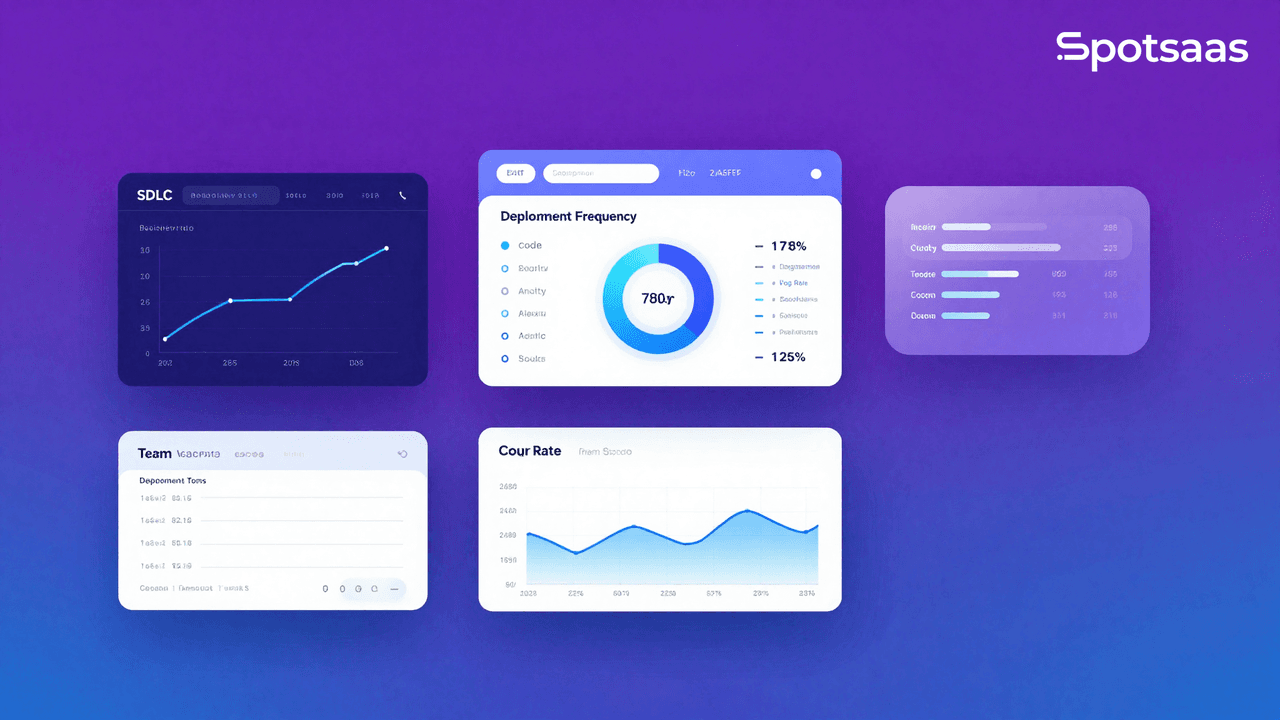
What Are Software Development Analytics Tools and Why Do They Matter?
Software development analytics tools are digital solutions that offer insights into the software development lifecycle (SDLC), assisting teams in monitoring performance, pinpointing bottlenecks, and optimizing workflows.
These tools evaluate essential metrics such as code quality, team productivity, deployment frequency, error rates, and user engagement to enhance software development efficiency. By utilizing data-driven insights, development teams can improve collaboration, speed up delivery, and ensure the release of high-quality software.
Why Should Teams Use Software Development Analytics Tools?
Software development analytics tools enable teams to enhance code quality, simplify workflows, and build collaboration. They deliver insights into performance, bug tracking, and deployment efficiency, which helps reduce technical debt. Real-time data facilitates informed decision-making, leading to quicker releases and improved software reliability.
How Code Quality and Maintainability Get Better
Analytics tools evaluate code complexity, identify security vulnerabilities, and enforce coding best practices. This contributes to maintaining cleaner and more organized code, thereby minimizing technical debt. By detecting problematic code early on, teams can ensure better long-term maintainability and scalability.
Boosting Developer Productivity with Analytics Tools
These tools examine development workflows, coding patterns, and efficiency metrics to uncover inefficiencies. By offering clear next steps, they assist developers in optimizing their coding processes and minimizing wasted effort. Teams can refine their workflows and boost overall project velocity.
Building Stronger Team Collaboration
Analytics tools boost openness as they track who’s doing what, review pull requests, and gauge teamwork vibes. Everyone, from coders to project bosses and even the big players, gets to work together more. Seeing who’s up to what holds folks accountable and spices up how the team gels.
Making Deployments and Releases Smoother
Diving into data about how often deployments nail it or need a do-over, along with how slick releases go, helps teams dodge deployment disasters. These nuggets of wisdom are key to keeping software drops stable and stopping nasty surprises in live environments. More innovative ways to deploy stuff make releases more yawn-free and up the ante on quality.
Checking Performance Effectively
The software monitors how fast servers respond, the delay in APIs, and how healthy applications are running. Teams catch slowdowns this way. This makes the whole system more effective and users happier. They get ahead of the game with automatic warnings and past performance records, which helps improve everything before issues get big.
Making Decisions Based on Data
You get the lowdown on how folks use software, the cost of not updating it, and how fast the team moves up to the minute. Teams take this info and figure out what to focus on, how to use what they’ve got, and how to get more done. They ensure what they’re doing matches the company’s game plan by keeping an eye on things non-stop.
How Analytics Tools Speed Up Debugging and Issue Resolution
Monitoring bug frequency, error rates, and resolution times enables developers to swiftly identify and prioritize critical issues. This results in quicker debugging and less downtime. This improves software reliability. Automated alerts and root-cause analysis further improve the efficiency of problem resolution.
What Are the Key Features of Software Development Analytics Tools?
These tools provide code review automation, developer performance tracking, bug analytics, and CI/CD monitoring. They offer repository insights, application performance tracking, and user engagement metrics. Customizable dashboards and reports enable teams to visualize essential data for improved decision-making.
Code Review and Quality Analysis for Better Software
These tools examine source code to identify complexity, duplication, security vulnerabilities, and gaps in test coverage. By enforcing coding standards, they assist teams in maintaining clean, efficient, and secure codebases. They integrate with CI/CD pipelines to automate quality checks and prevent code regressions. Identifying technical debt early helps reduce future maintenance efforts. Ongoing monitoring ensures compliance with best practices. This improves long-term code maintainability and reliability.
Tracking Developer Performance the Smart Way
This process tracks coding hours, commit frequency, pull request (PR) merge times, and overall development velocity to evaluate team efficiency. These insights help pinpoint workflow bottlenecks, optimize resource allocation, and boost developer productivity. Managers can use this data to assess individual and team contributions for improved project planning. Performance trends can also reveal skill gaps. This allows for targeted training and development. Continuous tracking builds transparency and accountability within teams.
Smarter Bug and Issue Tracking Analytics
This involves monitoring bug resolution times, recurrence rates, and severity levels to improve debugging efficiency. By analyzing historical issue patterns, these tools enable teams to proactively tackle root causes and minimize recurring problems. Automated tracking and prioritization ensure that critical bugs receive prompt attention. Integration with ticketing systems facilitates smooth workflow management between developers and QA teams. Data-driven insights contribute to enhanced software stability and reduced downtime.
Monitoring CI/CD Pipelines Effectively
This analyzes build success rates, deployment frequency, and rollback occurrences to improve release efficiency. By monitoring pipeline health, teams can detect failures early and optimize build automation. These tools offer real-time feedback on code deployments. This allows developers to swiftly address issues. Continuous integration monitoring guarantees smooth software releases with minimal disruptions.
Better Insights from Version Control and Repositories
This feature tracks commit history, branch activity, and contribution trends to enhance collaboration and code management. These tools can pinpoint bottlenecks, unreviewed code, and inefficient workflows by examining repository activity. They improve team visibility into project progress and code ownership. Developers can monitor changes in the codebase in real time, which enhances coordination on larger projects. Improved repository insights contribute to a more organized and maintainable code history.
Application Performance Monitoring for Reliable Software
This tool monitors response times, system crashes, server loads, and API latency to ensure applications run smoothly. It provides real-time alerts for performance issues. This enables teams to tackle problems before they impact users. By analyzing trends, teams can optimize system resources, minimize downtime, and enhance reliability. APM tools also help identify slow queries, inefficient algorithms, and bottlenecks in distributed systems. Continuous monitoring facilitates quicker troubleshooting and a better user experience.
Tracking User Behavior and Engagement
This feature tracks software usage, feature adoption, and user engagement rates to refine product development. These tools assist teams in understanding which features users engage with the most, informing future updates and enhancements. Insights from user behavior analytics enhance UI/UX decisions and ensure the software aligns with customer needs. Businesses can proactively address usability issues by analyzing drop-off rates and pain points. Gaining insights into user patterns leads to better feature prioritization and improved retention.
Customizable Dashboards and Reporting for Teams
This feature offers real-time dashboards and visual reports for monitoring key performance metrics and development insights. Teams can tailor dashboards to highlight specific analytics. This ensures that relevant data is always available. These reports enable developers, project managers, and executives to make informed, data-driven decisions. Visualizing data trends enables teams to spot inefficiencies, monitor progress, and enhance workflows. Centralized reporting boosts transparency and aligns development efforts with business objectives.
What Are the Benefits of Software Development Analytics Tools?
Analytics tools enhance software quality, speed release cycles, and build collaboration. They assist in identifying and addressing issues early on, which lowers debugging and maintenance costs. By utilizing real-time data, teams can make informed decisions and elevate user satisfaction.
How Analytics Tools Improve Code Quality and Reliability
These tools enhance software quality by identifying inefficiencies, vulnerabilities, and code duplication. Automated code analysis ensures compliance with best practices, which helps minimize technical debt and maintenance issues. Continuous quality monitoring allows teams to maintain a stable and secure codebase. By incorporating quality checks into the development process, teams can prevent problems before deployment. Improved code reliability results in fewer defects after release and a better user experience.
How Analytics Tools Enable Faster Release Cycles
Simplifying development workflows enables teams to speed up the coding-to-deployment process. Analytics tools facilitate quicker iterations and more frequent releases by identifying bottlenecks and inefficiencies. Automation in CI/CD pipelines provides rapid feedback loops. This reduces delays in software delivery. These insights enable teams to promptly release features and bug fixes while ensuring stability. An optimized development lifecycle leads to increased productivity and improved time-to-market.
Improving Collaboration and Communication
These tools promote transparency by tracking contributions, code reviews, and team development activities. Developers can coordinate more effectively on projects. This improves efficiency and knowledge-sharing. With clear visibility into workflows, managers can assign tasks appropriately and balance workloads. Analytics tools also support smoother communication among developers, testers, and project managers.
Making Smarter Development Decisions with Data
Real-time analytics offer useful detail that enhance both agile and strategic decision-making. Teams can utilize data regarding software performance, team velocity, and bug trends to effectively prioritize their tasks. By monitoring performance, developers can optimize code and system resources according to usage patterns. Leveraging analytics allows organizations to align their development efforts with business goals. Making data-based decisions leads to more intelligent resource allocation and improved software efficiency.
Enhancing Customer Satisfaction with Analytics Tools
By monitoring software performance and user engagement, teams can enhance user experiences. Identifying and resolving friction points contributes to a smoother and more intuitive application. Performance analytics help prevent crashes, slow load times, and other issues affecting user retention. Understanding feature adoption rates enables better alignment with user needs and expectations. A well-performing, easy-to-use product builds higher customer satisfaction and loyalty.
What Are the Types of Software Development Analytics Tools?
Various tools target different aspects of development, such as code quality, developer productivity, bug tracking, and CI/CD monitoring. Software Development Analytics Tools tools track system performance, while user analytics tools look at engagement and feature usage. Selecting the appropriate tool hinges on the specific needs and goals of the project.
Code Quality and Static Analysis Tools for Cleaner Code
These tools analyze source code to identify security vulnerabilities, code duplication, and maintainability concerns. They help enforce best practices, reduce technical debt, and enhance long-term code health. Integrating automated scanning into CI/CD pipelines is essential for maintaining high-quality code. By doing so, we can confidently ensure that only the best code reaches the main branch. Developers can use insights to refactor inefficient code and maintain a cleaner codebase. Continuous monitoring ensures adherence to coding standards throughout the development process.
Examples: SonarQube, CodeClimate
Developer Productivity and Performance Analytics Tools
Evaluate coding speed, pull request review durations, and team contributions to enhance efficiency. These tools assist in pinpointing workflow bottlenecks and recommending improvements for increased productivity. Managers can use this data to distribute workloads evenly and mitigate developer burnout. Tracking performance promotes accountability and nurtures a culture of ongoing enhancement. Teams can establish achievable development targets based on actual performance metrics.
Examples: GitPrime (Pluralsight Flow), Waydev
Bug Tracking and Issue Resolution Tools for Teams
Monitor recurring problems, bug severity, and resolution times to boost debugging efforts. These tools enable teams to prioritize critical bugs and minimize software downtime. Developers can proactively tackle ongoing issues by analyzing historical patterns before they escalate. Automated notifications ensure that urgent matters receive prompt attention. Integrations with development workflows simplify issue tracking for greater efficiency.
Examples: Sentry, Raygun
CI/CD and Deployment Monitoring Tools for Reliable Releases
Monitor build success rates, rollback incidents, and deployment efficiency to enhance software release cycles. These tools assist teams in refining CI/CD workflows, lowering the risks tied to failed deployments. By monitoring pipeline health, teams can swiftly identify and fix build failures. Continuous deployment monitoring guarantees that updates reach users smoothly. Automated deployment insights facilitate quicker recovery from production issues.
Examples: CircleCI Insights, GitLab CI/CD Analytics
Application Performance Monitoring Tools for Stability
Track uptime, latency, and system performance to identify and prevent issues before they affect users. These tools offer real-time alerts on performance bottlenecks. This enables teams to act swiftly. Historical performance data aids in optimizing resource distribution and load balancing. By examining crash reports and slow transactions, developers can enhance software stability. Proactive monitoring contributes to a more smooth user experience and excellent application reliability.
Examples: New Relic, Datadog
User Analytics and Feature Usage Tools for Better UX
These tools analyze user interactions with software, tracking engagement and feature adoption rates. They offer useful detail into user behavior. This allows teams to enhance UX/UI and focus on essential features.
Businesses can better align their development efforts with user needs by understanding which features boost engagement. Data-driven insights enable teams to effectively iterate on product improvements. An improved user experience results in higher retention rates and increased customer satisfaction.
Examples: Mixpanel, Amplitude
How to Choose the Best Software Development Analytics Tools
Choosing the best software development analytics tools is essential for teams looking to monitor performance, track project progress, and optimize their software development lifecycle. These tools provide clear next steps into the codebase, development workflows, team productivity, and system performance.
The right analytics tools will help identify bottlenecks, improve code quality, and ensure continuous delivery, leading to more efficient development and a better end product.
What Are the Key Goals to Define Before Choosing Software Analytics Tools?
Enhance Code Quality
The software should help identify code issues, such as bugs, vulnerabilities, or performance bottlenecks. Tools should provide real-time feedback to developers. This enables them to address the problems before deployment.
Improve Developer Productivity
Analytics tools should measure key metrics related to developer productivity, such as code commits, pull requests, and issue resolution. This gives teams to clearly identify opportunities for improvement. This allows them to refine and elevate their development processes to achieve more tremendous success.
Simplify Development Workflows
The software should provide insights into the development pipeline. This allows teams to spot inefficiencies and bottlenecks. By tracking workflows, teams can ensure faster releases and better coordination between departments.
Track System Performance
Monitoring system performance is essential for quickly identifying issues in deployed software, safeguarding functionality, and enhancing user satisfaction. Analytics tools should track user behavior, server health, response times, and uptime to ensure the software functions as expected in production.
What Types of Software Development Analytics Tools Are Available?
Cloud-Based Analytics Tools
Cloud-based solutions provide flexibility, scalability, and easy access from any location. These tools are often subscription-based and provide powerful analytics capabilities without the need for heavy IT infrastructure.
On-Premise Analytics Tools
On-premise solutions give businesses complete control over data security and performance. These tools are ideal for organizations with strict data privacy requirements but require more maintenance and resources than cloud-based solutions.
Integrated Development Analytics Platforms
Some software development analytics tools are integrated into broader software development platforms or version control systems. These platforms provide a unified view of code quality, developer activity, and system performance all in one place.
Specialized Analytics Tools for DevOps
For teams using DevOps practices, specialized analytics tools can track the performance of CI/CD pipelines, automate testing, and provide insights into operational efficiencies. This makes monitoring and improves the delivery pipeline easier.
What Data Integrations Should Be Considered?
Version Control Systems
Integrating with version control tools like GitHub, GitLab, or Bitbucket is essential for tracking changes, code commits, and pull requests. Analytics tools should pull data from version control to monitor code quality and team productivity.
Issue Tracking Systems
Integration with issue-tracking systems like Jira or Trello enables tools to monitor bug resolution times, backlog management, and sprint progress. This helps teams track project milestones and identify areas for improvement.
Continuous Integration/Continuous Delivery (CI/CD) Tools
CI/CD tools like Jenkins or CircleCI are essential in software delivery. Analytics tools should integrate with these systems to track the speed and success rate of deployments and evaluate the effects of code changes on the system’s performance.
Monitoring & Logging Tools
Integration with monitoring platforms like Prometheus, New Relic, or Splunk helps track the performance of live applications. Analytics tools should pull data from these systems to evaluate system health and end-user experience.
What Features Should You Look For in Development Analytics Tools?
Core Features Should Be Included
Code Quality Analysis
The software should analyze code quality metrics, including complexity, duplication, and adherence to coding standards. This ensures that code is maintainable, scalable, and bug-free.
Developer Activity Tracking
Tools should track developer activities, including commits, pull requests, code reviews, and time spent on tasks. These metrics help evaluate productivity and identify areas where developers need additional support or training.
Real-Time Feedback & Alerts
Real-time feedback helps developers address issues as they arise, whether they are bugs, security vulnerabilities, or performance bottlenecks. Alerts can notify developers or teams on matters that need immediate attention. This ensures continuous improvement.
Sprint & Release Metrics
Analytics tools should provide insights into sprint progress, release cycles, and cycle times. This helps project managers assess team performance and optimize workflows for faster delivery.
Issue Tracking & Bug Management
Tools should help track and manage bugs throughout the development lifecycle, from identification to resolution. This includes monitoring open issues, time-to-resolution, and tracking recurring problems.
Advanced Features Can Enhance Procurement Efficiency
Predictive Analytics
Advanced analytics tools use machine learning to predict potential issues, such as upcoming bottlenecks in the development pipeline or vulnerabilities in the codebase. Predictive analytics help teams proactively address problems before they impact the software.
Automated Testing Analytics
Integrating testing tools allows analytics platforms to measure automated tests’ success rate, identify improvement areas in the testing process, and provide insights into code coverage.
A/B Testing & Experimentation
For teams developing user-facing software, A/B testing tools allow experimentation with different features, designs, or performance tweaks. Analytics tools should track these tests to measure user engagement, satisfaction, and overall performance.
User Behavior Analytics
For production environments, analytics tools should monitor how end users interact with the software. This data helps track application performance and identify areas for improvement, such as load times, feature usage, and response times.
Collaboration Features
Collaboration tools like real-time dashboards, commenting features, and sharing capabilities enable teams to work together more effectively. By harnessing data insights, these tools enable swift and informed decision-making. This drives better outcomes for your projects.
How Do Reporting and Analytics Improve Development Performance?
Developer Productivity Reports
Developer productivity metrics provide individual and team performance insights, such as commit frequency, pull request turnaround times, and code quality scores.
Sprint Performance & Backlog Reports
These reports help assess whether sprints are completed on time and whether the backlog is manageable. These insights help prioritize tasks and optimize workflows for future sprints.
System Health & Performance Metrics
For production applications, system health reports track the performance of deployed software, including uptime, error rates, and response times. These metrics help ensure that software runs smoothly and meets user expectations.
Custom Dashboards
Custom dashboards allow teams to view critical data and performance metrics in one place. Dashboards should provide real-time insights into code quality, development activity, and system performance.
Drill-Down Analytics
Drill-down capabilities allow you to examine data more deeply. This helps you understand the root cause of issues and identify opportunities for improvement.
What Are the Common Pricing Models for Analytics Tools?
Subscription-Based Pricing
Many software development analytics tools offer subscription-based pricing, with different tiers based on usage, features, or the number of users.
Pay-Per-Use Pricing
Pay-per-use pricing is viable for teams needing occasional analytics or testing the tool. This pricing model ensures you pay only for what you use based on code commits analyzed or data processed, maximizing your investment.
Custom Pricing Plans
Custom pricing plans provide tailored features and dedicated support for larger organizations with complex needs. These plans often come with advanced analytics, integrations, and scalability options.
How Can You Ensure the Analytics Tool Scales With Your Team?
High-Volume Data Processing
The software should handle large volumes of data without slowing down or sacrificing performance. Scalability is essential for teams with growing projects or large codebases.
Multi-Team & Multi-Project Support
For businesses managing multiple teams or projects, the analytics platform should support multiple user accounts, different projects, and custom reporting, all under one platform.
Customizable Features for Growth
Scalable software should allow you to add new features, integrate with additional tools, and adjust reporting capabilities as your needs grow.
What Support and Training Options Should Be Available?
24/7 Technical Assistance
24/7 customer support ensures that any technical issues or questions are addressed quickly. This prevents downtime or disruptions in the development process.
Onboarding & Tutorials
Effective onboarding, including video tutorials, webinars, and documentation, helps your team quickly get familiar with the software and use it to its full potential.
Which Software Development Analytics Tools Are Best for Your Team?
When comparing analytics tools, one must consider features, integrations, reporting capabilities, and pricing. Some prioritize code quality, others team productivity, while others focus solely on performance monitoring. The most suitable tools will depend on the team’s needs, whether code health or deployment optimization.
| Software | Pricing | Key Features | Customers |
|---|---|---|---|
| SonarQube | Free to custom | Code quality analysis, vulnerability detection | Developers, security teams |
| GitPrime (Pluralsight Flow) | Custom Pricing | Developer productivity insights, workflow tracking | Engineering managers |
| Waydev | Custom Pricing | Git analytics, PR review tracking | Software development teams |
| Sentry | Free to premium | Real-time error tracking, performance monitoring | Developers, QA teams |
| New Relic | Free to custom | APM, server performance monitoring | SaaS companies, enterprises |
| Datadog | Free to premium | Application monitoring, CI/CD insights | IT and DevOps teams |
| Mixpanel | Free to premium | User analytics, feature adoption | Software companies, startups |
| Amplitude | Free to custom | Product usage tracking, retention analysis | Digital product teams |
Final Thoughts On Choosing Software Development Analytics Tools
Software development analytics tools work together to optimize the software development lifecycle, ensure code quality, and measure team performance. The focus may be on code analysis, developer productivity, bugs, or application performance. However, these tools generate insights that allow concrete actions to improve decision-making through enhanced efficiency.
When choosing software, the focus will be on integration, measuring KPIs, and being scalable. Reasonable analytical solutions will allow development teams to optimize processes, collaborate better, and deliver high-quality software.

- Independent picks for exactly what you just read about
- Matched to your team size & needs
- Vendors don't pay for placement
Step 1 of 4
How big is your team?
We tailor recommendations to companies your size.















Related Articles
Buyers guide
Twilio Alternatives 2026: 6 Compared and What They Cost
Continue reading →

Buyers guide
How To Choose The Best Auto Dialer Software For 2026
Continue reading →
Buyers guide
How To Choose The Best Freelance Platforms For 2026
Continue reading →

Buyers guide
How To Choose The Best Audience Response Software For 2026
Continue reading →