

If you need to send large files quickly without setting up cloud storage, SendSpace remains one of the most straightforward file-sharing tools available as of 2026. This in-depth SendSpace review covers core features, pricing tiers, safety practices, real-world use cases, and how it compares to modern alternatives — everything you need to decide whether it fits your workflow or whether a competing service serves you better.
What Is SendSpace and How Does It Work?
Quick Answer: SendSpace is a web-based file-sharing and transfer service that lets users upload large files and instantly generate a shareable download link. Recipients click the link to download without needing an account. It supports files up to 300MB on the free plan and up to 10GB on paid plans, making it practical for quick, temporary file transfers.
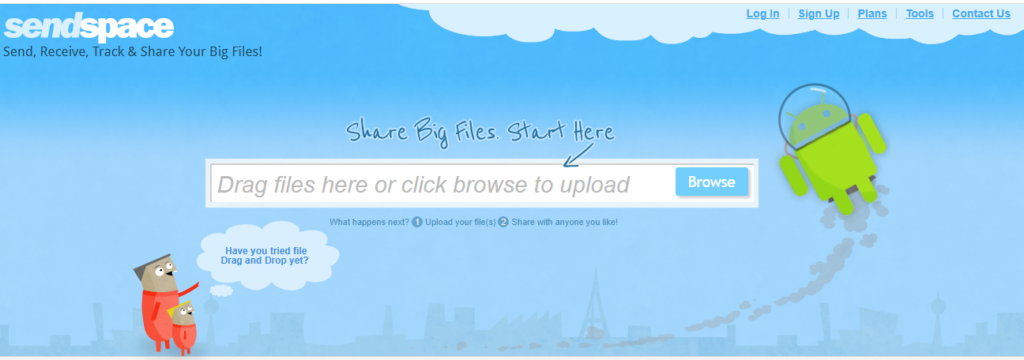
SendSpace was built around a simple premise: upload a file, get a link, share it. There’s no complicated setup, no mandatory account creation for basic use, and no software to install on your device.
The service generates a unique download page for every uploaded file, which the recipient visits to retrieve the content. Unlike full cloud storage platforms such as Google Drive or Dropbox, SendSpace is built for temporary file delivery rather than long-term storage.
Files are retained for a set period — typically up to 30 days on the free tier — before being removed automatically. That makes it a good fit for one-time deliveries rather than ongoing collaboration or archiving.
As of 2026, SendSpace remains one of the longest-running file transfer services on the web, having operated continuously since 2004. You can explore its current feature set directly at sendspace.com.
Key Statistics About File Sharing in 2026
Understanding the broader market context helps frame exactly where SendSpace fits among competing tools today.
- According to Statista (2026), over 2 billion people use some form of cloud-based file sharing or storage globally — a sign of how much sustained demand there is for simple transfer tools.
- According to a 2026 Cybersecurity Insiders report, 68% of organizations cite insecure file sharing as a leading data exposure risk. That’s why encryption and password protection matter even for casual users.
- According to the Cloud Security Alliance (2026), file transfer links with no expiry date are one of the top five unmanaged data risks for freelancers and small teams.
- According to a 2026 TechRepublic survey, 42% of freelancers rely on free or low-cost file transfer tools for client deliverables — a segment where SendSpace has historically held strong brand recognition.
- According to Gartner’s 2026 Digital Workplace Report, file size limitations remain the number one complaint users report when switching away from free file sharing services.
SendSpace Core Features: What Do You Actually Get?
Quick Answer: SendSpace offers file uploading, shareable download links, optional password protection, file management dashboards for registered users, and a developer API. Free users get 300MB per upload and 30-day retention. Paid plans unlock larger file sizes, longer retention, and branded download pages.
File Upload and Link Generation
The core experience is frictionless. You visit the SendSpace website, drag or browse to select your file, and within seconds receive a unique URL. No account is required for one-off transfers on the free tier.
The generated link points to a dedicated download page that shows file metadata — name, size, upload date — and a prominent download button. Recipients need no account to access the file.
Password Protection and Privacy Controls
Registered users can apply a password to any shared file, so only recipients who know the password can download it. It’s a basic but effective layer of access control for sensitive documents.
Free accounts don’t get advanced encryption in transit beyond standard HTTPS. Paid plans add privacy controls, including the ability to disable the public listing of uploaded files entirely.
File Management Dashboard
Creating a free SendSpace account unlocks a personal file management area where you can view all uploaded files, check download counts, renew expiring files, and delete content on demand. This dashboard is particularly useful for freelancers managing multiple client deliverables at once.
Folder Sharing and Bulk Uploads
Paid plan subscribers can organize files into shared folders and upload multiple files at once. Recipients get a single folder link instead of juggling several individual URLs, which simplifies large project handoffs.
Developer API Access
SendSpace provides a REST API that lets developers integrate file upload and transfer functionality directly into applications, websites, or automated workflows. API access is available on Pro plans and above, which makes it relevant for small software teams or agencies building client-facing tools.
Mobile Compatibility
As of 2026, SendSpace doesn’t offer a dedicated native mobile app. The website is mobile-responsive, though, and uploads from smartphone browsers work fine for most use cases. Users who need a more polished mobile experience may find competitors like WeTransfer more suitable.
SendSpace Pricing Plans 2026: How Much Does It Cost?
Quick Answer: SendSpace offers a free tier with 300MB upload limits and a 30-day file retention period. Paid plans start at approximately $8.99 per month for Pro, scaling up to $19.99 per month for Pro Plus. Annual billing reduces costs significantly. There is no free trial for paid tiers as of 2026.
| Plan | Price (Monthly) | Max File Size | File Retention | Storage | Best For |
|---|---|---|---|---|---|
| Free | $0 | 300 MB | 30 days | N/A | Occasional personal transfers |
| Pro | $8.99 | 4 GB | 90 days | 10 GB | Freelancers and small teams |
| Pro Plus | $19.99 | 10 GB | 180 days | 30 GB | Agencies and power users |
Pricing shown is approximate; check vendor websites for current rates.
Pricing is straightforward, with no hidden per-transfer fees. Annual billing on the Pro plan brings the effective monthly cost down to around $6.99, which is competitive against similar niche transfer tools in 2026.
It’s worth noting that SendSpace doesn’t currently offer a team or enterprise pricing tier with centralized billing, user management, or compliance features. Organizations that need those things will have to look at more enterprise-oriented alternatives.
Is SendSpace Safe to Use in 2026?
Quick Answer: SendSpace uses HTTPS encryption for all transfers, offers optional password protection on shared links, and allows users to manually delete files at any time. However, it does not provide end-to-end encryption, zero-knowledge storage, or SOC 2 compliance certification, making it unsuitable for regulated industries or highly sensitive data.
Encryption and Data Transmission
All files uploaded to and downloaded from SendSpace travel over HTTPS (TLS), which protects data in transit from interception. That’s standard practice across reputable file transfer platforms in 2026.
However, files stored on SendSpace servers aren’t encrypted at rest with zero-knowledge architecture. SendSpace technically has the ability to access stored file contents, which is a meaningful distinction for users handling confidential or regulated data.
Password Protection Limitations
Password-protecting a link adds a layer of access control, but the password is transmitted alongside the file URL in some implementations. Users sharing sensitive files should treat password protection as a deterrent, not a robust security control.
Compliance and Regulatory Suitability
According to cybersecurity professionals evaluating file transfer tools for enterprise use, SendSpace is generally considered suitable only for non-sensitive, non-regulated content. It doesn’t publish SOC 2, HIPAA, or GDPR compliance certifications as of 2026.
For businesses operating under HIPAA, GDPR, or similar frameworks, alternatives with formal compliance documentation — such as ShareFile or Citrix-backed platforms — are more appropriate choices.
Privacy Policy and Data Handling
SendSpace’s privacy policy states that it does not sell user data to third parties. The platform does, however, serve advertising on free-tier download pages, so recipient interactions generate ad impression data. Paid accounts remove advertising from download pages entirely.
SendSpace vs. Top Alternatives: Full Comparison 2026
To evaluate whether SendSpace is the right tool for your needs, it helps to compare it directly against the most popular file transfer alternatives available in 2026.
| Platform | Free File Limit | Max Paid File Size | Free Retention | Encryption at Rest | Mobile App | Starting Paid Price |
|---|---|---|---|---|---|---|
| SendSpace | 300 MB | 10 GB | 30 days | No | No | $8.99/mo |
| WeTransfer | 2 GB | 200 GB | 7 days | No | Yes | $15.00/mo |
| Filemail | 5 GB | Unlimited | 7 days | Yes | Yes | $15.00/mo |
| Smash | Unlimited size | Unlimited | 7 days | No | Yes | $7.00/mo |
| Google Drive | 15 GB storage | 5 TB (paid) | Indefinite | Yes | Yes | $2.99/mo |
Pricing shown is approximate; check vendor websites for current rates.
SendSpace’s free tier file size limit of 300MB is noticeably lower than most modern competitors. WeTransfer allows 2GB free, while Smash has no file size cap on its free tier at all. Users who frequently send files over 300MB without paying will find SendSpace at a real disadvantage in 2026.
You can review WeTransfer’s current offering directly at wetransfer.com for a direct feature comparison.
Two More Alternatives Worth Knowing: pCloud and Dropbox
The comparison table above covers the closest direct competitors, but two other tools come up often enough in SendSpace searches that they deserve a mention — both take a fundamentally different approach: long-term storage instead of temporary transfers.
pCloud
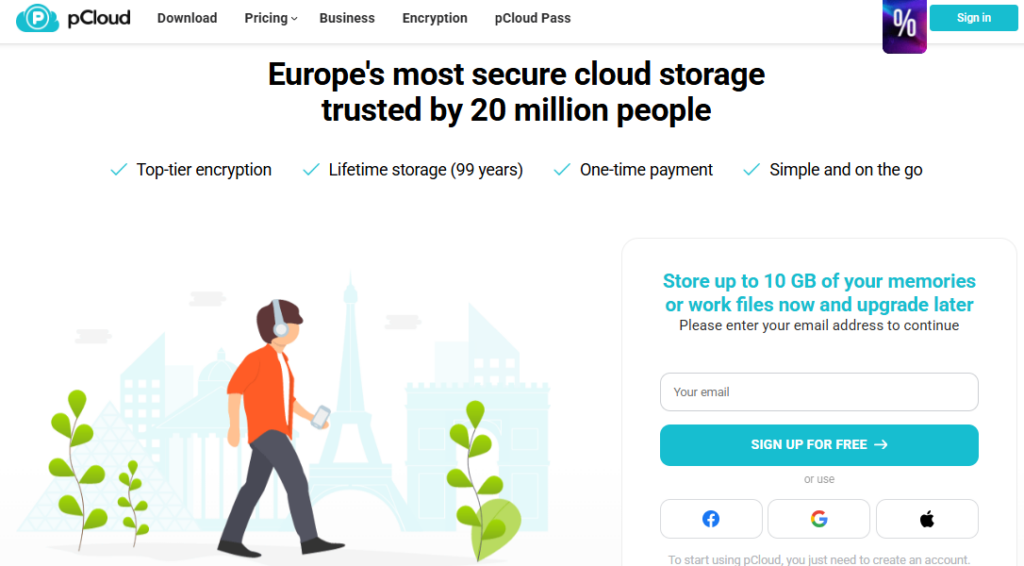
pCloud offers 10GB of free cloud storage rather than a per-transfer limit, plus a rare lifetime plan that gives permanent storage for a one-time payment instead of an ongoing subscription. It supports apps across Windows, macOS, Linux, Android, and iOS, file versioning and recovery, and optional end-to-end encryption through pCloud Crypto. Best for users who want to keep files accessible long-term rather than deleting them after a transfer window.
Dropbox
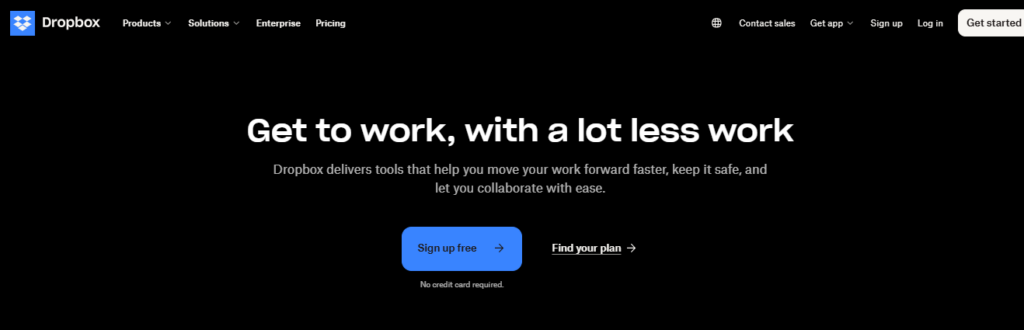
Dropbox trades SendSpace’s no-signup simplicity for real-time syncing, shared folders, file commenting, and integrations with Google Workspace, Microsoft 365, Slack, and Zoom. It’s built for ongoing team collaboration rather than one-off deliveries, with 2GB of free storage and business plans that scale to multiple terabytes. Best for teams already working across shared files daily, not just sending them once.
How to Use SendSpace: Step-by-Step Guide for New Users
Quick Answer: Using SendSpace requires no account for basic transfers. Navigate to the website, select your file, upload it, copy the generated link, and share it with your recipient. The entire process takes under two minutes for files within the size limit.
- Visit sendspace.com in any modern web browser on desktop or mobile.
- Click the upload area on the homepage and browse to select your file, or drag and drop directly onto the upload zone.
- Wait for the upload to complete. Upload speed depends on your internet connection and file size. A progress bar shows the current transfer status.
- Copy the generated download link that appears once the upload finishes.
- Share the link with your recipient via email, messaging app, or any communication channel of your choice.
- Optionally, create a free account to track download activity, manage file expiry, and apply password protection to your shared links.
- Notify the recipient that the link will expire after 30 days on the free tier, so they download the file promptly.
The process is intentionally minimal. Advanced users who create accounts gain access to download statistics, file renewal options, and folder organization, all of which add real utility for repeat use.
Who Should Use SendSpace in 2026?
Quick Answer: SendSpace is best suited for individual users, freelancers, and small businesses that occasionally need to send files larger than email allows, without committing to a full cloud storage subscription. It is not well-suited for teams requiring collaboration features, compliance documentation, or large-scale enterprise file management.
Ideal Use Cases
- Freelancers delivering client work — designers, photographers, and videographers sending finished files to clients who may not use the same cloud storage platform.
- One-time large file transfers — sending a single large archive, presentation, or media file without setting up a shared folder.
- Personal use — sharing vacation videos, home movies, or large photo albums with friends and family quickly.
- Small agencies on Pro Plus plans that need basic folder sharing and slightly longer retention windows for client projects.
Who Should Look Elsewhere
- Healthcare and legal professionals who require HIPAA or legally-compliant encrypted transfer platforms.
- Enterprise IT teams needing centralized user management, audit logs, and access control policies.
- Collaborative teams that need real-time file editing, commenting, and version history — SendSpace offers none of these.
- Users sending files over 300MB regularly for free — competing platforms offer significantly higher free tier limits in 2026.
SendSpace Pros and Cons: Honest Assessment for 2026
| Pros | Cons |
|---|---|
| No account required for basic use | 300MB free limit is low vs. competitors |
| Fast and simple upload process | No end-to-end encryption or zero-knowledge storage |
| Long operational history since 2004 | No dedicated mobile app |
| Password protection available | Ads on free-tier download pages |
| Developer API on paid plans | No team or enterprise pricing tier |
| Affordable Pro pricing at $8.99/mo | No HIPAA, SOC 2, or GDPR compliance certification |
SendSpace for Developers: API Capabilities and Integration Potential
One area where SendSpace stands apart from many casual file transfer tools is its developer-facing REST API, available on Pro and Pro Plus plans. That positions it as a potential backend component for small applications that need upload and distribution functionality without building custom infrastructure.
The API supports programmatic file uploads, link generation, file deletion, and folder management. Authentication runs through API keys, making integration relatively straightforward for developers with basic REST experience.
According to developer community discussions in 2026, SendSpace’s API is considered stable but not feature-rich compared to cloud storage SDKs from AWS S3 or Google Cloud Storage. It works best as a lightweight transfer layer rather than a full storage backend.
For teams evaluating dedicated file transfer API solutions, platforms like Filemail also offer documented APIs worth comparing. You can review Filemail’s developer documentation at filemail.com.
What Competitors Get Wrong That SendSpace Still Gets Right
Despite its limitations relative to newer entrants, SendSpace holds real advantages in specific areas that competitors have complicated over time.
Zero friction for recipients. Many modern file sharing platforms now require recipients to create accounts, install apps, or click through cookie and marketing consent flows before downloading a file. SendSpace still lets a recipient click a link and download immediately with no barriers in the way. That recipient-side simplicity is genuinely useful when sending files to non-technical clients or older users who aren’t comfortable with cloud tools.
Stable pricing without feature bloat. Some competing platforms have significantly raised prices or stripped free tier features between 2026 and 2026 as they shifted to subscription-first models. SendSpace’s pricing structure has stayed relatively consistent, which matters for budget-conscious freelancers who need predictability.
No forced ecosystem lock-in. Unlike Google Drive or Dropbox, which benefit from keeping users inside their broader product ecosystems, SendSpace has no incentive to push additional products. It does one thing and stays focused on that one function.
Frequently Asked Questions About SendSpace
What is the maximum file size SendSpace supports?
On the free plan, SendSpace supports a maximum file size of 300MB per upload. The Pro plan raises this limit to 4GB, and the Pro Plus plan allows individual file uploads of up to 10GB. File size is the most common reason users upgrade from the free tier to a paid subscription.
Does SendSpace require an account to use?
No. SendSpace allows anonymous file uploads without creating an account. Account creation, however, unlocks useful features including download tracking, password protection, file management, and longer retention periods. For one-off transfers, anonymous use works fully without registration.
How long do files stay on SendSpace before being deleted?
Free-tier files are retained for 30 days from the upload date before automatic deletion. Pro plan files are retained for 90 days, and Pro Plus plan files remain for up to 180 days. Account holders can manually renew or delete files before the automatic expiry window closes.
Is SendSpace safe for sending confidential files?
SendSpace uses HTTPS encryption for all transfers, which protects data in transit. However, it does not offer end-to-end encryption or zero-knowledge storage, meaning files are technically accessible to SendSpace on their servers. For highly confidential or regulated data, a platform with certified encryption at rest is more appropriate.
Does SendSpace have a mobile app?
As of 2026, SendSpace does not offer a dedicated native app for iOS or Android. The website is mobile-responsive and uploads from smartphone browsers work adequately for most casual use cases, but users seeking a polished dedicated mobile experience will find competitor apps more convenient.
How much does SendSpace cost per month in 2026?
SendSpace offers a free tier with no monthly cost. The Pro plan costs approximately $8.99 per month when billed monthly, or around $6.99 per month on an annual subscription. The Pro Plus plan is priced at $19.99 per month. There are no per-transfer fees on any plan tier.
Can recipients download SendSpace files without an account?
Yes. Recipients do not need a SendSpace account to download a shared file. They simply click the provided link, land on the file’s download page, and click download. If the sender has applied password protection, the recipient must enter the correct password before downloading.
Does SendSpace work for business use?
SendSpace can work for small business use cases such as client file delivery, but it lacks enterprise features including centralized user management, audit logging, compliance certifications, and team billing. Businesses with formal IT governance or regulated data requirements should evaluate enterprise-grade alternatives more carefully.
How does SendSpace compare to WeTransfer in 2026?
WeTransfer offers a more generous free tier at 2GB per transfer versus SendSpace’s 300MB. WeTransfer also has a dedicated mobile app and a more polished interface. SendSpace’s paid plans are somewhat cheaper, and it offers API access that WeTransfer restricts to higher tiers. The best choice depends on transfer frequency and file size needs.
Can I track who downloaded my SendSpace file?
Yes, but only for registered account holders. When logged in, SendSpace displays download counts and basic activity information for each uploaded file in your dashboard. It does not provide detailed recipient identity data such as email addresses or IP addresses in standard plan reporting.
Is there a SendSpace desktop application?
SendSpace previously offered a desktop application for Windows, but as of 2026, the primary interface is web-based. The developer API can be used to build custom integrations for automated workflows. No official native desktop application is actively maintained or promoted on the SendSpace website currently.
What happens to my files if I cancel my SendSpace subscription?
If you downgrade from a paid plan to the free tier or cancel your subscription entirely, your stored files and account data are typically retained for a grace period before reverting to free-tier limitations. Files that exceed free-tier retention policies may be deleted. It is advisable to download or back up important files before canceling.
Final Verdict: Should You Use SendSpace in 2026?
SendSpace remains a legitimate, reliable choice for a specific and well-defined use case: fast, simple, no-account-required file transfers for individuals and freelancers who occasionally need to send files larger than email supports.
It’s not trying to be a cloud storage platform, a collaboration tool, or an enterprise file management system — and for users who understand that going in, it delivers exactly what it promises without unnecessary complexity.
The free tier’s 300MB limit is its most significant weakness in 2026, particularly when competitors like Smash offer unlimited file sizes on free plans. If you regularly send files between 300MB and 2GB, you will likely find better free value elsewhere. But if your needs align with SendSpace’s strengths — quick delivery, recipient simplicity, and affordable Pro pricing — it remains a dependable workhorse tool.
For users who want to explore how SendSpace compares against dozens of other file transfer and cloud storage platforms with verified user reviews, ratings, and detailed feature breakdowns, visiting Spotsaas gives you a comprehensive view of the full market landscape so you can make a fully informed decision for your specific workflow needs.

- Independent picks for exactly what you just read about
- Matched to your team size & needs
- Vendors don't pay for placement
Step 1 of 4
How big is your team?
We tailor recommendations to companies your size.















Related Articles
Buyers guide
Twilio Alternatives 2026: 6 Compared and What They Cost
Continue reading →
IT Management
RMM Software: 25 Tools Ranked by 1,843 Reviews
Continue reading →

Buyers guide
How To Choose The Best Freelance Platforms For 2026
Continue reading →

Best Tools
SaveFrom.net: Norton Clears It, the Ads Are the Risk
Continue reading →