
Running a workforce well starts with knowing what HRMS, HRIS, and HCM actually do differently: each one takes a different angle on streamlining processes, lifting productivity, and staying compliant. HR software sits at the center of that work, handling everything from employee records to performance tracking, payroll processing, and strategic workforce planning, and picking the wrong category of tool tends to cost a business time it can’t easily get back.
Look into HR software and you’ll run into three terms constantly: HRMS (Human Resource Management System), HRIS (Human Resource Information System), and HCM (Human Capital Management). They get used interchangeably a lot, but each one is built for something specific, and treating them as the same thing is how businesses end up paying for automation and analytics they never actually use, or worse, under-buying and outgrowing a system within a year.
Which one actually fits comes down to your company’s size, structure, and workforce needs. This guide breaks down what actually separates HRMS, HRIS, and HCM, so you can figure out which system matches what your business needs, instead of picking based on brand recognition or whatever a sales rep pitched hardest.
Key Takeaways
- HRIS handles core HR functions: payroll, compliance, and employee records.
- HCM builds on that foundation with talent management, workforce planning, and employee development.
- HRMS covers full automation, AI-driven analytics, and compliance tracking in one connected system.
- Which software actually fits depends on your business size and HR priorities.
- Knowing the differences up front means you invest in the right HR tech the first time around.
What is HRIS (Human Resource Information System) and When Should You Use It?
A Human Resource Information System (HRIS) handles core HR functions like payroll, compliance, and employee records. It works as a centralized database for workforce data, letting HR teams cut down on manual work and keep payroll and compliance accurate.
HRIS systems are built around organizing and automating essential HR tasks, so businesses can track employee information, pull reports, and stay on top of regulatory compliance without extra overhead.
Key Features of an HRIS Platform Explained
| Feature | Description |
|---|---|
| Employee Database | Stores detailed employee records, including personal details, job history, and performance data. |
| Payroll Processing | Automates payroll calculations, tax deductions, and direct deposits. |
| Benefits Administration | Manages employee benefits, from health insurance to retirement plans. |
| Compliance Management | Ensures adherence to labor laws, tax regulations, and company policies. |
| HR Reporting & Analytics | Generates reports on workforce trends, payroll, and compliance. |
Who Should Use an HRIS and Why?
HRIS fits small to mid-sized businesses that want a structured approach to HR without taking on the complexity of a larger enterprise system. It covers the essentials, tracking employee data, automating payroll, simplifying HR workflows, making it a solid pick for growing companies that need the basics running smoothly before they take on more advanced talent or workforce planning tools.
Popular HRIS Software
- BambooHR: Known for its intuitive interface and employee self-service features.
- Workday: Offers strong payroll and workforce analytics capabilities.
- Paycor: Ideal for businesses looking for payroll-focused HR solutions with compliance tracking.
Workday vs BambooHR: Which is Best?
HRIS solutions give HR teams a cost-effective, efficient way to manage workforce data, making them a foundational tool for improving operational efficiency and accuracy. For businesses that aren’t ready to invest in a full talent management suite, an HRIS still covers the core administrative load without asking for a bigger budget or a steeper learning curve than the team can realistically absorb.
What is HCM (Human Capital Management) and How is it Different From HRIS?
Human Capital Management (HCM) goes past the foundational functions an HRIS covers by adding strategic workforce planning and talent management. It helps organizations manage the full employee lifecycle, from recruitment and onboarding through to performance tracking and learning development.
HCM solutions help businesses attract, develop, and retain talent while keeping workforce productivity and growth on track. Alongside operational efficiency, HCM platforms support career development, succession planning, and workforce engagement.
What are the Key Capabilities of an HCM System?
| Feature | Description |
|---|---|
| Workforce Planning | Helps businesses align staffing needs with company goals by analyzing workforce trends and forecasting future talent requirements. |
| Recruiting & Onboarding | Automates hiring workflows, applicant tracking, and onboarding processes to improve hiring efficiency. |
| Performance Management | Tracks employee performance through goal setting, feedback systems, and periodic evaluations. |
| Learning & Development | Provides training modules, skill development programs, and career growth opportunities. |
| Succession Planning | Identifies and prepares employees for leadership roles to ensure long-term business continuity. |
Which Businesses Benefit Most From HCM?
HCM systems suit mid-sized to large enterprises that need more than payroll and records to manage their people. These organizations tend to prioritize talent optimization, leadership development, and employee engagement as they scale, since keeping a growing headcount productive and engaged takes more coordination than an HRIS alone is built to handle.
Leading HCM Software Tools to Know in 2026
- SAP SuccessFactors: Provides end-to-end HR solutions with strong talent management capabilities.
- Oracle HCM: Known for its AI-driven workforce insights and automation.
- UKG Pro: Specializes in HR and payroll solutions, focusing on employee engagement.
With an HCM platform, businesses move past basic HR operations into a workforce strategy that drives performance, lifts employee satisfaction, and supports growth over the long run. It’s the difference between a system that just records what happened to your workforce and one that actively helps shape where it’s headed next.
What is HRMS (Human Resource Management System) and How does it Compare to HCM & HRIS?
A Human Resource Management System (HRMS) pulls together what HRIS and HCM do separately, then adds automation and AI-driven workforce analytics on top. It gives businesses end-to-end HR management, covering payroll and compliance through to talent management and engagement.
HRMS platforms exist to cut manual workload, sharpen decision-making, and push HR efficiency through automation. They tie employee data, performance insights, and compliance tracking together, freeing HR teams to focus on strategic growth, not administrative upkeep. For a business running HR across several offices or countries, that kind of consolidation cuts out a lot of the back-and-forth that comes from reconciling numbers between disconnected tools.
Key HRMS Features That Enable Full HR Automation
| Feature | Description |
|---|---|
| Payroll & Benefits Administration | Automates payroll processing, tax compliance, and benefits management. |
| Employee Self-Service | Allows employees to update personal details, access pay stubs, request time off, and enroll in benefits. |
| AI-Driven Analytics | Provides insights on workforce trends, employee productivity, and retention strategies. |
| Workforce Management | Handles scheduling, time tracking, and attendance monitoring. |
| Compliance & Risk Management | Ensures adherence to labor laws, tax regulations, and corporate policies. |
Is an HRMS Right For Your Business?
HRMS solutions suit companies that want full-scale HR automation and deep workforce analytics. Businesses of every size use them, but they pay off most for enterprises running large teams across multiple locations, where manual payroll runs and disconnected spreadsheets stop being a minor inconvenience and start being a real operational risk.
Best HRMS Software Solutions for Scalable HR in 2026
- ADP Workforce Now: Offers scalable payroll and HR automation with strong compliance features.
- Zenefits: Known for its user-friendly interface and all-in-one HR capabilities.
- Rippling: Ties HR, IT, and payroll functions together in one connected system.
An HRMS lets businesses streamline HR operations, cut administrative load, and get sharper visibility into workforce trends, an essential tool for organizations aiming to run leaner and improve the employee experience. It’s the option that pays off fastest once HR is stretched thin across payroll, compliance, and people management all at once.
HRIS vs HCM vs HRMS : What are the Key Differences?
HRIS, HCM, and HRMS overlap in places, but each one serves a different purpose depending on what a business needs. HRIS is built around employee data and payroll, HCM extends into talent and workforce planning, and HRMS delivers full-scale automation and analytics to streamline HR processes end to end. Knowing where the overlap stops and the real differences begin makes it much easier to avoid paying for capability a smaller team won’t actually use.
The table below breaks down the core differences between the three:
| Feature | HRIS | HCM | HRMS |
|---|---|---|---|
| Employee Records | Yes | Yes | Yes |
| Payroll | Yes | Yes | Yes |
| Benefits Administration | Yes | Yes | Yes |
| Performance Management | No | Yes | Yes |
| Talent Acquisition | No | Yes | Yes |
| Learning & Development | No | Yes | Yes |
| Workforce Analytics | No | No | Yes |
| Automation | No | No | Yes |
How to Choose Between HRIS,HCM and HRMS for Your Business
- HRIS fits small to mid-sized businesses that want basic HR management, payroll, and compliance tracking.
- HCM fits companies focused on talent development, recruitment, and workforce planning.
- HRMS is the full-suite pick for businesses that need automation, deeper analytics, and complete HR management under one roof.
Picking the right software comes down to company size, HR priorities, and long-term growth plans. If basic employee data management covers what you need, HRIS is probably enough; if talent development is the bottleneck, HCM is the better fit; and if you’re after a more strategic, automated HR approach across the board, HRMS is worth the jump even though it asks for a bigger budget and a longer setup process.
Step by Step Guide to Choosing the Right HR Software for Your Team
Picking the right HR software takes a careful look at your business needs, workforce size, and HR priorities. Rushing this decision is how businesses end up locked into a contract that doesn’t fit six months later. Here’s a step-by-step guide to help you land on the right call:
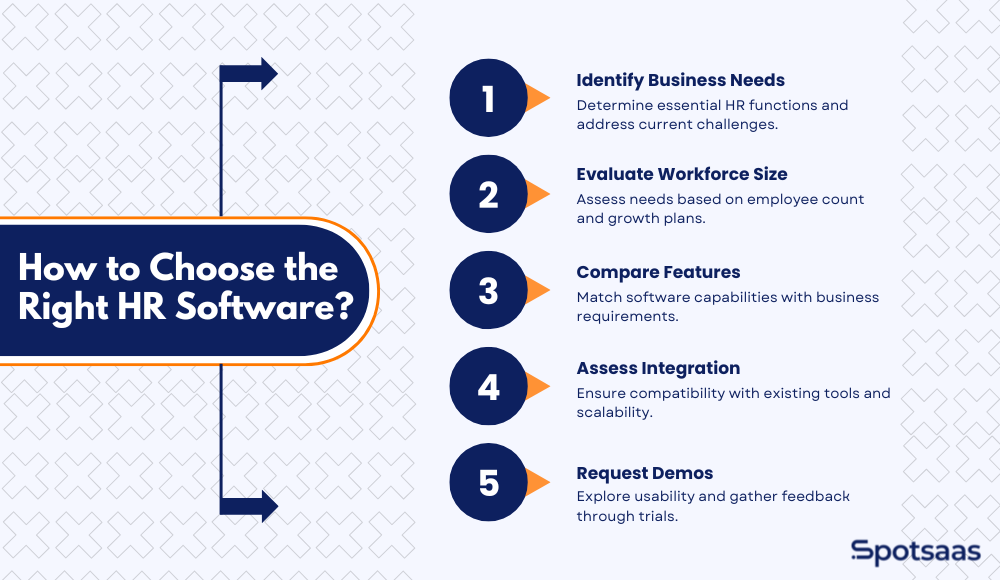
Step 1: Identify Your Business Needs
- Determine which HR functions you need: payroll, talent management, compliance, or full automation.
- Assess your current HR challenges and what processes need improvement.
Example: If your HR team struggles with manual payroll processing and compliance tracking, you may need an HRMS with automation features.
Step 2: Evaluate Your Workforce Size and Growth Plans
- Small businesses (1-200 employees) may only need HRIS for employee records and payroll.
- Mid-sized businesses (200-1,000 employees) may benefit from HCM for workforce planning and talent management.
- Large enterprises (1,000+ employees) often require HRMS for advanced analytics and full automation.
Example: A startup with 50 employees might start with HRIS, while a growing company with 500+ employees may require HCM to support workforce expansion.
Step 3: Compare Features and Functionalities
- HRIS covers basic HR operations (payroll, benefits, compliance).
- HCM includes talent acquisition, workforce planning, and employee engagement tools.
- HRMS offers AI-driven analytics, workflow automation, and enterprise-level HR management.
Tip: Build a comparison checklist of must-have features and check each platform against it to confirm it actually covers what your business needs.
Step 4: Assess Integration and Scalability
- Ensure the software integrates with existing tools (payroll, CRM, performance management).
- Look for a cloud-based solution if remote access and scalability are priorities.
- Check if the software supports multi-location workforce management if your business operates globally.
Example: A company expanding internationally might require an HRMS with compliance tracking and localization features.
Step 5: Request Demos and Check Reviews
- Sign up for free trials or request a demo to explore usability and features.
- Read customer reviews and case studies to understand real-world applications.
- Compare pricing and consider long-term ROI, not just upfront costs.
Example: If ease of use is a priority, look for HR software with a simple interface and strong customer support.
When Should You Choose HRIS, HCM or HRMS?
Which HR software makes sense depends on your organization’s size, priorities, and where it’s headed. HRIS, HCM, and HRMS each serve a different purpose, and picking the right one means efficient workforce management without dragging in complexity you don’t need. The table below is a quick way to sanity-check that against your current stage before you go deeper into any single option.
| HR System | Best For | Key Benefits |
|---|---|---|
| HRIS | Small to mid-sized businesses needing basic HR and payroll management | Streamlines employee records, payroll, benefits, and compliance |
| HCM | Companies focused on talent management and workforce planning | Enhances recruitment, performance tracking, and learning & development |
| HRMS | Enterprises needing full HR automation and AI-driven analytics | Automates HR workflows, compliance, and workforce insights |
When is HRIS the Right Fit For Your Business?
If your business only needs core HR operations, such as employee records, payroll, benefits administration, and compliance tracking, an HRIS covers it. It simplifies HR workflows for small to mid-sized businesses that want something structured but not overbuilt.
Best for:
- Companies looking for basic HR and payroll management
- Organizations that do not need talent or performance management
- Businesses that prioritize cost-effective and simple HR solutions
Why Choose HCM for Talent Focused Growth?
For businesses focused on talent management, workforce planning, and employee development, an HCM system gives you the right toolset. It covers everything HRIS does, plus recruitment, learning and development, and performance tracking.
Best for:
- Companies with a growing workforce that need structured talent management
- Organizations that invest in employee engagement and leadership development
- Businesses expanding globally and needing scalable workforce planning tools
Why HRMS is Ideal for Scalable, Automated HR Operations
If your company needs a complete HR suite with automation, AI-driven analytics, and advanced compliance tracking, HRMS is the most comprehensive option on the table. It handles all HR functions in one place, cuts manual work, and sharpens decision-making with data-driven insights.
Best for:
- Enterprises managing large teams across multiple locations
- Businesses needing AI-powered insights, workforce automation, and self-service portals
- Organizations that prioritize efficiency, compliance, and long-term HR strategy
Bonus Tip: Always Pick an HR Platform That Scales with You
The best HR software adapts as your business grows. Look for a solution that:
- Integrates with your existing tools (payroll, CRM, or performance tracking software)
- Offers customization and scalability as your workforce expands
- Provides automation features to reduce manual HR workload
Getting this choice right means more efficient HR management, a better employee experience, and a workforce system that’s ready for what’s next, instead of a tool the business quietly outgrows and has to replace under time pressure.
Best HR Software for 2026: HRIS vs HCM vs HRMS
Which HR software is right depends on business needs, workforce size, and long-term growth plans. Below is a rundown of the strongest HR solutions grouped by HRIS, HCM, and HRMS, so businesses can zero in on the right platform without wading through every vendor on the market individually. Use it as both a feature comparison and a pricing guide to weigh against your budget and requirements.
Top HRIS Software for Basic HR and Payroll in 2026
Suited to small to mid-sized businesses that want core HR functionality: employee data management, payroll processing, and compliance tracking.
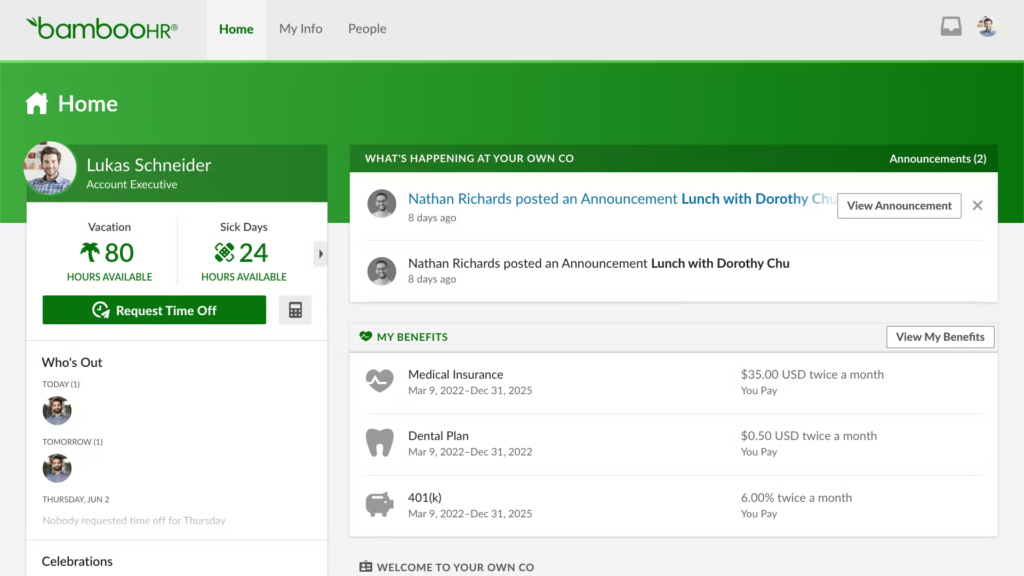
BambooHR
Overview: A user-friendly HRIS built for small and mid-sized businesses. It simplifies employee record management, payroll, and benefits administration through an intuitive interface.
Key Features:
- Centralized employee database with self-service access
- Automated payroll and tax filings
- Time tracking and attendance management
- Custom HR reporting and analytics
- Mobile app for on-the-go HR management
Best For: Small businesses looking for an easy-to-use HR system with payroll and compliance tools.
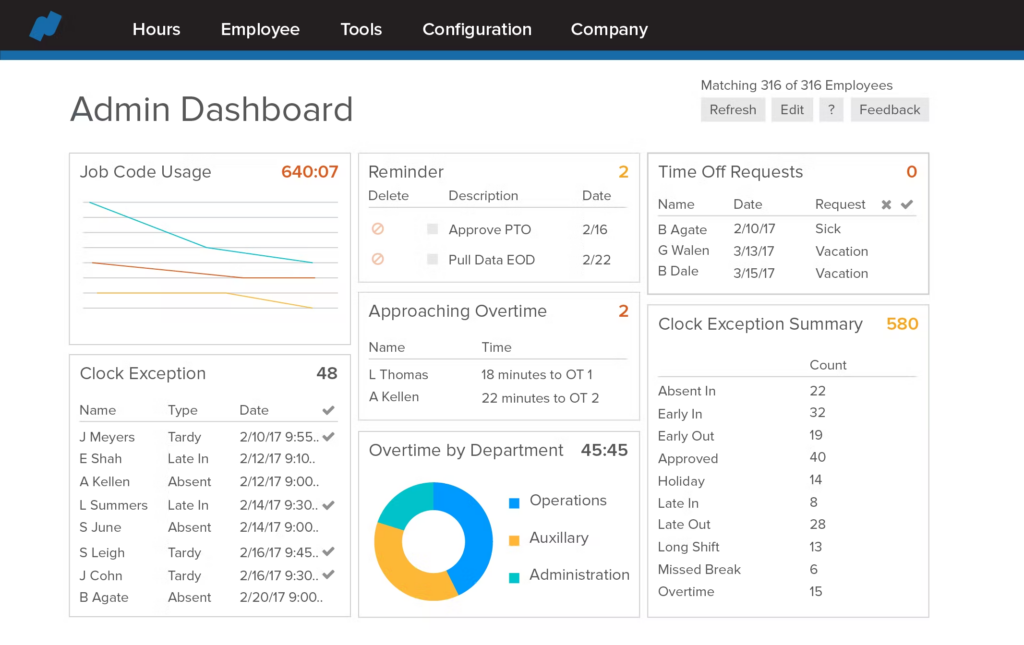
Namely
Overview: A modern HRIS built for mid-sized businesses, combining HR tools, payroll, compliance, and employee engagement features.
Key Features:
- Customizable HR workflows for unique business needs
- Built-in compliance management and reporting tools
- Automated benefits administration with third-party integrations
- Employee self-service portal for time-off requests and document management
- Performance management tools, including goal tracking and feedback
Best For: Mid-sized companies looking for custom HR solutions with engagement and compliance tools.
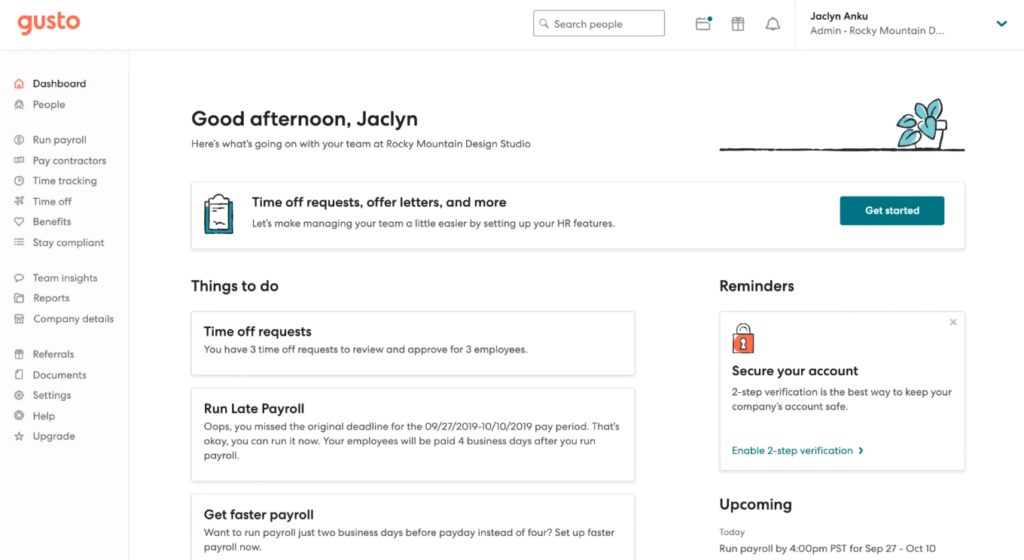
Gusto
Overview: A payroll-first HRIS built for small businesses, centered on automated payroll processing, tax filing, and benefits integration.
Key Features:
- Full-service payroll with tax filing automation
- Employee Health Benefits Administration
- Hiring and onboarding tools for small teams
- Built-in time tracking and workforce scheduling
- Affordable pricing for startups and small companies
Best For: Small businesses that need a payroll-focused HR platform with benefits and compliance support.
Zenefits
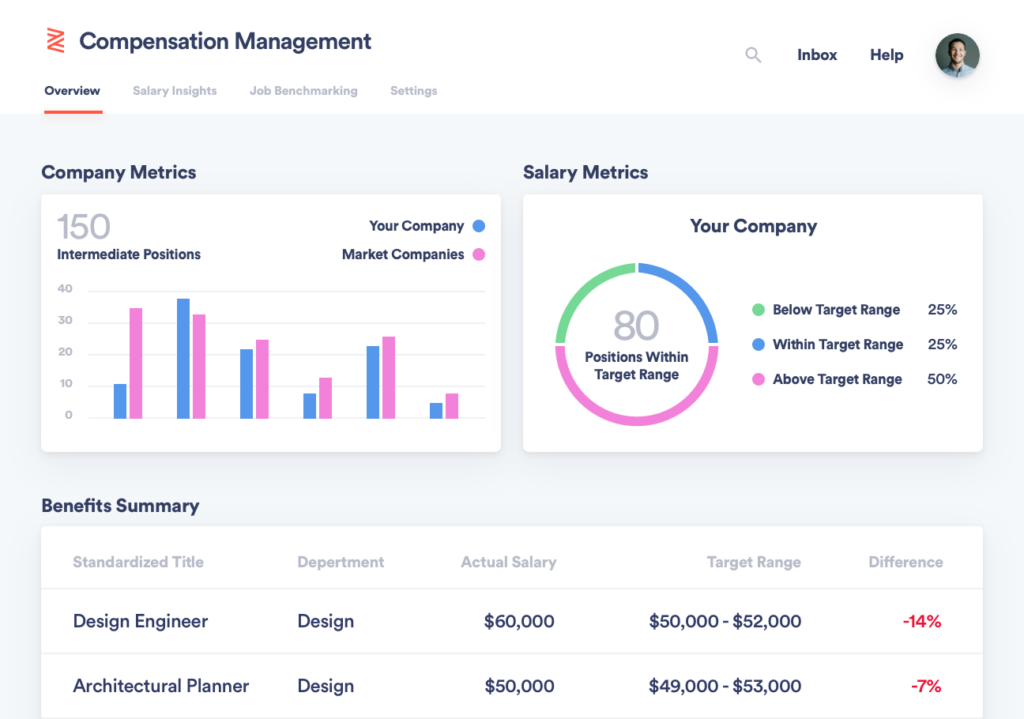
Overview: An all-in-one HRIS covering payroll, compliance tracking, and benefits administration at an affordable price.
Key Features:
- Automated payroll processing and tax compliance
- Employee benefits management, including healthcare and retirement plans
- Time tracking and shift scheduling
- AI-powered HR analytics for workforce insights
- Mobile-friendly self-service portal for employees
Best For: Startups and small businesses looking for affordable HR software with compliance and payroll features.
Paycor
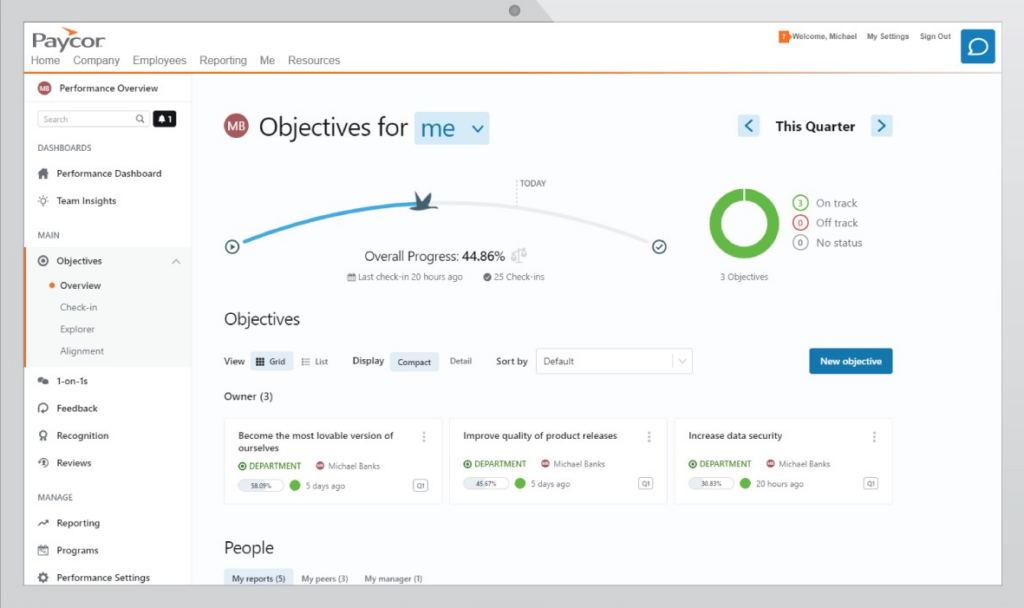
Overview: A payroll-centric HRIS built around workforce management, compliance tracking, and reporting.
Key Features:
- Automated payroll and tax compliance tools
- Customizable HR dashboards with workforce analytics
- Integrated time and attendance tracking
- Talent acquisition and recruiting features
- HR compliance management with built-in reporting
Best For: Mid-sized businesses needing payroll, compliance, and workforce management tools.
Best HCM Software Platforms For Talent Management in 2026
Built for businesses that need comprehensive talent management, workforce planning, and employee engagement tools.
Oracle HCM
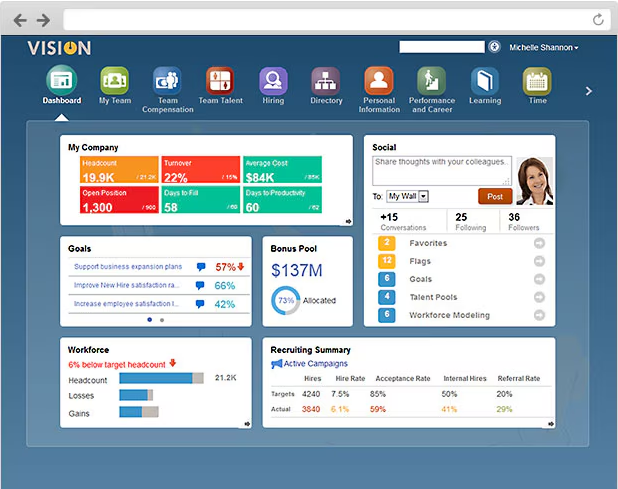
Overview: A cloud-based HCM solution built for global enterprises, offering AI-driven workforce planning and talent development.
Key Features:
- AI-powered talent acquisition and recruitment tools
- Compensation and benefits management
- Performance tracking and workforce analytics
- Employee learning and development programs
- Scalability for large and multinational enterprises
Best For: Large enterprises needing comprehensive workforce planning and AI-driven HR insights.
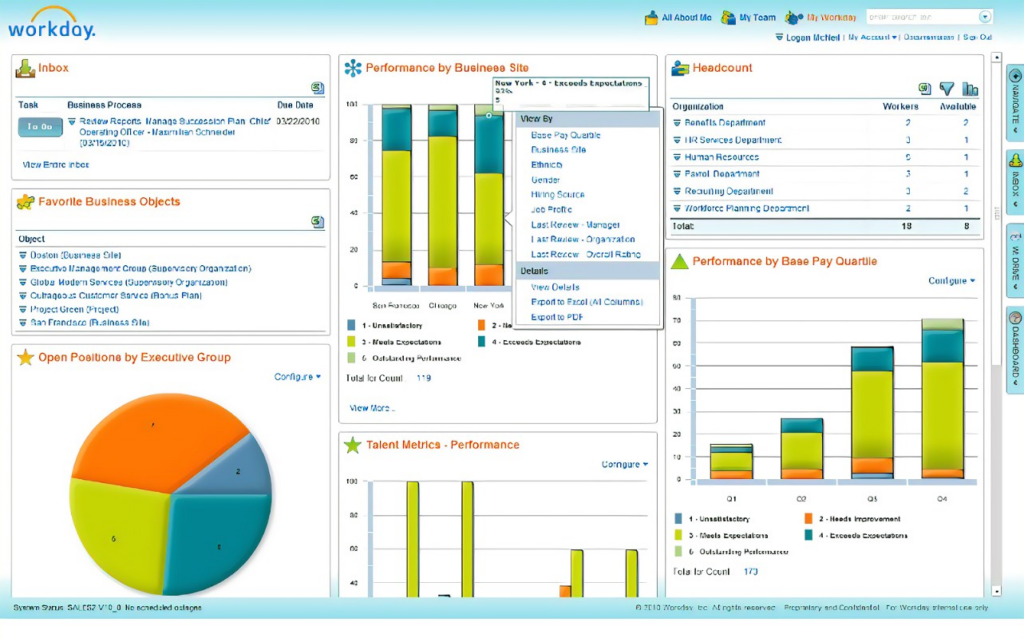
Workday
Overview: A scalable HCM platform for mid-sized to large businesses, offering workforce planning, payroll, and talent management.
Key Features:
- AI-driven workforce analytics for strategic planning
- Integrated payroll and benefits administration
- Recruiting and performance tracking tools
- Time-off tracking and workforce scheduling
- Cloud-based platform with mobile accessibility
Best For: Businesses that need scalable HR and workforce management tools.
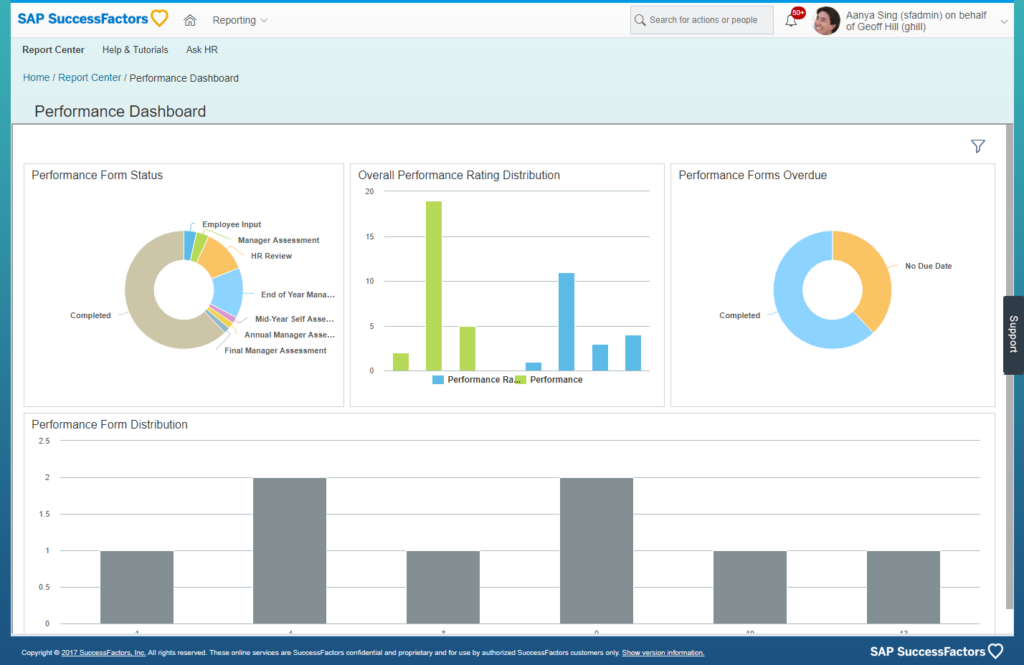
SAP SuccessFactors
Overview: A data-driven HCM suite focused on talent acquisition, learning & development, and workforce engagement.
Key Features:
- AI-powered recruiting and onboarding
- 360-degree performance management
- Workforce analytics for real-time decision-making
- HR process automation and compliance tools
- Employee engagement surveys and reporting
Best For: Enterprises focused on talent development and HR automation.
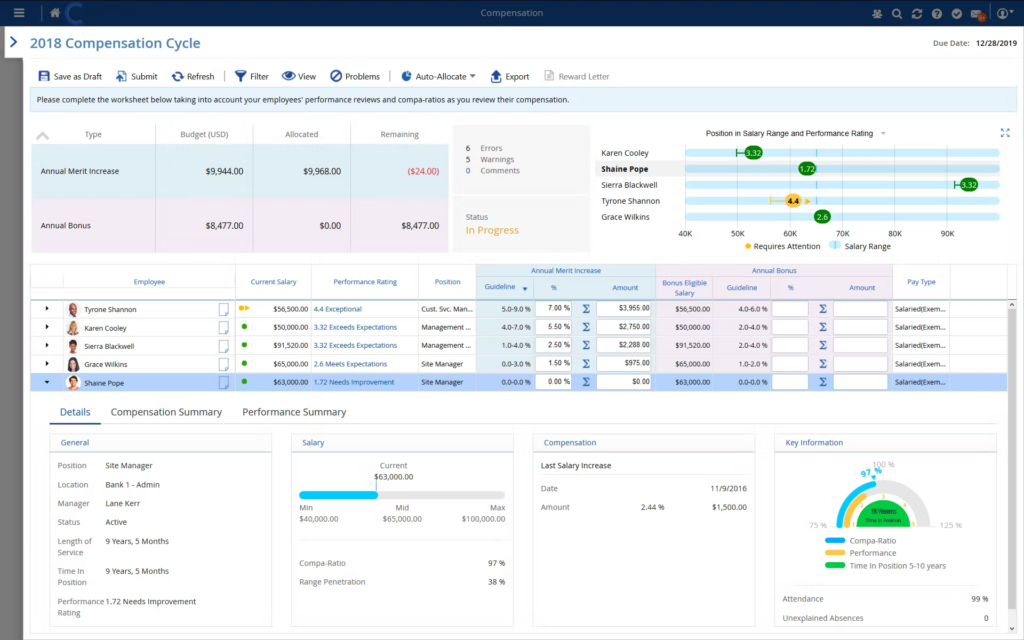
Ceridian Dayforce
Overview: A real-time HCM system that ties together payroll, HR, and compliance.
Key Features:
- Automated workforce planning and scheduling
- Global payroll processing for multi-country organizations
- Employee self-service tools
- AI-driven HR analytics
- Compliance management for labor laws
Best For: Companies that require real-time HR and payroll insights.
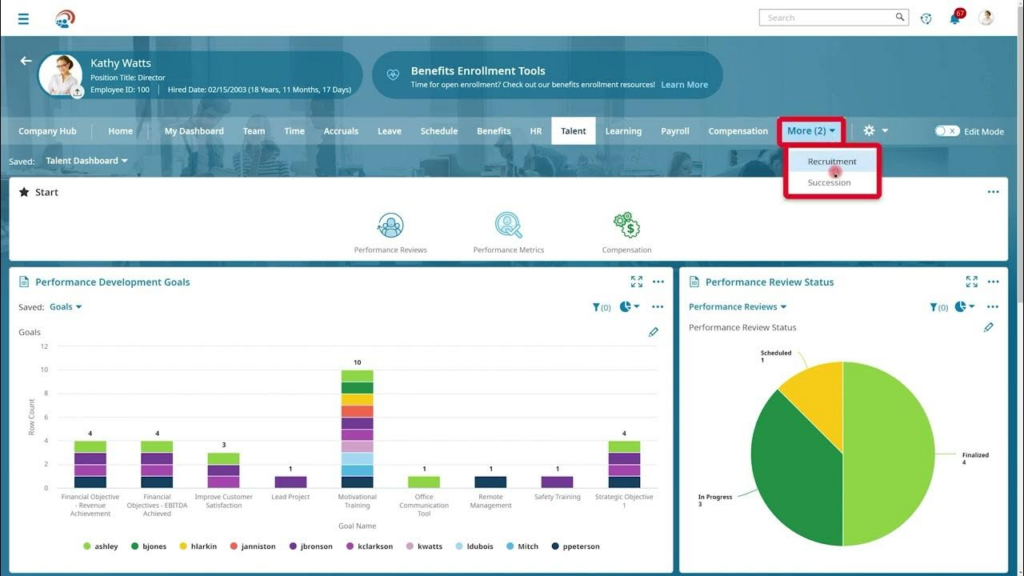
UKG Ready
Overview: A flexible, cloud-based HCM solution that combines HR, payroll, and workforce management.
Key Features:
- Customizable HR workflows and analytics
- Employee performance tracking and feedback
- Payroll and compliance automation
- AI-driven talent acquisition
- Employee engagement and development tools
Best For: Mid-sized businesses looking for an adaptable workforce management solution.
Best HRMS Software For AI-Driven HR Automation in 2026
Built for businesses that need end-to-end HR automation, compliance tracking, and workforce analytics.
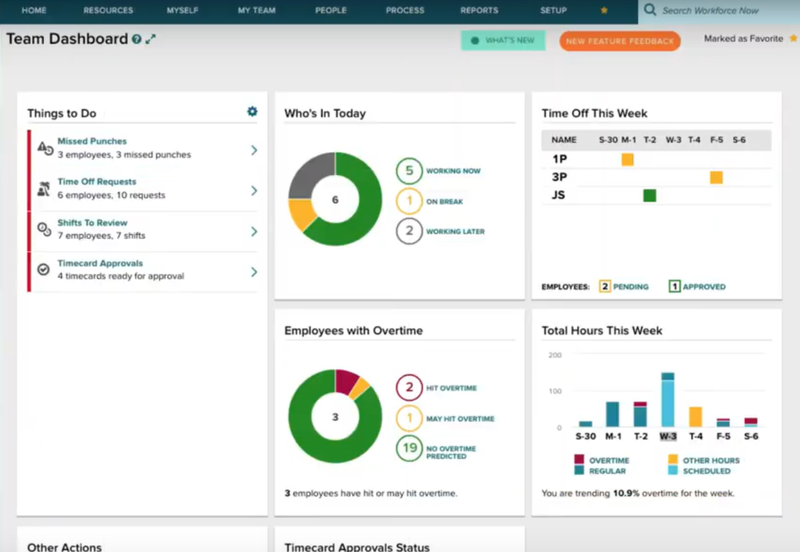
ADP Workforce Now
Overview: A full-suite HRMS offering payroll automation, workforce analytics, and compliance management.
Key Features:
- AI-powered HR analytics and reporting
- Comprehensive payroll and tax compliance
- Employee benefits and workforce planning tools
- Self-service employee portals
- Advanced compliance management
Best For: Enterprises needing comprehensive workforce automation.
UKG Pro
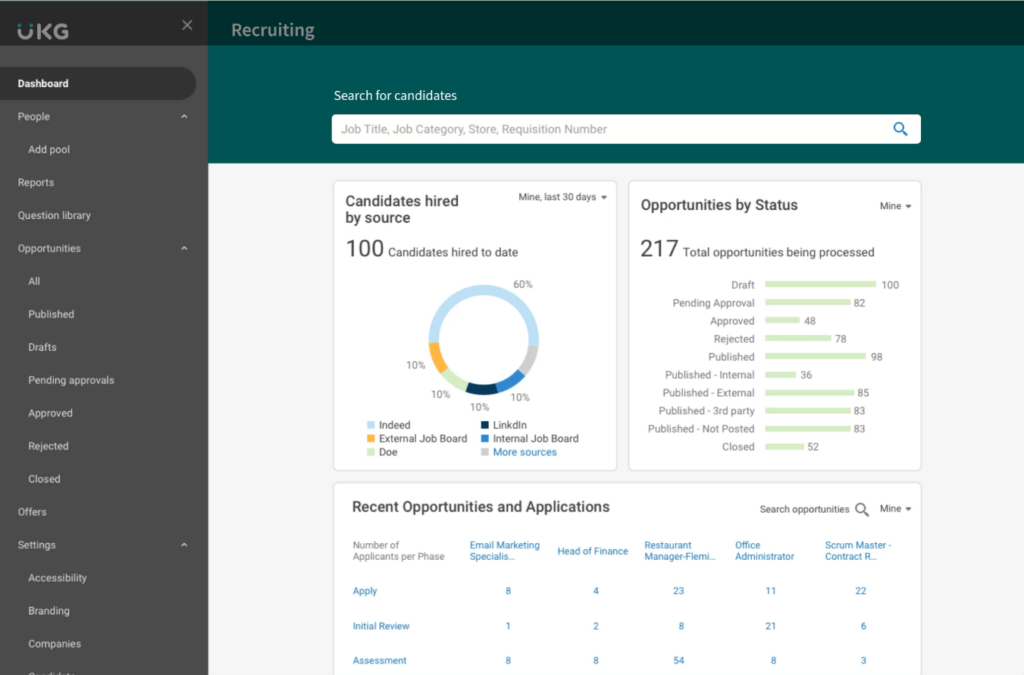
Overview: A highly customizable HRMS with AI-driven workforce analytics and automation.
Key Features:
- Predictive workforce analytics
- Automated payroll and compliance management
- Employee engagement and learning tools
- Cloud-based HR system with mobile access
Best For: Businesses requiring AI-powered HR automation and workforce insights.
Rippling
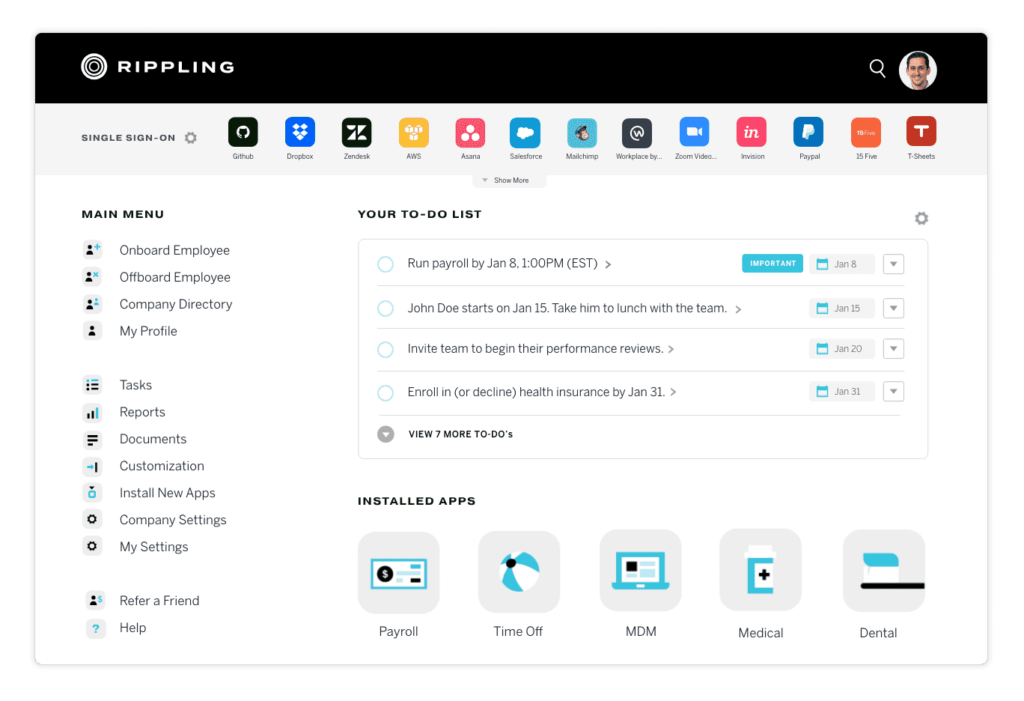
Overview: A unified HRMS that brings HR, payroll, IT, and finance together in one system.
Key Features:
- Payroll and compliance automation
- Time tracking and workforce scheduling
- IT device and software management for remote teams
- Customizable HR workflows
Best For: Companies needing all-in-one HR, IT, and payroll integration.
Zoho People Plus
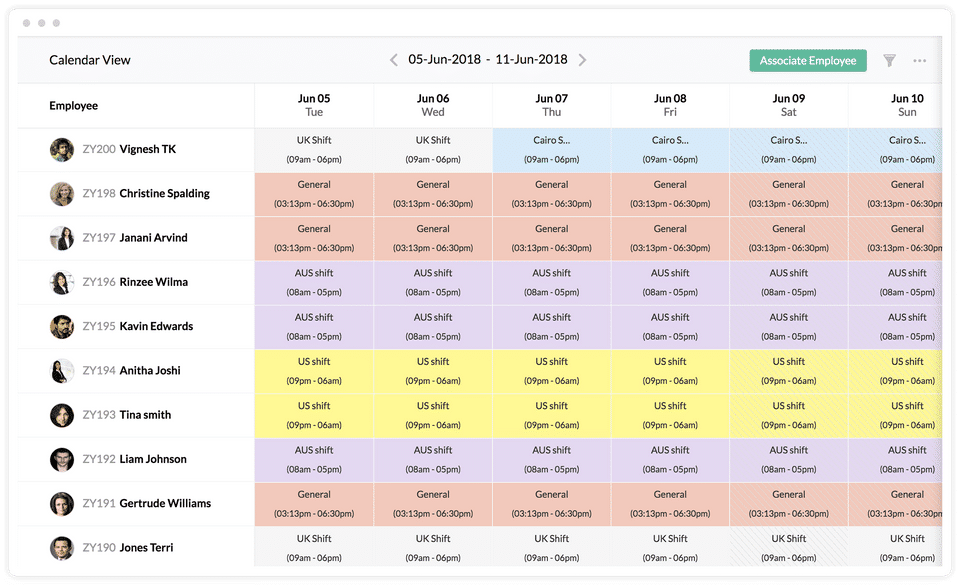
Overview: A cost-effective HRMS with workflow automation, time tracking, and advanced analytics.
Key Features:
- Runs payroll processing with built-in compliance tracking.
- Tracks employee attendance, shifts, and work hours efficiently.
- Integrates with IT tools to manage employee access and software provisioning.
- Automates HR processes such as onboarding, leave management, and approvals.
Best For: Small to mid-sized businesses looking for HR automation with AI-driven insights.
Paycom
Overview: A self-service HRMS offering full HR automation, workforce analytics, and compliance tracking.
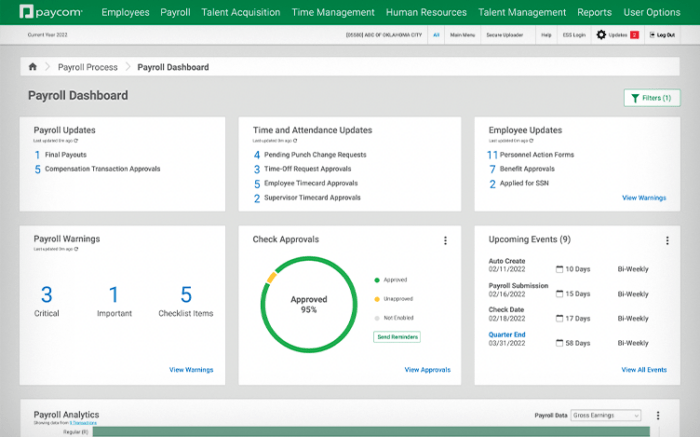
Key Features:
- Manages payroll processing, tax filings, and regulatory compliance.
- Enables precise time tracking, attendance management, and shift scheduling.
- Ensures secure onboarding and management of employee IT assets.
- Allows businesses to automate repetitive HR processes to improve efficiency.
Best For: Companies that need real-time HR insights and automation.
Final Thoughts: Choosing the Right HR Tech for 2026
Picking the right HR software is more than a technology decision, it’s a step toward a more efficient, engaged, and future-ready workforce. Whether a business needs basic HR management (HRIS), strategic talent planning (HCM), or full-suite automation (HRMS), the right fit simplifies day-to-day operations, tightens compliance, and genuinely improves the employee experience over time. The mistake most businesses make isn’t picking the “wrong” category outright, it’s picking based on what a competitor uses, not what their own workforce size and priorities actually call for.
As organizations grow, a scalable and adaptable HR system keeps workforce management efficient, data-driven, and lined up with business goals. Investing in the right HR platform now sets the foundation for long-term success in a workplace that keeps changing. Revisit the decision periodically too: a system that fit perfectly at fifty employees may need to be reassessed once headcount, locations, or HR priorities shift.
FAQ’s: HRIS vs HCM vs HRMS – Common Buyer Questions Answered
What is the main difference between HRIS, HCM, and HRMS?
HRIS manages core HR tasks, HCM includes talent and workforce planning, and HRMS offers full automation and analytics.
Which HR system is best for small businesses?
HRIS is ideal for small businesses needing basic HR and payroll management with easy-to-use tools.
Do all HRMS platforms include payroll and benefits management?
Yes, most HRMS solutions include payroll, benefits administration, and compliance tracking by default.
Can an HCM system help with employee engagement?
Yes, HCM platforms offer tools for performance tracking, learning programs, and career development to boost engagement.
How do I choose the right HR software for my business?
Choose HRIS for basic HR needs, HCM for talent management, and HRMS for full automation, ensuring scalability and integration.
Compare alternatives to the tools in this post

- Independent picks for exactly what you just read about
- Matched to your team size & needs
- Vendors don't pay for placement
Step 1 of 4
How big is your team?
We tailor recommendations to companies your size.















Related Articles
Applicant Tracking Software
monday.com for HR and Recruiting (2026): Hiring Pipelines, Onboarding and When You Need an ATS
Continue reading →
HR software
Gusto vs QuickBooks Payroll 2026: Prices, Features and Verdict
Continue reading →
Best Tools
Best PEO for Small Business in 2026: 8 Providers, Prices and Certification
Continue reading →
HR software
Gusto vs Paychex 2026: Published Prices vs Quote-Based Payroll
Continue reading →