
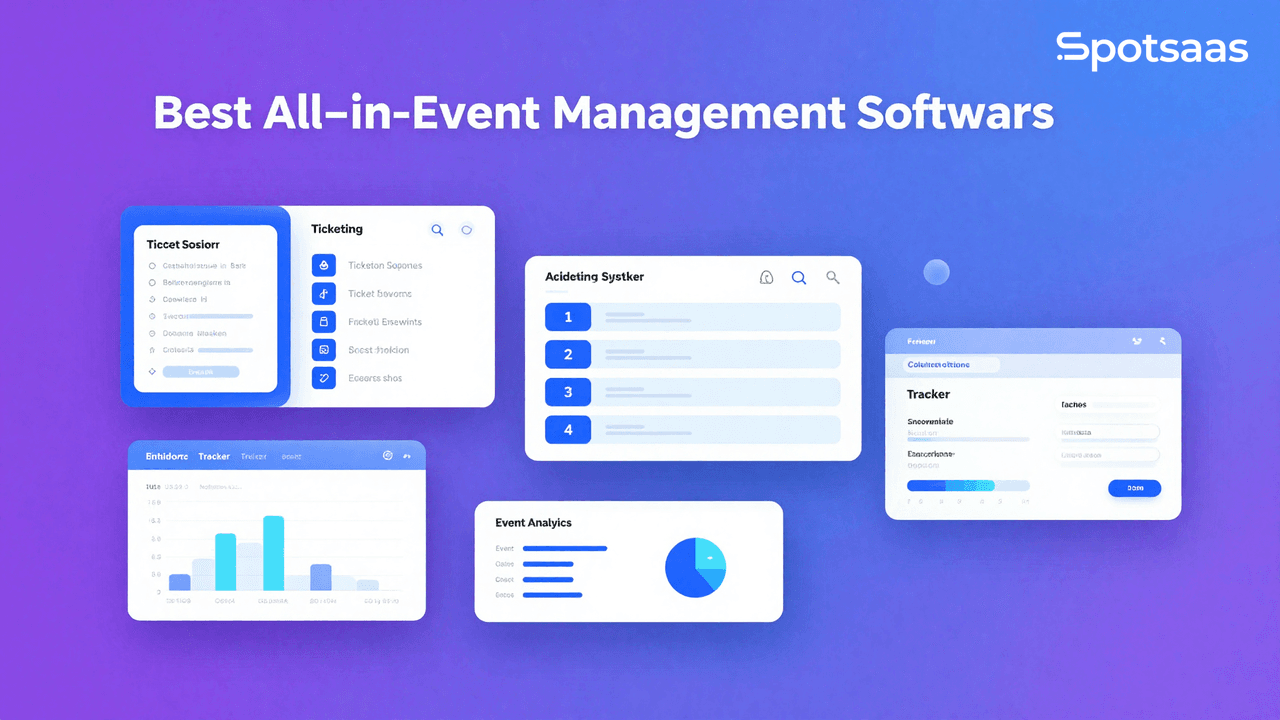
What Is Event Management Software and How Does It Work?
Event management software is cloud-based technology built to improve how organizers plan and run events. It brings registration, ticketing, marketing, scheduling, and analytics tools into one system, cutting out the need for extensive manual coordination.
These platforms support different kinds of events — conferences, trade shows, webinars, and social gatherings — each organized differently but managed from the same core system. By automating repetitive tasks, event management software lets organizers spend more time on the parts of the event that actually shape the attendee experience.
The software gives organizers real-time metrics about the event and includes modules for better resource allocation and decision-making. It’s a flexible choice for anyone trying to run an event with minimal manual effort.
Why Should You Use Event Planning Software?
Event Planning Software Improves Efficiency
Event management platforms automate repetitive tasks like sending invitations, tracking attendee registrations, and managing ticket sales.
With automated processes in place, many tasks no longer need manual, hands-on involvement. These tools save time and cut down on errors, which results in more efficient events and more convenient workflows for the organizers running them.
Enhance Attendee Experience
Event planning software improves the attendee experience through features such as mobile check-ins, personalized event agendas, and real-time updates. These tools are flexible enough to keep attendees engaged and give them a smoother, more involved experience of the event as it happens.
Collaboration Benefits of Event Planning Software
Events usually involve multiple stakeholders, and event planning software gives them a single platform for task assignments, document sharing, and communication. Better coordination between departments, more transparency, and less miscommunication during planning all contribute directly to a smoother event and a better outcome on the day.
What Event Analytics Can You Access with Management Tools?
Analytics and reporting capabilities give organizers a deeper understanding of ticket sales, attendance, and session numbers. These are essential figures for measuring an event’s success, and they also flag areas for improvement, forming the basis of a data-driven approach for future events.
How Scalable Is Event Management Software for Different Events?
From mini-seminars to mega gatherings, scalable software adapts to whatever event style you’re running. That means planners can apply the same platform to new situations, fast changes, or more complicated requirements, making it a fit for both one-time and recurring events.
A Cost-Effective Solution
Event management software is an upfront investment that costs something. But it typically saves more than it costs by cutting down on the expenses that come from inefficiency and underused resources. That makes it a cost-effective choice, especially for ongoing or large-scale events working within tight budgets.
Put together, these reasons point to the same underlying shift: event planning used to depend on a person keeping every moving part in their head, from the guest list to the payment gateway to the run of show. Software takes over the parts that don’t need human judgment, so the people running the event can focus their attention on the parts that do.
What Are the Key Features of Event Management Software?
How Online Registration and Ticketing Work in Event Software
Easy event registration is the first step toward a good user experience. Online event management software comes with forms you can customize to match how you want them to look.
Automated ticketing systems come with integrated payment gateways, so transactions stay secure and managing attendees stays simple regardless of the event type.
Marketing Tools Included in Event Planning Software
Event planning software makes it easier to promote your event. It offers options such as email campaigns, social media connections, and landing page creation. These marketing tools help you reach specific customers and bring more people to a concert or show.
How Event Planners Boost Attendee Engagement
Techniques like live polling, interactive Q&A sessions, and networking options help attendees stay focused throughout an event. Organizers can use these tools to drive meaningful exchanges, increase participant satisfaction, and get more people actively involved.
How Event Software Helps with Agenda Planning and Scheduling
Event management software makes it easier to manage timely, structured agendas and schedules. Planning tools, speaker management, and real-time updates give both organizers and attendees a well-coordinated, professional event experience.
What Insights Can You Gain from Event Analytics and Reporting
Real-time dashboards and in-depth reports are the main tools for assessing event success. These analytics let you monitor attendee behavior, which sessions perform best, and overall ROI. They form the basis for making informed decisions about future events and improving on each one.
How Mobile App Integration Enhances the Event Experience
Most platforms offer mobile apps that let attendees browse the schedule and interact with organizers through notifications and networking features. These apps add real convenience and keep communication flowing for both attendees and organizers throughout the event.
How CRM Integration Benefits Event Planning
Event planning platforms often connect with CRM systems, syncing customer data across both. This mainly helps organizers with post-event engagement and staying connected with participants after the event ends.
What Types of Event Planning Software Tools Are Available?
Event management software offers solutions tailored to different event types, from in-person conferences to virtual summits and small gatherings. Understanding these categories helps you pick the right tool for your event. Here’s a rundown of the main options:
All-in-One Event Management Solutions
Extensive event software that brings ticketing, marketing, attendee engagement, and analytics into a single platform. These solutions fit large or multifaceted events best, where unified control and end-to-end governance matter most.
What Virtual Event Platforms Offer
For virtual and hybrid events, virtual event platforms provide live streaming, breakout rooms, and attendee networking tools. These work best for events focused on remote accessibility, large global audiences, or digital interaction.
What Specialized Event Planning Software Tools Are Used For
Some event management tools are built for a single purpose — a system for handling concert logins, for example, or thorough analytics for post-event evaluation. These tools cater to planners with specific needs, offering detailed functionality in particular areas of event management.
Open-Source Event Management Software and Who Should Use It
Organizations with the technical knowledge to work with open-source event software can customize it to fit their exact needs. It’s a low-cost option for teams that want personalized features and don’t mind a more hands-on development process.
What Software Works Best for Small Events?
Some tools target smaller or local events specifically. These focus mainly on registration and ticketing, which keeps them convenient and affordable. They suit events with simple requirements, and they work well for emerging companies or community-based events.
None of these categories is objectively “better” than another — an all-in-one platform is overkill for a single local meetup, just as a lightweight registration tool won’t hold up for a multi-track enterprise conference. The right starting point is matching the category to the size and complexity of the events you’re actually running, not the most feature-rich option available.
What Are the Main Benefits of Using Event Management Software?
Save Time and Effort for Organizers
Event management software automates everyday tasks like registering attendees and issuing tickets, making them far easier for organizers to handle. That means less paperwork and more time for organizers to spend on strategic event planning. The resulting automation also leads to smoother workflows and more predictable outcomes.
Increase Attendee Engagement
Features such as live polls, Q&A sessions, and curated agendas account for each participant’s preferences, creating a more interactive experience. These tools help hold participants’ attention throughout the event. More engagement generally means higher satisfaction and better participation rates in future events.
Analytics Help You Measure Event Success
Built-in analytics tools show how attendees behave, how ticket sales are trending, and how well individual sessions performed. This data helps organizers evaluate event success and make better decisions about future improvements. Acting on that information also supports smarter resource allocation, which improves the events that follow.
Scale for Different Event Sizes
Whether you’re running a small workshop or a large conference, the management software adjusts to the scale of the event. Platforms handle increasing complexity as event size and scope grow.
That flexibility means the same platform can support both one-time events and recurring, ongoing ones.
Integration with Marketing and CRM Tools
Integration with CRM systems, postal services, and payment gateways keeps the workflow moving quickly. That reduces manual work and keeps the event management process organized. Live synchronization between tools also supports better cooperation and keeps information accurate and current across systems.
Cost-Efficient
Event management software lowers operating costs through process automation and better use of resources. It helps organizations reach a stronger ROI, especially for recurring or large-scale events, where the long-term savings outweigh the initial expenditure.
How Do You Choose the Right Event Management Software?
Define Your Goal Before Choosing Event Software
The first step in selecting event management software is defining your business objectives. Outlining your goals clearly helps you prioritize the features that matter and pick a solution that actually fits your business needs.
Knowing your goals lets you choose software that supports efficient planning, improves the attendee experience, and simplifies event execution. A team running quarterly webinars has different priorities than one organizing a single annual conference, and the goal-setting step is where those differences should actually shape the list of platforms you decide to evaluate.
Key Objectives for Event Management Success
Simplify Event Planning
Event planning involves multiple processes: venue booking, registration, ticketing, and payment processing. Event management software centralizes all of these tasks so you can organize and manage them from a single platform. That saves time, cuts administrative workload, and increases efficiency.
Enhance Attendee Experience
A smooth attendee experience is critical for event success. Features like self-service registration, mobile check-in, and personalized notifications give attendees a hassle-free experience from registration through post-event follow-up.
Improve Collaboration
Effective collaboration among internal teams, vendors, sponsors, and partners keeps event execution running smoothly. Event management software provides shared workspaces, team calendars, and collaboration tools that streamline communication and cut down on misunderstandings.
Increase Event Visibility
Visibility drives attendee turnout. Event management software integrates with marketing tools such as email campaigns, social media platforms, and event listing sites to promote the event and reach a wider audience.
Track Performance and ROI
Analyzing post-event performance shows you what worked and what needs improvement. Event management software tracks metrics like attendee engagement, feedback, and revenue, and post-event reports let you measure return on investment and optimize future events.
What Are the Main Event Management Software Models?
Single-Event Management Model
Event-specific software is built to manage one-time events, such as product launches, trade shows, or conferences. These platforms suit companies that don’t host events often but want comprehensive management tools for the events they do run.
Best For
This model is best for small businesses, nonprofits, and companies that manage occasional events. It removes the need for a long-term software subscription, which makes it more cost-effective for one-off events.
Multi-Event Management Model
Enterprise event software is a scalable platform that lets organizations manage multiple events from a single system. It enables centralized tracking of attendees, ticketing, sponsors, and event resources. This model works well for organizations that regularly run webinars, annual conferences, and ongoing training programs.
Which Event Management Model Should You Choose?
Small Businesses
→ Small businesses and nonprofits managing single, one-off events should use event-specific software.
→ It’s cost-effective and covers essential features like ticketing, attendee tracking, and event promotion.
Enterprises
→ Enterprises with large-scale, multi-event schedules should opt for enterprise-level event management software.
→ This solution offers better scalability, resource-sharing across events, and centralized data management.
What Data Requirements Should You Consider?
What Integrations Should You Look for in Event Software?
→ CRM Tools
Customer Relationship Management (CRM) integration lets event organizers sync attendee data, enabling better communication and engagement before and after the event. It’s useful for sending personalized follow-ups, tracking attendee behavior, and managing customer data.
→ Payment Gateways
Integration with payment gateways lets you collect payments for tickets, donations, or registration fees, while ensuring attendees can pay securely and get instant confirmation of their registration.
→ Marketing Automation Tools
Marketing automation tools make it easier to send event invitations, schedule follow-up emails, and track engagement, which increases the effectiveness of promotion campaigns and boosts registration rates.
→ Video Conferencing Tools
Video conferencing integration supports hybrid and virtual events, letting attendees join from anywhere. Live-streaming and interaction tools such as polls, Q&A, and chat improve the attendee experience.
→ Event Analytics Tools
Analytics tools help you track attendee engagement, revenue, and overall event performance, giving you actionable insight to optimize planning and make data-driven decisions.
How Much Data Can Event Software Handle?
→ Can the platform handle thousands of attendees without performance issues?
Large-scale events may involve thousands of participants, and your platform needs to support that capacity without lags or crashes.
→ Can it integrate with CRM, payment, and ticketing systems without complexity?
Smooth integration with essential tools like CRM, payment gateways, and ticketing platforms keeps workflows running and reduces technical issues.
→ Can the software support customizable forms for different attendee types, sponsors, and exhibitors?
Customizable forms make it easier to collect targeted data for sponsors, exhibitors, and attendees, giving you better event personalization.
What Are the Must-Have Features in Event Management Tools?
What Core Features Should Event Software Include?
→ Event Registration and Ticketing
Simplifies event registration by letting attendees register, purchase tickets, and receive e-tickets by email.
→ Attendee Management
Helps event organizers track and manage attendee information, send notifications, and segment attendees for personalized communications.
→ Payment Processing
Handles online payments for event tickets, donations, and registration fees, while ensuring secure transactions and tracking payment status in real time.
→ Event Marketing
Promotes events through email campaigns, social media platforms, and landing pages, helping drive attendee registration and event visibility.
→ Check-In and Badge Printing
Enables fast, self-service check-ins using QR codes or NFC badges. On-site badge printing speeds up attendee entry and strengthens event security.
What Are the Advanced Features in Event Management Software?
→ Customizable Registration Forms
Custom forms let organizers collect specific data from attendees, sponsors, and exhibitors to tailor the event experience.
→ Event Mobile App
Mobile apps give attendees access to schedules, networking tools, and event updates directly on their phones.
→ Live Streaming & Hybrid Event Support
Supports hybrid and virtual event delivery, letting organizers host live events online with real-time engagement tools.
How Do You Assess Reporting and Event Insights?
Learn from Granular Reporting Tools
→ Measure attendee engagement, poll responses, and attendee feedback.
→ Track ticket sales and see how many people registered and attended.
→ View payment history, outstanding fees, and payment processing status.
→ Analyze attendee feedback to improve future events.
Visualization Tools Improve Event Planning
→ Line graphs let event organizers track trends in ticket sales and attendee registrations over time, helping them identify peak periods for ticket sales.
→ Pie charts visually present attendee demographics such as age, location, and job title, helping organizers tailor future events to specific audiences.
What Are the Pricing Models for Event Software?
Pay-Per-Event Pricing
→ Ideal for organizers managing one-time events.
→ Lets companies pay only for the event they’re hosting, avoiding long-term contracts.
Per-User Subscription
→ Users pay a monthly or annual subscription based on the number of people accessing the platform.
→ This model suits recurring events or organizations with regular event schedules.
Custom Enterprise Pricing
→ Custom pricing is negotiated directly with the software vendor and suits large enterprises running multiple events.
→ It offers flexibility, scalability, and additional support services.
What Should You Look for in a Scalable Platform?
→ Some providers charge fees based on the number of events, attendees, or registrations.
→ Check for transaction fees on ticket sales or attendee payments.
→ Look for subscription fees tied to premium features.
How Can You Check If an Event Platform Is Scalable?
→ Can the platform support thousands of attendees for large conferences or virtual events?
→ Can the software handle multiple events simultaneously?
→ Can it support physical, virtual, and hybrid events within the same system?
→ Can it handle multiple languages, currencies, and time zones?
What Customer Support Options Are Available?
→ Look for platforms that offer 24/7 live chat, phone, or email support.
→ Ask about getting personalized assistance from a dedicated support manager.
What Training Resources Help You Use Event Software?
→ Access a library of guides, articles, and FAQs for self-service support.
→ Watch step-by-step instructions on setting up and managing events.
→ Get live training from experts for a smoother onboarding experience.
This guide covers the key goals, models, features, and pricing options worth considering when picking event management software. It also touches on data requirements, reporting capabilities, and customer support. Weighing these factors helps businesses pick the event management solution that streamlines operations, improves the attendee experience, and drives event success.
What Are the Top Event Management Software Options to Consider?
Here’s a quick comparison of some popular event management software:
| Software | Pricing | Key Features | Best For | Why Choose? |
|---|---|---|---|---|
| Eventbrite | Free & Paid Plans | Ticketing, promotion, integrations | Small to medium events | User-friendly interface and dependable ticketing. |
| Cvent | Custom Pricing | Registration, marketing, analytics | Large-scale events | Comprehensive tools for corporate and public events. |
| Whova | Custom Pricing | Agenda management, networking, mobile apps | Conferences | Strong for attendee engagement and interaction. |
| Hopin | Starts at $99/month | Virtual events, breakout rooms, attendee analytics | Online & hybrid events | Solid feature set for virtual and hybrid formats. |
| Bizzabo | Custom Pricing | CRM integrations, customizable branding | Enterprise-level events | Well suited to complex, branded events. |
Which Event Management Software Is Best for You?
Event management software has become a genuinely useful tool for easing event planning, execution, and post-event analysis. Automating routine tasks such as attendee registration, ticketing, and payment processing makes these tools faster and cuts down on data-entry errors.
That frees planners to focus more of their time and attention on the creative side of event management — getting attendees more involved in the activities that actually make an event memorable. Matching the software to your event’s specific goals, rather than picking whichever platform has the longest feature list, is what leads to a smoother, more efficient planning process.
These tools add value across the whole operation: they run day-to-day tasks more efficiently and free up time that can be spent elsewhere. Real-time engagement tools and detailed analytics work together to give participants a better experience while giving organizers a clear, actionable read on attendee behavior and overall event performance.

- Independent picks for exactly what you just read about
- Matched to your team size & needs
- Vendors don't pay for placement
Step 1 of 4
How big is your team?
We tailor recommendations to companies your size.















Related Articles

Buyers guide
How To Choose The Best Auto Dialer Software For 2026
Continue reading →

Buyers guide
How To Choose The Best Freelance Platforms For 2026
Continue reading →

Buyers guide
How To Choose The Best Audience Response Software For 2026
Continue reading →
Buyers guide
How To Choose The Best Workforce Management Software For 2026
Continue reading →