
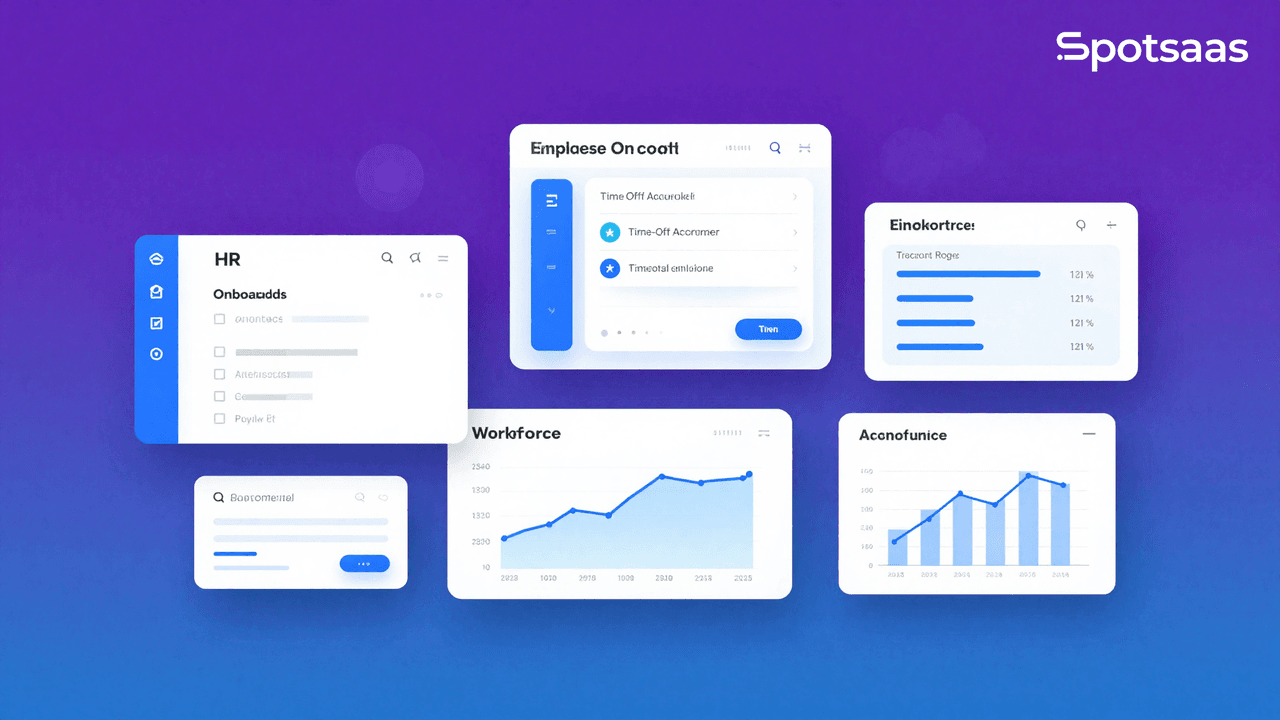
Centrally HR is a modern human resource management system built to simplify day-to-day tasks like onboarding, time tracking, payroll, and compliance. Designed for growing teams, it replaces spreadsheets and disconnected tools with a single, user-friendly dashboard. Whether you’re managing a remote workforce or scaling operations, Centrally offers the flexibility and automation HR teams need to stay organized and compliant.
With a clean interface and customizable workflows, it helps businesses reduce admin time and improve employee experience, without the steep learning curve common in traditional HR platforms.
What Is Centrally HR?
Centrally HR is an all-in-one employee management platform designed to simplify how businesses handle day-to-day HR tasks. Built for small to mid-sized teams, it helps streamline processes like onboarding, payroll, time tracking, and benefits administration—all from a single dashboard.

By removing the need for multiple tools or spreadsheets, Centrally HR supports teams in staying organized, consistent, and compliant. It fits well into today’s HR tech landscape, where ease of use, automation, and scalability are essential. For growing companies looking to improve internal processes without increasing admin overhead, this software offers a practical and efficient solution.
Why Companies Use Centrally HR Today
As teams grow, handling HR manually can become a bottleneck. Tasks like tracking leave, managing employee records, or running payroll can easily slow things down without the right tools. That’s where Centrally HR steps in—making routine HR work faster, cleaner, and easier to manage.
Companies use Centrally HR to:
- Reduce time spent on admin work
- Organize employee data in one secure place
- Standardize onboarding and policy documentation
- Automate payroll and benefits coordination
- Stay consistent with labor laws and reporting
By centralizing everything from time-off approvals to compliance records, Centrally helps HR teams stay focused on people, not paperwork.
What Are the Core Features of Centrally HR?
Centrally HR combines critical HR functions into one unified platform, reducing the need for separate tools and manual tracking. Its features are designed to support HR teams in improving accuracy, saving time, and creating a smoother experience for both employees and managers.
1. Employee Onboarding Tools
Centrally simplifies onboarding with customizable workflows. HR teams can assign tasks, share documents, and collect digital signatures from new hires—all in one place. This ensures consistency across departments and helps new employees get started with minimal delays.
2. Time-Off and Leave Management
The system allows employees to submit leave requests, view balances, and track approvals through a self-service portal. Managers get real-time visibility into team availability, helping them avoid scheduling conflicts and maintain coverage across shifts.
3. Payroll and Benefits Integration
Centrally automates payroll calculations and tax filings while syncing with benefits data to minimize errors. Businesses can handle everything from payslip generation to insurance enrollment, reducing manual entry and ensuring employees receive accurate compensation and coverage.
4. Centralized Document Storage
All employee-related documents—from offer letters to compliance forms—can be securely stored within the platform. Built-in access controls make it easy to manage who can view or edit documents, while e-signature support helps reduce paperwork delays.
5. HR Compliance and Reporting
Centrally includes tools that support compliance with local labor laws. Automated alerts for certification renewals, audit logs, and pre-built reports help you meet regulatory requirements with minimal effort.
By offering a flexible mix of automation, oversight, and self-service, Centrally HR helps businesses operate more efficiently while maintaining a positive employee experience.
Centrally HR Pricing Breakdown
Centrally HR follows a subscription-based pricing model that adjusts based on company size and selected features. While exact rates are typically shared through custom quotes, the platform is designed to remain accessible for both small businesses and growing teams.
Most plans are structured around a per-employee-per-month model, which includes access to core features like onboarding, time tracking, and document storage. More advanced tools—such as payroll integration, benefits management, or API access—may be available in higher-tier packages.
For companies evaluating their options, Centrally often offers:
- A free product demo on request
- Tiered plans that scale with your team size
- Optional add-ons for compliance tools or integrations
- Dedicated support depending on the selected plan
To get accurate pricing, businesses are encouraged to speak directly with the Centrally sales team. This helps align features with operational needs and ensures no unnecessary costs are included.
Pricing shown is approximate; check vendor websites for current rates.
Who Should Use Centrally HR?
Centrally HR is designed to support businesses that want to improve their people operations without the overhead of complex, enterprise-level systems. It’s especially useful for teams that are scaling quickly or managing employees across different locations.
With its clean interface, cloud-based accessibility, and flexible features, Centrally HR meets the needs of companies that value simplicity, structure, and efficiency.
Here are the types of organizations that benefit most from using Centrally HR:
1. Small Businesses
Smaller teams often rely on spreadsheets or disconnected tools to manage employee records, time-off requests, and onboarding. Centrally replaces those with a single, reliable system, making it easier to stay organized and compliant without hiring a full HR staff.
2. Startups Scaling Fast
Early-stage companies often experience rapid hiring, changing policies, and evolving roles. Centrally helps formalize HR workflows—such as offer letters, policy acknowledgments, and time tracking—so startup founders can focus on growth without sacrificing structure.
3. Remote and Hybrid Teams
Distributed teams need tools that work seamlessly from anywhere. Centrally’s cloud-based platform makes it easy for employees to request leave, complete onboarding, or access documents, regardless of location. It’s a strong match for businesses with multiple offices or fully remote setups.
4. Lean HR Departments
Companies with a small or single-person HR team often struggle with time-consuming manual tasks. Centrally automates approvals, sends reminders, and centralizes records, helping HR professionals save hours each week on repetitive work.
5. Service-Based Organizations
Businesses with rotating shifts, seasonal hires, or part-time employees—such as clinics, agencies, or hospitality services—can use Centrally to manage schedules, track time off, and reduce scheduling conflicts.
No matter the industry, if your team is growing and your current system is struggling to keep up, Centrally HR offers a practical path to more efficient HR operations without a steep learning curve.
Read this blog on – Cloud-Based vs On-Premise HR Software
Pros and Cons of Using Centrally HR
Centrally HR offers a wide range of tools that help streamline everyday HR tasks, making it a reliable choice for businesses aiming to simplify operations. Like any platform, though, it comes with strengths and limitations that are worth considering based on your team’s goals and structure.
Pros
1. Clean and easy-to-use interface
Centrally’s interface is designed for simplicity. HR managers, team leads, and employees can navigate the dashboard without technical support or extended training. This reduces onboarding time and encourages adoption across departments.
2. All-in-one dashboard
From onboarding and time tracking to payroll coordination and compliance, Centrally brings core HR functions into one centralized space. This eliminates the need for juggling multiple tools, making operations more consistent and less fragmented.
3. Customizable workflows
Companies can set up custom approval paths, document processes, and policy templates that fit their internal structure. This flexibility supports different work environments—whether you’re operating in-office, hybrid, or fully remote.
4. Cloud-based access for remote teams
Since Centrally is hosted in the cloud, users can access it from any location with an internet connection. This makes it particularly effective for distributed teams or companies with multiple branches.
5. Scalable pricing model
Centrally offers a scalable, per-employee pricing structure that accommodates the needs of smaller teams without overwhelming their budgets. As your team grows, you can unlock more advanced features without switching platforms.
Cons
1. Pricing is not publicly listed
While Centrally aims to stay affordable, the lack of transparent pricing can be a drawback during early-stage research. Teams often need to schedule a demo or contact sales to understand costs, which adds an extra step to the buying process.
2. Fewer third-party integrations
Compared to enterprise-focused HR platforms, Centrally has a more limited set of integrations. Businesses that rely heavily on external tools for payroll, communication, or accounting may need to check compatibility first.
3. Advanced features may be restricted to higher-tier plans
Some capabilities, like detailed analytics, custom reporting, or deep compliance tracking, may only be available in premium tiers. This could be a concern for businesses that need advanced tools from the start. Require in areas like analytics or integrations.
Best Alternatives to Centrally HR
While Centrally HR offers a strong mix of features for growing teams, some businesses may need software with different strengths, such as advanced analytics, global payroll, or deeper integration capabilities. Below are some of the best alternatives to Centrally HR in 2026, each suited for specific business needs.
1. Gusto
Gusto is one of the most widely adopted HR platforms for small and mid-sized businesses, offering built-in payroll, benefits, and compliance support. It’s especially helpful for companies that want a straightforward setup without complex configurations.

Best for:
Small businesses that need payroll, HR, and compliance in one place
Key Features:
- Full-service payroll with automated tax filing
- Health benefits and 401(k) management
- Time tracking and leave requests
- Offer letters and onboarding checklists
- Employee self-service dashboard
Why choose Gusto:
Gusto is a great fit for teams that want to automate payroll and HR tasks without requiring deep customization. It’s user-friendly and comes with strong support for U.S. compliance needs.
2. BambooHR
BambooHR is known for its clean interface and employee-first approach. It’s a centralized HR platform focused on people data, performance, and company culture. The platform is widely used by organizations that are expanding their HR function.

Best for:
Mid-sized businesses focused on employee development and internal growth
Key Features:
- Centralized employee database
- Customizable onboarding workflows
- Time-off tracking and approvals
- Performance reviews and goal tracking
- Hiring pipeline with applicant tracking system (ATS)
Why choose BambooHR:
BambooHR is ideal for companies that value HR reporting, team feedback tools, and cultural alignment. It also integrates with many payroll and benefits providers if you prefer a modular stack.
3. Zoho People
Zoho People offers a highly customizable platform that works well for teams looking for budget-friendly options with scalable HR features. It’s part of the Zoho ecosystem, making it a strong option for businesses already using Zoho tools.

Best for:
Cost-conscious companies seeking flexibility and automation
Key Features:
- Employee attendance and shift management
- Self-service portal for leave and tasks
- Workflow automation and reminders
- Document and performance tracking
- Integration with Zoho CRM, Finance, and more
Why choose Zoho People:
If you want flexibility without high costs, Zoho People provides essential HR functions and custom rules to suit different team structures.
4. Deel
Deel is built for businesses that manage global teams or hire remote talent across borders. It handles legal, tax, and compliance requirements in over 100 countries, removing the complexity of international hiring.

Best for:
Companies hiring international employees, contractors, or freelancers
Key Features:
- Global payroll and contractor payments
- Employer of Record (EOR) support
- Compliance-ready employment contracts
- Automated tax calculations and filings
- Localized support teams
Why choose Deel:
For remote-first teams or fast-growing startups expanding globally, Deel removes the risk and friction of international compliance and payroll.
These alternatives each bring unique strengths—whether it’s automation, people analytics, or global hiring support. Exploring their differences can help you choose the right HR software based on company size, location, and long-term growth plans.
Centrally HR vs. Other HR Tools
When selecting HR software, it’s helpful to compare platforms based on how well they align with your team’s structure, goals, and workflows. Below is a direct comparison of Centrally HR with three other popular tools—Gusto, BambooHR, and Zoho People—based on core capabilities.
This comparison highlights that while Centrally HR covers the basics well, platforms like Gusto may be stronger for payroll, and BambooHR excels in performance and culture-building tools. Teams should assess which features are most critical before making a decision.
How to Choose the Right HR Software for Your Business
Finding the right HR software depends on your team’s size, internal workflows, and future growth plans. While all-in-one tools like Centrally HR work well for many use cases, it’s important to evaluate your specific needs before making a decision.

Here’s a practical framework to guide your selection:
1. Team Size and Growth
Start by looking at your current headcount and projected growth. Tools that work for 10–20 employees may not scale well if you’re hiring rapidly. Choose a system that can grow with your team without requiring a major migration later.
2. Feature Requirements
List the functions you need—onboarding, payroll, performance tracking, time-off management—and match them to each platform. If you already use specialized tools (e.g., payroll or benefits software), look for HR systems that integrate with them smoothly.
3. Ease of Use
A platform that’s hard to navigate won’t be adopted by your team. Look for clean interfaces, intuitive dashboards, and accessible support materials. Many HR tools offer demos or trial accounts—use them to test the experience firsthand.
4. Compliance and Reporting
If your company operates in multiple regions or follows industry-specific labor rules, choose a platform with built-in compliance support. Features like audit logs, document tracking, and policy updates help reduce risk.
5. Support and Onboarding Help
Reliable customer support is essential, especially when you’re dealing with payroll or compliance issues. Check what level of onboarding assistance and ongoing help each provider offers.
6. Budget and Scalability
Finally, compare plans based on per-user pricing, available add-ons, and upgrade options. Avoid choosing a tool that forces you to pay for features you won’t use.
By focusing on these factors, you can confidently select an HR solution that aligns with your workflow, supports your team, and stays within budget.
Final Thoughts – Is Centrally HR the Right Fit for Your Business?
Centrally HR brings together essential tools that help small and mid-sized businesses manage their workforce with more structure and less manual work. It covers onboarding, time tracking, payroll coordination, and compliance—all from a single dashboard.
Here’s a quick recap of what you need to know:
- Centrally HR is ideal for growing teams and remote setups.
- Core features include onboarding workflows, leave tracking, and document management.
- Pricing is quote-based and scales with your team size and feature needs.
- It competes with tools like Gusto, BambooHR, and Zoho People.
- Choosing the right platform depends on your workflow, growth plans, and integration needs.
Centrally HR may not suit highly specialized enterprise needs, but for businesses seeking clarity and control in their HR process, it’s a strong option worth evaluating.
Frequently Asked Questions
What does Centrally HR do?
Centrally HR is an all-in-one HR platform that helps businesses manage employee onboarding, time tracking, leave management, document storage, and compliance. It’s designed to reduce manual tasks and bring clarity to HR processes.
Is Centrally HR suitable for small businesses?
Yes, Centrally HR is built with small to mid-sized teams in mind. It offers scalable plans and a simple interface, making it accessible even for companies without a dedicated HR department.
How much does Centrally HR cost?
Centrally HR follows a quote-based pricing model. The final cost depends on the number of employees and the specific features your business needs. Most pricing structures are per employee, per month.
Does Centrally HR integrate with payroll or other tools?
Yes, Centrally HR supports integrations with payroll systems and other business tools. Some integrations may only be available in higher-tier plans, so it’s best to confirm with their sales team.
Is there onboarding or customer support available?
Centrally offers onboarding support and customer assistance, depending on your plan. This may include help with setup, data migration, and ongoing troubleshooting via email or chat.
Compare alternatives to the tools in this post

- Independent picks for exactly what you just read about
- Matched to your team size & needs
- Vendors don't pay for placement
Step 1 of 4
How big is your team?
We tailor recommendations to companies your size.















Related Articles
HR software
Paycor Pricing in 2026: What It Actually Costs
Continue reading →
HR software
UKG Pro Pricing in 2026: What It Actually Costs
Continue reading →
HR software
ADP Pricing in 2026: What It Actually Costs
Continue reading →
HR software
Paylocity Pricing in 2026: What It Actually Costs
Continue reading →