
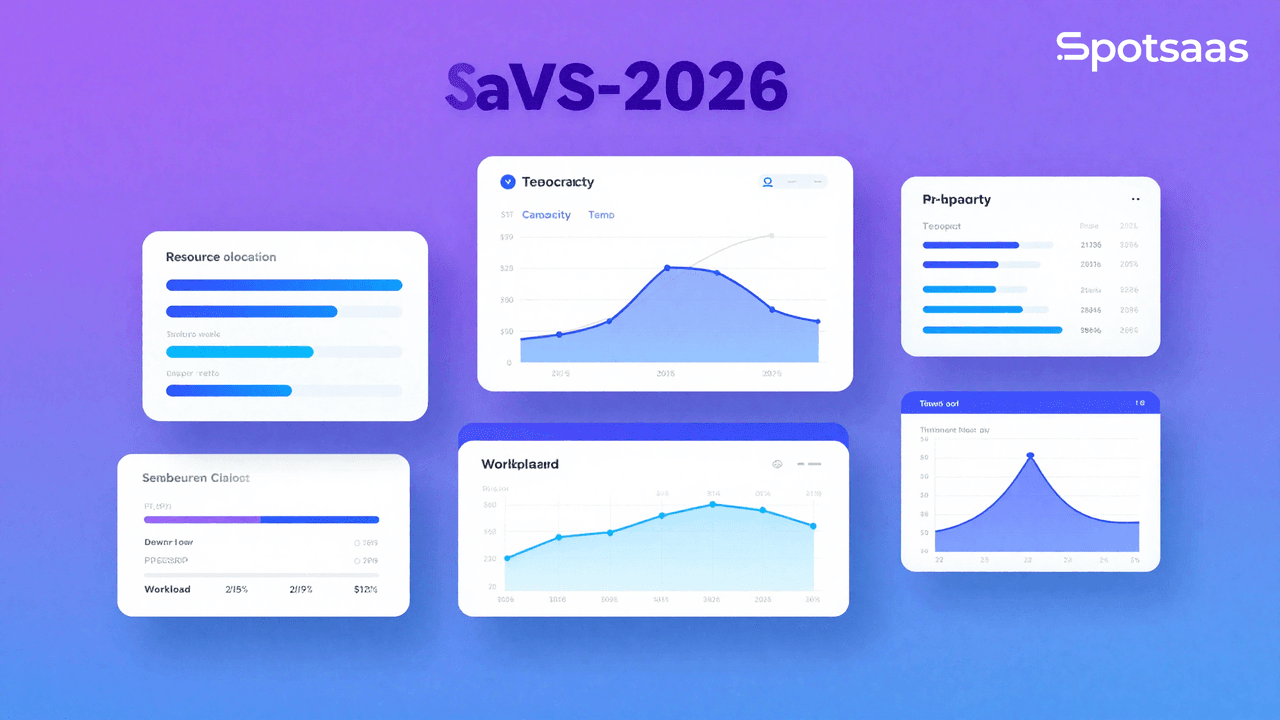
What Is Resource Management Software and How Does It Work?
Resource management software helps organizations allocate and track critical resources such as people, tools, finances, and time. It gives managers visibility into resource availability, workload distribution, and project timelines so that every resource gets used well. Centralizing resource data removes guesswork and makes decision-making more reliable.
The software helps businesses plan ahead, track resource usage across multiple projects, and allocate work to meet deadlines without exceeding budgets. It reduces resource conflicts, prevents underutilization or overburdening of staff, and keeps teams focused on their objectives.
For managers juggling several projects at once, this kind of visibility is often the difference between a team that hits its deadlines and one that constantly scrambles to catch up. Instead of relying on spreadsheets or scattered emails, everyone works from the same up-to-date picture of who is doing what and when.
Why You Should Use Resource Management Software
Resource management software matters for organizations that want to tighten up their processes and cut inefficiencies. Here are the main reasons companies adopt it.
Planning Improvement with Accurate Forecasting
By forecasting resource needs accurately, resource management software helps managers assign the right people, tools, or time to the right tasks. This prevents scheduling conflicts and keeps projects on track, avoiding unnecessary delays or resource shortages.
Better Team Collaboration Through Centralized Data
Centralized data and shared schedules keep teams coordinated. Everyone can see real-time updates about assignments and timelines, which improves communication and cuts down on miscommunication, especially for remote and cross-functional teams.
Cost Reduction by Optimizing Resource Allocation
Resource allocation software helps businesses avoid overstaffing, underutilization, and unnecessary spending. It shows managers exactly what resources cost and how they’re being used, so they can make data-driven decisions that trim spending while keeping efficiency high.
Real-Time Insights for Informed Decision-Making
Visual dashboards and analytics give managers a clear read on resource scheduling, workload distribution, and project progress. These insights make it easier to reassign resources or adjust schedules so operations keep running smoothly and bottlenecks get caught early.
Scalability for Business Growth
Resource management software can be configured for a small team or a large-scale project. It gives growing companies the structure they need as resources, projects, and complexity increase, without losing clarity or efficiency.
Key Features of Resource Management Software
Functionality of Resource Scheduling Tools
Resource scheduling tools let managers assign tasks and projects based on resource availability, skills, and expertise. This means the right people end up on the right jobs, which cuts down on scheduling conflicts and booking cancellations.
Most of these tools include visual aids such as Gantt charts or calendars, which make it easier to track time and adjust operations as needed.
Preventing Burnout and Bottlenecks with Capacity Planning
Capacity planning gives managers a practical read on workload levels and available resources, helping prevent burnout or idle time.
By examining current and future requirements, a manager can spot possible blockages ahead of time and distribute workload more evenly. This keeps employees supported and projects on schedule.
Time Tracking and Management for Productivity
Time tracking gives companies control over the work hours resources spend on various tasks and projects. This module helps a company see a clear picture of employee productivity, flag issues that need correcting, and make sure deadlines are met.
It’s also a useful source of data for keeping accurate records or calculating return on investment for specific projects.
Financial Control Through Budgeting Tools
Budgeting features help companies calculate and track the cost items tied to resource capacity, including labor, equipment, and materials.
Managers can set project budgets, track actual expenses against forecasts, and spot areas where they’ve overspent. This gives them financial control and better data for future resource planning.
Optimization Through Reporting and Analytics
Customizable dashboards and analytics let managers dig deeper into KPIs, resource managers, and performance metrics.
Managers can pull several reports for analysis, track project status, and spot trends over time. That makes it possible to base decisions on real data rather than guesswork, giving a clearer view of resource allocation and improving efficiency over the long run.
Workflow Transparency with Collaboration Tools
Collaboration tools, such as shared calendars, communication platforms, and task-tracking tools, help team members work together smoothly and quickly. Everyone needs access to schedules so they know when work is due and can coordinate with each other.
That transparency keeps everyone on the same page, which boosts productivity and reduces communication barriers.
Unified Workflows Through Integration Support
Connecting with other tools, including project management software, HR systems, and financial systems, creates synergy across functions and improves process efficiency.
A clean exchange of information between systems avoids duplicated effort and gives a fuller picture of resources and operational scope, which supports better decision-making.
Together, these features make resource management software valuable for running projects more efficiently: better allocation of resources, more productive teams, and projects that finish on time.
No single feature does all the work on its own. It’s the combination of scheduling, capacity planning, budgeting, reporting, and integrations working together that turns resource management software into something teams actually rely on day to day, rather than a tool that gets opened once a week.
Different Types of Resource Management Tools
Project Resource Management Tool Use Cases
Tools such as Microsoft Project and Team Gantt are built to allocate resources within a single project.
They handle task management functions like workload distribution and project timelines, helping teams finish work efficiently and on time. This makes them a good fit for project managers coordinating activities across teams and stakeholders.
Enterprise Resource Platforms for Large-Scale Operations
Comprehensive platforms such as SAP and Oracle manage resources across multiple departments in a large organization.
These platforms bring HR, finance, and supply chain management together, giving a single view of resource allocation. They suit enterprises that need highly developed tools to manage complex workflows and large-scale operations.
Specialized Tools for Niche Use Cases
Specialized resource management software focuses on a particular type of resource, such as employee scheduling with tools like Deputy or financial resource management with platforms like Workday.
These tools are narrower in scope but offer specific features, such as shift planning, payroll integration, and expense tracking, tailored to niche markets.
Cloud-Based Resource Software Advantages
Cloud-based applications such as Float and Resource Guru offer strong mobility, since they can be accessed from any internet-connected device, wherever teams happen to be working.
This makes them well suited to organizations with a mix of on-site and remote work, since teams don’t need to be in the same building to stay coordinated.
Many of these tools also offer real-time updates, flexible configuration, and easy access to information from other connected platforms.
Open-Source Solutions and Ideal Users
Platforms like OpenProject are low-cost and highly adaptable, which makes them a good fit for teams with programming skills. Developers can modify the software through its open-source code and shape it around their specific workflow and strategy.
These tools are a smart choice for organizations that want to reduce expenses while keeping control over how the software functions.
Deciding between these categories usually comes down to team size, budget, and how much customization matters. A small team may only need a lightweight cloud-based scheduler, while a large enterprise coordinating dozens of departments will likely need the depth of an enterprise resource platform.
How to Select the Right Resource Management Tools
Defining Your Resource Management Needs
Key Objectives for Effective Resource Management
Effective resource management starts with understanding your organization’s specific challenges and goals. Optimizing resource utilization means tasks get allocated efficiently, avoiding both under- and over-utilization.
Improving team collaboration leads to better communication and coordination, cutting down on delays and misunderstandings. Real-time tracking of resource availability supports informed decisions, while forecasting tools let teams plan ahead for future demand.
Common Challenges Organizations Encounter
Organizations often run into overlapping schedules and resource conflicts, which create inefficiencies. Poor communication about resource priorities disrupts workflows and causes delays. A lack of visibility into workloads and timelines can further slow progress, leading to missed deadlines and lower productivity.
Core Features to Look for in Resource Management Tools
Essential Functionalities to Include
→ Resource Scheduling Tools
→ Capacity Management
→ Time Tracking Capabilities
→ Integration with Other Systems
Additional Features That Increase Value
→ Centralized dashboards give a unified view of resource allocation and performance, which supports decision-making.
→ Multi-project management lets organizations handle complex workloads across teams and departments effectively.
Advanced Tools That Improve Efficiency
→ AI-powered recommendations help optimize resource allocation using historical data and real-time insights.
→ Scenario planning tools let teams simulate and compare different strategies before committing to one.
→ Detailed analytics surface trends, bottlenecks, and performance patterns that help refine processes.
Importance of Mobility and Customization
→ Mobile access lets team members manage resources while on the move, adding flexibility to daily work.
→ Customizable templates and workflows help tailor the system to specific organizational needs and industry requirements.
Evaluating Scalability and Collaboration Capabilities
High-Volume Processing Requirements
Scalability makes sure the system can grow along with your organization. Resource management software needs to handle rising project volume, team size, and user counts without slowing down. High-volume processing capability matters for organizations that expect operations to expand.
Support for Global Collaboration
→ Role-based permissions enable secure, multi-user access across the organization.
→ Dashboards that can be tailored to each team’s needs improve usability.
→ Cross-regional coordination and compliance with data protection regulations like GDPR and CCPA matter for organizations operating across borders.
Reporting, Insights, and Visualization Tools
Detailed Reporting Features for Performance Tracking
Granular reporting tools give insight into performance and utilization by project, team, or timeframe. These reports help identify trends, refine resource use, and improve overall operational efficiency.
Visualization Tools That Enhance Decision-Making
Visualization tools such as dashboards with charts, graphs, and heatmaps make complex data easier to read. These visual aids help stakeholders understand resource dynamics and align on strategy more effectively.
Pricing Models and Cost Considerations
Flexible Options to Match Budget Needs
→ Flat-rate subscriptions offer predictable costs and suit organizations with consistent needs.
→ Pay-as-you-go models give flexibility for workloads that fluctuate.
→ Custom pricing plans suit enterprises that need tailored solutions and advanced features.
Support and Training Resources for Smooth Adoption
Comprehensive Support Services for Smooth Operation
Reliable customer support includes 24/7 assistance and dedicated account managers for enterprise users. These services keep operations running smoothly and help resolve issues quickly when they come up.
Onboarding and Training Resources for Teams
→ Onboarding materials, video tutorials, and help centers make adoption easier.
→ Live workshops and certifications build deeper expertise, helping teams get more out of the software.
Running a Pilot Project Before Full Deployment
Usability Testing During the Trial Phase
A pilot project lets organizations test the system’s usability firsthand. Check whether the interface for assigning tasks, tracking progress, and generating reports feels intuitive, and confirm the platform fits your operational workflows and team needs.
Measuring System Performance During Testing
During the pilot, assess how accurate the resource tracking is and how useful the analytics insights turn out to be. Simulate rising workloads to test scalability and confirm the system can support future growth and complexity.
Comparison of Top Resource Management Platforms
Resource management software comes in many forms, giving businesses different ways to plan, allocate, and monitor resources.
Project-specific tools and enterprise-grade platforms each support different needs, from focused task coordination to company-wide resource planning.
Here’s a comparison of some of the best tools for resource management to help you find the right fit for your organization.
| Software | Features | Pricing | Use Case | Best For |
|---|---|---|---|---|
| Float | Resource scheduling, reporting | Starts at $6/user/month | Small to medium-sized businesses | Simple scheduling and tracking |
| Monday.com | Time tracking, workload visualization | Starts at $10/user/month | Team collaboration, remote teams | Versatile and user-friendly |
| Resource Guru | Scheduling, capacity planning | Starts at $2.50/user/day | Creative agencies, consultants | Agile resource allocation |
| Microsoft Project | Advanced planning, Gantt charts | Starting at $10/user/month | Complex project management | Enterprises and project managers |
| Workday | Budgeting, workforce planning | Custom pricing | Financial and HR resource management | Large enterprises |
What Are the Latest Trends in Resource Management Solutions?
The Role of AI and Machine Learning in Modern Resource Management
AI and machine learning are becoming a bigger part of resource management tools, helping automate routine tasks, forecast resource needs, and refine resource allocation.
This leads to better forecasts and more efficient use of resources. These technologies improve decision-making by spotting patterns and surfacing insights managers can act on.
The Growing Adoption of Cloud-Based Solutions
More companies are adopting cloud-based resource management solutions for their scalability, remote accessibility, and cost-effectiveness.
These solutions support collaborative environments and data tracking suited to remote team management. They also cut down on the infrastructure costs tied to running systems on-premises.
The Impact of Integration Capabilities on Workflow Efficiency
Today’s resource management software connects with CRM, HR, and financial tools, bringing operations together into a smoother workflow. Integration cuts down on manual data entry, which improves data quality and saves time.
The Increasing Importance of User Experience
There’s growing emphasis on clean interfaces and user-friendly design, so both technical and non-technical users can navigate the software without a steep learning curve. Better UX cuts training time and increases adoption across teams.
Developments in Advanced Analytics and Reporting Features
Richer analytics features now give deeper insight into resource utilization, project performance, and financial metrics, allowing organizations to make more informed decisions with their data.
Most reporting tools are moving toward adjustable dashboards designed to fit different planning needs within an organization.
Together, these trends point toward resource management software that does more of the heavy lifting automatically, freeing managers to spend less time compiling reports and more time acting on what the data shows.
Final Verdict: What Should You Consider When Choosing Resource Management Software?
Choosing the right resource management software can meaningfully improve efficiency and productivity. The right tool gives you a clear view of resource allocation, helps reduce waste, delivers instant insights, and improves overall project management.
Start by identifying your needs, exploring your options, and picking software that balances ease of use, scalability, and functionality. Free trials or demos are a good way to see which features matter most for your workflow.
With the right resource management tools in place, you can improve communication, cut costs, and stay ahead of the curve while driving better business results.
Take the time to involve the people who will actually use the software day to day, run a proper pilot before committing, and weigh pricing against the scale you expect to reach, not just where your team is today. That groundwork pays off in fewer surprises after rollout.

- Independent picks for exactly what you just read about
- Matched to your team size & needs
- Vendors don't pay for placement
Step 1 of 4
How big is your team?
We tailor recommendations to companies your size.















Related Articles

Buyers guide
How To Choose The Best Auto Dialer Software For 2026
Continue reading →

Buyers guide
How To Choose The Best Freelance Platforms For 2026
Continue reading →

Buyers guide
How To Choose The Best Audience Response Software For 2026
Continue reading →
Buyers guide
How To Choose The Best Workforce Management Software For 2026
Continue reading →