

Any company that handles large volumes of paper or digital files needs a system for organizing them. Document management software provides that system — it handles document organization, storage, and retrieval, while also improving collaboration and security. Choosing the right one, though, means comparing a number of tools with different feature sets and pricing models. This post covers six document management software options worth considering, each with its own approach to organizing files, controlling access, and supporting teamwork. Each one offers a different mix of features to help you manage your files and simplify how your team handles paperwork.
What Is Document Management Software And What Are Its Uses?
Document management software is a category of software that helps businesses organize and manage their electronic documents and content. It gives teams a central place to store and retrieve documents, which speeds up business processes and makes it easier to share files and collaborate. Instead of documents scattered across individual computers, shared drives, and email threads, everything lives in one system that the whole team can search and access.
What are the uses of document management software?
Document management software can be used for a wide range of business purposes, including:
- Project managers track & manage project-related documents.
- Business owners to manage customer-related documents
- Human resource professionals to manage employee-related documents
- Legal professionals to manage case-related documents
- Healthcare professionals manage patient-related documents.
- Educators to manage student-related documents
- Government agencies manage public-related documents.
Some key features of document management software include:
- Content management: The ability to create, edit, and publish documents, as well as manage the version control and approval process.
- Document sharing: The ability to share documents with others within the organization or with external stakeholders, such as clients or partners.
- Workflow automation: The ability to automate document-related tasks and processes, such as routing documents for review and approval.
- Security: Measures to protect the confidentiality and integrity of the documents, such as access controls and encryption.
Benefits of Document Management Systems
Adopting a document management system tends to pay off in a handful of concrete ways:
- Improved efficiency and productivity: A central repository for documents cuts down on the time and effort spent managing them.
- Enhanced collaboration and communication: Shared access to documents makes it easier for team members to communicate and coordinate work.
- Greater control and visibility: Version control and approval workflows let businesses track changes and stay on top of document status.
- Reduced paper waste: Storing documents electronically cuts reliance on paper and lowers the environmental footprint.
- Increased security: Access controls and encryption protect the confidentiality and integrity of stored documents.
- Improved customer satisfaction: Faster access to documents and smoother internal processes translate into better service for customers.
- Increased sales and revenue: The efficiency gains from better document handling can feed through into higher sales and revenue.
The rest of this guide will help you find the best document management system for your business requirements.
List of Top 6 Best Document Management Software –
- Docuware
- Logical DOC
- File Hold
- Zoho Docs
- Dokmee
- M-Files
Docuware
DocuWare is a document management platform that helps organizations digitize, store, and manage documents and other content. It supports document capture, indexing, storage, retrieval, and collaboration, aimed at improving how businesses handle their documents.
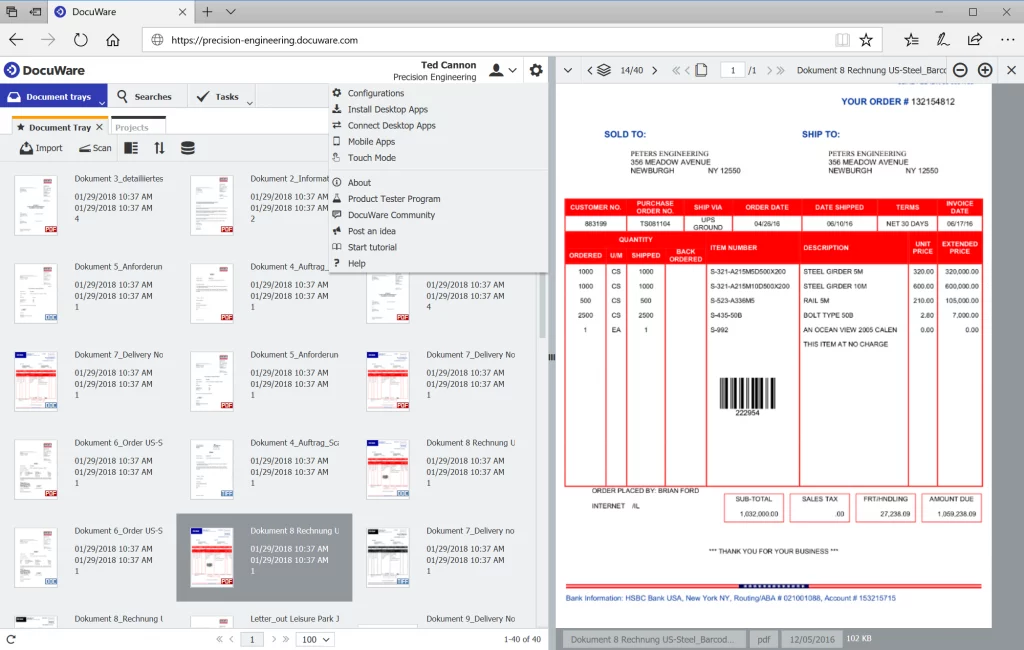
With DocuWare, users can scan in physical documents or upload digital files directly from their computers. The software indexes and categorizes documents automatically, so they stay searchable and easy to find. Teams can also collaborate on documents in real time and track the changes made to them.
Integrations: Docuware integrates with roughly 500 third-party applications, including email services, CRM, ERP, HR systems, scanners, and multifunction printers. Notable integrations include Microsoft Outlook, Sage, Intuit QuickBooks, Sharepoint, Oracle, and Microsoft Dynamics.
Rating: 4.3/5 in Spotsaas user ratings.
Pricing: Quotation-based. See the Docuware Pricing page for details.
LogicalDOC
LogicalDOC is document management software built to help businesses organize and manage electronic documents and content, giving teams a central repository to store, retrieve, and share files.
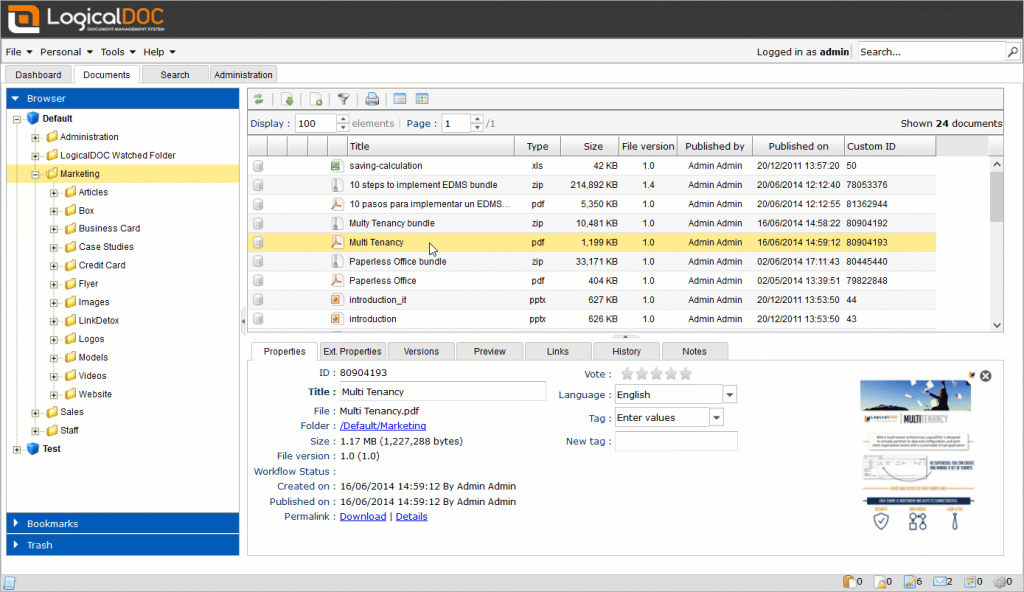
LogicalDOC is built to be simple to use, with a customizable interface and integrations with a range of other software and systems. It fits a wide range of business uses, including document creation and editing, project management, and customer relationship management.
Rating: 4.1/5 in Spotsaas user ratings.
Pricing: Logical DOC offers a free trial. You can check out further pricing information here.
FileHold
FileHold is straightforward software that securely stores a company’s key documents and makes them available on any computer. Users can associate and access FileHold files, and email or print them, even offline — so people can work from home or on the road without limitations.
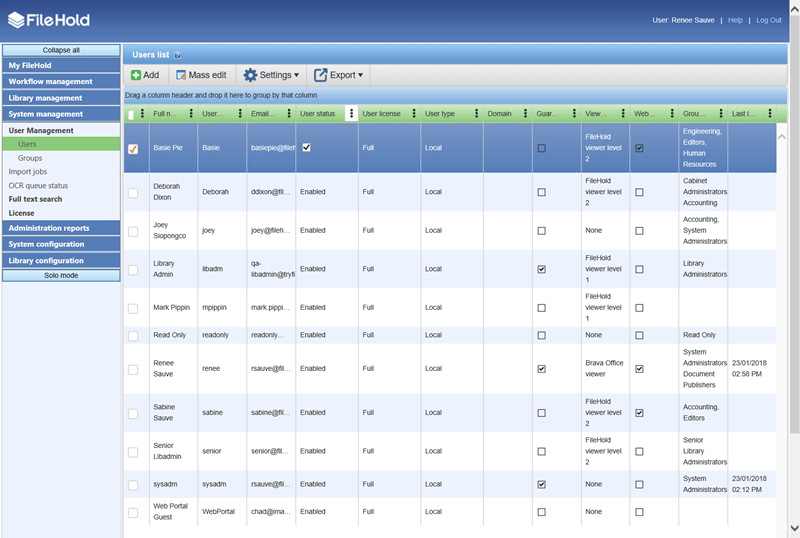
FileHold Enterprise helps large organizations move to a paperless workplace. It can be deployed locally or in a private or public cloud that is secure.
Main features include multiple security levels, user audit trails, form processing, e-signature, full-text search, document scanning, and optical character recognition (OCR). The system generates alerts and reminders for document-related events, such as contract renewals, past-due workflows, and records due for archival or deletion.
FileHold works on mobile devices and offers optional integrations with Microsoft Office, SharePoint, and Active Directory.
Integrations: Microsoft SharePoint, SAP Customer Experience, Sage CRM, etc.
Rating: 4.4/5 in Spotsaas user ratings.
Pricing: Offers a free trial. You can check out further pricing information here.
Zoho Docs
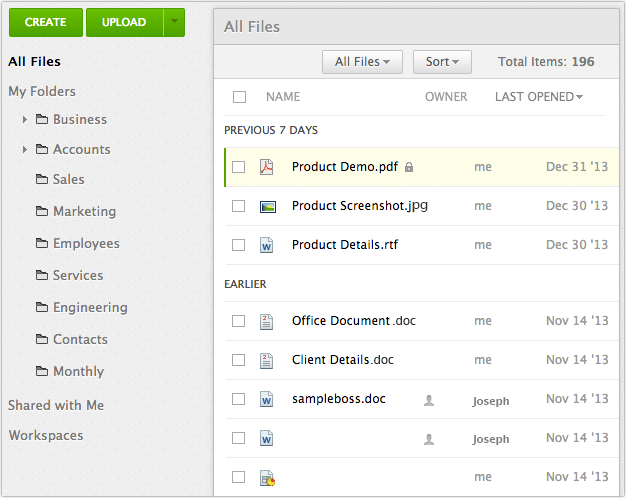
Zoho Docs is cloud-based hosted software offering unlimited document storage. The redesigned interface appeals to tech-savvy users, while beginners will find it simple to set up and use. It’s built to fit into existing business processes and infrastructure.
Integrations: MS Office, Salesforce, Gmail, Zoho CRM, and Google Apps.
Rating: 4.3/5 in Spotsaas user ratings.
Pricing: Offers Freemium, and subscription plans starting at $4 per user per month.
Dokmee
Dokmee is a commercial, cloud-based document management system built around document efficiency and security. It offers multiple desktop and web configuration options, a straightforward interface, and tools for capturing and editing documents.
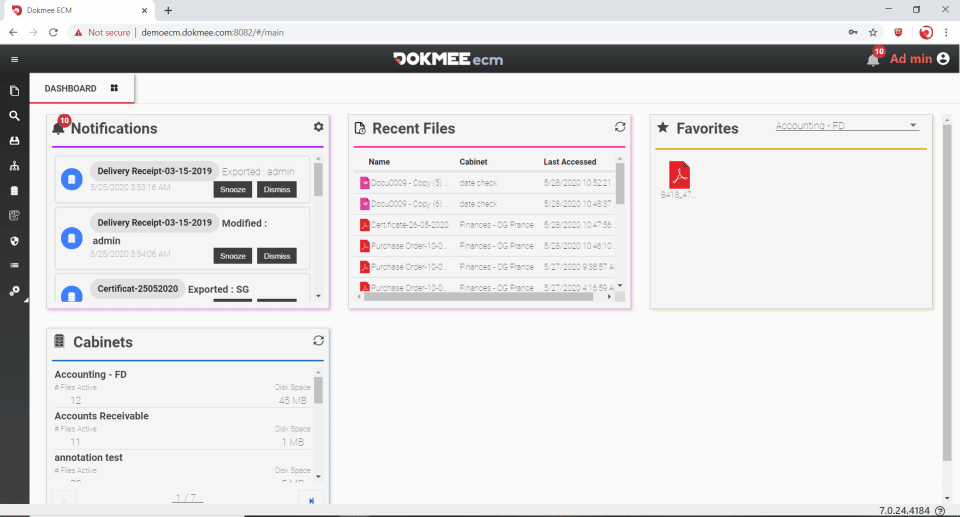
Dokmee’s indexing and search features support a range of automation capabilities, along with document-imaging and tracking tools. With multiple versions and deployment options, businesses of any size can use it in their workflows.
Integrations: Quickbooks, Workday HCM, Salesforce, iCIMS Talent Acquisition Suit, etc.
Rating: Not available currently.
Pricing: Contact the Dokmee sales team for pricing and a demo. Click here.
M-Files
M-Files is a cloud-native document management platform built for going paperless. It supports enterprise content management across big data, compliance, archiving, publishing, and records management. With five modules that can be configured to a business’s processes and scaled to its size, M-Files works for organizations of any size, and it integrates with all major office software.
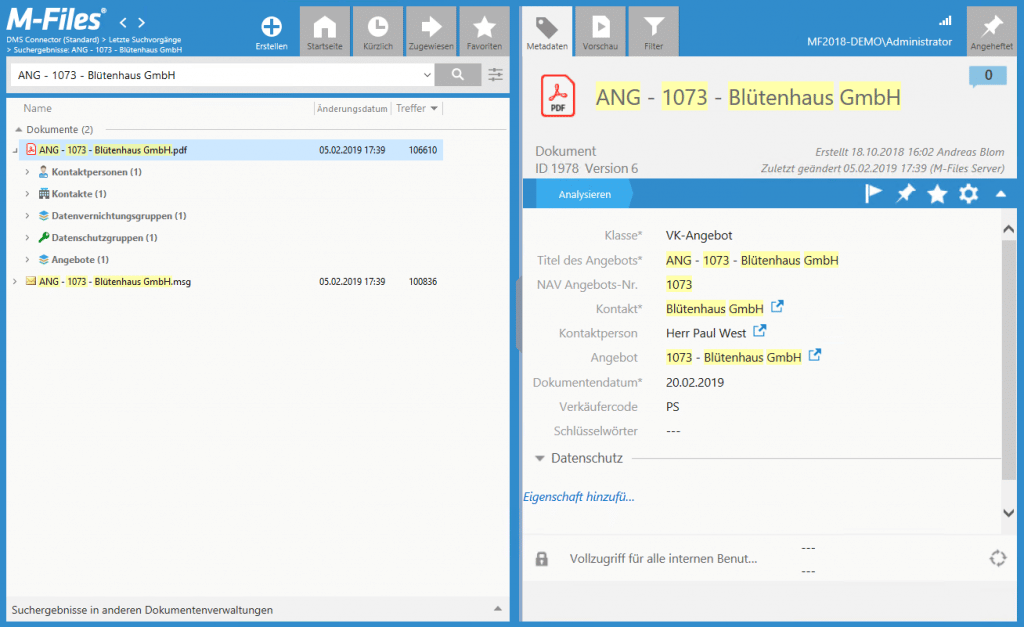
For example, it offers version control and metadata suggestions that make storing and retrieving data easier. Document management processes can be sped up further by integrating with Parashift, a deep-tech business that specializes in machine-learning document retrieval.
Integrations: M-Files works with Microsoft Office, Google G Suite, Microsoft Dynamics CRM, Salesforce, DocuSign, SAP, AutoCAD, and other third-party apps. About 130 additional third-party apps — including eSigning, analytics, and compliance tools — can sync to an M-Files account.
Rating: 4.1/5 in Spotsaas user ratings.
Pricing: Quotation-based – contact the M-Files sales team to get pricing and a demo.
How to find the Right Document Management System for Your Business
Finding the right document management software for your business can be difficult, given how many options are on the market. Here are some steps to help you find the right fit:
- Determine your business’s needs and goals — be clear about the problems you want the software to solve before comparing options.
- Research and compare different options — look at what each vendor offers and how well it matches your requirements.
- Consider the cost and scalability of the software — factor in whether the pricing and capacity will still work as your team grows.
- Consider the technical requirements and support offered by the software — check what it takes to get the system running and keep it running.
- Try before you buy — take advantage of free trials or demos before committing to a plan.
Conclusion
Document management software can be a valuable tool for businesses of any size, helping them create, store, and access electronic documents and content. The six tools covered here — DocuWare, LogicalDOC, FileHold, Zoho Docs, Dokmee, and M-Files — each take a different approach, from DocuWare’s roughly 500 integrations to M-Files’ five configurable modules, but they all center on giving teams a single place to manage their files, search for documents quickly, and control who can see or edit them.
Content management, workflow automation, and security measures are common threads across these systems. FileHold’s audit trails and OCR, Docuware’s real-time collaboration, and M-Files’ version control and metadata suggestions are examples of how these features show up in practice, helping businesses cut paper use and keep documents consistent.
Whether you’re a small business owner, a project manager, or an HR professional, one of these six systems can help you manage your organization’s documents and support your team’s workflows more effectively.
Is there a document management system with a free trial?
Yes, there are. Here’s the list of software which provides a free trial – Logical DOC, FileHold, AODocs, Docsvault and many others. Find more in the Document Management Software directory on Spotsaas.
Read More Blogs By Spotsaas
Compare alternatives to the tools in this post

- Independent picks for exactly what you just read about
- Matched to your team size & needs
- Vendors don't pay for placement
Step 1 of 4
How big is your team?
We tailor recommendations to companies your size.















Related Articles
Best Tools
11 Best Gantt Chart Software in 2026: TeamGantt, Instagantt, GanttPRO and More
Continue reading →
Best Tools
12 Best Kanban Software Tools in 2026: Trello, Jira, KanbanFlow and More
Continue reading →
Best Tools
11 Best PPM Software in 2026: Project Portfolio Management Tools Compared
Continue reading →
Best Tools
10 Best Acumatica Alternatives in 2026 by Industry and Size
Continue reading →