
8.6
SpotScore

SingularityApp Review: Is It The Right Task Management Software For Your Team?
Best for SMB teams · Mid-market · Enterprise
Free Trial & Free Plan Available
Add to compare
Starts from $2.99 / Month, also offers free forever plan
Overview
Pricing
Features
Buyer feedback
Alternatives
Media
Support
FAQ
Blogs
What is SingularityApp?
SingularityApp, with a tagline of "Manage Chaos in Minutes", is the perfect solution for professionals looking to streamline their daily tasks. This task manager allows for unlimited nesting of tasks, projects, and tags, making organization a breeze. It offers two iOS widgets – a Task list widget for quick access, and a Long tap widget for easy access to tasks and projects. For Android users, there is an advanced Quick Create widget for instantly creating new tasks. The macOS widget helps to prioritize daily tasks and increase productivity. Synchronize with Google Calendars for real-time updates and share links from any platform. With a built-in Pomodoro timer, SingularityApp helps prevent burnout. It also allows for easy importing from other planners. Take
Pricing
Starts from $2.99 / Month
Free Trial available
Best For
Suited for small teams, SMBs, and enterprise
Platform
Web + mobile app (iOS & Android)
Installed - Windows
Installed - Mac
SingularityApp Screenshots

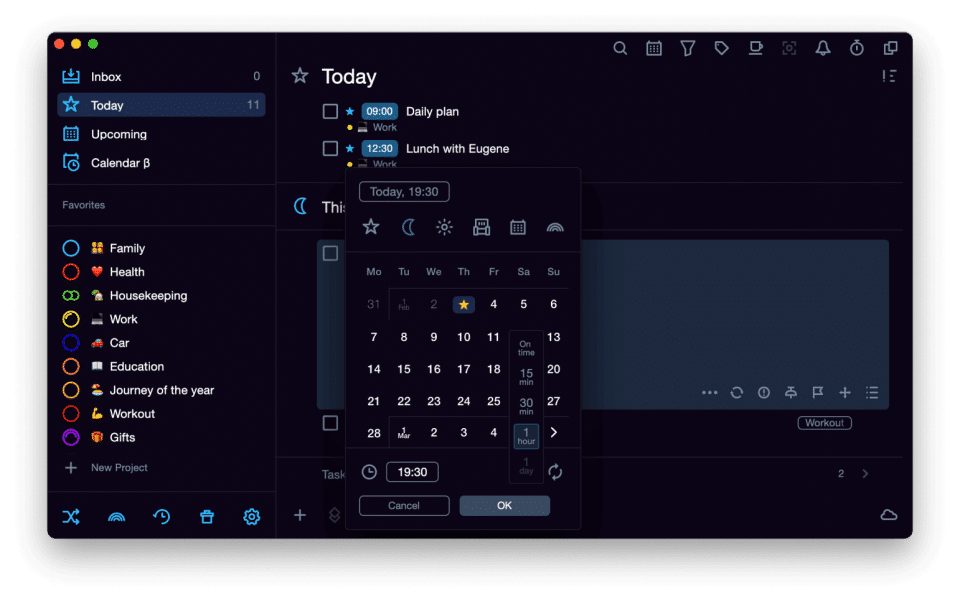
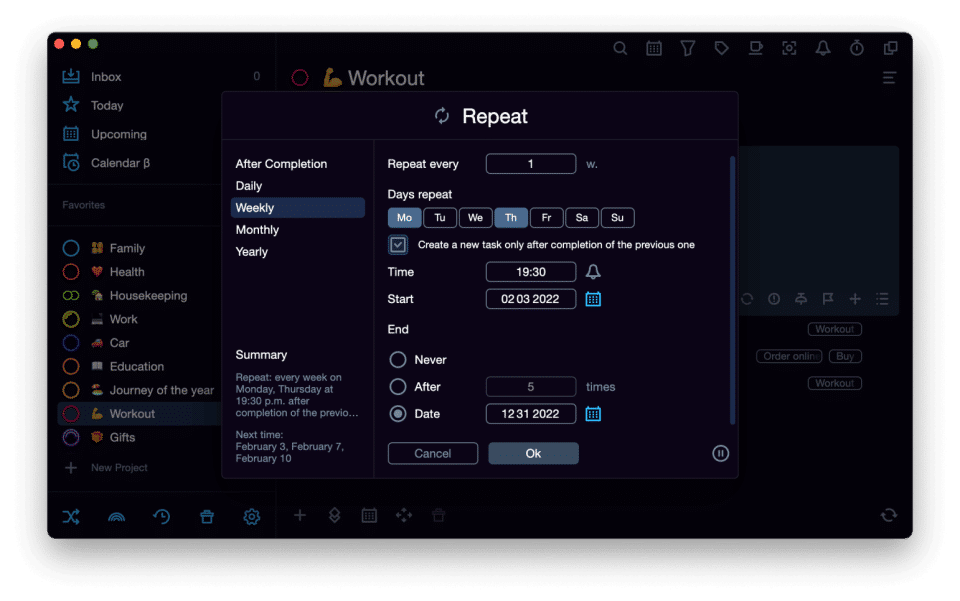
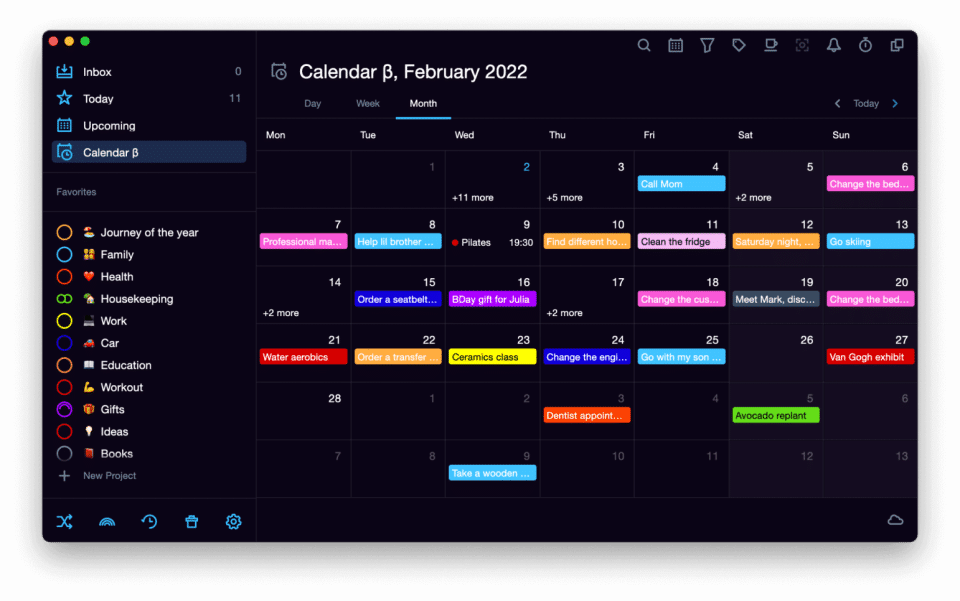
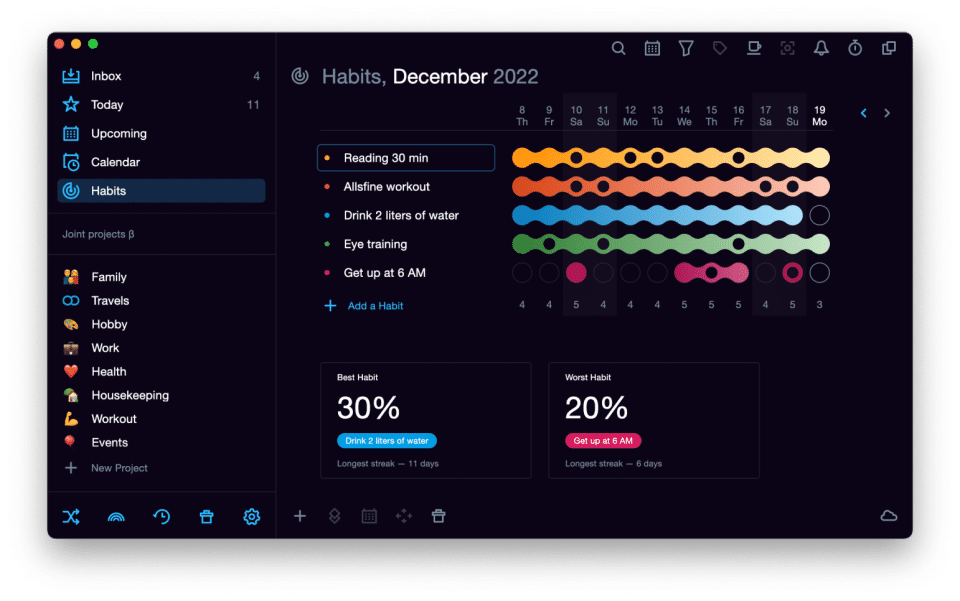
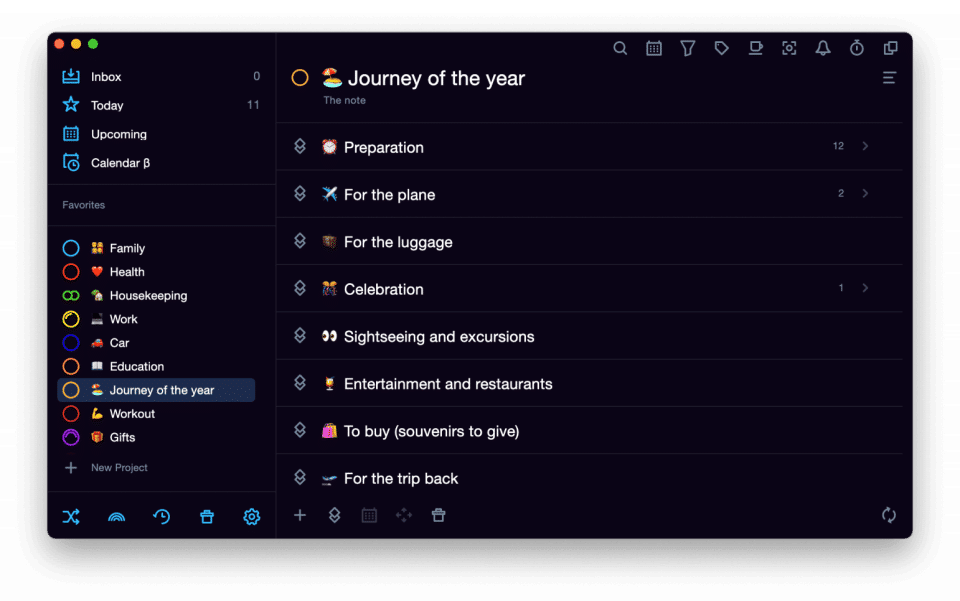
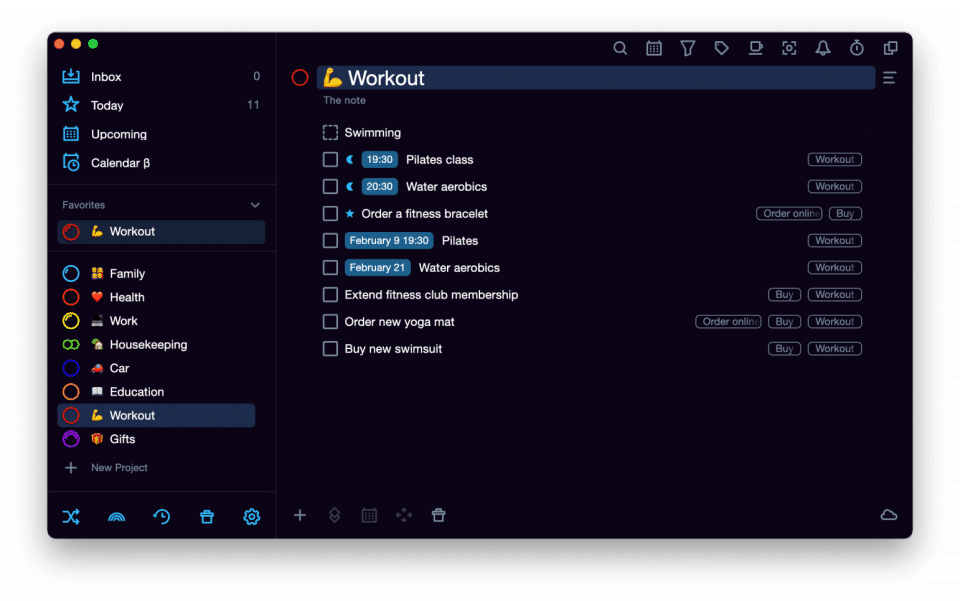
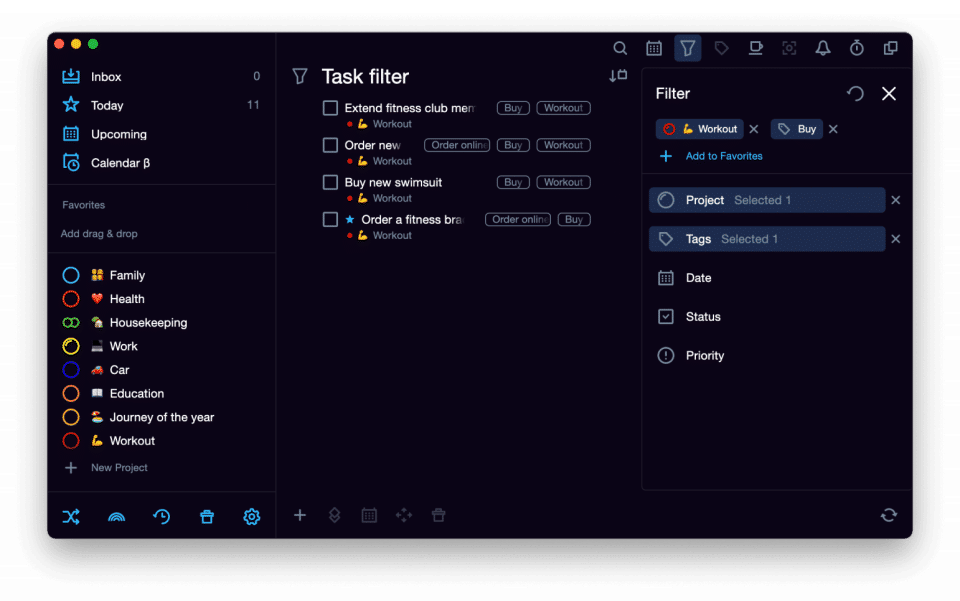
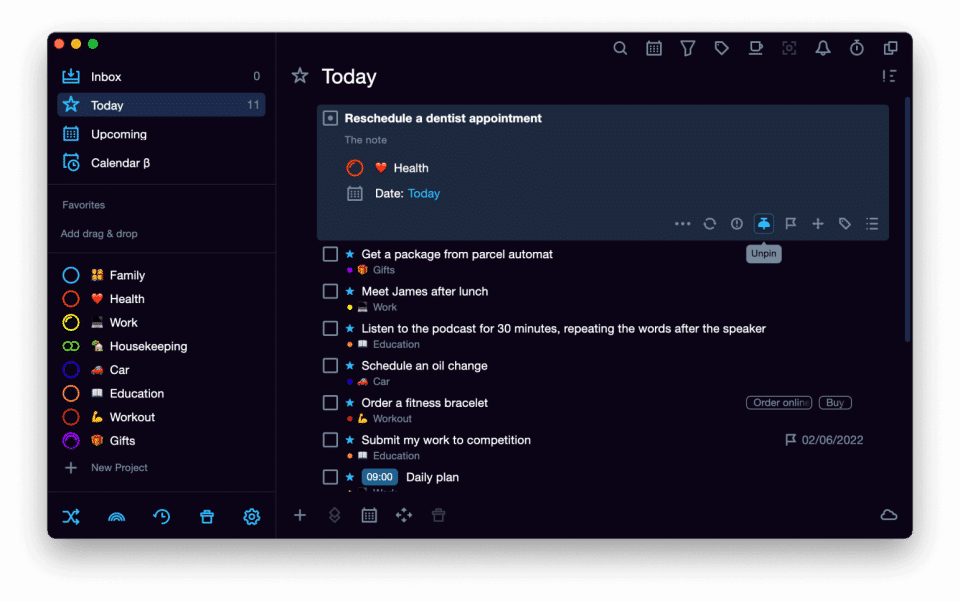
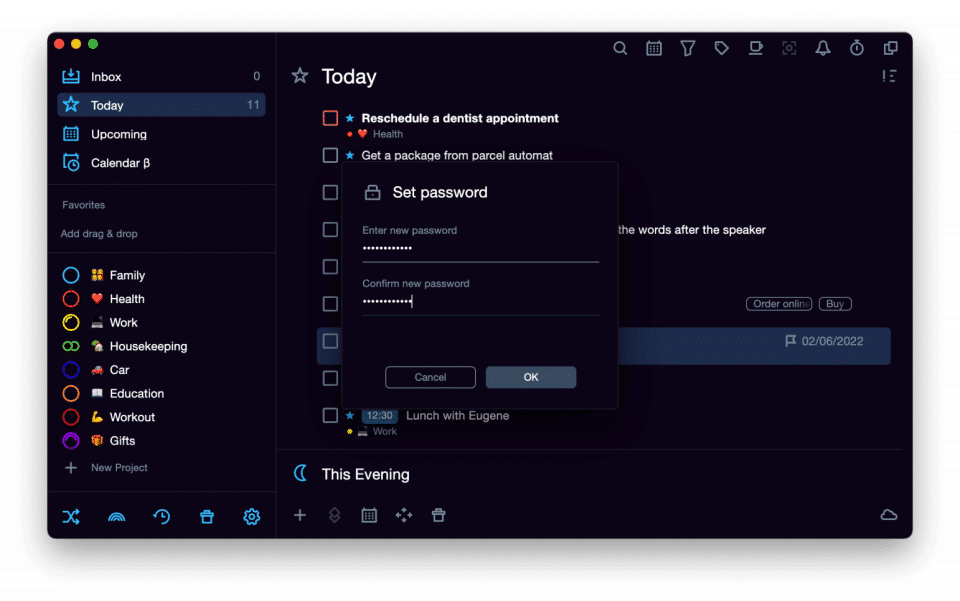
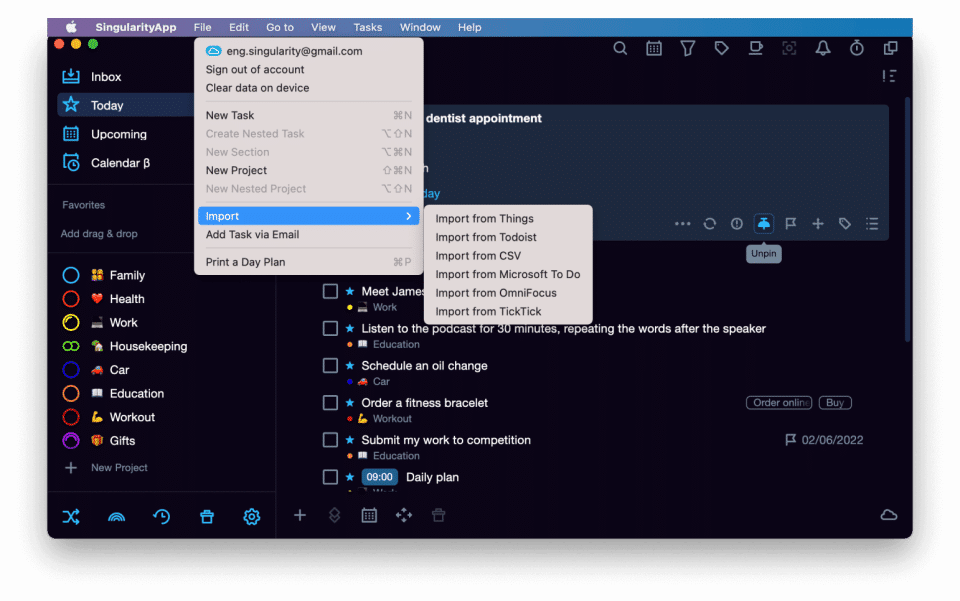
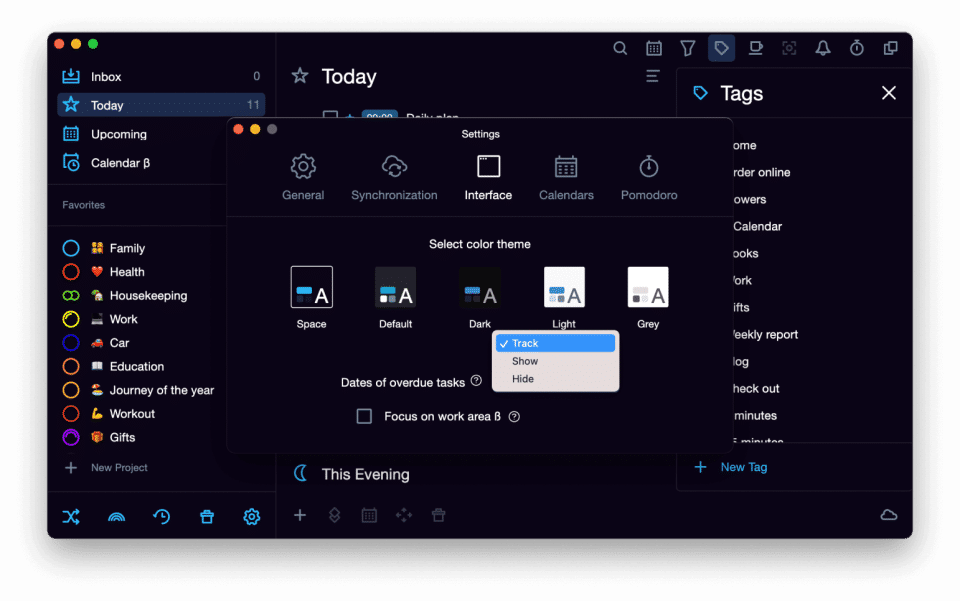
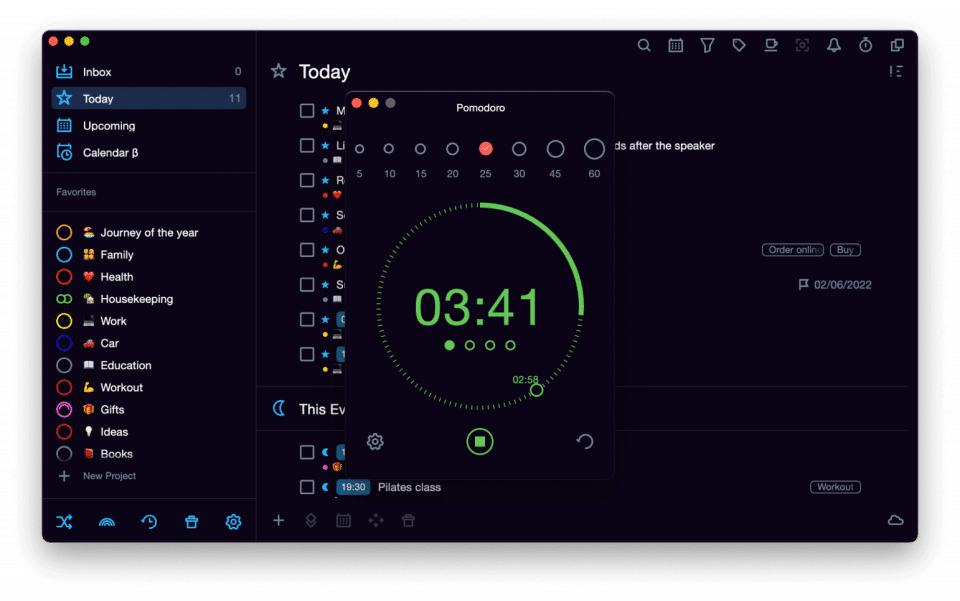
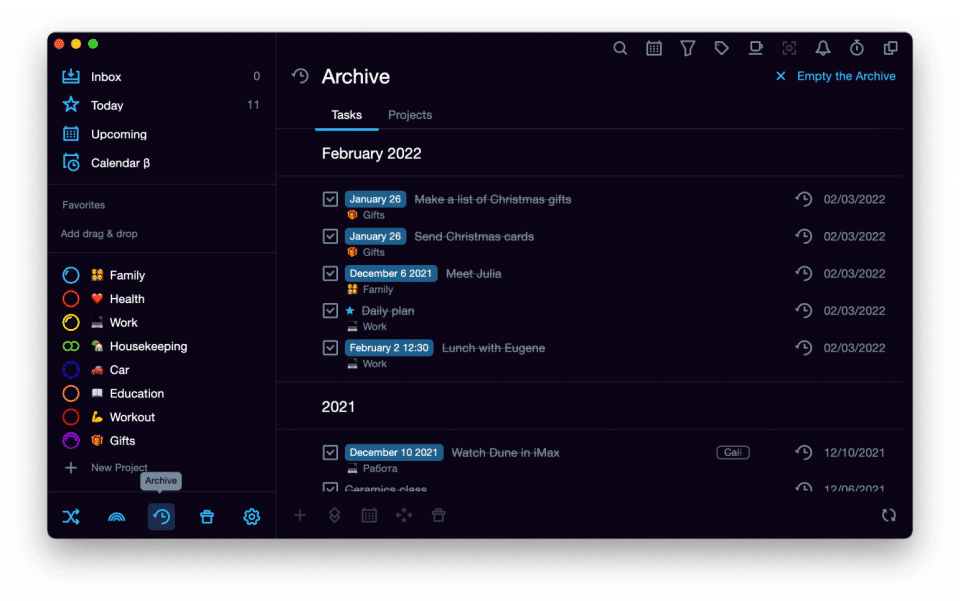
SingularityApp was reviewed internally using user feedback, in-house testing, and market research to assess its performance, reliability, and user experience. Learn how we review products and our evaluation process.

Who should consider SingularityApp
- Team types
- Large Enterprises, Medium Business
Why teams choose SingularityApp
SingularityApp offers flexible organization with unlimited nesting of tasks, projects, and tags, ensuring that users can manage complex workflows efficiently.
Syncing with Google Calendars and providing widgets for iOS, Android, and macOS ensures a consistent experience across all devices, improving task accessibility.
The integrated Pomodoro timer encourages productivity while helping users manage work sessions and avoid burnout, boosting efficiency.
Is SingularityApp right for you?
What buyers should know before choosing SingularityApp
SingularityApp positions itself as a task manager for complex workflows, with unlimited nesting for tasks and projects, real-time Google Calendar sync, and a built-in Pomodoro timer. The app runs on iOS, Android, and macOS with customizable widgets on each platform.
Before shortlisting, verify three things in a demo. First, test the nesting depth—while unlimited in theory, deeply nested structures can slow navigation on mobile devices.
Second, confirm the sync speed between platforms; users report occasional 30-second delays during peak hours. Third, check whether the Pomodoro timer integrates with your calendar blocking workflow or runs as a separate tool.
SingularityApp lacks a web app, so you cannot access tasks from a desktop browser—all work routes through the mobile or native apps. There is no native Slack integration, though you can push tasks via Zapier.
The free tier limits you to 3 projects; paid plans start at $4. 99/month for unlimited projects.
The interface has more options than most task managers. If your team uses simple to-do lists, the customization options and nesting features will feel like overhead rather than a benefit.
Evaluate whether your workflow actually needs hierarchical task structures before committing.
SingularityApp pros and cons
- SingularityApp pros
SingularityApp offers flexible organization with unlimited nesting of tasks, projects, and tags, ensuring that users can manage complex workflows efficiently.
Syncing with Google Calendars and providing widgets for iOS, Android, and macOS ensures a consistent experience across all devices, improving task accessibility.
The integrated Pomodoro timer encourages productivity while helping users manage work sessions and avoid burnout, boosting efficiency.
- SingularityApp cons
While the app excels at task management, users looking for advanced analytics and reporting features may find it lacking.
For users with basic task management needs, the extensive nesting and customization options could be seen as overcomplicating the experience.
Ready to try it?
Get started with SingularityApp
Start your free trial — no credit card required.
Still comparing?
See how it stacks up
Compare SingularityApp side-by-side with top Task Management Software alternatives.


What is the pricing of SingularityApp?
SingularityApp Pricing Plans
Singularity Basic
Projects: 10
Sections in the project: 5
Habits: 3
Pomodoro timer [for PC]
Multiple level projects and tasks: Infinity
Show more +
Singularity PRO
$2.99
/Month
Synchronization among devices
Saving data on the SingularityCloud server
Sharing Projects
Includes features of Free plan, plus
Projects: Infinity
Show more +
Singularity Forever
$89.99
One-time-payment
Includes features of Singularity PRO plan
Weighing your options?
Not sure if SingularityApp fits your budget?
SingularityApp reviews and ratings
What buyers like
- SingularityApp offers flexible organization with unlimited nesting of tasks, projects, and tags, ensuring that users can manage complex workflows efficiently.
- Syncing with Google Calendars and providing widgets for iOS, Android, and macOS ensures a consistent experience across all devices, improving task accessibility.
- The integrated Pomodoro timer encourages productivity while helping users manage work sessions and avoid burnout, boosting efficiency.
Common complaints
- While the app excels at task management, users looking for advanced analytics and reporting features may find it lacking.
- For users with basic task management needs, the extensive nesting and customization options could be seen as overcomplicating the experience.
Be the first to review SingularityApp
You'll help thousands of buyers make a smarter decision.

- See if SingularityApp fits your business
- Real pricing — no sales pressure
- A demo or quick answers, your call
Step 1 of 4
How big is your team?
We tailor recommendations to companies your size.















What are the features of SingularityApp?
An app or software sends out alerts, which are actionable and content-rich push notifications. These alerts can be for various reasons, incl…
People can collaborate more easily with the help of collaboration tools. The goal of a collaboration tool is to help a group of two or more…
Percent Complete is a field calculated based on Actual Duration and Duration, and it shows how far the project or tasks have progressed. Whe…
The technique of determining how much progress has been achieved toward the conclusion of an ongoing project is known as progress tracking.…
Recurring task management entails ensuring that the project manager correctly manages recurring tasks (those that occur on a regular basis)…
Reporting provides complete visibility of the project and a clear grasp of what has to be done to the on-site personnel. The reporting proce…
When you send someone a task request in an email message, you assign them tasks. You hand it on to one of your team members (unless the assi…
Task Scheduling is a software feature that allows users to organize and manage various tasks in an efficient and structured manner. It is an…
The method involves identifying, monitoring, and progressing the work that has to be done during the day is known as task tracking or task m…
The time tracking feature is primarily used by businesses that bill customers based on the time it takes to resolve a problem. Staff can qui…
Alternatives to SingularityApp
Recommended
Stay organized and get things done ...
9.8
Excellent


SingularityApp Support Options
Frequently Asked Questions About SingularityApp
Common questions buyers ask before choosing SingularityApp.
SingularityApp is a Task Management Software. SingularityApp offers Time Tracking, Task Tracking, Task Scheduling, Task Assigning, Recurring Task Management and many more functionalities.
Buyers commonly note the following limitations of SingularityApp: While the app excels at task management, users looking for advanced analytics and reporting features may find it lacking.; For users with basic task management needs, the extensive nesting and customization options could be seen as overcomplicating the experience..
Some top alternatives to SingularityApp includes Todoist, PAZO, Focuster, Week Plan and Clarizen Go.
SingularityApp offers Free Trial, Freemium, One-time license, Subscription pricing models
The starting price of SingularityApp is $2.99/Month
Ready to try it?
Get started with SingularityApp
Start your free trial — no credit card required.
About the reviewer
Rajat Gupta is the founder of Spotsaas. Over the past two years, he has reviewed 2,000+ tools across CRM, HR, AI, and finance — applying hands-on product research and a background in commerce and the CFA program to evaluate software through a business and ROI lens. His goal: help teams make software decisions they won't regret.
Compare SingularityApp with task management software options by country
Disclaimer: This research has been collated from a variety of authoritative sources. We welcome your feedback at [email protected].