
Shelf vs Notion Comparison

Shelf
Starting at Contact for pricing
- Large Enterprises
- Medium Business
Shelf Wiki is a wiki that allows users to share ideas, knowledge, and experience in a structured format that is easy to read and edit. The software helps companies build an organisation-wide intranet or project collabora…

Notion
Starting at $10 per seat/month
- Free Trial
- Individuals
- Freelancers
Notion is a collaborative enterprise wiki and document library application designed for small to large businesses and workgroups. Notion has the ability to automatically capture and organize ideas and content and quickly…
Shelf leads on user satisfaction with a 4.8-star rating across 214 reviews.
SpotSaaS Analysis
ShelfNotion
The core difference between Shelf and Notion lies in Shelf's focus on creating structured, enterprise-wide knowledge bases, while Notion offers a more flexible workspace for various organizational needs. Shelf is ideal for medium to large businesses looking for a straightforward wiki solution, whereas Notion appeals to teams seeking a versatile tool for project management and collaboration.
- Best for building structured knowledge bases - Ideal for medium to large enterprises - User-friendly interface for all team members - Focuses on corporate knowledge sharing - Notable for its readability and organization - Price not listed
- Flexible workspace for various organizational needs - Suitable for project management and collaboration - Price is $10 per user - Not specified for company size - Highly customizable for different workflows - Popular among startups and small teams
Shelf vs Notion — at a glance
| Feature | Shelf | Notion |
|---|---|---|
| Rating | 4.8 / 5 | 4.4 / 5 |
| Reviews | 214 | 443 |
| Starting price | Contact for pricing | $10 per seat/month |
| Free trial | No | Yes |
| Free version | No | No |
| Best for | Large Enterprises, Medium Business, Small Business | Individuals, Freelancers, Medium Business |
| Category | Enterprise Wiki Software | Enterprise Wiki Software |
| Platforms | SaaS/Web/Cloud | SaaS/Web/Cloud, Mobile - Android, Mobile - iOS, Installed - Windows, Installed - Mac |
| API | Available | — |
| Support modes | Online | Online |
Key differences between Shelf and Notion
- Pricing: Notion starts at $10 per seat/month. Shelf pricing is not publicly listed.
- Free trial: Notion offers a free trial; Shelf does not.
- Target audience: Shelf is built for Large Enterprises and Medium Business, while Notion targets Individuals and Freelancers.
- User satisfaction: Shelf scores higher with a 4.8-star average.
- Deployment: Shelf supports SaaS/Web/Cloud; Notion supports SaaS/Web/Cloud, Mobile - Android, Mobile - iOS, Installed - Windows, Installed - Mac.
Shelf vs Notion — find the better fit before you commit.
Which tool fits your team best
Which is actually cheaper for your team size
Where each product wins, per real buyers
Most Enterprise Wiki Software tools look identical on paper. This comparison cuts to the differences that matter — pricing structure, team fit, and what real buyers found after signing up.
Biggest differences
Features
Pricing
Buying details
Security
Buyer feedback
Integrations
Product tour
Other options
Biggest differences
Start here before you go deeper into features.
Best for building structured, enterprise-wide knowledge bases and intranets.
- You need a wiki that is easy for all team members to learn and use.
- Your company requires a structured, readable format for corporate knowledge sharing.
- You want to develop an organization-wide intranet or project collaboration portal.
- You are a small team or startup looking for a lightweight, low-cost wiki solution.
- You require transparent, out-of-the-box pricing without needing to request a quote.
Individuals, Freelancers, Medium Business
Shelf typically suits Large Enterprises and Medium Business. Notion tends to fit Individuals and Freelancers better. The right choice depends on your team size, workflow, and whether a free trial matters.
Description | Shelf Wiki is a wiki that allows users to share ideas, knowledge, and experience in a structured format that is easy to read and edit. The software helps companies build an ... Read More about Shelf | Notion is a collaborative enterprise wiki and document library application designed for small to large businesses and workgroups. Notion has the ability to automatically capture and ... Read More about Notion |
|---|---|---|
Entry Level Pricing |
|
|
Free Trial Availability |
| |
User RatingsBased on verified Spotsaas reviews | ||
Best Company Size | Medium BusinessLarge Enterprises | — |
Get pricing help | Get pricing help |
Software Demo
Demo |
|---|
Need a second opinion?
Get shortlist help from a software advisor
Share your priorities, budget, and team needs, and we’ll help you narrow the options and understand the tradeoffs before you talk to vendors.
How do Shelf and Notion Compare on Features?
Total Features | 0 Features | 11 Features |
|---|---|---|
Unique Features | No features | No unique features |
Get Quote | Get Quote |
Compare Shelf and Notion on pricing
Review starting price, plan structure, and free-trial access side by side so you can see which option fits your budget and buying process.
Pricing Option | ||
|---|---|---|
Starting From |
|
|
Pricing Plans |
|
|
Pricing Page | Pricing information not available |  |
Other Details
Organization Types supported |
|
|
|---|---|---|
Platforms Supported |
|
|
Modes of support |
|
|
API Support |
|
|
Get help choosing | Get help choosing |
Shelf User Reviews & Rating Comparison
User Ratings | ||
|---|---|---|
Rating Distribution | ||
Spotsaas Editor’s POV generated by AI | Buyer sentiment Buyers generally praise Shelf for its ease of use and effective knowledge sharing capabilities, though some note concerns about pricing transparency and customization options. What buyers like
Common complaints
| Buyer sentiment Buyer sentiment is positive across 168 reviews, with strong overall satisfaction. What buyers like
Common complaints
|
Pros and Cons |
|
|
Positive Reviews | No reviews available for the product | No reviews available for the product |
| Negative Reviews | No reviews available for the product | No reviews available for the product |
List of Customers
Customers | No Customers information available. |  Toyota  Figma  Ramp |
|---|
Media and Screenshots
Screenshots |  1 Screenshots | 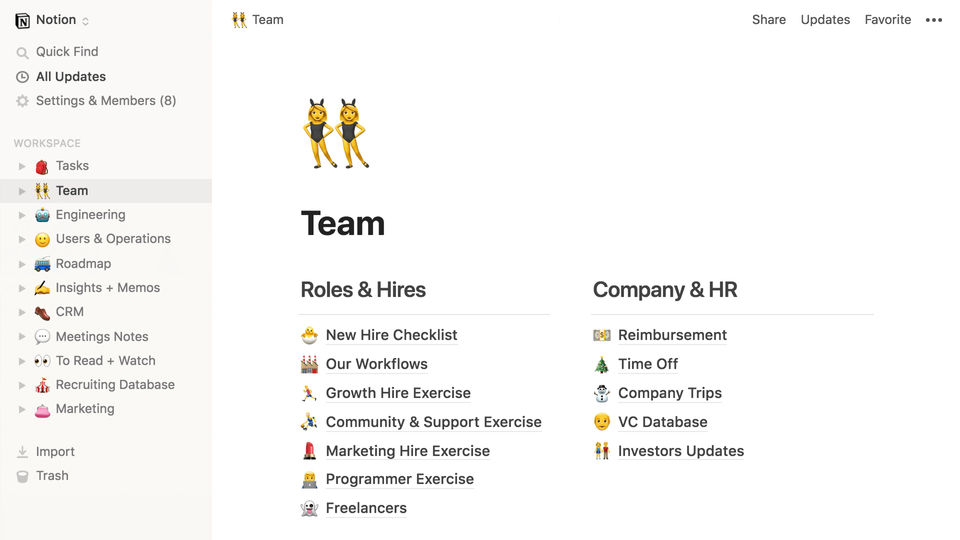 4 Screenshots |
|---|---|---|
Videos |  1 Videos |  1 Videos |
Top Alternatives to Shelf and Notion in 2026
Alternatives |
|---|


Add another option to compare side by side
Search by product name to compare pricing, fit, and buyer feedback in one view.Compare similar software options





Disclaimer: This research has been collated from a variety of authoritative sources. We welcome your feedback at [email protected].
Frequently asked questions
- Which is better, Shelf or Notion?
- Shelf edges out the other on user ratings (4.8 vs 4.4). That said, the best pick depends on your use case — use the comparison tables above to evaluate each dimension.
- Do Shelf and Notion offer a free trial?
- Notion offers a free trial. Shelf does not.
- What is the starting price of Shelf vs Notion?
- Shelf starts at Contact for pricing. Notion starts at $10 per seat/month.
- What are the top alternatives to Shelf?
- Top alternatives to Shelf include ComAround Knowledge, SmartSupport, KMS Lighthouse, Talisma KnowledgeBase, Verizon Knowledge Assist.
- What are the top alternatives to Notion?
- Top alternatives to Notion include Jira, Knote, Trello, Confluence, Asana.