
Payroller vs SwipeSimple Comparison

Payroller
Starting at $0.66 /user/month
- Freelancers / Consultants
- Medium Business
Payroll is easy with our powerful, yet simple-to-use desktop software. With options that help you manage taxes, reduce errors and cut labor costs, payroll can be an integral part of growing your business. Run payroll fas…

SwipeSimple
Starting at Contact for pricing
- Individuals
- Medium Business
SwipeSimple is a software platform designed to make digital payments for small businesses effortless and efficient. With built-in customization tools, merchants can quickly adjust tax rates, add items to the cart, and co…
SwipeSimple leads on user satisfaction with a 4.3-star rating across 4,945 reviews.
Payroller vs SwipeSimple — at a glance
| Feature | Payroller | SwipeSimple |
|---|---|---|
| Rating | — | 4.3 / 5 |
| Reviews | — | 4,945 |
| Starting price | $0.66 /user/month | Contact for pricing |
| Free trial | No | No |
| Free version | No | No |
| Best for | Freelancers / Consultants, Medium Business, Small Business | Individuals, Medium Business, Small Business |
| Category | Payroll Software | Payment Processing Software |
| Integrations | 1+ apps | 6+ apps |
| Platforms | SaaS/Web/Cloud | SaaS/Web/Cloud, Mobile - Android, Mobile - iOS |
| API | — | — |
| Support modes | Online | Business Hours, Online |
| Certifications | — | — |
| Data residency | US | US |
Key differences between Payroller and SwipeSimple
- Pricing: Payroller starts at $0.66 /user/month. SwipeSimple pricing is not publicly listed.
- Target audience: Payroller is built for Freelancers / Consultants and Medium Business, while SwipeSimple targets Individuals and Medium Business.
- Deployment: Payroller supports SaaS/Web/Cloud; SwipeSimple supports SaaS/Web/Cloud, Mobile - Android, Mobile - iOS.
Payroller vs SwipeSimple — find the better fit before you commit.
Which tool fits your team best
Which is actually cheaper for your team size
Where each product wins, per real buyers
Most Payroll Software tools look identical on paper. This comparison cuts to the differences that matter — pricing structure, team fit, and what real buyers found after signing up.
Biggest differences
Features
Pricing
Buying details
Security
Buyer feedback
Integrations
Product tour
Other options
Talk to an expert Talk to an expert | Talk to an expert Talk to an expert |
Free PDF comparison
Download this Payroller vs SwipeSimple comparison
Get the full side-by-side as a PDF — these picks plus the top Payroll Software tools, with verified ratings, pricing and features.
- Side-by-side on pricing, features & ratings
- Plus the category top 10, scored & ranked
- Emailed to you — no on-screen download
No file downloads on screen — we email it to you. One-click unsubscribe anytime.
Biggest differences
Start here before you go deeper into features.
Freelancers / Consultants, Medium Business, Small Business
Individuals, Medium Business, Small Business
Payroller typically suits Freelancers / Consultants and Medium Business. SwipeSimple tends to fit Individuals and Medium Business better. The right choice depends on your team size, workflow, and whether a free trial matters.
Description | Payroll is easy with our powerful, yet simple-to-use desktop software. With options that help you manage taxes, reduce errors and cut labor costs, payroll can be an integral part of growing ... Read More about Payroller | SwipeSimple is a software platform designed to make digital payments for small businesses effortless and efficient. With built-in customization tools, merchants can quickly adjust tax ... Read More about SwipeSimple |
|---|---|---|
Entry Level Pricing |
|
|
Free Trial Availability |
|
|
SpotScoreWhat's this? ↗ | 8.1/10 | Not Available |
User RatingsBased on verified Spotsaas reviews | ||
Best Company Size | 1–200 employees | 51–200 employees |
Get pricing help | Get pricing help |
Where each option fits best
See where each product is strongest, which teams it fits, and what causes buyers to keep looking — before you commit.
Based on buyer reviews and verified product data collected by Spotsaas.
Key strengths
- Accessibility for Small Businesses: Payroller is designed to be easy to use, even for employers without payroll expertise. Its browser-based interface, guided workflows, and clear reporting make payroll accessible for microbusinesses and SMEs. Accountants and bookkeepers can also manage multiple clients through the agent portal. This accessibility lowers the barrier to adopting compliant payroll software while still providing the essential features businesses need to pay employees correctly and on time.
- Smooth Accounting Integration: Payroller integrates with accounting software like Xero, syncing payroll data with financial records. Wages, taxes, and superannuation entries are reflected accurately in the general ledger, reducing duplicate data entry. This integration improves visibility into payroll costs and simplifies reconciliation during month-end or year-end close. Businesses benefit from cleaner accounting records and less coordination between payroll and finance teams.
- Reduced Payroll Errors: Manual payroll processing often leads to mistakes in calculations, leave balances, or tax deductions. Payroller reduces these risks by applying standardized payroll rules and validations automatically. Attendance, leave, and earnings data are processed consistently, improving accuracy across pay runs. Fewer errors mean fewer corrections, less rework, and improved trust with employees. Accurate payroll also supports cleaner financial records and smoother reconciliation for accountants and bookkeepers.
- Real-time reporting and business insights: The platform provides detailed transaction reporting that helps business owners track daily sales activity, revenue trends, and payment performance. By viewing real-time reports, businesses can better understand customer purchasing behavior and monitor financial performance, which supports more informed decision-making.
- Built-in invoicing and recurring billing: SwipeSimple includes invoicing tools that allow businesses to send payment requests through email or digital payment links. It also supports recurring billing for businesses offering subscription services, memberships, or ongoing service contracts. These capabilities help automate payment collection and reduce manual billing work.
- Easy-to-use payment interface: The platform has a straightforward user interface that lets merchants process transactions quickly without extensive training. Staff members can easily work through the dashboard, complete transactions, issue refunds, and manage customer payments, making the system suitable for businesses that want a simple and reliable payment processing experience.
Best fit
- 1–200 employees
- Retail, Hospitality, Construction, Trades, Healthcare, Professional Services, Education Services, Nonprofits, Accounting & Bookkeeping Firms
- Business Owners, Payroll Officers, Office Managers, HR Managers, Finance Managers, Accountants, Bookkeepers, Operations Managers
- 51–200 employees
- Retail, Hospitality, Field Services, Professional Services, Small Business Commerce
- Business Owner, Store Manager, Operations Manager, Finance Manager, Service Technician, Sales Associate
Reasons buyers look elsewhere
No alternatives guidance available yet.
- Many organizations rely on a large technology ecosystem including CRM platforms, accounting software, marketing automation tools, and e-commerce systems. While SwipeSimple offers some integrations, businesses that depend heavily on interconnected software tools may prefer payment platforms with broader integration libraries and open API ecosystems to support deeper automation and system connectivity.
- The platform is built with simplicity in mind, which can limit flexibility for businesses that require customized workflows. Companies that need features such as custom checkout experiences, complex reporting dashboards, loyalty programs, advanced customer segmentation, or marketing automation may prefer alternative POS platforms that offer more configurable systems and expanded functionality.
- Although SwipeSimple handles payments effectively, it offers limited capabilities for managing detailed product inventories. Businesses that manage large product assortments, warehouse stock, or supply chains may need systems that provide advanced inventory control, stock alerts, purchase order tracking, and supplier management features. For these organizations, payment systems with stronger inventory management tools may provide better operational control.
Software Demo
Demo |
|---|
Need a second opinion?
Get shortlist help from a software advisor
Share your priorities, budget, and team needs, and we’ll help you narrow the options and understand the tradeoffs before you talk to vendors.

- Independent advice — matched to your business
- Understand the tradeoffs before you talk to vendors
- Free 15-min call with a software advisor.
Step 1 of 4
How big is your team?
We tailor recommendations to companies your size.















How do Payroller and SwipeSimple Compare on Features?
Total Features | 11 Features | 16 Features |
|---|---|---|
Unique Features | No unique features | No unique features |
Get Quote | Get Quote |
Compare Payroller and SwipeSimple on pricing
Review starting price, plan structure, and free-trial access side by side so you can see which option fits your budget and buying process.
Pricing Option | ||
|---|---|---|
Starting From |
|
|
Pricing Plans |
|
|
Pricing Page | 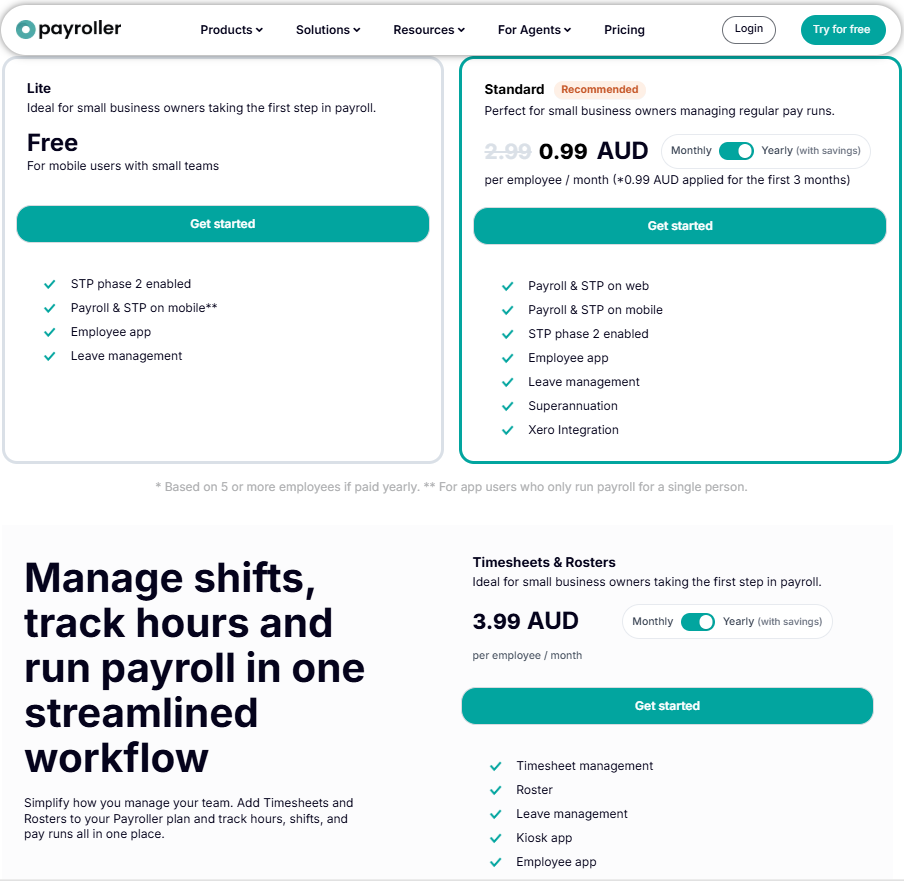 | Pricing information not available |
Other Details
Organization Types supported |
|
|
|---|---|---|
Platforms Supported |
|
|
Modes of support |
|
|
API Support |
|
|
Get help choosing | Get help choosing |
Security & Compliance
Certifications, data handling, and security controls for IT and compliance evaluators.
HIPAA | ✗ No | ✗ No |
|---|---|---|
Data Encryption | — | ✓ Yes |
Data Residency | 🇺🇸 US | 🇺🇸 US |
Payroller User Reviews & Rating Comparison
User Ratings | No reviews available for the product | 4.3 (based on 4945 reviews) |
|---|---|---|
Rating Distribution | No reviews available for this product | |
Spotsaas Editor’s POV generated by AI | What buyers like
Common complaints
| Buyer sentiment Buyer sentiment is positive across 4945 reviews, with strong overall satisfaction. What buyers like
Common complaints
|
Pros and Cons |
|
|
Integrations
Integration with other apps |
|---|



Media and Screenshots
Screenshots | 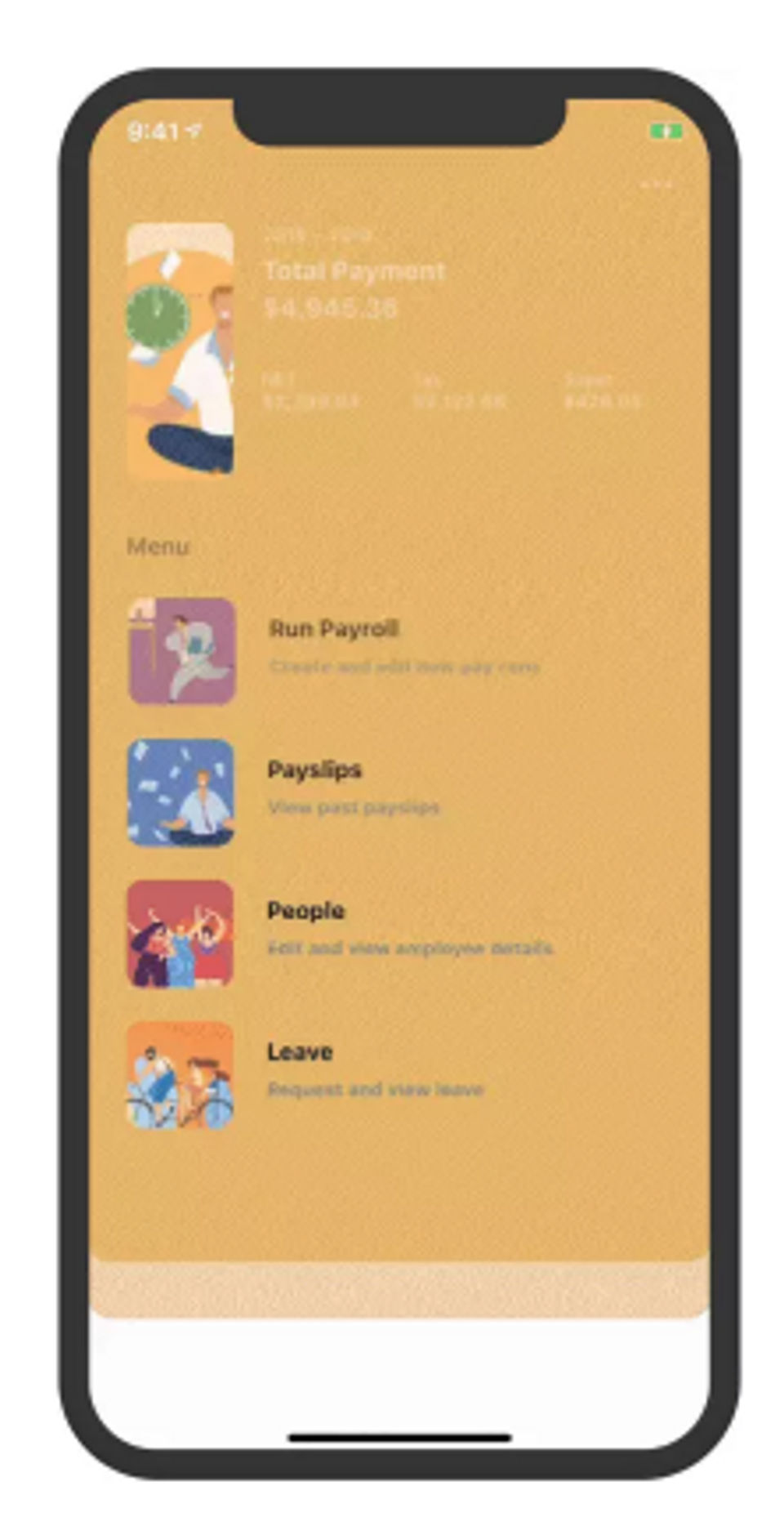 7 Screenshots | No screenshots available. |
|---|---|---|
Videos |  1 Videos |  2 Videos |
Top Alternatives to Payroller and SwipeSimple in 2026
Alternatives |
|---|


Add another option to compare side by side
Search by product name to compare pricing, fit, and buyer feedback in one view.Compare similar software options


Related Blogs and Articles for Payment Processing Software
payment gateway software
Disclaimer: This research has been collated from a variety of authoritative sources. We welcome your feedback at [email protected].
Frequently asked questions
- Which is better, Payroller or SwipeSimple?
- SwipeSimple edges out the other on user ratings (4.3 vs -1.0). That said, the best pick depends on your use case — use the comparison tables above to evaluate each dimension.
- Do Payroller and SwipeSimple offer a free trial?
- Neither Payroller nor SwipeSimple currently lists a free trial.
- What is the starting price of Payroller vs SwipeSimple?
- Payroller starts at $0.66 /user/month. SwipeSimple starts at Contact for pricing.
- What are the top alternatives to Payroller?
- Top alternatives to Payroller include Patriot Payroll, Paychex Flex, Paycor, Freshbooks, Rippling.
- What are the top alternatives to SwipeSimple?
- Top alternatives to SwipeSimple include Stripe Payments, WePay, Square Payments, Clover, PaySimple.