
Classtra vs vim.so Comparison

Classtra
Starting at $14.99 per month
- Free Version
- Medium Business
- Small Business
Classtra is a live learning platform for creating and hosting virtual classes, workshops, and conferences. It supports high-definition streaming, customizable branded landing pages, in-platform payment collection, and pe…
vim.so
Starting at $35 Lifetime Access
- Individuals
- Freelancers / Consultants
LearnVim (vim.so) is an interactive Vim course with 10 structured lessons covering navigation, editing, and text manipulation, taught through muscle-memory exercises rather than passive reading. It is designed for both b…
Classtra leads on user satisfaction with a 4.5-star rating across 8 reviews.
Classtra vs vim.so — at a glance
| Feature | Classtra | vim.so |
|---|---|---|
| Rating | 4.5 / 5 | — |
| Reviews | 8 | — |
| Starting price | $14.99 per month | $35 Lifetime Access |
| Free trial | No | No |
| Free version | Yes | No |
| Best for | Medium Business, Small Business, Individuals | Individuals, Freelancers / Consultants, Small Business |
| Category | Online Learning Platforms | Online Learning Platforms |
| Platforms | Browser Based (Cloud), Mobile - Android, Mobile - iOS | SaaS/Web/Cloud |
| API | — | — |
| Support modes | Business Hours, Online | Online |
Key differences between Classtra and vim.so
- Pricing: Classtra starts at $14.99 per month, while vim.so starts at $35 Lifetime Access.
- Target audience: Classtra is built for Medium Business and Small Business, while vim.so targets Individuals and Freelancers / Consultants.
- Deployment: Classtra supports Browser Based (Cloud), Mobile - Android, Mobile - iOS; vim.so supports SaaS/Web/Cloud.
Classtra vs vim.so — find the better fit before you commit.
Which tool fits your team best
Which is actually cheaper for your team size
Where each product wins, per real buyers
Most Online Learning Platforms tools look identical on paper. This comparison cuts to the differences that matter — pricing structure, team fit, and what real buyers found after signing up.
Biggest differences
Features
Pricing
Buying details
Security
Buyer feedback
Integrations
Product tour
Other options
Free PDF comparison
Download this Classtra vs vim.so comparison
Get the full side-by-side as a PDF — these picks plus the top Online Learning Platforms tools, with verified ratings, pricing and features.
- Side-by-side on pricing, features & ratings
- Plus the category top 10, scored & ranked
- Emailed to you — no on-screen download
No file downloads on screen — we email it to you. One-click unsubscribe anytime.
Classtra vs vim.so: Biggest differences
Start here before you go deeper into features.
Best for small to medium businesses delivering live, interactive virtual classes.
- You need an easy-to-use platform for creating and marketing live classes.
- Your focus is on high-definition virtual conferences with real-time engagement.
- You want integrated marketing tools to promote live learning sessions smoothly.
- Your organization requires complex LMS integrations or extensive offline learning support.
- You need advanced customization options and detailed reporting analytics.
Individuals, Freelancers / Consultants, Small Business
Classtra typically suits Medium Business and Small Business. vim.so tends to fit Individuals and Freelancers / Consultants better. The right choice depends on your team size, workflow, and whether a free trial matters.
Description | Classtra is a live learning platform for creating and hosting virtual classes, workshops, and conferences. It supports high-definition streaming, customizable branded landing pages, ... Read More about Classtra | LearnVim (vim.so) is an interactive Vim course with 10 structured lessons covering navigation, editing, and text manipulation, taught through muscle-memory exercises rather than passive ... Read More about vim.so |
|---|---|---|
Entry Level Pricing |
|
|
Free Trial Availability |
|
|
User RatingsBased on verified Spotsaas reviews | ||
Best Company Size | Small BusinessMedium Business | 1–500 Employees |
Get pricing help | Get pricing help |
Where each option fits best
See where each product is strongest, which teams it fits, and what causes buyers to keep looking — before you commit.
Based on buyer reviews and verified product data collected by Spotsaas.
Key strengths
- Rapid, Muscle-Memory-Based Learning: LearnVim is focused on building muscle memory through concise, interactive exercises, letting users build long-term habits and manage codebases efficiently without relying on the mouse.
- Lifetime Access with One-Time Cost: The course offers a one-time payment model ($35) for lifetime access, making it a cost-effective option for developers who want continual access without subscription renewals.
- Practical Developer-Centric Instruction: Built by a developer for developers, LearnVim emphasizes real-world, no-nonsense usage—covering the most used commands (80/20 principle) with immediate applicability in tools like VS Code.
Best fit
- 1–500 Employees
- Software Development, IT Services, Cybersecurity, Cloud Computing, EdTech, Fintech, Data Science
- Software Developer, DevOps Engineer, System Administrator, Backend Engineer, Data Engineer, SRE, Technical Lead, Programming Instructor, Computer Science Student
Reasons buyers look elsewhere
- While LearnVim covers core commands effectively, more advanced Vim users may find the course lacking in depth for topics like macros, scripting, or plugin customization.
- The creator has indicated that new content is unlikely, which may limit its usefulness over time compared to platforms that evolve with the Vim ecosystem.
- LearnVim focuses solely on Vim, so users looking for comprehensive courses that integrate Vim usage within full IDEs or language-specific environments may need additional training elsewhere.
Need a second opinion?
Get decision help from a software advisor
Share your priorities, budget, and team needs, and we’ll help you narrow the options and understand the tradeoffs before you talk to vendors.

- Independent advice — matched to your business
- Understand the tradeoffs before you talk to vendors
- Free 15-min call with a software advisor.
Step 1 of 4
How big is your team?
We tailor recommendations to companies your size.















How do Classtra and vim.so Compare on Features?
Total Features | 6 Features | 3 Features |
|---|---|---|
Unique Features | No unique features | No unique features |
Get Quote | Get Quote |
Compare Classtra and vim.so on pricing
Review starting price, plan structure, and free-trial access side by side so you can see which option fits your budget and buying process.
Pricing Option | ||
|---|---|---|
Starting From |
|
|
Pricing Plans |
|
|
Pricing Page |  | 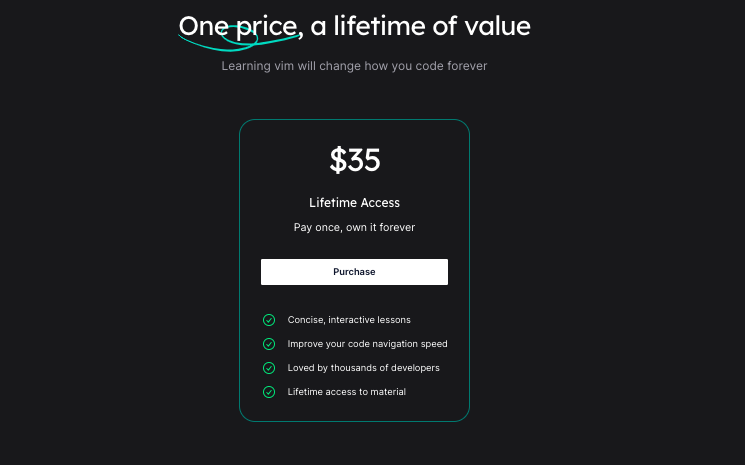 |
Classtra vs vim.so: Other Details
Organization Types supported |
|
|
|---|---|---|
Platforms Supported |
|
|
Modes of support |
|
|
API Support |
|
|
Get help choosing | Get help choosing |
Classtra User Reviews & Rating Comparison
User Ratings | 4.5 (based on 8 reviews) | No reviews available for the product |
|---|---|---|
Rating Distribution | No reviews available for this product | |
Spotsaas Editor’s POV generated by AI | Buyer sentiment Users generally appreciate Classtra's ease of use and live learning capabilities but note some gaps in advanced features and pricing clarity. What buyers like
Common complaints
| What buyers like
Common complaints
|
Pros and Cons |
|
|
Classtra and vim.so Customers
Customers | No Customers information available. |  Capgemini  ConsenSys |
|---|
Media and Screenshots
Screenshots | No screenshots available. | 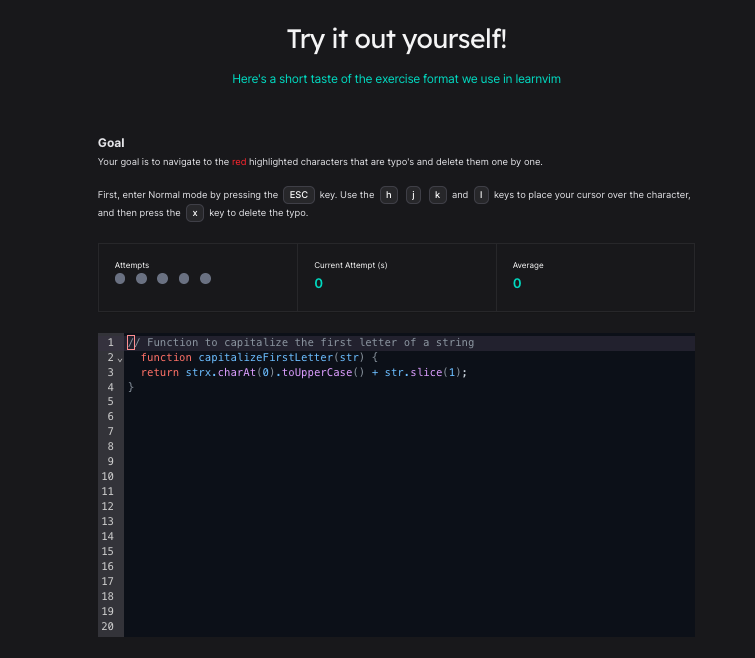 2 Screenshots |
|---|
Top Alternatives to Classtra and vim.so in 2026
Alternatives |
|---|


Add another option to compare side by side
Search by product name to compare pricing, fit, and buyer feedback in one view.Compare similar software options





Related Blogs and Articles for Online Learning Platforms

Disclaimer: This research has been collated from a variety of authoritative sources. We welcome your feedback at [email protected].
Frequently asked questions
- Which is better, Classtra or vim.so?
- Classtra has a user rating of 4.5, while vim.so has no user ratings yet. The right choice depends on your team size, budget, and specific Online Learning Platforms needs.
- Do Classtra and vim.so offer a free trial?
- Neither Classtra nor vim.so currently lists a free trial.
- What is the starting price of Classtra vs vim.so?
- Classtra starts at $14.99 per month. vim.so starts at $35 Lifetime Access.
- What are the top alternatives to Classtra?
- Top alternatives to Classtra include Varsity Tutors, KodeKloud, Relias CE Direct, edX For Business, Pluralsight Skills.
- What are the top alternatives to vim.so?
- Top alternatives to vim.so include KodeKloud, FavTutor, Pluralsight Skills, Certifier, EdCast.
- Is Classtra as good as it looks?
- The case for Classtra: intuitive platform for creating live classes; supports high-definition virtual conferences. The case against: limited information on advanced customization options; potential lack of extensive reporting and analytics. It also lacks Accounts Payable and Accounts Receivable.
- What are the downsides of vim.so?
- What buyers praise about vim.so: the course uses hands-on exercises that build muscle memory, making it easier for users to retain commands and techniques. What they raise as reservations: developers looking for deep dives into Vim plugins, scripting, or customization options may find the content too basic. It does not include Accounts Payable and Accounts Receivable.
More Online Learning Platforms comparisons
Side by side breakdowns of the same products against other options in this category.