
vim.so Review: Is It The Right Online Learning Platform For Your Team?
Best for SMB teams
Add to compare
Starts from $35 / Lifetime Access when yearly
 Capgemini
 ConsenSys
Trusted by teams including Capgemini
Overview
Pricing
Features
Buyer feedback
Alternatives
Customers
Media
Security & Compliance
Support
FAQ
Blogs
What is vim.so?
LearnVim (vim.so) is an interactive Vim course with 10 structured lessons covering navigation, editing, and text manipulation, taught through muscle-memory exercises rather than passive reading. It is designed for both beginners and intermediate developers and works with VS Code environments. Over 2,000 engineers have completed the course, which is available for a one-time fee of with lifetime access.
Pricing
Starts from $35 / Lifetime Access when yearly
Best For
Best suited for small teams and solo users
Security & Compliance
Data residency:Global
vim.so Screenshots
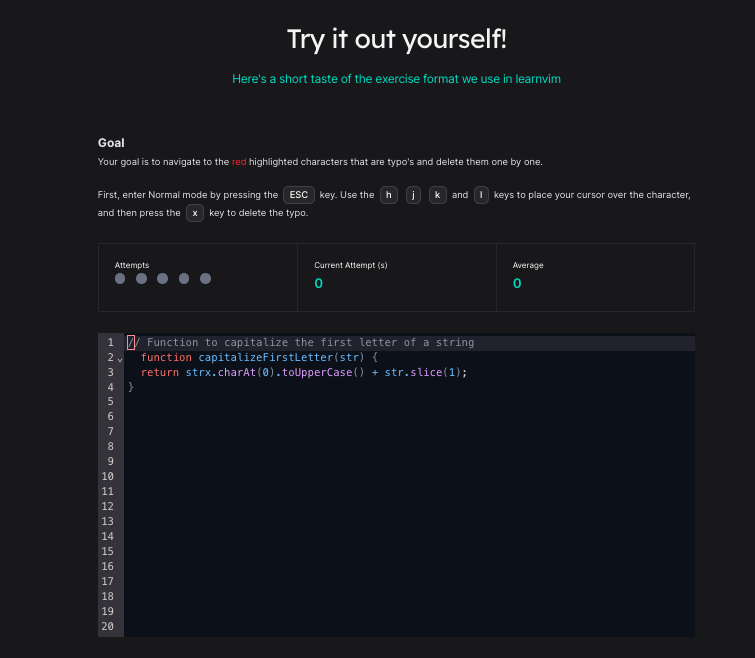
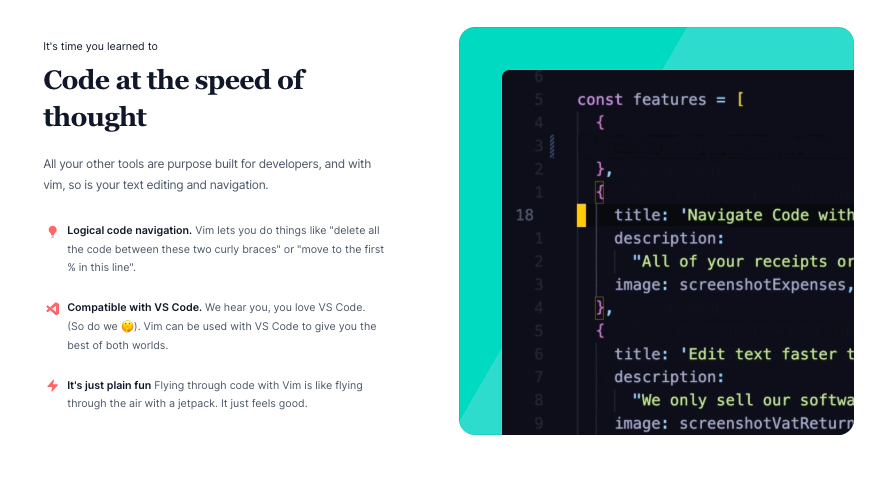
vim.so was reviewed internally using user feedback, in-house testing, and market research to assess its performance, reliability, and user experience. Learn how we review products and our evaluation process.

Who should consider vim.so
- Use cases
- Software Development, IT Services, Cybersecurity
- Team types
- Software Developer, DevOps Engineer
- Company size
- 1–500 Employees
Why teams choose vim.so
The course uses hands-on exercises that build muscle memory, making it easier for users to retain commands and techniques.
With only 10 focused lessons, the course cuts through overwhelming documentation to deliver what developers need most for daily Vim usage.
LearnVim is designed for new users who want to become productive in Vim quickly without sifting through dense manuals.
Is vim.so right for you?
What buyers should know before choosing vim.so
LearnVim (vim. so) is the most effective Vim course I’ve used to date.
As someone who’s dabbled in Vim before but never stuck with it, the interactive approach made all the difference. Instead of overwhelming reference guides, this course focuses on building muscle memory through simple, hands-on exercises.
I appreciated how quickly I became comfortable navigating code purely from the keyboard. It’s ideal for beginners and worth every penny for the lifetime access.
While it doesn't go deep into advanced techniques, it absolutely nails the essentials. I highly recommend it for developers looking to code faster, cleaner, and more efficiently.
vim.so pros and cons
- vim.so pros
The course uses hands-on exercises that build muscle memory, making it easier for users to retain commands and techniques.
With only 10 focused lessons, the course cuts through overwhelming documentation to deliver what developers need most for daily Vim usage.
LearnVim is designed for new users who want to become productive in Vim quickly without sifting through dense manuals.
- vim.so cons
Developers looking for deep dives into Vim plugins, scripting, or customization options may find the content too basic.
The platform doesn’t offer any certificates of completion or analytics, which may limit its use in structured learning environments.
Ready to try it?
Get started with vim.so
Connect with the team for a personalised demo.
Still comparing?
See how it stacks up
Compare vim.so side-by-side with top Online Learning Platform alternatives.



What is the pricing of vim.so?
vim.so Pricing Plans
Weighing your options?
Not sure if vim.so fits your budget?
vim.so reviews and ratings
What buyers like
- The course uses hands-on exercises that build muscle memory, making it easier for users to retain commands and techniques.
- With only 10 focused lessons, the course cuts through overwhelming documentation to deliver what developers need most for daily Vim usage.
- LearnVim is designed for new users who want to become productive in Vim quickly without sifting through dense manuals.
Common complaints
- Developers looking for deep dives into Vim plugins, scripting, or customization options may find the content too basic.
- The platform doesn’t offer any certificates of completion or analytics, which may limit its use in structured learning environments.
- Without a discussion board or peer-support system, learners must rely solely on self-guided instruction and email support.
Be the first to review vim.so
You'll help thousands of buyers make a smarter decision.

- See if vim.so fits your business
- Real pricing — no sales pressure
- A demo or quick answers, your call
Step 1 of 4
How big is your team?
We tailor recommendations to companies your size.















What are the features of vim.so?
"For Developers" refers to tools, features, or platforms designed for the workflows, preferences, and productivity needs of software enginee…
A source code editor is a software tool designed to help developers write and edit source code for computer programs. It provides a user-fri…
Workflow management in the context of online learning platforms refers to how a product helps users plan, execute, and track a sequence of t…
vim.so security and data handling
Key compliance certifications and security features for IT and security teams evaluating vim.so.
Certifications

Developer & data
Alternatives to vim.so






Why buyers keep looking beyond vim.so
While LearnVim covers core commands effectively, more advanced Vim users may find the course lacking in depth for topics like macros, scripting, or plugin customization.
The creator has indicated that new content is unlikely, which may limit its usefulness over time compared to platforms that evolve with the Vim ecosystem.
LearnVim focuses solely on Vim, so users looking for comprehensive courses that integrate Vim usage within full IDEs or language-specific environments may need additional training elsewhere.
Unlike learning platforms that offer certificates or team-level analytics, LearnVim does not provide completion credentials or admin tools for team leads or organizations.
There is no community, mentorship, or peer-learning support system embedded in the course, unlike platforms like Codecademy, Udemy, or freeCodeCamp.
LearnVim is browser-based and does not currently offer a mobile or offline-friendly app, which could be limiting for learners on the go or with limited connectivity.
vim.so Customers
Capgemini
ConsenSys
vim.so Support Options
Frequently Asked Questions About vim.so
Common questions buyers ask before choosing vim.so.
vim.so is a Online Learning Platform . vim.so offers Workflow Management, Source code editor and many more functionalities.
Buyers commonly note the following limitations of vim.so: Developers looking for deep dives into Vim plugins, scripting, or customization options may find the content too basic.; The platform doesn’t offer any certificates of completion or analytics, which may limit its use in structured learning environments.; Without a discussion board or peer-support system, learners must rely solely on self-guided instruction and email support..
Some top alternatives to vim.so includes KodeKloud, FavTutor, Pluralsight Skills, Certifier and MyLab.
vim.so offers One-time license pricing model
The starting price of vim.so is $35Lifetime Access when yearly
Ready to try it?
Get started with vim.so
Get connected with the team for a personalised demo.
About the reviewer
Rajat Gupta is the founder of Spotsaas. Over the past two years, he has reviewed 2,000+ tools across CRM, HR, AI, and finance — applying hands-on product research and a background in commerce and the CFA program to evaluate software through a business and ROI lens. His goal: help teams make software decisions they won't regret.
Disclaimer: This research has been collated from a variety of authoritative sources. We welcome your feedback at [email protected].