

Webador is a website builder aimed at the 145,000 small business owners who want an easy-to-use platform. It is built around efficiency, with design tools and e-commerce features meant to support online growth for people running a business rather than a web design studio.
An online presence matters for most businesses today, and Webador provides the services needed to build professional websites without a lot of technical work. That combination of simplicity and capability is the reason many owners look at it first.
Founded in 2010, with offices in Barcelona and Stamford, CT, the company supports both English and French, which widens the audience it can serve. Its pricing is one of the main draws: it runs from a free option all the way to more advanced tiers for businesses that are ready to expand their online footprint and take on more traffic and sales.
Features like SEO management and drag-and-drop editing are a big part of why it competes with well-known alternatives such as Squarespace or Shopify. On top of that, Webador runs price discounts that last until the end of December, which makes the paid plans more affordable if you sign up during that window.
Key Takeaways
- Webador is a user-friendly website builder popular with entrepreneurs, with tools for creating professional-looking websites without coding skills.
- The platform offers several plans, including a free option with unlimited pages and paid subscriptions like Lite, Pro, and Business that cover needs from simple blogs to full e-commerce sites.
- Users can build brand authority with custom domains and email hosting included in all Webador plans, plus features such as SEO optimization and responsive design for mobile devices.
- The software has advantages like integrated e-commerce and customer support across all subscription levels, but its free plan has limits on functionality and storage space.
- Alternatives to Webador include Wix for those wanting more templates and creative control, though it may have page limits; Shopify for online store management; Squarespace for sleek designs; and Weebly as an economical choice.
Core Features of Webador
Webador packages a set of tools meant to simplify the build process from the first draft through to launch. Whether you are creating a blog or setting up a full e-commerce store, its integrated features are made to work for both beginners and experienced web designers, and the goal throughout is to keep website creation simple and quick rather than technical.
User-friendly Website Builder
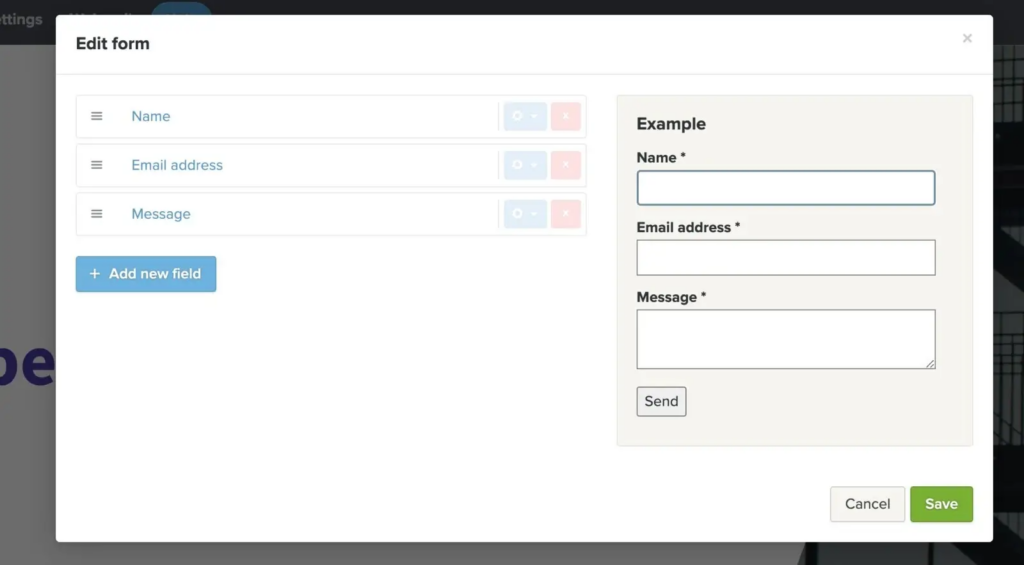
Webador’s user-friendly website builder removes much of the hassle of creating a professional online presence. Its drag-and-drop interface lets anyone, whatever their technical skill, design a good-looking website quickly and without touching code.
The platform also comes with responsive templates that adapt across devices, so your site displays well on desktops, tablets, and smartphones without any extra work on your part.
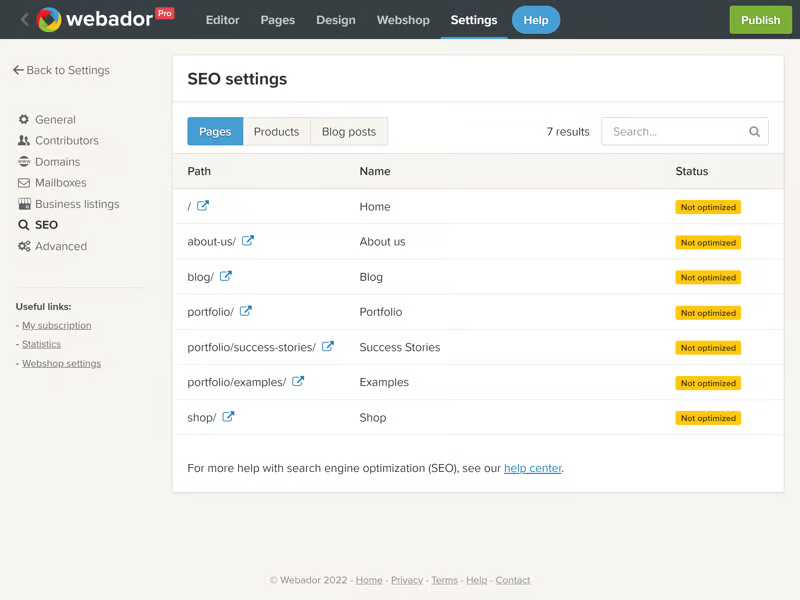
Improving how your site performs in search is also handled through Webador’s built-in search engine optimization tools. These help you tune your content so it has a better chance of showing up higher in search results.
Adding an e-commerce storefront to your website is also straightforward, and you can start selling products or services online without any coding expertise. Because domain name registration and email hosting come with every plan, free or premium, launching your brand is more accessible than it is on many other builders.
Custom Domain and Email Hosting
Beyond building the site itself, a custom domain and email hosting let you take control of your brand identity. Choose a personalized domain name that fits your business and gives visitors more confidence when they want to connect with you online.
This is not only about having an address on the internet; it is also about establishing authority in your field, which is harder to do with a generic address.
A unique email address tied to your domain improves professional interactions and simplifies communication. Replacing a generic address with one that carries your brand name reinforces recognition every time you send a message.
Webador supports this level of customization on all plans, not just paid ones, and you remain the sole owner of your domain name throughout. That ownership gives you both independence and credibility online, since the address stays yours.
Email management also becomes easier when it is paired with hosting services that quietly run in the background. These core features are supported across Webador plans, and together they help with online presence and brand consistency.
E-commerce Integration
Beyond domain hosting, Webador’s e-commerce integration turns a website into a digital storefront. Its tools let you display products, manage inventory, and process payments without adding separate software to do it.
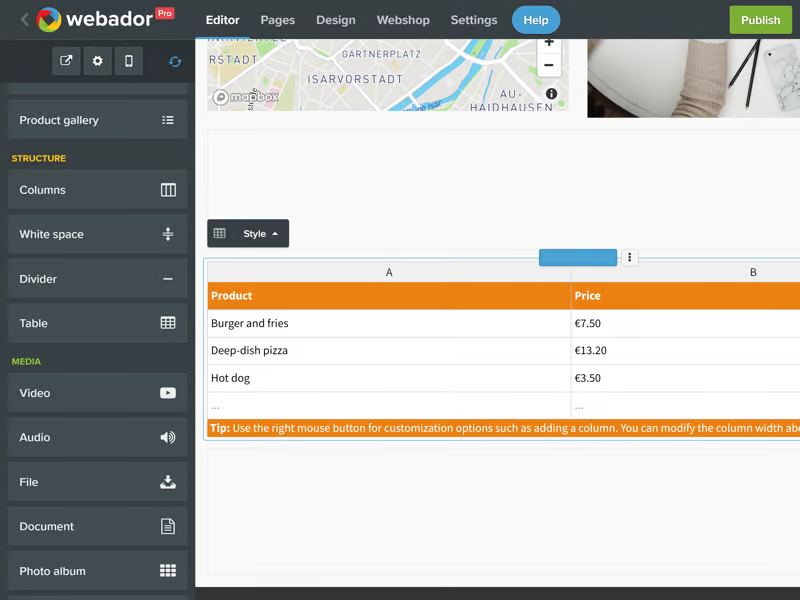
The software connects with popular payment gateways such as PayPal to give customers a secure checkout. Adding products, setting prices, and customizing options are all straightforward tasks in the interface, so you can keep a store up to date without much effort.
Webador also adds data analytics by integrating with services like Google Analytics 360, so business owners can track sales performance and customer behavior in real time.
Webador’s e-commerce tools are designed to help users grow their marketing efforts and scale their business effectively, and they do it without demanding extensive web development skills or a large budget for outside resources.
Whether you are promoting a new deal or improving the shopping experience for buyers, these features give you full control over how your online store runs.
What Online Store and Payment Features Does Webador Offer for Small Businesses?
Webador’s webshop comes with its Pro and Business plans: Pro allows up to 10 products and Business allows unlimited products. Customers can pay by Visa, Mastercard, American Express, PayPal, Klarna, bank transfer and other methods, and Webador says it never charges commission on your sales.
| Store feature | Pro plan | Business plan |
|---|---|---|
| Products | Up to 10 | Unlimited |
| Commission on sales | None | None |
| Shipping options | Per-product or weight-based costs, international shipping, free-shipping threshold, click and collect, minimum order | Same |
| Discounts | Discount codes and discount prices | Same |
| Digital products and inventory | Yes | Yes |
The full list of checkout methods Webador supports: Visa, Mastercard, American Express, PayPal, Klarna, Trustly, SEPA transfer, gift cards, Paysafecard, bank transfer, pay via invoice, pay on pick-up and pay on delivery. The Business plan also connects Google Analytics, Google Business Profile and Google Search Console.
Source: webador.com webshop and pricing pages, checked September 2026. Check webador.com/pricing for current plan prices, which change with introductory offers.
Webador Pricing Breakdown
Cost matters when building an online presence, and Webador takes a transparent approach to pricing that works across a range of needs and budgets. Each plan option is set up to provide value, whether you are just starting out with a first site or scaling up an established digital footprint.
Free Plan
Webador’s free plan is a solid starting point at no cost, and it is a good way to try website creation before spending anything. It suits people who are new to online building, with enough features to get a personal project or hobby site off the ground.
You can set up a domain name and launch with unlimited pages, so your creativity is not boxed in by page limits the way it is on some other free tiers.
The free plan includes the essentials, like hosting services, and it even gives you a personal mailbox, which helps set your brand apart from the very start. There are no hidden start-up fees and no financial commitment, so you can build a site now and consider upgrading only once your needs actually expand.
You can also cancel at any time without penalties, and that flexibility respects both the ambition to grow and the reality that plans sometimes change.
Lite, Pro, and Business Plan Costs
Webador has separate pricing tiers tailored for different needs, from basic websites through to advanced e-commerce platforms. Each plan begins with a discount offer that makes the first few months even more affordable, which lowers the barrier to getting started.
- Lite Plan: the entry-level option.
- On monthly billing it costs $8 per month at the regular rate, or $6 per month billed yearly, with no start-up costs.
- Webador often runs an introductory offer at 50% off the first months; the regular rate applies after it ends.
- The Lite Plan is ideal for those starting out or needing a simple website.
- Pro Plan: adds more features.
- The Pro Plan costs $14 per month on monthly billing, or $10.50 per month billed yearly, and includes an online store with up to 10 products.
- Introductory discounts apply to the first months only; after that the regular price applies, with no setup fees.
- This tier suits professionals who want more capable tools to expand their reach.
- Business Plan: built for full-scale operations.
- The Business Plan costs $28 per month on monthly billing, or $21 per month billed yearly (all Webador prices vendor-published, checked September 2026).
- It includes features that support larger e-commerce needs with no hidden startup charges. Paid plans include a free domain for the first year, then $22.50 per year.
- Growing enterprises will find value in this package’s range of features.
Advantages and Limitations
It helps to weigh Webador’s array of strengths against its potential weaknesses before you commit. The platform is strong on ease of use and efficiency, but its limitations may affect specific online projects, so it is worth considering both sides against your own goals before deciding.
Benefits of Using Webador
Webador includes a range of features designed to simplify the website creation process from start to finish. Its tools support both beginners taking their first steps and experienced developers who want a faster way to build an online presence.
- User-friendly Website Builder: The drag-and-drop builder lets you construct a professional-looking website without coding knowledge. It is especially useful for beginners who want to create an attractive site quickly.
- Custom Domain and Email Hosting: Every subscription plan includes a domain name and personal mailbox, so you can establish your brand with a custom email address tied to your domain.
- Optimization for Google: Webador sites are optimized for search engines from the start, which helps your site rank on Google and reach more visitors and customers.
- E-commerce Integration: If you want to sell products or services online, Webador lets you set up an online store within your website, with payment processing and inventory management.
- Free Support Included: Every plan comes with free support, so users can get technical help whenever they need it to keep their websites running.
- Subscription Flexibility: With monthly payment options and the freedom to cancel with one month’s notice, or automatic annual renewals, Webador offers flexibility based on your commitment level.
- Website Ownership: You use your own domain name and email address, and you remain the owner of your domain name while using Webador’s services.
- Data Storage and Traffic: All plans include unlimited pages, ample storage for media and content, and unrestricted data traffic to handle growing visitor numbers.
Potentials Drawbacks to Consider
Evaluating Webador’s software also means having a clear understanding of its potential drawbacks. Buyers and users should weigh these limitations against their own needs so they can make an informed choice. Here are several points worth considering before choosing Webador as your website builder:
- Limited Functionality on the Free Plan: Starting with the free plan can be appealing, but it may restrict what you can do. You might hit limits on design flexibility, storage capacity, and advanced features that a growing site needs.
- Consider Costs of Paid Plans: Beyond the free tier, costs add up. The Lite, Pro, and Business plans offer more features but carry recurring fees to budget for over the long term.
- Potential Domain Ownership Limitations: Owning a domain through Webador has its own conditions. Make sure you understand the terms tied to domain registration and renewal on the platform.
- Cancelation or Downgrading Concerns: If you cancel or downgrade, be aware of the limits that may follow. You could lose access to features or content that were part of higher-tier packages.
- Feature Loss When Downgrading: Moving to a cheaper plan can save money but may remove tools available on premium options, which can affect how your website works and how visitors experience it.
- Support Services Boundaries: Customer support varies by plan, so some users may want more help than their plan offers. Check whether the available support meets your needs.
Comparing Webador to Competitors
Choosing the right website builder is easier once you see how Webador holds up against larger names like Wix. The comparison below looks at the details of what each platform offers so you can decide which service fits your online vision and business goals.
Webador vs Wix
Webador and Wix both offer easy website builder tools for small business owners creating an online presence. With a 4.6 out of 5 rating, Webador is known for its straightforward interface and for including a custom domain name, personal mailbox, free hosting, and unlimited pages on all plans.
Users also like the e-commerce integration with PayPal, which can turn any Webador site into an online shop without extra setup.
Wix offers a wider range of templates and advanced design features that may appeal to those who value creative control over simplicity. It also has a large app market, but its lower-tier plans have page limits, unlike Webador’s unlimited pages.
Looking at the pricing options, Wix ties specific features to each plan level, while Webador keeps things simple by including its core features even in the free plan. The head-to-head shows contrasting strengths: Webador leads on inclusivity and ease of use, while Wix appeals to users who are after more comprehensive customization options.
Other Alternatives in the Market
Looking further into the market reveals many other options for building an online presence. Each of these alternatives offers its own features and benefits, and they cater to different needs and preferences depending on the kind of site you want to run.
- Squarespace: Known for its design templates, Squarespace is a top pick for creative professionals. It offers extensive styling options for those who prioritize aesthetics in their website creation.
- Weebly: With a drag-and-drop interface, Weebly simplifies website design. Its straightforward approach appeals to beginners who want a no-frills platform to start their online journey.
- Pixpa: Aimed at photographers and artists, Pixpa offers client-proofing features. It lets creators showcase portfolios and sell their work directly through the platform.
- Webnode: Users find Webnode appealing for its multilingual support, which helps businesses create sites in various languages and reach a global audience.
- GoDaddy Website Builder: GoDaddy includes marketing tools and search engine optimization (SEO) features, giving users more visibility without deep technical knowledge.
- SITE123: Focused on simplicity, SITE123 suits individuals or small businesses that want a quick setup without compromising quality. Its name reflects how fast you can get a site running.
- Shopify: A major e-commerce platform, Shopify provides tools built for online stores, from payment processing to inventory management.
- Zyro: Zyro offers AI-driven website building that helps users create professional-looking sites, with design suggestions from its algorithms.
- Elementor: A WordPress page builder plugin, Elementor gives users extensive customization and more control over a website’s functionality and look.
- Square Online: Aimed at merchants with physical storefronts expanding online, Square Online integrates e-commerce with brick-and-mortar operations.
Alternatives to Webador: Exploring Similar Platforms
If you want an alternative to Webador for your website-building needs, several other platforms offer features that may fit your specific requirements. Squarespace stands out with its sleek templates and intuitive interface, which makes it a favored choice for creatives and small business owners who want to build visually strong websites.
Wix is another strong contender, known for its versatile drag-and-drop builder and a large app market that lets users extend a site’s functionality well beyond the basics.
For e-commerce specifically, Shopify is a strong option dedicated to online stores, with powerful tools designed to help merchants sell effectively across multiple channels rather than a single storefront.
For those who want affordability without giving up quality, Weebly offers cost-effective plans paired with customizable templates that adapt well across different industries.
Zyro offers simplicity along with AI-driven tools, a combination that suits beginners who want to get online quickly and with minimal fuss.
These competing platforms not only challenge Webador but also add their own distinct strengths, such as the multilingual support offered by SITE123 or the more advanced analytics built into GoDaddy Website Builder.
When you are comparing these alternatives, take the time to read user reviews and ratings, since they shed light on real experiences with each service’s customer support, uptime reliability, and overall ease of use.
Whether you prioritize the design flexibility offered by Elementor or need the comprehensive third-party integrations available through BigCommerce, there is a platform out there to match your particular needs.
User Feedback on Webador
User experiences and testimonials offer useful insight into how Webador performs in practice, and they can guide your decision on whether it fits your online project needs. Here is what real customers are saying about the service.
Customer Reviews and Testimonials
User feedback on Webador paints a fairly clear picture of customer satisfaction. Client testimonials consistently point to the platform’s ease of use and its comprehensive range of features as the things people value most.
- Many users report high satisfaction with Webador’s design tools, which allow quick website creation without advanced technical skills.
- Client feedback on Trustpilot gives Webador a 4.6 out of 5 rating, showing broad approval from people who have used the service.
- Customers often cite the responsive support team as a key reason for their positive reviews, which points to the value of good service.
- User ratings reflect appreciation for Webador’s cost-effectiveness compared with other website builders on the market.
- Online reviews frequently mention how well Webador integrates e-commerce, helping businesses expand their online presence.
- Testimonials from small business owners note the value of custom domain names and email hosting for a professional online image.
Conclusion
Webador simplifies website building for small businesses, and it is worth a look if you want to get online without a steep learning curve. With affordable plans, including a capable free option, almost anyone can launch an online presence quickly.
The platform is easy to use for building your own digital space at your own pace. Webador supports your growth along the way with a set of features aimed at helping your business succeed online, from the first page you publish to a larger store later on.
In short, it gives you all the tools you need to build and run a website with real confidence, whatever stage your business happens to be at right now.
(Image credit: Webador)
Frequently Asked Questions
1. What is Webador?
Webador is a software that lets you create your own website without needing to know how to code.
2. How much does Webador cost?
Webador offers different plans, including a free option and paid subscriptions that vary in price based on the features provided.
3. Can I make an online store with Webador?
Yes, Webador has tools that allow you to set up and manage your own online store.
4. Is it easy for beginners to use Webador?
Yes, Webador is designed for ease of use, making it beginner-friendly for those who want to build websites.
5. Are there alternatives to using Webador?
There are several alternatives to using Webador, such as Wix or Squarespace which also offer website building tools.
Compare alternatives to the tools in this post

- Independent picks for exactly what you just read about
- Matched to your team size & needs
- Vendors don't pay for placement
Step 1 of 4
How big is your team?
We tailor recommendations to companies your size.















Related Articles
IT Management
Microsoft Intune Pricing 2026: Plan 1, Plan 2, Suite and What Microsoft 365 Includes
Continue reading →
IT Management
Best Remote Access Software 2026: 11 Tools Compared by Price
Continue reading →
IT Management
Splashtop Pricing 2026: Solo, Pro, Performance and SOS Costs
Continue reading →
IT Management
Atera Pricing 2026: Every Plan, Per-Technician Cost and What You’ll Pay
Continue reading →