
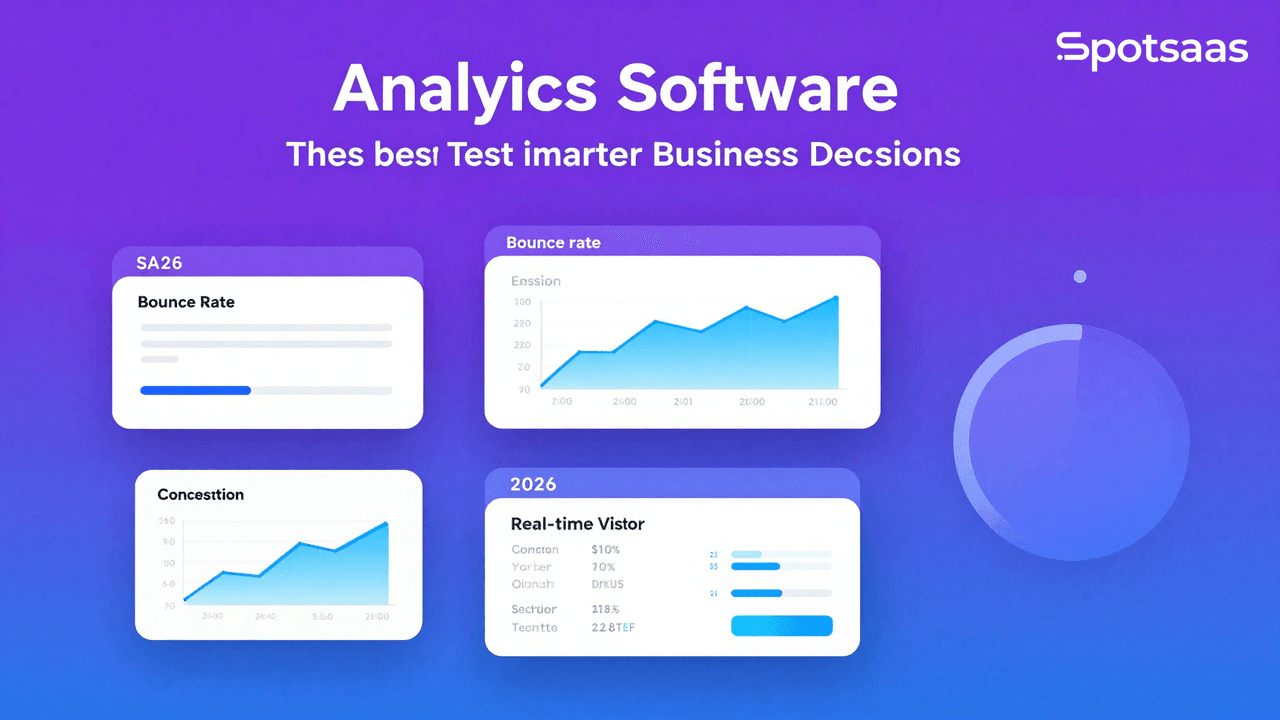
How Web Analytics Software Works and Why It Matters in 2026
Web analytics software gives company teams equal visibility into key metrics such as page views, average time on a page, bounces, and sessions, which helps improve a website’s effectiveness and optimize the end-user experience across every part of the funnel.
With features like heat maps, A/B testing, and real-time reports, web analytics becomes a key driver in how campaign decisions get made.
Why Should You Use Web Analytics Software?
Companies that use this software can understand their audience well enough to optimize campaigns and improve the user experience across the whole site. That builds a foundation for informed decisions and conversions, and it keeps the organization competitive in a digital-first market.
Gaining insights that lead to action
Web analytics software gives businesses better visibility into how customers interact with their sites. That data reveals patterns, points to strengths, and highlights areas that need improvement.
With real-time knowledge in hand, organizations can adjust their plans immediately to stay competitive in a fast-changing digital space.
Understanding user behavior to improve experience
Businesses can spot stumbling blocks in the customer journey by studying user behavior variables like how many minutes people spend on a page, bounce rates, and navigation patterns across different device types. Fixing those problems, whether that’s speeding up load times for specific pages or streamlining checkout, increases user satisfaction and improves engagement.
Measuring marketing impact and ROI
Web analytics tools evaluate the performance of different marketing strategies, such as email campaigns, social media ads, and SEO.
By identifying where traffic and conversions actually come from, companies can redirect investment into more productive areas and get more out of their marketing spend.
Tracking conversions with purpose
Organizations can set an objective, such as generating a number of leads, completing a form, or making a purchase, and track every event that moves toward that goal across the customer journey. This tracking links actions to business objectives and keeps effort focused on strategies that deliver measurable results.
Staying ahead of the competition
Advanced analytics platforms provide information on where competitors’ traffic comes from, which content performs best, and where market trends are heading next.
That should push businesses to benchmark their own performance against the data, close gaps, and build better strategies while keeping up with industry best practices.
What Are the Key Features of Web Analytics Software?
Web analytics tools offer traffic analysis, conversion tracking, real-time reporting, and integration capabilities. These insights streamline marketing strategy and lead to better organizational output.
Breaking down traffic by source and behavior
Traffic analysis lets businesses examine the volume of visitors along with their sources, whether that’s organic search, social media, or paid ads, painting a clearer picture of what’s working well and what still needs improvement.
Page-level analysis accounts for the most visited pages, which helps teams replicate successful strategies across the rest of the site.
Tracking conversions to reduce drop-offs
Detailed conversion tracking lets businesses identify exactly where a user drops out of the conversion funnel, giving them a specific target for improvement.
Watching a visitor drop off at the last e-commerce step, for example an abandoned cart, highlights pain points that lead to actionable fixes, such as simplifying the checkout process or adding an incentive.
Visualizing behavior with heatmaps and session replays
Heatmaps and session replays help teams understand users beyond surface-level metrics like clicks or pageviews alone. They can reveal whether a major call-to-action button is being overlooked entirely, or whether a section of the site is creating navigation trouble. Fixing those design issues leads to more engaging interactions overall.
Monitoring real-time performance and trends
Real-time data keeps a company ahead in fast-paced markets by letting it recognize trends and react to them instantly. One example is watching live traffic during a marketing campaign to adjust actions right away for better results.
Crisis management improves too, since issues like server errors or downtime can be reported and resolved quickly.
Integrating seamlessly with other marketing tools
Data from different sources, such as email campaigns and ad platforms, can flow into one system through integration with third-party tools, instead of living in separate dashboards. That lets a company correlate marketing initiatives with what’s happening on the website, sharpening strategy and keeping things consistent across channels.
Simplifying data with custom dashboards
Custom dashboards simplify complex analytics down to the essential things that actually matter for your business.
A retail website, for instance, might focus on metrics like average order value and conversion rates, while a content platform would care more about time-on-page and social shares. Either way, each team gets insights that are actually actionable for them.
Continuously testing for better results
A/B testing drives continuous optimization beyond just improving individual campaigns one at a time. By testing different design elements, headlines, and even pricing models, an organization slowly refines its offerings.
This iterative process keeps user experience and marketing strategy grounded in data rather than guesswork most of the time.
What Are the Benefits of Using Web Analytics Tools?
Web analytics applications act as the analytical backbone of a business, helping it make better decisions, improve user experience, and convert more effectively across every channel. They also help keep operational costs low, open up room to grow, and support compliance for businesses operating online.
Making better decisions with real-time data
Web analytics software gives organizations accurate, real-time data as the backbone of strategic choices. For example, it can show which content is high-performing or which referral sources bring in the most value.
That makes it clearer where funding actually makes an impact, lowering uncertainty and improving outcomes.
Creating smoother, more enjoyable experiences
Organizations can study session durations and drop-off points to pinpoint exactly where users get stuck along the way. Improvements like simplifying checkout or introducing a more user-friendly navigation menu result in a smoother experience that makes people more likely to come back.
Boosting conversions through A/B testing and insights
Web analytics tools show how visitors interact with calls to action, forms, and product pages. Companies can use that information to run A/B tests and find the design or messaging that resonates best with their audience, driving more sales or sign-ups.
Cutting waste and improving cost efficiency
Web analytics software lets businesses generate reports that flag wasted spend in their campaigns before it adds up. An underperforming ad campaign can be identified quickly so budget shifts to more productive channels instead.
Scaling with your business as it grows
Whether a business is an emerging startup site or a global e-commerce destination, analytics software has the capacity to grow alongside it. More advanced platforms can handle rising traffic, integrate additional tools, and surface deeper insights into new audience segments as the business expands.
Staying compliant with privacy regulations
These platforms keep up with modern analytics requirements by offering customizable privacy settings and safe data storage options that hold up to scrutiny. Features like cookie consent banners and opt-out mechanisms mean user privacy doesn’t have to be sacrificed for robust tracking.
Improving ad campaigns with detailed reports
Detailed ad performance reports and user acquisition data give teams real room to improve campaigns further, whether that means shifting resources to high-yield keywords, adjusting demographic targeting, or identifying the best-performing formats.
Segmenting audiences for better targeting
Web analytics makes it possible for businesses to segment audiences based on behavior, location, and preferences, rather than treating every visitor the same. That lets marketing efforts get more specific and personalized for each group, increasing campaign relevance and effectiveness.
Gaining an edge over competitors
Benchmarking against peers or industry standards makes it easier for organizations to spot gaps and opportunities. Analytics-driven insights open up new ways to refine strategy and compete for market share.
Resolving issues faster with alerts and monitoring
When a site goes down or an error shows up on any page, real-time alerts from analytics tools help organizations catch and resolve the problem quickly, which minimizes disruption to the user’s experience with the brand.
What Types of Web Analytics Software Exist?
Web analytics includes on-site, off-site, real-time, and mobile analytics. Each type serves a different purpose and offers a tailored way to track performance, interpret user behavior, and boost engagement.
Analyzing how users move through your site
These site-based analytical tools let you study how a visitor navigates your website down to fine detail on every dimension that matters: average session time, exit rates, user journeys, and more.
They surface which pages are performing well and which ones need optimization. Beyond that, these tools can show how a specific design change would affect user retention and usage.
Understanding your brand’s external reach
These are the analytics tools that give you the whole picture beyond your own website, covering digital footprints like social media links, referring sites, and search engine rankings across the web.
That kind of insight helps a business stay aware of the broader view of its online presence, including audience sentiment, competitor benchmarks, and campaign effectiveness.
Responding instantly with real-time metrics
Real-time analytics tools are essential for time-sensitive industries, where a company needs near-instant information about user actions as they happen rather than after the fact.
These tools can also flag performance issues, such as website slowdowns, before they turn into a bigger problem. They’re also useful during a live campaign, letting teams measure engagement metrics like clicks or views for on-the-spot tuning of strategy.
Tracking mobile engagement and performance
Mobile analytics explain audience behavior on mobile apps and mobile-ready designs. Metrics here include app downloads, session time, retention rates, crash reports, and app load time.
These tools matter for any mobile-first strategy, especially as more users shift to mobile.
Building custom analytics around your business needs
These are custom analytics solutions where you define specific key performance indicators and workflows around your own business operations rather than a generic template. These tools tend to feature more complex functions, like predictive analytics and machine learning, to interpret patterns specific to the business. Aligning analytics with strategic goals this way helps organizations with more complex needs make decisions grounded in real data.
How to Choose the Best Web Analytics Software
Selecting the right web analytics software matters for understanding user behavior, optimizing website performance, and hitting your business goals over time. Here’s a closer look at what to weigh before choosing a solution.
What goals should you define before choosing web analytics software?
Clearly defined objectives help you identify web analytics software that aligns with your business requirements and delivers actionable insights.
Understand User Behavior
Web analytics software helps you track user activity, such as page visits, click patterns, and on-site time. Understanding these behaviors lets you identify trends, improve the user experience, and cater to what users actually need.
Optimize Website Performance
Analyzing bounce rates, load times, and conversion paths lets you address performance issues directly. Better website performance means smoother navigation, higher user satisfaction, and improved SEO rankings.
Track Marketing ROI
Tracking user acquisition, engagement, and conversions measures the effectiveness of marketing campaigns. These insights let you fine-tune strategies and allocate resources more efficiently.
Enhance Conversion Rates
By analyzing where users drop off in the sales funnel, you can identify barriers and refine the process to increase conversion rates and drive revenue growth.
Support Data-Driven Decisions
With access to real-time analytics and comprehensive reports, web analytics software helps your team make informed decisions and strengthens strategy across marketing, sales, and product development.
What models of web analytics software should you consider?
Different types of web analytics software fit different business needs. Choosing the right model leads to better results.
Free Web Analytics Tools
Free tools like Google Analytics provide essential metrics and features, which makes them a good fit for startups or small businesses that want to track website performance without a major financial commitment right out of the gate.
Premium Web Analytics Tools
Paid solutions like Adobe Analytics offer advanced features such as segmentation, predictive analytics, and cross-device tracking, which suits large enterprises that need deeper, more granular insights.
Real-Time Analytics Tools
For businesses that need instant insight, real-time analytics tools deliver up-to-the-minute data on user activity and campaign performance, helping teams make quick decisions.
SEO-Focused Analytics Tools
Tools like SEMrush and Ahrefs are built to track keywords, backlinks, and rankings, helping you improve organic traffic and build out effective SEO strategies.
What data requirements should you assess?
Identifying your data integration and processing needs ensures a smoother implementation and better performance from the web analytics software you choose.
CMS Integration
Connecting with content management systems like WordPress or Drupal lets you monitor website performance and manage content strategy from the same place, giving a unified view of user behavior and content performance without switching tools.
CRM Systems
Integrating web analytics software with CRMs like Salesforce helps you link web data with customer interactions, giving a complete view of customer journeys and behaviors.
Marketing Tools
Connecting with platforms like Google Ads, HubSpot, or Mailchimp ensures campaign data gets captured and evaluated in the same system, which simplifies cross-platform analysis instead of stitching together separate reports.
Social Media Platforms
Integrating with social media analytics lets you track traffic from platforms like Facebook, Instagram, and LinkedIn, giving insight into how well social campaigns and audience engagement are performing over time.
What features should your web analytics software include?
Comprehensive web analytics software combines essential and advanced features that support your business goals.
Traffic Analysis
Monitor user traffic, including sources, demographics, and devices, to understand where your audience comes from and how they interact with your website.
Heatmaps
Visualize user interactions like clicks, scrolls, and mouse movements. Heatmaps highlight areas of engagement, helping you optimize layouts and improve the user experience.
Conversion Tracking
Track key actions such as form submissions, purchases, and sign-ups to measure campaign success and refine conversion strategy.
Customizable Dashboards
Tailor dashboards to focus on the metrics that matter most to your business. Customizable views make analytics more accessible and easier to collaborate on across the team.
Reporting and Alerts
Automated reports and alerts notify you of significant changes in traffic or user behavior, so you can respond promptly to opportunities or issues as they come up.
Predictive Analytics
Use machine learning to forecast trends, user behavior, and potential revenue growth based on historical data. Predictive analytics helps with planning longer-term strategy.
Session Recordings
Replay user sessions to get a deeper look at navigation patterns, pain points, and moments of confusion that raw numbers alone won’t show. This helps refine both website design and functionality.
Funnel Analysis
Analyze user journeys through the sales funnel to identify drop-off points. Funnel analysis guides the adjustments that improve user flow and increase conversions.
Cross-Device Tracking
Track user behavior across multiple devices and sessions to build a unified customer profile, which enables better personalization and a clearer understanding of user journeys from first visit to conversion.
What insights and reporting capabilities should you expect?
Detailed, actionable insights are critical for monitoring performance and making data-driven decisions.
Audience Segmentation
Segment users based on demographics, behavior, or traffic sources to create targeted strategies that resonate with specific audience groups rather than a one-size-fits-all message.
Behavior Analysis
Analyze actions like clicks, downloads, or video plays to understand user preferences and engagement patterns, which helps tailor content and campaigns.
Interactive Dashboards
Present complex data in easy-to-understand charts, graphs, and heatmaps that don’t require a data scientist to interpret. Interactive dashboards make analysis and decision-making faster.
Exportable Reports
Export data in formats like Excel or PDF for presentations or to share insights with stakeholders who don’t log into the platform directly. This keeps teams aligned and supports strategic planning.
How do pricing models affect your choice of analytics software?
Understanding pricing structures makes sure the software you choose fits your budget while still meeting your business needs both now and as you grow.
Free Plans
Free plans provide foundational features for essential performance monitoring, which works well for small businesses or limited needs.
Subscription Plans
Monthly or annual subscriptions include more advanced features, suited to medium to large businesses that need detailed analytics and support.
Custom Pricing
Enterprise solutions offer tailored pricing based on specific feature requirements, user numbers, and data volume, negotiated directly with the provider. Custom plans often come with dedicated support and more advanced tools.
Why is scalability important in web analytics software?
Scalability ensures the software grows with your business and can handle increased traffic and data requirements as you scale into new markets.
Handling High Traffic
Make sure the software can handle spikes in traffic without losing accuracy or performance, especially during promotions or peak seasons.
Multi-Site Support
For businesses managing multiple websites, software with multi-site support allows for centralized insights and management, which simplifies day-to-day operations across the whole portfolio.
API Access
Scalable solutions offer APIs for integrating new tools or custom platforms, so the software can evolve alongside your business instead of becoming a constraint on it.
What kind of support and training should you expect?
Reliable support and thorough training resources help teams get the most out of the software.
24/7 Support Availability
Round-the-clock support ensures issues get resolved promptly, minimizing disruption to your operations.
Tutorials and Certifications
Interactive tutorials and certification programs help teams use web analytics tools effectively, boosting both productivity and confidence when interpreting the data.
What Are the Top Web Analytics Tools to Compare?
Compare top web analytics tools by their features, pricing, and use cases. Popular examples include Google Analytics, Adobe Analytics, and Mixpanel, each representing a different set of functionalities that provide actionable insights beyond just raw cumulative numbers.
| Tool | Pricing | Best For | Key Features | Notable Customers |
|---|---|---|---|---|
| Google Analytics | Free/Premium | Small to large businesses | Traffic analysis, integration, real-time reports | Spotify, Airbnb |
| Adobe Analytics | Custom Pricing | Enterprise-level analytics | Advanced segmentation, predictive analytics | Dell, Mastercard |
| Mixpanel | Starts at $25/month | Product analytics | Behavioral analysis, cohort tracking | Uber, BMW |
| Hotjar | Starts at $39/month | Behavioral insights | Heatmaps, session recordings | Shopify, HubSpot |
| Crazy Egg | Starts at $24/month | Visual data representation | Click maps, scroll maps | eBay, Microsoft |
What Should You Remember Before Picking a Web Analytics Platform?
Web analytics software, or online analytics software more broadly, is essential for measuring how users behave on a website, how efficient the site itself is, and how much revenue a business organization is generating as a result.
The right solution has to fit your objectives, the functionality you actually need, and your budget, not just the features on a sales page. It’s worth demoing or trial-testing a few tools within your organization first to find out which one meets expectations. With the right analytics software in place, an organization can act on real insights and build toward long-term success in a digitized world.

- Independent picks for exactly what you just read about
- Matched to your team size & needs
- Vendors don't pay for placement
Step 1 of 4
How big is your team?
We tailor recommendations to companies your size.















Related Articles

Buyers guide
How To Choose The Best Auto Dialer Software For 2026
Continue reading →

Buyers guide
How To Choose The Best Freelance Platforms For 2026
Continue reading →

Buyers guide
How To Choose The Best Audience Response Software For 2026
Continue reading →
Buyers guide
How To Choose The Best Workforce Management Software For 2026
Continue reading →