
Navigating the intricate maze of digital signage software can sometimes feel like a daunting expedition, especially when you’re seeking options that won’t leave your wallet feeling light.
This article aims to untangle these top options for free digital signage software that is easy on the pocket and loaded with practical features – all designed to elevate your advertising game.
Key Takeaways
- Yodeck is a popular choice for small businesses as it offers a free plan, easy-to-use interface, and support for 4K video and live content.
- TelemetryTV is a versatile option that suits businesses of all sizes with its free plan. It allows easy creation and management of dynamic content, supports various media formats, and offers advanced features like real-time data integration.
- Screenly OSE is an open-source digital signage software ideal for remote management of advertisements and displays on any digital medium. It supports content scheduling, user access control, network monitoring, reporting, and soft signage.
- Raydiant is notable with its powerful features including multi-screen support, user access control options, network monitoring capabilities, and support for soft signage.
What is Digital Signage Software?
Digital signage software is a tool that allows businesses to display dynamic content on digital screens, such as TVs or monitors, to effectively communicate with their target audience.
Definition
Digital signage software is a technological tool that gives businesses to manage their advertisements and displays on digital platforms remotely. It supports all media formats, including 4K video and live content.
Imagine watching your business bloom because you utilized this powerful advertising mechanism. Whether running a restaurant or planning events, some digital signage software offers interactive kiosk functionality for an extra edge.
For those on a budget, open-source options such as Concerto or Chromecast Kiosk are readily available. Overall, no matter the industry, retail, healthcare, hospitality, the aim remains the same: to enhance communication with customers and boost customer experience overall.
Benefits of using digital signage software
Digital signage software offers a range of benefits for businesses across various industries. Its core strength lies in its ability to convey information and advertise services in an engaging, efficient manner.
For instance, restaurants and event management firms can use interactive kiosk features to enhance customer experience. Additionally, digital signage software like Yodeck provides strong support to users. This makes it easier for businesses to manage their displays remotely.
Moreover, platforms such as DigitalSignage.com are popular due to their ad-free nature. Whether your business operates in retail or education sectors, using digital signage software is an effective way of communication that adds value beyond traditional advertising mediums like billboards or flyers.
Top Features to Look for in Free Digital Signage Software
When searching for free digital signage software, it is important to consider key features such as content scheduling, multi-screen support, user access and control, network monitoring and reporting, as well as support for soft signage.
Content scheduling
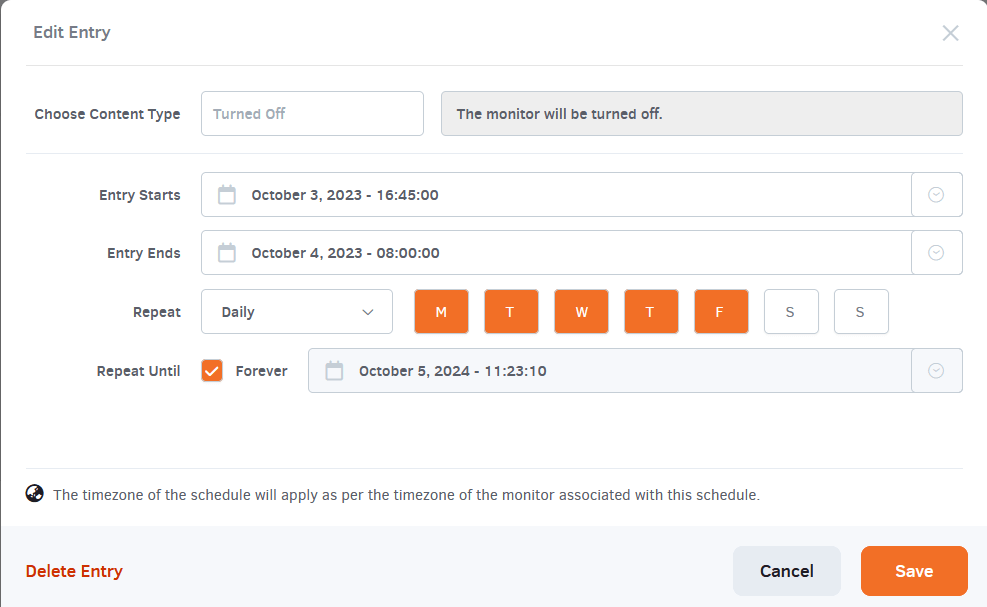
Content scheduling is a critical feature in digital signage software you must consider. It allows the planned display of various ads or messages at specific times and on chosen days.
This feature assists businesses in targeting their audience effectively at peak hours. This improves advertising impact and reach. Especially for restaurants or event management companies, it proves beneficial by displaying relevant information when needed most; lunch specials during noon hours or special events highlights closer to their dates.
Software like Yodeck provides this functionality even under its free plan. This makes it a popular choice among small businesses.
Multi-screen support
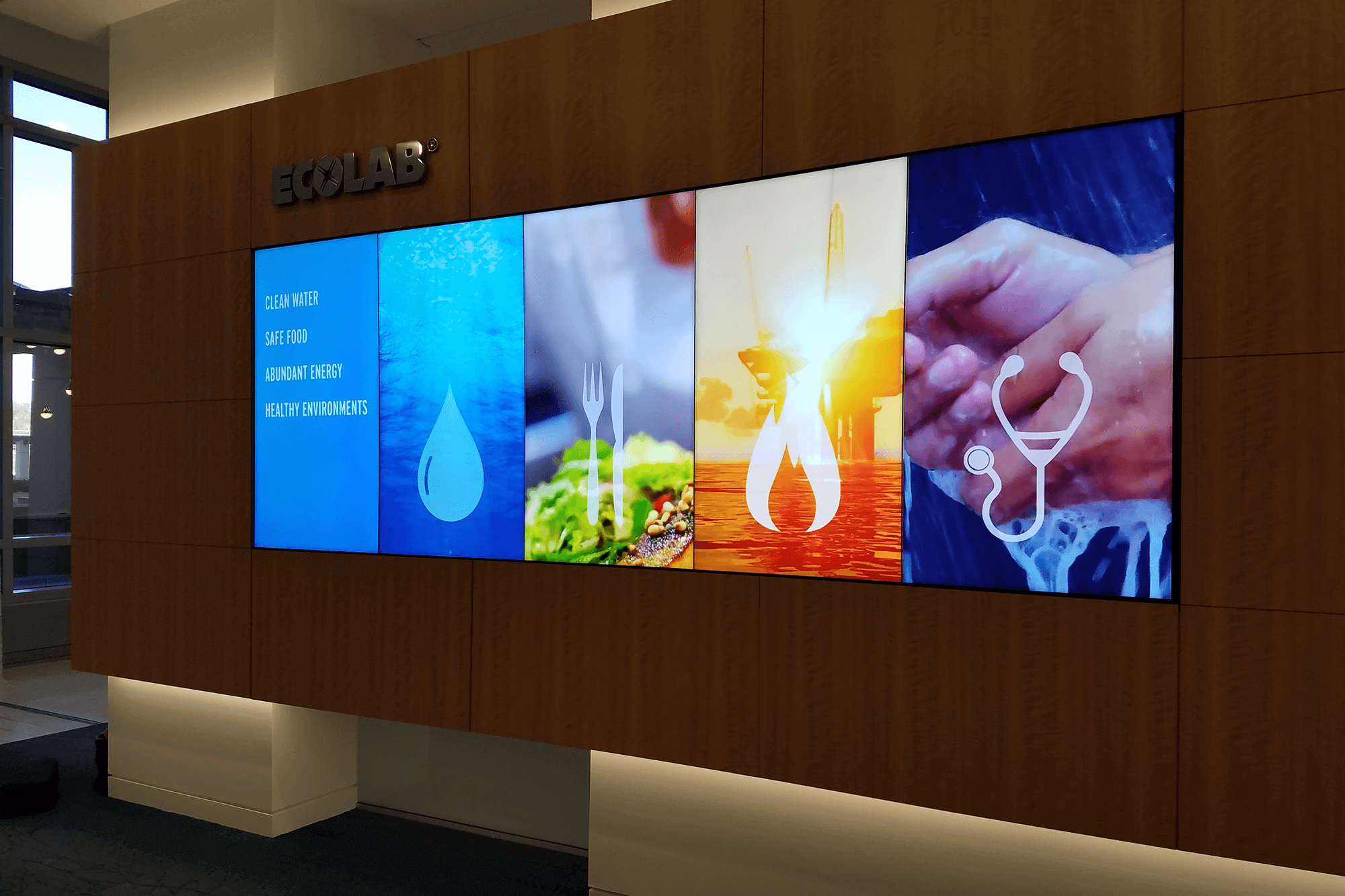
Multi-screen support is a essential feature to consider when choosing free digital signage software. With this capability, businesses can easily manage and display content across multiple screens simultaneously.
Whether it’s a single location with several displays or a network of screens spread out in various locations, the software should provide smooth control and synchronization for all screens.
This feature allows businesses to create cohesive and impactful visual experiences that engage their audience effectively.
User access and control
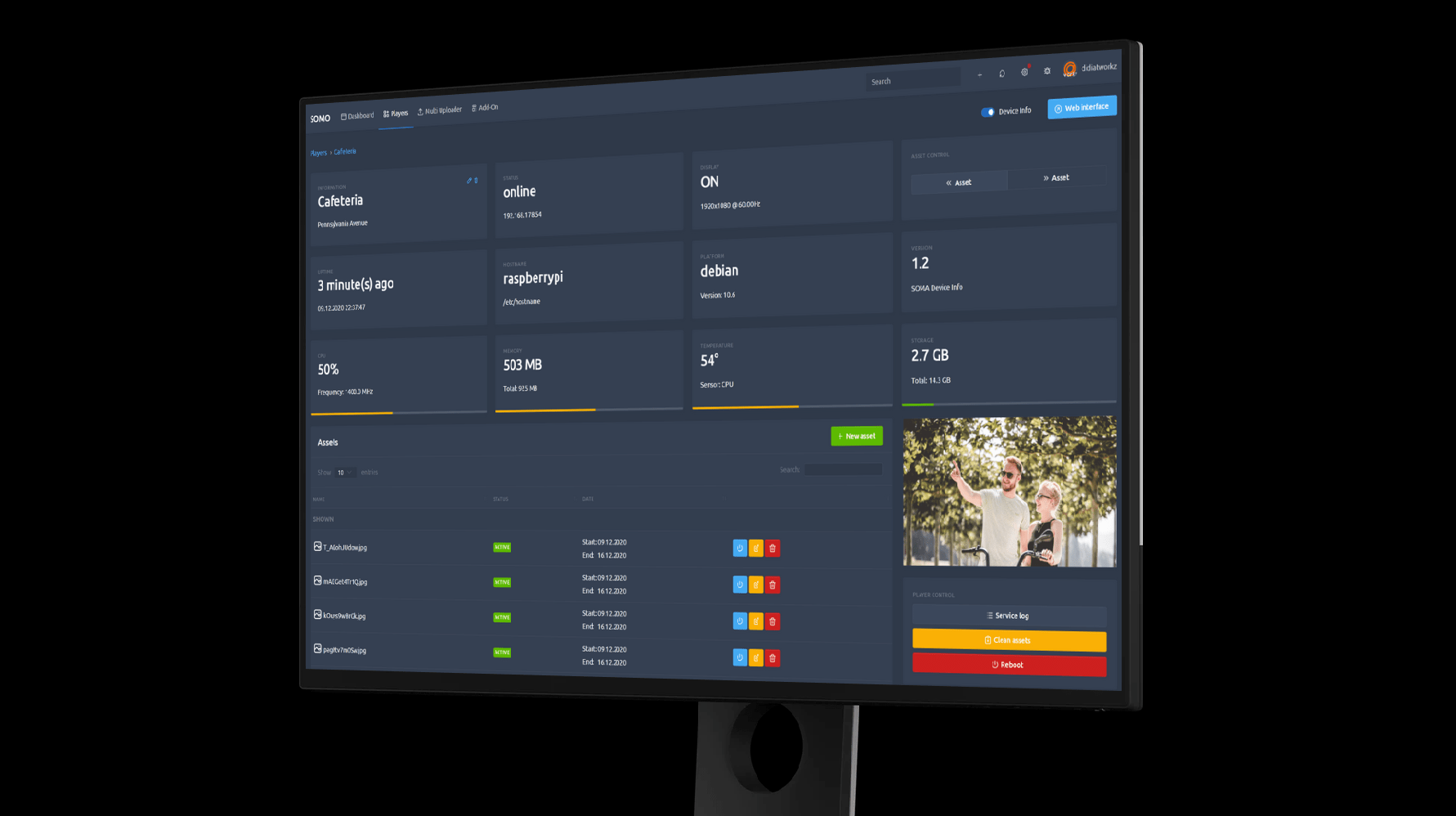
User access and control are essential features to consider when choosing free digital signage software. With these capabilities, businesses can easily manage who has access to the system and what kind of content they can control.
It allows administrators to assign different levels of permissions to users. This ensures that only authorized personnel have the ability to make changes or updates. This feature is especially important for businesses with multiple locations or teams, as it enables centralized management while providing flexibility and security.
By having strong user access and control options in place, businesses can simplify their digital signage operations and ensure that only approved content is displayed on their screens.
Network monitoring and reporting
Effective network monitoring and reporting is an essential feature to consider when choosing free digital signage software. It allows businesses to ensure that their displays are working properly and that content is being delivered without any interruptions.
With network monitoring, businesses can detect and resolve any issues in real-time. This reduces downtime and maximizing the impact of their digital signage. Additionally, strong reporting features provide useful detail into the performance of the displays, such as uptime statistics, content playback data, and user engagement metrics.
This information helps businesses optimize their digital signage strategy for better results and improved customer experiences.
Support for soft signage
Digital signage software that offers support for soft signage is highly advantageous for businesses. Soft signage refers to the use of flexible materials, such as fabric or vinyl, for displaying advertisements or information on digital screens.
This feature allows businesses to create visually appealing and dynamic content that can easily grab the attention of their target audience. With support for soft signage, businesses can utilize creative designs and unique display options to make a lasting impression on customers.
Whether it’s showcasing promotions in retail stores or providing wayfinding information in large venues, the ability to incorporate soft signage into digital displays enhances the overall effectiveness and impact of digital signage campaigns.
Top Picks for Free Digital Signage Software
Here are some of the top picks for free digital signage software available in the market today.
Yodeck
Yodeck is a popular digital signage software solution that offers a free plan for single-screen usage. This makes it an ideal choice for small businesses looking to incorporate digital displays into their marketing strategy.
With Yodeck, users can remotely manage and schedule content on their screens. This allows for easy updates and customization. The platform supports many media formats, including 4K video and live content.
Additionally, Yodeck offers adequate support and training resources to help users get started with their digital signage journey.
TelemetryTV
TelemetryTV is a highly versatile digital signage software that offers a free plan. This makes it an excellent choice for businesses of all sizes. With TelemetryTV, you can easily create and manage dynamic content for your digital displays.
The platform supports many media formats, including videos, images, and HTML5 content. You also have access to advanced features like real-time data integration and interactive touchscreen capabilities.
TelemetryTV’s easy-to-use interface allows you to schedule and update content with ease. This ensures that your messages are always fresh and engaging for your audience.
Scalefusion
Scalefusion offers an intuitive digital signage and kiosk software that lets businesses broadcast multimedia content easily across multiple screens and locations. Whether it’s for in-store promotions, corporate announcements, or customer-facing displays, Scalefusion makes it simple to schedule, manage, and monitor your signage content from a centralized dashboard.
Key features include:
- Remote content scheduling and updates
- Support for videos, images, presentations, and web content
- Kiosk mode to lock devices into a single app or screen
- Real-time monitoring and device health checks
- Works smoothly with Android, iOS, Windows, and more
Scalefusion also offers a free trial. This allows users to explore its digital signage capabilities before committing. It’s especially ideal for retail, hospitality, education, and corporate environments where controlled content distribution is essential.
AirDroid Business
AirDroid Business is an Android-first device management platform for digital signage, kiosks and other unattended displays. Alongside scheduling what appears on screen, it helps IT teams monitor the devices behind each screen, respond to issues remotely, and automate routine management through workflows that can include AI assistance.
Key features include:
- Centralised content distribution and scheduled playback
- Single-app and multi-app kiosk mode for controlled displays
- Alerts for connectivity, device health, app status, and external HDMI status
- Unattended remote viewing and control, with Black Screen Mode for discreet maintenance
- Automated workflows linking device alerts to preset actions and IT notifications, with human review where needed
For teams running signage across several locations, these controls can reduce routine on-site visits and make device faults easier to resolve remotely. Teams can try AirDroid Business free for 14 days, allowing them to test it on their own screens before deciding whether to purchase a paid plan for a wider rollout.
Screenly OSE
Screenly OSE is an open-source digital signage software that is compatible with Linux and Windows-based operating systems. It offers a range of features, including content scheduling, user access and control, network monitoring and reporting, and support for soft signage.
Screenly OSE is a free forever digital signage software option that allows businesses to remotely manage their advertisements and displays on any digital medium. It is particularly beneficial for industries such as retail, healthcare, hospitality, and education in effectively communicating with customers, promoting products and services, and enhancing the overall customer experience.
Raydiant
Raydiant is a powerful digital signage software that offers a range of features for businesses. With Raydiant, users can easily schedule and manage content on multiple screens. The platform also provides user access and control. This allows businesses to delegate specific tasks to different team members.
Raydiant includes network monitoring and reporting capabilities. This ensures that businesses have real-time visibility into the performance of their digital signage. Additionally, Raydiant supports soft signage. This makes it easy to create engaging interactive experiences for customers.
Overall, Raydiant is a top pick for free digital signage software due to its strong features and easy-to-use interface.
DigitalSignage.com
DigitalSignage.com is a widely used digital signage platform that offers a range of features and benefits for businesses. This platform is 100% ad-free. This makes it an attractive choice for those who want to avoid distractions and focus solely on their own content.
DigitalSignage.com supports both Linux and Windows-based operating systems. This ensures compatibility with many devices. With this software, users can easily manage and schedule their content, as well as monitor their network and generate reports.
It’s a complete solution that helps businesses effectively communicate with customers, promote products or services, and enhance the overall customer experience.
Conclusion
for free digital signage software, there are some standout options to consider. Yodeck offers a easy-to-use interface and is great for small businesses, while DigitalSignage.com provides an ad-free platform that is widely used among various industries.
TelemetryTV and Screenly OSE offer powerful features for content scheduling and multi-screen support. Lastly, Raydiant shines with its social media integration and interactive capabilities.
With these top picks, businesses can effectively showcase their messages with ease.
Frequently Asked Questions
What is digital signage software?
Digital signage software is a tool that allows you to create and manage content for digital displays, such as information screens or advertising billboards.
Are there really free options for digital signage software?
Yes, there are free options available for digital signage software that offer basic features and limited functionality. However, premium versions with more advanced features may require a subscription or one-time payment.
Can I use free digital signage software for my business?
Yes, you can use free digital signage software for your business, especially if you have a small budget or only need basic functionalities like displaying announcements or promotions.
What should I consider when choosing the right free digital signage software?
When choosing the right free digital signage software, consider factors such as ease of use, compatibility with your hardware, available templates and customization options, scheduling capabilities, and customer support.
Can I upgrade from the free version of digital signage software to a paid version later?
Yes, many providers offer paid upgrades that access additional features and functionalities in their digital signage software. It’s always good to check if upgrading is an option before committing to a specific platform.
Compare alternatives to the tools in this post

- Independent picks for exactly what you just read about
- Matched to your team size & needs
- Vendors don't pay for placement
Step 1 of 4
How big is your team?
We tailor recommendations to companies your size.















Related Articles
IT Management
Microsoft Intune Pricing 2026: Plan 1, Plan 2, Suite and What Microsoft 365 Includes
Continue reading →
IT Management
Best Remote Access Software 2026: 11 Tools Compared by Price
Continue reading →
IT Management
Splashtop Pricing 2026: Solo, Pro, Performance and SOS Costs
Continue reading →
IT Management
Atera Pricing 2026: Every Plan, Per-Technician Cost and What You’ll Pay
Continue reading →