

No-code technology has changed how digital products get built. It lets people create working software without writing a single line of code, which puts app and website development within reach of far more people than before.
No-code tools have widened who gets to build. People from many backgrounds can now design, build, and launch their own applications or websites without a technical degree. Someone who understands a business problem can build the solution directly, instead of waiting on a developer to translate the idea into code.
Because these tools remove the programming requirement, they close the gap between technical and non-technical users. A marketer, a founder, or an operations lead can ship a functional product and hand it off, review it, or improve it without depending on an engineering team for every change. That shift also changes how teams work together. When the person who understands the problem can build part of the solution, collaboration gets easier: designers, business owners, and analysts can contribute their own skills to the same project instead of writing a spec and waiting for someone else to interpret it.
That accessibility has produced more building across industries. When a tool is simple enough that a non-developer can use it, more people try ideas, test them quickly, and iterate. Teams that once had to shelve a project for lack of engineering time can now prototype it in an afternoon. A shared platform also gives people a place to work together and build on each other’s ideas, so a rough concept from one person can be picked up, refined, and turned into something usable by the next. The result is more experimentation, more finished projects, and more fresh takes on old problems.
This article walks through the features that separate a strong no-code platform from a weak one, so you can pick the tool that actually fits what you are trying to build. The goal is to help you find a platform that matches your needs and gives you room to build without running into limits you didn’t expect.
What is no-code software?
A no-code development platform lets you build software applications without writing code. For non-technical business owners who need to create fairly complex applications, it is a practical alternative to traditional software development.
If you run a small business and cannot afford to hire a software developer or outsource to a development firm, a no-code platform gives your whole team the means to build the tools it needs.
What makes a no-code tool worth using
Ease of use: keep it simple
A good no-code platform has to be easy to learn and easy to work in. A drag-and-drop interface is the usual way to get there: users build a project by moving elements around a canvas and dropping them into place. Creating a form or laying out a webpage becomes a matter of dragging buttons, text boxes, or images where you want them, with no coding involved.
Visual editing: see the change as you make it
A visual editor is another feature that keeps a platform approachable. It shows your project updating in real time as you work. Rather than writing code to style a button or shift a layout, you make the change directly on the canvas and see the result at once. That makes designing far more intuitive for people who don’t write code.
Good learning material matters just as much. A no-code platform should ship with detailed documentation, video tutorials, and step-by-step guides that show users how to navigate the software and use its features. An active support community — forums or social media groups where users trade advice — helps people solve problems and learn from each other.
Customization: making the tool your own
A strong no-code platform should connect cleanly with the third-party tools and services people already use. Integrations extend a project by linking it to CRM systems, marketing tools, or payment gateways. Connecting to a tool like Zapier or Make (formerly Integromat), for instance, lets you automate workflows and cut out manual steps, which makes the finished product more capable and better tailored to your needs.
Custom code and APIs
No-code platforms aim to simplify development, but there are times when you need custom code or an API to add functionality the tool doesn’t offer out of the box. A capable no-code tool supports custom code and API connections, so you can extend the platform when a project calls for it. That flexibility means the same tool can serve both non-technical users and people who can write code when they need to.
Scalability and adaptability
A no-code platform has to grow with your project and adjust as your needs change. A scalable platform lets you build larger, more feature-rich applications without slowing them down. It should also let you upgrade your plan or add resources as your project attracts more users, so you never hit a wall as it takes off.
Security and privacy
A solid no-code platform should treat data security and privacy as a priority and comply with the regulations that apply to your users, such as GDPR, CCPA, or HIPAA. Meeting those standards protects both you and your own customers when you handle sensitive information, and it gives you confidence that the data running through your project is being handled the right way.
Security measures that protect your work
Strong security features guard a project against threats. That means data encryption, secure authentication, regular backups, and ongoing monitoring for vulnerabilities. A dependable no-code platform builds these in so your work stays protected.
Role-based controls
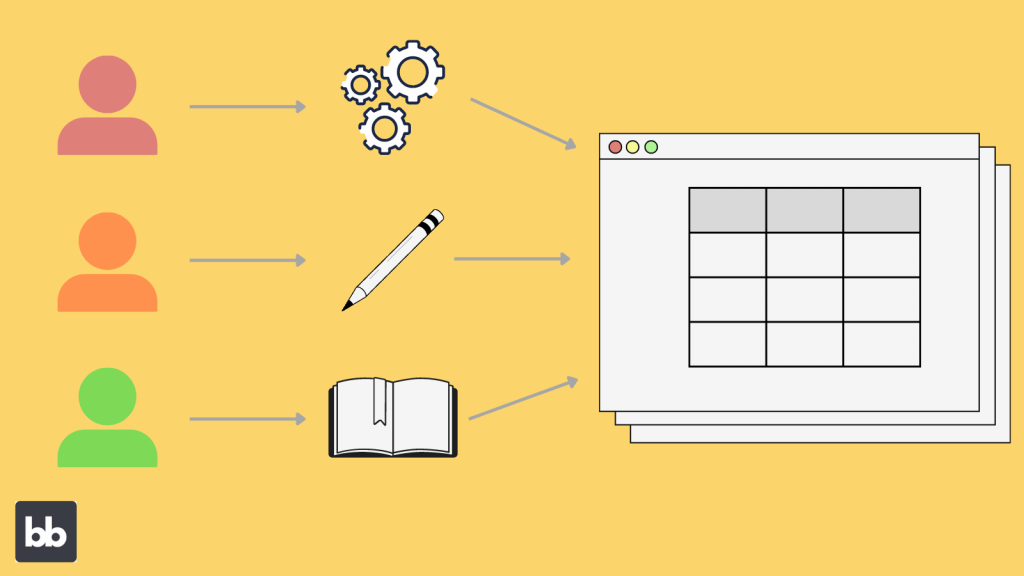
Role-based access control lets you manage who can open and edit a project. By assigning roles with specific permissions to each team member, you make sure everyone has the access they need for their job and nothing more. That keeps a project intact and keeps work moving without confusion. A designer might be able to edit the visual layout, for example, while a project manager reviews and approves changes before they go live.
Support for real collaboration
Real-time collaboration
A good no-code platform lets team members work together at the same time. Everyone can make edits, leave feedback, and follow progress without emailing updated files back and forth or waiting on someone to sign off first.
Working in the same project at once cuts communication overhead and speeds up delivery, which usually means better results and faster completion.
Version control: stepping back in time
Version control protects a project from accidental data loss and keeps it intact as more people work on it. It lets you track every change, roll back to an earlier version when you need to, and compare one version against another to see exactly what moved. That safety net means a mistake or an unwanted edit can be undone quickly, without derailing the whole project or forcing anyone to redo hours of work.
Workflows and approval processes
No-code platforms should also give teams ways to organize workflows and approvals: task assignments, progress tracking, and automatic notifications when a project updates. Handling these steps inside the tool helps teams finish on time and run into fewer roadblocks. An approval system can be set up so only designated members sign off on changes before they go live, which keeps quality in check and stops errors from slipping through.
Price, support, and beyond
A good no-code platform offers a range of pricing plans for different budgets and needs, with options for individuals, small businesses, and large enterprises. Flexible pricing lets you pick the plan that matches your requirements so you only pay for the features you actually use.
Free trials and freemium options
Free trials and freemium tiers let you test a no-code platform before you pay for it. You can get familiar with the features and judge whether the tool fits your needs before committing. Offering that trial period signals that a platform stands behind its product and lets users decide with real experience rather than guesswork.
Finally, a good no-code platform backs users with strong customer support: quick answers to questions, a thorough knowledge base, and regular updates that improve performance and add features. Reliable support keeps the experience smooth and lets people focus on building instead of fighting the tool.
Best No-code Tools in 2026
Here is a closer look at the features and pricing of each tool.
| No-Code Tool | Key Features | Pricing |
|---|---|---|
| Webflow | – Visual website design & development – Built-in CMS – E-commerce functionality – Responsive design | – Free plan (limited features) – Basic: $12/mo – CMS: $16/mo – Business: $36/mo – E-commerce plans starting at $29/mo |
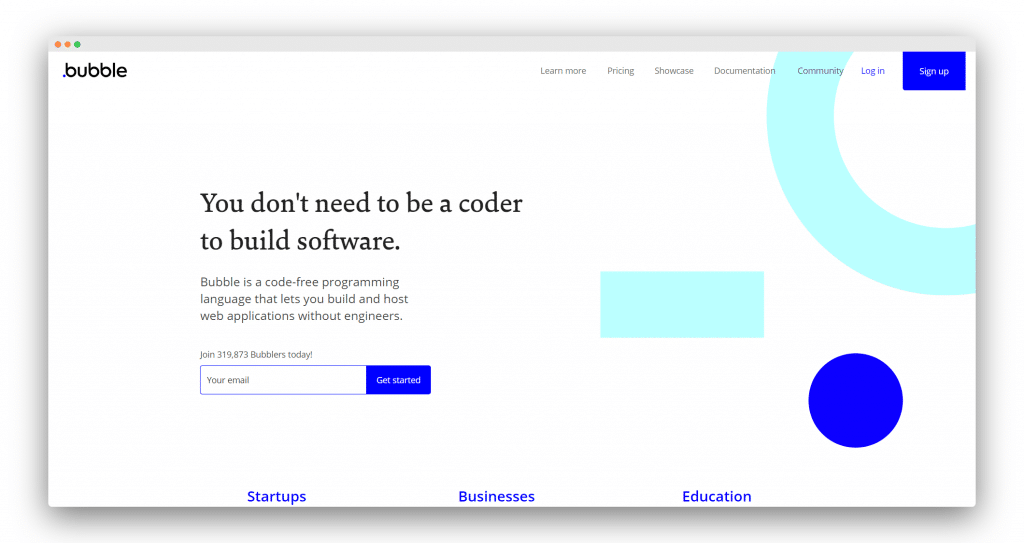
| Bubble | – Drag-and-drop interface – Visual database builder – Pre-built elements and plugins – Custom logic & API integrations | – Free plan (limited features) – Personal: $29/mo – Professional: $129/mo – Production: $529/mo |
| Wix | – Drag-and-drop website builder – Customizable templates – Design tools – Built-in e-commerce – App market | – Free plan (limited features) – Combo: $14/mo – Unlimited: $18/mo – Pro: $23/mo – VIP: $39/mo |
| OutSystems | – Visual development environment – Enterprise-level application development – Integration with existing systems – Custom code support | – Free plan (limited features) – Custom pricing for enterprise solutions (contact OutSystems) |
| SAP Build (formerly AppGyver) | – Drag-and-drop interface – Visual logic builder – Cross-platform app development – Custom code & API integrations | – Free for apps with up to 10,000,000 records – Custom pricing for larger apps (contact SAP Build) |

Pros and Cons of No code tools in 2026
| No-Code Tool | Pros | Cons |
|---|---|---|
| Webflow | – Excellent design capabilities – Responsive design – Built-in CMS – E-commerce functionality | – Steeper learning curve – Limited built-in app integrations compared to other platforms |
| Bubble | – Highly customizable – Wide range of pre-built elements and plugins – Suitable for web app development | – Can be overwhelming for beginners – May not be ideal for simple website design |
| Wix | – User-friendly interface – Large selection of templates – Extensive app market – Affordable pricing | – Less customizable compared to Webflow – Limited capabilities for complex web applications |
| OutSystems | – Enterprise-level development – Highly scalable and secure – Integration with existing systems | – Higher pricing – More suited for large organizations, not ideal for individual users or small projects |
| SAP Build | – Cross-platform app development – Free for small to medium-sized apps – Custom code & API integrations support | – Limited templates and design capabilities – Less suitable for website development |
The right no-code tool depends on your needs, your goals, and how complex your project is. Each of the five platforms here brings a different mix of features that suits a different kind of user and a different kind of project.
Webflow is strongest for website design, while Bubble and SAP Build are better fits for app development. Wix works well for beginners who want a straightforward website builder, and OutSystems is built for enterprise-level application development.
Weigh the features, pricing, pros, and cons of each platform against what you need, and you can settle on the no-code tool that will turn your idea into a working product.
Read More Blogs By Spotsaas

- Independent picks for exactly what you just read about
- Matched to your team size & needs
- Vendors don't pay for placement
Step 1 of 4
How big is your team?
We tailor recommendations to companies your size.















Related Articles
IT Management
Microsoft Intune Pricing 2026: Plan 1, Plan 2, Suite and What Microsoft 365 Includes
Continue reading →
IT Management
Best Remote Access Software 2026: 11 Tools Compared by Price
Continue reading →
IT Management
Splashtop Pricing 2026: Solo, Pro, Performance and SOS Costs
Continue reading →
IT Management
Atera Pricing 2026: Every Plan, Per-Technician Cost and What You’ll Pay
Continue reading →