
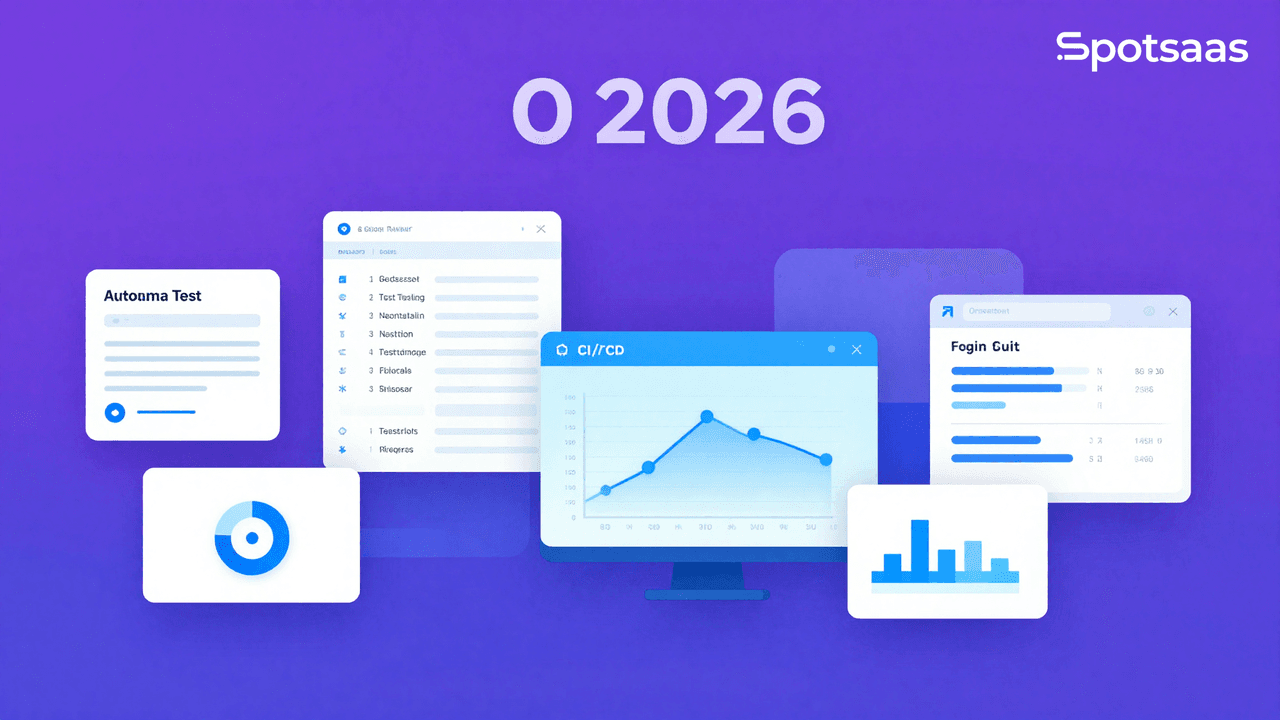
What are software testing tools and how do they work?
Developers and quality assurance (QA) teams use software testing tools to find and diagnose bugs, performance problems, and security vulnerabilities in an application before it ships. They cover manual, automated, and exploratory testing, so teams don’t have to check every scenario by hand, and they give both developers and QA a shared, repeatable way to evaluate whether a build is actually ready for release.
Functional, performance, security, and regression testing can all be automated with these tools, so software is checked against quality standards before deployment. They matter because they improve reliability, cut down on manual errors, and speed up development cycles, all while giving teams a clearer picture of where an application is likely to break before real users ever encounter it.
Why should you use software testing tools?
Software testing tools catch bugs and performance issues before an application is deployed, which protects its reliability, functionality, and security. Automating repetitive testing cuts manual effort and improves accuracy. Over time, these tools improve software quality, shorten development time, and support continuous integration and deployment (CI/CD) workflows. The alternative, testing everything by hand as a project grows, tends to slow releases down and makes it harder to catch problems consistently as the codebase gets bigger.
Improved software quality and performance
Testing tools help applications run consistently across different platforms and settings. Catching performance bottlenecks and compatibility problems early in development means the software is less likely to behave unpredictably once it’s live, and teams can fix issues before they affect users.
Faster development cycles with automated testing
Automation handles repetitive and intricate test cases, cutting down manual testing effort and speeding up releases. It strengthens CI/CD pipelines so builds move through the pipeline faster, and it frees QA teams from time-consuming manual tasks so they can focus on harder problems.
Identification of early bugs and problems
Testing tools flag issues before deployment, which cuts down on post-release maintenance and cost. Developers get troubleshooting help earlier, avoiding major production failures. Detailed error reports and logs shorten debugging time, and testing under a range of conditions catches errors that might otherwise stay hidden.
Better test coverage
Automated tools run unit, integration, functional, and performance tests together, checking the accuracy of every software component. That wider set of test cases lowers the odds that something slips through, and it helps confirm the software meets the standards it’s supposed to.
Enhanced security and compliance
Security-focused testing finds vulnerabilities so software stays in line with industry and data protection standards. It checks for risks such as data breaches and unauthorized access, and it supports the requirements behind GDPR, HIPAA, and ISO standards. Automating these scans reduces the chance of cyber threats slipping through unnoticed.
Optimized user experience
Testing validates functionality and catches crashes, slowdowns, and erratic behavior before users see them. Running real user scenarios and workflows helps confirm the experience holds up end to end, improving load times and responsiveness while surfacing UI/UX gaps that could hurt usability.
Cost and time savings
Automated test execution cuts the time spent on manual testing and debugging. Catching defects earlier in development means fewer expensive fixes after release, which lowers operating costs and shortens time-to-market.
What are the key features of software testing tools?
Software testing tools typically include automated testing, bug tracking, cross-platform compatibility testing, and performance evaluation. Most integrate with DevOps pipelines for efficient deployment and run security assessments to identify vulnerabilities. Reporting and analytics features help teams make informed, data-backed decisions about software stability. Which of these features actually matter most depends heavily on what you’re building: a consumer mobile app leans harder on cross-platform and performance testing, while an internal API-heavy service leans harder on integration and security testing.
Automated test execution
Automated execution runs test cases without human intervention, which improves accuracy and flags errors quickly for faster fixes and more stable software. Because teams spend less time on recurring manual tests, they can focus on the harder, more complex cases.
Running multiple test cases at once, across different environments, speeds up development and keeps releases on schedule. Pairing automation with different test frameworks adds flexibility and scale, and detailed test reports give teams a clear record to work from when improving results.
Bug tracking and reporting
Bug tracking locates, records, and classifies software bugs so debugging and fixes happen efficiently. Developers get detailed reports, screenshots, and logs to work from, and automatic bug assignment keeps teams collaborating without manual handoffs.
This cuts down wasted effort and helps teams zero in on the issues that matter most. Connecting bug tracking to project management software keeps the workflow efficient, and a history of past issues helps teams spot recurring patterns and avoid repeating them.
Cross-browser and cross-platform testing
This kind of testing checks that software works across different browsers, operating systems, and devices, catching UI and functionality glitches that could otherwise hurt the user experience and reduce the risk of platform-specific bugs.
Automating tests across multiple environments boosts both coverage and efficiency. Checking software on different screen sizes and resolutions confirms it stays accessible, and cloud testing lets teams test applications under realistic, real-world conditions.
Continuous integration and deployment (CI/CD) support
Testing tools that plug into DevOps pipelines automate testing alongside the release cycle. Running tests at every stage of development leads to faster, more dependable deployments, and catching integration problems before code changes are merged cuts down on errors.
Real-time updates and ongoing monitoring keep teams aligned, and support for CI/CD tools like Jenkins, GitLab CI, and Azure DevOps means testing fits into pipelines teams already use. Regular testing catches bugs early in the design process and keeps release times on track without sacrificing code quality.
Load and performance testing
Load and performance testing simulates real user activity to check a system’s reliability, flexibility, and response time, flagging bottlenecks that could cause slowdowns or crashes under heavy traffic. That helps businesses plan server resources ahead of peak usage.
It also confirms concurrent users can access and use an application without performance problems, and gives teams detailed data on error rates, response times, and throughput. Fine-tuning database queries and backend processes based on that data improves system performance, and cloud-based load testing can simulate real-life user interactions accurately.
Security and vulnerability scanning
Security testing looks for issues like SQL injection, cross-site scripting (XSS), and data breach risks, keeping applications aligned with security and data protection regulations. Automated scans detect and help remediate security gaps quickly, without relying on manual review.
Encryption, authentication, and authorization methods protect user data, and surfacing software vulnerabilities gives businesses the information they need to strengthen their defenses. Building security testing into the development lifecycle improves reliability over the long run.
Test script reusability
Reusable test scripts let testers apply the same script across multiple test cases instead of rewriting it each time, which reduces redundancy and boosts productivity through repeatable, modular automated tests.
This keeps test execution consistent across cycles and frees up QA time to focus on new features instead of rewriting old scripts. Parameter-based testing lets a single script adapt to different situations, and quick edits to existing scripts keep maintenance costs down.
Integration with issue tracking tools
Most testing tools connect to project management and bug-tracking services such as Jira, Trello, and Asana, so developers and QA can link test results directly to reported issues. That keeps bug reporting and tracking centralized instead of scattered across tools.
Automating issue assignment cuts down the manual effort of managing defects, and staying current on issue resolution keeps project management on track. Visibility into testing results keeps everyone involved up to date, and access to past bug data helps teams recognize patterns and avoid repeat defects.
What are the benefits of software testing tools?
Testing tools pay off in reliability, development speed, and lower maintenance cost. Real-time insights and reports let development and QA teams work together more efficiently. Automated testing reduces human error, broadens test coverage, and helps optimize the software for a better user experience.
Higher software reliability
Finding and fixing bugs without delay keeps applications stable, and maintaining high-quality code reduces failures and crashes. That consistency shows up as smoother functionality across different settings.
Preventing post-launch glitches protects user satisfaction and the business’s reputation. Automated regression testing keeps old issues from resurfacing, and continuous quality checks keep software consistent across the organization, giving teams detailed information to work from as they optimize.
Accelerated software development
Shorter testing cycles get products to market faster. Automating repetitive, time-consuming tests removes development bottlenecks and lets developers spend more time on features instead of chasing minor bugs. Running tests in parallel gives teams real-time feedback on software quality, which improves collaboration, shortens time-to-market for new applications, and speeds up how fast updates and fixes ship.
Reduced maintenance and support costs
Catching issues early cuts the cost of expensive bug fixes later in development. Continuous system monitoring reduces failures and downtime, and confirming software works correctly across use cases reduces support tickets. Fewer faulty releases mean fewer customer complaints and refunds, automated testing reduces repetitive manual labor, and businesses waste less on resources that testing would otherwise catch early.
Enhancing cooperation between development and QA teams
Shared reports and dashboards keep development and QA aligned, and detailed information on test outcomes and bug status cuts down on misunderstandings. Integrating testing workflows with project management tools improves overall productivity.
That transparency improves coordination across development. It helps QA teams report and prioritize problems for faster resolution, supports a more cohesive quality management process, and keeps testers and developers in sync with real-time updates.
Data-driven decision making
Testing tools deliver detailed information on software performance, stability, and where improvement is needed, and they track metrics like defect density, test coverage, and response times across the organization.
Reviewing that historical data helps teams spot risks and performance issues ahead of time, evaluate software quality in detail, and focus test efforts on the riskiest parts of an application. Using analytics this way supports better strategic planning and helps reduce errors across testing and development.
What are the different types of software testing tools?
Software testing tools generally fall into a handful of types: automation, performance, security, unit testing, API, and mobile. Each type focuses on a different concern, whether that’s functionality and speed, security measures like encryption, or how well the software scales. Which one to use depends on the project’s testing requirements, complexity, and development method. Most teams end up combining several of these types rather than relying on just one, since a tool built for unit testing won’t tell you much about how the application behaves under heavy traffic.
Automated testing tools
Automated testing tools run scripts to check software functionality and performance without manual intervention, which boosts test performance and helps catch potential regressions and defects across builds and releases. Many support testing frameworks such as Selenium and Appium, execute tests faster to speed up development cycles, and keep results consistent across different testing settings.
Performance and load testing tools
These tools check how applications hold up during high traffic and peak load, pointing out bottlenecks that could hurt system efficiency under stress. They help businesses optimize server resources and infrastructure, measure response times, throughput, and reliability across different workloads, confirm applications handle concurrent users, and produce reports on the system’s overall stability.
Security testing tools
Security testing tools examine an application for vulnerabilities, threats, and compliance gaps, and help prevent them before they become a problem. They run security scans to detect risks like SQL injection and XSS quickly, apply data encryption, authentication, and access control measures, use penetration testing to simulate real-world cyber attacks, and support GDPR, HIPAA, and ISO compliance.
Unit testing tools
Unit testing tools check individual parts of an application to confirm they work correctly, giving developers a way to catch bugs in code before it merges into the main build. They validate functions and modules to preserve code integrity, shorten debugging time by catching flaws early, work across a range of programming languages and frameworks, and surface early-stage failures in code.
API testing tools
API testing tools check the effectiveness, dependability, and efficiency of APIs and web services, confirming that third-party integrations and software components interact the way they should. They speed up API validation and debugging, support REST, SOAP, and GraphQL testing across platforms, verify data consistency through request-response validation, and address authentication and other API vulnerabilities.
Mobile app testing tools
Mobile app testing tools assess the effectiveness, functionality, and performance of mobile applications, confirming compatibility across devices, operating systems, and screen sizes. Automated testing lets teams test apps quickly, catch crashes, memory leaks, and responsiveness issues in real time, expand coverage through cloud-based mobile testing, and address navigation and performance issues that affect the user experience.
How to Choose the Best Software Testing Tools
Choosing the right software testing tools matters for the quality, performance, and security of your applications. The wrong choice usually shows up later, as gaps in coverage, tests that break constantly, or a tool the team quietly stops using because it doesn’t fit how they actually work.
The right tools automate and streamline testing, giving you broader test coverage, faster releases, and fewer bugs. Whether you’re running unit, integration, performance, or security tests, the right tool helps your software meet the required standards and deliver a solid user experience.
What Does Define Software Testing Tool Goals Include?
Before selecting a software testing tool, define the goals of your testing strategy. Whether you’re aiming to improve efficiency, reduce manual testing, or test specific software components, clear objectives make the selection process easier and keep the team from evaluating tools against features that don’t actually matter for the work at hand.
Automate Testing Processes
The tool should support automated testing to increase speed, consistency, and efficiency. Automation reduces manual effort so testers can focus on the more complex parts of testing.
Enhance Test Coverage
The tool should cover all the aspects of testing you need, including functional, regression, load, and performance testing, so your application performs well under different conditions.
Improve Bug Detection & Reporting
Look for a tool that helps identify and report bugs early in the development cycle. Effective bug detection and reporting catches issues before they reach the end user.
Integrate with Other Development Tools
For a smooth workflow, the testing tool should fit into your development environment, including your CI pipeline, version control systems, and bug-tracking tools.
What Are the Preferred Software Testing Tool Models?
Understanding the different models of software testing tools helps you pick the right one for your development process, since a tool built around one model rarely does a good job covering the others.
Test Automation Tools
Test automation tools handle repetitive tests, such as regression or smoke tests, keeping results consistent and fast while reducing human error. These tools work best for repetitive tasks and improving overall test efficiency.
Performance Testing Tools
Performance testing tools measure and analyze a system’s speed, responsiveness, and stability under different conditions, which matters when you need to confirm your application holds up under stress or high traffic.
Security Testing Tools
Security testing tools identify an application’s vulnerabilities, weaknesses, and potential threats, keeping software secure from external threats, data breaches, and other malicious activity.
Functional Testing Tools
Functional testing tools confirm your software works according to spec, verifying that individual components and the whole system behave as intended.
API Testing Tools
API testing tools focus on testing the APIs your software depends on, confirming they function correctly and integrate cleanly with other applications, which matters for testing the interactions between systems or components.
What Does Understand Data Requirements Include?
Software testing tools should integrate and handle data from other tools and environments, such as your CI/CD pipeline, version control, and bug-tracking systems, so testing stays smooth and efficient.
Continuous Integration (CI) Tools
The testing tool should work with CI tools like Jenkins or GitLab CI to run automated tests whenever new code is pushed, giving you continuous feedback on code quality.
Version Control Systems (VCS)
Integration with VCS platforms like Git keeps the testing tool working against the latest code versions. It also helps track test history and confirm tests run against the correct code.
Bug Tracking Systems
Connecting the testing tool to bug-tracking systems like Jira helps track reported issues, assign tasks, and follow up on resolutions, keeping the testing process aligned with development.
Database Integration
The testing tool should integrate with databases to test how the application interacts with the database, preserving data integrity and proper query execution.
What Are the Key Features to Evaluate in Software Testing Tools?
The best software testing tools cover a range of needs for your testing team, including automation, reporting, and integration, so it’s worth evaluating each candidate against all three rather than picking one that only excels at a single feature.
Core Features
Test Automation & Script Creation
The tool should let testers create, edit, and run automated test scripts, which supports faster testing and consistent results across testing cycles.
Cross-Platform Support
Look for tools that support cross-platform testing, so your software works reliably across different environments, devices, and operating systems.
Real-Time Reporting & Dashboards
Real-time reporting lets teams monitor test status, track issues, and quickly address problems found during testing. Dashboards give a visual view of test coverage, results, and progress.
Integrations with Other Development Tools
The tool should integrate easily with version control systems, CI tools, and project management systems, keeping the testing workflow smooth and collaborative.
Advanced Features
AI-Powered Test Automation
Some advanced tools use AI to create and run test scripts automatically based on how the application behaves, cutting manual intervention and increasing coverage.
Load & Stress Testing
Load and stress testing tools simulate high-traffic conditions to see how your software handles scalability and stability under extreme load, so it performs well in real-world scenarios.
Continuous Testing Integration
Look for tools that support continuous testing and give developers immediate feedback during the development cycle, helping identify defects early and reduce time to market.
Visual Testing & Comparison
Visual testing tools let testers check for visual differences between application versions, which matters for UI testing since it keeps design and layout consistent across screens and browsers.
What Should You Assess in Reporting and Analytics?
Testing tools should offer solid reporting features that help track and analyze test results, spot trends, and give insight into software quality.
Granular Reporting
Test Execution & Result Reports
Detailed execution reports show which tests passed, failed, or were skipped, helping identify problem areas in the code and confirming no tests were missed.
Test Coverage Reports
Test coverage reports confirm every area of the software has been tested, which is critical for making sure there are no gaps and that all functionality has been validated.
Visualization Tools
Interactive Dashboards
Dashboards give real-time visibility into test results, bug tracking, and progress, so teams can quickly spot bottlenecks and track overall performance.
Customizable Reports
Some tools let you generate custom reports focused on specific aspects of testing, such as a feature, a test environment, or a defect type, so you can address specific concerns efficiently.
What Pricing Models and Cost Considerations Matter?
When choosing a software testing tool, weigh the pricing structure against your budget and look for a solution that delivers value while covering the features you need.
Subscription-Based Pricing
Many software testing tools charge monthly or annual subscriptions based on the number of users, features, or tests, giving you predictable costs and flexibility to scale as needed.
Pay-Per-Use Pricing
Some tools charge based on the number of tests run or the amount of traffic tested, which suits businesses with varying testing needs or smaller teams.
Custom Pricing Plans
Some providers offer custom pricing for larger organizations with specific needs, letting you tailor functionality, support, and integrations to your requirements.
What Should You Check for Scalability in Software Testing Tools?
As your development process grows, your testing tools need to keep up. Make sure the tool can scale to meet increasing testing demands, team size, and project complexity.
High-Volume Test Execution
The tool should handle large-scale testing efficiently without performance issues, so testing speed doesn’t suffer even on high-volume projects.
Multi-User & Multi-Team Support
Scalable software should support multiple teams working on different projects at the same time, with centralized management and coordination across testing efforts.
Customizable Features for Growth
The testing tool should offer room for future enhancements, whether that’s adding testing environments, integrating new services, or scaling the number of simultaneous test executions as your team grows.
What Support and Training Should You Expect?
Reliable support and training resources make sure your team can fully use the tool you’ve chosen and resolve issues quickly, which matters most in the first few weeks after adoption when people are still learning where everything is.
Customer Support
Good customer support means issues get resolved quickly, minimizing disruption to the testing process and helping your team stay on schedule.
Onboarding & Tutorials
Thorough onboarding and tutorials help your team learn the tool effectively, shortening the learning curve and getting testing efforts running efficiently from day one.
What Are the Top Software Testing Tools?
When comparing software testing tools, usability and pricing matter alongside the tool’s core capabilities. These tools differ in automation depth, scalability, and compatibility with other testing systems, so businesses should weigh their specific testing requirements, team size, and budget before choosing one for software quality assurance. The table below breaks down what each of the most widely used tools focuses on and who tends to get the most value from it.
| Software | Pricing | Key Features | Best For |
|---|---|---|---|
| Selenium | Open-source | Web automation testing, cross-browser support | Web application testing |
| TestComplete | Custom Pricing | Automated UI testing, scriptless testing | Functional and regression testing |
| JMeter | Free | Load and performance testing | High-traffic application testing |
| LoadRunner | Custom Pricing | Stress and performance testing | Large-scale enterprise applications |
| Postman | Free to premium | API testing, automation workflows | API developers, software testers |
| SoapUI | Free to enterprise | API and web service testing | API and integration testing |
| Burp Suite | Free to premium | Security testing, vulnerability scanning | Web security testing |
| Appium | Open-source | Mobile app automation testing | Mobile application testing |
Final Verdict On Choosing Software Testing Tools
Software testing tools are essential for confirming an application’s reliability, security, and performance before it deploys. With their help, businesses can identify bugs, streamline workflows, and improve software stability instead of finding out about problems from users after release.
They automate repetitive testing, cutting manual effort and speeding up development cycles, and they support functional, performance, security, and mobile testing to improve overall software quality across every stage of the development process.
The right choice comes down to project requirements, budget, and how much automation you need. A small team shipping a single web app has very different needs from an enterprise running dozens of releases a month, so it’s worth matching the tool to the scale of the work rather than picking the most feature-heavy option available. Building these tools into CI/CD pipelines supports continuous testing and speeds up release times.
Detailed reporting and analytics let teams make informed, risk-based decisions and act on problems proactively rather than reactively. Testing tools that offer scalability and flexibility help businesses keep pace as they grow, so the testing process doesn’t become the bottleneck once release volume and team size increase.

- Independent picks for exactly what you just read about
- Matched to your team size & needs
- Vendors don't pay for placement
Step 1 of 4
How big is your team?
We tailor recommendations to companies your size.















Related Articles

Buyers guide
How To Choose The Best Auto Dialer Software For 2026
Continue reading →
Buyers guide
How To Choose The Best Freelance Platforms For 2026
Continue reading →

Buyers guide
How To Choose The Best Audience Response Software For 2026
Continue reading →
Buyers guide
How To Choose The Best Workforce Management Software For 2026
Continue reading →