
Established businesses and startups alike are looking to streamline operations and improve workforce efficiency. TimeBee offers tools built to optimize employee time tracking, workflows, and productivity.
In this post, we look at what TimeBee can do for a business, its features, pricing, and any drawbacks worth considering. If you’re looking for a better way to manage employee time and workflows, this guide will help you decide if TimeBee is the right fit for your team.
TimeBee Overview

- Score: 9.2/10
- Pricing: Free 14-Day Trial
- Platforms: Windows OS, Mac OS
Pros and Cons
| Pros | Cons |
|---|---|
|
|
What is TimeBee?
TimeBee is an employee monitoring and productivity management tool that businesses use to manage their most valuable resource: time. The name is a nod to how bees track time instinctively and use it to organize their daily work, from nectar collection to keeping the hive running.
TimeBee time-tracking software works on a similar principle, helping businesses organize schedules, tasks, and project completion in ways that support long-term success and sustainability. The software is meant to sit at the center of daily operations rather than as a separate add-on, so time data feeds directly into the scheduling, payroll, and project tools a team already relies on.
TimeBee Features and Their Relevance
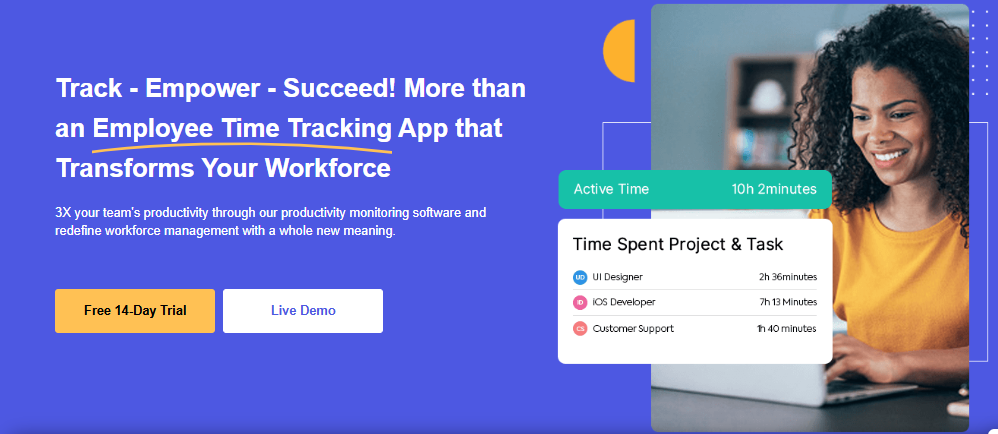
Businesses use TimeBee to automate time tracking and productivity management. The software comes with tools to track employee hours, manage tasks, monitor project progress, and generate reports.
The system integrates easily with existing business operations, with the goal of managing employee time, allocating resources effectively, and tracking billable hours to improve workflow. Because it is built to fit around a company’s current setup rather than force a full process change, teams can typically adopt it without disrupting how work already gets done.
Here’s a closer look at each of TimeBee’s features.
Automate Employee Time Tracking
The primary purpose of TimeBee is to eliminate manual timekeeping and automate the recording of employee work hours. This cuts down on human error and tracks time accurately across all tasks and projects. Management only needs to set the working hours.
Employees clock in, and the app tracks time in the background, whether the person is working in the office or remotely. When a shift ends, the employee clocks out. Managers can log into their dashboard and see daily time and attendance for each team member, and can set rules for breaks, overtime, and shift changes. TimeBee gives visibility into the time employees worked and the tasks they worked on, so managers spend less time chasing down timesheets manually and more time acting on what the data shows.
Team Dashboard
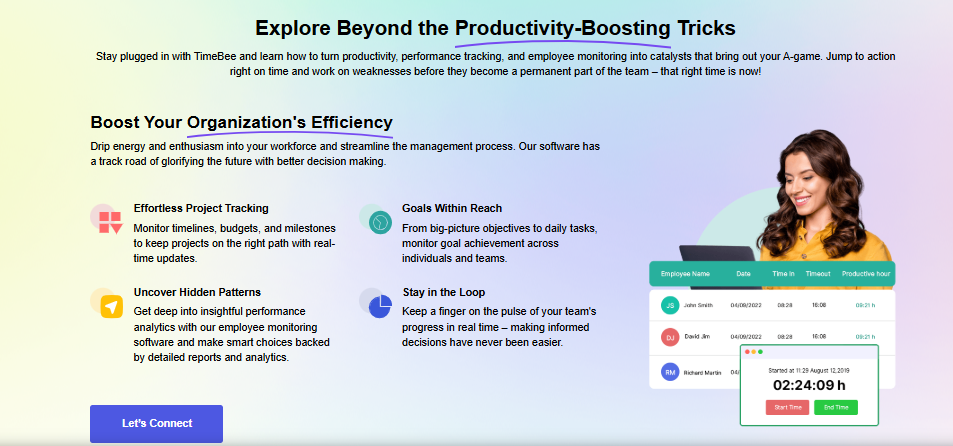
Company management or individual managers can get a real-time overview of team performance and project progress through the Team Dashboard. This centralized view shows key metrics at a glance, such as total hours worked, task completion rates, and other performance factors, without requiring anyone to dig through separate reports first.
TimeBee’s dashboard summarizes ongoing projects, including time spent on each task and overall project health. By tracking team members’ activity, managers can quickly see who’s on track, who may need help, and where adjustments are needed.
The app also includes customizable filters, letting managers view data by specific projects, teams, or time periods. That makes it easier to compare performance across different parts of the business without having to export and cross-reference separate spreadsheets.
Task and Project Progress
The Task and Project Progress feature gives businesses real-time visibility into all their tasks and projects. By tracking time spent on individual tasks, managers can monitor the progress of ongoing work and help teams stay on track and meet deadlines.
Each task shows a clear view of its progress, along with time logged, deadlines, and completion status. Visual indicators, such as progress bars, give a quick read on how much work has been completed versus what remains, so managers can spot potential delays and allocate resources accordingly before a small slip turns into a missed deadline.
Payroll Solutions
One of TimeBee’s key features is its payroll management solution, built by automating time tracking and payroll calculations. This ensures employee hours are recorded accurately, making it easy to calculate wages and track overtime and other compensation details.
Many companies spend a considerable amount of time and effort trying to keep their payroll system error-free. With TimeBee, businesses can cut down on manual payroll processing errors, save time, and reduce administrative overhead.
The software offers flexibility, letting a company configure pay rates, tax settings, and deductions based on employee roles, contract terms, and task-related data. That flexibility matters most for businesses managing a mix of hourly staff, salaried employees, and contractors, since each group tends to have different pay rules to keep track of.
Integration Support
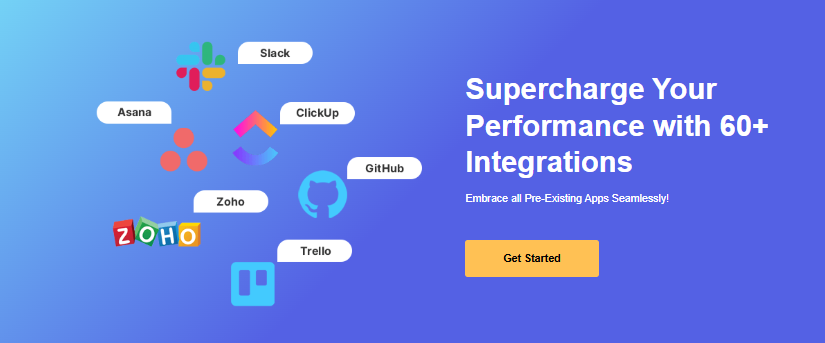
Businesses today rely on multiple tools to keep tasks and projects on schedule and error-free. TimeBee provides integration with 60+ management tools, including Slack, Asana, Zoho, Trello, and others.
These integrations let time tracking and task management data flow across existing systems without manual data entry. Businesses can sync project progress, communicate with teams in real time, reduce errors, and cut down on redundant admin work, which matters for teams already juggling several tools across departments.
Activity Summary and Screenshots
For an added layer of accountability and insight into employee productivity, TimeBee offers two related features. Screenshots give a visual snapshot of what employees are working on during logged time, helping confirm work is focused on relevant tasks and projects, even for remote teams.
Activity levels summarize the tasks an employee performs during the day. The report highlights periods of high activity and flags times when employees may be less engaged. Reviewing this data helps managers spot productivity trends, recognize potential distractions, and offer support where it’s needed, rather than making assumptions based on incomplete information.
Project Cost Management
Nearly every company wants to minimize operating costs and maximize revenue. With TimeBee’s project management feature, a company can keep tight control of project budgets by tracking both time and costs in real time.
The app associates costs with the time spent on specific tasks, so managers can monitor a project’s financial health and keep it within budget.
Managers can use TimeBee for project planning by setting budgets for each project and tracking actual costs against planned expenses. The detailed reports give clear visibility into time-related expenses, helping ensure clients are billed accurately for work completed, which also reduces the back-and-forth that comes with disputed invoices.
Key Benefits of TimeBee
TimeBee offers a range of features designed to meet modern business needs, with industry-specific solutions for marketing, construction, IT, eCommerce, and healthcare. It helps streamline workflows, improve accuracy, and reduce administrative tasks.
Here are the key benefits of using TimeBee to improve efficiency and performance across teams and projects.
Increased Productivity
TimeBee helps businesses increase productivity through real-time time tracking, automated task management, and clear visibility into employee activity.
With detailed, accessible reports, businesses can identify inefficiencies and optimize workflows. Employees get clear visibility into their daily logged time and task completion, so they can focus on high-priority work instead of guessing where their hours are going. Managers, meanwhile, can spot bottlenecks, review each team member’s performance, and make sure tasks and projects finish on time and within budget.
Accurate Payroll and Billing
TimeBee automates time tracking and syncs data directly with payroll systems, which is key to accurate payroll and billing. Manual-entry errors are reduced to almost nothing, and employees are paid accurately for hours worked, including overtime or billable hours.
Businesses can track time spent on specific tasks or projects, which makes invoicing more precise for client billing. Detailed, real-time reports on employee hours and project costs streamline the payroll process, improving both employee satisfaction and client trust in financial transparency, since both sides can see exactly how the numbers were calculated.
Enhanced Employee Accountability
TimeBee builds employee accountability through real-time insights on its Dashboard. Managers can use the team dashboard to see how much time is spent on tasks and projects.
Employees can check their own daily logged time, tasks, projects, and other performance details. Knowing their activity is visible encourages employees to manage their time effectively, since the same data they see is the data their manager is reviewing.
The platform also supports setting clear expectations by tracking billable hours and task completion, making employees more accountable for their performance. As a result, TimeBee builds a culture of accountability that improves overall team efficiency and task outcomes.
Better Resource Allocation
TimeBee helps businesses allocate resources better by providing detailed information about task requirements and the time spent completing them. With real-time reports, managers can identify which tasks or employees are consuming the most time and redistribute resources as needed.
By tracking project progress and time spent, managers can optimize workloads, prioritize high-value activities, and avoid overburdening certain team members. This helps ensure human and financial resources are used efficiently, leading to better project outcomes and improved productivity across the whole team, not just the individuals directly involved in a given task.
Compliance Support
TimeBee supports compliance by ensuring accurate time tracking and adherence to labor laws. The platform automatically records work hours, including overtime, breaks, and shifts, helping businesses comply with wage and hour regulations. It also offers detailed reports that simplify auditing and support accurate payroll processing.
Managers can set breaks, working hours, and overtime rules so employees’ working hours align with legal requirements. This reduces the risk of compliance issues, fines, and disputes, helping businesses maintain legal standards while streamlining HR operations through automated compliance processes rather than manual policy checks.
Conclusion
TimeBee is a versatile time-tracking app that streamlines business operations, boosts productivity, and supports accurate payroll management. Features like real-time time tracking, project cost management, and activity monitoring give businesses the tools they need to optimize workflows, improve employee accountability, and achieve better resource allocation. For companies weighing whether to move on from manual timesheets, that combination of automation, reporting, and payroll support is worth a closer look.
Frequently Asked Questions
What features does TimeBee offer?
TimeBee provides features such as employee timesheet software, productivity reports, screenshot monitoring, website monitoring, project cost management, payroll software , offline time tracking, and billable hours management.
Is TimeBee suitable for remote employees?
Yes, TimeBee offers time-tracking solutions specifically designed for remote and hybrid employees to boost productivity.
Can TimeBee generate detailed reports?
TimeBee creates customizable reports on productivity, attendance, project costs, and billable hours.
How does TimeBee ensure data privacy?
TimeBee prioritizes data security with encrypted storage, role-based access controls, and compliance with major privacy standards.
Does TimeBee provide customer support?
Yes, TimeBee offers 24/7 customer support through chat, email, and a knowledge base.

- Independent picks for exactly what you just read about
- Matched to your team size & needs
- Vendors don't pay for placement
Step 1 of 4
How big is your team?
We tailor recommendations to companies your size.















Related Articles

Guest Post
Talent Is Available – But Hard to Find: What Recent Research Told Us About Skills Mismatches in the IT Labor Market
Continue reading →
Guest Post
How Can SaaS Startups Scale Infrastructure Using Affordable Website Hosting?
Continue reading →
Finance & Billing Software
How Can Businesses Automate Overheads to Save Time and Reduce Admin Work?
Continue reading →
Guest Post
Solving IT Problems When Teams Work From Multiple Locations
Continue reading →