
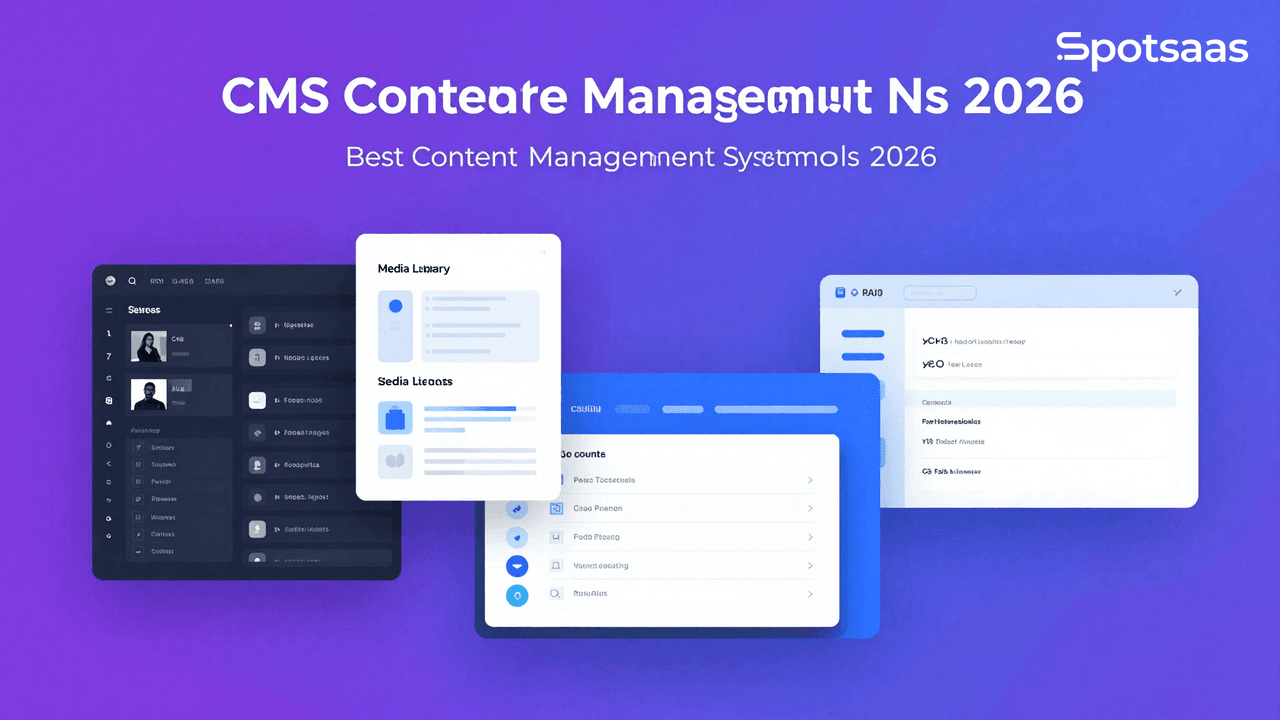
What Is a Content Management System (CMS) and How Does It Work?
A CMS is software built to let you create, manage, and update digital content without touching code. It sits at the center of a website, blog, or online store, giving you a straightforward way to manage what’s published without needing deep technical skill.
It also bridges the gap between technical web development and everyday content work, so people from different backgrounds, not just developers, can manage a site’s online presence.
Why should you use a CMS platform in 2026?
A CMS is close to a requirement now for anyone building a professional online presence quickly. It cuts through the tangle of tasks involved in running a website, opens up more of that work to non-developers, and still gives advanced users room to build out extra functionality.
Organizations use CMS tools to:
- Save time and cut operational costs by reducing how much a technical team needs to get involved.
- Scale content operations up or down as their needs change.
- Express more creativity through better designs and functionality.
- Improve visibility in search engines by optimizing content for SEO.
What are the key benefits of using a CMS platform?
Simplifying content management
A CMS simplifies page management so people can create, update, and manage content without knowing how to code. User-friendly interfaces and drag-and-drop editing cut out most of the complexity, which means non-technical staff can maintain the site on their own. That translates into faster updates and content that stays current without needing outside help every time.
Reducing website costs
CMS platforms generally bring down the cost of building and maintaining a website. Free or low-cost options cover the basics, while premium tools add more capability at a price, though usually without full customization. Theme and plugin ecosystems let businesses extend a site’s functionality without a big added expense, which keeps the budget in check.
Supporting SEO optimization
Built-in SEO tools take most of the technical work out of optimizing a site. Users can add, edit, or remove keywords and meta tags directly in the platform and build a sitemap in the same place. That makes it easier for search engines to understand and rank the content, which drives more organic traffic and extends a site’s reach.
Scaling for growing businesses
A CMS supports growth by making it straightforward to add new pages, connect new tools, and layer in more advanced features over time. That flexibility is why the same category of software works for a small blog, a mid-sized business, or a large enterprise: it can meet growing needs without forcing a platform switch.
Offering customization flexibility
CMS platforms offer broad customization through pre-designed themes, templates, and plugins. Businesses can shape a site around their brand and specific needs, whether that’s e-commerce functionality or multimedia-heavy pages. Technically skilled users can go further still with custom code, giving them tighter control over the site to match a company’s exact requirements.
Enabling collaboration and role management
A CMS supports team efficiency through multi-user access and role-based permissions. Writers, editors, and administrators can each handle their own part of the work without stepping on each other’s changes. That structured access cuts down on errors, supports teamwork, and keeps the overall workflow organized.
Ensuring mobile responsiveness
Mobile optimization is standard in most CMS platforms now, which keeps sites usable on smartphones and tablets. Responsive templates and mobile-friendly design tools support a better user experience and align with how search engines index mobile-first. That combination helps site performance and keeps the experience consistent across device types, which is a big part of why CMS tools have become close to essential for a scalable, cost-effective online presence.
What are the must-have CMS features to look for in 2026?
Content hub editing tools
Editing tools like WYSIWYG editors and drag-and-drop interfaces make content creation approachable for people without technical skills. These editors typically show live updates, letting you preview changes as you make them. Text formatting, media embedding, and widget insertion round out the toolkit, giving non-technical contributors a real hand in building and updating website content, and making the whole update process faster.
Template customization options
Pre-designed templates give you a starting point for an attractive website without building from scratch. These templates are usually customizable enough to adjust fonts, colors, and layouts to match your brand. That means a professional, distinctive design in a fraction of the time, and for power users, the option to add custom code for an even closer fit, combining convenience with flexibility.
Simplified media management
A solid media management system matters for any content-heavy website. CMS platforms typically offer a shared library for uploading images, videos, and other assets, with tools to organize and retrieve them easily. Many also include basic editing, like cropping or resizing, so files are publish-ready. Keeping every asset in one place also means updates and reuse across the site stay consistent.
Built-in SEO tools
Built-in SEO tools help set content up for better search rankings from the start. Meta tag customization, automatic or manual sitemap creation, and keyword suggestions all help users write content that follows good SEO practice. More advanced platforms go further, analyzing on-page SEO performance and flagging ways to improve it. The end result is a better shot at organic traffic and visibility.
User management and permissions
User management lets several people work on a site’s content and administration at once without stepping on each other. Administrators can assign specific roles, such as editor, contributor, or admin, so each team member has the access they actually need. That guards against unauthorized changes and keeps information flowing properly. Version control adds another layer, letting you track who contributed what.
Improving website performance with analytics
Analytics tools surface useful data on how a website is performing: visitor behavior, page views, bounce rates, and more. That data helps a business understand what its audience is actually looking for and where the gaps are. Many CMS platforms also integrate with popular external analytics tools, such as Google Analytics, for deeper reporting. That gives you what you need to shape better content and improve the overall user experience.
External integrations
Most CMS platforms allow integration with external tools like CRM systems, email marketing software, and social media platforms. These integrations let data move between systems without manual work, which makes day-to-day operations more effective.
For instance, a connected email marketing tool can collect data from website visitors and send them personalized email campaigns. This feature turns the CMS into a hub for handling several business functions from one place.
Mobile optimization across devices
Mobile responsiveness matters more as more traffic comes from phones and tablets. A CMS lets a site adapt to different screen sizes automatically, without extra coding. Responsive templates and mobile previews let users check and adjust how a site looks on mobile specifically. That, in turn, tends to help SEO, since search engines generally favor mobile-friendly sites.
Version control for content safety
Version control tracks changes made to content and lets users roll back to an earlier version when needed. That matters most on projects with more than one contributor making updates. If an error or unwanted change slips through, users can revert without losing prior work. Beyond the safety net, it also supports continuity, so content stays easy to edit throughout its life.
E-commerce functionality
For businesses running online stores, CMS platforms often include e-commerce functionality such as product catalog management, secure payment gateways, and real-time inventory tracking.
These tools make it easier to launch an online storefront, manage orders, and handle transactions. More advanced platforms add features like promotions, customer reviews, and analytics, which improve the shopping experience and support sales. Altogether, this is where CMS tools do some of their most direct work toward a business’s actual goals.
What types of content management systems (CMS) tools are available?
Traditional CMS solutions
Traditional CMS platforms, such as WordPress and Joomla, handle content management and front-end presentation within the same system. You create, edit, and publish from the same place, which makes these tools straightforward to build and maintain a site with. They suit blogs, small businesses, and portfolio sites well, since they’re simple to start with but still offer themes and plugins for customization.
Headless CMS platforms
Headless CMS platforms, such as Contentful and Strapi, separate content management from front-end presentation. They deliver content through APIs, so developers can display it across websites, mobile apps, and IoT devices. That’s the main reason companies choose one: it gives them a consistent experience across different touchpoints that’s hard to match with a traditional CMS.
E-commerce CMS platforms
E-commerce-focused CMS platforms like Shopify and Magento are built specifically for online stores. They come with product catalogs, secure payment gateways, and inventory tracking, which simplifies running an e-commerce site. They’re built for retailers and entrepreneurs who want to put together a professional, user-friendly shopping experience without piecing one together themselves.
Enterprise CMS solutions
Enterprise CMS platforms like Site Core and Adobe Experience Manager are built for the more complex needs of large organizations. They come with advanced capabilities such as AI-driven personalization, multi-site management, and integration with other enterprise tools. These systems are built to scale and handle high traffic and large content libraries, which makes them a fit for big organizations.
Open-source CMS platforms
Open-source CMS tools like Drupal and Ghost are free and easy to modify. They give developers the freedom to shape the code however they need, which makes it possible to build solutions for unusual requirements. These platforms usually have active communities behind them, offering plugins and extensions, which makes them a strong choice for businesses that want community support and lower costs.
What Are the Most Popular CMS Platforms and How Do They Compare?
Every kind of online project, from a marketing blog to a large-scale enterprise site, needs tools organized around what its team actually requires.
Each platform offers a different mix of features, pricing, and customization, which is exactly why picking one tailored to your goals matters. Whether you’re a small business looking for room to grow, a retailer that needs strong e-commerce tools, or a large enterprise that needs scale and efficiency, the comparison below should help.
Here’s a quick comparison of some popular CMS platforms to help you weigh your options.
| Software | Features | Pricing | Use Case | Best For |
|---|---|---|---|---|
| WordPress | SEO plugins, customizable themes | Free (hosting extra) | Blogging, small to mid-sized websites | Beginners to intermediates |
| Shopify | E-commerce tools, secure payment gateways | Starting at $29/month | Online stores of any size | Retail and e-commerce |
| Drupal | Highly customizable, strong security | Free (developer fees may apply) | Enterprise websites | Advanced users |
| Wix | Drag-and-drop builder, app market | Starting at $16/month | Small businesses, personal sites | Quick and simple setups |
| Adobe Experience Manager | AI-driven personalization, analytics integration | Custom pricing | Large-scale enterprise needs | Enterprises |
How to Choose the Right CMS Software for 2026
What Business Needs Should You Define First?
Understanding your own business objectives is the real starting point for choosing the right CMS.
- Content Management: Make sure the system provides intuitive tools for creating, editing, and organizing content, such as drag-and-drop interfaces or WYSIWYG editors.
- Customization: Work out how much customization your organization actually needs, including themes, layouts, and custom coding for specific functionality.
- User Roles: Identify your team’s roles and responsibilities. A good CMS supports multiple user roles with distinct permissions, such as administrators, editors, and contributors.
- Scalability: Plan for future growth. Your CMS should be able to handle increasing content volume, user traffic, and new features as your business expands.
What Questions Should You Ask Before Choosing?
- What type of content will dominate your website, such as text-heavy pages or multimedia?
- Do you need integrations with third-party tools, such as marketing automation software?
- Will the CMS support your branding guidelines and design requirements?
- How will the CMS handle dynamic elements like forms, user-generated content, or e-commerce features?
What Core Features Should You Evaluate in a CMS?
Content Editing Capabilities Should the CMS Include
- A robust CMS should feature an editor that simplifies content creation and formatting.
- Look for multimedia support so you can easily add images, videos, and documents.
- Check for pre-designed templates or the ability to build custom ones, which saves time and keeps design consistent.
SEO Tools Should Be Built In
- Effective SEO features matter for boosting your website’s visibility.
- The CMS should give you control over URLs, meta descriptions, and title tags.
- Built-in tools for generating XML sitemaps help improve search engine indexing.
- Schema markup options can improve how your pages show up in search results.
CMS Integrate with Other Platforms
Modern CMS platforms should integrate cleanly with key business tools, such as CRM software for customer relationship management, analytics tools for performance tracking, and marketing automation platforms to run campaigns.
Check what APIs and third-party plugin support are available for extra functionality.
CMS Mobile-Responsive
- With a significant share of web traffic coming from mobile devices, make sure your CMS delivers a mobile-friendly experience.
- Test templates and design elements for responsiveness across different screen sizes and devices.
What Advanced Features Should a CMS Offer?
Support Custom Development
- A flexible CMS should allow custom coding, so developers can tailor it to unique business needs.
- Look for API support to extend the CMS’s functionality and connect it with specialized tools.
Support E-Commerce Capabilities
- The CMS should include inventory management tools, customizable product pages, and payment gateway integration for online stores.
- Check how well the system handles shipping, taxes, and discounts.
Manage Multi-Site and Multi-Language Content
If you’re managing multiple brands or regions, look for a CMS that centralizes control across multiple websites and offers solid language localization features.
Provide Content Versioning
Version history and rollback capabilities matter for recovering earlier versions of content and limiting the damage from errors or unwanted changes.
How Scalable Is the CMS?
Handle High Performance Under Load
- A scalable CMS should handle spikes in traffic without a hit to performance.
- Look for built-in caching and Content Delivery Network (CDN) support to keep speed up.
Organize and Manage Large Content Volumes
Check the CMS’s capacity to organize, manage, and retrieve large amounts of content, including images, videos, and documents.
Easily Extensible
A growing business needs a CMS with a broad library of plugins or modules so it can add new features or expand functionality over time.
How Easy Is the CMS to Use?
Learning Curve
- A user-friendly CMS should be intuitive for both technical and non-technical users.
- Onboarding resources like tutorials, documentation, and guided setups can cut down the time it takes to get started.
User Roles and Permissions
- Role-based access control protects content integrity and keeps workflows efficient by limiting access based on user roles.
- The CMS should let administrators set permissions easily for different contributors.
What Security Features Should You Expect?
Built-In Security Protections
- Essential security features include SSL support, strong password policies, two-factor authentication, and firewall integrations.
- Consider how well the CMS detects and mitigates common threats, such as SQL injection or cross-site scripting (XSS).
CMS Ensure Regulatory Compliance
Verify that the CMS meets industry-specific regulations, such as GDPR or CCPA, for data protection.
Updates Released Regularly
Regular updates don’t just patch vulnerabilities. They also improve system performance and add new features over time.
What Analytics and Reporting Tools Should You Look For?
Built-In or Seamless Analytics Integration
- Choose a CMS with built-in analytics or seamless integration with tools like Google Analytics.
- Metrics worth tracking include page views, bounce rates, visitor demographics, and conversion rates.
- More advanced analytics options may include heatmaps or A/B testing capabilities.
What Is the CMS Pricing Model?
- Look closely at the cost structure of each CMS option, including one-time fees, monthly subscriptions, or custom pricing for enterprise solutions.
- Factor in additional costs for hosting, plugins, integrations, and ongoing maintenance.
What Kind of Support and Training Should Be Available?
- Strong customer support matters. Look for options like 24/7 chat, email, or phone support.
- Check whether the CMS offers onboarding materials, video tutorials, or certification programs for deeper training.
Why Should You Run a Trial or Pilot Test?
- Most CMS providers offer free trials or limited-feature demos. Use them to evaluate ease of use, core functionality, and overall performance.
- Put together a checklist of what to test, such as usability, scalability, and feature integration.
Final Thoughts On Choosing Right CMS Platform
Choosing the right CMS matters for building and maintaining a successful digital presence. A well-suited CMS helps companies and individuals build user-friendly, dynamic websites tailored to their specific needs, whether that’s a blog, an online store, or an enterprise site.
A CMS that fits well cuts down on time and cost through integrated workflows, automated features, and a lower technical bar to clear. It also helps you stay competitive through SEO, monitoring tools, and third-party integrations.
Use free trials and demos to test a platform’s functionality and fit before committing. With the right CMS in place, your website can scale alongside your goals and support long-term online growth.

- Independent picks for exactly what you just read about
- Matched to your team size & needs
- Vendors don't pay for placement
Step 1 of 4
How big is your team?
We tailor recommendations to companies your size.















Related Articles

Buyers guide
How To Choose The Best Auto Dialer Software For 2026
Continue reading →

Buyers guide
How To Choose The Best Freelance Platforms For 2026
Continue reading →

Buyers guide
How To Choose The Best Audience Response Software For 2026
Continue reading →
Buyers guide
How To Choose The Best Workforce Management Software For 2026
Continue reading →