

Keeping track of everything said in a meeting is hard, from the decisions that get made to the ideas that come up in passing. Fireflies.ai tackles this problem with an AI-driven tool that records and transcribes meetings automatically.
This guide walks through what Fireflies AI Notetaker can do and how to put its features to work for more productive meetings. Here is how it changes the way teams handle notes.
Key Takeaways
- Fireflies AI Notetaker records every word spoken in a meeting through automated transcription, works in more than 69 languages, and connects with platforms such as Google Meet.
- The tool improves team collaboration by syncing notes to CRM and project management apps, automating routine tasks, and protecting data with 256-bit encryption.
- Fireflies AI holds up well against competitors thanks to accurate transcription, capable collaboration tools, a wide range of integrations, a straightforward interface, and solid security.
Key Features of Fireflies AI Notetaker
Fireflies AI Notetaker provides automated transcription and note-taking, collaboration tools that automate parts of a team’s workflow, and a broad set of integrations that let it fit into the platforms you already use.
Automatic Meeting Notes and Transcription
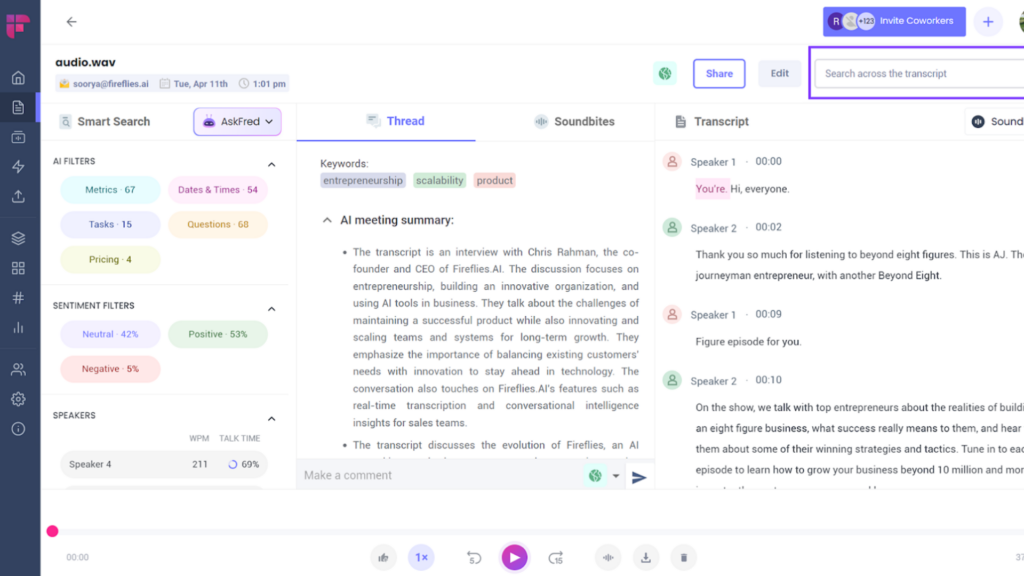
With Fireflies.ai running, you can pay full attention to the discussion instead of writing things down, because it captures every word accurately on its own. That is the core of its automated transcription and note-taking.
Using speech-to-text technology, it turns spoken words into written text as the meeting happens, so you no longer miss key information. There is no need to scribble notes during the call or try to reconstruct the important points afterward; the tool records it all for you.
Language is not a barrier either. With support for more than 69 languages, multilingual meetings stay easy to manage, and participants can speak without worrying about being misunderstood because of the language they use.
The Chrome extension also folds the tool into your daily routine, whether you are capturing points from a Google Meet call or transcribing videos from Loom or Soapbox.
Because it turns hours of recordings into searchable, editable documents within minutes, professionals get far more done with meeting content than they could by hand. Instead of scrolling through a full recording to find one comment, you can search the text and jump straight to the moment you need, which is a real help for anyone who sits through many meetings a week.
Collaborative Tools & Workflow Automation
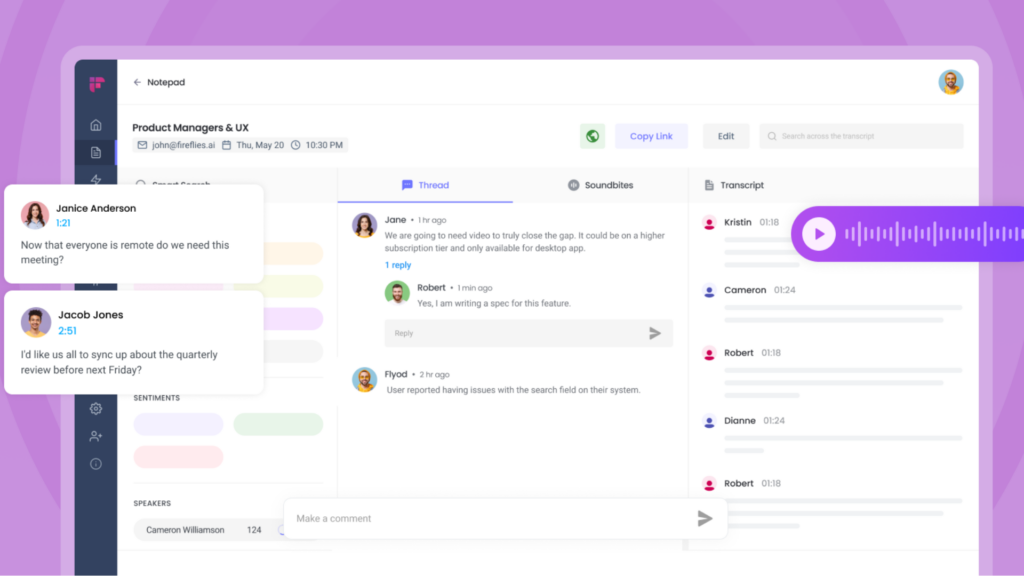
Fireflies AI Notetaker improves team collaboration by connecting with common CRM and collaboration apps such as Salesforce, Hubspot, Slack, and Zapier. Through those connections, meeting notes, transcripts, and recordings land directly in the tools teams already work in.
It cuts down the repetitive work of managing meeting information. Rather than keying in data by hand or passing files between platforms, you let Fireflies AI do that work.
The workflow automation keeps everyone working from the same information without added effort. Jobs that used to take time, such as organizing notes into a searchable format inside the systems you prefer, now happen automatically.
That saves time and cuts the mistakes that come from manual entry, since the notes go straight into the right place rather than being copied by hand from one app to another. Enterprise-grade security, including 256-bit AES encryption, protects everything you share, which matters for keeping client trust and meeting compliance requirements like SOC 2 Type II and GDPR.
Diverse Integration Options
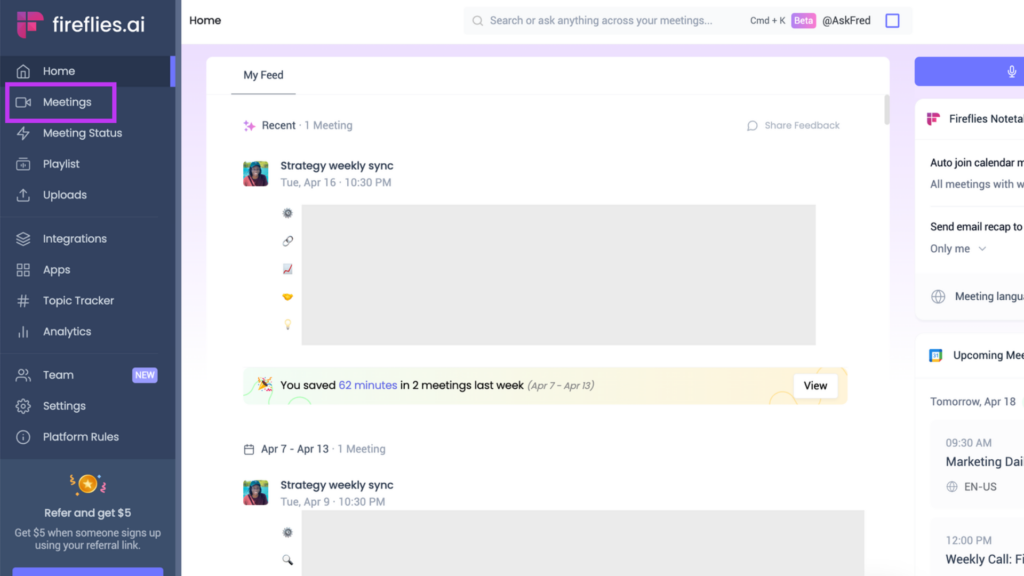
Fireflies.ai notetaker fits into your existing tech stack through a wide set of integration options. You can invite the tool to any meeting or set it to auto-join scheduled calls, so no important conversation goes unrecorded.
It stays flexible through native integrations with popular platforms and an API that plugs into custom workflows.
The Chrome extension can capture Google Meet calls and video discussions from Loom, Soapbox, and Bubbles automatically, so you spend less time juggling tools.
This lets you concentrate on what is being said rather than on managing software. With Zapier integration, you can extend Fireflies.ai across the many apps teams rely on for project management, CRM systems, and communication — a range that adapts to different business setups and user needs without much fuss.
Analyzing Fireflies.ai User Interface and Usability
Fireflies.ai has a clear, easy-to-use interface that makes capturing meeting content simple. The design lets users invite the AI notetaker to meetings or set it to auto-join calls, which speeds up transcription and note-taking.
With its GPT3-powered AI meeting summaries, Fireflies.ai transcribes audio and video files right away and gives users quick access to highlights and key takeaways.
The Chrome browser extension handles automatic call capture from platforms such as Google Meet, Loom, Soapbox, and Bubbles.
Fireflies.ai also works with virtual meeting platforms like Zoom, Google Meet, and Microsoft Teams. That compatibility means users get automated transcription in more than 69 languages together with automated meeting summaries.
Its language translation adds to that usefulness by covering the different languages people use in a multilingual workplace.
Review of Fireflies AI’s Privacy and Data Safety
Having looked at the interface and usability, the next thing to examine is how Fireflies AI handles privacy and data safety. For protection, it uses enterprise-grade security practices, including 256-bit AES and 256-bit SSL/TLS encryption.
The platform also meets strict standards such as SOC 2 Type II compliance and GDPR regulations. Regular impact assessments, penetration tests, and security logging, uptime monitoring, and system availability metrics back up its focus on customer privacy and on keeping sensitive data safe.
Taken together, these practices show that Fireflies AI works to keep user information secure. That effort shows up at each layer of its security, from the encryption it applies to the regular testing it runs, and the result is that confidential meeting information stays protected from the point it is recorded through the time it is stored and shared.
Comparing Fireflies AI with Alternative Notetaking Solutions
Data security matters, and so does seeing how Fireflies AI compares with other AI notetaking tools. Here is how it lines up against several platforms on the market.
| Feature/Factor | Fireflies AI | Superchat | Loopin | Airgram | Briefly |
|---|---|---|---|---|---|
| Transcription Accuracy | High | Varies | Medium | High | High |
| Integration Options | Salesforce, Hubspot, Slack, Zapier | Limited CRM integrations | Some collaboration tools | Zapier, Trello, Asana | Not extensive |
| User Interface | Clean and intuitive | User-friendly | Intuitive | Modern and sleek | Simple |
| Privacy/Security | Strong with encryption | Standard | Good | Strong | Varies |
| Collaboration Tools | Robust | Limited | Adequate | Good | Basic |
| Pricing | Free version available with premium plans | Mostly paid | Free and paid plans | Subscription-based | Free and premium models |
| Storage Limits | 800 mins of storage per seat on free version | N/A | Limited free storage | Limited storage on free plan | Storage based on plan |
| Customization | Highly customizable | Not very customizable | Some customization | Customizable | Limited customization |
Fireflies AI is a strong pick for its transcription quality and collaboration tools, and it offers real flexibility across its integrations. The alternatives each bring something of their own, but Fireflies AI gives individuals and teams a well-rounded option for getting more out of meetings with AI help.
User Reviews and Feedback on Fireflies AI
- Users like the intuitive interface and how easy it is to take notes during meetings.
- The accuracy and quality of the automated transcription and note-taking have drawn positive feedback.
- Customers point to the collaboration tools and workflow automation as reasons they get more done when handling meeting notes and action items.
- The range of integrations has earned good reviews, with users finding that the tool fits their communication and collaboration platforms without trouble.
- Many users are happy with the enterprise security measures and say they trust the tool to protect sensitive meeting data.
- Add-ons such as AskFred, a chatbot for meetings, have caught the attention of users who want extra functionality.
Conclusion: Is Fireflies AI the Ultimate AI Notetaker for Meetings?
Looking at the features, usability, privacy measures, and user feedback together, Fireflies AI comes across as a capable AI notetaker for meeting transcription and collaboration.
Its range of integrations and GPT3-powered automated meeting summaries give it an edge for cutting down the work of note-taking. With enterprise-grade security in place and plans that fit individual users as well as teams of different sizes, Fireflies AI works for a range of needs.
From recording Zoom calls to transcribing different languages and protecting data under strict compliance standards, Fireflies AI covers the main things you would look for in an AI notetaker for meetings.
(Image Credit: Fireflies AI)
Frequently Asked Questions
How does Fireflies AI help in taking notes during meetings?
Fireflies AI captures and transcribes meeting conversations, allowing users to focus on the discussion without worrying about note-taking.
Can I use Fireflies AI for remote or virtual meetings?
Yes, Fireflies AI is designed to work seamlessly for both in-person and virtual meetings, ensuring accurate transcription regardless of the meeting format.
What are the key features of Fireflies AI as a notetaking tool for meetings?
Key features include real-time transcription, action item tracking, speaker identification, easy search capabilities within recorded content, and integration with various communication platforms.
How does Fireflies AI ensure the privacy and security of meeting transcripts?
Fireflies AI prioritizes data security through encryption measures and restricts access to authorized users only, ensuring the confidentiality of all meeting transcripts.
Can I access my notes from Fireflies AI across different devices?
Yes, your notes from Fireflies AI can be accessed across multiple devices such as laptops, tablets, or smartphones for convenient review and reference.
Is Fireflies AI free?
Fireflies AI starts from $10/seat/month billed annually and also offers a free forever plan.
Compare alternatives to the tools in this post
Related Articles
AI Software
How AI-Powered ATS Tools Boost Diversity in Hiring — Real DEI Use Cases (2026)
Continue reading →
AI Software
5 Powerful AI Features Revolutionizing Hiring Workflows in 2026
Continue reading →
AI Software
How To Choose The Best Image Recognition Software For 2026
Continue reading →
AI Software
Best AI Resume Screening Tools in 2026 to Hire Faster
Continue reading →