

Managing human resources can be a heavy workload for a small team juggling many tasks at once, from enrollment and payroll to compliance and time-off requests.
Employee Navigator handles those HR tasks in one place. It connects with over 60 third-party administrators and payroll services, which improves day-to-day operations. It also simplifies compliance with ACA and COBRA regulations, so brokers and their clients spend less time on manual reporting.
The sections below answer the common questions about the platform, covering its features, pricing, how it compares with other tools, and whether it has a mobile app.
Key Takeaways
- Employee Navigator is an adaptable HR platform offering benefits administration and a set of HR management tools, priced starting at $630 per month.
- The software includes over 60 integrations with third-party administrators and payroll services, supporting operations across various business sizes.
- In-depth comparison charts show how Employee Navigator compares to other market solutions in features, pricing, and user satisfaction.
- The Employee Navigator app released on May 9, 2013, gave both employees and HR professionals tools to manage benefits and HR tasks.
Overview of Employee Navigator
Employee Navigator is HR software that covers benefits administration, HR management, ACA & COBRA compliance, and integrated payroll. It also includes time-off management and new-hire onboarding to support workplace productivity and employee engagement.
What is Employee Navigator?
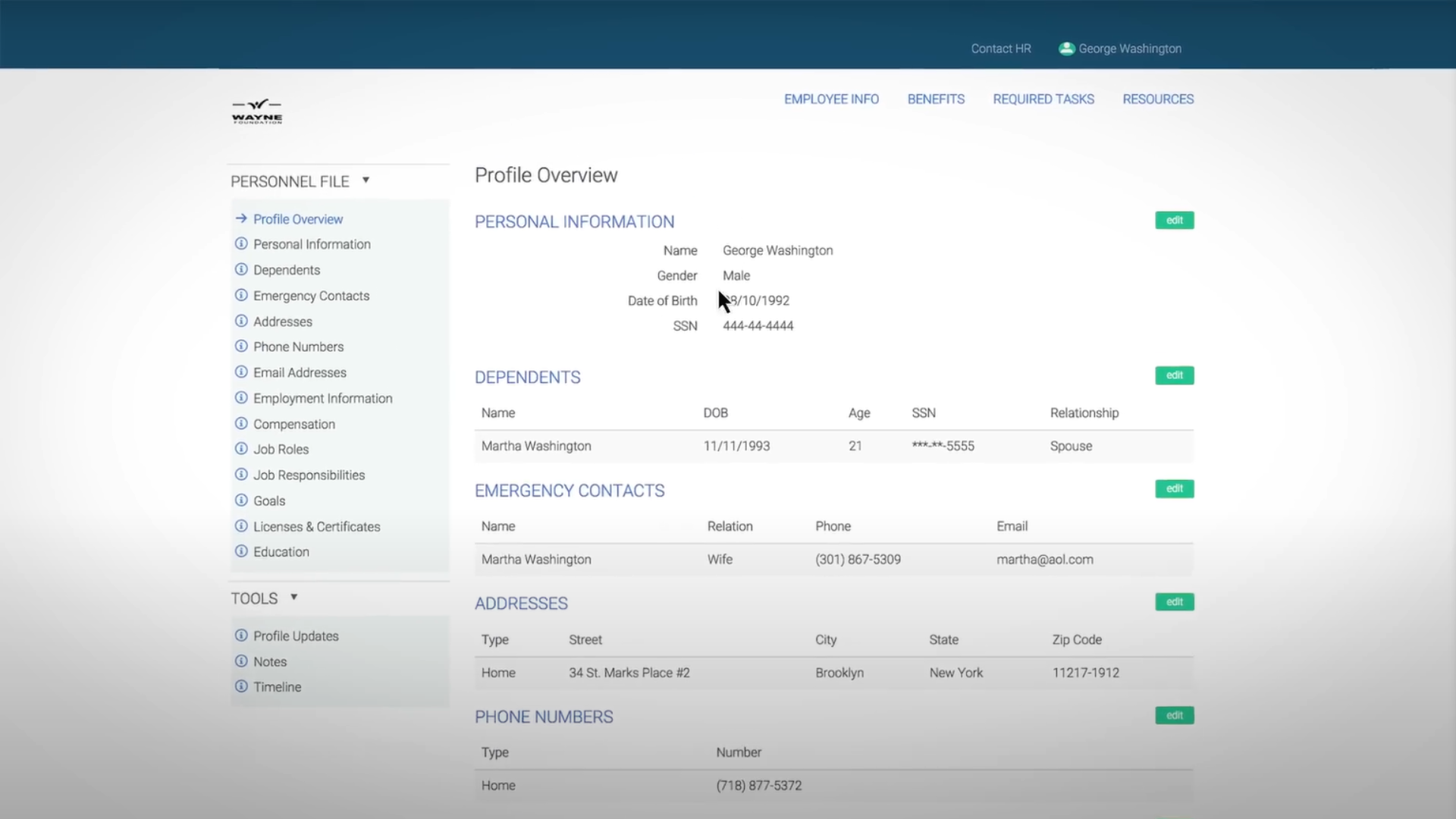
Employee Navigator is a platform built specifically for insurance brokers and their clients. It brings together tools for benefits administration, HR processes, and compliance management, so these teams can work from one system instead of several disconnected ones.
Features like online enrollment, integrated payroll, and an ACA compliance dashboard reduce the manual work involved in managing employee data and benefits, which used to take far more effort to keep accurate.
The system carries over 60 integrations, ranging from third-party administrators (TPAs) to payroll services, plus native apps for iOS and Android, so users can work on the move.
Key benefits of using Employee Navigator
Managing employee benefits well matters for any organization. Employee Navigator handles this with HR technology that simplifies operations and improves employee communication.
Centralized benefits management
Employee Navigator centralizes benefits management. It simplifies the task of running multiple benefit programs, from health insurance to retirement funds, so HR professionals save time and make fewer errors when they update or reconcile employee records.
An upcoming premium HRIS product upgrade is designed to integrate closely and make benefits management more efficient and user-focused.
The cost is clear: for $1 PEPM, companies get a full suite without a large outlay or a drop in the service quality they deliver to their workforce.
HR management
For HR management, Employee Navigator offers a broad set of features to handle the administration of human resources.
The platform provides an integrated way to manage employee data, benefits, payroll, and third-party administrators (TPAs).
With over 60 integrations, including ACA & COBRA management and time-off tracking, Employee Navigator gives businesses an HRIS product that covers 37 essential features.
Integrated payroll system
Sync payroll with systems like Paylocity and Paycor for accurate, efficient processing.
The optional 834 EDI feed is available at $0.45 per covered employee per month. This level of integration keeps data management simple while keeping payments accurate and compliant with labor laws, since benefit and payroll records stay in sync instead of being entered twice.
Time off management
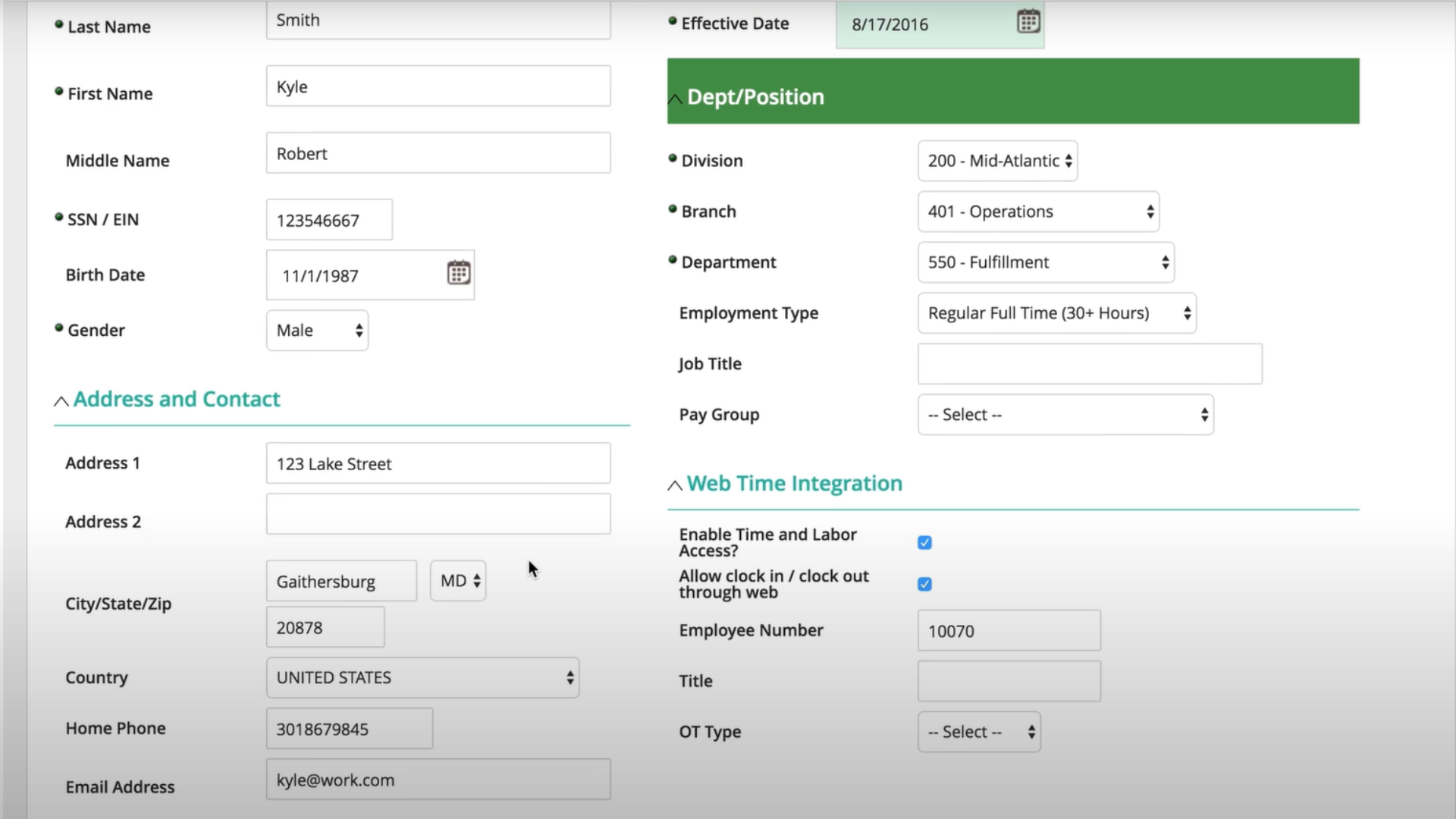
Track and approve leave through a clear interface that keeps the process transparent and fair.
Employees can request time off, open important documents, and check their absence balances in the self-service portal.
With integration into third-party applications such as Paylocity and Paycor, time-off management stays simple, and approved leave carries through to payroll without extra data entry.
ACA & COBRA compliance
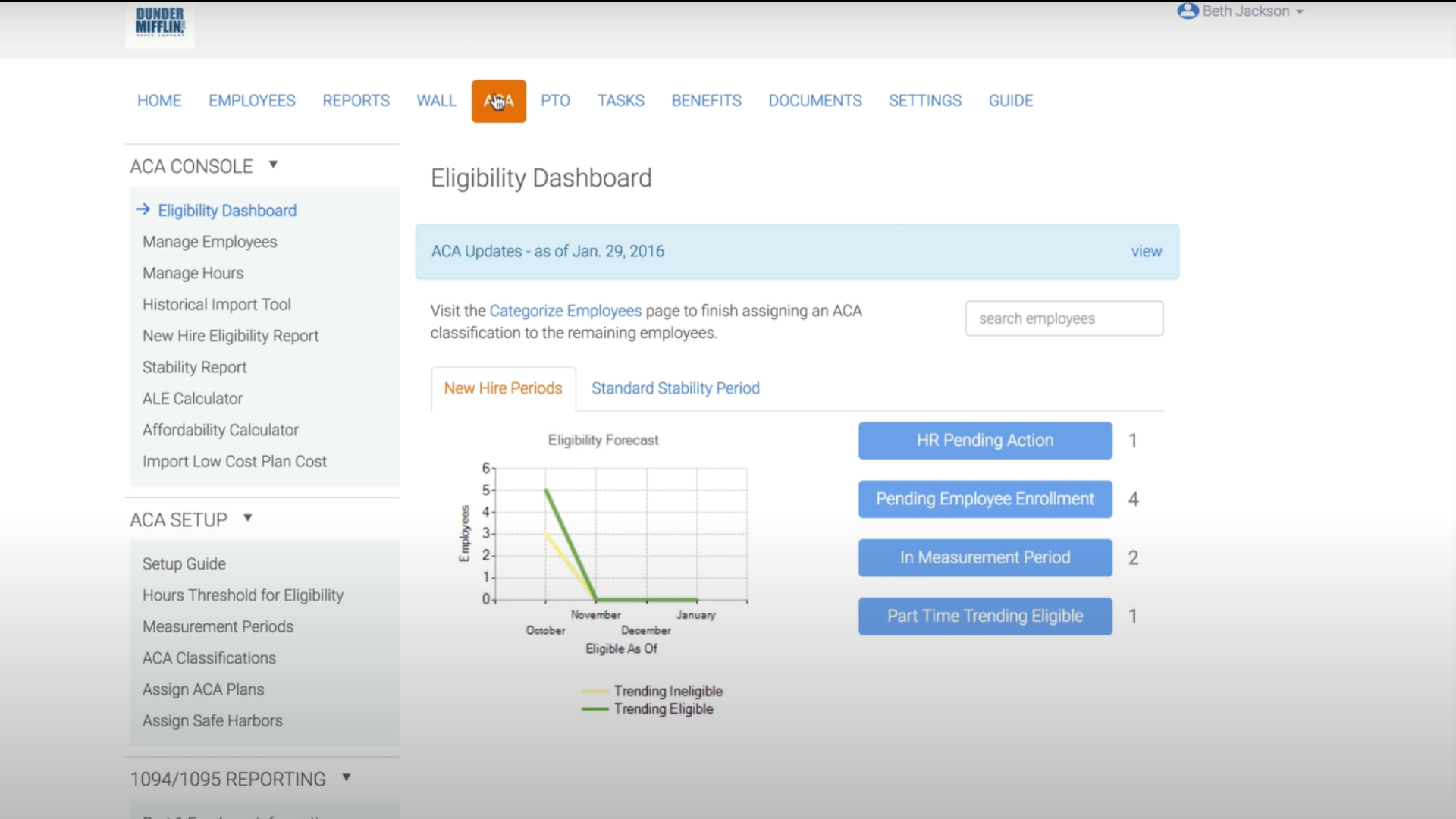
Employee Navigator’s benefits software includes ACA & COBRA management features that support compliance with healthcare regulations.
The platform handles the process for insurance brokers and clients, helping them manage employee benefits and stay on top of the regulatory requirements that come with each plan.
It integrates with other HR and benefits platforms and serves both English and Spanish-speaking users.
Pros and Cons of Employee Navigator
Review the pros and cons of the platform below to make the right choice for your team and its needs.
Pros of Employee Navigator
- Efficient benefits management: centralizes benefits administration, saving time and improving the employee experience.
- Accurate payroll integration: syncs with systems like Paylocity, reducing payroll errors.
Improved compliance: automates ACA and COBRA reporting to avoid penalties. - User-friendly interface: simplifies tasks like onboarding and time-off management.
- Flexible pricing: plans suitable for various company sizes and budgets.
Cons of Employee Navigator
- Limited customization: workflow customization options are restricted.
- Slower support on basic plans: priority support is only available on higher tiers.
- Initial learning curve: new users may take time to adapt.
- Advanced features locked in higher tiers: features like EDI feeds are only on premium plans.
- Limited mobile experience: no dedicated app, which reduces ease of use on mobile devices.
Pricing Plan for Employee Navigator
Employee Navigator offers several pricing editions with different features to fit businesses of all sizes.
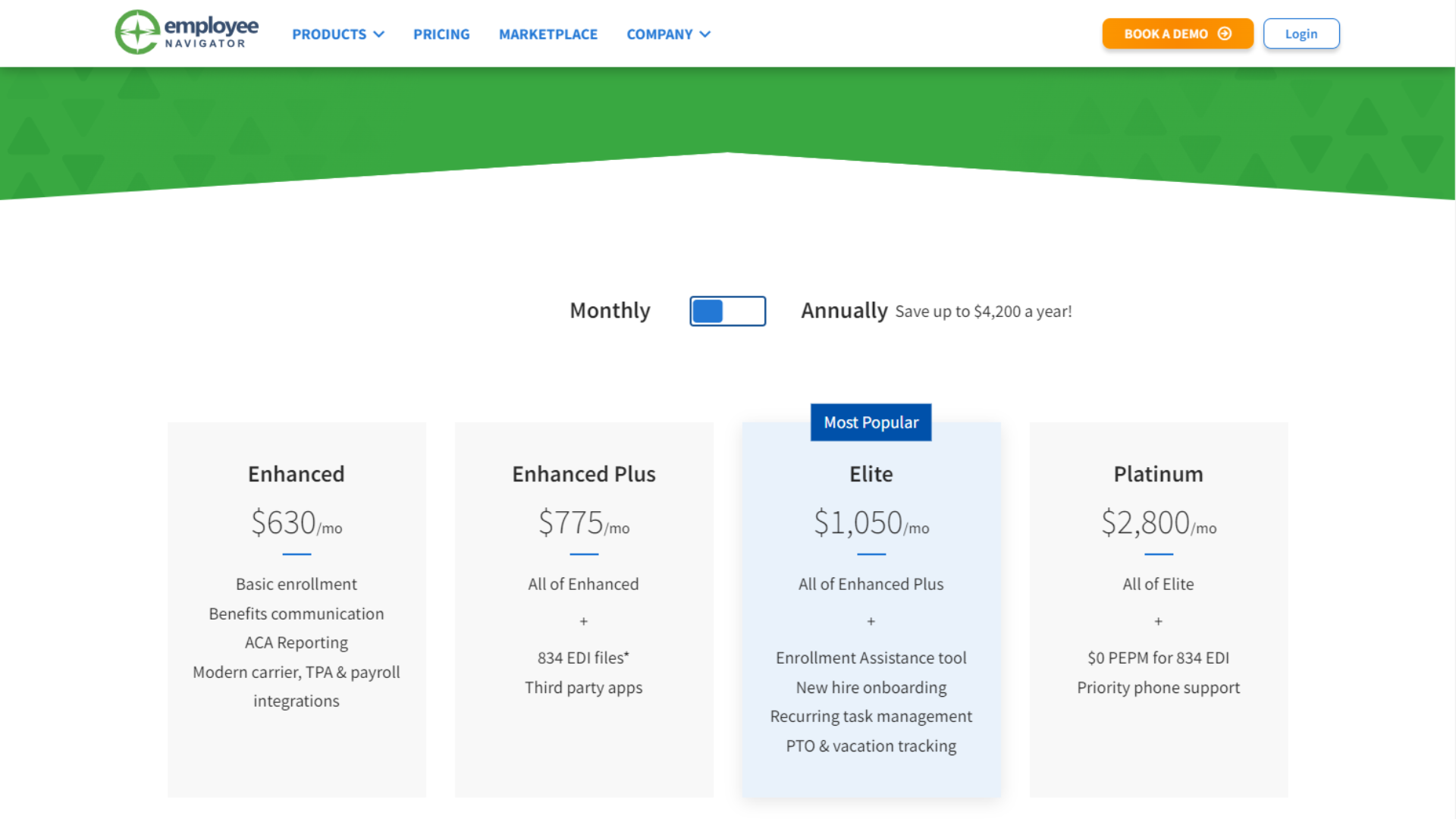
Enhanced: $630/month
- Basic enrollment
- Benefits communication
- ACA Reporting
- Modern carrier, TPA & payroll integrations
Enhanced Plus: $775/month
- All features of the Enhanced plan
- 834 EDI files
- Third-party apps integration
Elite: $1,050/month (Most Popular)
- All features of the Enhanced Plus plan
- Enrollment Assistance tool
- New hire onboarding
- Recurring task management
- PTO & vacation tracking
Platinum: $2,800/month
- All features of the Elite plan
- $0 PEPM for 834 EDI
- Priority phone support
| Pricing | Enhanced | Enhanced Plus | Elite | Platinum |
|---|---|---|---|---|
| Unlimited companies | ✔ | ✔ | ✔ | ✔ |
| Unlimited employees | ✔ | ✔ | ✔ | ✔ |
| 834 EDI Feeds | – | $0.45 PEPM* | $0.45 PEPM* | Free |
Comparisons with Other Tools
Here is how Employee Navigator compares with other tools on the market, with its distinct features and benefits. This section helps readers see where Employee Navigator fits among HR software options and how it lines up against similar tools.
| Aspect | Employee Navigator | Zenefits | BambooHR |
|---|---|---|---|
| Features | Specializes in benefits administration and compliance tracking. | HR, payroll, and benefits with time tracking and performance management. | Focused on employee data management, onboarding, and performance tracking. |
| Ease of Use | Steeper learning curve but is powerful for benefits management. | Intuitive interface with easy navigation. | Very simple and user-friendly interface. |
| Pricing | Custom pricing based on business needs. | Tiered pricing starts at $10/employee/month. | Custom pricing, with packages for small to mid-sized businesses. |
| Target Users | Mid-market companies with advanced benefits needs. | Small to medium-sized businesses. | SMBs focused on employee data management and performance tracking. |
| Scalability | Highly scalable for mid-sized businesses. | Suited for small and medium-sized businesses. | Great for small to medium businesses looking for scalability. |
Is There a Mobile App for Employee Navigator?
Yes. The Employee Navigator app is free to download on Android devices, listed under Office Suites & Tools in the Business section. Since its release on May 9, 2013, the app has given both employees and HR professionals tools to manage benefits and HR tasks.
How to install Employee Navigator on your Android device
- Visit the Employee Navigator website: click the “Continue to App” button.
- Open Google Play: you will be redirected to the Employee Navigator listing.
- Download and install: tap the “Install” button.
- Grant permissions: accept the required permissions.
- Done: Employee Navigator downloads and installs automatically.
Reviews from Employee Navigator Users
Employee Navigator has been well received, especially for its small business support and migration tools. Users point to the software features, its integration with other platforms, and the training sessions on offer, which help new teams get up to speed.
The premium HRIS product is expected to simplify HR processes further for businesses using Employee Navigator. The company’s large employee count and several US office locations back up its support and service.
The frequently asked questions below add more detail on the platform’s capabilities and benefits.
Conclusion
Employee Navigator brings together features that handle benefits administration and HR management. With integrated payroll and time-off management working from the same records, it gives businesses a single solution, not a set of separate tools.
Brokers moving to Employee Navigator can expect added operational support, including API connections with ancillary carriers and expanded Teams functionality that widens what agencies can manage inside the platform.
The upcoming migration tools from Ease to Employee Navigator will add convenience for users in 2024.
(Image Source: Employee Navigator)
Frequently Asked Questions
Compare alternatives to the tools in this post

- Independent picks for exactly what you just read about
- Matched to your team size & needs
- Vendors don't pay for placement
Step 1 of 4
How big is your team?
We tailor recommendations to companies your size.















Related Articles
Applicant Tracking Software
monday.com for HR and Recruiting (2026): Hiring Pipelines, Onboarding and When You Need an ATS
Continue reading →
HR software
Gusto vs QuickBooks Payroll 2026: Prices, Features and Verdict
Continue reading →
Best Tools
Best PEO for Small Business in 2026: 8 Providers, Prices and Certification
Continue reading →
HR software
Gusto vs Paychex 2026: Published Prices vs Quote-Based Payroll
Continue reading →