
A signature on the dotted line used to mean printing a document, signing it by hand, and mailing or faxing it back to whoever needed it next. E-signature tools have changed that process for businesses of every size.
No more printing, scanning, and faxing documents. No more trips to the post office just to get a single page signed.
Just a click and you’re done — but what exactly are e-signature tools, and what are the real benefits of switching to one? In this blog post, we’ll cover what electronic signatures mean, the benefits they bring, and the best e-signature software options currently available for your business.
What are electronic signatures (e-sign)
An electronic signature, or e-signature, is the digital equivalent of a traditional handwritten signature. It is a way to sign documents and other kinds of records electronically, via a computer or mobile device, without needing a pen or paper at all. E-signatures verify a signer’s identity and record their intent to be bound by the terms of the document or record they are signing.
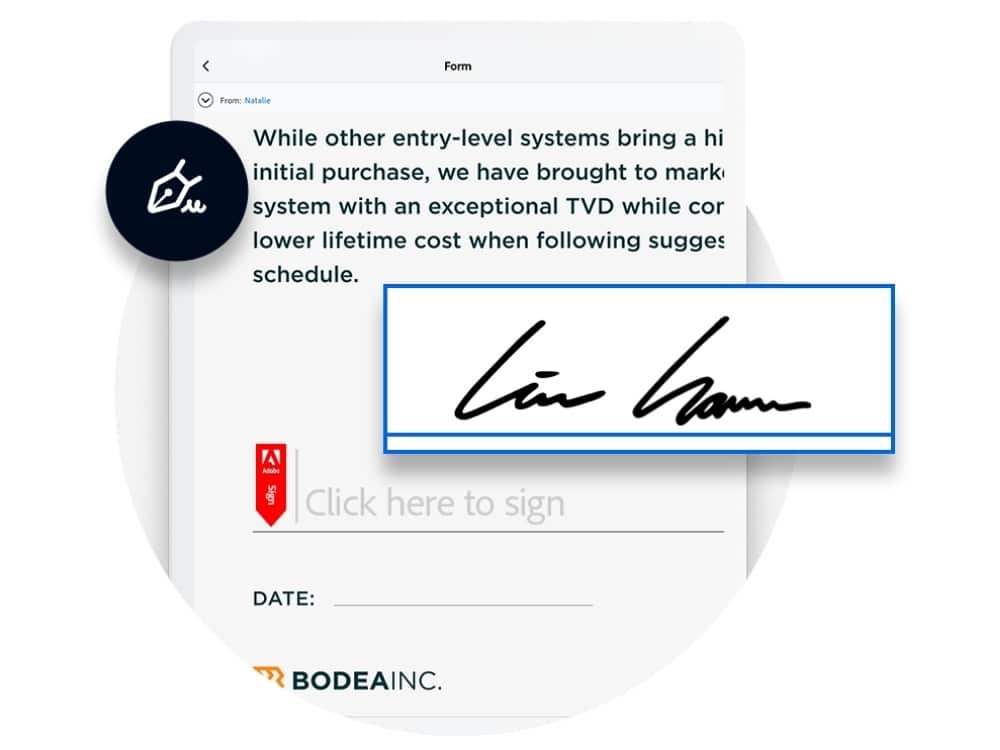
E-signatures rely on technology like encryption and digital certificates to confirm that a signature is genuine and cannot be forged. That makes them a secure way to sign papers and records, and it also makes it simple for a business to save, track, and retrieve signed documents afterward instead of digging through a filing cabinet.
For example, if a company needs an employee to sign a contract, the employee no longer has to print it out, sign it by hand, and scan it back in. They can use free online document signing tools to sign the document electronically instead.
In short, e-signature software is a digital tool that makes it easier to write, sign, collaborate on, and maintain contracts electronically, which improves corporate productivity while keeping every contract legally valid and easy to reference later.
How does electronic signature software work
The exact steps depend on which e-signature software is being used, but the general process usually looks like this:
- A document is created and made ready for signing, using tools such as word processors and PDF editors.
- The document is then uploaded to an e-signature platform, either by the person who created it or by whoever is overseeing the signature process.
- The signer or signers receive the document by secure email or a secure link, along with instructions on how to access and sign it.
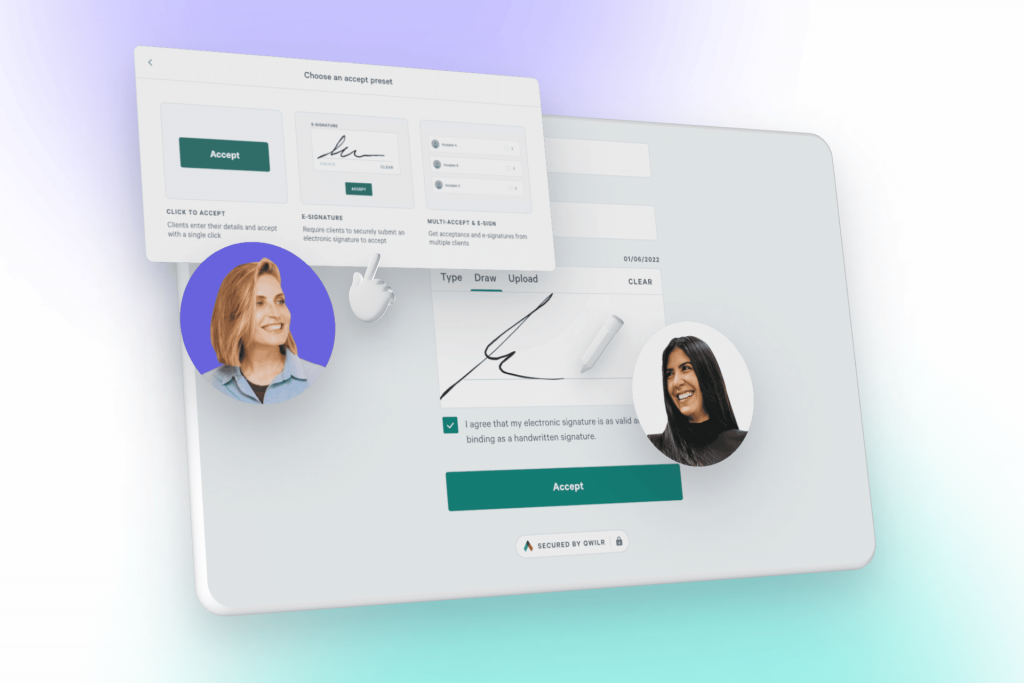
- After reviewing the document, the signer can add their e-signature — by typing their name, signing with a mouse or touchpad, or using a digital signature.
- Once every signer has added their e-signature, the document is treated as fully signed and a record of the signature is kept. From there it can be downloaded, printed, or shared as needed.
- The document carries a unique signature, timestamp, and other verifiable information, so the signer or sender can trace it and check its legitimacy at any time.
Overall, creating an e-signature is a straightforward, easy-to-use process that lets multiple parties sign a document remotely, from different locations if needed, without printing, signing by hand, and scanning it back in.
What are the benefits of e-signatures software
Businesses that switch to e-signatures tend to see the difference quickly. Here are the top 3 benefits of using e-signatures:
- Increased Efficiency: E-signatures allow for faster, more efficient document signing. Businesses avoid the time and expense of printing, mailing, and manually signing documents, since documents can be signed and returned quickly, which helps speed up business processes and reduce delays.
- Increased Security: E-signatures use encryption and digital certificates to make sure a signature is unique and cannot be forged. That makes them a secure way to sign documents and records, and they also leave an auditable record of the signing process, which helps with compliance and regulatory requirements.
- Cost Savings: By removing the need for paper, printing, and mailing, e-signatures help reduce costs for businesses, particularly ones that handle a large volume of documents.
E-signatures software can also help automate and streamline the document-management process, cutting down on the need for additional staff to handle paperwork.
Best practices for secure e-signature software usage
Here are some best practices for using e-signature saas in a secure manner:
- Utilize a trusted and secure e-signature program: Make sure the e-signature tool you select complies with security requirements set by law and industry, and that it has a solid track record of safeguarding user information and reducing fraud.
- Verification: Verify signers’ identities using techniques like email or SMS confirmation, or digital certificate-based signatures, to confirm the signer is who they say they are.
- Access Control: Use permissions and access controls so that only people with the proper access can see or sign critical documents.
- Use robust encryption: Encrypt the document’s contents and the e-signature itself to guard against hacking or unauthorized access.
- Regularly backup: Keep regular backups of your documents and signatures in case of a system failure or other unexpected event.
- Monitor and Audit: Regularly monitor and audit the system and its users to detect and prevent suspicious or fraudulent activity.
- Keep software updated: Regularly update the e-signature tool to its latest version, so it stays current with the newest security features and patches.
- Train your team: Train your team on how to use the software securely and how to spot and avoid threats like phishing and social engineering.
Following these best practices helps businesses keep their use of e-signature saas secure and compliant with legal and industry standards.
What are the possible integrations of e-signature software
E-signature software can integrate with many other tools and services that a business already relies on day to day. Here are some examples:
- Document Management Systems: E-signature software can integrate with document management systems, such as Microsoft SharePoint, for easy storage, retrieval, and tracking of signed documents.
- CRM and Sales Software: It can integrate with customer relationship management (CRM) and sales software, such as Salesforce, for easy tracking of customer signatures and agreements.
- Accounting and Invoicing Software: It can integrate with accounting and invoicing software, such as QuickBooks, for easy tracking of financial agreements and invoices.
- Project Management Software: It can integrate with project management software, such as Asana, for easy tracking of project agreements and approvals.
- Email and Communication Platforms: It can integrate with email and communication platforms, such as Gmail, Outlook, and Slack, for easy sending and receiving of documents for signature.
- Human Resources Software: It can integrate with human resources software, such as BambooHR, for easy tracking of employee agreements and forms.
- E-commerce Platforms: It can integrate with e-commerce platforms, such as Shopify, so customers can sign agreements during checkout.
These are just a few examples of the many possible integrations for an e-signing tool. The specific integrations available depend on which e-sign tool you use, so it is worth checking a vendor’s integration list against the other software your team already relies on.
Best E-Signature software to use in 2026
DocuSign
DocuSign, Inc. offers esign services both domestically and abroad. The company provides e-signature software that lets companies create, sign, manage, and act on legally binding contracts electronically, without the back-and-forth of a paper-based process.
It also offers CLM, which streamlines processes across the whole contracting workflow; Insights, which searches and reviews contracts using artificial intelligence (AI) against legal terms and clauses; Gen for Salesforce, which lets sales staff quickly and automatically generate agreements from within Salesforce; Analyzer, which helps clients understand what they’re signing before they sign; approvals, document comparisons, and version control for Salesforce; and CLM+, which offers AI-driven contract lifecycle management.
Features of DocuSign
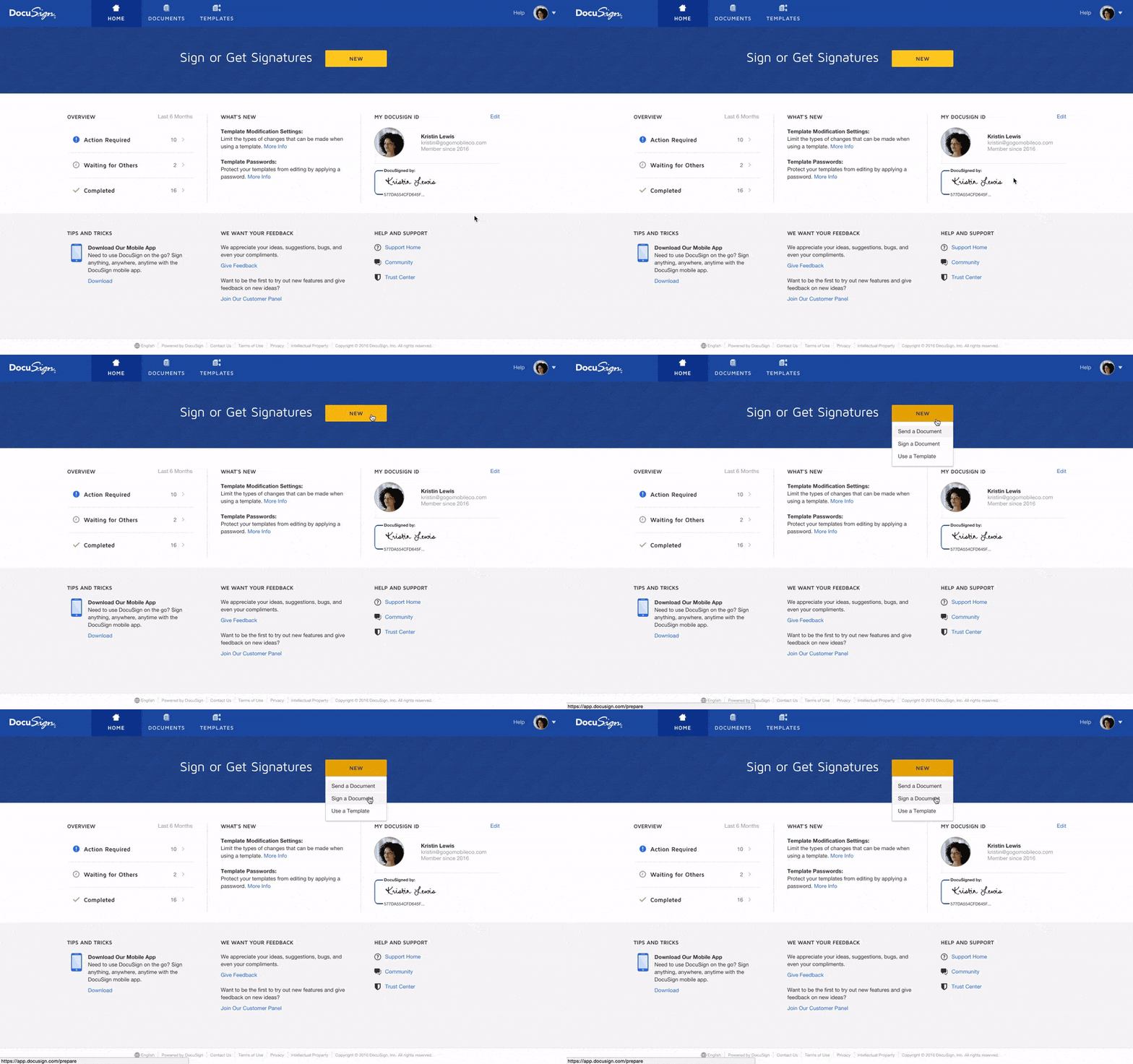
- Access Controls/Permissions
- Activity Dashboard For Workflow
- Real-Time Activity Tracking
- Approval Process Control
- Archiving & Retention
DocuSign Pricing
The free trial plan lets users perform tasks on the dashboard for a period of 30 days, giving businesses time to test the platform before paying. The paid plans are structured into 3 tiers — personal, standard, business pro — plus a custom plan that the sales team can tailor to larger organizations.
- The personal plan starts at $10 monthly and offers 5 envelopes per month & reusable templates
- The standard plan starts at $25/month per seat and offers shared templates and commenting
- Customized branding
- The business pro plan starts at $40/month per seat and offers signer attachments, formulas & advanced fields, PowerForms, bulk send, and payments
For detailed pricing, visit the DocuSign pricing page.
DocuSign Pros & Cons
| Pros 👍 | Cons 👎 |
|---|---|
| Accessible and convenient | All features are not available in the free-trial period. |
| Easy dashboard navigation | Glitchy password protection. |
| Easy & organized storage | Tricky document editing. |
Spotsaas has rated DocuSign 9.8 out of 10. Explore the product here.
SignNow
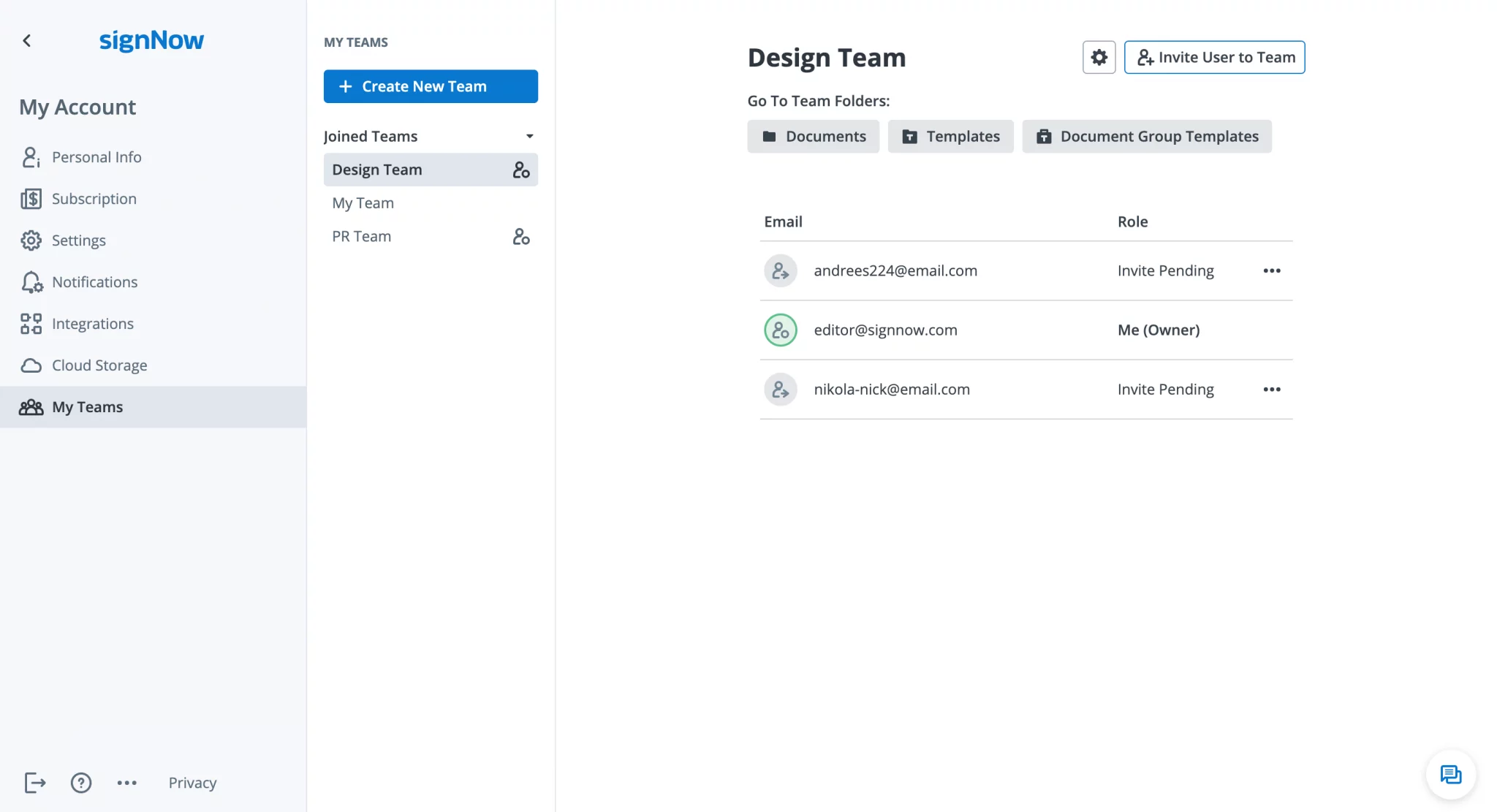
SignNow is a cloud-based vendor of digital signature technology. Its Software-as-a-Service platform lets people and companies sign, share, and manage documents digitally, without either party needing to print anything. The e-signature software is also compatible with iOS and Android smartphones, and SignNow provides interfaces with systems including Salesforce, SharePoint, Office365, and Google Apps for Work.
Features of Sign Now
- E-sign documents and send documents for signing
- Create unique e-signatures using the signature maker
- Access your account and manage your documentation from the mobile or web app, while offering custom branding.
SignNow Pricing
SignNow offers both free trials & paid plans, so businesses can try the platform before committing. The paid plans fall into 4 categories: business, business premium, enterprise, and business cloud.
- The business plan starts at $8 per user/per month and offers sending documents for signature, basic fillable fields, a mobile app, unlimited templates, & cloud storage integration features.
- The business premium plan starts at $15 per user/per month and offers reminders & notifications, bulk sends, signer link invites, custom logos, & Kiosk mode features.
- The enterprise plan starts at $30 per user/per month and offers payment requests, advanced threat protection, signer attachments, conditional documents & smart fillable field features.
- Business cloud starts at $50 per user/per month and offers an ultimate suite of solutions — CRM/ERP integration, personal integration support, 21 CFR Part 11 compliance, & HIPAA compliance.
For detailed pricing, visit the SignNow pricing page.
SignNow Pros & Cons
| Pros 👍 | Cons 👎 |
|---|---|
| Simple template set-up | Lacks- edit the signers feature. |
| Intuitive interface | Lacks- the ability to send an email to a specific address |
| Perfect for team collaboration | Slow updates |
Spotsaas has rated SignNow 9.7 out of 10. Explore the product here.
Conclusion
E-signature software has changed the way businesses operate, giving them a secure, efficient, and cost-effective way to sign documents. It removes the need for physical signatures, saving time and reducing the risk of errors. By using this kind of software, businesses can automate their workflow, improve collaboration, and increase overall productivity.
The benefits of e-signature software are hard to argue with, and with so many options available, it’s worth taking the time to choose a tool that actually fits your business’s needs rather than just picking the first one you find. Whether you’re a small startup or a large corporation, adopting the right e-signature SaaS can meaningfully change how your business handles digital signatures and contracts going forward.
To make things easier for you, we have curated a list of the top 5 e-signature software options for businesses, so you do not have to research every vendor yourself. Read here:
Learn about the top 5 e-signature software
Read More
Virtual Event Platform For Proven Coordination: Detailed Guide (2025)
Payment Gateway Software: A Complete Guide For You (2025)
FAQs
How do I create my e-signature?
The process of creating an e-signature is fairly simple using software: At first, a document is created and made ready for signing. The paper is subsequently posted to a site for e-signatures. The signer(s) are then provided with the paper by secure email or a secure link. After reviewing the paper, the signer(s) can add their e-signature. The document is deemed fully signed and a record of the signature is retained once the signer(s) have inserted their e-signature(s). After being signed, the document can be downloaded, printed, or distributed as necessary.
How do I create a Free e-signature?
You can use free e-signature tools to create an e-signature. Most e-signature platforms offer a free trial period that you can use.
Can I e-sign a PDF for free?
Yes, ESign any PDF document for FREE. Type your name, draw, or upload an image of your signature and click Sign. The information you provide for your E-Sign PDF document and online electronic signatures will be handled in accordance with the company’s privacy policy.
Compare alternatives to the tools in this post

- Independent picks for exactly what you just read about
- Matched to your team size & needs
- Vendors don't pay for placement
Step 1 of 4
How big is your team?
We tailor recommendations to companies your size.















Related Articles
AI Software
AI for Legal Teams in 2026: Use Cases, Tools, Ethics Rules and How to Choose
Continue reading →
AI Software
AI Contract Review Tools in 2026: How They Work, What to Check and 7 Tools Compared
Continue reading →
Buyers guide
How To Choose The Best Legal Case Management Software For 2026
Continue reading →
Finance & Billing Software
Contract Management Software Pricing in 2026: A Buyer’s Guide
Continue reading →