
Picking the right eBook format can be confusing when you’re not sure which one fits your needs, especially with device compatibility and marketplace requirements pulling you in different directions. There are five popular eBook formats within the publishing industry — EPUB, MOBI, AZW, PDF, and TXT — and each one behaves differently depending on where and how your readers access it.
This post covers these different formats in detail, walking through how each one is built and where it fits, and offers guidance on selecting the best one based on your specific needs as an author or publisher.
Key Takeaways
- There are five popular eBook formats: EPUB, MOBI, AZW, PDF, and TXT.
- EPUB is a flexible format suitable for most eReaders except Kindle, while MOBI is preferred for Kindle devices.
- PDF is ideal for eBooks with complex layouts or lots of images but has less adaptability in adjusting text size.
- Consider the contents of your eBook and the marketplaces that accept each format when choosing the right eBook format.
Understanding Popular eBook Formats
Popular eBook formats include EPUB (.epub), MOBI (.mobi), AZW (.AZW) and AZW3 (.AZW3), and PDF (.pdf).
EPUB (.epub)
EPUB is a top choice for eBook formats. Many bookstores and libraries use it, and it works well on most eReaders except the Kindle. The format reflows to fit your screen size, so you can read comfortably on small devices like phones or larger ones like computers, without the text spilling off the edge or shrinking to an unreadable size.
EPUB also holds pictures, sounds, and video clips within its pages, and it does so while still letting the surrounding text reflow around them. That makes it a good fit for kids’ books with lots of pictures, or school books with graphs and audio that need to stay properly aligned with the text around them.
MOBI (.mobi)
MOBI is a key eBook format. Amazon used to accept only MOBI files for Kindle books, which cemented its place as the default choice for a whole generation of self-published authors. Files in this format are easy to read across many types of screens, which makes them well suited to phones and other devices.
If you want to publish on Kindle, MOBI is a solid choice — it keeps text clear and sharp on Amazon’s own reading apps and devices. But be careful: some marketplaces don’t allow you to sell MOBI eBooks outside of Amazon, so it’s worth checking distribution terms before you commit to it as your only format.
AZW (.AZW) and AZW3 (.AZW3)
AZW and AZW3 are both eBook formats used by Amazon, and both work well on Kindle devices. AZW is the older of the two but still works for many books. The newer AZW3 format gives more control over how a book’s pages look.
It can render bold text or adjust letter size. Both formats also help protect eBooks from illegal sharing online, which is a real plus for authors and publishers. That said, they may not work correctly on other eReaders like Nook or iBooks.
PDF (.pdf)
PDF (.pdf) is another popular eBook format widely used across the publishing industry. PDF stands for Portable Document Format, and it’s known for displaying documents consistently across different devices and operating systems.
This format works particularly well for eBooks with complex layouts or lots of images, such as children’s books or graphic novels, since it locks the visual design in place no matter what screen it’s opened on.
One key advantage of PDF is its print-on-demand capability — readers can easily print pages from the eBook if they’d rather read on paper than on a screen. PDF files can also be secured with passwords or digital rights management (DRM) software, adding an extra layer of protection for sensitive content that you don’t want copied freely.
However, compared to EPUB and MOBI, PDFs are less flexible for adjusting text size or reflowing content to fit the screen. They also tend to have larger file sizes because of their fixed layout.
Choosing the Right eBook Format

Consider the contents of your eBook, the marketplaces that accept each format, and the differences between EPUB, MOBI, and PDF formats to find out which one is best for you.
Consider the contents of the eBook
When choosing the right eBook format, start with the contents of the eBook itself. Different formats suit different types of content. If your eBook contains lots of images or graphics, for example, PDF might be the right call because it holds formatting and visuals in place.
EPUB, on the other hand, works well for text-heavy books with minimal images. MOBI is the pick if you’re publishing on Amazon’s Kindle platform. Take some time to think about what kind of content your eBook has and choose a format that shows it off well.
Your target audience matters too. Are they primarily using e-readers, or are they more likely to read on phones or tablets? Knowing this helps you figure out which formats are most compatible with their devices, so they get a smooth reading experience instead of a format mismatch that makes your book harder to open or navigate.
Keep budget constraints and security concerns in mind as well. Some formats need specific software or tools for conversion, which can add extra cost on top of whatever you’re already spending on cover design and editing. Certain file types also offer better security features to protect your intellectual property, if that’s a concern for you as a publisher.
Marketplaces that accept each format
Different eBook marketplaces accept different formats. Here are the marketplaces and the formats they accept:
| eBook Marketplaces | Accepted eBook Formats |
|---|---|
| Amazon Kindle Store | MOBI, AZW |
| Apple iBooks Store | EPUB |
| Barnes & Noble Nook Store | EPUB |
| Google Play Books | EPUB, PDF |
| Kobo Writing Life | EPUB |
Differences between EPUB, MOBI, and PDF
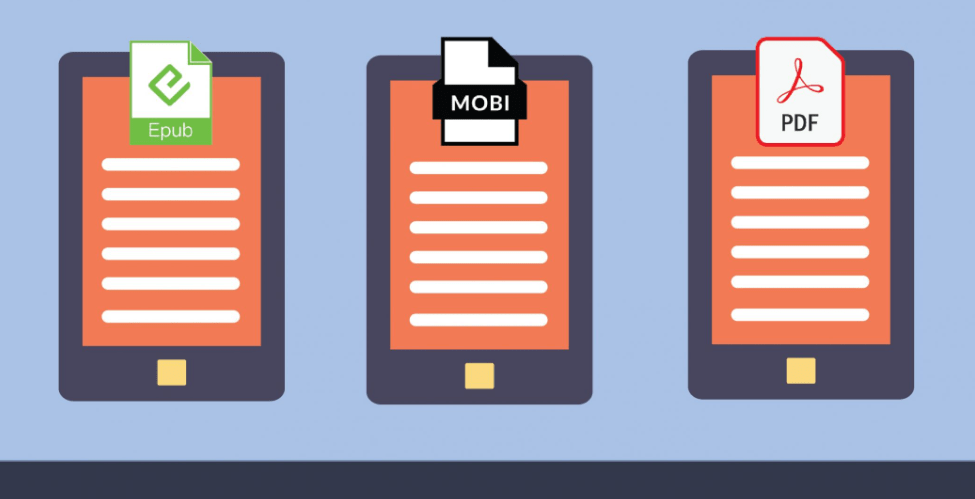
eBook formats differ in several ways, including their compatibility with different devices, the type of content they suit best, and how well supported they are across the publishing industry. Below is a comparison of EPUB, MOBI, and PDF.
| eBook Format | Characteristics | Best used for |
|---|---|---|
| EPUB (.epub) | EPUB is a widely supported eBook format. It maintains the integrity of the text, allowing for responsive reading on many devices. | EPUB is perfect for novels, anthologies, and other text-heavy books without much graphical content. It’s also considered better than PDF for eBooks in general. |
| MOBI (.mobi) | MOBI is Amazon’s proprietary format, which used to be the only file format accepted by Amazon for Kindle publishing. | MOBI is preferable over Word files for Kindle. However, it has limited support outside of Amazon’s ecosystem. |
| PDF (.pdf) | PDF files maintain the exact layout and appearance of the document, regardless of the device they are viewed on. They are not as responsive as other eBook formats. | PDF is better for printing and graphically detailed eBooks, such as children’s books or comics, but is less ideal for long, text-heavy documents. |
Pros and Cons of EPUB, MOBI, and PDF formats
EPUB is considered the gold standard for eBook publishing thanks to its flexibility and compatibility with most eReaders. MOBI, meanwhile, is Amazon’s proprietary format, built to work best on Kindle devices.
PDF, for its part, is a popular choice for print-on-demand work, though it may not offer the same reading experience as EPUB or MOBI.
EPUB – the gold standard for eBook publishing
EPUB holds the title of gold standard in eBook publishing. It’s a widely supported format used by many e-readers and devices. EPUB files are flexible and adapt to different screen sizes, which makes them ideal for reading on smartphones, tablets, and e-readers alike.
Unlike PDFs, which have fixed layouts, EPUB allows for reflowable text, so readers can adjust font size and layout to their liking. EPUB also supports interactive features like hyperlinks and multimedia elements, which adds to the reading experience.
Given its wide compatibility and advanced capabilities, EPUB is a strong recommendation for anyone publishing an eBook professionally.
MOBI – Amazon’s proprietary format
MOBI is a file format owned by Amazon, originally designed specifically for the Kindle e-reader. Since Amazon is the biggest player in the e-book market, MOBI files used to be the only option for publishing a book on their platform.
Amazon now accepts other formats like EPUB as well. One advantage of MOBI, though, is that it supports advanced features like annotations and highlights on Kindle devices. So if you’re planning to publish exclusively through Amazon’s Kindle store, MOBI is worth considering.
PDF – the print-on-demand solution
PDF is one of the most popular eBook formats, known for its compatibility across different devices and operating systems. It’s widely used for documents that require precise formatting, such as textbooks or manuals.
PDF files keep their layout and design elements regardless of the device used to view them. This makes the format especially useful for graphic-intensive eBooks like children’s books or comics, where visual appeal matters.
PDF also supports print-on-demand, making it a strong choice if you plan to offer physical copies of your eBook.
Tools for Converting and Formatting eBook Files
Several tools are available for converting and formatting eBook files, including Atticus, Draft2Digital, Ebook Launch, and Kindle Create.
Atticus
Atticus is a tool you can use to convert and format your eBook files, alongside options like Draft2Digital and Ebook Launch.
Atticus can transform your eBook into different formats, keeping it compatible with various eReaders and reading apps. That means readers can access and enjoy your eBook no matter what device they own or which store they bought it from.
Whether you have an EPUB, MOBI, AZW, or PDF file, Atticus can help convert it to the format you need, helping your eBook reach a wider audience.
Draft2Digital
Draft2Digital is a helpful tool for converting and formatting eBook files. It offers an easy way to convert your manuscript into various eBook formats, such as EPUB and MOBI, compatible with popular e-readers like Kindle and Nook.
With Draft2Digital, your eBook stays accessible to a wide audience. It also simplifies self-publishing by handling distribution to multiple online marketplaces, including iBooks and Kobo.
That saves you time and effort in reaching readers across different platforms.
Ebook Launch
Ebook Launch is a tool that helps you convert and format your eBook files. It’s one of the options available to authors and publishers who want their eBooks well-designed and compatible with different e-readers.
Ebook Launch offers services covering various aspects of eBook publishing, including cover design, formatting, editing, and conversion. With this tool, you can put together professional-looking eBooks ready for distribution on platforms like Kindle, Nook, iBooks, or Audiobooks.
Whether you’re a self-published author or part of a publishing company, Ebook Launch can help your eBook stand out in the digital market.
Kindle Create
Kindle Create is a tool that helps authors format their eBooks specifically for Kindle devices. It’s free software from Amazon, downloadable on both Mac and Windows computers.
With Kindle Create, authors can import their manuscript files and convert them into professionally formatted eBooks compatible with all Kindle devices and reading apps. The tool allows for customizing font styles, chapter headings, page breaks, and table of contents to match the look you want.
Kindle Create also provides preview options, so you can check that the eBook looks right before publishing it on Amazon’s Kindle platform.
Which eBook Format is the Best for You?
Consider your target audience, marketing strategy, type of eBook, and security and budget concerns when determining the best eBook format for you.

Consider your target audience
When choosing the best eBook format for you, think about your target audience. Consider who will be reading your book and what devices they’re most likely to use.
If your target audience is mostly Kindle users, MOBI format is a good choice because it’s compatible with Amazon’s Kindle e-readers. If you want your eBook accessible across different devices and platforms instead, EPUB is the better option since it’s widely supported by various e-reader apps and devices.
Thinking through your target audience up front helps make sure your eBook reaches its intended readership effectively.
Marketing strategy
When choosing the best eBook format for your marketing strategy, there are a few things worth weighing. First, think about your target audience and their preferred reading formats.
That will help you determine which eBook format is most compatible with their eReaders. Second, factor in the marketplaces where you plan to sell or distribute your eBook.
Different platforms accept different formats, so make sure your chosen format is supported by those platforms. Finally, think about the type of eBook you’re creating and its content.
Type of eBook
There are different types of eBook formats to choose from. Some popular ones include EPUB, MOBI, AZW, and PDF. EPUB is widely supported and considered the gold standard for eBook publishing.
MOBI is Amazon’s proprietary format and works well with Kindle devices. PDF suits books with lots of pictures or graphics, like children’s books or comics. Each format has its own strengths, so it’s worth weighing your target audience, marketing strategy, and the type of eBook you’re creating before settling on one.
Security and budget concerns
When choosing the right eBook format, security and budget are also worth considering. EPUB files are generally more secure than PDF files, since they support digital rights management (DRM) technology.
That means you can control who has access to your eBook and prevent unauthorized copying or sharing. PDF files, by comparison, have more limited DRM options.
On the budget side, EPUB is the more cost-effective option because it’s an open standard format supported by many eReaders and platforms. That means you won’t need to spend extra money converting or formatting your eBook for different devices.
PDF files, on the other hand, may need additional formatting work to be compatible with various eReaders.
Conclusion
Choosing the best eBook format for you comes down to a few factors. Think about your target audience and their preferred reading devices. Consider the type of eBook you’re creating, whether it’s text-heavy or image-heavy, and the marketplaces where you plan to sell it.
And don’t overlook security and budget concerns along the way. Taking all of these factors into account together will help you select the format that showcases your content well and reaches your intended readership effectively, without extra conversion costs down the line.
Frequently Asked Questions
What are the different eBook formats available?
The main eBook formats include EPUB, MOBI, PDF, and AZW.
Which eBook format is better for reading on e-readers?
EPUB is generally considered better for e-readers as it offers more flexibility and compatibility with different devices.
Can I read all eBook formats on any device?
No, not all devices support every eBook format. It’s important to check the device’s specifications and compatibility before choosing an eBook format.
Are there any advantages of using PDF as an eBook format?
PDF eBooks maintain their formatting across various devices and platforms, making them suitable for textbooks or documents that require fixed layouts.
How can I decide which eBook format is better for me?
Consider factors such as the supported features of your reading device, intended usage (e.g., casual reading or technical reference), and personal preferences (e.g., text customization options) when choosing an eBook format that suits you best.
Related Articles
Buyers guide
Twilio Alternatives 2026: 6 Compared and What They Cost
Continue reading →

Finance & Billing Software
Best Payroll Software for Contractors and Freelancers in 2026
Continue reading →

Buyers guide
How To Choose The Best Auto Dialer Software For 2026
Continue reading →

Buyers guide
How To Choose The Best Freelance Platforms For 2026
Continue reading →